Frescobaldi ~ LilyPond Sheet Music Editor


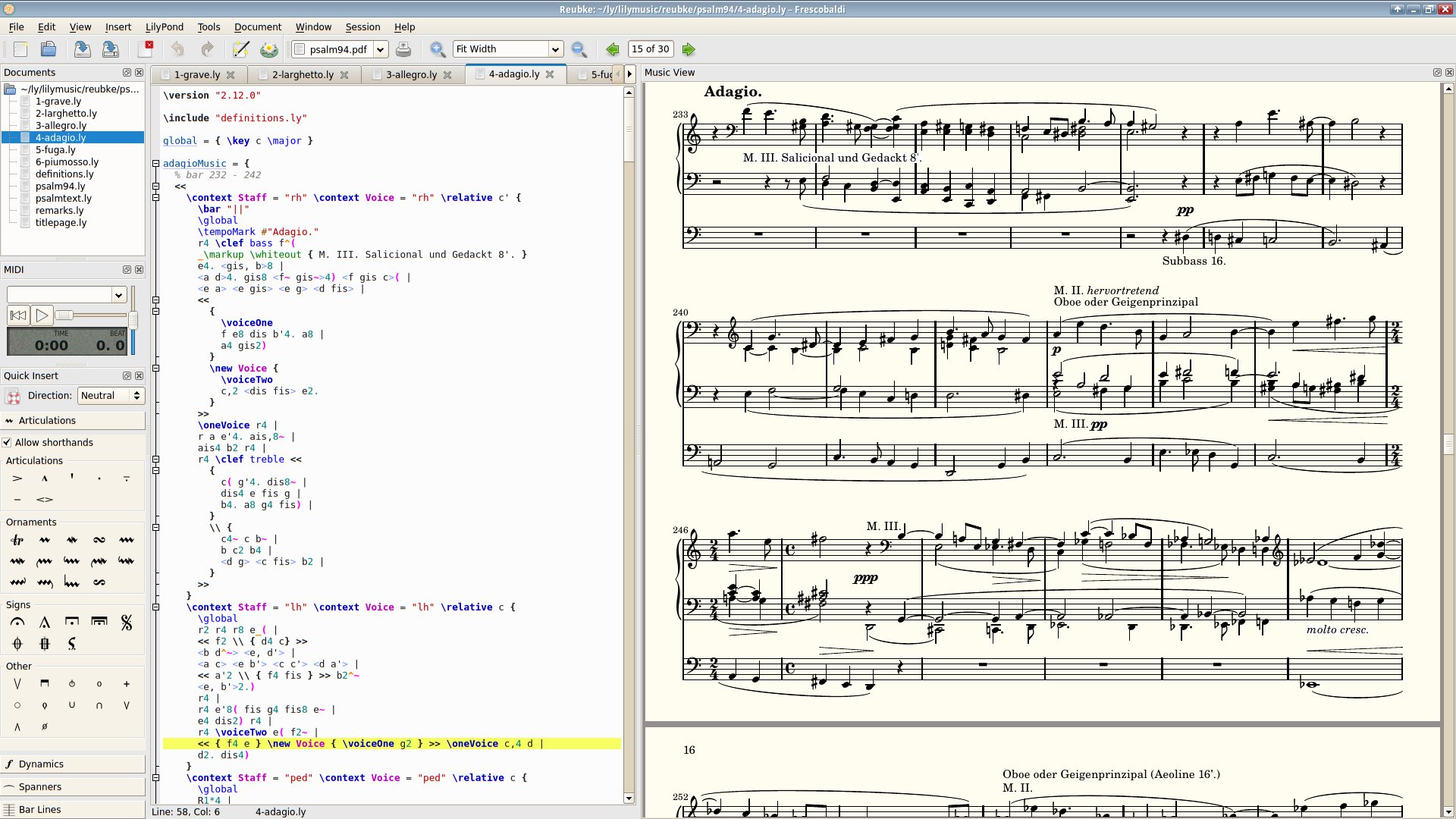
Frescobaldi is a free and open source LilyPond sheet music text editor. Designed to be powerful yet lightweight and easy-to-use, Frescobaldi offers great functionality and a host of useful features such as music view with advanced two-way Point & Click, Midi capturing to enter music, a Snippet Manager and many more.

Frescobaldi is named after Girolamo Frescobaldi (1583-1643), an Italian composer of keyboard music in the late Renaissance and early Baroque period.

Features

  • Powerful text editor with syntax highlighting and automatic completion
  • Music view with advanced two-way Point & Click
  • Midi player to proof-listen LilyPond-generated MIDI files
  • Midi capturing to enter music
  • Powerful Score Wizard to quickly setup a music score
  • Snippet Manager to store and apply text snippets, templates or scripts
  • Use multiple versions of LilyPond, automatically selects the correct version
  • Built-in LilyPond documentation browser and built-in help
  • Configurable document outline view to navigate large LilyPond scores easily
  • Smart layout-control functions like coloring specific objects in the PDF
  • Import ABC, Midi and MusicXML using the LilyPond-provided tools
  • Experimental export to MusicXML
  • Modern user interface with configurable colors, fonts and keyboard shortcuts
  • Translated into: Dutch, English, French, German, Italian, Czech, Russian, Spanish, Galician, Turkish, Polish, Brazilian and Ukrainian.
Frescobaldi

sourceforge.net/projects/frescobaldi.mirror
www.frescobaldi.org

Spek ~ Acoustic Spectrum Analyzer


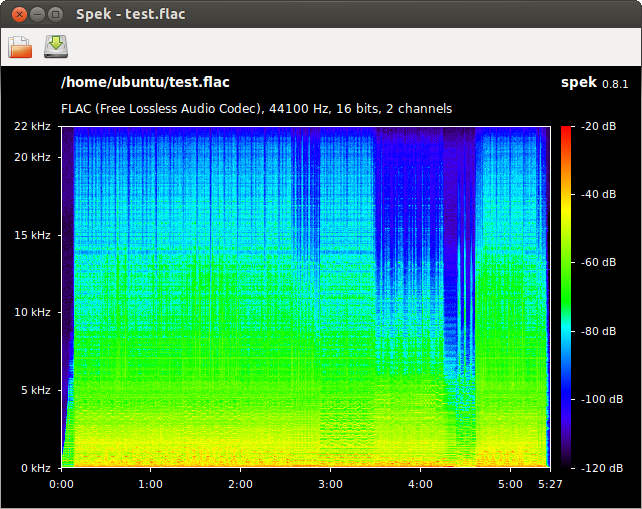
Spek (IPA: /spɛk/, ‘bacon’ in Dutch) helps to analyse your audio files by showing their spectrogram. Spek is free software available for Unix, Windows and Mac OS X.

Features:

  • Supports all popular lossy and lossless audio file formats thanks to the FFmpeg libraries.
  • Ultra-fast signal processing, uses multiple threads to further speed up the analysis.
  • Shows the codec name and the audio signal parameters.
  • Allows to save the spectrogram as an image file.
  • Drag-and-drop support; associates with common audio file formats.
  • Auto-fitting time, frequency and spectral density rulers.
  • Adjustable spectral density range.
  • Translated into 19 languages.

spek

spek.cc
github.com/alexkay/spek

Jniz ~ Compose With Harmonies


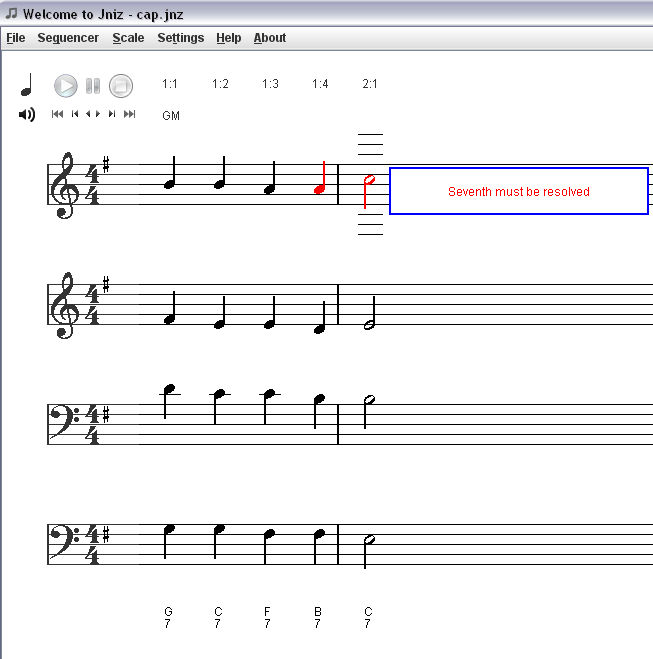
Jniz is a free proprietary piece of software designed for musicians as a support tool to the musical composition. It allows you to build and to harmonize several voices according to the rules of classical harmony.

To be convinced of the limitations observed and of the work done by the great classical masters such as Bach, Mozart or Beethoven, please refer to Wikipedia, the Walter Piston Harmony book or the Schonberg theory.

The perfect knowledge and the good practice of these rules are not required but you will undoubtedly save time and it will help you greatly in using and understanding the mechanism of Jniz.

  • interface of musical notation which allows you to create, edit, save a score
  • number of voices up to 16 (256 with layers).
  • possibility to change of Key at any time.
  • Jnz, MusicXml, LillyPond, Midi, PDF export.
  • listen to the available Midi ports.
  • scale
  • redo / undo
  • Non harmonic tones (appoggiatura, echappee, suspension, passing, pedal, cambiata, anticipation)
  • Minor melodic keys
  • Chords notation recognition
  • harmonic correction of your work following the set of predefined rules
  • to give one or several solutions in case of fault if one or more rules are circumvented (Solver module).
  • Empty staves filled up by Solver (Auto Harmonizing)
  • Keys / modulations simulation tool
  • Cadences
  • Solvers serialization
  • multi-cores support
  • Input with Midi keyboards or microphones / input lines
  • Audio / sound to midi converter (monophonic)
  • Windows, Linux, OS X compatible (32/64 bits)
  • multi-languages support
jniz

www.jniz.org

SoundSwitch ~ Multilanguage Windows Utility


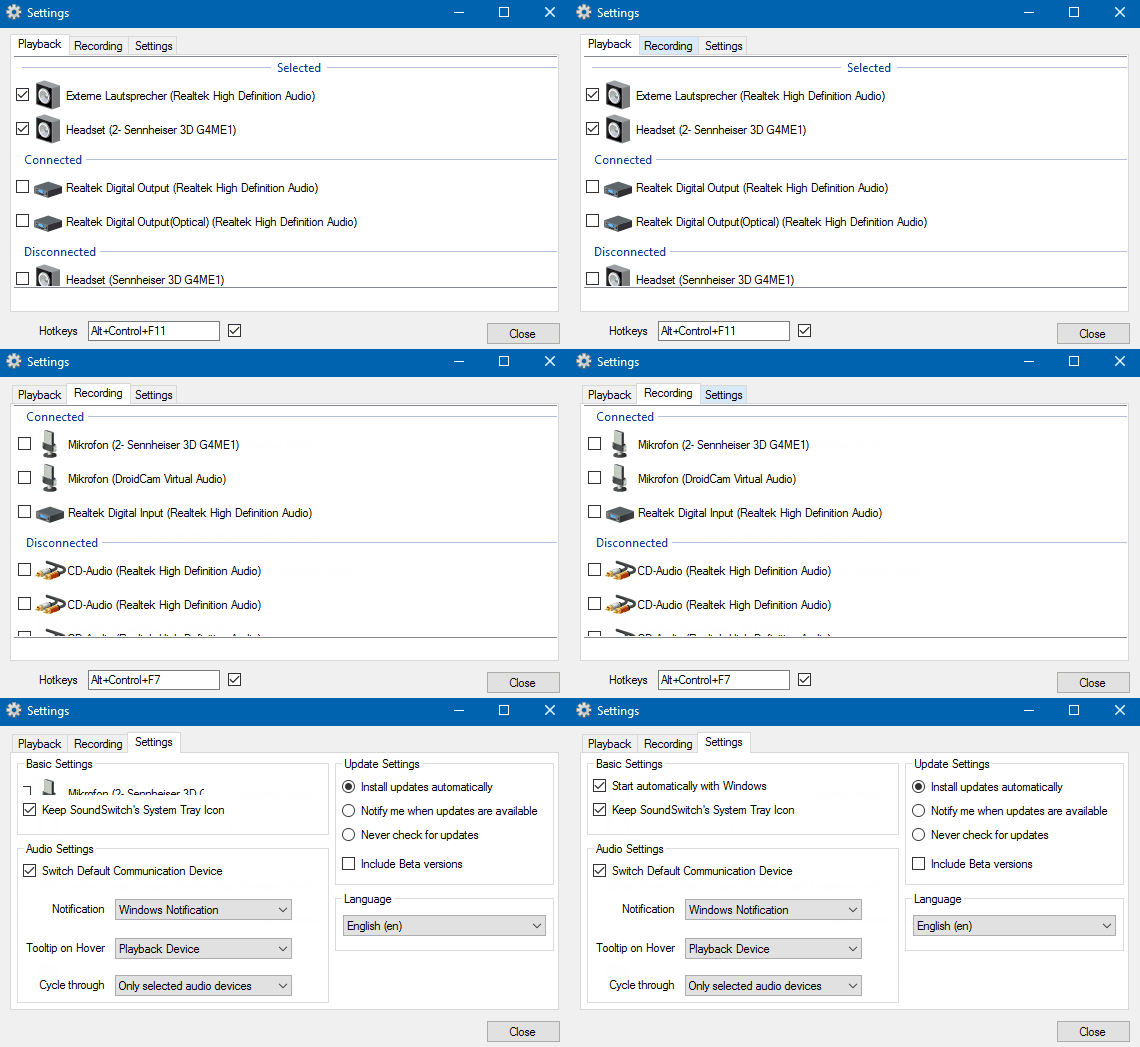
SoundSwitch offers you the opportunity to switch your playback devices and/or recording devices using simple hotkeys.

No more navigating through several menus and screens. Just configure SoundSwitch once – and you are able to switch between your devices as fast as never before!

soundswitch

soundswitch.aaflalo.me
github.com/Belphemur/SoundSwitch

Mcool ~ Lightweight Music Player


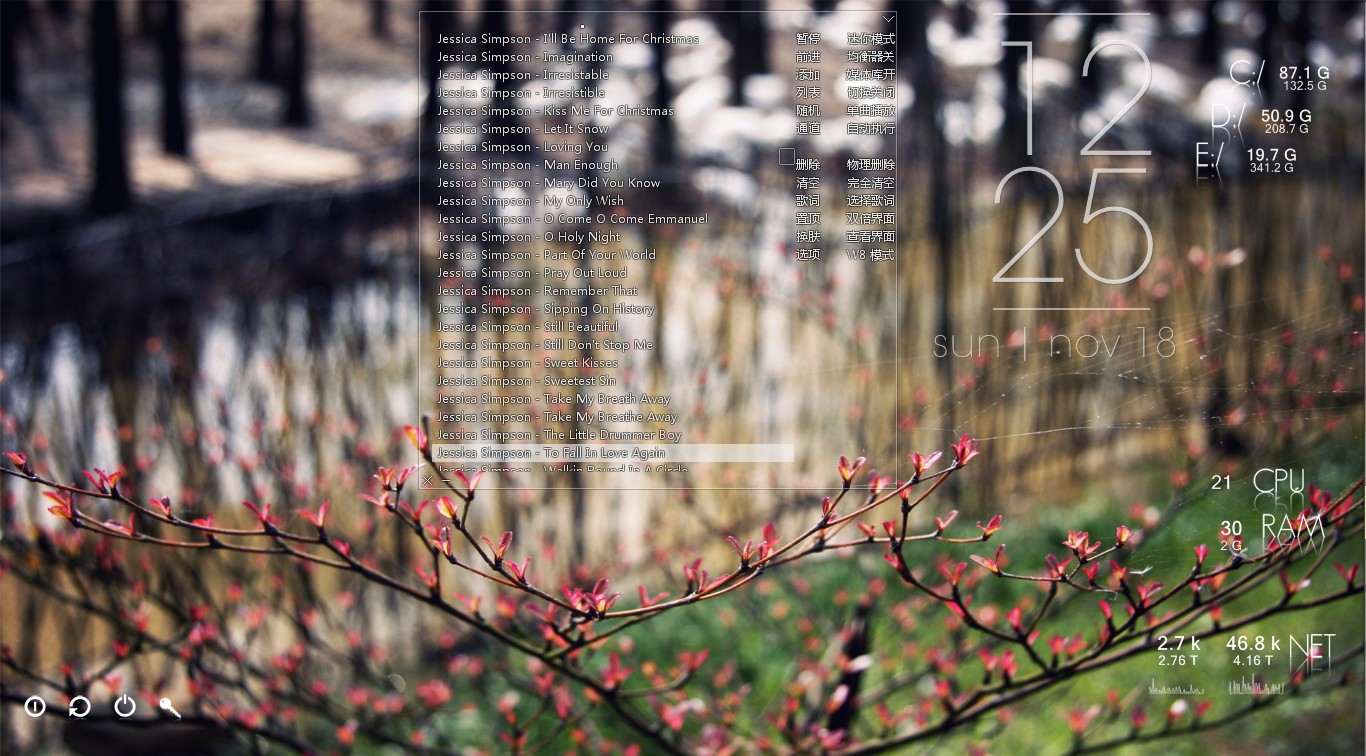
Minimalist local music player for windows, transparent, borderless and buttonless.

Features:

  • Portable, free, open-source software. (Delphi, MIT open-source license)
  • Operating System: Windows XP/7/8/10, 简体 / 繁體 / English / Unicode
  • Minimalist, transparent, “no interface, only music”.
  • Optimized for local lossless music playback. Powered by Bass library, with excellent performance and high quality sound effects. Modular design, can be highly customized.
  • Supports lightweight media library, lyrics and visual effects. Can be minimized to the system tray, takes very few system resources, suitable to listening to music when working.
  • These features come from user suggestions: tag editing, automatic switching list, play queue, mouse gestures, equalizer, audio device selection, the global volume wheel (over systray), font settings, minimalist mode, mouse transparent, pin to desktop and a simple layout.
  • Supports APE / FLAC / WavPack / MP3 / OGG / TTA / TAK / Musepack / AAC / AC3 ​​/ WMA / Wav / CD / ALAC / Aiff / MOD / CUE (almost all local music formats from lossy to lossless, and supports video formats by plug-in)

mcool.jpg

mcool.appinn.me

Goggles Music Manager ~ Linux Player


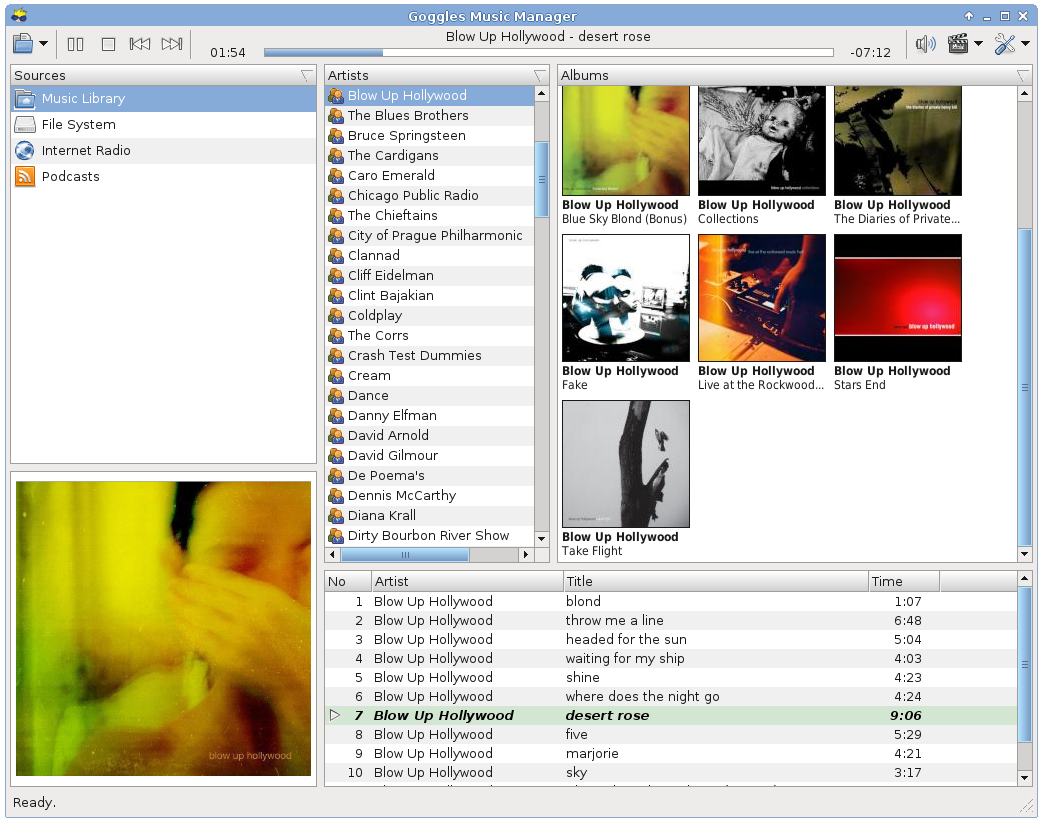
  • Fast and lightweight. Quick startup, no splash screen needed!
  • Supports Opus, Ogg Vorbis, FLAC, mp3 and mp4 (AAC and Apple Lossless)
  • Gapless playback and Replaygain support (Ogg Vorbis, Opus, FLAC and mp3 with APE tags).
  • Support for cover art embedded in tag or as separate file on disk.
  • Subscribe to Podcasts (rss) using the built in podcast manager.
  • Tag editing and powerful file renaming capability.
  • Filters / Smart Playlists
  • Smart sorting with user configurable leading word filter to prevent sorting on common words like the, a or an.
  • Support for playlists. Playlists may be played in a certain configurable order, or browsed through like the main music library.
  • Import / export music library and playlists to XSPF, PLS, M3U, Extended M3U or CSV.
  • Clipboard & DND (drag-and-drop) support to arrange playlists and dragging to and from Gnome / kde applications.
  • Clean and fast database backend using SQLite 3.
  • Written using FOX, one of the fastest GUI toolkits available.
  • Last.fm and libre.fm audio scrobbler support.
  • Translated in Czech, French, German, Hungarian, Portuguese, Russian and Spanish.

gogglesmm0.13.png

gogglesmm.dev

Tauon Music Box ~ Streamlined Linux Player


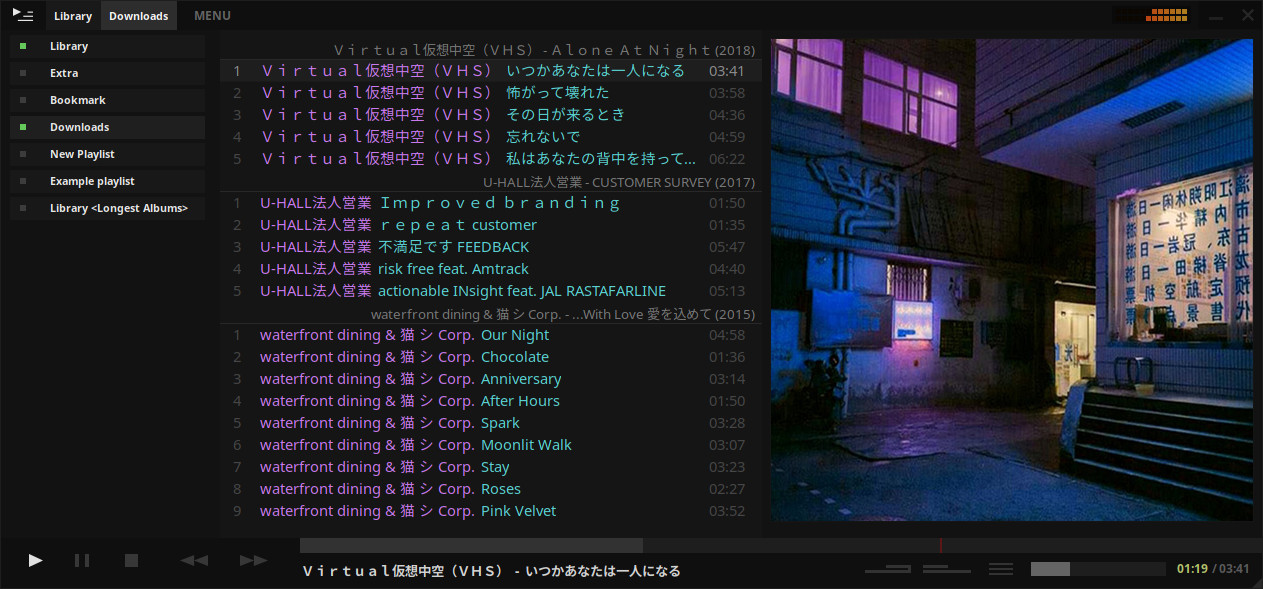
A music player for the desktop. Designed to be powerful, simple and streamlined, putting the user in control of their music collection. Uses the proprietary BASS audio library for playback.

Tauon Music Box

tauonmusicbox.rocks
github.com/Taiko2k/tauonmb

Mixxx ~ DJ Your Way For Free


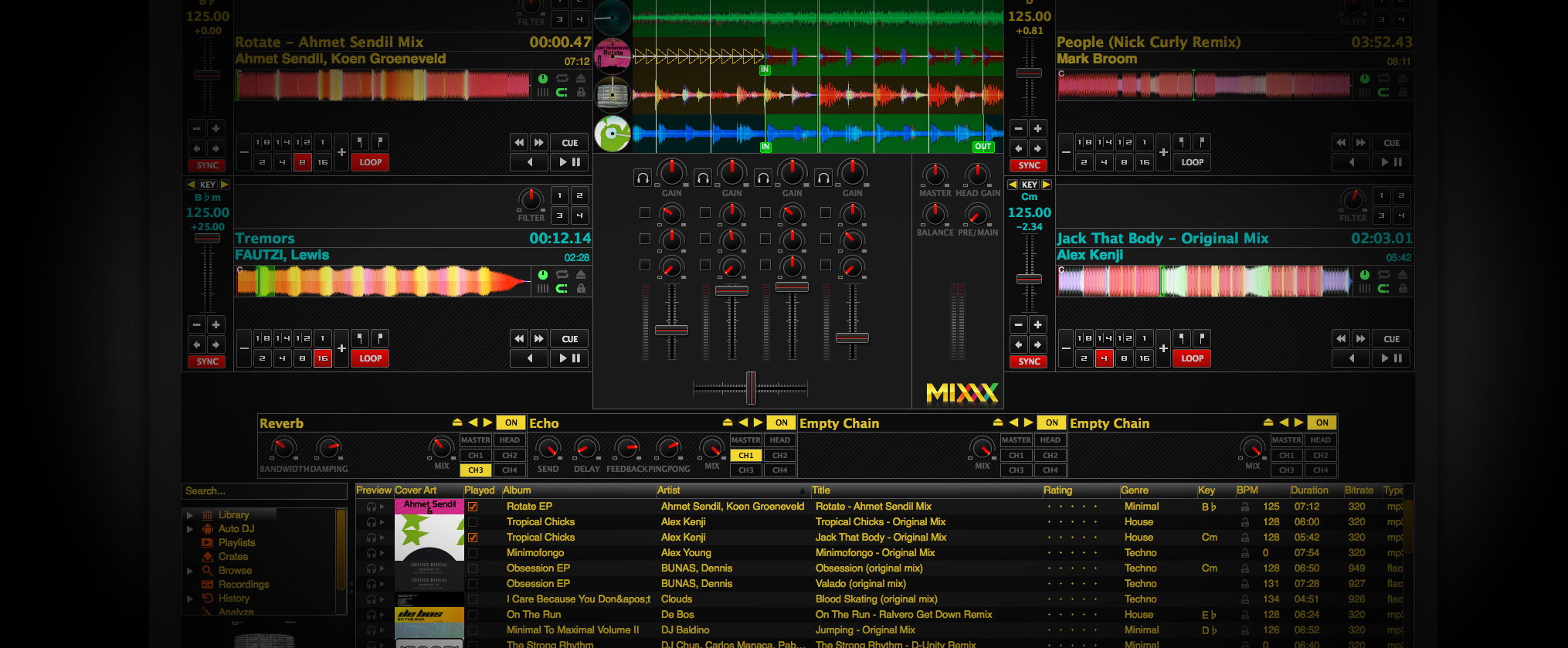
Mixxx has everything you need to start making DJ mixes in a tight, integrated package. Whether you’re DJing your next house party, spinning at a club, or broadcasting as a radio DJ, Mixxx has what you need to do it right.

Mixx-2.0

Cross-platform, extensible, multi-language, open source & skinnable freeware. Support for iTunes, MusicBrainz, ReplayGain and Traktor.

mixxx.org
Download
Manual
Wiki
Blog
Wikipedia
Github Repository

fre:ac ~ Cross-platform Converter & Ripper


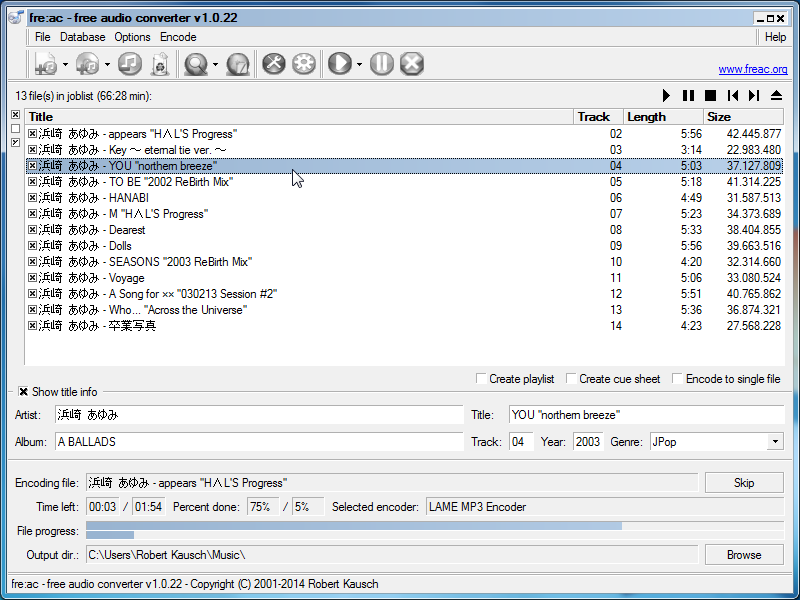
fre:ac is a free open source audio converter and CD ripper with support for various popular formats and encoders. It currently converts between mp3, MP4/M4A, WMA, Ogg Vorbis, FLAC, AAC, WAV and Bonk formats.

With fre:ac you can easily rip your audio CDs to MP3 or WMA files for use with your hardware player, or convert files that do not play with other audio software. You can even convert whole music libraries retaining the folder and filename structure.

The integrated CD ripper supports the CDDB / freedb online CD database. It will automatically query song information and write it to ID3v2 or other title information tags.

Features:

  • Converter for MP3, MP4/M4A, WMA, Ogg Vorbis, FLAC, AAC, WAV and Bonk formats
  • Integrated CD ripper with CDDB/freedb title database support
  • Portable application, install on a USB stick and take it with you
  • Multi-core optimized encoders to speed up conversions on modern PCs
  • Full Unicode support for tags and file names
  • Easy to learn and use, still offers expert options when you need them
  • Multilingual user interface available in 40 languages
  • Completely free and open source without a catch

freac-1.0.x-en

www.freac.org

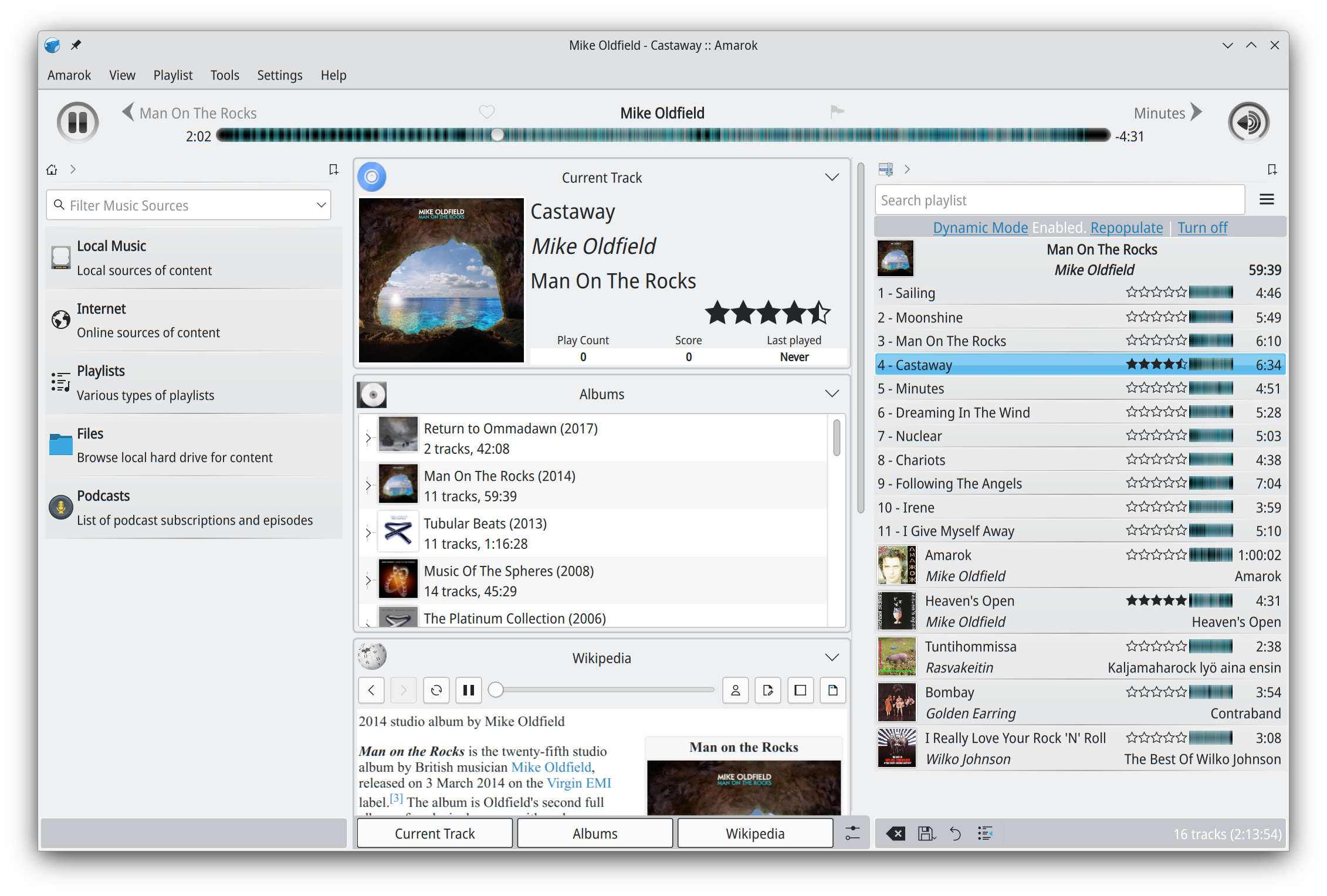
Amarok ~ Cross Platform Audio Player


Amarok is a powerful music player, with multi-language support, for Macs, Unix/Linux and Windows. It has an intuitive interface and makes playing the music you love, and discovering new music, easier than ever before – and it looks good doing it!

Features:

  • Dynamic playlists matching different criteria
  • Collection managing with rating support
  • Support for basic iPod, MTP and UMS music player devices
  • Integrated Internet services: last.fm, Magnatune, Ampache and more.
  • Scripting support
  • Cover manager
  • Replaygain support

apps.kde.org/amarok
amarok.kde.org
Downloads
Documentation

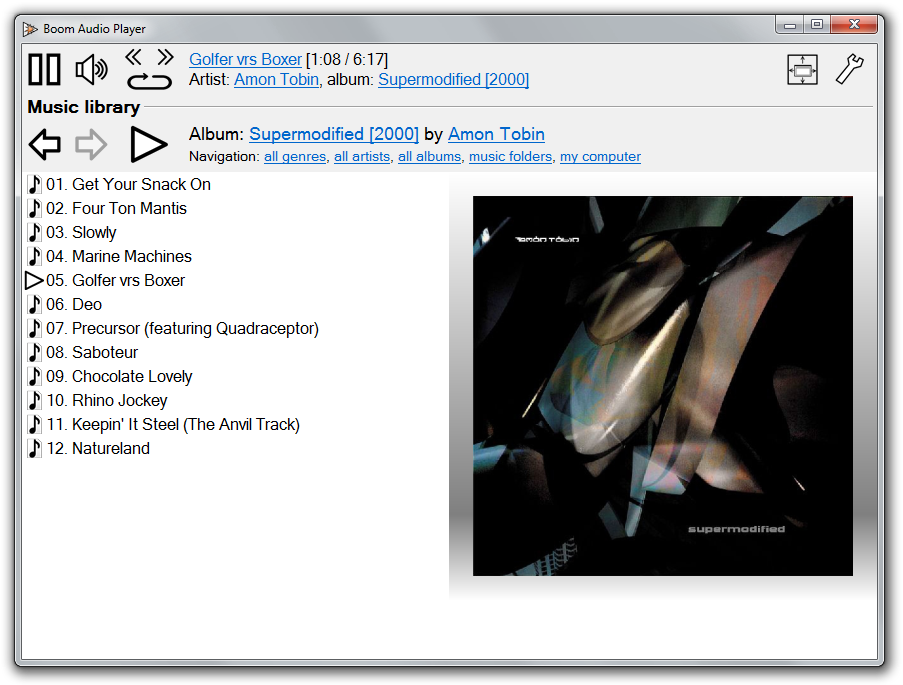
Boom Audio Player ~ Foobar2000 Simplified


Frome the same developer who brought you Foobar2000 comes Boom.

Boom is an easy to use audio player intended for casual computer users who do not wish to spend their time on figuring more sophisticated software out. All of its most important features are easily accessible out-of-the-box.

Features:

  • No installation or administrator rights required! Just download and run.
  • Gapless playback of properly encoded files. Enjoy smooth transitions between tracks.
  • ReplayGain support. External software is currently required to write ReplayGain information to file tags to utilize this functionality.
  • Contents of your music folders are shown, in a convenient structured genre/artist/album/song view.
  • By default, contents of “my music” folder or Windows Music library folders are shown. You can configure Boom to index music from any other folders though.
  • You can install Boom to removable media and have it index contents of the folder it is installed in.
  • Are your files badly tagged or missing tags all together? No problem, Boom can browse your music library by its folder structure.
  • Supports variety of popular audio formats, including: MP3, Ogg Vorbis, FLAC, Musepack (MPC), WavPack, WAV, AIFF, MP4/M4A, WMA.
  • For emergency tagging needs, Boom includes a simplified version of the foobar2000 Properties dialog.
  • Easily configured to run from removable media.
  • Multi-language support.
boom-1

perkele.cc/software/boom
apps.microsoft.com/detail/9NQNS46R8T75

BatchEncoder ~ Audio Conversion GUI


BatchEncoder is audio file conversion software. It supports most of popular audio file formats including both lossy and lossless compression. The program is very simple to use. BatchEncoder is basically a GUI front-end for command-line tools. All it does is create background processes and pass arguments to it with options set in the presets / format menu and additionally adds input and output file paths.

Features:

  • Open-source, fast and simple.
  • Front-end for command-line tools.
  • Supports popular audio formats.
  • File transcoding between audio formats.
  • Multi-threaded conversion.
  • Full UNICODE support.
  • Multi-language user interface.
  • Out of the box configuration for new users.
  • Advanced options for experienced users.
BatchEncoder

wieslawsoltes.github.io/BatchEncoder
github.com/wieslawsoltes/BatchEncoder
hydrogenaud.io/index.php/topic,50822.0