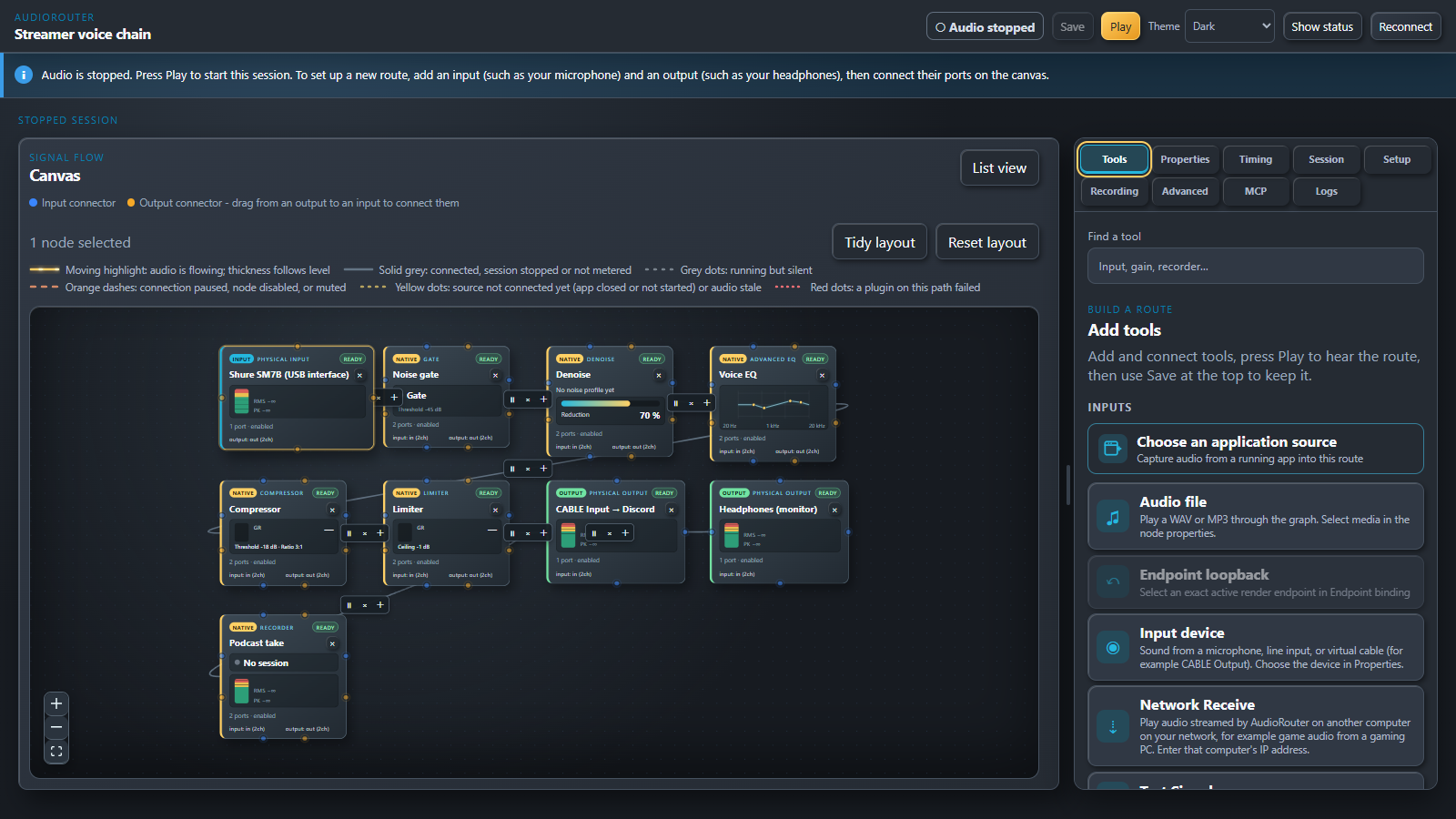
AudioRouter is a visual audio router for Windows 11. Draw your audio on a canvas: plug a microphone into a noise gate, an EQ and a compressor, send the result to Discord, monitor it in your headphones and record it, all at once. Stream game audio from your gaming PC to your streaming PC over your home network. Every route is a picture you can read, and every setting is live.
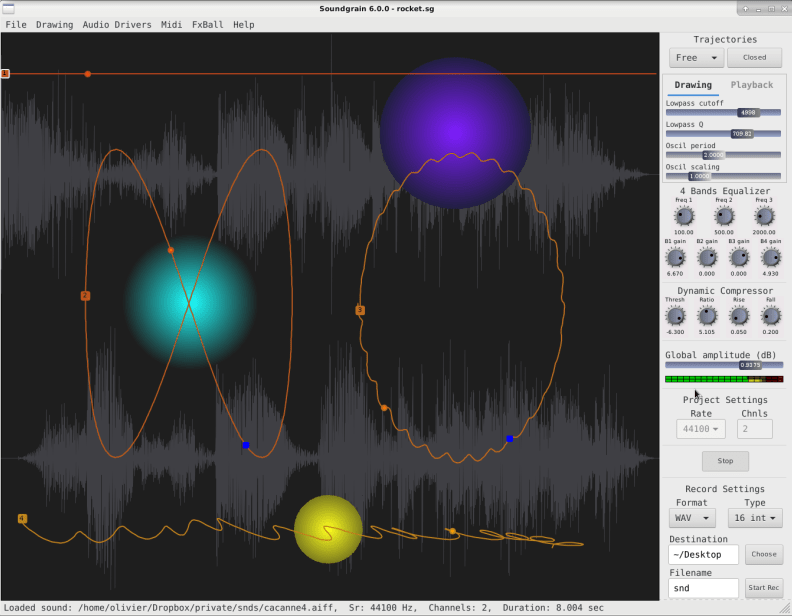
Soundgrain is a graphical interface where users can draw and edit trajectories to control granular sound synthesis. Soundgrain is written with Python/WxPython and uses Pyo as its audio engine.
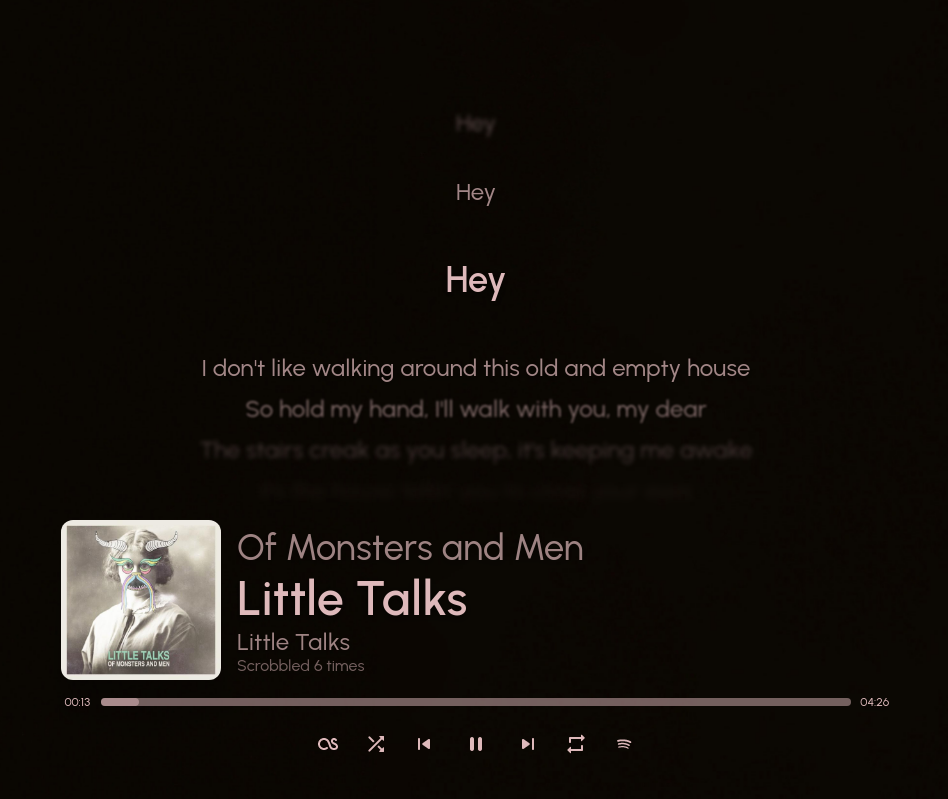
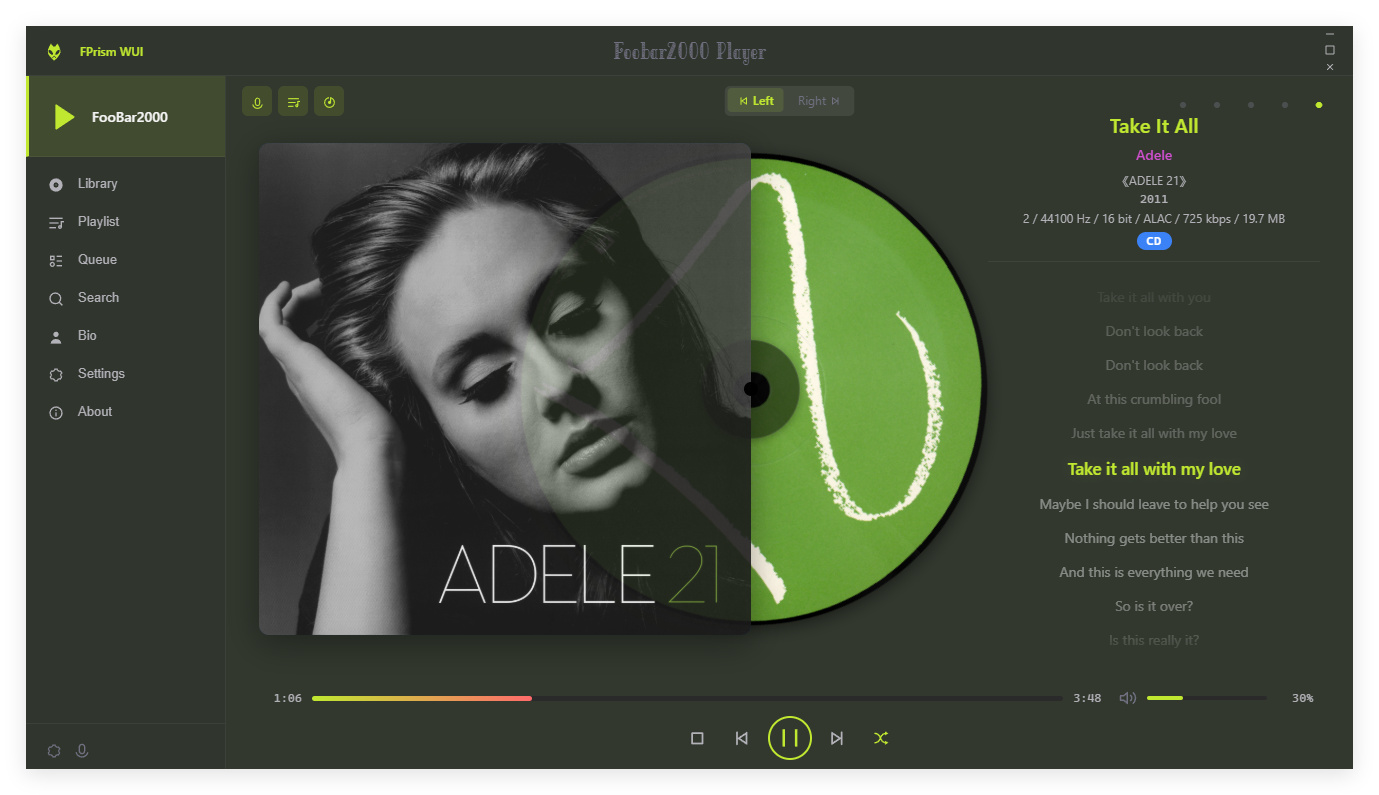
foobar2000 visual lyrics components: inset panel, transparent desktop lyrics, Windows taskbar lyrics. The lyrics are sourced from local .lrc /.ttml and the preference “in use”. The factory first uses the NetEase Cloud / Kugou/QQ verbatim community script, and then LRCLIB, Kugou, QQ, and NetEase Cloud verbatim sources; embedded lyrics, amlldb TTML, and YouTube subtitles are available sources by default. Sources that are not added will not be searched. Supports standard LRC, Enhanced LRC (word<>-for-line time), and Apple / AMLL lyrics TTML (right-click to select Zhuyin, translation, and romanization); karaoke with word stamps can be cut to the current word according to the character shape.
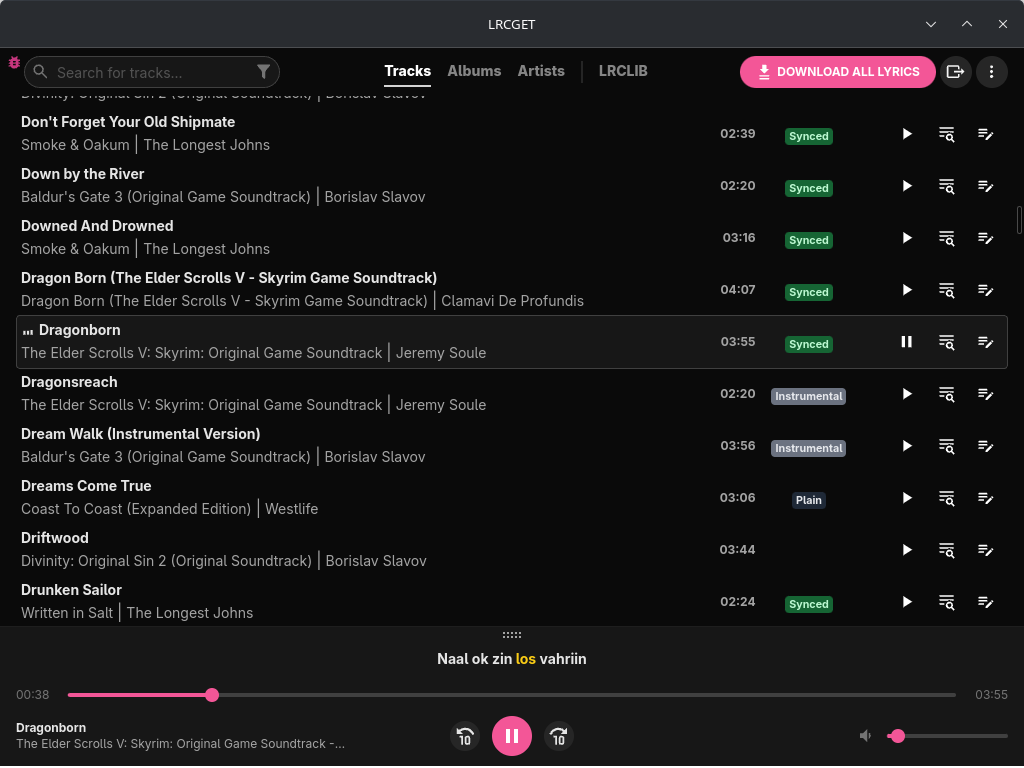
Utility for mass-downloading LRC synced lyrics for your offline music library.
LRCGET will scan every files in your chosen directory for music files, then and try to download lyrics to a LRC files having the same name and save them to the same directory as your music files.
A modern UI component for foobar2000 built on WebView2 (C++ DLL). It turns the entire foobar2000 window into a WebView2 canvas, letting you build the interface with modern web technologies while keeping native Windows 11 visual effects (Mica/Acrylic).
Features:
Full WebView2 UI — the entire client area is rendered by WebView2
Cover-art for the 24seven.fm family of internet radio stations — Streaming Soundtracks, 1980s.FM, Adagio.FM, Death.FM, and Entranced.FM. A shared, host-agnostic C++ engine drives three Windows front-ends plus a cross-platform core library:
Component
Directory
Output
Build system
Desktop viewer
desktop/
24sevenfm_covers.exe (x64, self-contained)
MSBuild (.vcxproj / .sln)
Winamp plugin
winamp/
gen_24sevenfm_covers.dll (x86 / 32-bit)
CMake
foobar2000 component
foobar2000/foo_24sevenfm_covers/
foo_24sevenfm_covers.dll (x64)
MSBuild (.vcxproj)
Core library
lib/
coverfetch static lib (cross-platform)
CMake
All three front-ends share the same Direct2D renderer (shared/d2d_*.cpp), the cover engine (shared/cover_engine.* — cover preload, crossfade/flip transitions, remaining-time countdown), the options page (shared/options_*), and the networking/parse library (lib/). The library alone (lib/) is portable C++11 and already cross-compiles for Android/iOS.
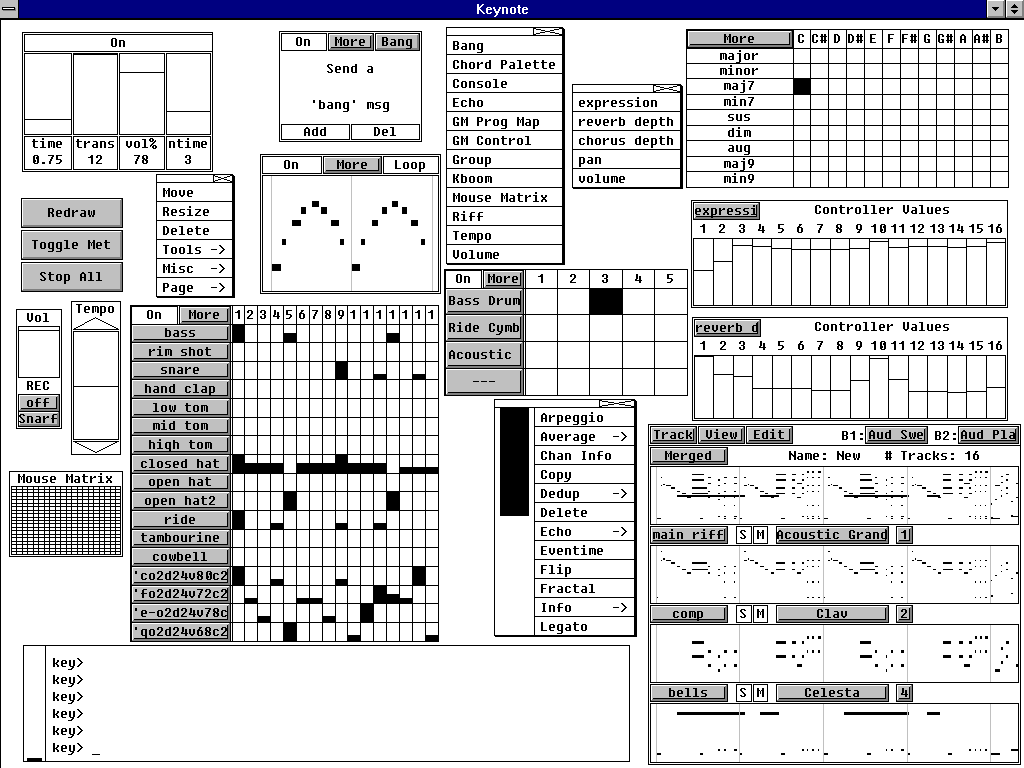
Navigate to the KeyKit GitHub repository (nosuchtim/keykit).
Open the /dist/ directory.
Download the appropriate archive for your system: Windows (key_nt.zip), Linux (key_linux_alsa.zip), or Raspberry Pi (key_raspbian.zip).
On Windows, right-click the downloaded .zip file, select “Extract All,” and extract it to a simple path such as C:\tools\keykit\.
On Windows, open the extracted folder and double-click key.exe to launch KeyKit and in the KeyKit console enter midiout("KeyKitPort").
On Linux, open a terminal, navigate to your download directory, run unzip key_linux_alsa.zip, then cd keykit, then run ./key from inside the keykit folder.
If Linux reports a permission error, run chmod +x key and then ./key.
Install a virtual MIDI driver on Windows (for example, loopMIDI).
Launch the MIDI driver and create a virtual port (for example, KeyKitPort).
Route the virtual MIDI port to a sound source such as a software synthesizer, DAW, or virtual MIDI instrument.
On Linux, verify MIDI devices by running aconnect -l.
Start a software synthesizer on Linux, for example fluidsynth -a alsa -m alsa_seq soundfont.sf2.
Run aconnect -l again to view available ports.
Connect KeyKit to the synthesizer using aconnect <keykit_port> <synth_port>.
In the KeyKit console, type 'c d e f g' and press Enter to test audio output.
Load a built-in sequencer by entering load "lib/seq.k" in the KeyKit console.
Optionally load a demo by entering load "lib/demo.k".
Ensure KeyKit is always launched from its root directory.
On Windows, if using a shortcut, set the “Start in” field to the KeyKit folder path.
On Linux, always run cd ~/keykit followed by ./key before launching.
If KeyKit cannot locate its libraries on Linux, set the environment variable with export KEYROOT=~/keykit.
Copy any additional .k scripts into the keykit/lib/ directory or your working directory.
Load additional scripts in KeyKit using load "myscript.k".
Create a startup script by making a file named startup.k.
Add commands such as load "lib/seq.k" and midiout("KeyKitPort") to startup.k.
Load the startup script in KeyKit using load "startup.k".
If KeyKit produces no sound, confirm MIDI devices exist and are properly connected.
If KeyKit fails to start, confirm you are running it from the correct directory and that permissions are set correctly on Linux.
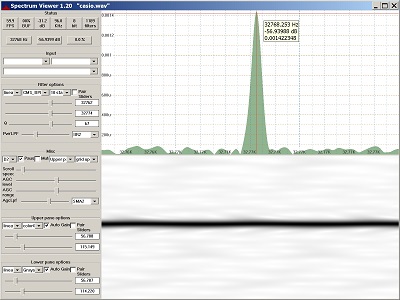
Display of audio spectrum from PC input or wave file.
Reads audio from Windows audio interface or wave file and creates a continuous spectrum display. Command line support for generating sine, square, triangle and sawtooth wave files. Uses biquad IIR digital filters for frequency detection, plus digital lowpass filters for smoothing. Highly configurable. 60+ FPS with suitable hardware. Manual or automatic gain control.
Features:
Continuous display update
Single function, easy to learn
Zoom in on small frequency or dB range
Resizable main window and repartitionable panes
Crosshair cursor when Ctrl is pressed
Single, stand-alone exe file, no install/uninstall
Builds with Visual Studio 2019 or 2022
Bit-perfect sine wave generation for all sample sizes
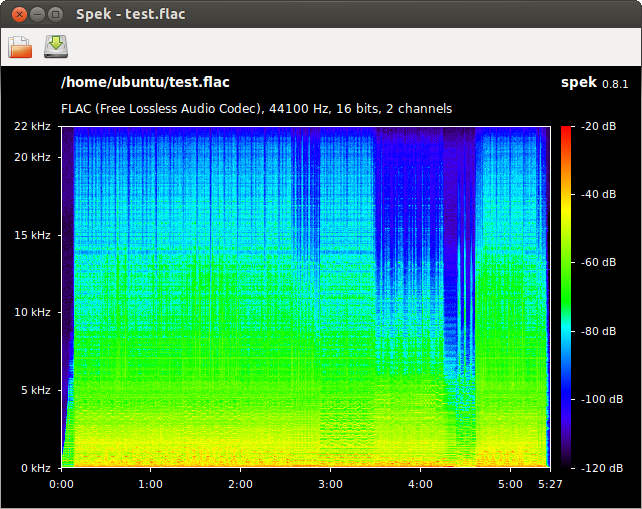
Spek (IPA: /spɛk/, ‘bacon’ in Dutch) helps to analyse your audio files by showing their spectrogram. Spek is free software available for Unix, Windows and Mac OS X.
Features:
Supports all popular lossy and lossless audio file formats thanks to the FFmpeg libraries.
Ultra-fast signal processing, uses multiple threads to further speed up the analysis.
Shows the codec name and the audio signal parameters.
Allows to save the spectrogram as an image file.
Drag-and-drop support; associates with common audio file formats.
Auto-fitting time, frequency and spectral density rulers.