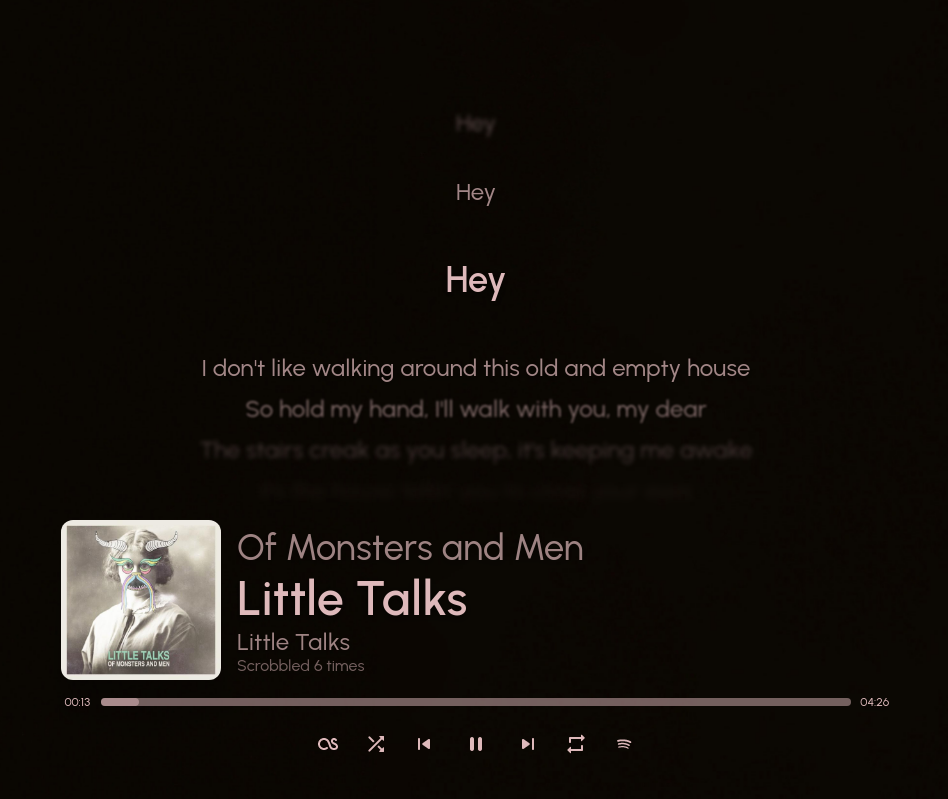
Show your currently playing song in a stylish way!
References:
itsfoss.com/sunamu-music-widget

Show your currently playing song in a stylish way!
itsfoss.com/sunamu-music-widget

Show synced lyrics with your favorite media player on Linux. OSD Lyrics is a desktop application to view lyrics compatible with various media players. It is not a plugin but a standalone program. OSD Lyrics shows lyrics on your desktop, in the style similar to KaraOK. It also provides another displaying style, in which lyrics scroll from bottom to top. OSD Lyrics can download lyrics from the network automatically.


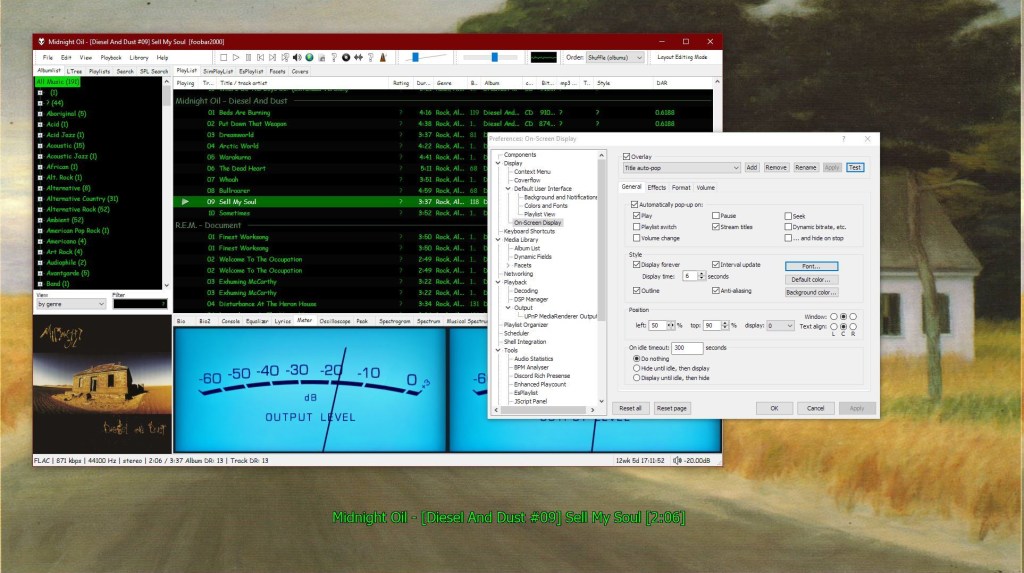
This component provides configurable screen overlays which may be opened with hotkeys, or appear on specific events. Each overlay is configured separately, and has its own set of events.
www.foobar2000.org/components/view/foo_osd
hydrogenaud.io/index.php/topic,43044.0
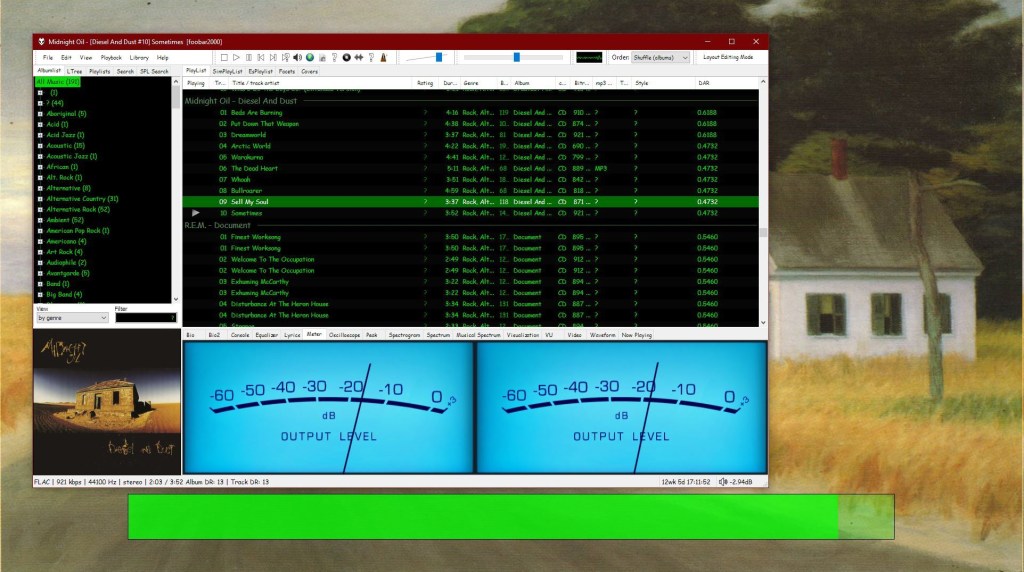
foobar_osd (On-Screen Display) is a foobar2000 component that shows track information as a floating overlay on your desktop during playback events.
Instead of opening the player window to see what’s playing, foobar_osd displays relevant information directly on your screen.
Typical uses include:
Unlike standard operating system notifications, foobar_osd is fully customizable using foobar2000’s powerful title formatting system.
The display appears briefly and then fades away automatically.
You control when the OSD appears. Common trigger events include:
Careful selection of events is important to avoid excessive on-screen interruptions.
One of the strongest features of foobar_osd is that it supports full foobar2000 title formatting.
This means you can display virtually any tag or metadata field stored in your files.
Example format:
[%artist% - ]%title%%album%$if(%album_avg_bpm%,Album BPM: %album_avg_bpm%)
Conditional formatting allows the display to remain clean by only showing information when available.
After installing the component:
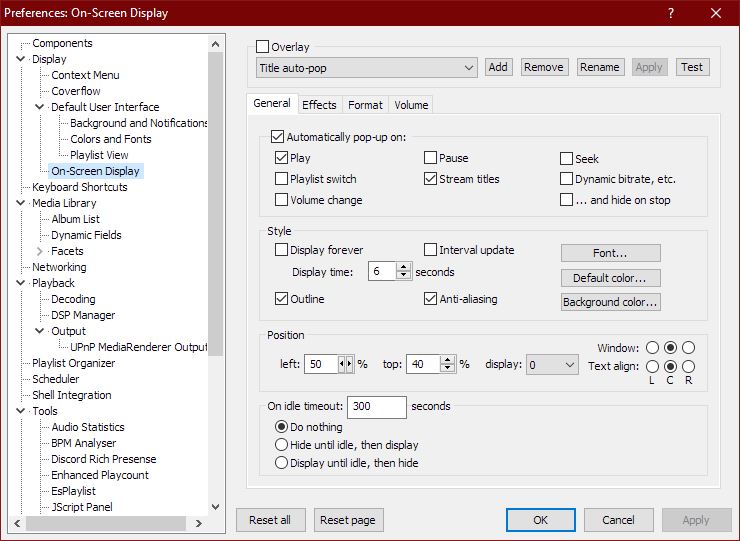
Preferences → Tools → On-Screen Display
All configuration options are available in this section.
foobar_osd allows extensive visual customization:
Many users install foobar_osd but never use its full potential. The following strategies significantly improve usability.
If your library uses structured tagging, include useful fields.
Example:
[%artist% - ]%title%%album%$if(%album_avg_bpm%,Album Tempo: %album_avg_bpm% BPM)$if(%genre%,Genre: %genre%)
This transforms the overlay into a quick contextual information panel.
Depending on your workflow, consider:
Setting a hotkey to manually trigger the OSD is extremely useful.
Advantages include:
Conditional statements prevent empty lines or clutter:
$if(%album_avg_bpm%,Album BPM: %album_avg_bpm%)
Only displays when the tag exists.
Elapsed / Percent / Duration / Remaining
$puts(Elapsed,$if(%isplaying%,$pad_right(%_time_elapsed%,5,0),00:00))
$puts(Duration,$pad_right(%length%,5,0))
$puts(P,$muldiv(%_time_elapsed_seconds%,100,%_time_total_seconds%))
$puts(Percent,$if(%isplaying%,$if($greater($get(P),99),99,$pad_right($get(P),2,0)),00)'%')
$puts(Remaining,$if(%isplaying%,$pad_right(%playback_time_remaining%,5,0),$get(Duration)))
$get(Elapsed)  |  $get(Percent)  |  $get(Duration)  |  $get(Remaining)


