MusicLad ~ Next Gen Windows Player


MusicLad is a collaborative effort project between my friend and I. He made the initial program with Fable 5 using my prompts, and he gave the source to me to add more features and fix bugs with Opus 5

• Local library: MP3, FLAC, AAC, WAV, AIFF, WMA, Ogg, Opus — A–Z jump rail, proper multi-artist tags
• Playlists: M3U/MusicBee import & export, custom covers, sort any way
• Gapless, crossfade, ReplayGain, smart shuffle
• Mood playback: queues matching the tempo and feel of the current song
• 10/31-band EQ + thousands of measured headphone profiles (AutoEq)
• VST3 and Winamp DSP plug-ins
• Tempo/energy analysis, batch auto-tagging, HQ artwork, duplicate finder
• Synced lyrics downloader, saved next to your songs
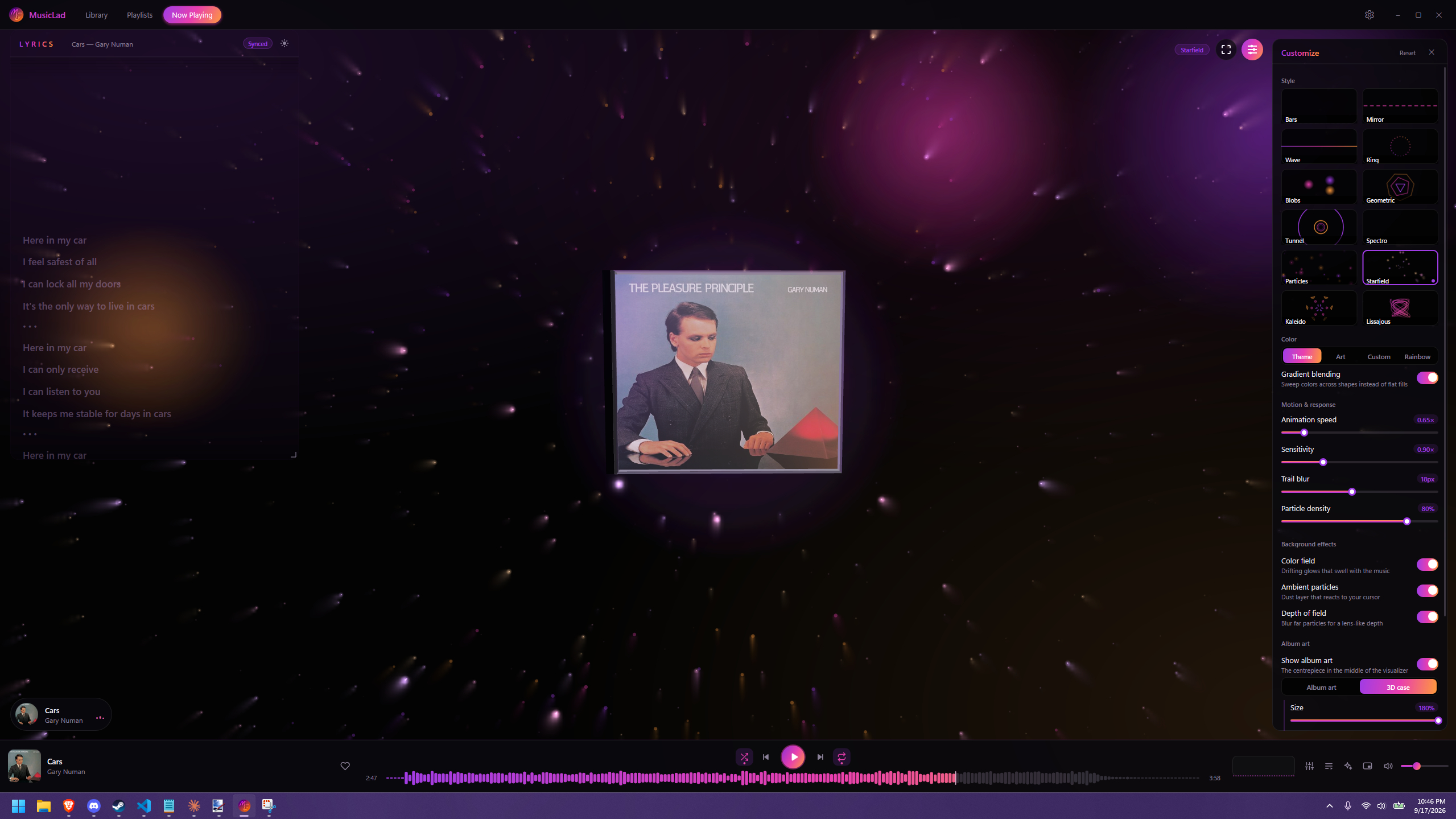
• 12 visualizers, 3D CD case, themes pulled from your album art
• Desktop overlay that appears when you switch apps
• Discord presence with your real cover art
• Native C++, no browser engine
• Ability to control playback with the MusicLad android app (coming soon)

Features:

  • Easy library sorting
  • Smart Library
  • EQ presets for your headphones
  • Plugin support
  • Lots of visualizer options to choose from
  • Discord Rich Presence
  • Desktop overlay
  • Remote control with the app (coming soon)
  • Adaptive themes
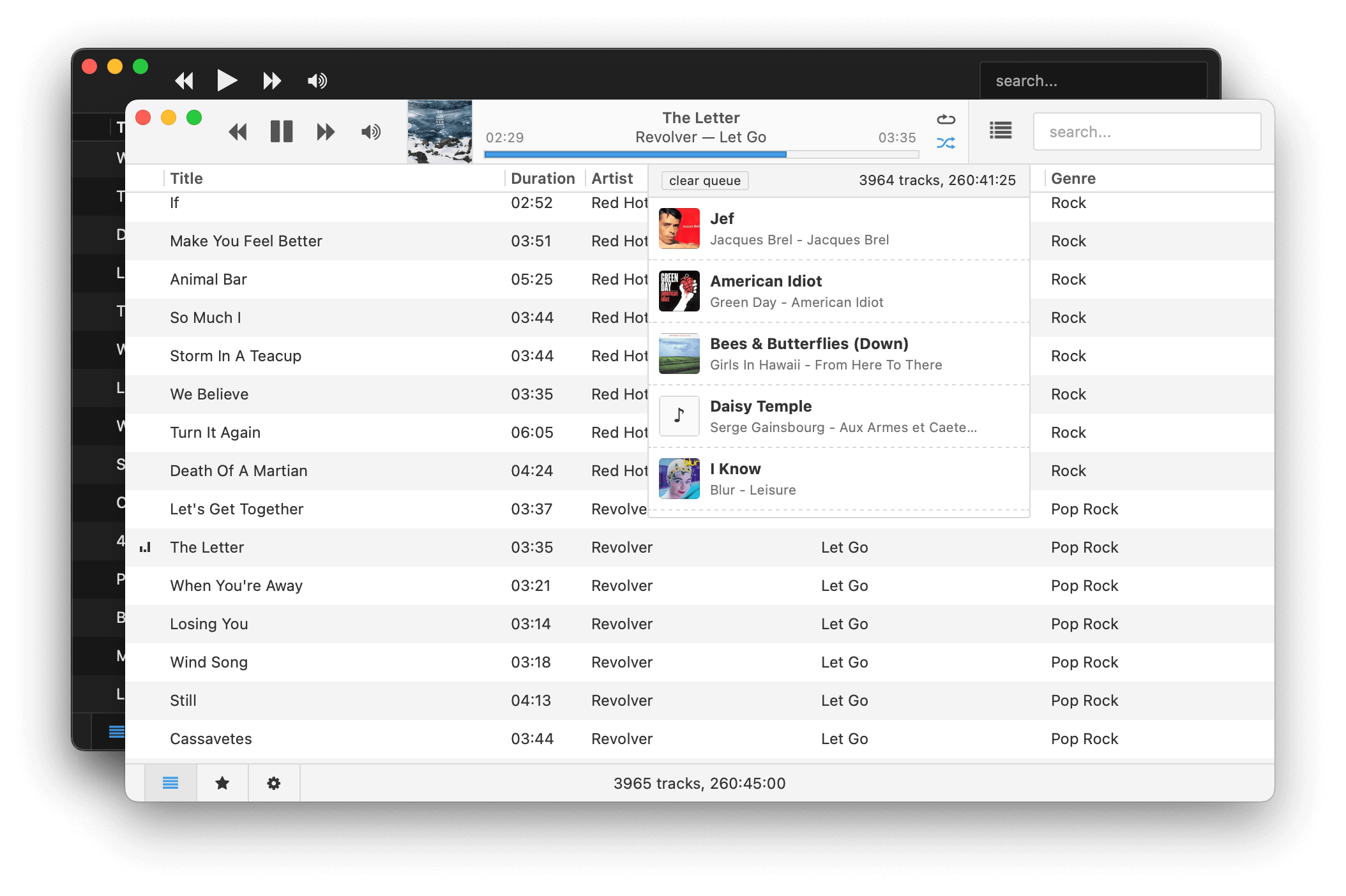
musiclad user interface

sourceforge.net/projects/musiclad

mixmusic ~ Crossplatform Spotify & Youtube Player


YouTube Music and Spotify client for macOS, Windows and Linux. YouTube Music works with no account. One search, one queue, mixed playlists, synced lyrics, themes and plugins.

github.com/fzn0x/mixmusic

foo_groupplaylist ~ Foobar2000 DUI Playlist Renderer


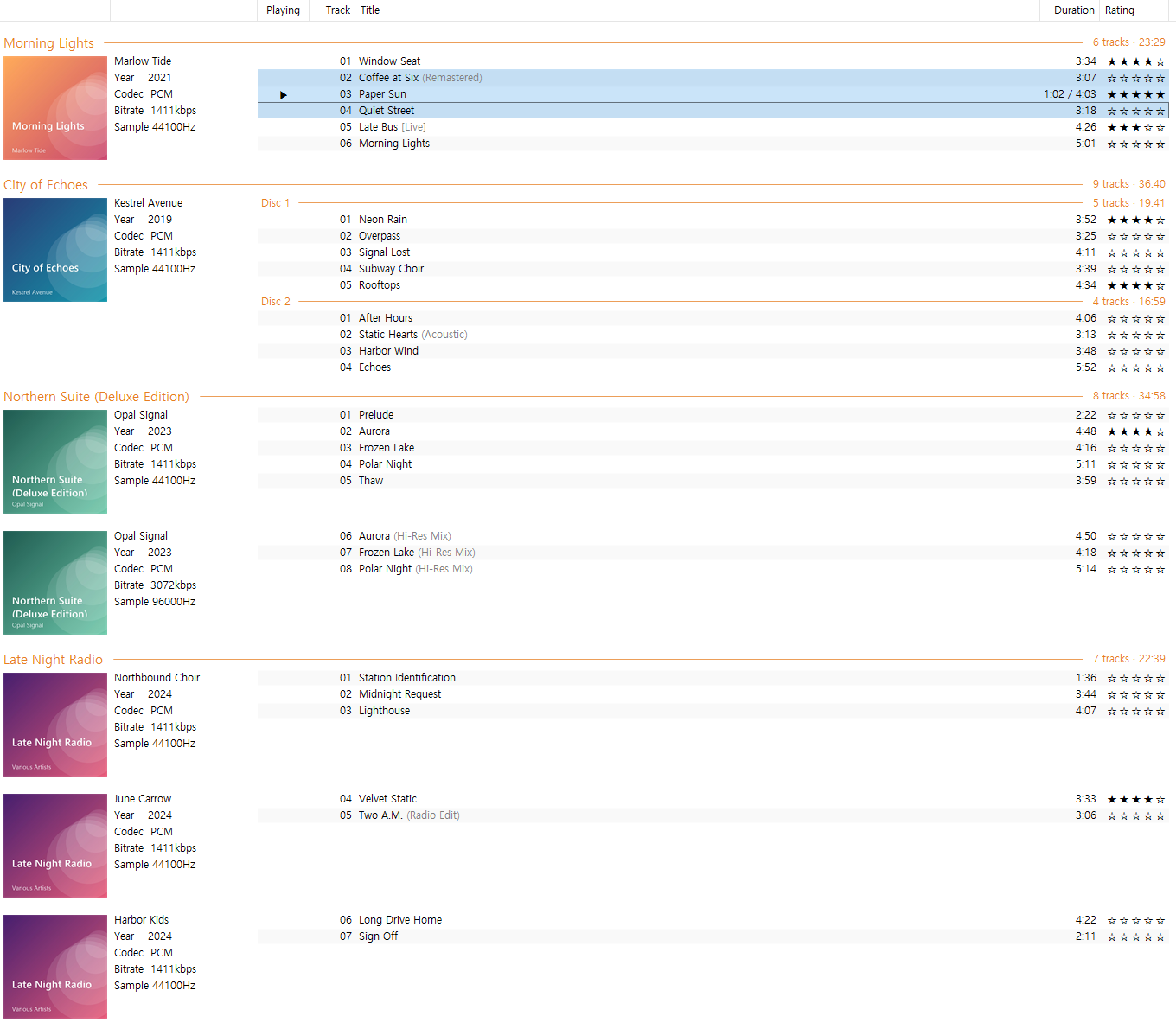
A playlist view for foobar2000 64-bit. It groups the tracks of a playlist, for example by album, with the album art and an information column beside each group. Disc labels (Disc 1, Disc 2) can split a group further.

foo_groupplaylist DUI panel

foo_groupplaylist

MyGo Music ~ Extensible FOSS Player


A native desktop music player written in Go with MyGo, no WebView. It plays your local files out of the box, and everything else comes from plugins.

Features:

  • Local files (MP3, FLAC, Ogg Vorbis, WAV, and ALAC, FLAC or AAC in .m4a and .aac) with tags, covers and .lrc lyrics
  • Playlists, liked songs, search, albums and artists
  • Now Playing with lyric stage styles, cover wall, queue, shuffle and repeat
  • Notch player on macOS, tray, media keys
  • Audio cache, fades on pause and seek, loudness normalization
  • Session restore
  • Podcast captions, written down on the device as episodes play
  • English and Simplified Chinese
  • Plugins can add accounts, catalogs, podcasts, stations, comments and pages of their own

music.egoist.dev
github.com/egoist/mygo-music

Trackhop ~ FOSS Playlist Syncronization


Free, open-source playlist sync for Android, Windows, macOS, Linux and Docker. Keeps playlists identical across Spotify, YouTube Music, Apple Music, Amazon Music, TIDAL, Deezer, LiveOne, Anghami, Navidrome, Jellyfin and Plex. Scheduled syncs, easy review of tracks not found. No Trackhop account or server: everything stays on your devices.

trackhop.org
github.com/xlollx/Trackhop

Name clarification:

There is also a separate website, TrackHop.app, offering Spotify and Apple Music track-link conversion. It is not affiliated with the Trackhop project documented here (xlollx/Trackhop).

Playlist Management ~ Exporters & Parsers


Playlist Management: Export, Backup and Sync Your Music Playlists

Music playlists are increasingly tied to individual streaming services. A handful of open-source tools take different approaches to getting that information out, backing it up, or keeping playlists synchronized.

Playlist Out is a playlist parser and exporter aimed primarily at Chinese music services including QQ Music, NetEase Cloud Music, Kugou and Soda Music. It can turn playlists into TXT, CSV, Excel or JSON files. It is useful when the goal is simply to extract and preserve playlist information rather than move the playlist between services.

Exportify CLI takes a similar approach for Spotify, but is particularly useful for structured music-library work. It exports playlists to CSV or JSON and can include Spotify identifiers plus ISRC and album UPC, making the resulting data useful for further processing and metadata matching.

Playlist Exporter is a browser-based exporter for Spotify and Apple Music. It produces CSV or JSPF (JSON Shareable Playlist Format), or copies playlist data as JSON. Processing takes place locally in the browser, so it is primarily an export/interchange tool rather than a synchronization system.

SongMirror goes a step further. It connects Spotify, TIDAL, Qobuz, Deezer, Amazon Music, Apple Music and YouTube Music and can synchronize playlists between them. It uses identifiers such as ISRC for track matching and can operate as a one-way, multi-service or bidirectional synchronization system.

These applications therefore occupy different parts of the same playlist-management picture:

Playlist Out → extract
Exportify CLI / Playlist Exporter → export and preserve
SongMirror → match, transfer and synchronize

The exported files also provide a useful bridge to other music-library software. CSV and JSON can be processed by scripts and databases, while standardized playlist formats such as JSPF can provide an interchange layer between applications.

For anyone maintaining a long-term music collection, playlist export is more than a convenience: it provides a way to preserve playlists independently of the service that originally created them.

foobar2000 ~ foo_uie_playlist_tree


foo_uie_playlist_tree is a foobar2000 component to organize playlists in a tree view.

It attempts to recreate the functionality of foo_plorg.

* Supports the Default User Interface (DUI) and the Columns User Interface (CUI).
* Supports dark mode.
* Supports foobar2000 2.0 and later (Intel 32-bit/64-bit version).
* Title formatting variables
* %node_name%: the name of the node, either a playlist or a folder.
* %node_is_folder%: boolean value for use in $if( …) expressions and is true when the node is a folder.
* %node_item_count%: the number of playlists in a folder or number of items in a playlist.
* %playlist_duration%: the duration of the playlist (in seconds).
* %playlist_size%: the size of the playlist (in bytes).
* %fb2k_path%: the directory path of the foobar2000 installation.
* %fb2k_component_path%: the directory path of the component.
* %fb2k_profile_path%: the directory path of the foobar2000 profile.
* Any Windows environment variable.
* User defined tree images
* Supports drag & drop from foobar2000, Explorer and other applications.
* Supports the foobar2000 playlist recycle bin.

www.foobar2000.org/components/view/foo_uie_playlist_tree

ORA Play ~ Simple, Fast & Enjoyable Player


ORA Play is a modern audio player designed to offer a simple, fast, and enjoyable experience.

Features:

– Playback of local audio files
– Drag & Drop
– Play/Pause controls
– Track navigation
– Playlist management
– Built-in Mini Player
– Modern and intuitive interface

. Developed with Electron, JavaScript, HTML, and CSS.

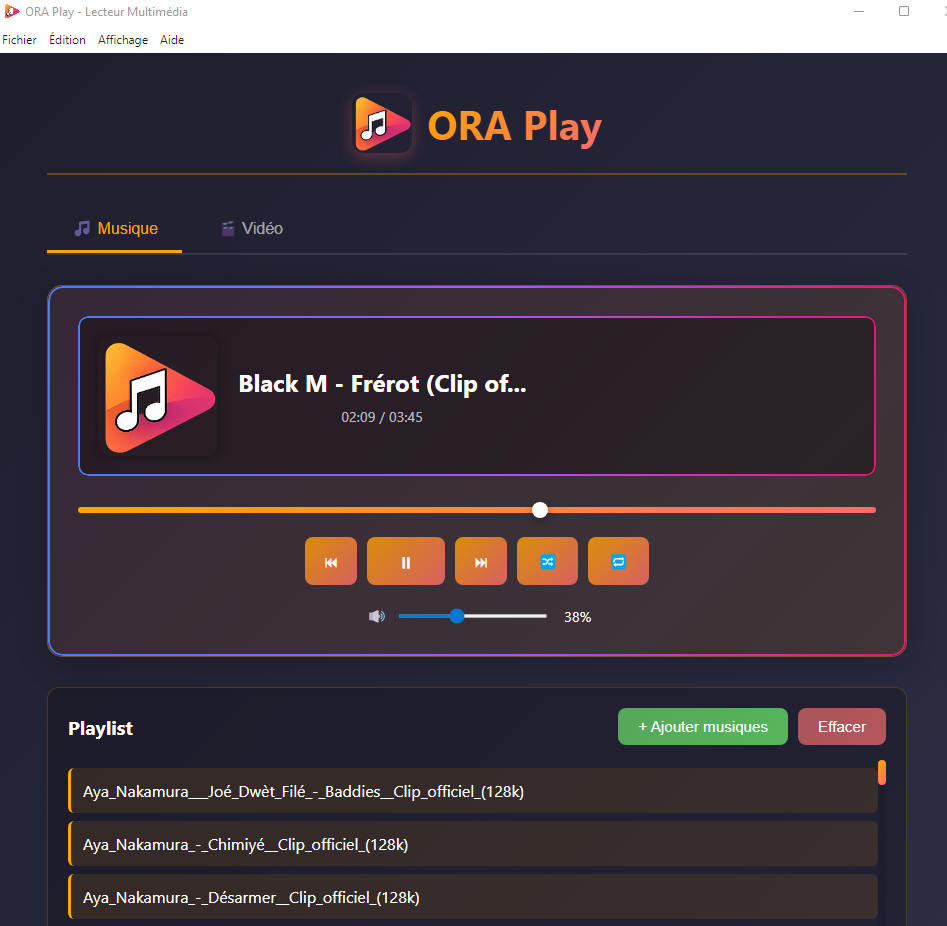
ora-play user interface

sourceforge.net/projects/ora-play

DiscoLister ~ Discogs Playlists


DiscoLister connects directly to Discogs so you can browse your collection, search the Discogs database (including barcodes), see wantlist/collection badges while you search, inspect release details with videos, and build reusable tracklists that stay synced locally across sessions, perfect for planning mixes or powering the Now Spinning overlay for your broadcast.

What you can do:

  • Browse your Discogs collection with fast filtering
  • See wantlist and collection indicators while searching Discogs
  • Search the full Discogs catalog, including barcode scanning on mobile
  • Open release detail modals with cover art, videos, and wantlist/collection controls
  • Add, reorder, replace, or manually enter tracks in your working tracklist
  • Save named tracklists, export/import JSON, or copy formatted lists for sharing
  • Stream with Now Spinning overlays for OBS plus optional Twitch auto-posting
  • Installable PWA with offline support, responsive layout, and dark mode

discolister.app

Foobar2000 ~ Autometa Playlists


Autometa is a minimalist, customizable JScript Panel script designed to quickly create autoplaylists based on the current track’s tags with a single click (similar to the quick search function).

github.com/Zhiro90/foobar2000-autometa

Audion ~ Community Driven Music Player


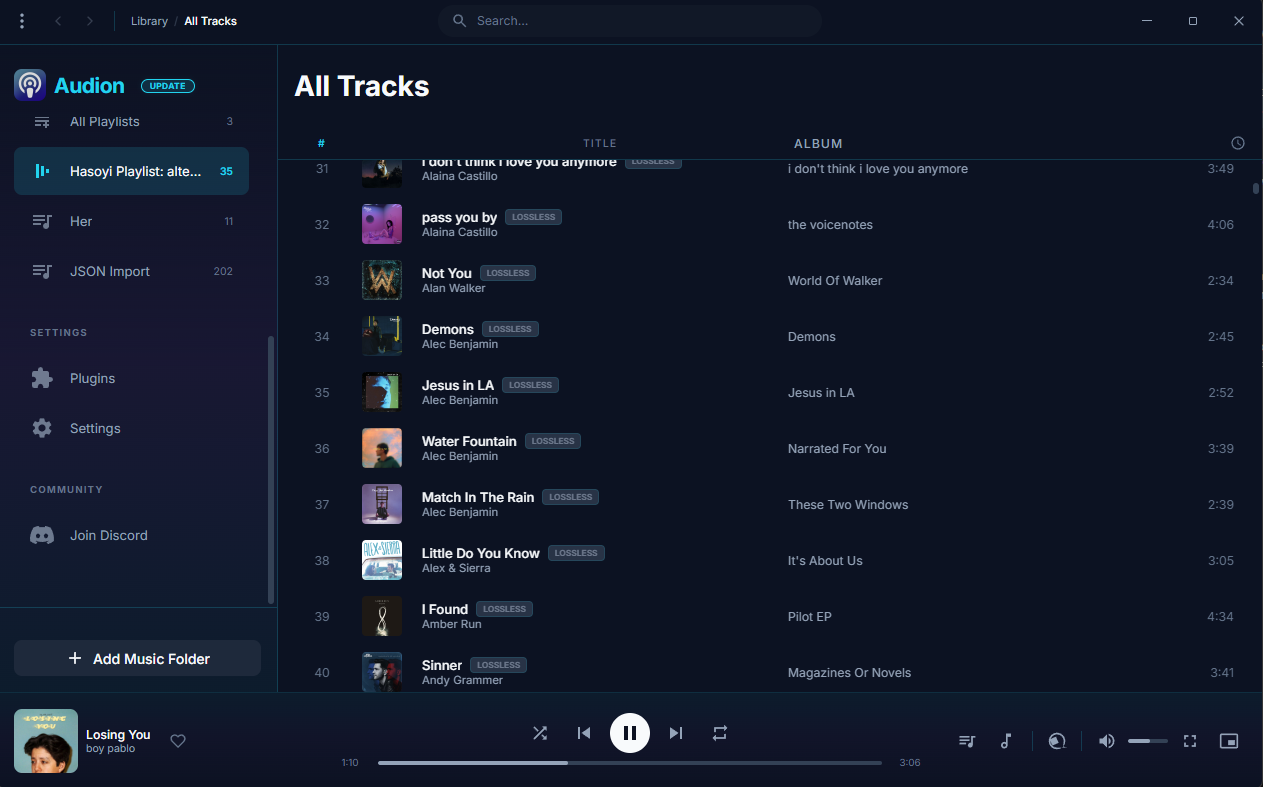
Audion is a privacy-focused music player that brings the Spotify experience to your local music library. No internet required, no tracking, just your music, beautifully organized.

Key highlights:

  • Synced lyrics with karaoke-style word highlighting
  • Extensible plugin system
  • Gorgeous, customizable interface
  • Fully offline

www.audionplayer.com
github.com/dupitydumb/Audion

museeks ~ Simple, Clean & Cross-platform Music Player


Museeks aims to be a simple and easy-to-use music player with a clean UI. You will not find tons of features, as its goal is not to compete with more complete and more famous music players.

Features:

  • 💻 Cross-platform music player (Linux, macOS, and Windows)
  • 🎧 Supported formats: mp3, mp4, m4a/aac, flac, wav, ogg, 3gpp
  • 🔄 Library auto-refresh
  • 🌟 Playlists
  • 🎼 Queue management
  • ➰ Shuffle, loop
  • 🌄 Cover art
  • 🤓 Dark theme
  • 🚤 Playback speed control
  • 😴 Sleep mode blocker
  • 📥 .m3u import/export

museeks.io
github.com/martpie/museeks
sourceforge.net/projects/museeks.mirror