Ritmolux ~ Real-time Music Visualizer


A lightweight, real-time music visualizer built around one shared Rust core that turns a stream of PCM audio samples into GPU-rendered visuals. Two frontends consume that core:

  • Standalone app (Windows, macOS and Linux) — pure Rust (winit + wgpu), fed by the OS’s system-audio capture.
  • foobar2000 plugin (Windows-first) — a thin C++ shim over the core’s C ABI, fed by foobar’s own visualisation_stream (no loopback needed on that path).

The core is source-agnostic: it takes interleaved/mono PCM frames and does not care whether they came from loopback capture or foobar. That single abstraction is what lets one visual codebase serve both frontends.

ritmolux visualization

github.com/IgorKonovalov/Ritmolux
igorkonovalov.github.io/Ritmolux/gallery

Luminous ~ A Home For Music You Own


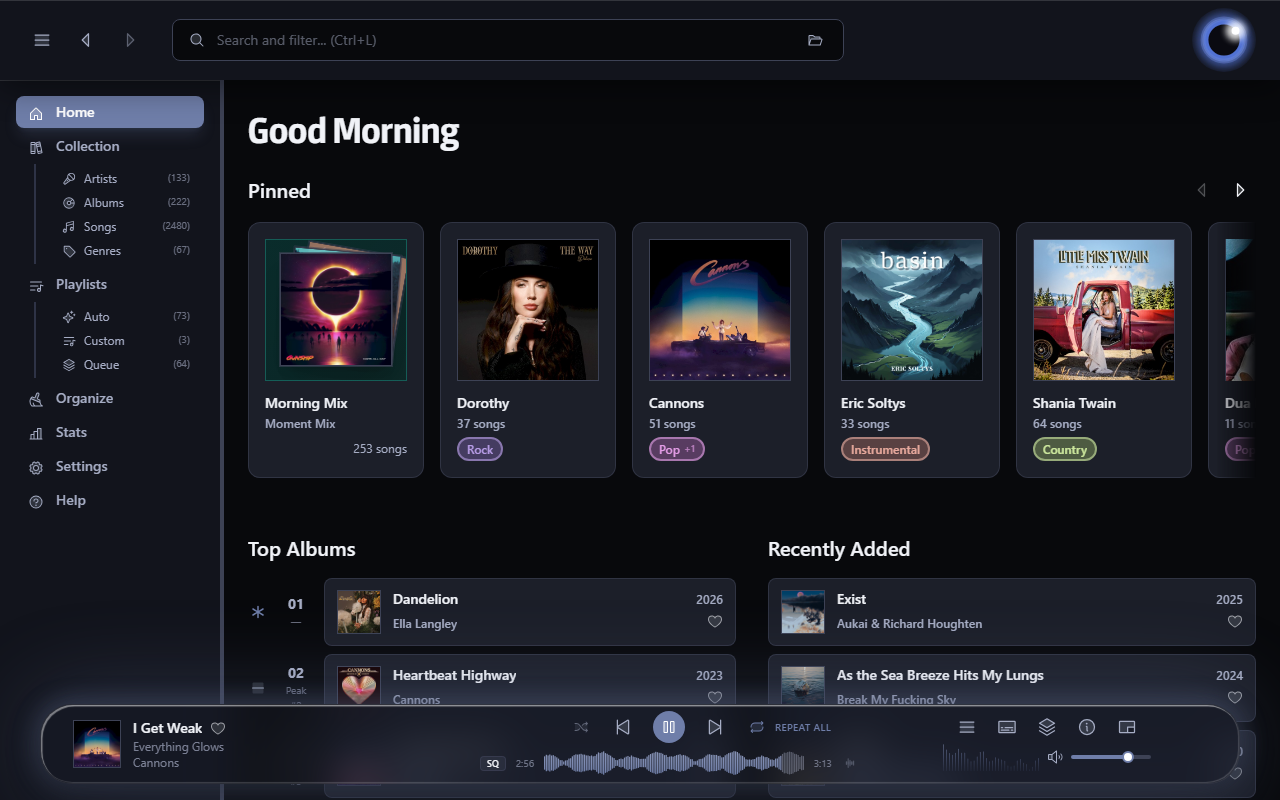
Luminous is a fast, local-first player for your own audio library. Built for anyone who wants the convenience of a modern streaming app without giving up ownership of their music. Turn a folder of files into a library you’ll enjoy browsing and listening to.

esoltys.dev/luminous
github.com/esoltys/luminous

Geiss ~ Screensaver & Winamp Plugin


The Geiss screensaver and Winamp music visualization plug-in.

geiss visulization

github.com/geissomatik/geiss

foo_spectrum_compare ~ Multispectrogram Comparison


A vertical multitrack spectrum comparison panel component designed for foobar2000, suitable for the default UI (DUI).

Features:

Configuration persistence: Panel settings are serialized using the .fth format.

Floating panel: Supports use as an independent floating panel, which can be opened through the main menu “View” (hold Shift to show hidden menu items).

Vertical multi-track comparison: Select multiple audio tracks and divide them vertically into equal sections. Up to 4 audio tracks can be compared simultaneously to show frequency characteristics.

Background thread analysis: Each audio track is decoded and analyzed in an independent thread, without blocking the UI. Analysis begins immediately upon selection, with loading in seconds.

Spek-style color schemes: 3 built-in color palettes—Spectrum (Spek’s classic rainbow), SoX, and Mono (monochrome).

Frequency axis labeling: The left side displays a linear frequency scale of 0–22 kHz, which can be toggled in the right-click menu.

Timeline markings: The bottom displays time scales at 20-second intervals, which can be toggled in the right-click menu.

Custom title format: Supports foobar2000 titleformat syntax for custom track tags, displayed by default %title% | %codec% | %bitrate% kbps[ | $info(bitspersample) bit] | %samplerate% Hz | $info(channels) CH | %path%. Right-click to edit the format and press Enter to confirm; the spectrum will not be reloaded.

DPI-aware: Correctly scales on high-resolution screens such as 4K, with spacing, fonts, and axes all adapting automatically.

Double-buffered rendering: The overall image is output with double buffering, resulting in flicker-free switching between songs.

Bilingual interface: The right-click menu supports one-click switching between Chinese and English, and the language setting is persistent with the panel configuration.


foo_spectrum_compare display

github.com/a1waysbeta/foo_spectrum_compare

keppi ~ Simple Windows Visualization


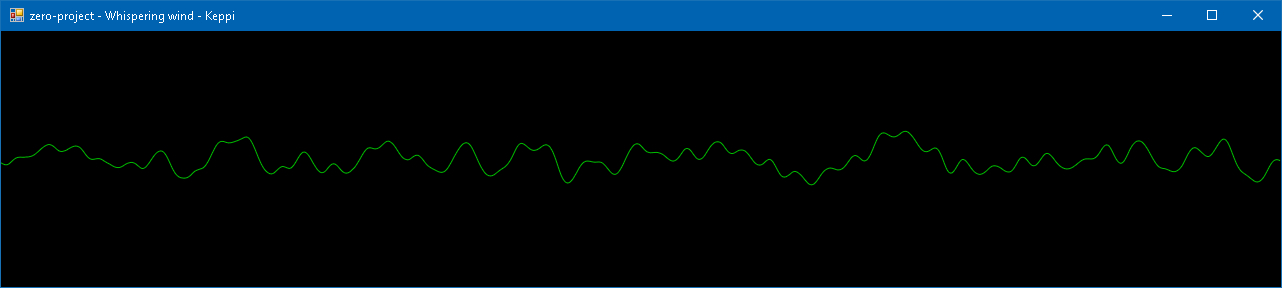
A simple music visualizer I wrote to refresh my C♯ knowledge. Windows-only and requires .NET Framework 4.5.

keppi visualization

sourceforge.net/projects/keppi

Sonic Topography ~ Music Player & Visualisation


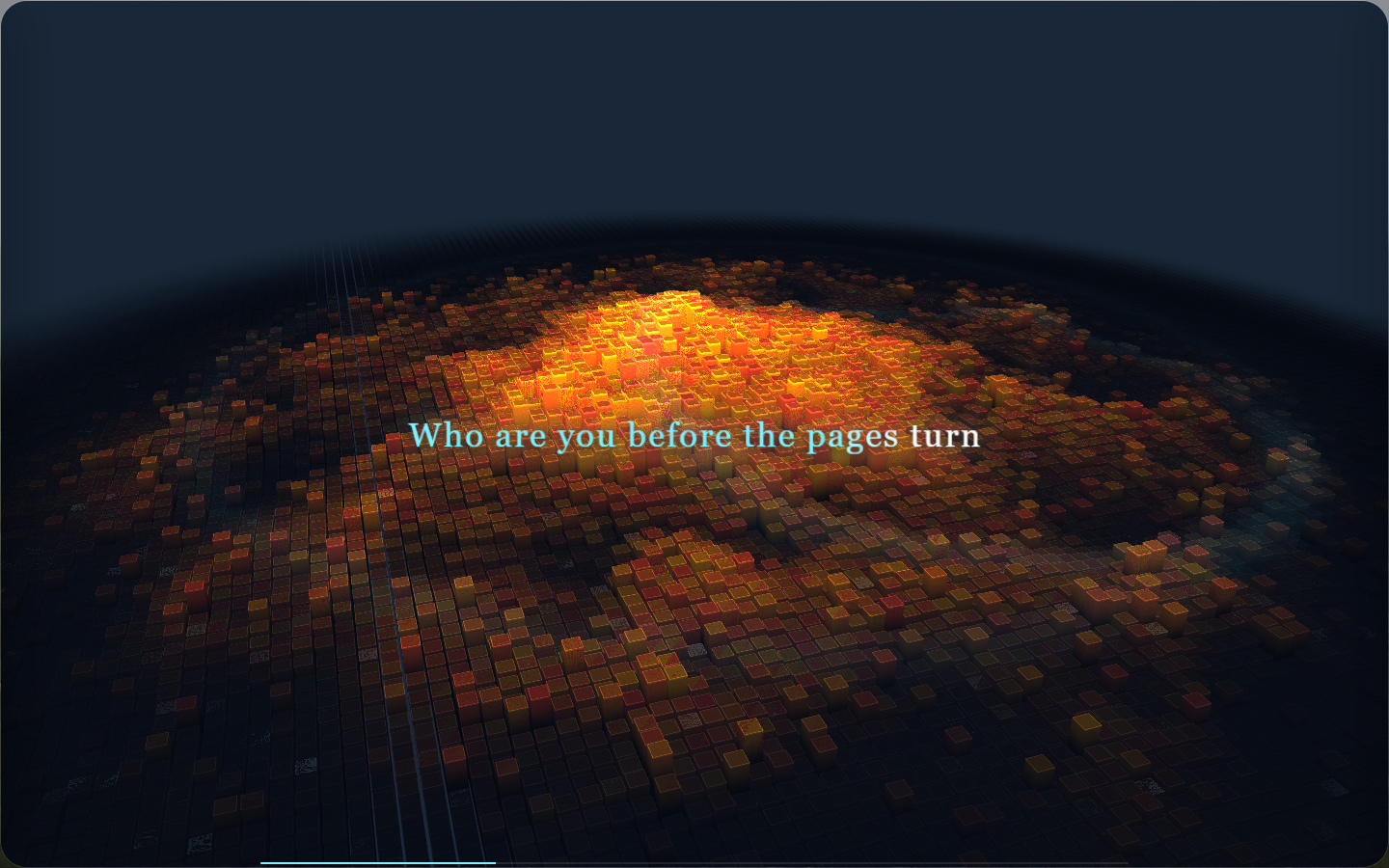
Sonic Topography is a desktop music player and 3D music visualization application. It transforms the low, mid, and high frequencies in music into three-dimensional terrain that undulates, glows, and flashes, turning listening to music into a breathing sound map.

sonic topography display

github.com/yin-yizhen/sonic-topography

spotatui ~ Standalone Terminal Player


spotatui plays Spotify natively and streams YouTube, your local files, Subsonic or Navidrome and 30,000+ internet radio stations from a single keyboard-driven player. Spotify is optional. So is the AI DJ.

Features:

  • Multiple sources — Spotify optional. Play from Spotify, Local Files, a Subsonic/Navidrome server, Internet Radio, YouTube, or Qobuz. The free sources need no Spotify account; press d to switch between them at any time.
  • Native streaming. Play Spotify audio directly, no official app or spotifyd required — spotatui appears as its own Spotify Connect device (Premium required).
  • Synced lyrics. Line-by-line lyrics that follow playback.
  • Real-time audio visualizer. A system-wide FFT visualizer (press v) that reacts to whatever is playing.
  • Cross-source play queue. Press z on any track to queue it — the queue plays across every source before your current context resumes.
  • Lua plugins. Extend spotatui with event hooks, commands, keybindings, popups, and theming.
  • Listening history & recap. spotatui keeps a local play history and can generate a shareable HTML recap (spotatui history recap).
  • Full CLI. Most of what the UI does is scriptable — playback, search, playlists, shell completions. Run spotatui --help.
  • Lightweight. ~78 MB RAM while streaming, versus a full Electron client. See Performance.

spotatui.com
github.com/LargeModGames/spotatui

Bòcan Music ~ macOS Music & Podcast Player


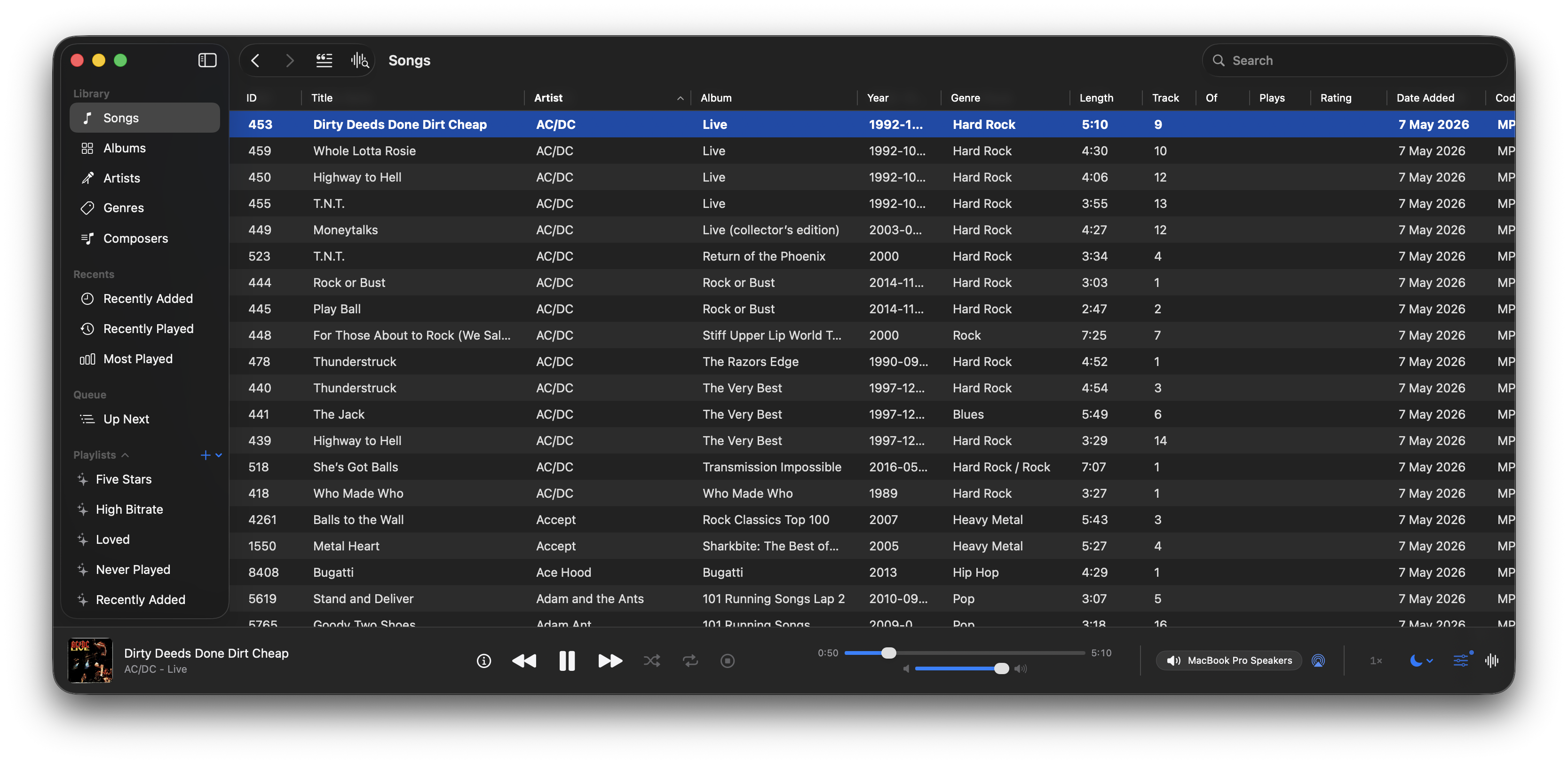
A native macOS music and podcast player and library built with Swift 6 and SwiftUI. Features gapless playback, AcoustID fingerprinting, smart playlists, lyrics, visualizers, scrobbling, and a DSP/EQ engine powered by FFmpeg.

bocan-music interface

github.com/bocan/bocan-music
bocan.app

Music Assistant ~ Media Library Manager


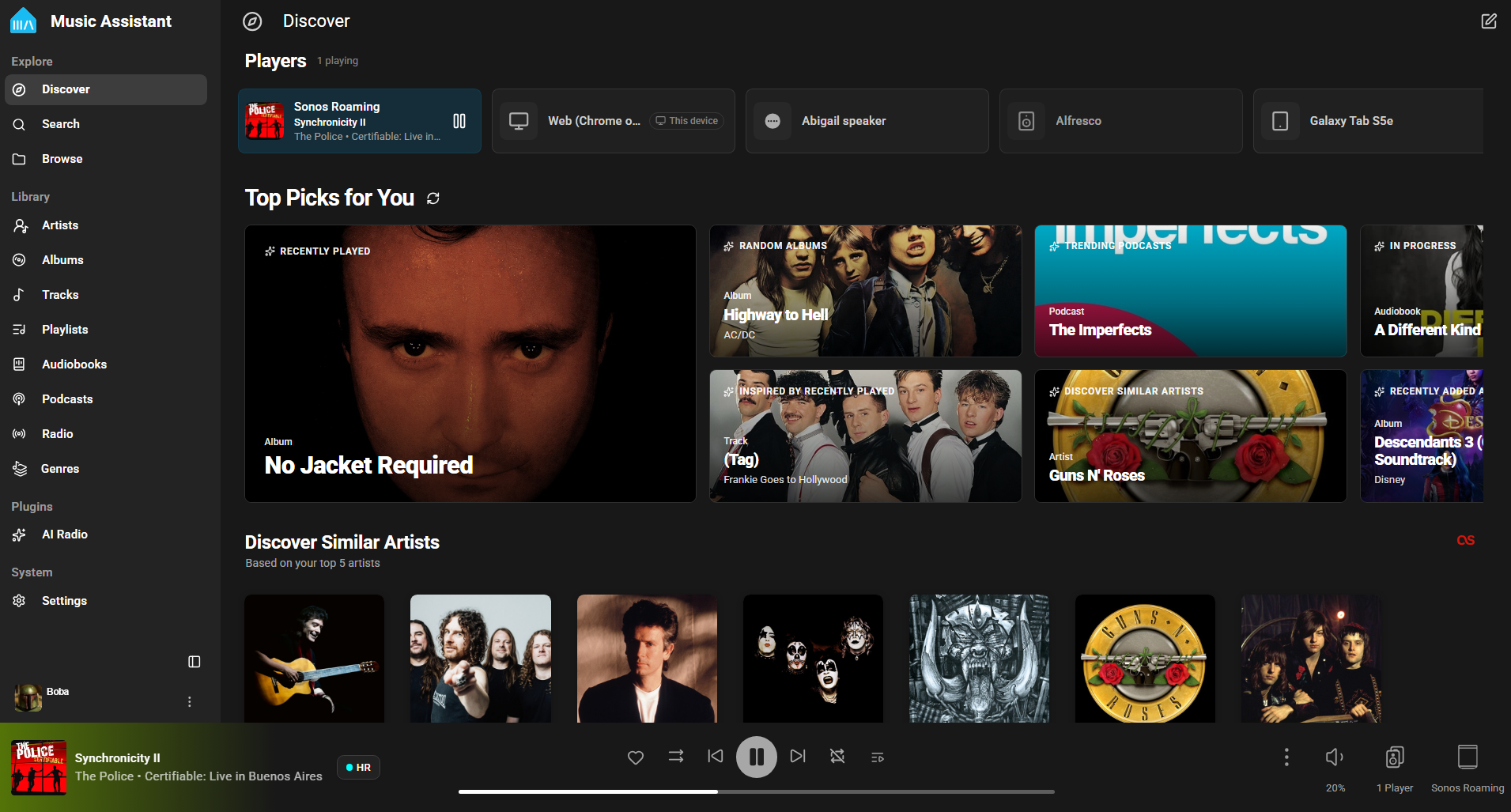
Music Assistant is a free, opensource media library manager that connects to your streaming services and a wide range of connected speakers. The server is the beating heart, the core of Music Assistant and must run on an always-on device like a Raspberry Pi, a NAS or an Intel NUC or alike.

home assistant user interface

www.music-assistant.io
github.com/music-assistant
github.com/music-assistant/server

RAV ~ Rust Audio Visualizer


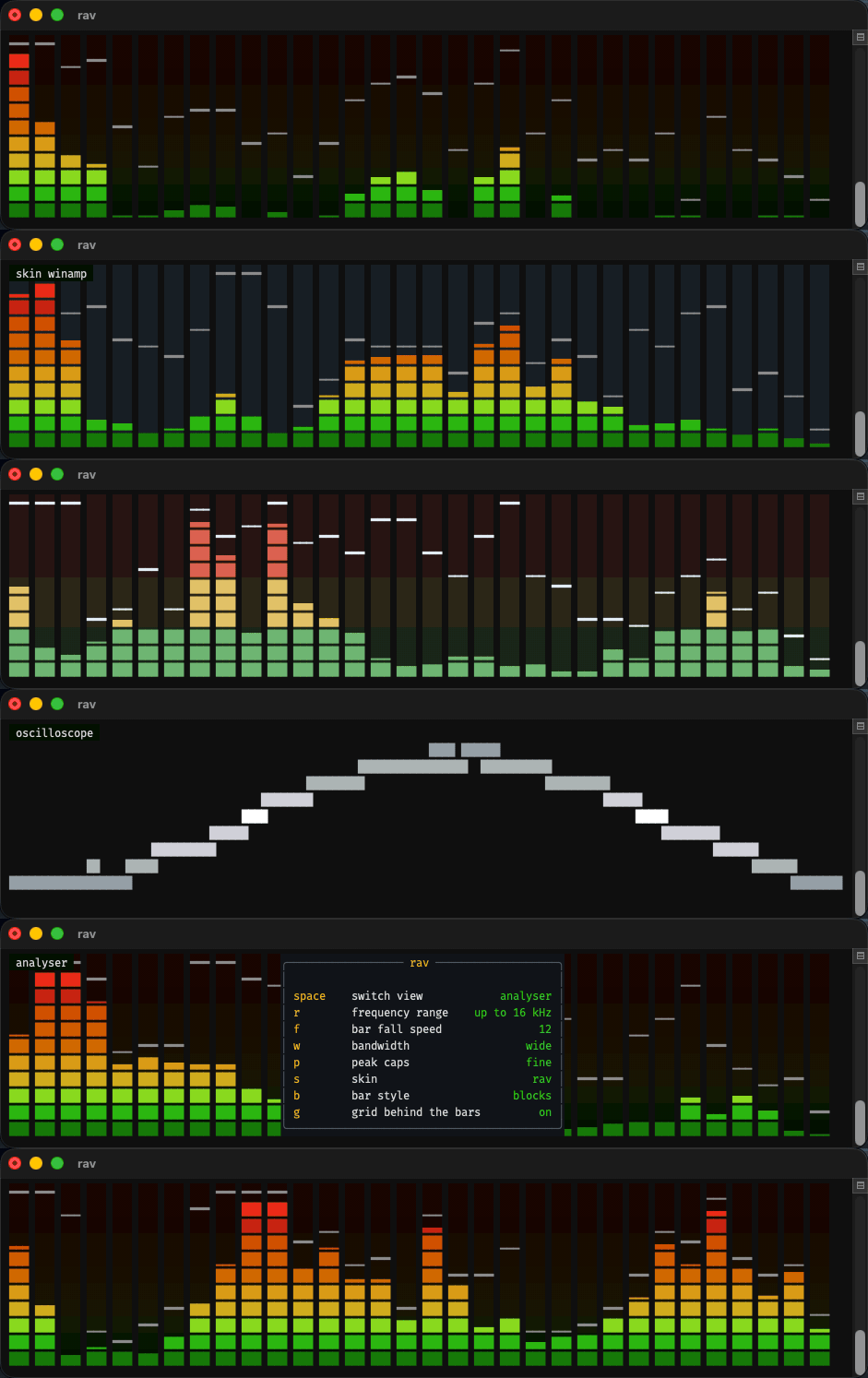
A real-time spectrum analyser with bars, peak caps and an oscilloscope, in truecolour.

RAV interface

github.com/i-am-logger/rav

Chord Cadenza ~ MIDI Chord Player


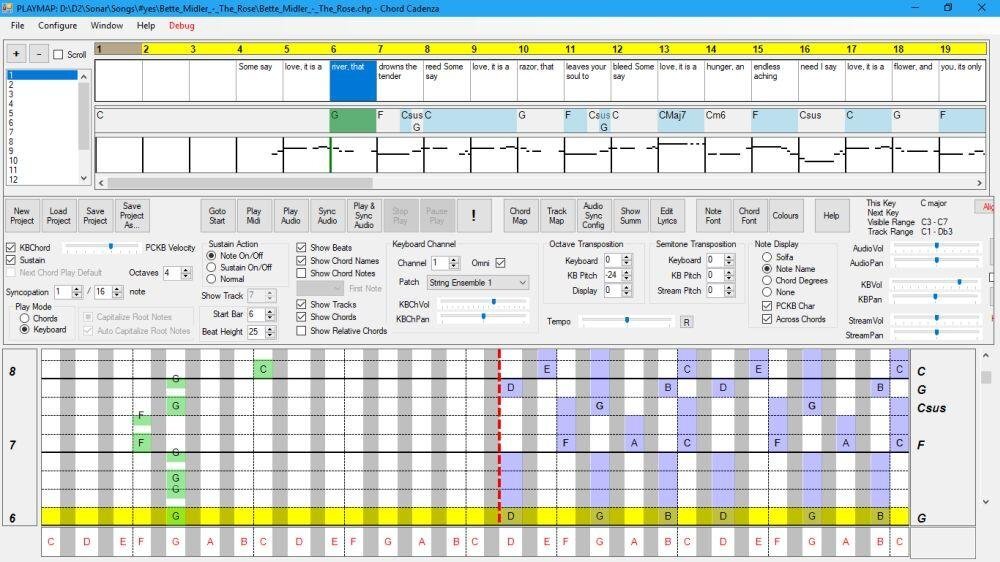
This app helps you to play and improvise chords whilst a MIDI file or audio source is being played. It does this by updating a rolling display to map the chord notes to a piano keyboard. It can also dynamically assign notes or chords to keys on a MIDI or PC keyboard.

Synchronisation is achieved automatically from a MIDI file. An audio file (e.g. MP3) can be synchronised and saved using the program.

Chords and major/minor keys can be extracted from the MIDI file using a configurable tool that analyses the MIDI file. Chords, keys, and time signatures can also be created or updated manually – this allows you to play along with an audio source without requiring a MIDI file.

The program contains a sequencer-style display that can be used to control the volume, panning, muting, solo’ing and patching of the tracks of the MIDI file.

Audio can be rendered with the program’s builtin synthesizer (using SoundFonts), or an external synthesizer.

Features:

  • Extract keys and chords from a MIDI file.
  • MIDI sequencer with track display and control.
  • Output to built-in synthesizer or MIDI out port.
  • ASIO and non-ASIO sound cards supported.
  • Play with MIDI or PC keyboard.
  • Display chords on a piano roll to facilitate playing and improvisation.
chord cadence interface

chordcadenza.org
sourceforge.net/projects/chord-cadenza

mineradio ~ Immersive Music Player


Mineradio is a Windows desktop immersive music player that combines search and play, lyrics stage, particle vision, 3D playlist rack, and full desktop mode into a private music space that is closer to a live experience.

github.com/XxHuberrr/Mineradio
sourceforge.net/projects/mineradio.mirror