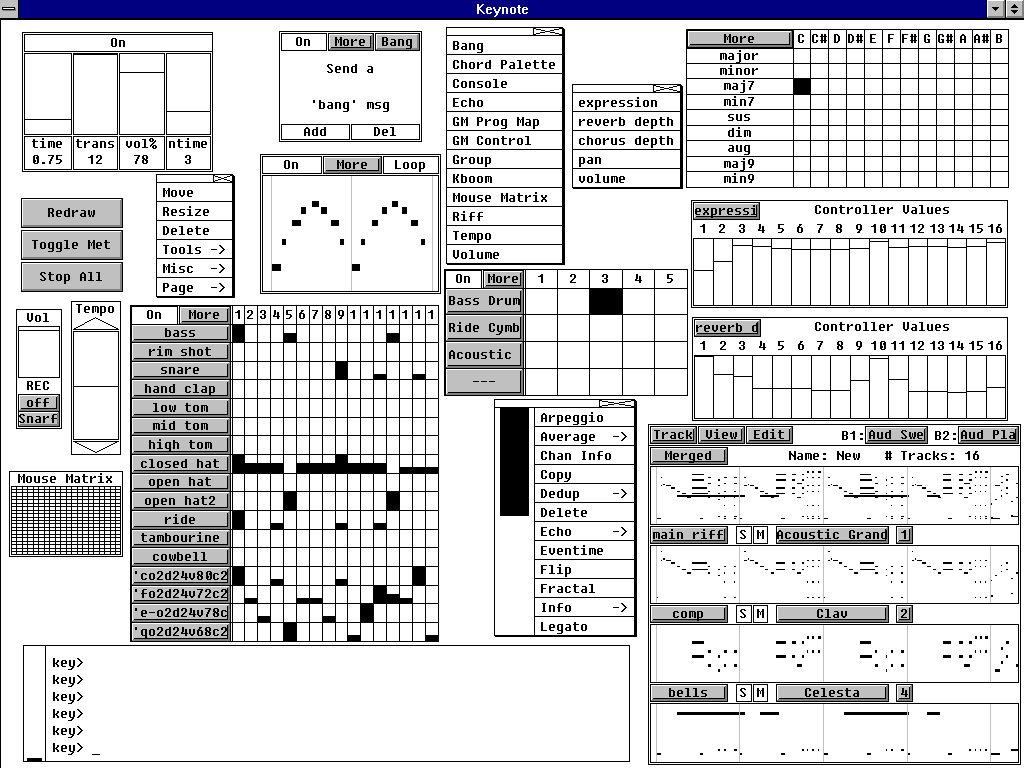
KeyKit ~ MIDI Scripting GUI


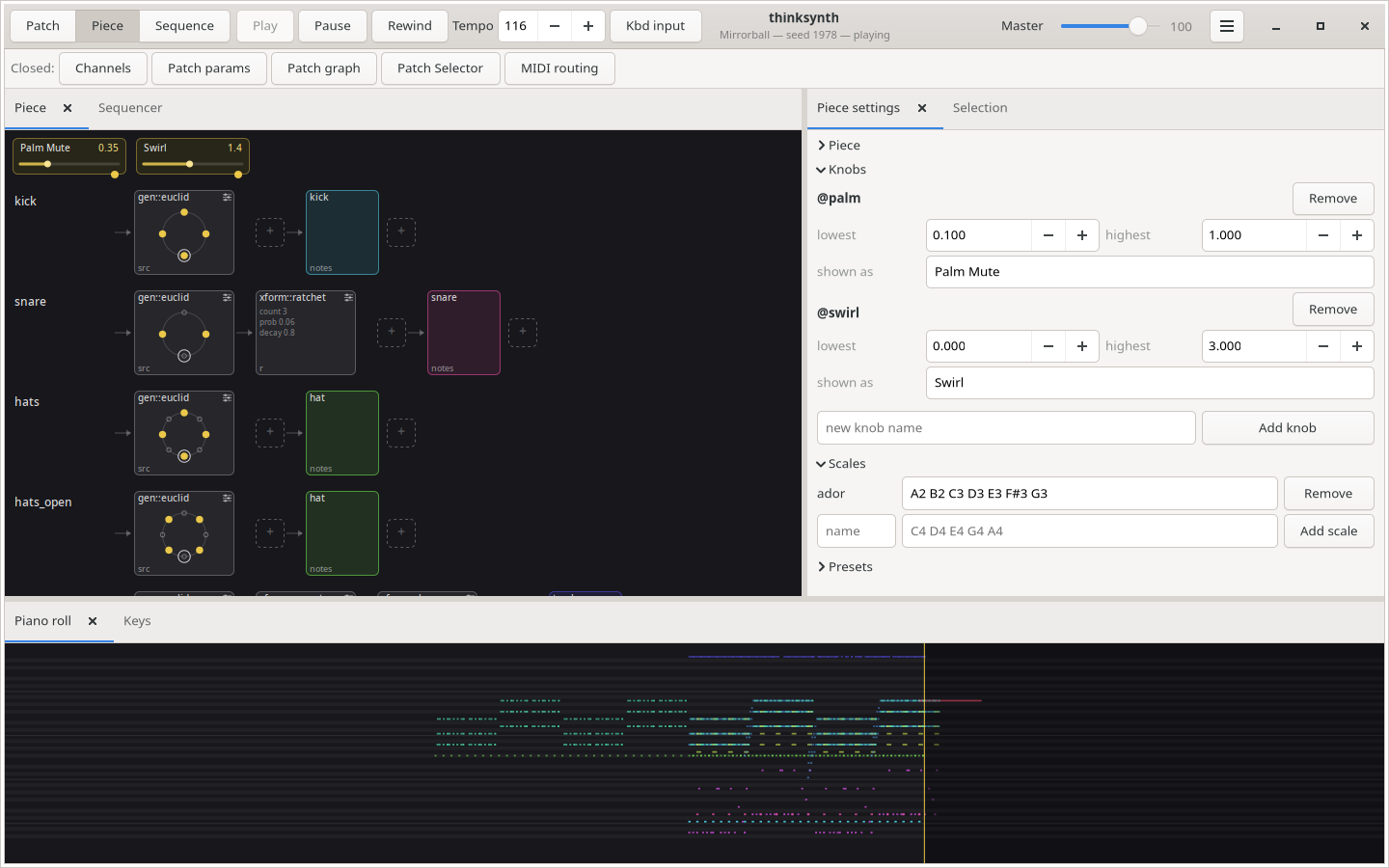
An algorithmic MIDI scripting language and GUI system. Musical Fun with Windows, Tasks, and Objects.

github.com/nosuchtim/keykit
github.com/nosuchtim/keykit/tree/master/dist
github.com/nosuchtim/keykitwasm
en.wikipedia.org/wiki/Keykit
sites.google.com/site/albertozin/Home/keykit

Install Procedure:

  • Navigate to the KeyKit GitHub repository (nosuchtim/keykit).
  • Open the /dist/ directory.
  • Download the appropriate archive for your system: Windows (key_nt.zip), Linux (key_linux_alsa.zip), or Raspberry Pi (key_raspbian.zip).
  • On Windows, right-click the downloaded .zip file, select “Extract All,” and extract it to a simple path such as C:\tools\keykit\.
  • On Windows, open the extracted folder and double-click key.exe to launch KeyKit and in the KeyKit console enter midiout("KeyKitPort").
  • On Linux, open a terminal, navigate to your download directory, run unzip key_linux_alsa.zip, then cd keykit, then run ./key from inside the keykit folder.
  • If Linux reports a permission error, run chmod +x key and then ./key.
  • Install a virtual MIDI driver on Windows (for example, loopMIDI).
  • Launch the MIDI driver and create a virtual port (for example, KeyKitPort).
  • Route the virtual MIDI port to a sound source such as a software synthesizer, DAW, or virtual MIDI instrument.
  • On Linux, verify MIDI devices by running aconnect -l.
  • Start a software synthesizer on Linux, for example fluidsynth -a alsa -m alsa_seq soundfont.sf2.
  • Run aconnect -l again to view available ports.
  • Connect KeyKit to the synthesizer using aconnect <keykit_port> <synth_port>.
  • In the KeyKit console, type 'c d e f g' and press Enter to test audio output.
  • Load a built-in sequencer by entering load "lib/seq.k" in the KeyKit console.
  • Optionally load a demo by entering load "lib/demo.k".
  • Ensure KeyKit is always launched from its root directory.
  • On Windows, if using a shortcut, set the “Start in” field to the KeyKit folder path.
  • On Linux, always run cd ~/keykit followed by ./key before launching.
  • If KeyKit cannot locate its libraries on Linux, set the environment variable with export KEYROOT=~/keykit.
  • Copy any additional .k scripts into the keykit/lib/ directory or your working directory.
  • Load additional scripts in KeyKit using load "myscript.k".
  • Create a startup script by making a file named startup.k.
  • Add commands such as load "lib/seq.k" and midiout("KeyKitPort") to startup.k.
  • Load the startup script in KeyKit using load "startup.k".
  • If KeyKit produces no sound, confirm MIDI devices exist and are properly connected.
  • If KeyKit fails to start, confirm you are running it from the correct directory and that permissions are set correctly on Linux.

QMidiArp ~ MIDI Arpeggiator & Phrase Generator


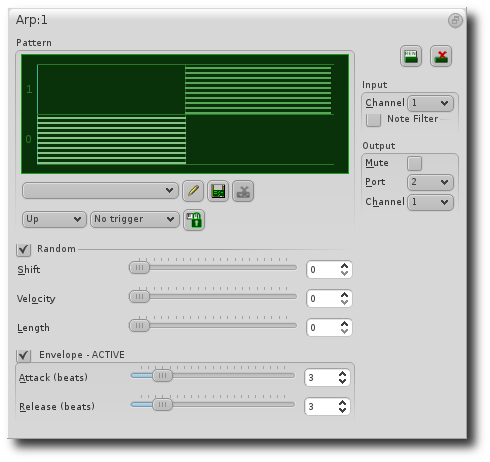
QMidiArp is a MIDI arpeggiator, phrase generator and controller LFO for ALSA and JACK. It can run multiple synchronized arpeggiators, LFOs and step sequencers. The modules are also available as LV2 plugins with Qt user interface. QMidiArp has been growing since June 2009 on top of Matthias Nagorni’s original arp idea.

Features:

  • Programmable arpeggio patterns, LFO waveforms and sequences
  • Modular setup of arpeggiators, MIDI LFOs and step sequencers
  • MIDI-controllable (MIDI-Learn)
  • Synchronization with MIDI Clock or JACK Transport possible
  • Optional triggering by keyboard or continuous play mode for all modules
  • Patterns can be stored and switched by MIDI control while running
  • JACK MIDI or ALSA MIDI backends
  • Modules available as LV2 Plugins

qmidiarp.sourceforge.net
sourceforge.net/projects/qmidiarp
github.com/emuse/qmidiarp
man.archlinux.org/man/qmidiarp.1.en
www.freshports.org/audio/qmidiarp

qmidiarp

Video:

Packages:

packages.debian.org/trixie/qmidiarp
packages.fedoraproject.org/pkgs/qmidiarp

References:

en.wikipedia.org/wiki/Synthesizer#Arpeggiators
www.linuxjournal.com/content/linux-arpeggiators-part-1
en.wikipedia.org/wiki/Advanced_Linux_Sound_Architecture
en.wikipedia.org/wiki/Low-frequency_oscillation
en.wikipedia.org/wiki/JACK_Audio_Connection_Kit

SY-FloorBoard ~ BOSS & Roland Editors


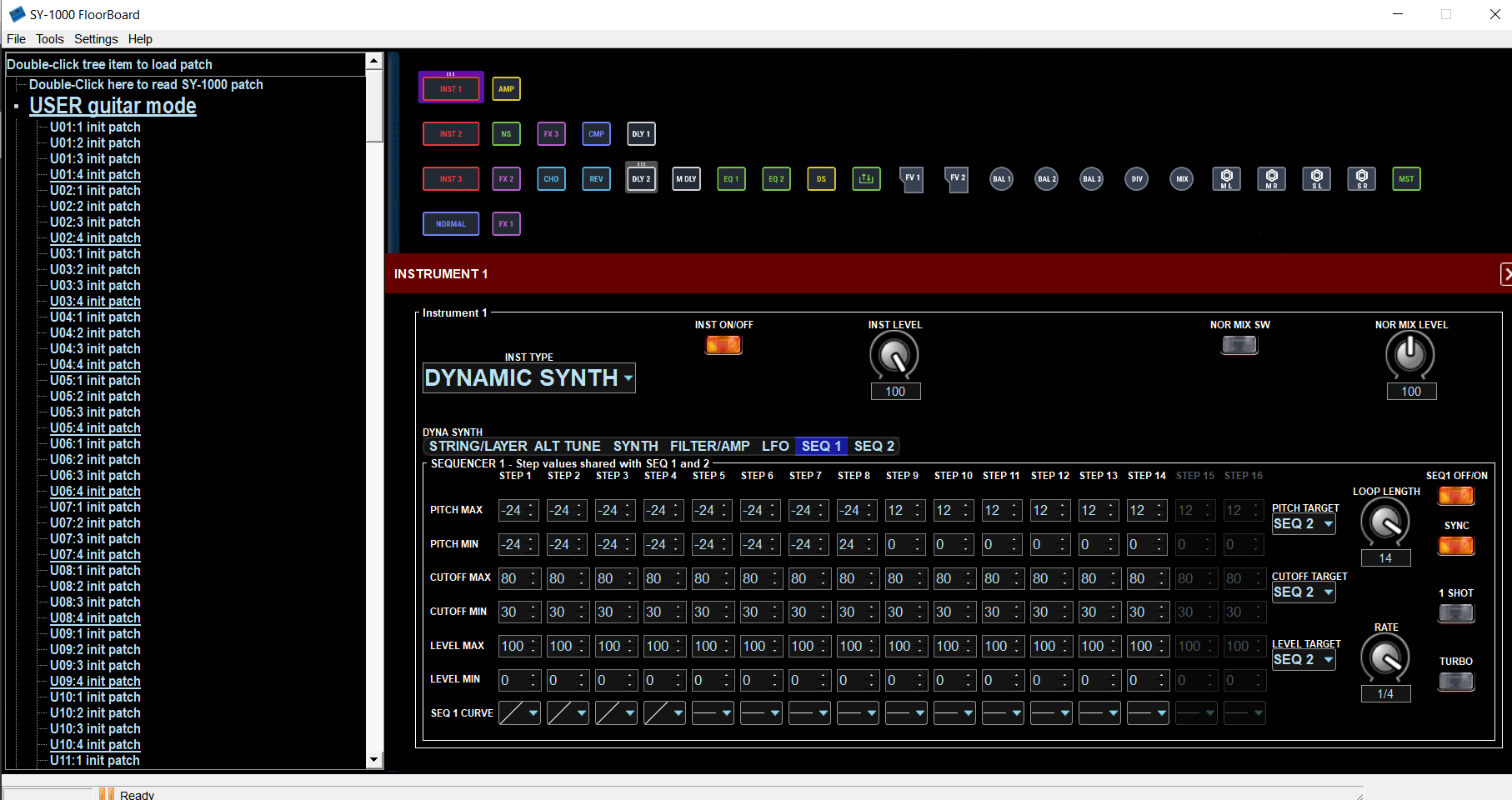
A collection of graphical midi based editors, each made specifically for the BOSS SY-1000 , Roland VG-99 guitar, or VB-99 bass synth units, which provide an alternative to the Boss or Roland version of midi editors, with full features and control of the SY-1000, VG-99, or VB-99 from a Windows, Mac, or Linux computer.

Features:

  • Midi editing of parameters on-line or off-line, text list generation of settings, file load/save/backup/restore, ease of use with graphical interface.
  • A different version specific for each device.
  • SY-1000FloorBoard version also has features to convert patches from VG-99,VB-99, GP-10, GT-1000 units.
SY-1000 Floorboard interface

sourceforge.net/projects/sy1000floorboard

midimusic ~ Music Software & Music Archive


Midimusic provides archives of Wurlitzer and Estey music rolls in e-roll format. These are downloadable and the music can be played using eplayOrgan. An archive of Miditzer organ midi files is also provided.

All features of the original e-rolls and midis are available including stops and swell.

eplayOrgan is a fully featured organ which can also be played from a full midified console or standard midi keyboards. Stops may be set using a touch screen.

eplayOrgan operates under Windows. Mac and Linux are supported under Wine. The programs work just the same under Wine on Mac and Linux as they do under Windows.

sourceforge.net/projects/midimusic

HuMidi ~ ROBLOX Piano Player


HuMidi is a universal piano auto player for ROBLOX. It plays even the most generic MIDI file with great depth, thanks to the humanization and automatic sustain pedal generation algorithms. The pedals are generated with a thorough analysis of the MIDI data, adding more depth to your performance that no other MIDI players could!

Personally have been tested in:

  • Visual Pianos
  • Starving Pianists
  • Digital Piano
  • Piano’s Got Talent

This tool is universal, as long as the piano in-game allows to be played on a keyboard.

Features:

  • MIDI auto player
  • Humanization options
  • Automatic sustain pedal (even if your MIDI doesn’t have the data!)
  • Visualization
  • Pause and resume
  • Scrubbing / seeking – You don’t have to play from the beginning every time, just skip to the part you want to play!

sourceforge.net/projects/humidi-roblox-piano-autoplayer

mididash ~ Open Source MIDI Router


Mididash is an open source MIDI routing software with a node-based interface and Lua scripting. A modern take on programs like MIDI-OX.

Features:

  • High performance built with Tauri and Rust
  • Cross-platform available on Windows, Linux and macOS
  • Node-based MIDI routing allows for versatile configurations
  • Hot-plugging reconnect or replace MIDI devices
  • MIDI monitoring for inputs, outputs or individual nodes
  • Pre-configured nodes for MIDI splitting, mapping and more
  • Script nodes using Lua 5.4
  • Lightweight installer under 10MB

tiagolr.github.io/mididash
github.com/tiagolr/mididash
sourceforge.net/projects/mididash

JD990 Super Editor ~ Roland JD-990 Editor


CtrlrX based editor for Roland SUPER JD SYNTHESIZER MODULE JD-990

Features:

  • Menu access to SR-JV80/SL-JD80 external card patches and waveforms if installed.
  • Rename any remote patch name for Internal Patches I-11 – I-88 (64 x patches).
  • Save Temporary Patch data on Ctrlr panel to any Internal Patch location I-11 – I-88 (64 x patches).
  • Palette mode. Quick adjustment of each Tone ABCD using mouse wheel or click & drag.
  • Patch data on panel can be saved as a sysex file to computer.
  • Bulk Sysex dumps of patches I-11 – I-88
  • Emulation of most graphic elements on the JD-990 display.
  • Separate ”mixer’ area allowing simultaneous adjustment of each Tone Level & Pan.
  • Sync button~ synchronising panel with JD-990.
  • PATCH mode, PERFORMANCE and RHYTHM editing
  • Map Keyboard Control CC messages to panel.
  • MIDI learn feature
  • Support for SO-PCM1 cards not yet fully implemented
JD990 Super Editor

sourceforge.net/projects/jd990-super-editor
github.com/RomanKubiak/ctrlr

anklang ~ MIDI & Audio Synthesizer & Composer


Anklang is a digital audio synthesis application for live creation and composition of music and other audio material.

anklang.testbit.eu
tim-janik.github.io/anklang
github.com/tim-janik/anklang

OpenPiano ~ Virtual Piano For Windows


OpenPiano is a Windows desktop piano application that allows you to play, practice, and record music using your PC keyboard, mouse, or a MIDI device.

It supports real-time playback using SoundFonts and provides on-screen piano layouts for visual feedback while playing.

OpenPiano is designed to run entirely locally. It does not require accounts, cloud services, or an internet connection for core functionality.

  • 61-key and 88-key layouts with live key feedback
  • SoundFont support (.sf2 / .sf3) with bank and preset selection
  • Keyboard, mouse, and MIDI input support
  • Editable keybind mode with Save, Discard, and Ctrl+Z undo
  • Keyboard and mouse combo triggers with shared 61/88-key mapping
  • MIDI recording and .mid export
  • Real-time controls for volume, velocity, sustain, and transpose
  • Live stats for KPS, held keys, and polyphony
  • Theme, UI scale, animation speed, and key color customization
  • Built-in tutorial with an in-depth explanation of features
  • Offline local-first workflow with no account required

www.justagwas.com/projects/openpiano
github.com/Justagwas/openpiano
sourceforge.net/projects/openpiano

Alternative:

github.com/michele-perrone/OpenPiano

Echo In Mirror ~ Digital Audio Workstation


An open source DAW (Digital Audio Workstation) written in pure Kotlin.

Features:

  •  VST/VST3/AU plugin support
  •  Audio effects
  •  Audio sample support
  •  ASIO support
  •  MIDI edit
  •  Latency compensation
  •  Audio edit
  •  Audio recording
  •  Midi input
  •  Plugin api
  •  CLAP and ARA plugin support
  •  Android support
  •  iOS support

github.com/EchoInMirror/EchoInMirror

Cynthia ~ Multitrack MIDI Player


Reliably play midi music files from a folder or “.m3u” playlist. Adjust playback speed, volume and output device on the fly during playback. A large playback progress bar makes jumping forward and backward in time a breeze with just a single click or tap. Supports “.mid”, “.midi” and “.rmi” files in format 0 (single track) and format 1 (multi-track). Comes complete with 24 sample midis ready to play.

Features:

  • Dual play systems – Play Folder and Play List
  • Comes with 24 built-in sample midis on a virtual disk
  • Elapsed, Remaining and Total time readouts
  • Native “.m3u” playlist support (copy, paste, open, save, build)
  • Drag and drop midi files to play / add to playlist
  • Play Modes: Once, Repeat One, Repeat All, All Once, Random
  • Play Speed: 10% to 1,000% (1/10th to 10x)
  • Intro Mode: Play first 2s, 5s, 10s or 30s of midi
  • Rewind / Fast Forward by: 1s, 2s, 5s, 10s or 30s
  • Play on Start option – playback commences on app start
  • Always on Midi option – maintain connection to midi device for instant playback
  • Auto Fade In – eliminate loud or abrupt notes during rewind, fast forward or reposition operations
  • Playback Progress bar – click to reposition/jump backward or forward in time
  • Volume control with volume boost (up to 200%)
  • Play “.mid”, “.midi” and “.rmi” midi files in 0 and 1 formats
  • Custom built midi playback subsystem for high playback stability
  • Scrolling lyrics viewer
  • Detailed midi information panel
  • Tracks Panel: Realtime track data indicators with mute all, unmute all, and mute individual track options
  • Channels Panel: Realtime channel output volume indicators with peak level hold and variable hold time, unmute all, mute all, and mute individual channel options
  • Notes Panel: 128 realtime note usage indicators with variable hold time, 8-12 notes per line display, labels as letters or numbers, unmute all, mute all, and mute individual note options
  • Piano Panel: View realtime piano keystrokes on a 128, 88, 76, 61, 54, 49 or 37 key keyboard with animated and lit keystrokes
  • Piano: Mark middle C key, C + F keys, or all white keys
  • Transpose option: Shift all notes up or down music scale
  • Use an Xbox Controller to control Cynthia’s main functions – playback speed and volume, song position, display panels, song file navigation, jump to start of song, toggle fullscreen mode, etc
  • Large list capacity for handling thousands of midi files
  • Switch between up to 10 midi playback devices
  • Simple and easy to use
  • Options Window – Easily change app color, font and settings
  • Portable

sourceforge.net/projects/cynthia1
www.blaizenterprises.com/cynthia

A2M ~ Audio To MIDI


A2M converts local audio into editable MIDI using a trained piano model. No uploads, no accounts, and no cloud dependency.

  • Local processing only
  • CPU default, NVIDIA GPU optional
  • Batch size control for GPU tuning
  • Outputs to Downloads/A2M

A model download is required once on first launch (~165 MB).

Best results come from solo piano recordings. Mixed tracks or full songs will be less accurate.

www.justagwas.com/projects/a2m
sourceforge.net/projects/a2m