Manifold ~ Audio Batch Processing Tool


Manifold is a desktop audio batch-processing tool built for inspecting, transforming, and exporting large collections of audio files with a visual workflow editor. Useful for checking and pre-processing audio for game-audio production, podcasts and broadcast, it is designed to make repetitive tasks more efficient and reproducible.

It combines a polished ImGui-based interface with a custom node-based audio pipeline, allowing you to build repeatable processing chains for tasks such as loudness normalization, peak limiting, DC offset cleanup, resampling, and format conversion.Why Manifold?

Manifold was designed to make audio batch work feel more structured and reproducible. Instead of manually running ad-hoc commands or scripting every step, you can:

  • import whole folders of audio files,
  • inspect their metadata and analysis results,
  • create reusable processing chains,
  • export processed files with consistent naming and format settings.

This makes it useful for workflows such as podcast preparation, mastering prep, broadcast delivery, and game-audio asset processing.

Key Features:

  • Batch import of files and folders
  • Drag-and-drop support from the file explorer
  • Built-in audio playback for quick previews
  • File table with metadata and analysis metrics
  • Configurable processing workflows using nodes
  • Output settings for folder, naming, format, and subtype
  • Background processing with task history and logs
  • Parallel analysis for loudness and DC offset metrics

Supported Processing Nodes:

Manifold includes a growing set of audio processing and analysis nodes, including:

  • Loudness analysis
  • Loudness normalization
  • True peak limiting
  • DC offset removal
  • Peak normalization
  • Channel mixing
  • Silence trimming
  • Fade in/out
  • Loudness compliance checks
  • Clipping detection
  • Dynamic range analysis

These nodes can be chained together to create custom pipelines for different production scenarios.

github.com/AnClark/Manifold

foobar2000 ~ foo_filename_editor


Advanced file renamer component for foobar2000 media player. This plugin helps you rename your physical audio files on your hard drive based on their metadata tags, while ensuring a seamless, smart, and fully automated workflow.

Key Features:

  • Smart Track Number Padding: Automatically scans all selected tracks. If the album contains 100 or more tracks, it pads numbers to 3 digits (001, 002), otherwise it defaults to 2 digits (01, 02) dynamically.
  • Intelligent Compilation (Various Artists) Detection: Automatically checks %album artist% and %artist% tags. If it detects a compilation, it seamlessly applies your custom VA formatting template.
  • Advanced Case Conversion: Supports Title Case, Smart Title Case (keeps short words like a, an, the, and, with lowercase), Sentence case, ALL CAPS, and lowercase.
  • Roman Numerals Preservation: Intelligently detects standalone Roman numerals (e.g., Part iii) and forces them to uppercase (Part III) across all case conversion modes (except lowercase). Includes protection against false positives (words like MIX, DIV).
  • Extended Unicode & Ligature Support: Works perfectly with Windows native APIs, preserving and processing complex characters like æ, œ, ß, and language-specific diacritics.
  • Safe Formatting Menu: Quick insertion menu for popular tags and safely escaped syntax characters like '(', ')', '[', ']', and single/double quotes (', '').
  • Seamless Playlist Synchronization & Reload: Automatically replaces dead file links in all open playlists with the newly renamed paths. Instantly reloads file tags and durations in the background—no broken links, no manual reloading required!
  • Robust Error Handling: If a file cannot be renamed (e.g., if it is locked or currently playing), the plugin bypasses it without crashing and provides a detailed summary report of successful and failed files.
  • Persistent Settings: Remembers your custom single/VA templates, history list, checkboxes status, and even your preferred window column widths between sessions.

🎵 M3U/M3U8 Playlist Generation (v1.1)

The plugin now includes built-in support for generating playlist files automatically during the renaming process:

  • Save M3U Checkbox: Automatically creates a playlist file in the top-level directory of your processed files.
  • Custom Naming Templates: Use standard foobar2000 title formatting syntax (like %album% or %artist% - %album%) to dynamically name your playlist file.
  • EXTINF Metadata: Optional toggle to write standard #EXTM3U and #EXTINF headers containing track durations and formatted titles (%artist% - %title%).
  • Smart Conflict Resolution & Overwrite Toggle: Prevents accidental loss of data. If overwrite is disabled, the plugin safely creates incremented filenames like Playlist (1).m3u.
  • UTF-8 Compatibility: Playlists are written with a proper UTF-8 BOM, ensuring seamless support for non-ASCII characters, symbols, and ligatures.

github.com/VadimLevo/foo_filename_editor

Ear Tag ~ Edit Audio File Tags


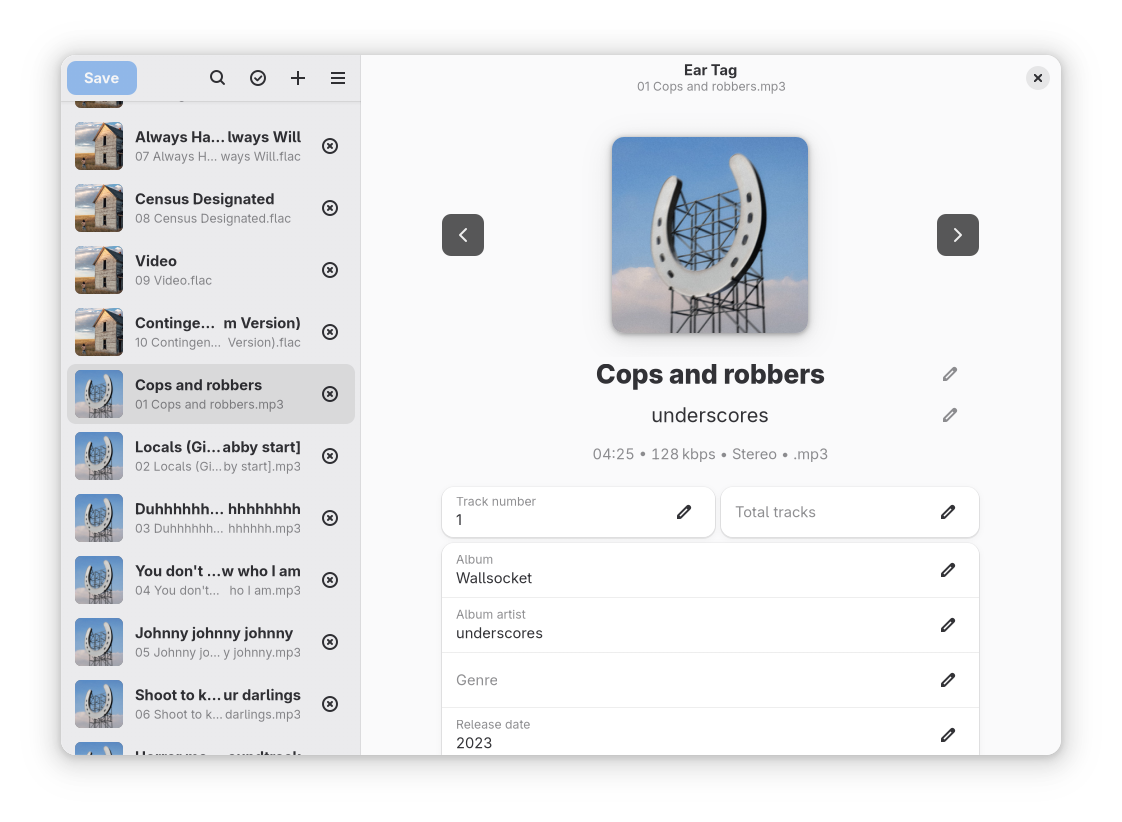
Ear Tag is a simple audio file tag editor. It is primarily geared towards making quick edits or bulk-editing tracks in albums/EPs. Unlike other tagging programs, Ear Tag does not require the user to set up a music library folder. It can:

  • Edit tags of MP3, WAV, M4A, FLAC, OGG and WMA files
  • Modify metadata of multiple files at once
  • Rename files using information from present tags
  • Identify files using AcoustID

Network access is only used for the “Identify selected files” option.

apps.gnome.org/EarTag
gitlab.gnome.org/World/eartag

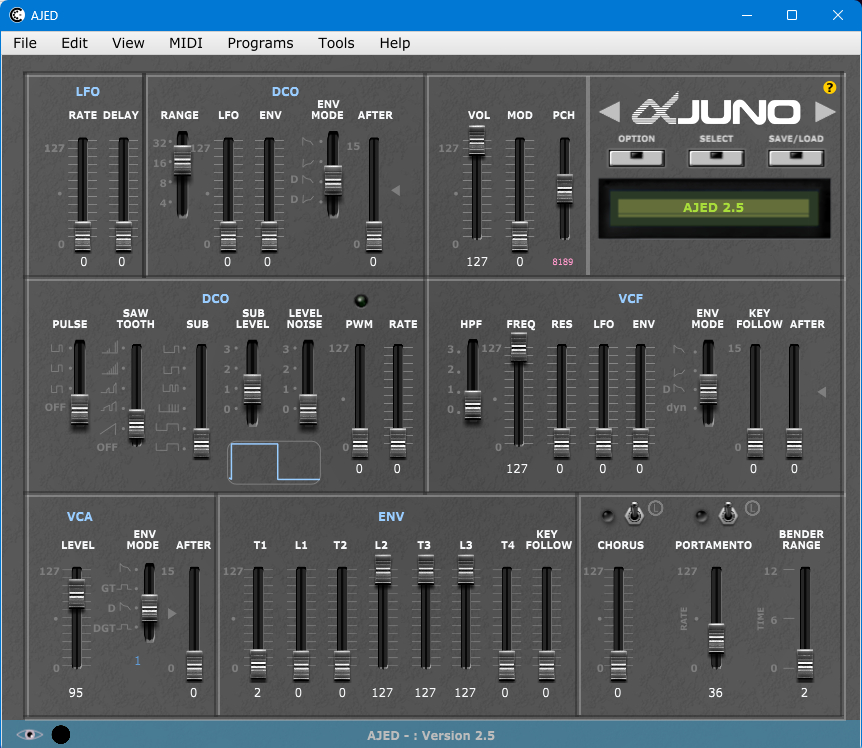
AJED ~ Roland JUNO ALPHA & MKS50 Editor


An Editor for Roland JUNO ALPHA 1 / 2 HS-10 / HS-80 and Roland MKS50

sourceforge.net/projects/ajed

SY-FloorBoard ~ BOSS & Roland Editors


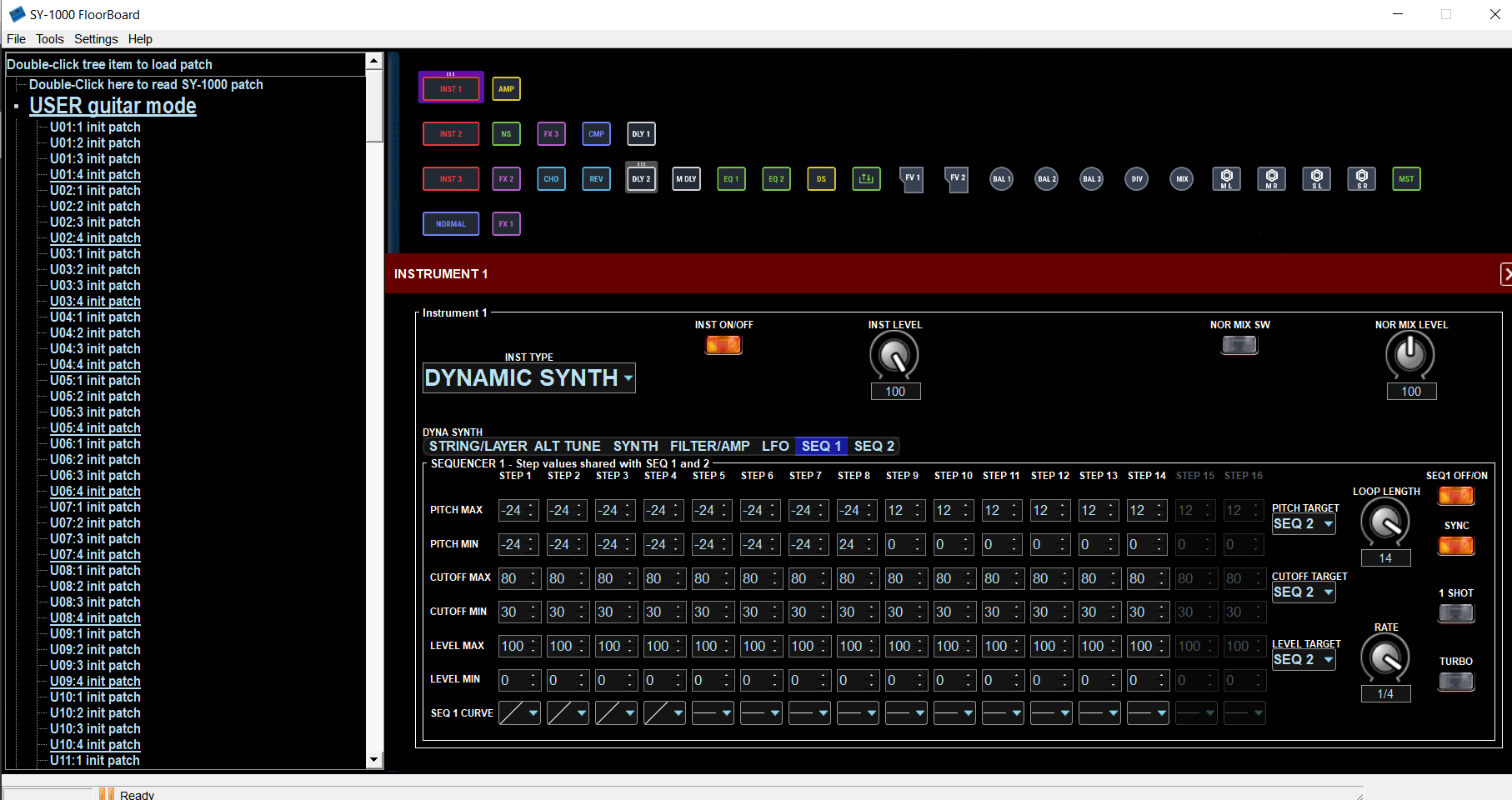
A collection of graphical midi based editors, each made specifically for the BOSS SY-1000 , Roland VG-99 guitar, or VB-99 bass synth units, which provide an alternative to the Boss or Roland version of midi editors, with full features and control of the SY-1000, VG-99, or VB-99 from a Windows, Mac, or Linux computer.

Features:

  • Midi editing of parameters on-line or off-line, text list generation of settings, file load/save/backup/restore, ease of use with graphical interface.
  • A different version specific for each device.
  • SY-1000FloorBoard version also has features to convert patches from VG-99,VB-99, GP-10, GT-1000 units.
SY-1000 Floorboard interface

sourceforge.net/projects/sy1000floorboard

JD990 Super Editor ~ Roland JD-990 Editor


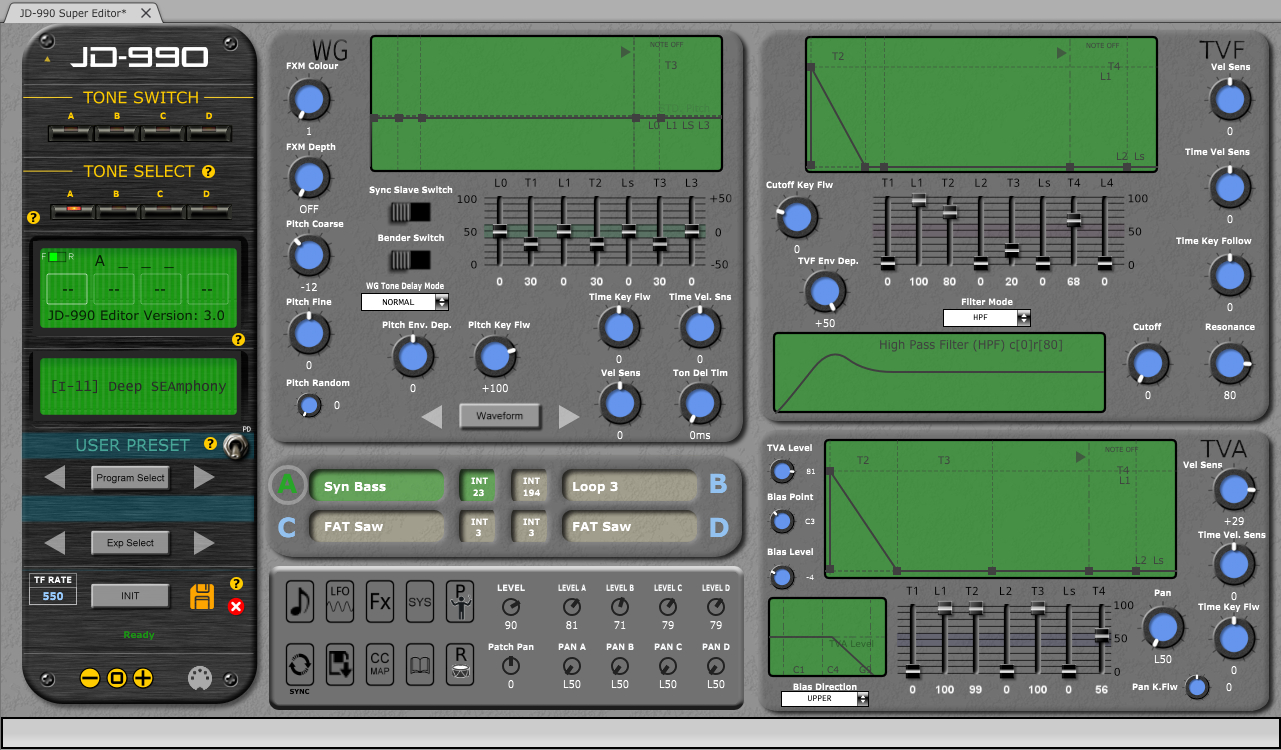
CtrlrX based editor for Roland SUPER JD SYNTHESIZER MODULE JD-990

Features:

  • Menu access to SR-JV80/SL-JD80 external card patches and waveforms if installed.
  • Rename any remote patch name for Internal Patches I-11 – I-88 (64 x patches).
  • Save Temporary Patch data on Ctrlr panel to any Internal Patch location I-11 – I-88 (64 x patches).
  • Palette mode. Quick adjustment of each Tone ABCD using mouse wheel or click & drag.
  • Patch data on panel can be saved as a sysex file to computer.
  • Bulk Sysex dumps of patches I-11 – I-88
  • Emulation of most graphic elements on the JD-990 display.
  • Separate ”mixer’ area allowing simultaneous adjustment of each Tone Level & Pan.
  • Sync button~ synchronising panel with JD-990.
  • PATCH mode, PERFORMANCE and RHYTHM editing
  • Map Keyboard Control CC messages to panel.
  • MIDI learn feature
  • Support for SO-PCM1 cards not yet fully implemented
JD990 Super Editor

sourceforge.net/projects/jd990-super-editor
github.com/RomanKubiak/ctrlr

BlackDiamond ~ Fruityloops Studio Clone


Fruityloops clone with sound samples using Fmodex lib

BlackDiamond (formerly Crazy Machine) is a project I neglected for years until I got back into making music. The package comes with free VST plugins and samples, and soon to be introduced at some point in time, perfect sequencer sample mixer playback thingamagiggy we are now back in full armor trying to create the wildest dreams of software working on BlackDiamond.

Features:

  • Six built in effects for each 16 channels Flange, Chorus, Compression, Echo, Distortion, Reverb
  • fruity loops style pattern manipulation
  • Written in FreeBasic, the most best freeware IDE compiler for basic language
  • Recent May 2019 re-programming to V3
  • VST and Dialog window support, switch plugins with a click
  • calculations are now down to the clock cycle to milliseconds
  • Load VST plugins, samples during playback.
  • View VST plugin dialog, which works when using SET MS method
  • SET MS (Alter VST plugin data) now very easily tuneable
  • Supports ASIO Interface and Microsoft Windows wave file writing

sourceforge.net/projects/jesuschristsuns

Partiels ~ Audio Analysis Application


Partiels is an audio analysis application that allows you to explore the content and characteristics of sounds.

Features:

Partiels allows analysis of one or several audio files using Vamp plug-ins loading data files, visualizing, editing, organizing, and exporting the results as images or text files that can be used in other applications such as Max, Pure Data, Open Music, etc.

  • Windows, Mac & Linux support
  • Multiformat support
  • Multichannel support
  • Multiaudiofile support
  • Analyzing audio with Vamp plug-ins
  • Visualizing results as spectrogram, lines, and markers
  • Textual and graphical editing of results 
  • Organizing and ordering analyses in groups
  • Exporting results to PNG, JPEG, CSV, LAB, JSON, CUE, REAPER & SDIF formats
  • Loading results from CSV, LAB, JSON, CUE & SDIF formats
  • Batch processing
  • Command line interface to analyze, export, and convert results
  • Consolidating documents for sharing

Alongside Partiels, a wide range of analyses based on audio engines developed at IRCAM and outside are ported to Vamp plug-ins. These plug-ins allow you to perform FFT, LPC, transient, fundamental, formant, tempo, TTS and many other analyses. You can also find a large number of analysis plug-ins on the Vamp plug-ins website.

github.com/Ircam-Partiels
www.vamp-plugins.org

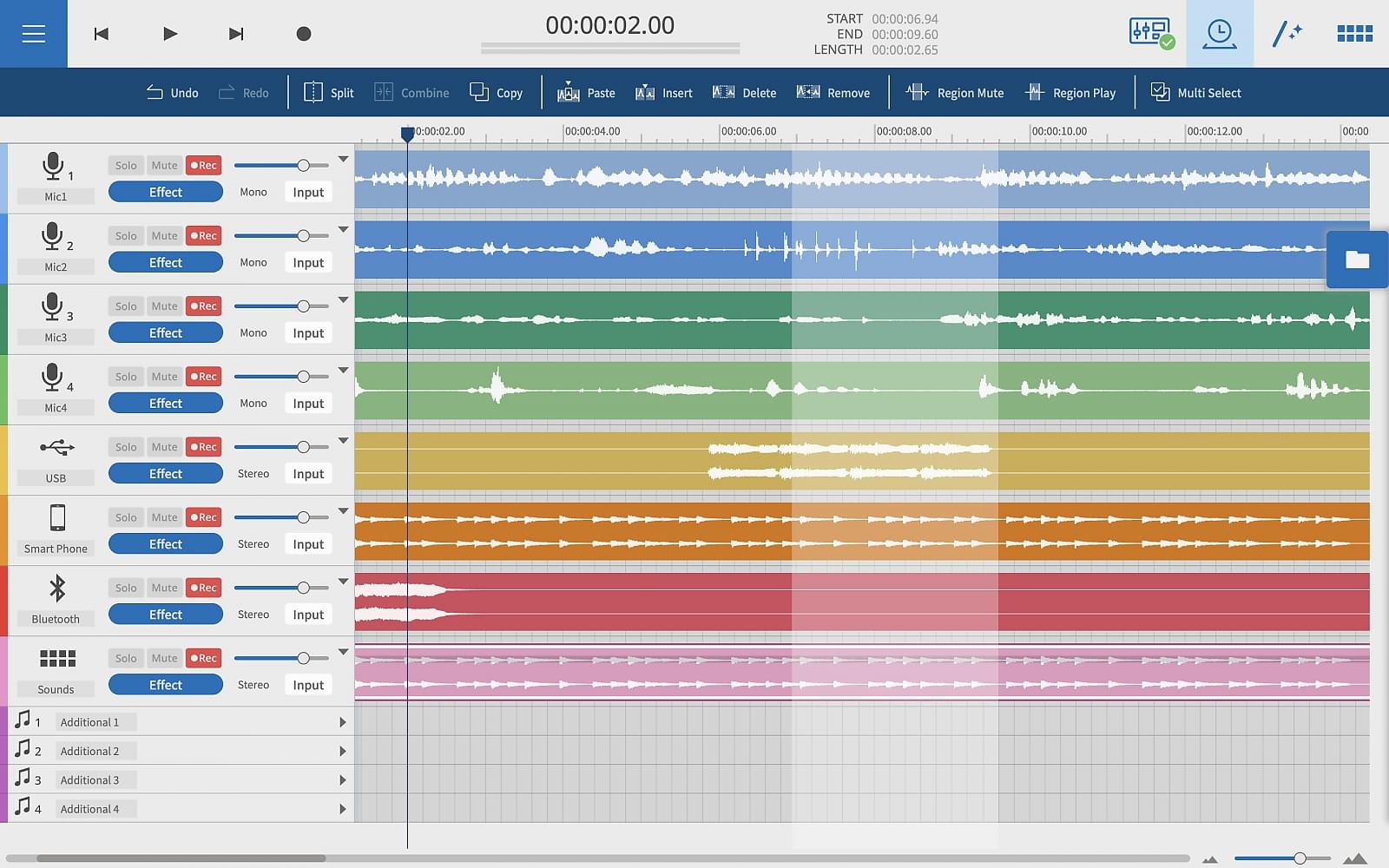
Tascam Podcast Editor ~ Simple Audio Editor For Podcast Creation


Tascam Podcast Editor is a software application specialising in the production of voice content such as podcasts, Internet radio, audio books, and voice logs.

From recording to editing and file output, the Tascam Podcast Editor provides all the functions necessary to publish a programme with intuitive, easy operation.

Tascam Podcast Editor | Simple Audio Editor for Podcast Creation

www.tascam.eu/en/podcast_editor

You can download the Tascam Podcast Editor free of charge from the Tascam website after registering a Tascam ID.

jfMusic ~ Tracked Music Editor


Supports WAV and DLS files.
Supports recording from MIDI devices.

sourceforge.net/projects/jfmusic

Polyphone ~ Cross-platform Soundfont Editor


Polyphone is an open-source soundfont editor for creating musical instruments, available for Windows, Mac OS X and Linux.

Features:

  • editing of sf2, sf3, sfz and sfArk file formats
  • compatible with jack and asio audio servers
  • built-in synthesizer, controlled by a virtual keyboard or midi signals
  • automatic recognition of root keys
  • automatic loop of samples
  • simultaneous editing of parameters
  • specific tools for musical instrument creation
  • recorder to keep a trace of what is played in a .wav file
  • soundfont browser connected to the online repository
www.polyphone.io
github.com/davy7125/polyphone
community.linuxmint.com/software/view/polyphone