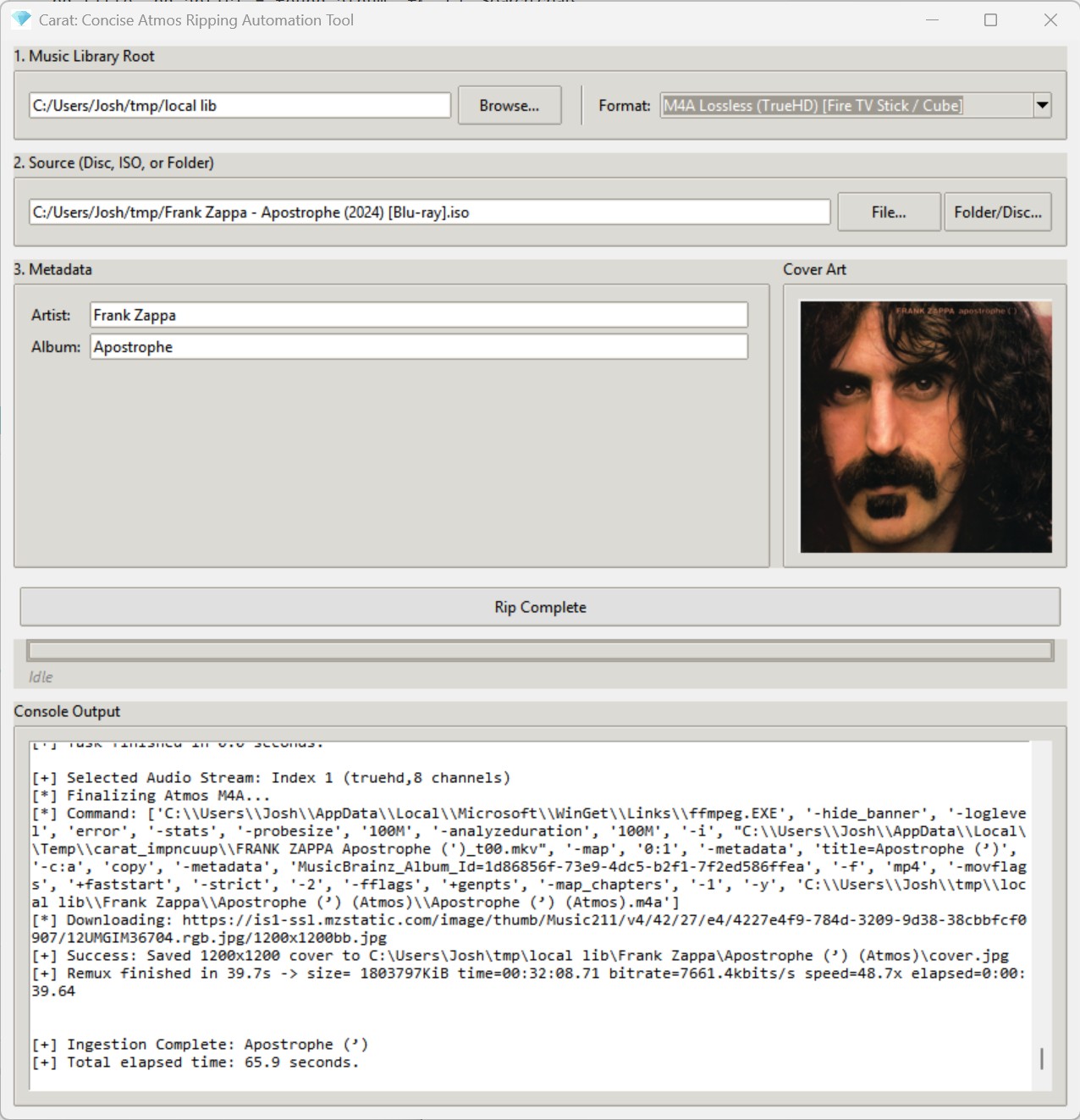
Carat is a lightweight, automated GUI utility designed to accept Dolby Atmos music releases in practically any format, locate the primary title in the release, retrieve metadata and cover art from the internet, and incorporate the release directly into your digital music library in a single click.
From the moment a new Blu-ray arrives in your mailbox, Carat handles the entire pipeline—extraction, processing, metadata acquisition, and cover art—with zero friction. If your source files are already on your SSD, Carat will process an entire release in a minute or two (depending on the speed of your computer). If you are starting from a physical disc, the time is limited by the read speed of your optical drive (expect five to ten minutes).
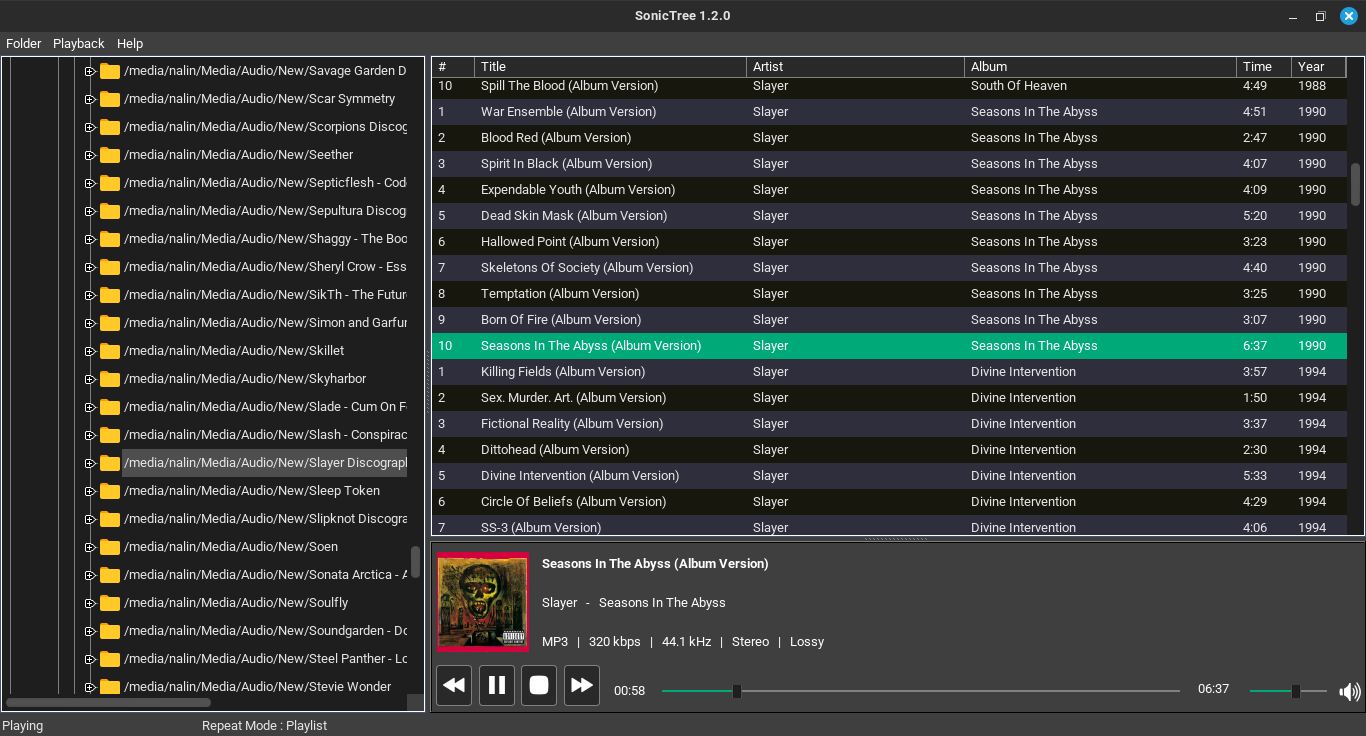
SonicTree is a Linux music player for local music playback and filesystem-based navigation. It allows you to browse and play music directly from your existing folder structure without requiring a separate music library database.
Features:
Designed around local folder-based music playback for clean and distraction-free listening experience
Playback architecture powered by GStreamer for stable playback pipeline and decoder handling
LRCv2 XML-inspired format specification proposal draft with features – Synced Lyrics with Meaning, Translation, Singer metadata, Custom Styling, Chords, Karaoke with Time and Pitch.
A high-performance CLI toolkit for music collectors who manage their own libraries. Lattice provides a suite of tools for library visualization, integrity verification, cover art extraction, and metadata auditing — all from a single, zero-dependency script.
Why this exists
Modern music players often hide your library behind proprietary databases. Lattice is built for collectors who treat the filesystem as the source of truth. It reads tags directly via mutagen, ensuring your library is portable and player-agnostic.
Features:
Mode
Flag
Description
Library Tree
--library
Generate a formatted ASCII/Unicode tree of your entire collection.
AI Library
--ai-library
Token-efficient export designed for LLM recommendation prompts.
Genre Wings
--all-wings
Generate separate library catalogs segmented by genre.
Integrity Checks
--testFLAC
Parallel verification of FLAC/MP3/Opus/WAV integrity via FFmpeg.
Art Extraction
--extractArt
Extract embedded covers with format-priority ranking (FLAC > Opus).
Tag Audit
--auditTags
Identify and report files with missing or inconsistent metadata.
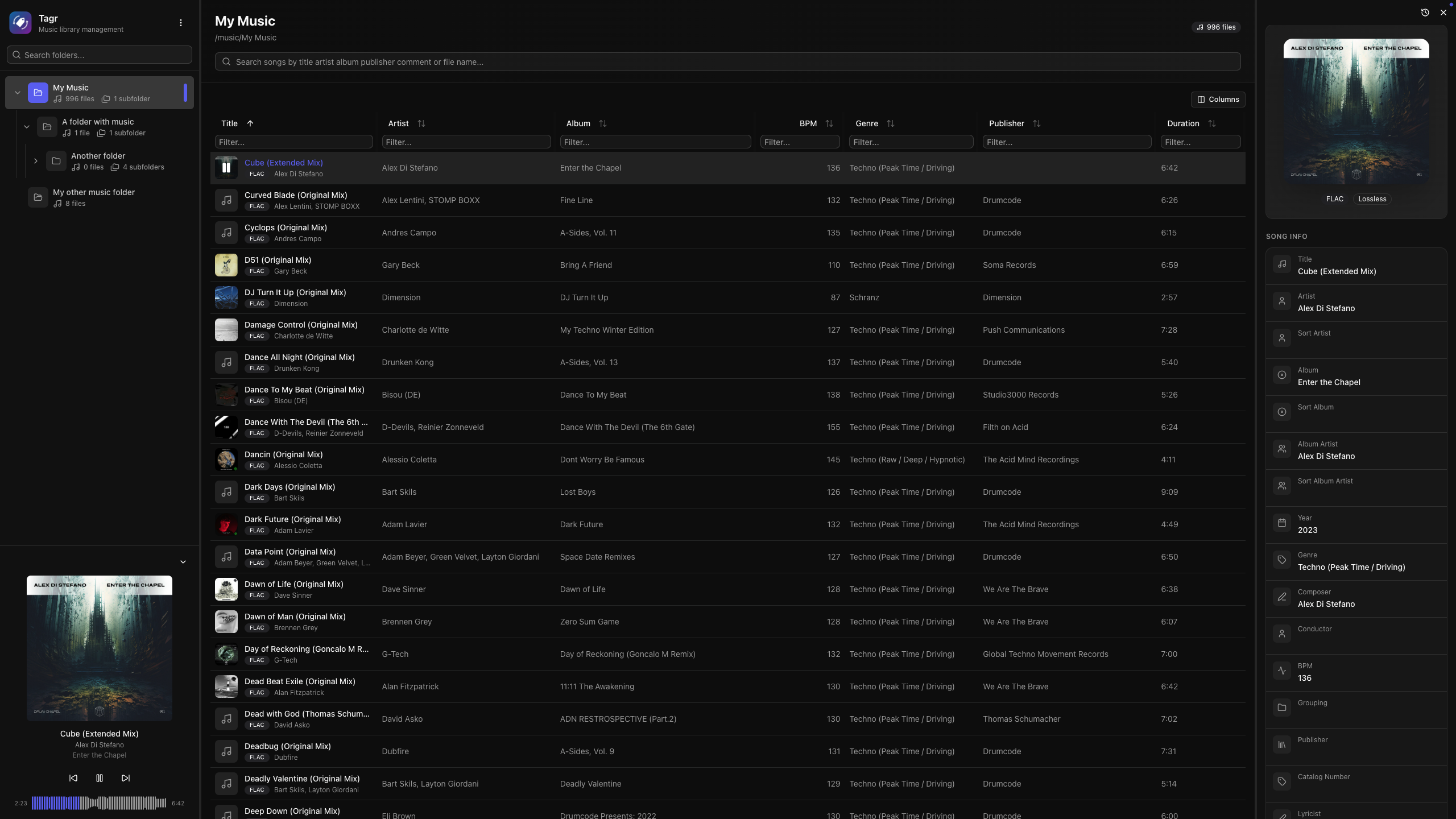
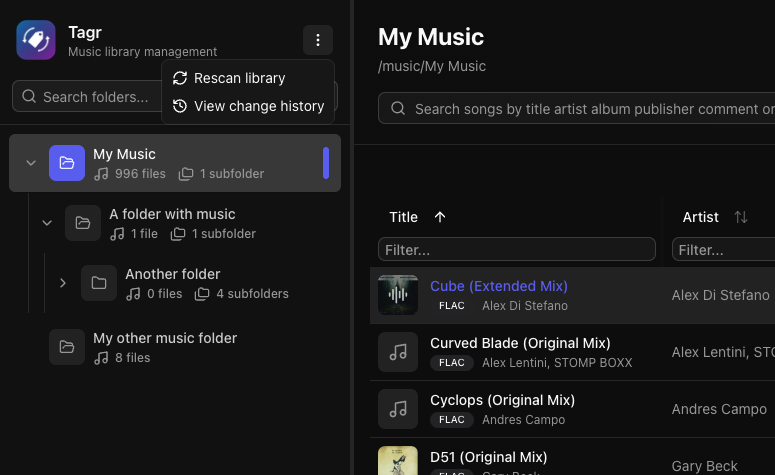
Self-hosted web app for browsing, playing, and editing music file metadata. Features a three-panel UI to navigate your library, listen to tracks, and write tag changes directly back to audio files. Built with Next.js, React, Prisma + SQLite, and node-taglib-sharp.
Most metadata editors are either desktop-only, command-line tools, or bloated apps with steep learning curves. If your music lives on a NAS, a server, or a headless machine, editing tags means SSH, mounting drives, or syncing files back and forth.
Tagr takes a different approach:
Run it anywhere — Docker, bare metal, your NAS. If it runs Node.js, it runs Tagr.
Edit from any browser — No installs, no plugins. Just open a tab.
Do one thing well — Browse your library, edit tags, save. That’s it.
Features:
Metadata Editing
Edit 40+ metadata fields inline — title, artist, album, year, genre, composer, BPM, lyrics, and more
Album art management — view, replace, and upload cover images directly
Star ratings (1–5) with a visual widget
Support for track/disc numbering, sort fields, catalog numbers, barcodes, and extended tags
Read-only display of audio properties (codec, bitrate, sample rate, channels, bits per sample)
Music Player
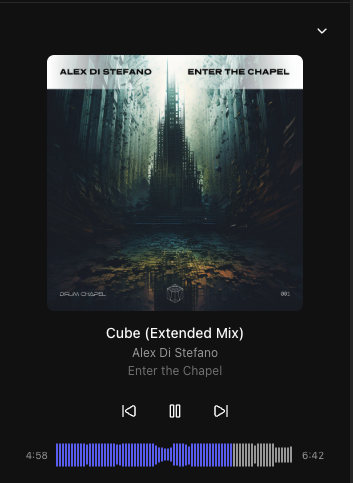
Built-in audio player with interactive waveform visualization (WaveSurfer.js)
Play/pause, previous/next track navigation
Click-to-seek on the waveform
Auto-advance to next song
Collapsible sidebar player with album art, title, and artist display
Library Browsing
Three-panel layout — folder tree, song list, and detail editor side by side
Folder tree with hierarchical navigation and real-time search
Sorting on any column — title, artist, album, year, duration, bitrate, date added, and dozens more
Advanced filtering — text, numeric ranges, date ranges, and boolean filters across all fields
Customizable columns — show/hide any of 40+ columns to match your workflow
Virtual scrolling and infinite pagination for large libraries
This tool removes every kind of trash from your mp3-files. It searches for valid mp3 audiodata-frames and removes everything else. This has the big advantage that it will also remove tags which are in the middle of the file (as is the case with joined tracks) as well as broken frames (half-downloads) and malicious tags (Tag-buffer-overflow bug in WinAMP and Windows XP). Use this tool to cleanup your mp3 files before you add your own tag. No more double tags, or annoying ‘Lyrics’ data containing group names or misspelled song names.
Axone.jar is a utility allowing you to view all the information available in an MP3 file. This is not to be misunderstood: all the possible information. In the tag version 2 (ID3V2), the information is subdivided into frames and there are many more frames declared than frames actually displayed by MP3 players. Well Axone.jar knows how to display them all, without exceptions and whatever the version!
Very classic frames such as title, album, artist, year, genre, track and comment.
Other frames displayed by only some MP3 players.
the image(s).
the composer.
the text of the song.
volume control (itunes)
The frames that are hidden from you (not necessarily with bad intentions).
Undeclared frames, not understood and therefore clearly hidden from all MP3 players.
The other frames usually not used.
Other data
The Lyrics and TAG+ tags, which are completely obsolete, may remain forgotten in certain files. If they are present, Axone.jar displays them.
When the software reads an MP3 file to display the current tag, it does a summary check of the audio data. It gives you the classic information on bitrate, sampling frequency, duration, etc.; but also if it finds excess or erroneous data. Excess data can be a sign of corrupted audio data, or of data intentionally hidden if the file was purchased on a merchant site (or if you did P2P). At this level, it is important to understand that the audio decoder is robust in the sense that data that is incomprehensible to it is simply skipped. It is therefore very easy to hide data between audio data, without risking disturbing MP3 players.
tone is a cross platform audio tagger and metadata editor to dump and modify metadata for a wide variety of formats, including mp3, m4b, flac and more. It has no dependencies and can be downloaded as single binary for Windows, macOS, Linux and other common platforms.
The code is written in pure C# and utilizes the awesome atldotnet library to provide full support for a wide variety of audio and metadata formats.
Features:
The main purpose of tone is to tag m4b audio books for myself. It is planned as a successor to [m4b-tool].
dump metadata of audio files
different metadata formats (e.g. chptfmtnative, ffmetadata, etc.)
file information (bitrate, channels, duration, etc.)
support for filterable json output (similar to jq)
extensive list of supported tags (default fields like album or *artist as well as custom fields, covers, chapters, etc.)
tag audio files with different kinds of metadata
different file formats (e.g. mp3, m4b, and flac)
extensive list of supported tags (default fields like album or *artist as well as custom fields, covers, chapters, etc.)
filename to tags via --path-pattern (see below)
custom javascript taggers via --script and --script-tagger-parameter