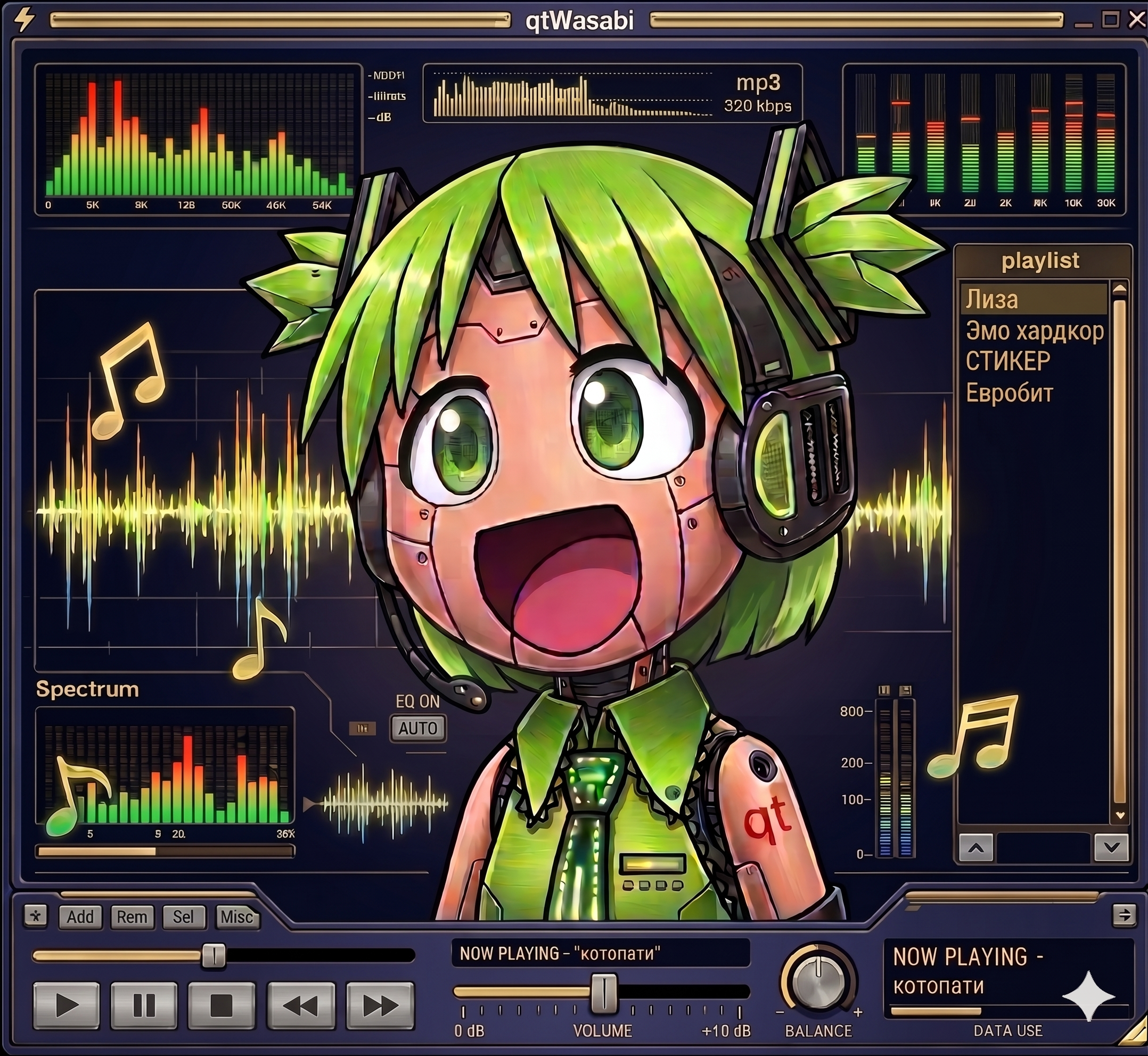
qtamp ~ qtWasabi Reference Player


I never wanted a player that looks like Winamp. I wanted one that actually runs Winamp skins. The difference is bigger than it sounds. A Modern Skin is not a bitmap theme, it is a program. XML declares the widget tree, compiled Maki bytecode drives the behavior. Drawers slide, tabs switch, windows change their shape, all of it scripted by the skin itself. Repaint that and you have a pretty poster. I wanted the original.

That is why qtamp runs skins as real programs. qtamp is my Qt6-native music player and the reference player for qtWasabi, my independent reimplementation of a Modern Skin engine. Skins ship their compiled Maki bytecode with them, and qtWasabi executes it in its own Maki VM. The skin’s logic drives the interface exactly the way it did in 2002.

The name is a play on words. “Qt” as in the framework, “qt” as in cute. A Qt-native amp, and hopefully a cute one.

qtamp qtWasabi mascot

qtamp.org
github.com/qtamp

SimpMusic ~ Cross-platform Music App


A FOSS YouTube Music client for Android and Desktop with many features from
Spotify, SponsorBlock, ReturnYouTubeDislike using Compose Multiplatform to develop.

Features:

  • Play music from YouTube Music or YouTube for free, without ads and in the background
  • Three Now Playing styles: Classic, Material 3 Expressive and Apple Music (NEW)
  • Ten-band equalizer with presets and AutoEq headphone profiles (NEW)
  • SimpMusic Wrapped: your year in music, plus monthly recap playlists (NEW)
  • On-device listening analytics: charts, period history, listening clock (NEW)
  • Word-by-word Apple Music-style lyrics, romanization for 12 languages, share lyrics as an image (NEW)
  • Home screen widgets: turntable, playlists and listening insights (NEW)
  • High quality up-to 256kbps stream (Opus or AAC) for YouTube Music Premium users
  • Browsing Home, Charts, Podcast, Moods & Genre with YouTube Music data at high speed
  • Search everything on YouTube
  • Spotify Canvas supported
  • Power your experience with SimpMusic Chart (chart.simpmusic.org)
  • Play 1080p video option with subtitle
  • AI song suggestions
  • Import playlists converted from Spotify and other apps
  • Customize your playlist, synced with YouTube Music
  • Notifications from followed artists
  • Caching and offline playback support
  • Crossfade with DJ-style like Apple Music
  • Customizing THEME (Light, Dark, Color, etc)
  • Synced lyrics from SimpMusic Lyrics, LRCLIB, Spotify (require login) and YouTube Transcript – AI lyrics translation (BETA) (*)
  • Personalize data (**) and multi-YouTube-account support
  • Last.fm scrobbling (Full version)
  • Supports SponsorBlock and Return YouTube Dislike
  • Sleep Timer
  • Android Auto with online content, feature rich UI/UX
  • Discord Rich Presence support
  • Listen Together: shared rooms that play in sync with friends, compatible with Metrolist (NEW)
  • And many more!

(*) Use your OpenAI or Gemini API key
(**) For users who chose “Send back to Google” feature

www.simpmusic.org
github.com/maxrave-dev/SimpMusic

Light Crime ~ MacOS Audio Player


The 90s and early 00s were an era of personal computing, self-expression, rapid technical expansion, the web. We were barreling forward at the speed of innovation and culture, and for a brief period, the utopia of new media and self-expression were fueled by the imagination. And then… it stopped. Hotline, KaZaa, Lime Wire, Napster, Tumblr, ICQ, AOL Messenger, IRC, Usenet, Winamp… remember WinRAR? All became irrelevant really quickly, either due to legal restrictions or gutting of communities and platforms. Many artists have reflected on this, but I feel at this moment in time we’re seeing that passion creep back through the cracks of the corporate chokehold on open web.

Light Crime aims to create modern software with a cozier personal computing approach. Spotify is great. Apple Music is meh but no ICE ads, and yet… they still separate you from your media and personal space. All the tools and technologies still exist, sitting dormant, but maybe people have moved on, or recessed to small corners of the web.

When I started coding it was with BASIC and Visual Basic 3. What a joy! But now, with the advent of paired programming with tools like Claude Caude, I don’t have to worry about the labor intensive time suck of building something that cuts against the grain of modern technology. What I would have said “eh who is going to use that?” is replaced with “Who cares, I can spend an afternoon and be done with it.” So I’m going through my backlog of software and art work I want to see in the world. And am no longer stuck in the mind trap of wondering how it fits into the current culture of social media and people’s relationship to software.

ahem … Anyways, I think curating your music on your computer is fun. Making playlists is fun. And generally, just enjoying your computer rather than a terminal to SaSS platforms is refreshing in 2026. Enjoy. – chris

Features:

  • Plays MP3, FLAC, AAC, M4A, WAV, AIFF, CAF, MP4, MOV (audio extracted automatically)
  • Parses M3U, M3U8, PLS, and XSPF playlist files
  • Winamp-style scrolling marquee for long track/artist names — hover a queue row to marquee its title
  • Bitrate + sample rate readout
  • Custom borderless window with drag-anywhere chrome
  • Lives in the menu bar — Dock icon hides when window is closed
  • Hardware media key support (play/pause/next/prev F-keys)
  • Now Playing integration (lock screen, Control Center)
  • Shuffle with Fisher-Yates, previous-track restart threshold
  • Loop mode — loop all or loop one track
  • Drag-to-reorder tracks in the queue and inside playlists
  • Drag-and-drop folders or files to add music
  • Missing file detection — tracks turn red if moved, tap to re-link
  • Playlist manager — create, load, and edit named playlists
  • Audio visualizer — 7 modes: Spectrum Bars, Waveform Scope, Radial Spectrum, Audio Starfield, Frequency Mountains, Beat Tunnel, Starfield
  • Theme editor — 5 built-in presets (Default, Amber, Phosphor, Rose, Slate) + custom color creator
  • Window title brightens when the app is focused, dims when it’s not
  • Persistent library, playlists, and theme across restarts

github.com/chrisallick/light-crime-audio-player

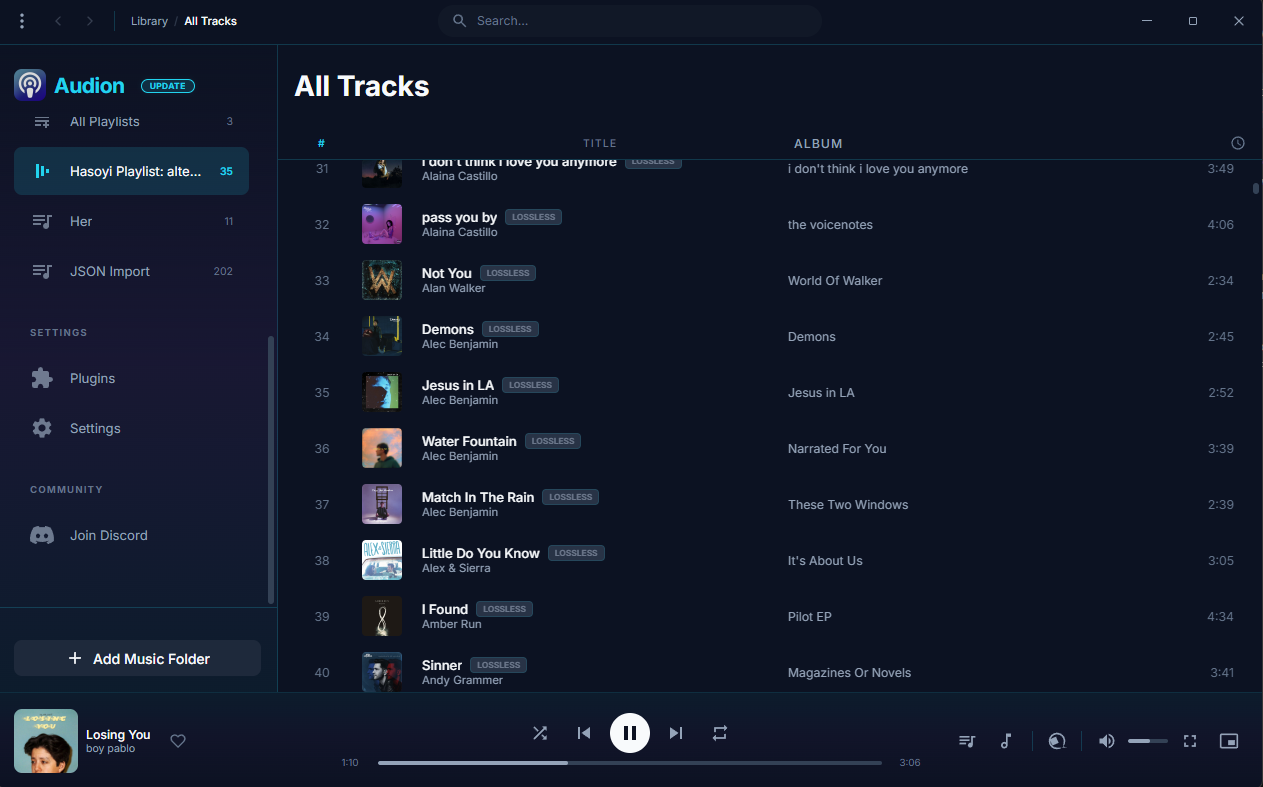
Audion ~ Community Driven Music Player


Audion is a privacy-focused music player that brings the Spotify experience to your local music library. No internet required, no tracking, just your music, beautifully organized.

Key highlights:

  • Synced lyrics with karaoke-style word highlighting
  • Extensible plugin system
  • Gorgeous, customizable interface
  • Fully offline

www.audionplayer.com
github.com/dupitydumb/Audion

SMPlayer ~ Media Player With Built-in CODECS


SMPlayer is a free media player for Windows and Linux with built-in codecs that can play virtually all video and audio formats. It doesn’t need any external codecs. Just install SMPlayer and you’ll be able to play all formats without the hassle to find and install codec packs.

One of the most interesting features of SMPlayer: it remembers the settings of all files you play. So you start to watch a movie but you have to leave… don’t worry, when you open that movie again it will be resumed at the same point you left it, and with the same settings: audio track, subtitles, volume…

SMPlayer is a graphical user interface (GUI) for the award-winning MPlayer, which is capable of playing almost all known video and audio formats. But apart from providing access for the most common and useful options of MPlayer, SMPlayer adds other interesting features like the possibility to play Youtube videos or download subtitles.

www.smplayer.info

Navidrome ~ Open Source Music Server 


Navidrome is a piece of software that allows you to listen to your own digital music in the same way you would with services like Spotify, Apple Music and others. It also allows you to easily share your music and playlists with your friends and family

How it works?

After a simple installation, Navidrome indexes all digital music stored in your hard drive and makes it available through a nice web player and also by using any Subsonic-API compatible mobile client. Your music becomes searchable and you can create playlists, rate and “favourite” your loved tracks, albums and artists

www.navidrome.org
github.com/navidrome/navidrome
www.reddit.com/r/navidrome/
twitter.com/navidrome

Foobar2000 Component:
foo_opensubsonic

dotnet_title_bar ~ Foobar2000 Skinnable Overlay User Interface


This is a component for the foobar2000 audio player, which provides a skinnable overlay UI.

Features:

  • Easily customizable UI.
  • Configurable automatic hiding of the overlay.
  • foo_acfu integration.
  • And more!

theqwertiest.github.io/dotnet_title_bar
hydrogenaud.io/index.php?topic=121673

AlsaPlayer ~ Linux PCM Player


AlsaPlayer for Linux is a new kind of player that effectively runs pulse-code modulation or .PCM files. The player uses multithreading pretty heavily and was written specifically for giving some good exercise to the new Advanced Linux Sound Architecture (ALSA) driver and the library system. If you look closely, you’ll observe that AlsaPlayer has some highly interesting features that can be found only in the UNIX-based or Linux-based players. The main goal of the people who created AlsaPlayer for Linux was to develop a completely pluggable framework that could playback every type of media file, with majority of focus on the PCM audio data.

alsaplayer.sourceforge.net

www.alsaplayer.org

XMMS ~ Extensible Unix Player


XMMS is a multimedia player for unix systems. XMMS stands for X MultiMedia System and can play media files such as MP3, MOD’s, WAV and others with the use of Input plugins.

XMMS is mainly targeted at music playback, but through third party plugins some rudimentary video capabilities exists, but there are much better systems other than XMMS for video support.

It was modeled after Winamp from the Windows operating system. XMMS is not a port of Winamp but was written from scratch by Mikael and Peter Alm.

XMMS

www.xmms.org

IMMS is an intelligent playlist plug-in for XMMS that tracks your listening patterns and dynamically adapts to your taste. It is incredibly unobtrusive and easy to use as it requires no direct user interaction.

sourceforge.net/projects/imms

Nebulus is an OpenGL visual plugin for XMMS. It’s conceptually a compilation of various
OpenGL effects that depends on the music.

nebulus.tuxfamily.org

VirtualDJ ~ Standalone DJ Mixer


VirtualDJ delivers more features than any other software. The latest groundbreaking technology is always available in VirtualDJ first! With VirtualDJ you’re guaranteed to be ahead of the curve with the latest high-tech and innovative features

Although VirtualDJ is packed with features, it is still easy to learn. You can start with the basics and advance as you learn more. VirtualDJ is well suited for both the amateur starter, or the seasoned professional DJ and comes with all the features you’ll ever need. With VirtualDJ you can turn any event into a total success! Whether it’s scratch performance and video mixing, or from bedroom broadcast to upscale wedding events.

VirtualDJ lets you do more! Unleash your creative potential…

Free For Home Use

virtualdj

www.virtualdj.com

foo_AdvancedControls ~ Foobar2000 Advanced Controls


Control all the playback functions of Foobar2000 from icons on the Taskbar Notification Area. Using an area only two tray icons wide, you have the playback functions, and the volume or the seek bar, as well as a context menu.

A popup balloon (which can be disabled) appears each time a new song begins, to provide fully customizable information about the song that is playing.

The Delete Current File function deletes the file that is currently playing. It always asks for confirmation and puts the file into the recycle bin if possible, so you won’t delete files without intending to.

The extra functions introduced by this component can also be mapped to a shortcut key.

www.niversoft.com/products/fac
www.foobar2000.org/components/view/foo_advancedcontrols
Wiki

XMPlay ~ Extensible Windows Player


XMPlay is an audio player, supporting the OGG / MP3 / MP2 / MP1 / WMA / AAC / MP4 / WAV / AIFF / CDA / MO3 / IT / XM / S3M / MTM / MOD / UMX audio formats, PLS / M3U / ASX / WAX / CUE playlists, and ZIP archives. A load more audio and archive file formats are also supported via plugins.

When XMPlay was first released in 1998, only the XM file format was supported, hence the name “XMPlay”.

www.xmplay.com
support.xmplay.com
ssz.bitbucket.io (Input & Archive plugins)