Playlist Management ~ Exporters & Parsers


Playlist Management: Export, Backup and Sync Your Music Playlists

Music playlists are increasingly tied to individual streaming services. A handful of open-source tools take different approaches to getting that information out, backing it up, or keeping playlists synchronized.

Playlist Out is a playlist parser and exporter aimed primarily at Chinese music services including QQ Music, NetEase Cloud Music, Kugou and Soda Music. It can turn playlists into TXT, CSV, Excel or JSON files. It is useful when the goal is simply to extract and preserve playlist information rather than move the playlist between services.

Exportify CLI takes a similar approach for Spotify, but is particularly useful for structured music-library work. It exports playlists to CSV or JSON and can include Spotify identifiers plus ISRC and album UPC, making the resulting data useful for further processing and metadata matching.

Playlist Exporter is a browser-based exporter for Spotify and Apple Music. It produces CSV or JSPF (JSON Shareable Playlist Format), or copies playlist data as JSON. Processing takes place locally in the browser, so it is primarily an export/interchange tool rather than a synchronization system.

SongMirror goes a step further. It connects Spotify, TIDAL, Qobuz, Deezer, Amazon Music, Apple Music and YouTube Music and can synchronize playlists between them. It uses identifiers such as ISRC for track matching and can operate as a one-way, multi-service or bidirectional synchronization system.

These applications therefore occupy different parts of the same playlist-management picture:

Playlist Out → extract
Exportify CLI / Playlist Exporter → export and preserve
SongMirror → match, transfer and synchronize

The exported files also provide a useful bridge to other music-library software. CSV and JSON can be processed by scripts and databases, while standardized playlist formats such as JSPF can provide an interchange layer between applications.

For anyone maintaining a long-term music collection, playlist export is more than a convenience: it provides a way to preserve playlists independently of the service that originally created them.

Music Assistant ~ Media Library Manager


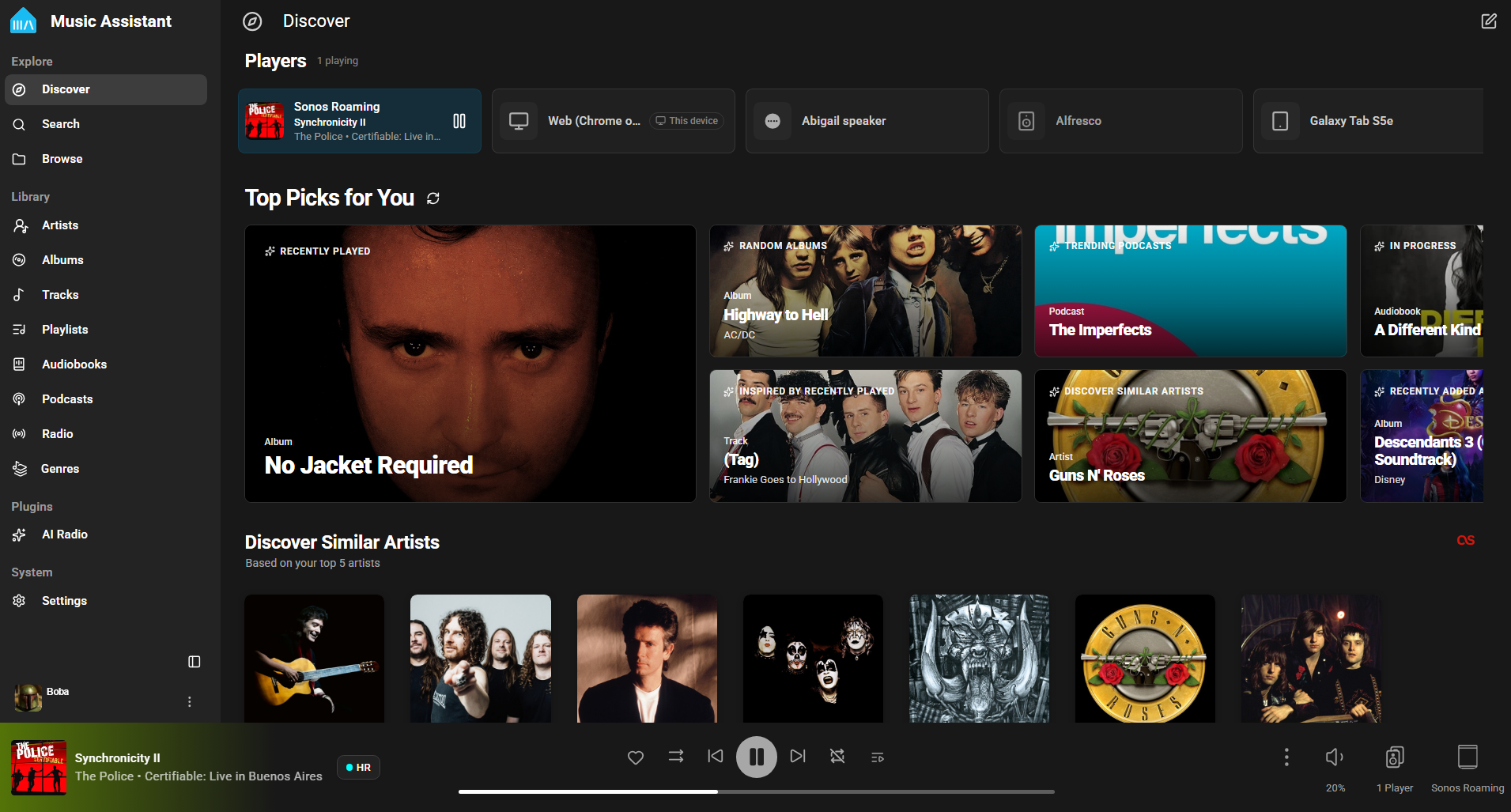
Music Assistant is a free, opensource media library manager that connects to your streaming services and a wide range of connected speakers. The server is the beating heart, the core of Music Assistant and must run on an always-on device like a Raspberry Pi, a NAS or an Intel NUC or alike.

home assistant user interface

www.music-assistant.io
github.com/music-assistant
github.com/music-assistant/server

VinylPrice ~ Discogs Android App


This application is very useful for all music collectors who are looking for the “perfect” record. In fact, this application allows you to find, through the well-stocked music catalog “discogs.com“, the prices of the respective vinyl, calculating in real time minimum, average and maximum price of those who at this moment are selling just the vinyl you’re looking for.
In addition to the price you can obtain vinyl’s code, year of publication, country of origin and music label. This application also works with cds, tapes and also digital files.

Requires a Discogs account.

play.google.com/store/apps/details?id=it.finproductions.vinylprice

JuK ~ Audio Jukebox Application


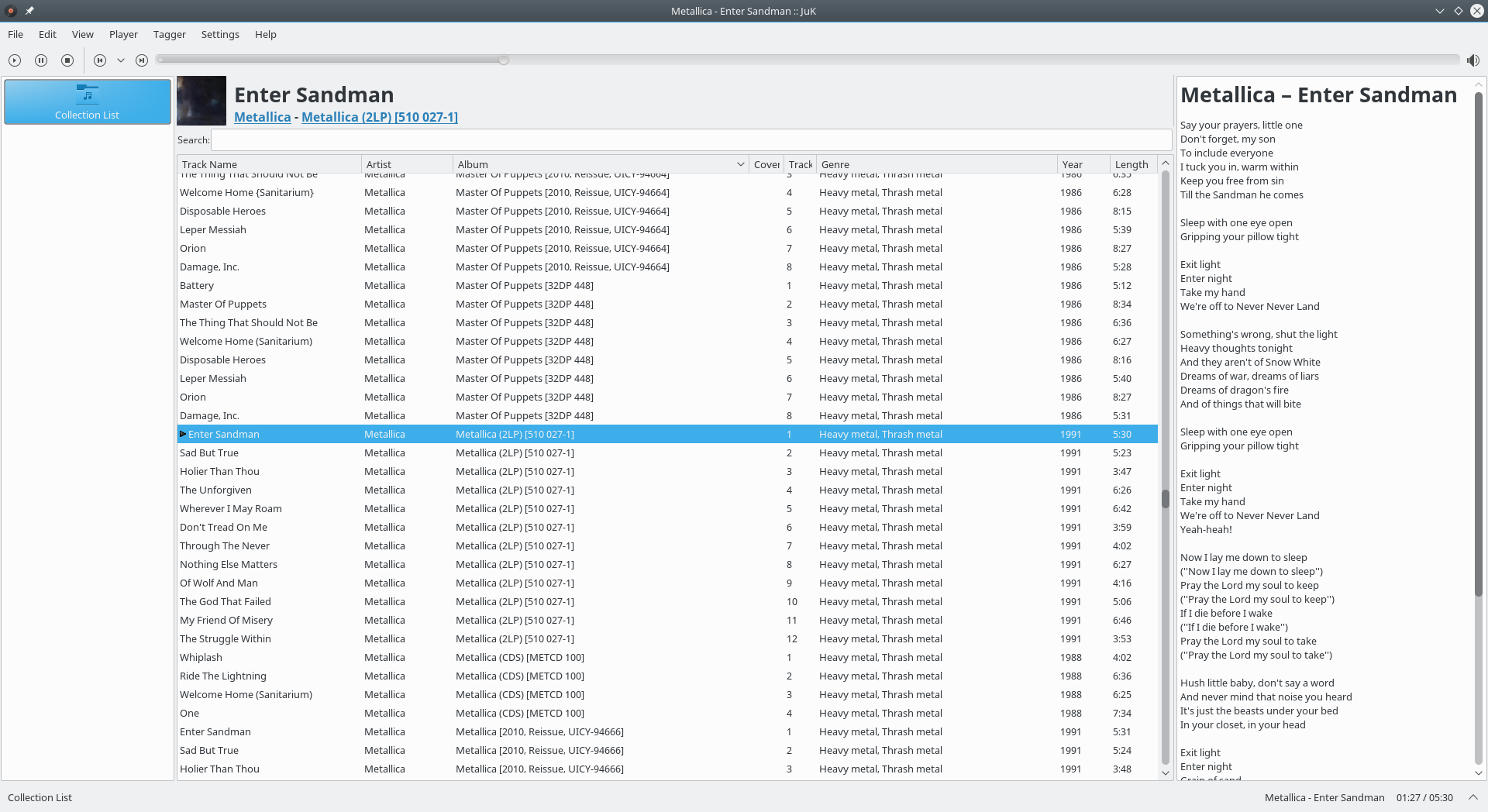
JuK is an audio jukebox application, supporting collections of MP3, Ogg Vorbis, and FLAC audio files. It allows you to edit the “tags” of your audio files, and manage your collection and playlists. Its main focus, in fact, is on music management.

Features:

  • Collection list and multiple user defined playlists
  • Ability to scan directories to automatically import playlists and music files on start up
  • Dynamic Search Playlists that are automatically updated as fields in the collection change
  • A Tree View mode where playlists are automatically generated for sets of albums, artists and genres
  • Playlist history to indicate which files have been played and when
  • Inline search for filtering the list of visible items
  • The ability to guess tag information based on the track’s file name
  • File renamer that can rename files based on the tag content
  • Tag reading and editing support for many formats including ID3v1, ID3v2 and Ogg Vorbis

apps.kde.org/juk
github.com/KDE/juk
invent.kde.org/multimedia/juk
en.wikipedia.org/wiki/JuK

GrooveKraft ~ Mac Music Collection Viewer


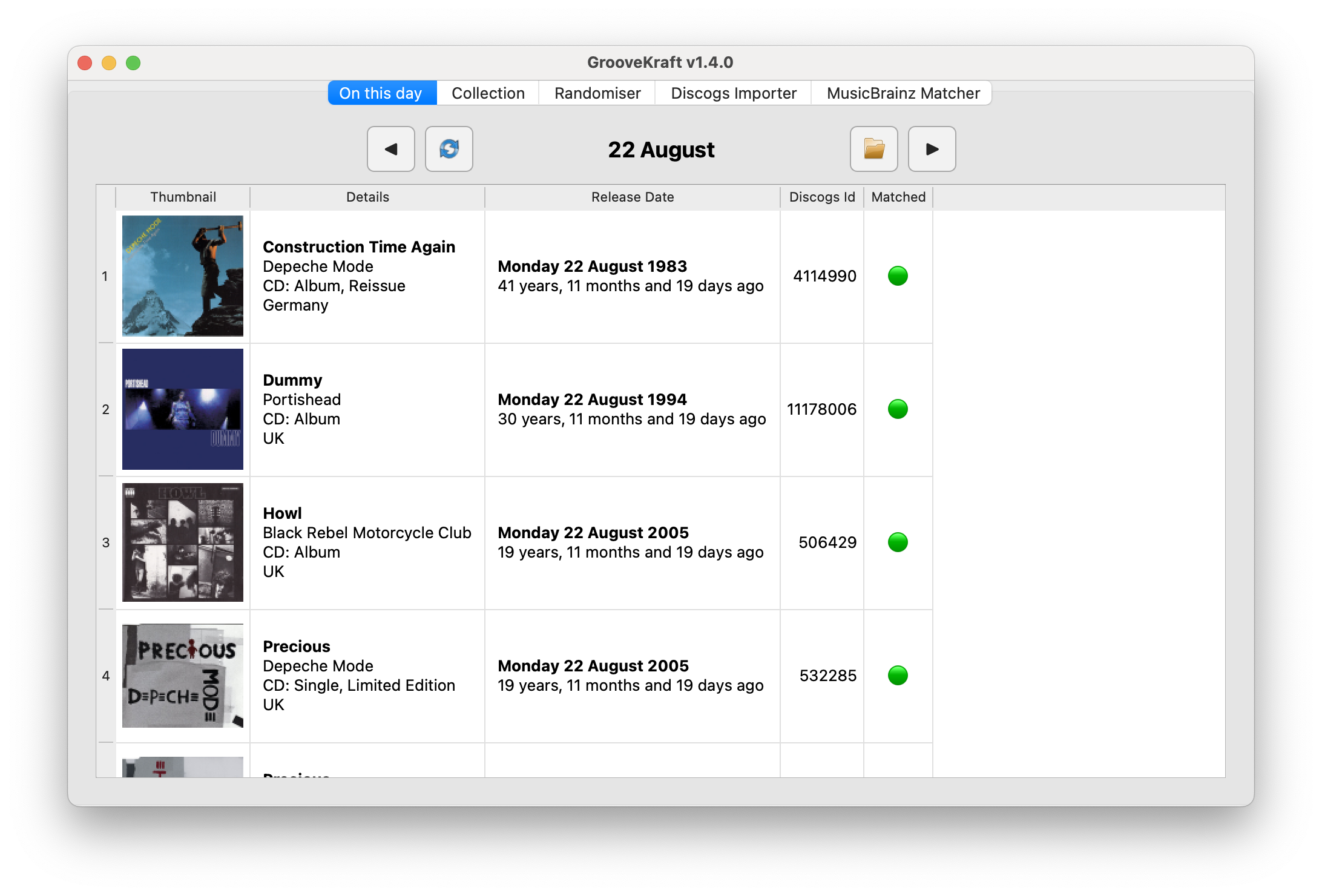
GrooveKraft is a fast, lightweight music collection manager that uses Discogs and MusicBrainz to enrich your collection with detailed metadata and artwork.

Features:

  • Import your Discogs collection into a local database
  • View and filter your Discogs collection locally, with artwork
  • Matches releases with MusicBrainz automatically to get release dates
  • “On this day” function shows anniversaries in your collection
  • Randomizer to help you pick something to listen to
  • Missing or incorrect release dates can be manually entered
  • Match quality shown with traffic-light icons (Red, Amber, Yellow, Green)

github.com/v8oholic/groovekraft

Harmonoid ~ Play & Manage Music Library


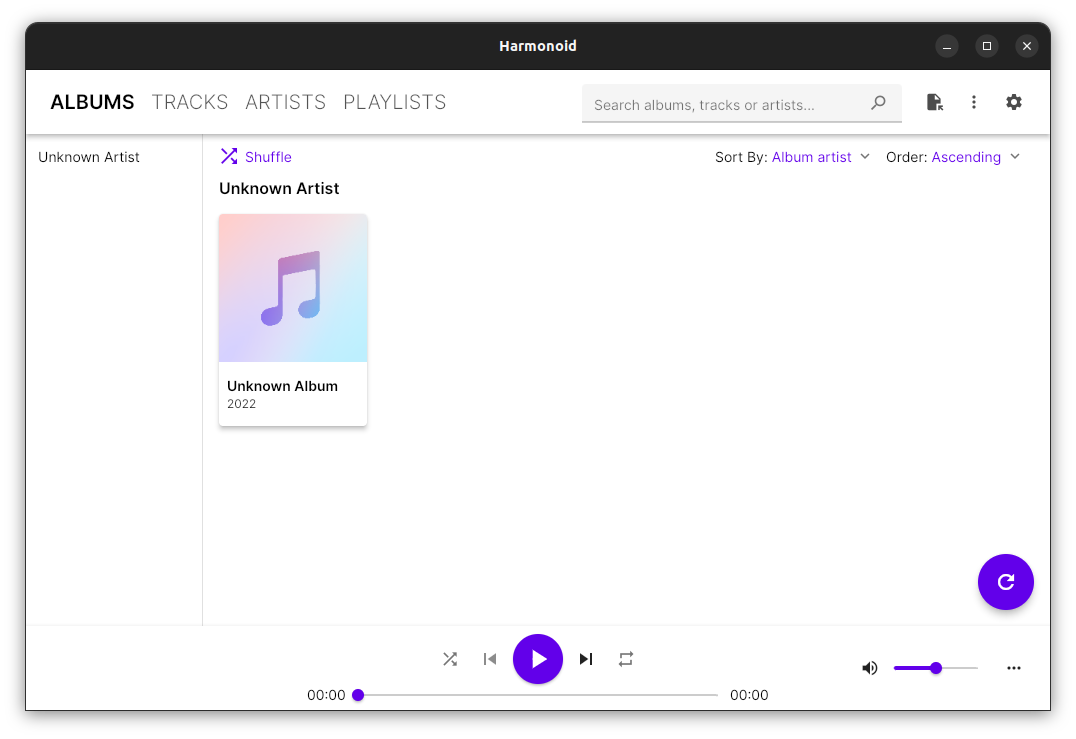
Plays & manages your music library. Looks beautiful & juicy.

Features:

  • Fluid animations & beautiful design, everywhere you navigate
  • It’ll find lyrics or give your own .LRC files
  • Closely paired to work together. Windows & Linux
  • Experience the consistent Material Design
  • Music library management based on metadata tags
  • Capable of indexing 30+ files/second & saves cache for future app start-ups
  • Very strictly follows Material Design guidelines for UI & animations
  • Taskbar & System Media Transport Controls for Windows
  • Small installer (≈ 35 MB) & low RAM usage (≈ 150 MB)
  • Discord RPC integration with album art support & “Find”/”Listen” buttons

harmonoid.com
github.com/harmonoid
sourceforge.net/projects/harmonoid.mirror
itsfoss.com/harmonoid

FRKB ~ Rapid Audio Organization Tool


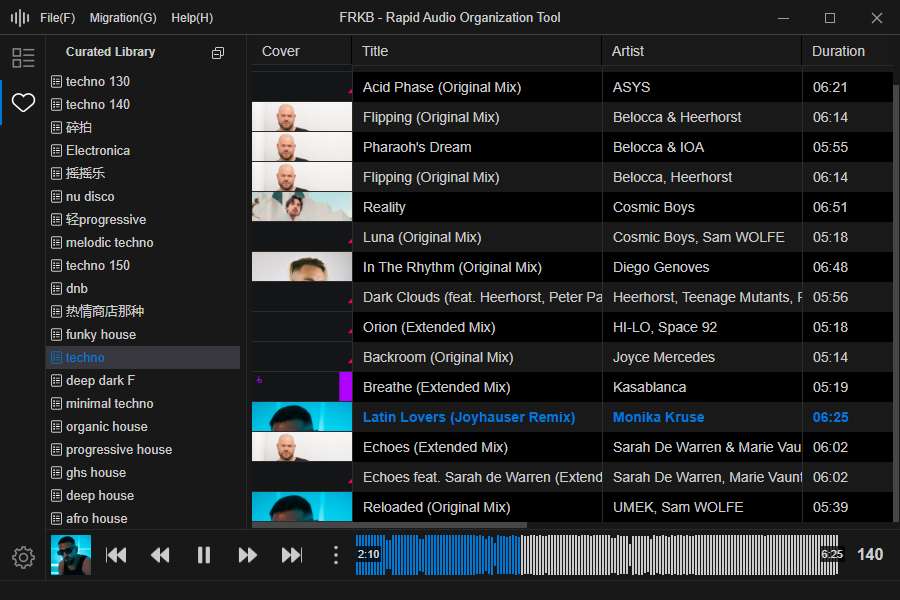
FRKB is a cross-platform desktop application designed for audio professionals (such as DJs). The current beta version is compatible with Windows and will be adapted for macOS once stable. It is still under active development.

Core Features:

  • Portable: Easily transfer the database to mobile devices for on-the-go use.
  • Audio Fingerprint Deduplication: Identify and exclude duplicate tracks using audio fingerprint technology, providing prompts during import to keep your music collection clean and efficient.
  • Ergonomic Shortcuts: Ergonomically designed shortcuts that allow most operations to be performed with the left hand, making the organization process smoother and more efficient.
  • Direct File Management: When adding tracks, FRKB directly manages the audio files themselves, ensuring that the organization results are immediately reflected in the computer’s folders, achieving a “what you see is what you get” effect.
  • Waveform Visualization: Provides audio waveform display.
  • BPM Analysis: Displays BPM information.

github.com/coderDJing/FRKB_Rapid-Audio-Organization-Tool

MusicSync ~ Synchronize Music Libraries


MusicSync is a cross-platform tool that synchronizes your music library between devices and drives with advanced settings.

You can use it through CLI, that makes easy to sync you library with only a click using a script, or through GUI, that is more user-friendly. Here there are two examples:

python musicsync D:/Music sdcard/Music --adb --min-rating 4.5 --output-format opus --output-bitrate 128k
python musicsync D:/Music sdcard/Music --adb --min-rating 3 --min-year 2020 --output-format opus --output-bitrate

github.com/serpest/MusicSync
hydrogenaud.io/index.php?topic=121169.0

Pydub ~ Linux Command Line Editor


Pydub lets you do stuff to audio in a way that isn’t stupid.

pydub.com
github.com/jiaaro/pydub

Tagscanner ~ Tag Editor & Utility


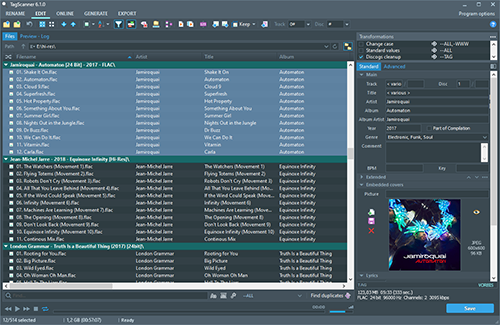
TagScanner is a powerful tool for organizing and managing your music collection. It can edit tags of most modern audio formats, supports ID3v1/v2, Vorbis comments, APEv2, WMA and MP4(iTunes) tags. You can rename files according to information from the tags, import tag information from filenames or other sources, perform any text replacement and transformations in tags and filenames. Also you may get album info and download covers via online databases like freedb, Discogs or MusicBrainz. You can create playlists in one click and export your collection to HTML, Excel or any user-defined format. Program has easy-to-use multilingual interface and built-in audio player.
Features:

  • Rename files based on the tag and file information
  • Powerful multiple files tag editor
  • Import album information and covers from online databases like Discogs or MusicBrainz
  • Generate tag information from file/foldernames
  • Tag fields formatting and rearrangement
  • Words replacement and case conversion from tags and filenames
  • Supports MP3, OGG, FLAC, WMA, MPEG-4, Opus, Musepack, Monkey’s Audio, AAC, OptimFROG, SPEEX, WavPack, TrueAudio, WAV, AIFF, Direct Stream Digital files
  • Supports ID3 1.0/1.1/2.2/2.3/2.4 tags, APE v1 and v2 tags, Vorbis Comments, WMA tags and MP4(iTunes) metadata
  • Supports for embedded lyrics and cover art
  • Resize cover art for portable devices on the fly
  • TAGs versions conversions
  • Quick playlists creation
  • Export information to HTML, XML CSV or any user-defined format
  • Full support for Unicode
  • Multi-language interface
  • Built-in audio player
tagscanner

www.xdlab.ru