Playlist Management ~ Exporters & Parsers


Playlist Management: Export, Backup and Sync Your Music Playlists

Music playlists are increasingly tied to individual streaming services. A handful of open-source tools take different approaches to getting that information out, backing it up, or keeping playlists synchronized.

Playlist Out is a playlist parser and exporter aimed primarily at Chinese music services including QQ Music, NetEase Cloud Music, Kugou and Soda Music. It can turn playlists into TXT, CSV, Excel or JSON files. It is useful when the goal is simply to extract and preserve playlist information rather than move the playlist between services.

Exportify CLI takes a similar approach for Spotify, but is particularly useful for structured music-library work. It exports playlists to CSV or JSON and can include Spotify identifiers plus ISRC and album UPC, making the resulting data useful for further processing and metadata matching.

Playlist Exporter is a browser-based exporter for Spotify and Apple Music. It produces CSV or JSPF (JSON Shareable Playlist Format), or copies playlist data as JSON. Processing takes place locally in the browser, so it is primarily an export/interchange tool rather than a synchronization system.

SongMirror goes a step further. It connects Spotify, TIDAL, Qobuz, Deezer, Amazon Music, Apple Music and YouTube Music and can synchronize playlists between them. It uses identifiers such as ISRC for track matching and can operate as a one-way, multi-service or bidirectional synchronization system.

These applications therefore occupy different parts of the same playlist-management picture:

Playlist Out → extract
Exportify CLI / Playlist Exporter → export and preserve
SongMirror → match, transfer and synchronize

The exported files also provide a useful bridge to other music-library software. CSV and JSON can be processed by scripts and databases, while standardized playlist formats such as JSPF can provide an interchange layer between applications.

For anyone maintaining a long-term music collection, playlist export is more than a convenience: it provides a way to preserve playlists independently of the service that originally created them.

Tomahawk ~ Metadata Based Player


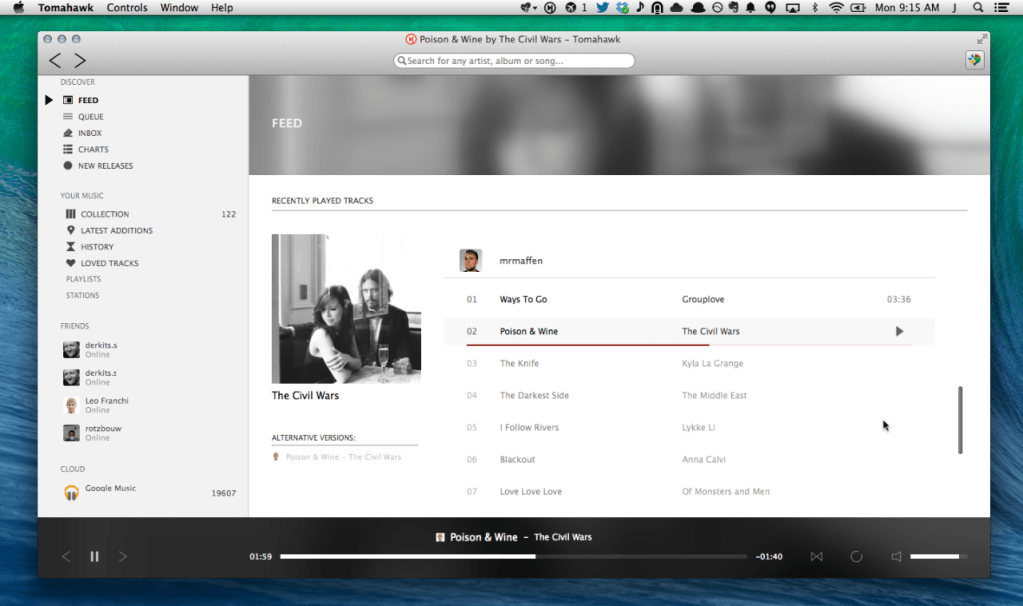
Tomahawk is a free multi-source and cross-platform music player. An application that can play not only your local files, but also stream from services like Spotify, Beats, SoundCloud, Google Music, YouTube and many others. You can even connect with your friends’ Tomahawks, share your musical gems or listen along with them. Let the music play!

Tomahawk is basically a player for music metadata. At its core it decouples the metadata about a song from the source and reassembles it for each user based on their individual music accessibility and rights. In short, given the name of a song and artist, Tomahawk will find the right source, for the right user at the right time. This fundamentally different approach to music enables a range of new music consumption and sharing experiences previously not possible.

Music Sources:

  • Local music library (MP3, Ogg, FLAC and many other formats)
  • Networked music libraries (other connected computers)
Subscription Music Services
Free Streaming / Music Promotion Platforms
Network/Cloud storage

Third party-developed resolvers have also been written for services like YouTube, Qobuz and others. We’ve also heard of digital music distributors writing their own for their internal CMSes to help them navigate and preview their content. That’s cool.

https://github.com/tomahawk-player/tomahawk

Strawberry ~ Cross-platform Music Player


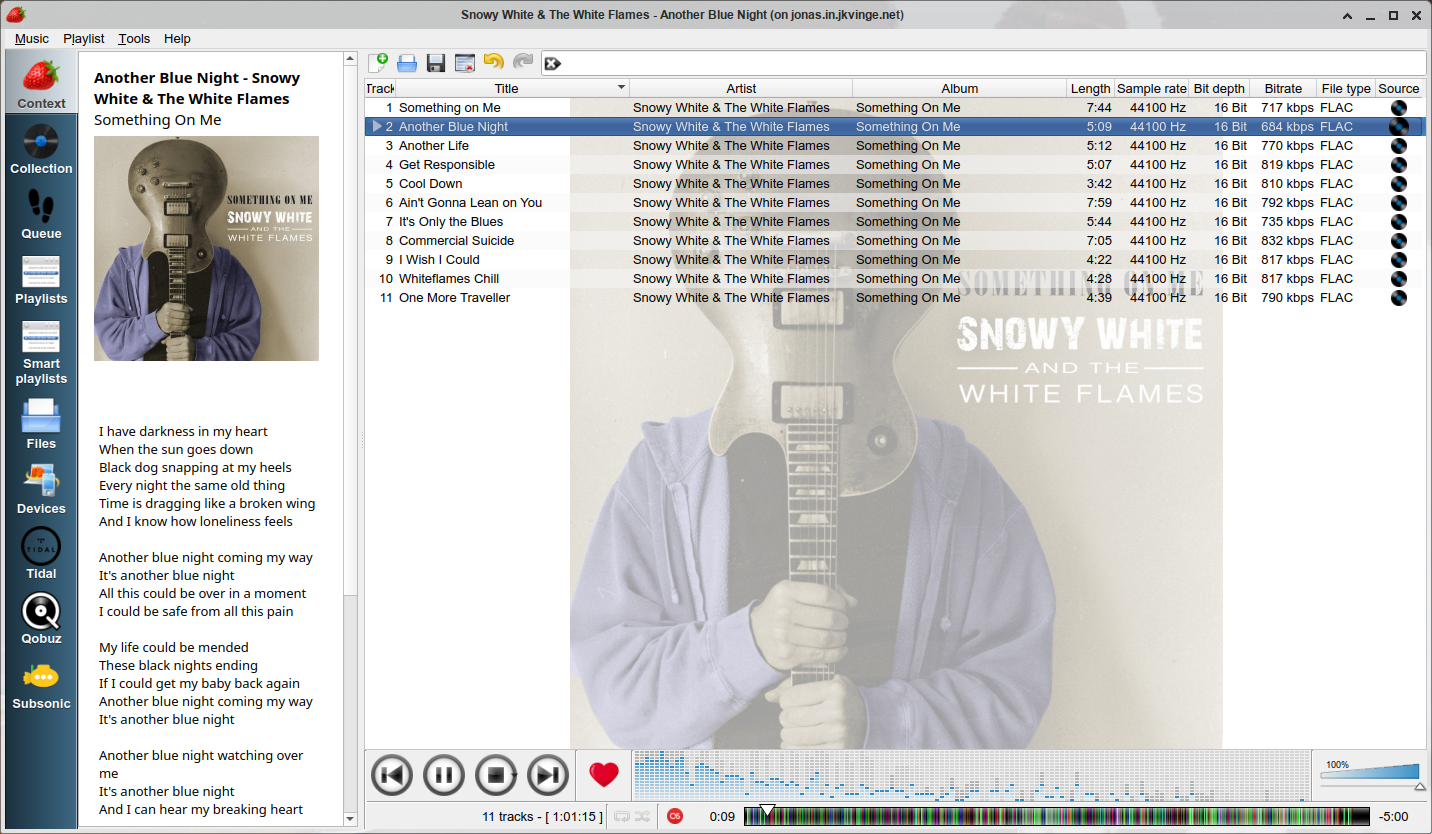
Strawberry is a music player and music collection organizer. It is a fork of Clementine released in 2018 aimed at music collectors, enthusiasts and audiophiles. The name is inspired by the band Strawbs. It’s based on a heavily modified version of Clementine created in 2012 and 2013. Strawberry is written in C++ and Qt 5.

  • Play and organize music
  • Supports WAV, FLAC, WavPack, DSF, DSDIFF, Ogg Vorbis, Speex, MPC, TrueAudio, AIFF, MP4, MP3, ASF and Monkey’s Audio
  • Audio CD playback
  • Native desktop notifications
  • Playlists in multiple formats
  • Advanced audio output and device configuration for bit-perfect playback on Linux
  • Edit tags on music files
  • Fetch tags from MusicBrainz
  • Album cover art from Last.fm, MusicBrainz, Discogs, Tidal and Deezer
  • Song lyrics from AudD
  • Support for multiple backends
  • Audio analyzer
  • Audio equalizer
  • Transfer music to iPod, iPhone, MTP or other mass-storage USB player
  • Streaming support for Tidal, Qobuz and Subsonic
  • Scrobbler with support for Last.fm, Libre.fm and ListenBrainz
Strawberry Player User Interface

www.strawbs.org
github.com/jonaski/strawberry
github.com/strawberrymusicplayer
sourceforge.net/projects/strawberry-music-player.mirror
flathub.org/apps/org.strawberrymusicplayer.strawberry