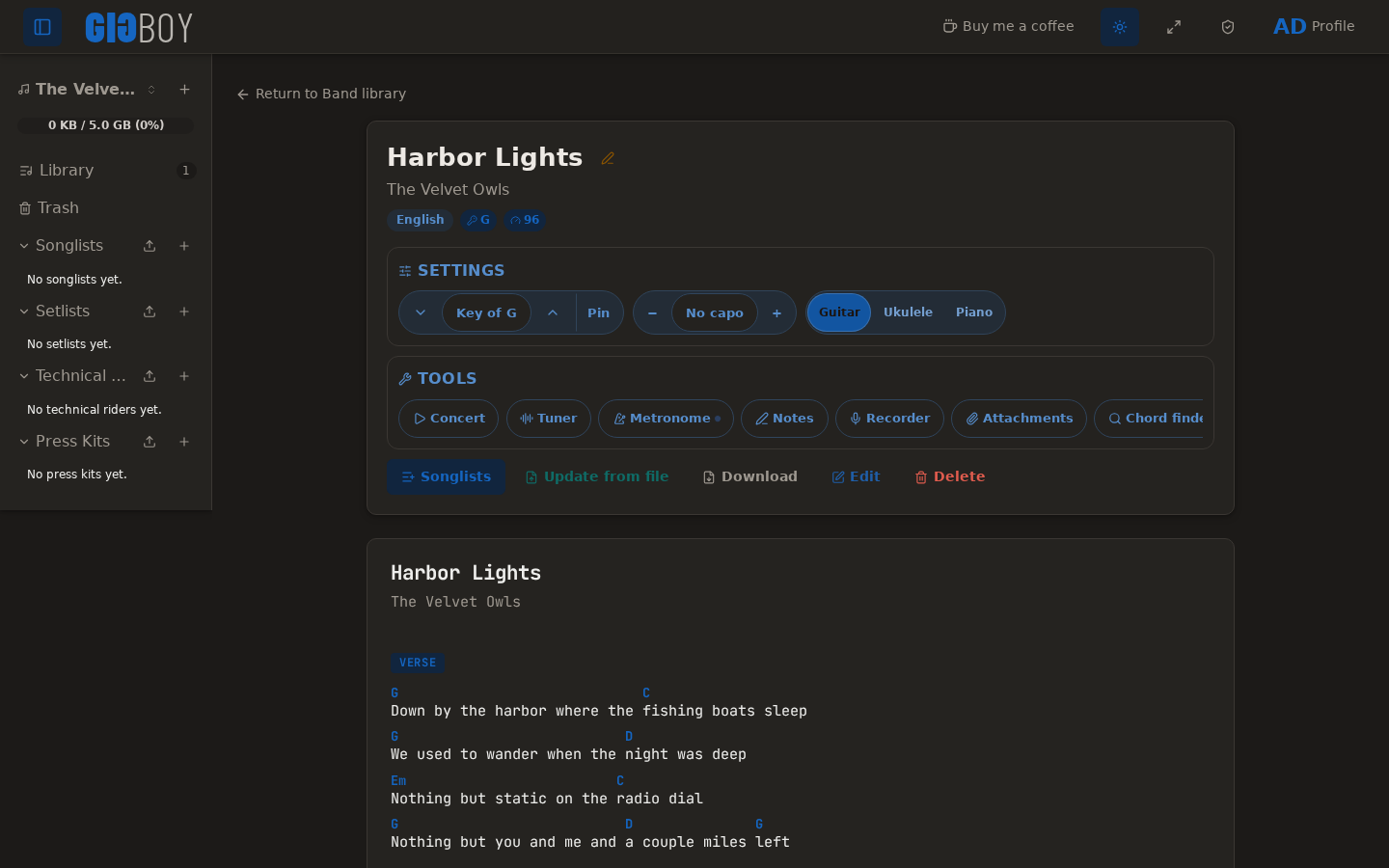
Rewrite of Sonixd.
Features:
- MPV player backend
- Web player backend
- Modern UI
- Scrobble playback to your server
- Smart playlist editor (Navidrome)
- Synchronized and unsynchronized lyrics support

Rewrite of Sonixd.

A featureful SID-music creation tool (tracker) for the Commodore 64. It includes many advanced effects and tools like keyboard-tracking, tempo-programs/funktempo, gateoff-table-pointers, filter-shift, SID-export, executable-export, MIDI/XM conversion and MIDI-input hardware, etc., etc.

sourceforge.net/projects/sid-wizard
csdb.dk/release/index.php?id=258573
A collection of DIY audio measurement and analysis tools, grown organically as needed. This software is compatible with standard audio devices.
PyQt6 desktop app bundling 28+ DIY modules: signal generator, spectrum/PSD analyzer, sound level & LUFS meters, loopback finder, distortion/IMD tools, network/impedance analyzers, oscilloscope, spectrogram, ultrasound modulator, transient analyzer, lock-in/FRA, inverse filter, frequency counter, recorder/player, sound quality analyzer, noise profiler, boxcar averager, goniometer, BNIM meter (ITD/ILD neural map), HRTF Player, and more.
Built for hobbyists and engineers: device routing, calibration (input/output/SPL), multi-language UI, light/dark themes.
github.com/youtube-at-vach/MeasureLab
youtube-at-vach.github.io/MeasureLab
MicToggle is a lightweight microphone control tool designed for focus and clarity. Instantly mute or unmute your mic using a custom hotkey — no matter what you’re doing. Stay aware of your mic status with a movable on-screen overlay, system tray icon, and optional audio cues. Choose your preferred microphone, set startup behavior, and enjoy a clean, unobtrusive interface. Whether you’re gaming, streaming, or in meetings, MicToggle keeps you in control.
Features:
- Custom Hotkey — Instantly mute or unmute your mic using a hotkey you choose.
- Microphone Selection — Pick which mic to control if multiple devices are connected.
- On-Screen Overlay — Always know your mic’s status with a floating icon that you can reposition or disable.
- Startup Options — Start minimized, run at Windows startup, or launch with mic muted.
- Mic Status on Launch — Optionally hear a sound or get a notification showing your mic’s state when the app starts.
- Visual Status Indicators — Colored icons clearly show your mic state both in the app and system tray.
- Tray Controls — Toggle mute, open settings, or exit — all from the tray.
- Clean Interface — Simple, responsive UI designed to stay out of your way.
- Lightweight & Fast — Uses minimal resources, ideal for streamers, meetings, and gamers.
shntool is a multi-purpose WAVE data processing and reporting utility. File formats are abstracted from its core, so it can process any file that contains WAVE data, compressed or not – provided there exists a format module to handle that particular file type.
shntool has native support for .wav files. If you want it to work with other lossless audio formats, you must have the appropriate helper program installed. The “Helper programs” section below contains links to helper programs for each format that shntool supports.
Buzz transcribes and translates audio to text offline using OpenAI’s Whisper. Import audio and video files into Buzz and export them as TXT, SRT, or VTT files. Buzz supports Whisper, Whisper.cpp, Faster Whisper, Whisper-compatible models from the Hugging Face repository, and the OpenAI Whisper API.
Features:
- Transcribe audio and video files or Youtube links
- Live realtime audio transcription from microphone
- Presentation window for easy accessibility during events and presentations
- Speech separation before transcription for better accuracy on noisy audio
- Speaker identification in transcribed media
- Multiple whisper backend support
- CUDA acceleration support for Nvidia GPUs
- Apple Silicon support for Macs
- Vulkan acceleration support for Whisper.cpp on most GPUs, including integrated GPUs
- Export transcripts to TXT, SRT, and VTT
- Advanced Transcription Viewer with search, playback controls, and speed adjustment
- Keyboard shortcuts for efficient navigation
- Watch folder for automatic transcription of new files
- Command-Line Interface for scripting and automation
github.com/chidiwilliams/buzz
sourceforge.net/projects/buzz-captions
MODICIA O.S. is a complete multimedia workstation for creatives, professionals, and curious users. Runs live from USB with no installation required. Stable, multilingual, and packed with ready-to-use tools.
🔃 Live system — boot from USB without modifying your PC
🎥 Multimedia suite — video, audio, graphics, photography
🗂 Office suite — documents and business tools
🧰 Curated software — no duplicates, no broken tools
🖥 Optimized interface — compact layout with visual alerts
🌍 Multilingual — over 30 languages supported
🛡 Invisible fallback logic — safety and stability
🔗 Clickable license buttons — semitransparent, linking to local control files
🎬 Filmmakers, editors, streamers
🎧 Musicians, podcasters, sound designers
🎨 Designers, illustrators, photographers
🧑🏫 Teachers, writers, office professionals
🧑💻 Students and beginners
🐧 Open source users seeking localization and compliance
📦 Included Applications (Examples)
🎞 Video Kdenlive, Shotcut, OBS Studio
🎚 Audio Audacity, Ardour, LMMS
🖌 Graphics GIMP, Inkscape, Krita
📷 Photo Darktable, RawTherapee
📝 Office LibreOffice, PDF Studio
🌐 Web Firefox ESR, Thunderbird, FileZilla
🧹 Utilities GParted, Timeshift, BleachBit
📥 Download the ISO from modiciaos.cloud
🔧 Write it to USB using Rufus or Balena Etcher
💻 Boot the live system on any compatible PC
🎉 Start creating — no installation, no subscriptions, no limits
foo_truepeak is a ITU-R BS.1770-5 compliant True Peak scanner. It can also scan ReplayGain, Loudness Range (LRA), Dynamic Range (DR), show the amount of clipping samples and report the position of highest peak.
www.foobar2000.org/components/view/foo_truepeak
For users primarily concerned with playback quality and simplicity, foo_truepeak can replace foobar2000’s ReplayGain and DR scanners. It uses modern loudness standards, detects true peaks and can write all relevant tags in a single pass. While its ReplayGain and DR values may not exactly match legacy scanners, they are more appropriate for real-world playback on modern systems.
foo_truepeakfoo_truepeak.fb2k-component file.To avoid confusion or duplicate workflows:
This keeps foo_truepeak as your single analysis tool.
foo_truepeak preferencesGo to File → Preferences → Advanced → Tools → True Peak Scanner

✔ Scan True Peak Values
True peak scanning accounts for inter-sample peaks created during digital-to-analog conversion, ensuring that peak levels reflect what a real DAC actually outputs, not just what is stored in the file.
✔ Scan ReplayGain values
✔ Scan Dynamic Range (DR) values
Notes:
✔ Use ReplayGain tag fields for peak and gain
You can also create custom buttons on the toolbar for Album or Track scans.
Download True Peak Toolbar Button Icons
After scanning, check the file(s) to ensure tagging happened correctly:
foobar2000 will now use modern loudness analysis and playback without intersample clipping.
www.foobar2000.org/components/view/foo_truepeak
foobar.hyv.fi/?view=foo_truepeak
wiki.hydrogenaudio.org/Foobar2000:Components/True_Peak_Scanner
hydrogenaudio.org/index.php/topic,125719.0
en.wikipedia.org/wiki/Amplitude
en.wikipedia.org/wiki/Audio_normalization
en.wikipedia.org/wiki/Dynamic_range
en.wikipedia.org/wiki/ReplayGain
Alternative DSP
www.foobar2000.org/components/view/foo_dsp_replaygain
Plays & manages your music library. Looks beautiful & juicy.

harmonoid.com
github.com/harmonoid
sourceforge.net/projects/harmonoid.mirror
itsfoss.com/harmonoid
Cdparanoia is a Compact Disc Digital Audio (CDDA) Digital Audio Extraction (DAE) tool, commonly known on the net as a ‘ripper’. The application is built on top of the Paranoia library, which is doing the real work (the Paranoia source is included in the cdparanoia source distribution). Cdparanoia reads audio from the CDROM directly as data, with no analog step between, and writes the data to a file or pipe in WAV, AIFC or raw 16 bit linear PCM.
Cdparanoia is a bit different than most other CDDA extration tools. It contains few-to-no ‘extra’ features, concentrating only on the ripping process and knowing as much as possible about the hardware performing it. Cdparanoia will read correct, rock-solid audio data from inexpensive drives prone to misalignment, frame jitter and loss of streaming during atomic reads. Cdparanoia will also read and repair data from CDs that have been damaged in some way.
Cdparanoia is easy to use and administrate; It has no compile time configuration, happily autodetecting the CDROM, its type, its interface and other aspects of the ripping process at runtime. A single binary can serve the diverse hardware of the do-it-yourself computer laboratory from Hell.
www.xiph.org/paranoia
en.wikipedia.org/wiki/Cdparanoia
wiki.hydrogenaudio.org/index.php?title=Cdparanoia
Documentation
man.archlinux.org/man/cd-paranoia.1.en
Command Line Music Metadata Manager
github.com/krateng/mumema