Orfeo is a free, open-source desktop app that turns MIDI files into an interactive piano lesson: notes fall onto a virtual keyboard in real time, keys light up as they play, and you can slow down, loop, transpose, and explore any passage at your own pace. Real-time chord detection, hand-coloured keys, interactive chord and scale explorers, a full mixer, and per-note editing — with a piano roll that looks like it was built this decade.
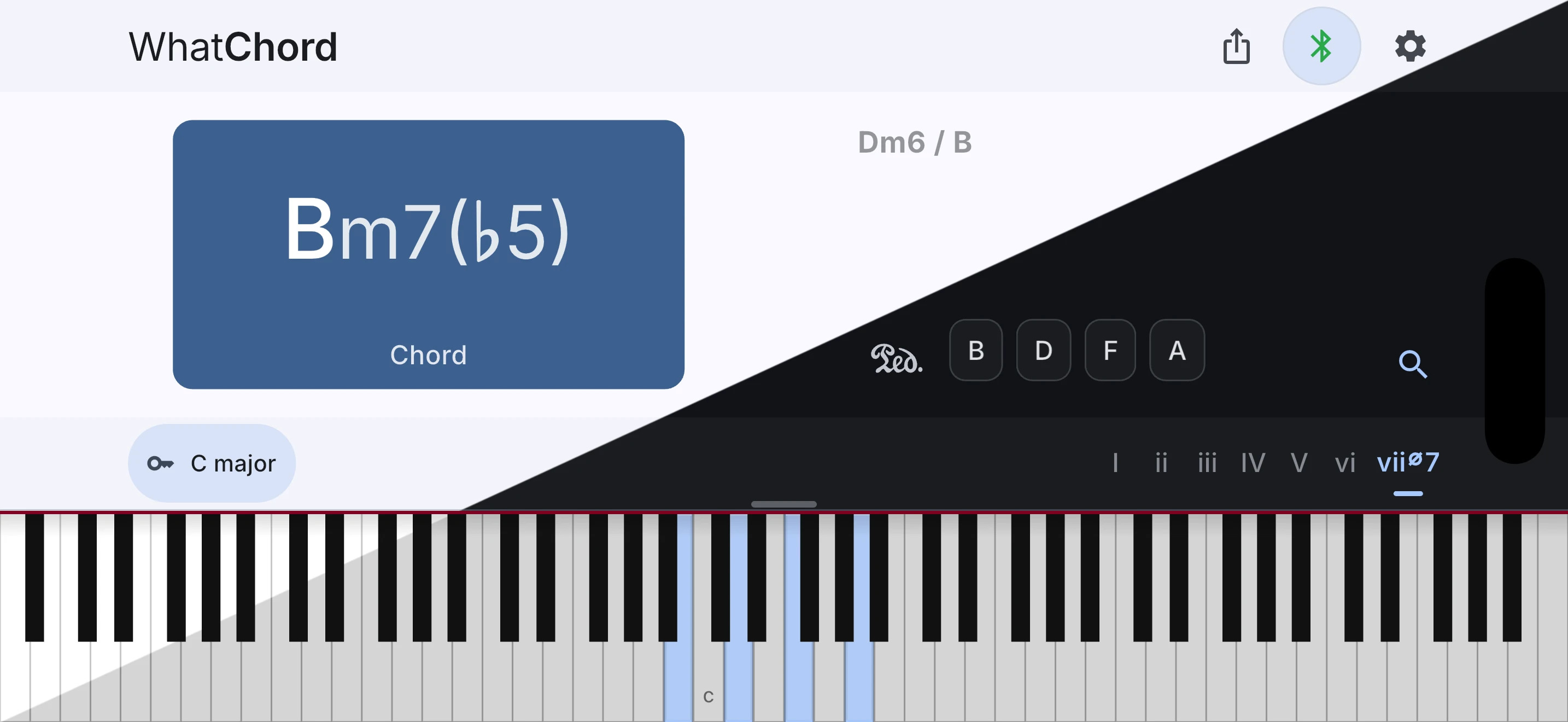
WhatChord is an interactive chord identification, key detection, and harmony exploration app. Identify voicings from live Bluetooth or USB MIDI input or manual note entry, follow the key as you play, then explore chords, scales, keyboard patterns, and harmonic context. It is optimized for speed, accuracy, and musician-expected naming, favoring stable, conventional interpretations over simple note-matching.
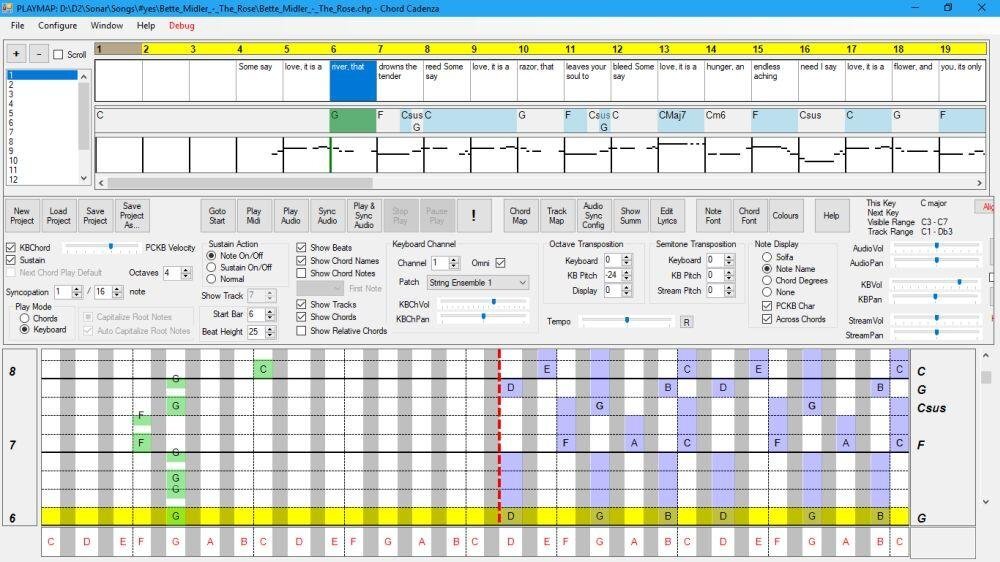
This app helps you to play and improvise chords whilst a MIDI file or audio source is being played. It does this by updating a rolling display to map the chord notes to a piano keyboard. It can also dynamically assign notes or chords to keys on a MIDI or PC keyboard.
Synchronisation is achieved automatically from a MIDI file. An audio file (e.g. MP3) can be synchronised and saved using the program.
Chords and major/minor keys can be extracted from the MIDI file using a configurable tool that analyses the MIDI file. Chords, keys, and time signatures can also be created or updated manually – this allows you to play along with an audio source without requiring a MIDI file.
The program contains a sequencer-style display that can be used to control the volume, panning, muting, solo’ing and patching of the tracks of the MIDI file.
Audio can be rendered with the program’s builtin synthesizer (using SoundFonts), or an external synthesizer.
Features:
Extract keys and chords from a MIDI file.
MIDI sequencer with track display and control.
Output to built-in synthesizer or MIDI out port.
ASIO and non-ASIO sound cards supported.
Play with MIDI or PC keyboard.
Display chords on a piano roll to facilitate playing and improvisation.
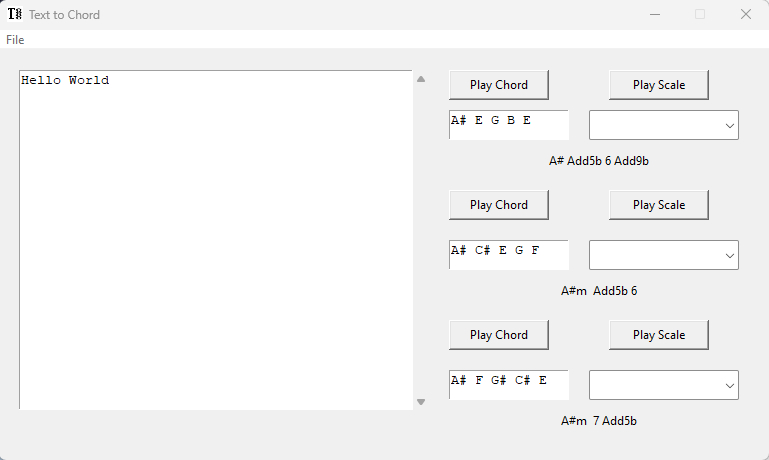
Convert words and sentences to 5 note chords you can use to inspire music creation. Have fun turning your name, your city name, your friends’ names, your team’s name, your pet’s name into wild and original harmonies that go beyond serialism and classic jazz.
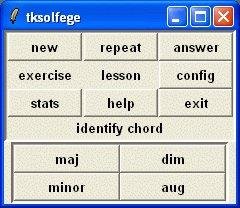
Tksolfege is an ear training program for learning to recognize chords, intervals, perform rhythm dictation, solfege dictation and singing solfege sequences. The program requires Tcl/Tk 8.4, however the Windows executable has Tcl/Tk builtin.
Features:
The program contains ear training exercises for the identification of chords, musical intervals, key signatures, musical scales, and cadences.
In 1992 Martin Leclerc and Mario Dorion developed a simple text file format to write lead sheets, songs with lyrics and chords, and a tool to create neatly printed lead sheets out of these text files. The tool was called chord, and the text files were called chord files. It soon became a popular way to write lead sheets and many users and tools adopted this format for similar purposes. For still unknown reasons people started calling the files chordpro files.
The ChordPro (also known as Chord) is an ASCII text file format for transcribing songs with chords and lyrics. The format was originally used for guitar, but is used for variety of other string instruments, such as ukulele, bass guitar or mandolin. Although this format is legible as it is, there are many popular programs for displaying, transposing and printing. Files in this format often have extensions such as .crd, .chopro, .pro, .chordpro or .cho.
This software can be used to search scales & chords from a large and expandable database (XML). Thanks to the jmusic project (jmusic.sourceforge.io), this is also possible to generate music starting from these scales & chords and export the result to MIDI file.
Easy to Use ~ A free and easy tool for creating music. Bosca is designed for beginners and takes less than five minutes to learn, and comes with a quick built in tutorial to walk you through everything, step by step.
Scales and Chords ~ Bosca supports lots of different scales and chords, so even if you’ve never composed music before, it’s really easy to get something that sounds good straight away.
Instruments ~ No messing around getting instruments to work! Bosca comes with over a hundred presets, including MIDI and Chiptune instruments.
It’s Free ~ Bosca Ceoil is completely free, and open sourced! Ready to make music? Try it right now in your browser: Online version
Zrythm is a cross-platform digital audio workstation designed to be featureful and easy to use. Automate almost anything with automation events using straight lines, ramps and curves, or with LFOs and envelopes. Featuring a chord pad for quickly trying out chords in a scale and a chord track to help with chord progressions.
Complete support for LV2 and VST2, with experimental support for VST3, AU, SFZ and SF2. Fully JACK aware, including support for JACK transport, ALSA, WASAPI, Windows MME, CoreMidi and CoreAudio.
Zrythm (Basic) is free software. Use, study, share and improve it freely. Available in multiple languages including English, French, Galician, Portuguese, Japanese and German.
ScoreDate is your date with the music! It is open source software written in Java that helps musicians learn to read music; it also helps with ear training. It is suitable for any skill level, from beginner to professional; from slow training to first sight reading.
Features:
Notes in line exercise
Rhythms exercise
Score reading exercise
Ear training exercise with 4 levels of difficulty
Exercises – creation, edit, save and playback
Statistics with monthly and daily view
Support of four clefs: Violin, Bass, Alto, Tenor, with a maximum of two at the same time
Support of notes: Whole, half, dotted half, quarter, dotted quarter, eighth, triplets, pauses
Selection of the notes range for each clef. Maximum of 4 additional lines above and below the staff
Virtual piano, to exercise without having external devices
Chords, intervals and accidentals exercise
Learning mode, that shows the name of the note or the chord displayed on the staff