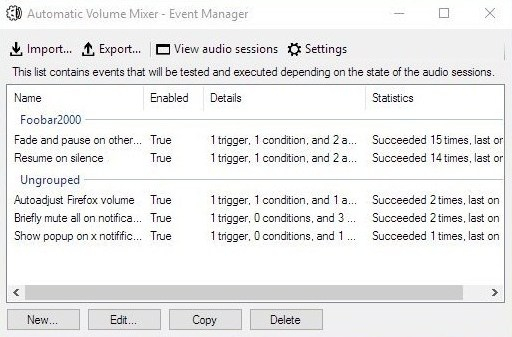
Automatic Volume Mixer is a tool that allows automatization of Windows Volume Mixer based on user rules. You can open the Volume Mixer by right-clicking on the speaker icon in the system tray and selecting Open Volume Mixer. This application is an automatic version of that applet.
Common usage examples:
Pausing your audio player (e.g. foobar2000) whenever any other application makes a noise, and resuming playback once the noise is gone. This enables you to keep your audio player running in the background at all times.
Briefly muting all applications while a notification is playing.
Forcing application’s volume to a set level.
Automatically lowering volume during night.
Launching processes / popups when some application makes noise.
Features:
Detect volume levels of applications and act on that information.
Fully configurable rules for detection, filtering, and executing actions.
Ability to automatically adjust audio levels of applications.
Triceratops is an analogue style polyphonic subtractive synthesizer plugin, for use with the LV2 plugin architecture, at this time there is no standalone version. An up to date version of the LV2 library is required along with a suitable host (e.g. Qtractor, Jalv, Ardour).
Title formatting in foobar2000 is a system that allows you to control how information about your music is displayed in the interface. It doesn’t modify the audio files themselves or change tags — it only affects how metadata and other information is shown in playlists, status bar, or window title.
Think of it like a template language: you define a pattern for text, and foobar2000 fills in the fields with actual track information. For example, you can make the playlist display tracks as:
Artist - Track Title (Album)
Why Title Formatting Exists
Music files contain metadata such as:
Artist
Album
Track title
Track number
Year
Duration
Different users want to display this information differently. Title formatting lets you:
Decide which information to display
Choose the order of information
Add separators, labels, or punctuation
Optionally display certain information only when it exists
For example, you might want to show the album only if it exists. Title formatting makes that possible.
Where To Use Title Formatting
You typically use title formatting in three main places:
Playlist columns — to customize how each column displays track info.
Status bar — to show the “Now Playing” track in a readable format.
Window title — to display the currently playing track in the foobar2000 window or taskbar.
Core Concepts You Need to Know
There are three core concepts that beginners must understand:
Plain Text: Text you type exactly as it should appear.
Fields: Metadata values from the audio files (e.g., %artist%, %title%).
Conditional Logic: Optional logic to handle missing fields or customize output dynamically.
Plain Text in Title Formatting
Any normal text you type is displayed exactly as written. This is useful for labels, punctuation, or separators:
Now Playing:
You can combine plain text with fields to make output more readable:
Now Playing: %artist% - %title%
This will display something like:
Now Playing: Radiohead - Paranoid Android
Fields (Metadata Tags)
Fields are placeholders that pull metadata from your music files. They are written inside percent signs:
%artist%
Some common fields include:
Field
Meaning
%artist%
Track artist
%album%
Album name
%title%
Track title
%tracknumber%
Track number
%date%
Year or release date
%length%
Track duration
Example combining fields:
%artist% - %title%
Output:
Radiohead - Paranoid Android
Combining Plain Text and Fields
You can mix plain text with fields to create more structured output. For example:
%artist% – %title% (%album%)
Output:
Radiohead – Paranoid Android (OK Computer)
Handling Missing Information
If a field does not exist in the file, foobar2000 simply displays nothing. For example, if %composer% is missing:
%composer%
The output will be blank. To prevent blank parentheses or awkward spacing, you can use conditional logic.
Using Conditional Logic with $if()
The $if() function allows you to display text only when a field has a value:
$if(condition,then,else)
Example:
%artist% - %title%$if(%album%, (%album%),)
This will display the album in parentheses only if %album% exists. Otherwise, it leaves that part empty.
Practical Examples
Playlist Column
%artist% - %title%
Status Bar
Now Playing: %artist% – %title%
Window Title
%artist% – %title% | foobar2000
Useful Built-In Fields
These fields are always available and do not require files to be tagged:
Field
Meaning
%filename%
File name
%path%
Full file path
%codec%
Audio codec
%bitrate%
Bitrate
%samplerate%
Sample rate
Things Beginners Can Ignore
Nested functions
Math expressions
String replacement logic
Legacy syntax
Advanced grouping
Starter Setup for New Users
For someone just installing foobar2000, start with these basic formats:
%artist% - %title%
Now Playing: %artist% – %title%$if(%album%, (%album%),)
%artist% – %title%
Final Notes
%field% is the most important concept
$if() handles missing or optional data elegantly
Some data and fields depend upon components being installed
foo_tfsandbox
A good place to start is by installing foo_tfsandbox, this component allows you to experiment with title formatting expressions and fields before you implement them.
Title Formatting Fields:
$info(referenced_offset) ~ shows time in format mm:ss:ff where ff are CD frames. For the first track it will show nothing instead of 00:00:00 hydrogenaud.io/index.php?topic=118733.msg979344
Title Formatting Examples: Name | Pattern | Alignment
Display Dynamic Range: Album DR: $if2(%album dynamic range%,–) | Track DR: $if2(%dynamic range%,–) Bits (bit depth) | $ifequal([%__bitspersample%],0,16,%__bitspersample%) | Left
This is Windows or Linux program, designed for playing music for AY-3-8912 sound chip (or its analogs are AY-3-8910 and YM2149F). Emulator emulates these sound chips and does not require real ones. Additionally emulator can play CD’s audio tracks and MIDI-files. Optional BASS by Ian Luck can be used for playing MP3 and MOD music.
Plays audio files from many systems including the ZX Spectrum, Acorn, Amstrad, Amiga, Atari, Commodore 64, GameBoy, MSX, Nes, PC, Phillips, SNES, Sam Coupe, Sega, TurboGrafX, etc.
Podcast Generator is an open source Content Management System written in PHP and specifically designed for podcast publishing. It provides the user with the tools to easily manage all of the aspects related to the publication of a podcast, from the upload of episodes to its submission to the iTunes store.
Features
Click & Go: 3-step installation wizard. No MySQL required. Works in any PHP web hosting.
Power and simplicity: Easy & intuitive web interface to publish audio and video podcasts.
Newbie-proof technology: Just upload your content, all the rest is “automagic”.
Customizable: Support for multiple themes and languages. Social Networks integration.
Apple friendly: Ready for iTunes Store and all iOS devices.
Super Audio CD Decoder input plugin for foobar2000. Decoder is capable of playing back Super Audio CD ISO images, DSDIFF, DSF and DSD WavPack files. Direct DSD playback for compatible devices.
Separate DSD Processor/DSD Converter plugins for track extraction into DSD/DST encoded files.
I’ve successfully followed these steps to get DSD (.dsf filetype) and SACD (.iso filetype) playing at high bit rate using foobar2000 on my S.M.S.L M500 DAC.
This has been adapted from “SECTION II” of this page, thanks to “sirblew” for the tip!
Introduction
DSD stands for Direct Stream Digital and it is a high-definition lossless audio format with a twist. PCM signal solutions (like FLAC, TTA or APE) measure a set of bits multiple times per second to capture the audio data, hence the 16/24-bit parameter. On the other hand, DSD uses only one bit but samples it 2.8 million times a second to capture the audio signal.
Device: “ASIO : USB DAC ASIO” (or name of your device)
Optionally, disable all other devices:
File > Preferences > Playback > Output > Devices
(uncheck all but “ASIO : USB DAC ASIO”, for example)
SACD (ISO) Playback
Download and extract foo_input_sacd – Super Audio CD Decoder. This decoder is capable of playing back Super Audio CD ISO images, DSDIFF, DSF and DSD WavPack files.
Install DSD SACD component:
File > Preferences > Components
Click Install.
Select only “foo_input_sacd.fb2k-component”.
Click OK, then OK again to restart Foobar2000.
Set plugin for “PCM” as output mode:
File > Preferences >Tools > SACD
Output (per device)
Type: “DSD+PCM” (was PCM). Note: DSD+PCM will send a converted to PCM stream to Foobar so graphic add-ons like VU-meters, spectrographs and so on will work as they do when playing regular PCM files.
Samplerate: 384000 (was 44100)
Converter
DSD2PCM Mode: “Direct (64fp, 30kHz lowpass)” (was “Multistage (32fp)”). 30KHz low pass filtered means all DSD noise above that frequency is removed and does not reach the amp.
Input
Preferable Area: “Stereo” (was “None”). Only stereo tracks are displayed.
Editable Tags (was unchecked).
Store Tags With ISO (was unchecked). Stores tag info in the plugin folder.
Linked 2CH/MCH Tags (was unchecked). Tags added to a SACD ISO will be shared between stereo and multichannel tracks.
Click OK
DSF Extraction (optional)
This can be useful if you open an ISO file and want to extract the contained files to DSF.
Red Dot Forever is an extremely simple program to record MIDI files. It has no advanced editing features — but if you just want to RECORD, listen back to what you PLAYed, and finally SAVE your recording to disk, then Red Dot Forever is all you need.
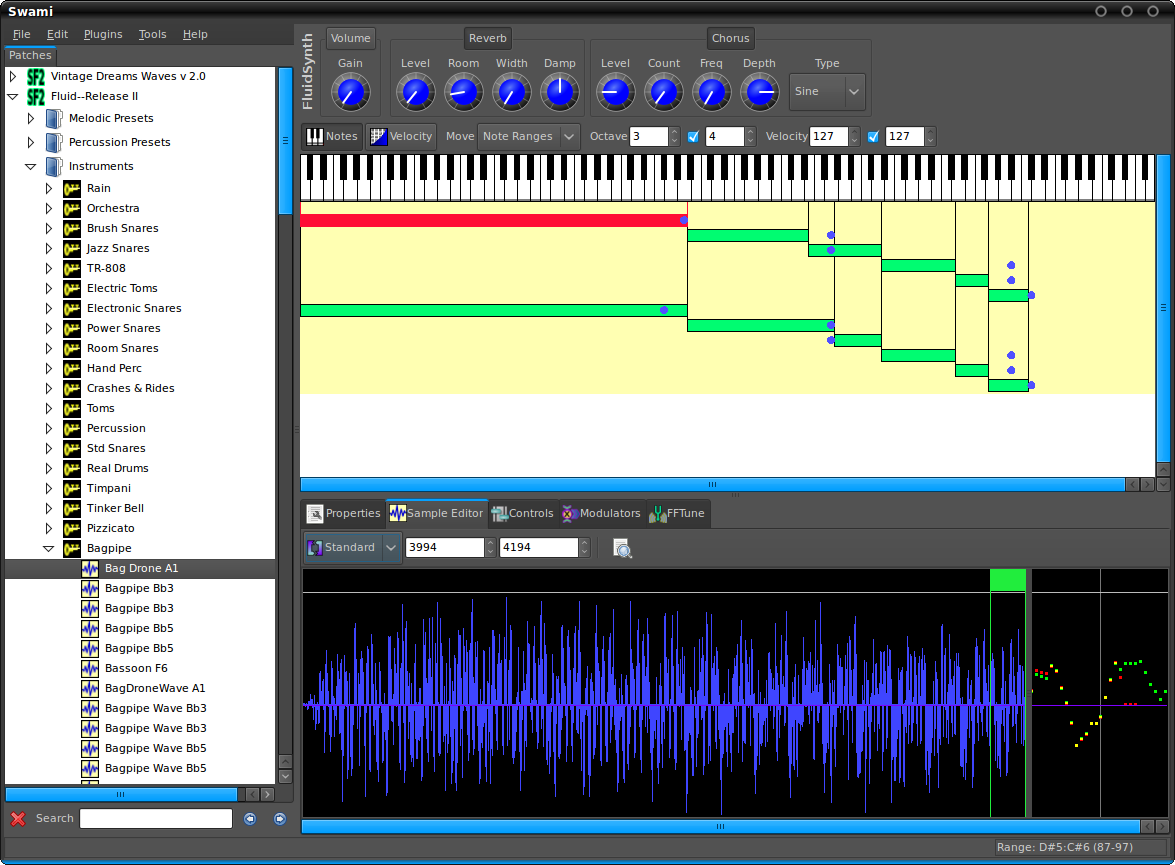
Project SWAMI, Sampled Waveforms And Musical Instruments, is a collection of free software for editing, managing and playing musical instruments for MIDI music composition. Current focus is primarily the SoundFont format, which is an open file format for digital audio “sample” based instruments.
This component provides an editor for title formatting code [mainly targeted at title formatting beginners]. The editor includes syntax highlighting, a preview of the selected fragment of the code and a view of the code structure. The idea behind the component is to allow users to explore title formatting scripts by exposing aspects which are normally hidden on the user interface of foobar2000 and its components.