Foobar2000 ~ Title Formatting Guide


Table of Contents

  • Introduction: What Title Formatting Is
  • Why Title Formatting Exists
  • Where You Use Title Formatting
  • Core Concepts You Need to Know
  • Plain Text in Title Formatting
  • Fields (Metadata Tags)
  • Combining Plain Text and Fields
  • Handling Missing Information
  • Using Conditional Logic with $if()
  • Practical Examples
  • Useful Built-In Fields
  • Things Beginners Can Ignore
  • Starter Setup for New Users
  • Final Notes

Introduction: What Title Formatting Is

Title formatting in foobar2000 is a system that allows you to control how information about your music is displayed in the interface. It doesn’t modify the audio files themselves or change tags — it only affects how metadata and other information is shown in playlists, status bar, or window title.

Think of it like a template language: you define a pattern for text, and foobar2000 fills in the fields with actual track information. For example, you can make the playlist display tracks as:

Artist - Track Title (Album)


Why Title Formatting Exists

Music files contain metadata such as:

  • Artist
  • Album
  • Track title
  • Track number
  • Year
  • Duration

Different users want to display this information differently. Title formatting lets you:

  • Decide which information to display
  • Choose the order of information
  • Add separators, labels, or punctuation
  • Optionally display certain information only when it exists

For example, you might want to show the album only if it exists. Title formatting makes that possible.


Where To Use Title Formatting

You typically use title formatting in three main places:

  1. Playlist columns — to customize how each column displays track info.
  2. Status bar — to show the “Now Playing” track in a readable format.
  3. Window title — to display the currently playing track in the foobar2000 window or taskbar.

Core Concepts You Need to Know

There are three core concepts that beginners must understand:

  1. Plain Text: Text you type exactly as it should appear.
  2. Fields: Metadata values from the audio files (e.g., %artist%, %title%).
  3. Conditional Logic: Optional logic to handle missing fields or customize output dynamically.

Plain Text in Title Formatting

Any normal text you type is displayed exactly as written. This is useful for labels, punctuation, or separators:

Now Playing:

You can combine plain text with fields to make output more readable:

Now Playing: %artist% - %title%

This will display something like:

Now Playing: Radiohead - Paranoid Android


Fields (Metadata Tags)

Fields are placeholders that pull metadata from your music files. They are written inside percent signs:

%artist%

Some common fields include:

FieldMeaning
%artist%Track artist
%album%Album name
%title%Track title
%tracknumber%Track number
%date%Year or release date
%length%Track duration

Example combining fields:

%artist% - %title%

Output:

Radiohead - Paranoid Android


Combining Plain Text and Fields

You can mix plain text with fields to create more structured output. For example:

%artist% – %title% (%album%)

Output:

Radiohead – Paranoid Android (OK Computer)


Handling Missing Information

If a field does not exist in the file, foobar2000 simply displays nothing. For example, if %composer% is missing:

%composer%

The output will be blank. To prevent blank parentheses or awkward spacing, you can use conditional logic.


Using Conditional Logic with $if()

The $if() function allows you to display text only when a field has a value:

$if(condition,then,else)

Example:

%artist% - %title%$if(%album%, (%album%),)

This will display the album in parentheses only if %album% exists. Otherwise, it leaves that part empty.


Practical Examples

Playlist Column

%artist% - %title%

Status Bar

Now Playing: %artist% – %title%

Window Title

%artist% – %title% | foobar2000


Useful Built-In Fields

These fields are always available and do not require files to be tagged:

FieldMeaning
%filename%File name
%path%Full file path
%codec%Audio codec
%bitrate%Bitrate
%samplerate%Sample rate

Things Beginners Can Ignore

  • Nested functions
  • Math expressions
  • String replacement logic
  • Legacy syntax
  • Advanced grouping

Starter Setup for New Users

For someone just installing foobar2000, start with these basic formats:

%artist% - %title%

Now Playing: %artist% – %title%$if(%album%, (%album%),)

%artist% – %title%


Final Notes

  • %field% is the most important concept
  • $if() handles missing or optional data elegantly
  • Some data and fields depend upon components being installed

foo_tfsandbox

A good place to start is by installing foo_tfsandbox, this component allows you to experiment with title formatting expressions and fields before you implement them.

Title Formatting Fields:

$info(referenced_offset) ~ shows time in format mm:ss:ff where ff are CD frames. For the first track it will show nothing instead of 00:00:00
hydrogenaud.io/index.php?topic=118733.msg979344

Title Formatting Examples:
Name | Pattern | Alignment

Display Dynamic Range:
Album DR: $if2(%album dynamic range%,–) | Track DR: $if2(%dynamic range%,–)
Bits (bit depth) | $ifequal([%__bitspersample%],0,16,%__bitspersample%) | Left
$if($or($stricmp(%codec%,DTS),$stricmp($cut(%codec%,3),DCA)),$if($info(bitspersample),$ifequal(%samplerate%,96000,$ifgreater(%bitrate%,1537,DTS-HD,DTS 96/$info(bitspersample)),DTS-HD),DTS),%codec% [%codec_profile%])
Release Date (earliest):
$max(%DATE%,$min($year(%DATE%),$year(%DISCOGS_RELEASED%),$year(%DISCOG_MASTER_RELEASE_DATE%)))
hydrogenaud.io/index.php/topic,125532.0

References:

Title_Formatting_Introduction
Title Formatting Reference
Titleformat Examples
Titleformat_Album_List

zxtune ~ Cross-platform Chiptunes Player


Plays audio files from many systems including the ZX Spectrum, Acorn, Amstrad, Amiga, Atari, Commodore 64, GameBoy, MSX, Nes, PC, Phillips, SNES, Sam Coupe, Sega, TurboGrafX, etc.

zxtune.bitbucket.io
github.com/vitamin-caig/zxtune

ASAP ~ Another Slight Atari Player


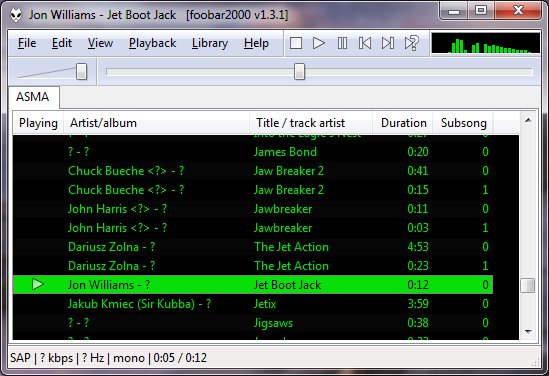
ASAP (Another Slight Atari Player) plays and converts 8-bit Atari music (*.sap, *.cmc, *.mpt, *.rmt, *.tmc, …) on modern computers and mobile devices.

ASAP

asap.sourceforge.net
sourceforge.net/projects/asap
asap.sourceforge.net/web
github.com/epi/asap

RompЯ ~ Browser Based Player


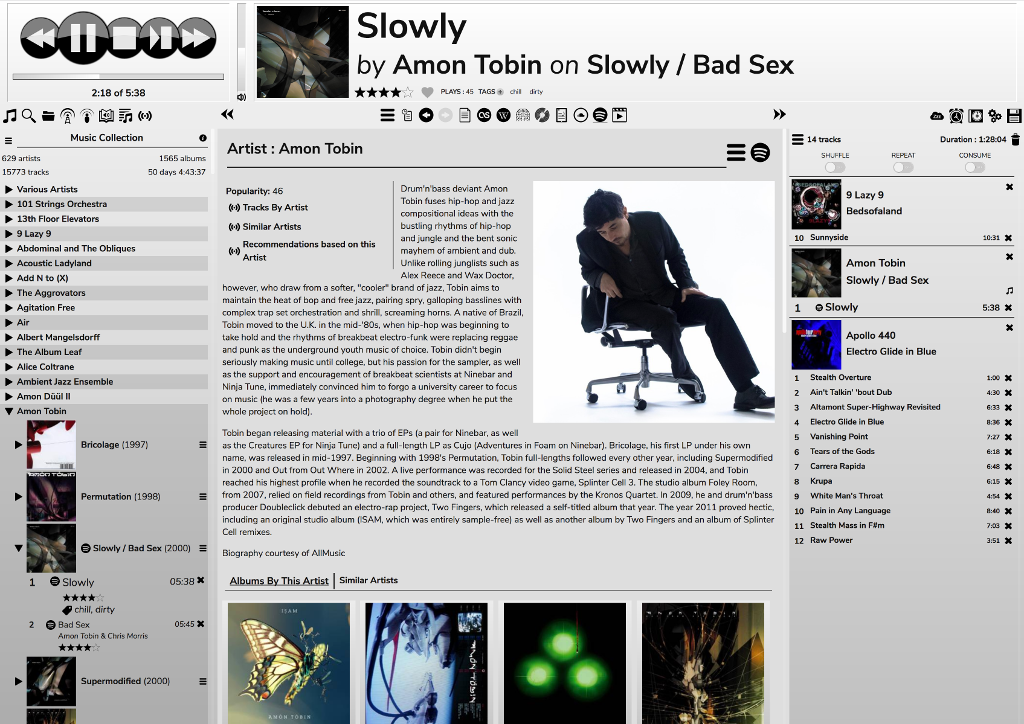
RompЯ is a music player with the emphasis on discovery – discovering more about the music you know, and discovering new music you don’t know yet. RompЯ is an interface that runs in a web browser on any device and controls a music player which can be on any other device. I recommend using Mopidy as the music player. When used with Mopidy and a Spotify Premium subscription RompЯ is a powerful Spotify client with many music discovery features.

Features:

  • Collectioniser sorts your music by artist and album
  • Directory browser
  • Search
  • Tagging and Rating of tracks
  • Spotify, Soundcloud, GMusic, etc support (with Mopidy),
  • Add tracks from Spotify, Soundcloud, etc to the collection on the fly
  • Web Radio support, automatic Spotify search for radio tracks you like
  • Podcast search and subscribe
  • Alarm Clock
  • Sleep Timer
  • Album Cover Art
  • Last.FM Scrobbling
  • Automatic on-the-fly playlist generation based on tags, ratings, popularity, your listening habits, etc
  • Get biographies of artists from various sources
  • Album and artist suggestions based on your listening habits
  • UI themes

rompr-1

fatg3erman.github.io/RompR
github.com/fatg3erman/RompR

AIMP ~ Full Featured Music Player


AIMP is a powerful free audio player for Windows OS that supports for local files, NAS, clouds and podcasts. Additionally, it includes powerful tools to operate with audio files.

Multi-format Playback:
.CDA, .AAC, .AC3, .APE, .DTS, .FLAC, .IT, .MIDI, .MO3, .MOD, .M4A, .M4B,
.MP1, .MP2, .MP3, .MPC, .MTM, .OFR, .OGG, .OPUS, .RMI, .S3M, .SPX, .TAK,
.TTA, .UMX, .WAV, .WMA, .WV, .XM, .DSF, .DFF, MKA, AA3, AT3, OMA, .WebM,
.MPEG-DASH (YouTube)

Features:

  • CUE Sheet support
  • Output support ~ DirectSound / ASIO / WASAPI / WASAPI Exclusive
  • 32-bit audio processing for the best quality!
  • Listen to internet-radio stations in OGG / WAV / MP3 / AAC / AAC+ formats
  • Capture stream to APE, FLAC, OGG, WAV, WV, WMA and MP3 formats
  • Capture stream as is for MP3 / AAC / AAC+ formats
  • Creating bookmarks and playback queue
  • Rating and auto-marks
  • Collecting statistics about tracks listening
  • Automatic calculations of rating and marks for listened tracks
  • Support for plugins ~ You can add new utilities or extend already existing ones
  • Build-in scrobbler / Last.fm, Libre.fm and ListenBrainz services are supported
  • Clouds / OneDrive, Google.Drive, DropBox, Облако@mail.ru, Яндекс.Диск and Custom WebDAV clouds are supported
  • Podcasts
  • Hot keys ~ Configure local and global hotkeys as you wish!
  • Multi-user mode support ~ Several users working on one computer? No problem!
  • Multi-language interface
  • Great functionality and user-friendly interface
  • Support for 4K and High DPI / Following scale factors are supported: 125%, 150%, 175%, 200%
  • Flexible program options
aimp

www.aimp.ru
aimp2.us

Icons:
aablab.deviantart.com/art/Aimp-3-anthracite-icons-260461145
www.deviantart.com/aablab/art/AIMP3-BW-Icons-190763277

Skins:
aablab.deviantart.com/art/AIMP-3-Skin-Editor-258029733
www.deviantart.com/ddkonstantinov/art/A-Graph-ver-1-0-294252760
www.deviantart.com/merydev/art/MetalikGlass-Light-for-AIMP3-258995954
www.deviantart.com/yamshikoff/art/Metro-for-AIMP3-v3-Final-279912238
www.deviantart.com/raidero1/art/ZiX-for-AIMP3-273232347
www.myaimp.com/skins
angelag.ucoz.ru

VU Meter Skins:
www.aimp.ru/forum/index.php?topic=52865.0

Resources:

sourceforge.net/projects/vst3-bridge-for-aimp

foobarCon ~ Foobar2000 Android Remote Control


foobarCon is a Foobar2000 remote control app for Android. foobarCon needs Foobar2000 components to be installed for proper operation. There are basic and pro editions on Google Play and both are now free.

sites.google.com/site/foobarcon

Basic ~ play.google.com/store/apps/details?id=com.cav.foobar2000controller
Pro ~ play.google.com/store/apps/details?id=com.cav.foobar2000controllerpro
dancegom-foobarcon.en.aptoide.com/app

Vermilion Desktop Composer ~ Cross Platform Editor


A unique desktop music composing application for PC / Mac / Linux / Android with a tracker style interface and a simple modular Java plugin based design allowing rapid improvement and endless expansion.

Vermilion Desktop Composer

sourceforge.net/projects/buzz-like

LASTAR ~ Batch File Splitting & Normalization


LASTAR is a batch (non-interactive) audio processor for loudness adjustment and file splitting of a batch of audio recordings, using an audio transparent maximizer.

At the opposite of usual available software, loudness normalization is done on signal power, which leads to a louder and more homogeneous result than the usual “peak” normalization, in particular on live recordings.

Its purpose is:

  • to split, equalize and normalize digitized analog tapes or vinyl
  • to split, equalize and normalize live recordings from microphones (ex ZOOM H2 recordings)
  • fast and homogeneous normalization of a group of files (compilation for instance)
  • loudness and dynamic reduction for listening in a noisy environment (car…)
  • and so on…

This software aims to be very fast and easy to use : the most efficient computing techniques have been implemented, and there are very few parameters to set (most of them are automatically adjusted by analyzing the file).

It embeds:

  • an automatic RMS normalizer,
  • an Automatic Gain Controller (compressor)
  • a 10 bands automatic equalizer
  • a 3 bands semi-parametric equalizer
  • a file splitter
  • a noise gate
  • preset management
  • a preview function.

www.arthelion.com/index.php/en/windows-en/lastar
sourceforge.net/projects/lastar

Lollypop ~ GNOME Audio Player


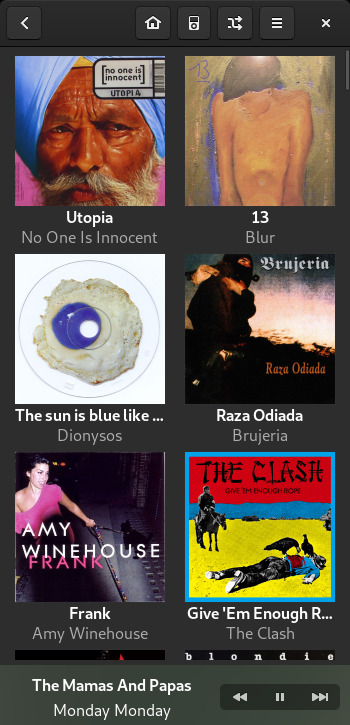
Lollypop is a modern music player for GNOME

  • Artist bio, lyrics Artist bio, lyrics: Get artists and tracks information from the web.
  • Intuitive browsing: Walk through your collection by genres/artists and through albums artwork.
  • Play many audio formats: mp3, mp4, ogg, and flac
  • Cover art downloader: Automatic artwork downloader from Last.fm, Itunes and Spotify.
  • MTP devices: Sync your music with Android phones and any mtp devices…
  • Fullscreen view: Visual access from your couch
  • Party mode: Let Lollypop choose music for you.
  • Native replaygain support.
  • Search in your collection by artist, album and title.

lollypop

wiki.gnome.org/Apps/Lollypop

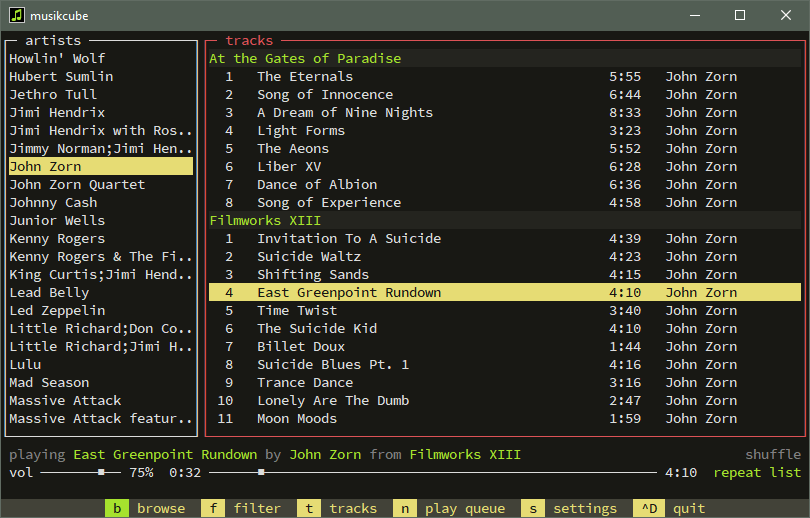
musikcube ~ Terminal-based Audio Client Server


Cross-platform, terminal-based audio engine, library, player and server written in c++. Musikcube compiles and runs easily on Windows, macOS and Linux. It also runs well on a raspberry pi with raspbian, and can be setup as a streaming audio server.

musikcube

github.com/clangen/musikcube

KVR Audio ~ Plugin Community Database


KVR Audio is a community and news site for popular Audio Plug-in formats and related subjects, such as sample libraries and mobile apps. Our mission is to supply up to date news to VST, AU, RTAS, DX and DSSI/LADSPA plug-in and iOS and Android App users in a friendly, up-front and timely manner.

www.kvraudio.com
Search For Plugins
List Of Plugins