
… Although Csound has a strong tradition as a tool for composing electro-acoustic pieces, it is used by composers and musicians for any kind of music that can be made with the help of the computer. Csound has traditionally been used in a non-interactive score driven context, but nowadays it is mostly used in in a real-time context. Csound can run on a host of different platforms including all major operating systems as well as Android and iOS. Csound can also be called through other programming languages such as Python, Lua, C/C++, Java, etc.
Category Archives: Android

RadioDroid ~ Browse & Stream Internet Radios
Android app that allows you to look up online radio streams at RadioBrowser and listen to them. RadioBrowser is a wiki like approach to collecting as many online radio stations as possible. Everyone can help by not only adding new stations but also tagging existing ones.
Features:
- Everyone can add stations easily
- Sleep timer
- Alarm clock
- Record streams
- Music Player Daemon support
- ChromeCast support
f-droid.org/packages/net.programmierecke.radiodroid2
Share this:

DeaDBeeF ~ Extensible Unix Audio Player
DeaDBeeF (as in 0xDEADBEEF) is a modular audio player for GNU/Linux, *BSD, OpenSolaris, macOS, and other UNIX-like systems.
DeaDBeeF lets you play variety of audio formats, convert between them, customize the UI almost any way you want, and use many additional plugins which can extend it even more.

deadbeef.sourceforge.net
deadbeef.sourceforge.net/download
deadbeef.sourceforge.io/plugins.html
play.google.com/store/apps/details?id=org.deadbeef.android
Plugins:
- File Browser
- lyricbar
- mpris2
- ddb_discord_presence
- ddb_musical_spectrum
- ddb_quick_search
- ddb_spectrogram
- ddb_vu_meter
- ddb_waveform_seekbar
- deadbeef-uade (Amiga)
CUI ~ A faceted library browser plugin for Deadbeef. Columns-UI-like
github.com/VirInvictus/deadbeef-cui
References:
github.com/topics/deadbeef
github.com/topics/deadbeef-plugin
en.wikipedia.org/wiki/DeaDBeeF
Resources:
github.com/letsconfuse/deadbeef-classic-columns
Share this:

Discord ~ Open Source & Multi-platform Chat
It’s time to ditch Skype and TeamSpeak. All-in-one voice and text chat for gamers that’s free, secure, and works on both your desktop and phone. Stop paying for TeamSpeak servers and hassling with Skype. Simplify your life.
Share this:

SpeakPipe ~ Online Voice Recorder
SpeakPipe voice recorder allows you to create an audio recording directly from a browser by using your microphone. The recording is produced locally on your computer, and you can record as many times as you need. There is the option to save your recording on the SpeakPipe server and get a link to it, so you can send it via email or use on the web.
Works on iPhone, iPad, iPod, and Android devices.
Share this:

eSpeak ~ Open Source Speech Synthesizer
eSpeak is a compact open source Linux and Windows speech synthesizer for English and other languages. eSpeak uses a “formant synthesis” method. This allows many languages to be provided in a small size. The speech is clear, and can be used at high speeds, but is not as natural or smooth as larger synthesizers which are based on human speech recordings.
eSpeak is available as:
- A command line program (Linux and Windows) to speak text from a file or from stdin.
- A shared library version for use by other programs. (On Windows this is a DLL).
- A SAPI5 version for Windows, so it can be used with screen-readers and other programs that support the Windows SAPI5 interface.
- eSpeak has been ported to other platforms, including Android, Mac OSX and Solaris.
Share this:

Ogg Vorbis ~ Free & Open Audio CODEC
Vorbis is a free and open-source software project headed by the Xiph.Org Foundation. The project produces an audio coding format and software reference encoder/decoder (codec) for lossy audio compression. Vorbis is most commonly used in conjunction with the Ogg container format and it is therefore often referred to as Ogg Vorbis. ~ en.wikipedia.org/wiki/Vorbis
Ogg Vorbis is a completely open, patent-free, professional audio encoding and streaming technology with all the benefits of Open Source.
www.vorbis.com
www.xiph.org/downloads
github.com/enzo1982/vorbis-aotuv-lancer
www.rarewares.org/ogg
www.rarewares.org/ogg-tools
nouturn.com/oggdrop
Ogg Forums At Hydrogen Audio
VorbisGain is a utility that uses a psychoacoustic method to correct the volume of an Ogg Vorbis file to a predefined standardized loudness.
jamailmar
Linux Ogg Vorbis decoder with multi-thread support
sourceforge.net/projects/jamailmar
Share this:

Kid3 ~ Cross-platform Audio Tagger
Kid3 audio tag editor can edit the tags of MP3, Ogg, FLAC, MPC & WMA files in an efficient way, convert between ID3v1 and ID3v2, set the tags of multiple files, generate tags from file names or vice versa and import from freedb, MusicBrainz and Discogs.
Features
- Edit and convert between ID3v1.1, ID3v2.3 and ID3v2.4 tags of MP3 files
- Supports MP3, Ogg/Vorbis, FLAC, MPC, MP4/AAC, MP2, Speex, TrueAudio, WavPack, WMA, WAV and AIFF files
- Generate tags from filenames and file-, directorynames from tags
- Mass-tagging of multiple files
- Import from gnudb.org, MusicBrainz and Discogs

apps.kde.org/kid3
apps.kde.org/kid3-qt
github.com/KDE/kid3
kid3.sourceforge.io
sourceforge.net/projects/kid3
en.wikipedia.org/wiki/Kid3
Share this:

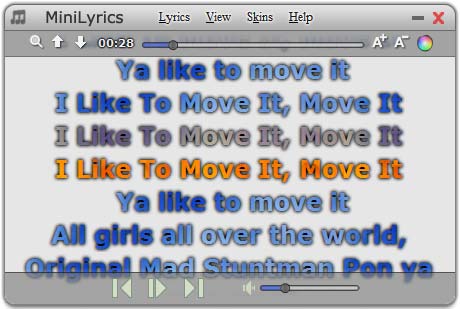
MiniLyrics ~ Display Music Lyrics Free
- Lyrics plugin software for iTunes, Windows Media Player, Winamp, etc. You needn’t change your way of enjoying music.
- Display scrolling lyrics, you can follow along with the artist and catch every word.
- Automatically search and download lyrics.
- Huge lyrics database, and it is expanding every day.
- Download and save lyrics in your song files, you can view these lyrics on your iPod or iPhone.
- Amazing translucency skins.
- Cross-platform, support Windows, Mac and Android.
Share this:

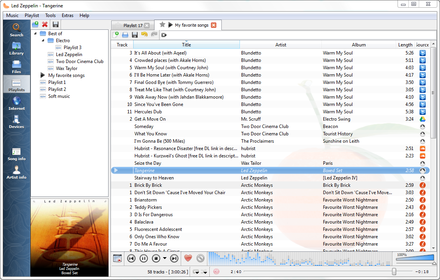
Clementine ~ Modern Player & Library Organizer
Clementine is a multi-platform music player. It’s inspired by Amarok 1.4, focusing on a fast and easy-to-use interface for searching and playing your music.
- Search and play your local music library.
- Listen to internet radio from Spotify, Groovesharks, SomaFM, Magnatune, Jamendo, SKY.fm (radiotunes), Digitally Imported, JAZZRADIO.com, Soundcloud, Icecast and Subsonic servers.
- Search and play songs you’ve uploaded to Box, Dropbox, Google Drive, and OneDrive.
- Create smart playlists and dynamic playlists.
- Tabbed playlists, import and export M3U, XSPF, PLS and ASX.
- CUE sheet support.
- Play audio CDs.
- Visualizations from projectM.
- Lyrics and artist biographies and photos.
- Transcode music into MP3, Ogg Vorbis, Ogg Speex, FLAC or AAC.
- Edit tags on MP3 and OGG files, organize your music.
- Fetch missing tags from MusicBrainz.
- Discover and download podcasts.
- Download missing album cover art from Last.fm and Amazon.
- Cross-platform – works on Windows, Mac OSX and Linux.
- Native desktop notifications on Linux (libnotify) and Mac OSX (Growl).
- Remote control using an Android device, a Wii Remote, MPRIS or the command-line.
- Copy music to your iPod, iPhone, MTP or mass-storage USB player.
- Queue manager.
www.clementine-player.org
www.clementine-player.org/downloads
github.com/clementine-player/Clementine
flathub.org/apps/org.clementine_player.Clementine
en.wikipedia.org/wiki/Clementine_(software)
Clementine Music Player Tutorial
F-Droid
An Android remote control for Clementine
f-droid.org/packages/de.qspool.clementineremote
Share this:

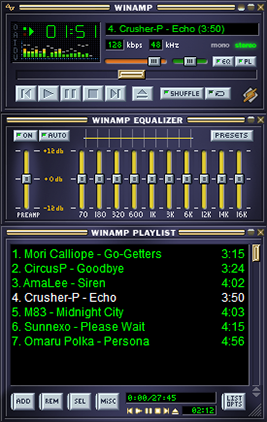
Winamp ~ Popular Extensible Music Player
Winamp — It really whips the llama’s ass!
The classic alternative to Window Media Player. Winamp is a cross platform, extensible, free and skinnable media player with a large community and a long past. Development has stopped, but may start again, meanwhile, the development community has largely moved to Foobar2000.
(Update) October 2018
A leaked version of Winamp 5.8 recently spread over the Internet. Consequently, we have decided to make this new version available to you, revised by us.
www.winamp.com
forums.winamp.com/showthread.php?t=374929#download
en.wikipedia.org/wiki/Winamp
archive.org/details/winamp274
www.winamparchive.org
skins.webamp.org
Webamp ~ Winamp As A Webpage
www.mywinamp.com
A collection legacy resources for Winamp, including the best skins, plugins and visualizations and make them available to download freely.
Share this:

Foobar2000 ~ Extensible Audio Interface & Player
An advanced and evolved freeware audio player for Android, Mac, Windows and Wine. Foobar2000 can be extensively extended, modified and themed.
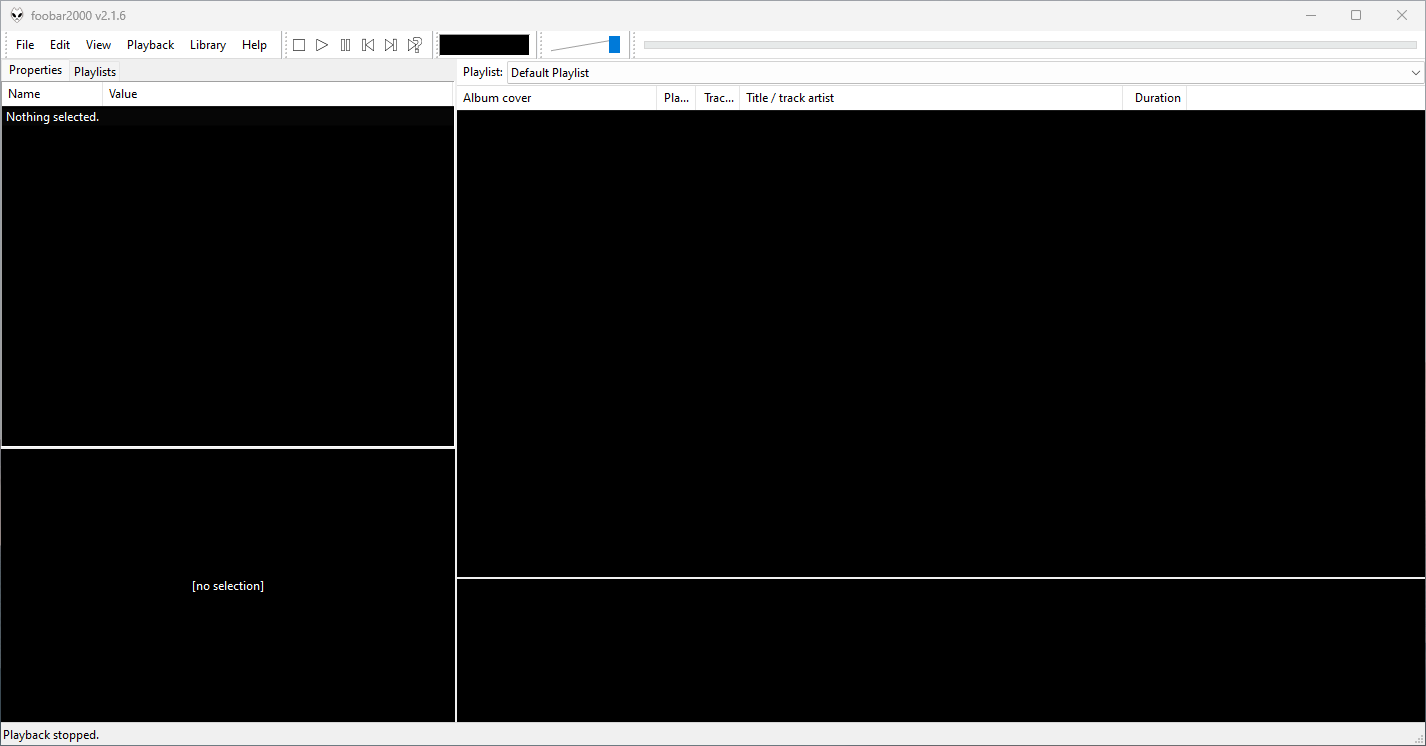
This is the basic Default User Interface or DUI. You will need to configure and extend the DUI Foobar2000 interface according to your preferences and requirements.
Features:
- Supported audio formats: MP3, MP4, AAC, CD Audio, WMA, Vorbis, Opus, FLAC, WavPack, WAV, AIFF, Musepack, Speex, AU, SND… and more with additional components.
- Gapless playback.
- Easily customizable user interface.
- Advanced tagging capabilities.
- Support for ripping Audio CDs as well as transcoding all supported audio formats using the Converter component.
- Full ReplayGain support.
- Customizable keyboard shortcuts.
- Open component architecture allows third-party developers to extend functionality.
- Multiplatform: Android, Mac, Windows 32|64-bit and ARM (ARM64EC).
Interfaces:
foobar2000 is not limited to the Default User Interface (DUI). Over its history, foobar2000 has had several complete user-interface modules, as well as newer technologies that extend the modern interfaces with highly customizable panels.
Core and Historical User Interfaces:
- Default User Interface (DUI) — The standard interface included with foobar2000. DUI uses configurable UI Elements to construct the player layout and remains the default interface in current versions of foobar2000.
- Columns User Interface (CUI) — A popular alternative user interface with interchangeable panels and toolbars. CUI provides extensive control over the arrangement and appearance of the foobar2000 interface and is widely used for customized layouts and themes.
- Classic User Interface — A recreation of the Default User Interface from early versions of foobar2000. It remains available as a component for current foobar2000 versions, primarily for historical and nostalgic purposes. The component intentionally does not attempt to reproduce all functionality of the modern DUI.
- Panels UI (PUI) — A discontinued historical user-interface module that allowed the entire foobar2000 interface to be constructed from configurable panels. Panels UI was an important interface in the foobar2000 customization community before being discontinued. It should be regarded as a legacy interface, not a current alternative to DUI or CUI.
Modern Web-Based User Interface:
foobar2000 also supports web-based interface components. These should not be confused with complete UI modules: they operate as panels or UI Elements within the DUI or CUI.
- WebView — Provides a Microsoft Edge WebView2 browser control as a foobar2000 UI panel. HTML, CSS and JavaScript can be used to create interactive panels and visualizations. It supports both Default UI and Columns UI.
- WebView2 — A newer WebView-based component that exposes Microsoft Edge WebView2 as a foobar2000 Default UI Element or a Columns UI panel. It allows HTML, CSS and JavaScript to interact with foobar2000 and can access the visualization stream. The current component supports foobar2000 2.0 and newer, Windows 10 and newer, and x86, x64 and ARM64/ARM64EC builds.
WebView and WebView2 represent a web-based UI technology rather than separate core foobar2000 interfaces. A WebView/WebView2-based design is still a DUI or CUI layout with a web-based component incorporated into it. The official component repository explicitly identifies WebView2 as a Columns UI panel / Default UI element, rather than as a user-interface module.
The Interface Landscape
In practical terms, foobar2000’s interface history can be divided into:
Complete user-interface modules
- Default User Interface (DUI) — current
- Columns User Interface (CUI) — current
- Classic User Interface — current component, reproducing the historical DUI
- Panels UI (PUI) — discontinued historical interface
UI extension and panel technologies
- WebView
- WebView2
- JScript Panel / JScript Panel 3
- Other DUI UI Elements and CUI panels
This distinction is important when describing foobar2000 themes. A theme designed for CUI is a theme for a different complete UI module than a DUI theme. A theme that incorporates WebView2, however, is still a DUI or CUI theme that uses WebView2 as one of its UI components.
For this reason, foobar2000 themes and interface collections identify the Intended User Interface separately from individual panel technologies and components.
Links:
- www.foobar2000.org
- www.foobar2000.org/download
- www.foobar2000.org/old
- www.foobar2000.org/components
- www.foobar2000.org/components/system/mac
- www.foobar2000.org/FAQ
- www.foobar2000.org/screenshots
- www.foobar2000.org/SDK
- mobile.foobar2000.com
- wiki.hydrogenaud.io
- Version_2.0_Release_Notes
Packages & Store Versions:
- apps.apple.com/us/app/foobar2000/id1072807669
- play.google.com/store/apps/details?id=com.foobar2000.foobar2000
- www.microsoft.com/en-us/p/foobar2000/9pdj8x9spf2k
- www.microsoft.com/store/productId/9PDJ8X9SPF2K (foobar2000 classic version 1.6x)
- chocolatey.org/packages/foobar2000
- aur.archlinux.org/packages/foobar2000/
Official Foobar2000 Forums At Hydrogenaudio:
References:
- en.wikipedia.org/wiki/Foobar2000
- Foobar2000 Encoder Pack
- head-fi.org ~ Foobar2000 resources
- Kode54’s Component Page
- Reddit – rFoobar2K
- snapcraft.io/foobar2000
- www.facebook.com/foobar2k
- github.com/marc2k3/foobar2000-sdk
- eolindel.free.fr/foobar
- MacOS components


