CDPlayer ~ CD Player App


CDPlayer is a Java desktop app that recreates the tactile feel of a physical CD player for local audio playback. Load a track, press play, and enjoy a simple, distraction-free music experience without relying on a browser or web app — no accounts, no streaming, no internet required to play a song. Built with plain Java and native Swing/AWT — no external UI framework, single self-contained app

Plays local audio files through a custom low-latency streaming engine, with FFmpeg handling the formats Java can’t decode natively

Full queue management: drag-and-drop, drag-to-reorder, shuffle, repeat, crossfade, volume, mono downmix, and per-track removal — queue is saved automatically and restored next launch

Ten built-in themes — nine animated ones plus AUTO, which derives its whole palette from the current track’s own album art

A sleep timer that pauses playback after a set time, with a live countdown in the header

A 10-band graphic equalizer with built-in and savable custom presets, and a beat-synced visualizer

True fullscreen, a distraction-free fullscreen Visualizer Mode, and a Mini Mode that shrinks the whole app down to a small always-on-top widget

A dedicated Settings dialog for theme, crossfade, mono, and an ambient blurred-cover-art background wash

Automatic metadata and album art, with an online lookup fallback when a file has none

Works on Windows, macOS, and Linux. ffmpeg required.
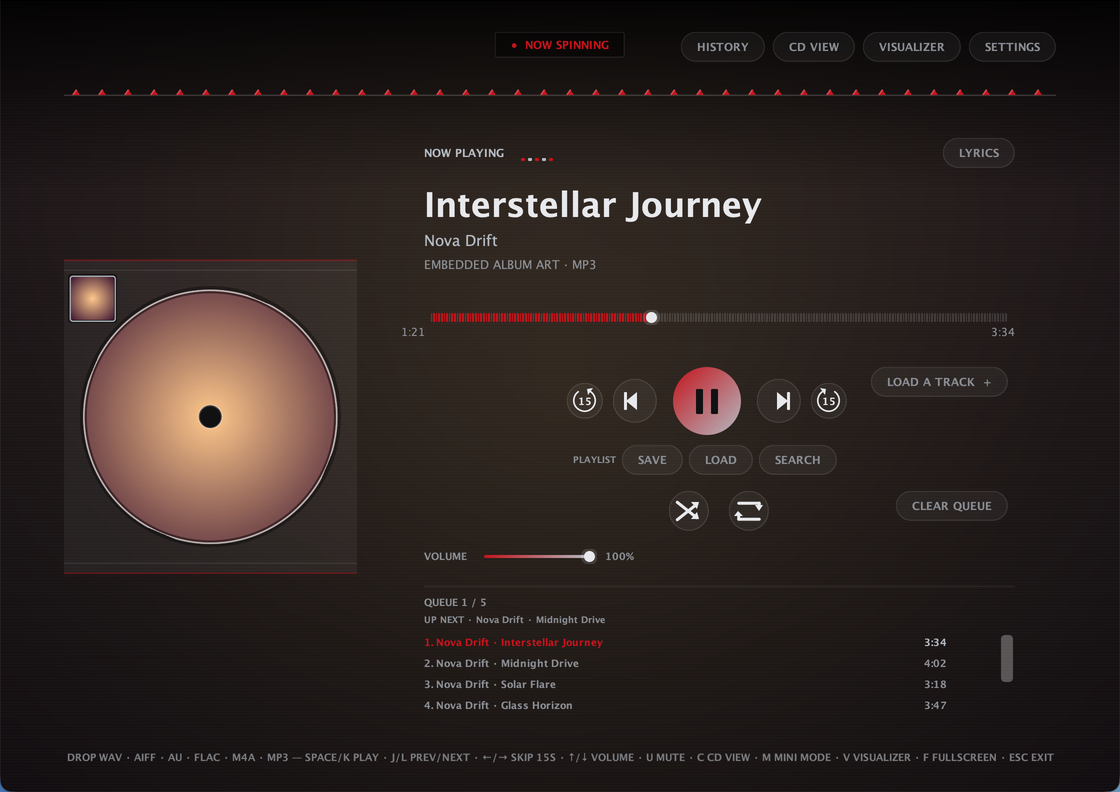
CDPlayer User Interface

github.com/Kizarov3/CDPlayer

Sonic Topography ~ Music Player & Visualisation


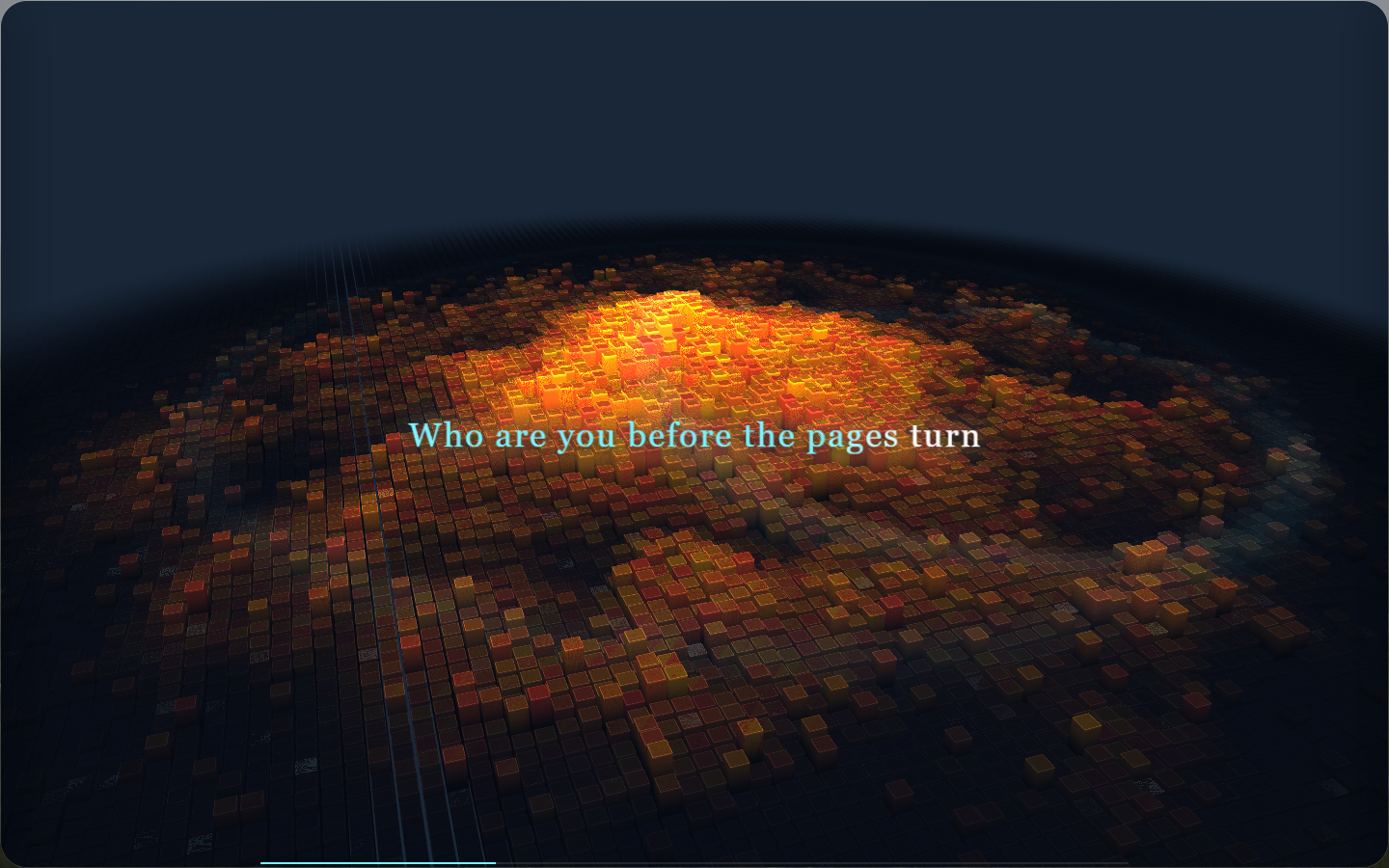
Sonic Topography is a desktop music player and 3D music visualization application. It transforms the low, mid, and high frequencies in music into three-dimensional terrain that undulates, glows, and flashes, turning listening to music into a breathing sound map.

sonic topography display

github.com/yin-yizhen/sonic-topography

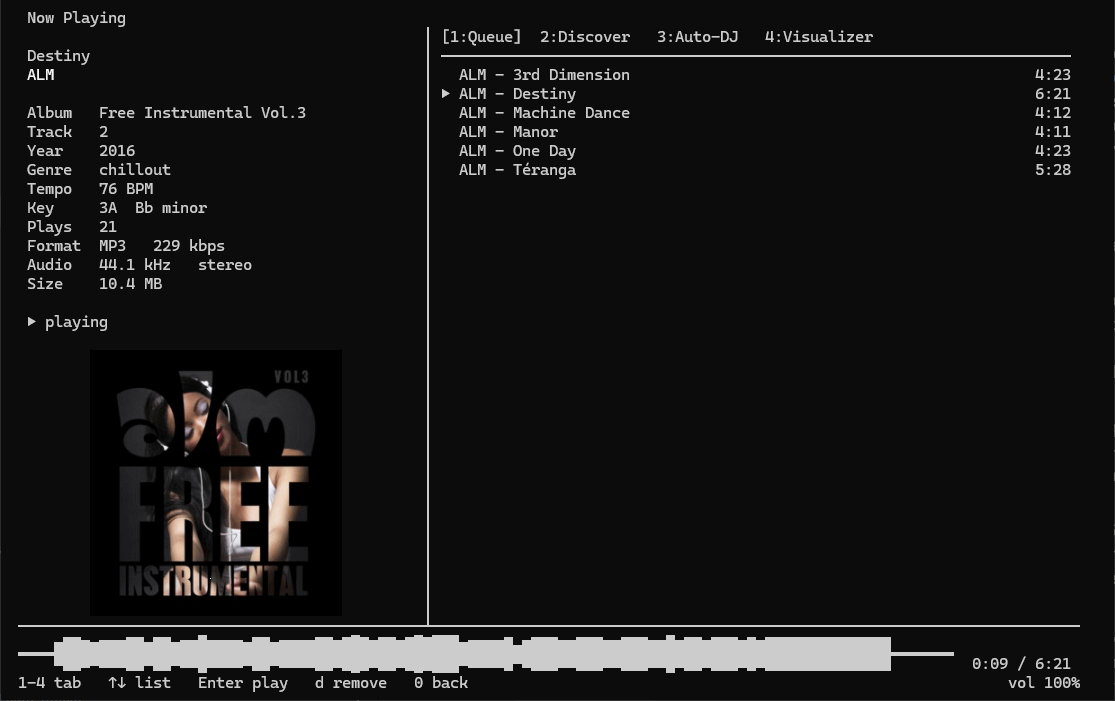
spotatui ~ Standalone Terminal Player


spotatui plays Spotify natively and streams YouTube, your local files, Subsonic or Navidrome and 30,000+ internet radio stations from a single keyboard-driven player. Spotify is optional. So is the AI DJ.

Features:

  • Multiple sources — Spotify optional. Play from Spotify, Local Files, a Subsonic/Navidrome server, Internet Radio, YouTube, or Qobuz. The free sources need no Spotify account; press d to switch between them at any time.
  • Native streaming. Play Spotify audio directly, no official app or spotifyd required — spotatui appears as its own Spotify Connect device (Premium required).
  • Synced lyrics. Line-by-line lyrics that follow playback.
  • Real-time audio visualizer. A system-wide FFT visualizer (press v) that reacts to whatever is playing.
  • Cross-source play queue. Press z on any track to queue it — the queue plays across every source before your current context resumes.
  • Lua plugins. Extend spotatui with event hooks, commands, keybindings, popups, and theming.
  • Listening history & recap. spotatui keeps a local play history and can generate a shareable HTML recap (spotatui history recap).
  • Full CLI. Most of what the UI does is scriptable — playback, search, playlists, shell completions. Run spotatui --help.
  • Lightweight. ~78 MB RAM while streaming, versus a full Electron client. See Performance.

spotatui.com
github.com/LargeModGames/spotatui

PixelPlayerOSS ~ Android Music Player


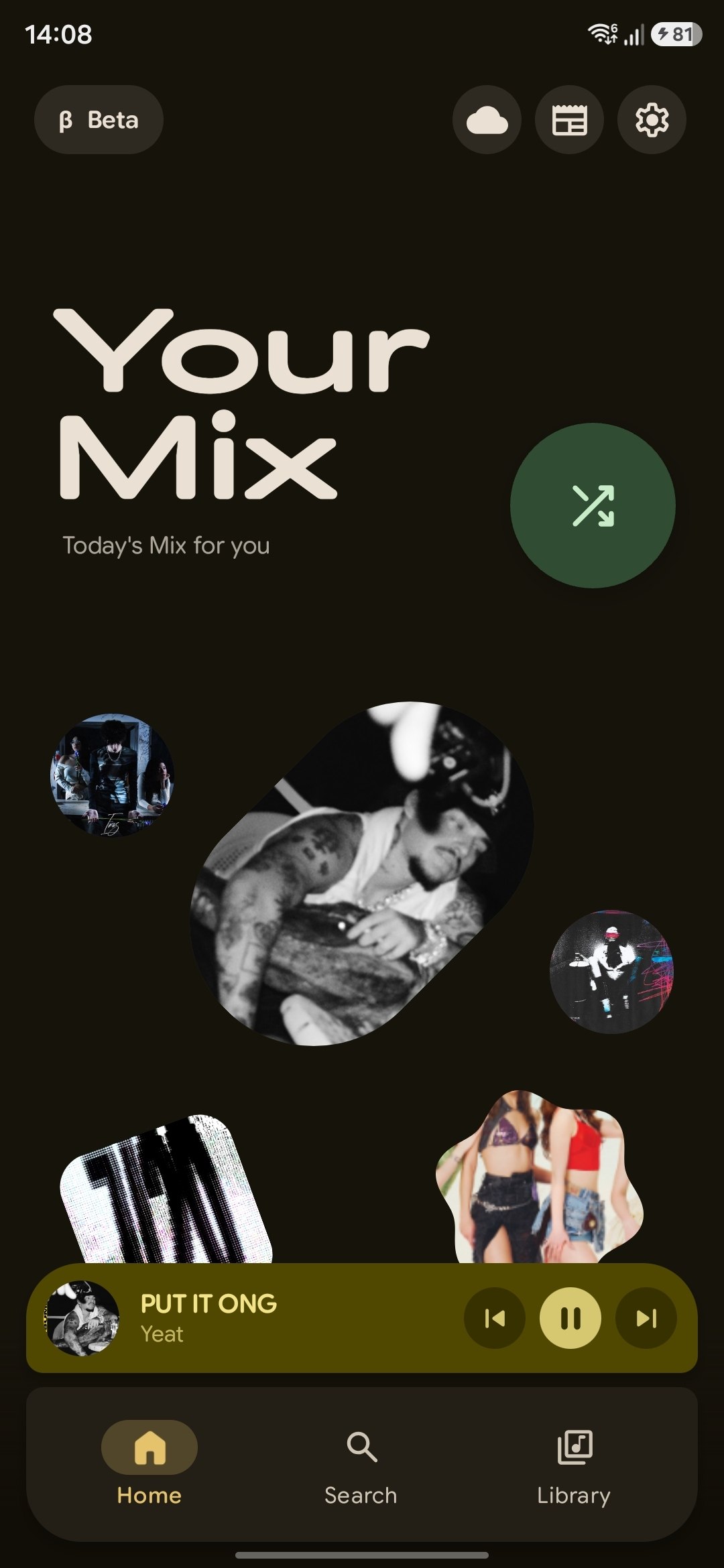
Free and open-source edition of PixelPlayer – a modern offline music player for Android built with Jetpack Compose, Media3 & Material 3. Available on F-Droid.

github.com/PixelPlayerHQ/PixelPlayerOSS

Subsonic player ~ Modern Subsonic Player


Subsonic player is a responsive, modern web-based client designed for Subsonic music servers.

Built with Nuxt 4, a modern Vue 3 framework, this open-source application provides a seamless and enjoyable music listening experience across all devices.

Compatible Servers:

Features:

  1. Fully Responsive UI (Further design improvements are ongoing.)
    • Optimized for desktop and mobile devices.
    • Adaptive design.
  2. Comprehensive Library Browsing
    • Browse by album, artist, genre, and folder/files.
    • Explore podcasts and favourites.
    • Access internet radio stations.
  3. Advanced Functionality
    • Bookmarking podcast episode to keep track of the listening position across multiple sessions.
    • MediaSession Integration.
    • Advanced Search capabilities.
    • Dark/Light Mode support.
    • Keyboard shortcut (Press h to see menu).
    • Context menu access via right-click (desktop) or long press (mobile) for quick actions on tracks, albums, playlists, and more.
    • Easily drag and drop your favorite tracks, albums, and podcast episodes right into the queue or your playlist in the sidebar (available only on desktop).
  4. Progressive Web App (PWA) Feature
    • Seamlessly download the app icon to the home screen, providing the convenience of launching the app just like a traditional native application.
    • Benefit from a web-based app that reduces storage space on devices compared to traditional downloadable applications, while still providing robust functionality.
  5. Settings
    • The app includes settings for theme, layout, crossfade, replaygain, scrobbling, and more. See the environment variables section for which can be pre-configured across all devices.

github.com/VD39/subsonic-player

Bòcan Music ~ macOS Music & Podcast Player


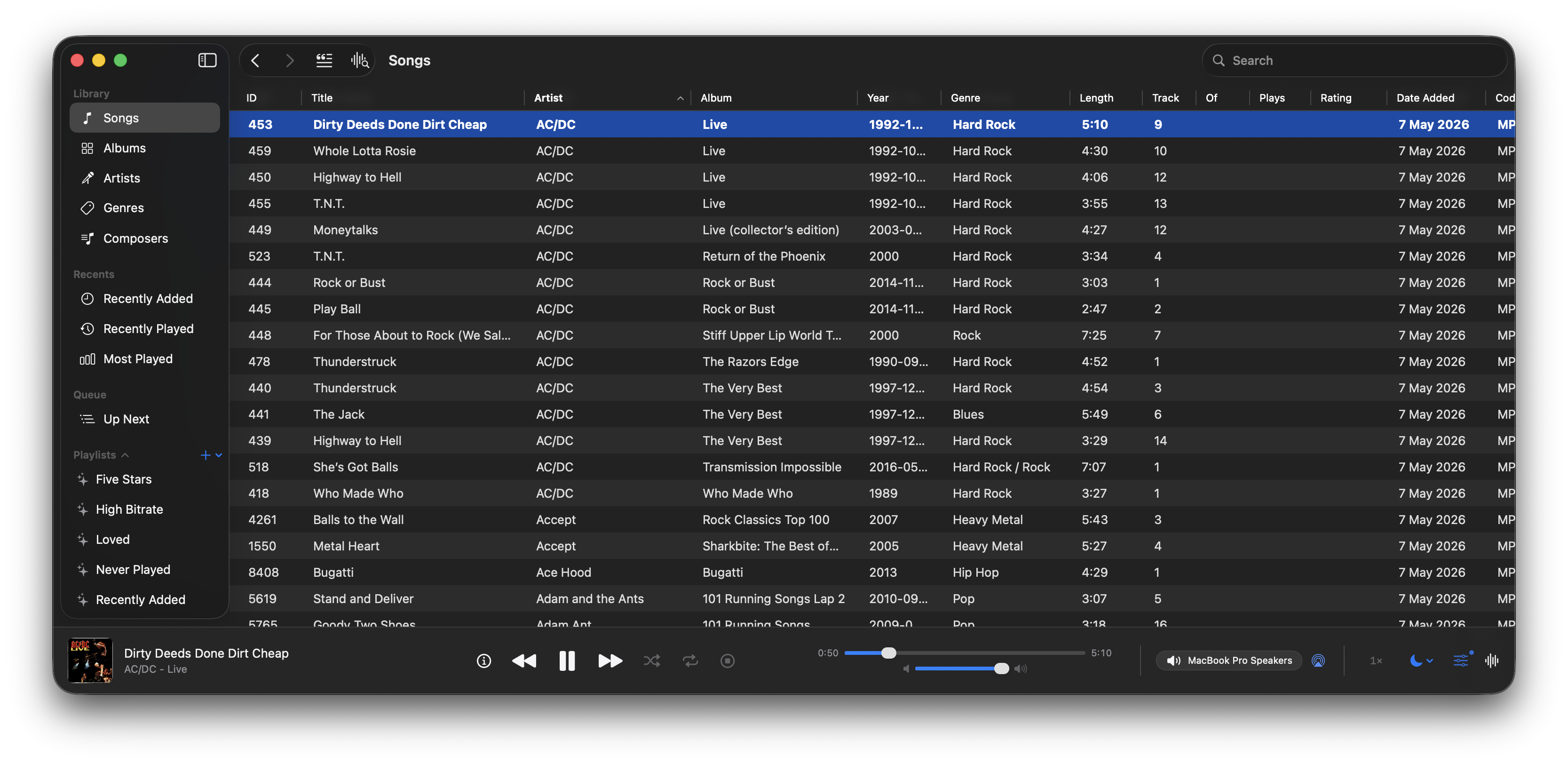
A native macOS music and podcast player and library built with Swift 6 and SwiftUI. Features gapless playback, AcoustID fingerprinting, smart playlists, lyrics, visualizers, scrobbling, and a DSP/EQ engine powered by FFmpeg.

bocan-music interface

github.com/bocan/bocan-music
bocan.app

Music Assistant ~ Media Library Manager


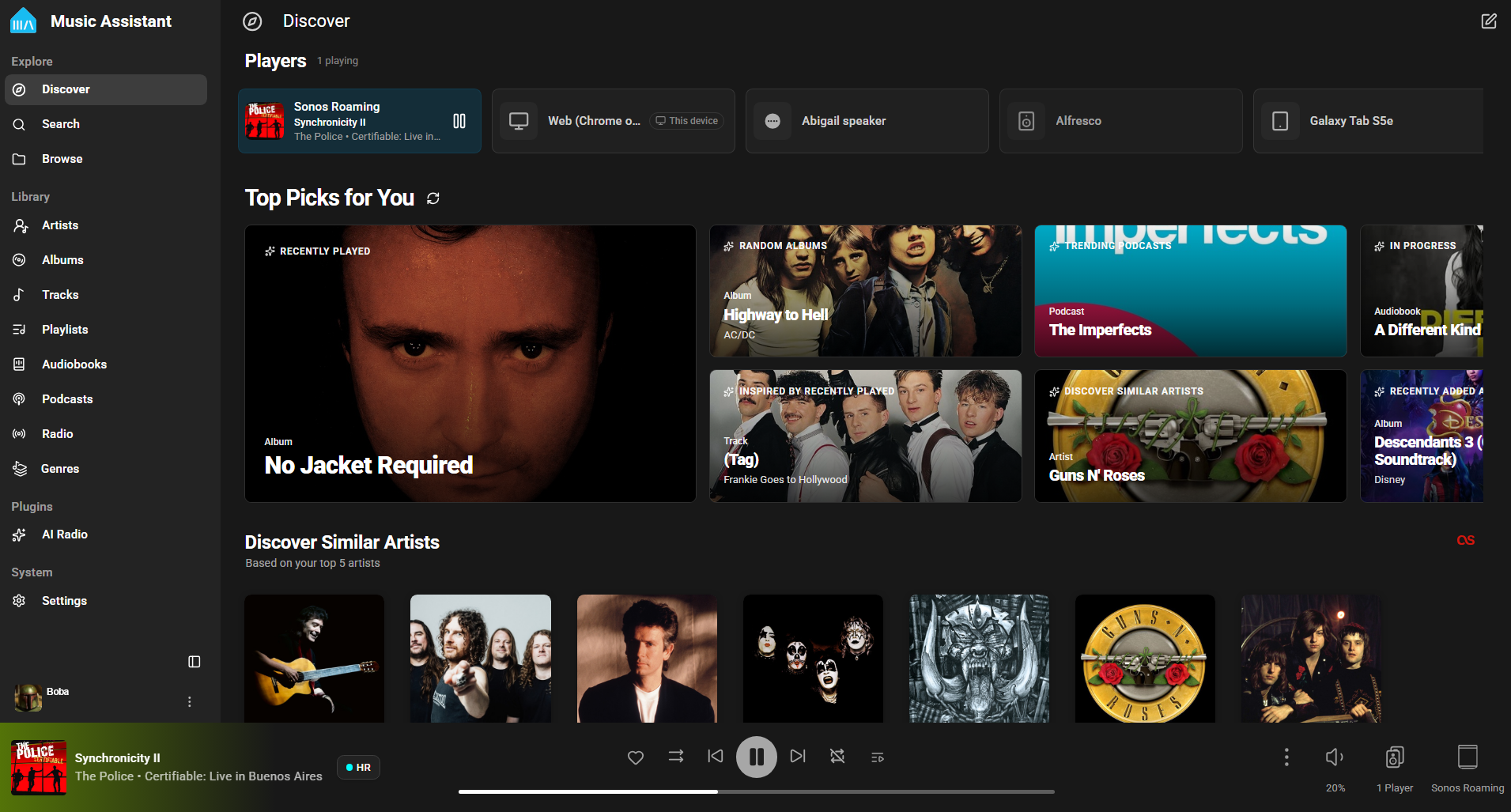
Music Assistant is a free, opensource media library manager that connects to your streaming services and a wide range of connected speakers. The server is the beating heart, the core of Music Assistant and must run on an always-on device like a Raspberry Pi, a NAS or an Intel NUC or alike.

home assistant user interface

www.music-assistant.io
github.com/music-assistant
github.com/music-assistant/server

SimpMusic ~ Cross-platform Music App


A FOSS YouTube Music client for Android and Desktop with many features from
Spotify, SponsorBlock, ReturnYouTubeDislike using Compose Multiplatform to develop.

Features:

  • Play music from YouTube Music or YouTube for free, without ads and in the background
  • Three Now Playing styles: Classic, Material 3 Expressive and Apple Music (NEW)
  • Ten-band equalizer with presets and AutoEq headphone profiles (NEW)
  • SimpMusic Wrapped: your year in music, plus monthly recap playlists (NEW)
  • On-device listening analytics: charts, period history, listening clock (NEW)
  • Word-by-word Apple Music-style lyrics, romanization for 12 languages, share lyrics as an image (NEW)
  • Home screen widgets: turntable, playlists and listening insights (NEW)
  • High quality up-to 256kbps stream (Opus or AAC) for YouTube Music Premium users
  • Browsing Home, Charts, Podcast, Moods & Genre with YouTube Music data at high speed
  • Search everything on YouTube
  • Spotify Canvas supported
  • Power your experience with SimpMusic Chart (chart.simpmusic.org)
  • Play 1080p video option with subtitle
  • AI song suggestions
  • Import playlists converted from Spotify and other apps
  • Customize your playlist, synced with YouTube Music
  • Notifications from followed artists
  • Caching and offline playback support
  • Crossfade with DJ-style like Apple Music
  • Customizing THEME (Light, Dark, Color, etc)
  • Synced lyrics from SimpMusic Lyrics, LRCLIB, Spotify (require login) and YouTube Transcript – AI lyrics translation (BETA) (*)
  • Personalize data (**) and multi-YouTube-account support
  • Last.fm scrobbling (Full version)
  • Supports SponsorBlock and Return YouTube Dislike
  • Sleep Timer
  • Android Auto with online content, feature rich UI/UX
  • Discord Rich Presence support
  • Listen Together: shared rooms that play in sync with friends, compatible with Metrolist (NEW)
  • And many more!

(*) Use your OpenAI or Gemini API key
(**) For users who chose “Send back to Google” feature

www.simpmusic.org
github.com/maxrave-dev/SimpMusic
sourceforge.net/projects/simpmusic.mirror

mstream ~ Self-hosted Music Server


mStream is a self-hosted music server. Self-hosting means you run the server software on a computer you own. mStream is lightweight and can be run on old hardware and boards like the Raspberry Pi.

Why host your own?

  • Own your music. No ads, and nothing gets removed from your library.
  • Quality. Stream FLAC and lossless files uncompressed.
  • Privacy. Streaming services log your listening habits. Your server never snitches on you.
  • Good for artists. Buy music directly and the money goes to them.
mstream interface

mstream.io
github.com/IrosTheBeggar/mStream

Bandcamp Desktop ~ FOSS Bandcamp Desktop App


Bandcamp Desktop is a crossplatform desktop application which allows you to use bandcamp.com in an easy and quick way.

Note that Bandcamp Desktop is not affiliated with Bandcamp, it is only a fan-made, free and Open-Source project.

Features:

  • Simple as the website
  • Header menu
  • Mini Player
  • Directly download Music from Bandcamp

Mini Player

Keep listening to the music while you explore the website! That’s the killer feature of this web application.

It’s very simple to use: just go to the album (or song, ep…) and click File > Mini Player (or press Ctrl + Space).

Directly download Music from Bandcamp

Bandcamp Desktop is able to directly download music from Bandcamp. Your albums and songs will be automatically unzipped and stored in the bandcamp-desktop folder which is located in your default download folder (Library Folder can be changed from App Preferences).

github.com/themagiulio/bandcamp-desktop

References:

en.wikipedia.org/wiki/Bandcamp

Chord Cadenza ~ MIDI Chord Player


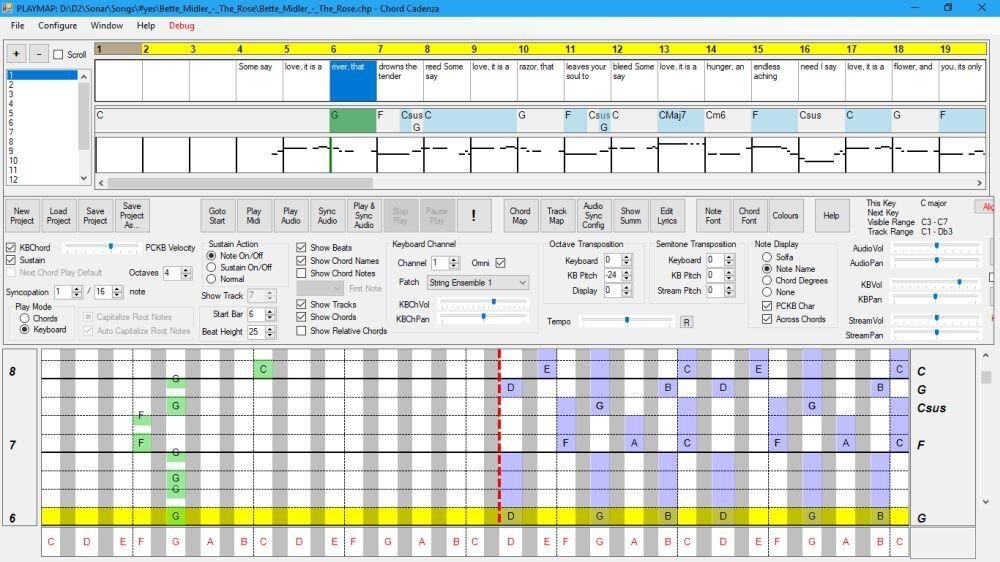
This app helps you to play and improvise chords whilst a MIDI file or audio source is being played. It does this by updating a rolling display to map the chord notes to a piano keyboard. It can also dynamically assign notes or chords to keys on a MIDI or PC keyboard.

Synchronisation is achieved automatically from a MIDI file. An audio file (e.g. MP3) can be synchronised and saved using the program.

Chords and major/minor keys can be extracted from the MIDI file using a configurable tool that analyses the MIDI file. Chords, keys, and time signatures can also be created or updated manually – this allows you to play along with an audio source without requiring a MIDI file.

The program contains a sequencer-style display that can be used to control the volume, panning, muting, solo’ing and patching of the tracks of the MIDI file.

Audio can be rendered with the program’s builtin synthesizer (using SoundFonts), or an external synthesizer.

Features:

  • Extract keys and chords from a MIDI file.
  • MIDI sequencer with track display and control.
  • Output to built-in synthesizer or MIDI out port.
  • ASIO and non-ASIO sound cards supported.
  • Play with MIDI or PC keyboard.
  • Display chords on a piano roll to facilitate playing and improvisation.
chord cadence interface

chordcadenza.org
sourceforge.net/projects/chord-cadenza

mineradio ~ Immersive Music Player


Mineradio is a Windows desktop immersive music player that combines search and play, lyrics stage, particle vision, 3D playlist rack, and full desktop mode into a private music space that is closer to a live experience.

github.com/XxHuberrr/Mineradio
sourceforge.net/projects/mineradio.mirror