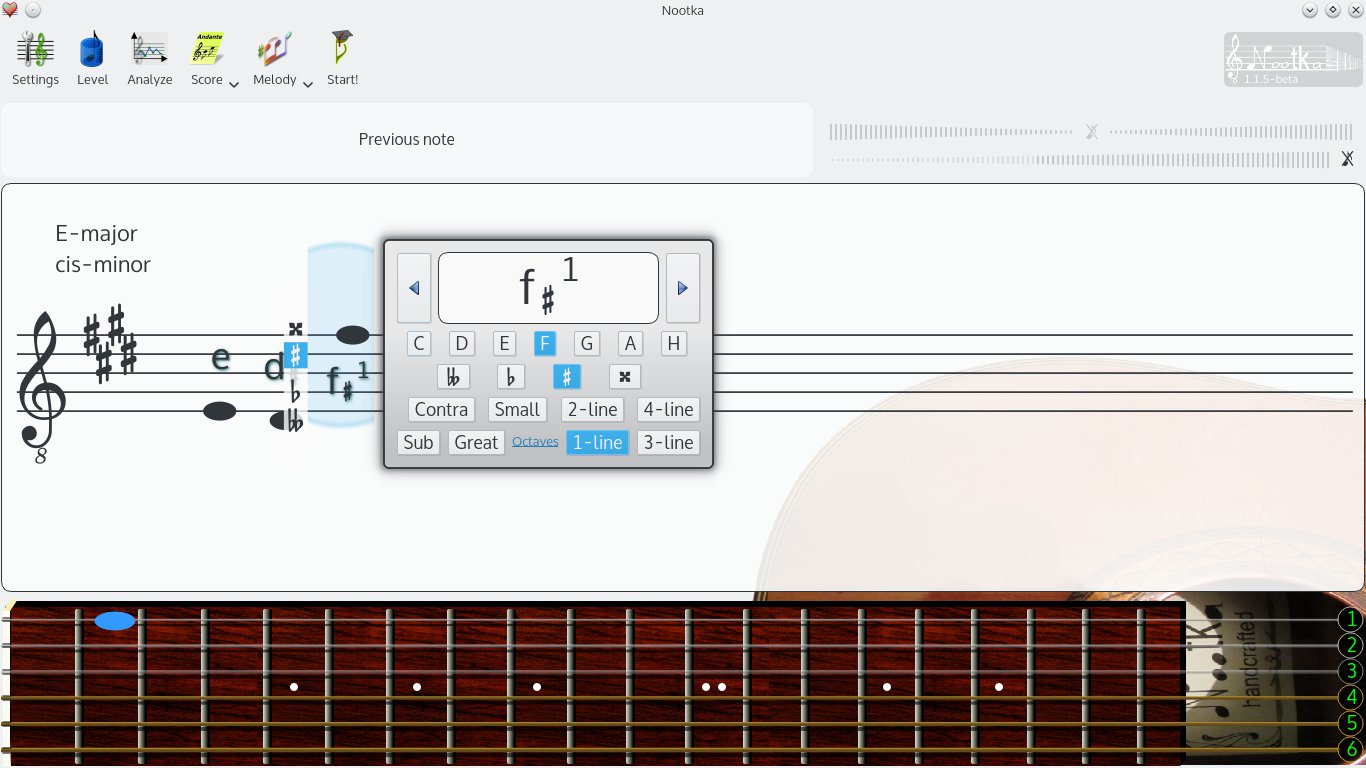
Nootka is an application to help learn classical score notation. It helps in understanding the rules of reading and writing scores and helps with developing skills of playing and singing notes.
Simply: users looks at piece of a score, plays it, while Nootka is listening to it, checks and shows was it played well. All in real time.
Features:
interactive interface to discover the rules of musical notation
exercises with possibility to create own sets
accurate method for detecting sung and played sounds
A digital signal processor that makes dull songs sound sharper, as in brighter.
Strictly speaking, nobody really needs this DSP. It’s just that some people like the effect. If you want to compensate deficiencies in your playback equipment or listening environment, the convolver or the equalizer are more appropriate tools. ~ HA post
There are four interrelated DSPs enclosed, only use the last one, Noise Sharpening.
Noise sharpening can/should be used alone. ~ HA post
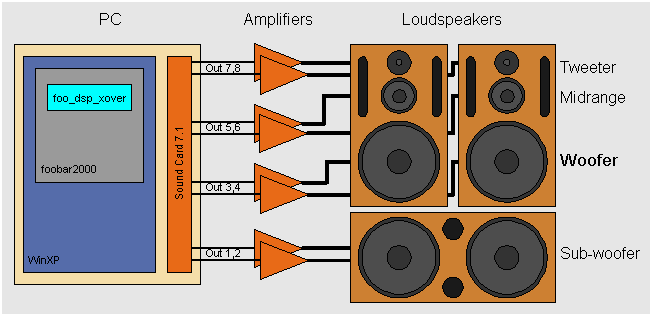
foo_dsp_xover is a software digital crossover implementation that I have been working on for a while in my spare time as a hobby. It is a Foobar2000 audio player plugin that implements this digital crossover to achieve active multi-amplification.
This software needs to run on a WinXP PC equipped with a multi-channel sound card (e.g. 5.1 or 7.1 surround sound card) feeding the various voices of a multi-amplifier and loudspeaker active configuration set-up.
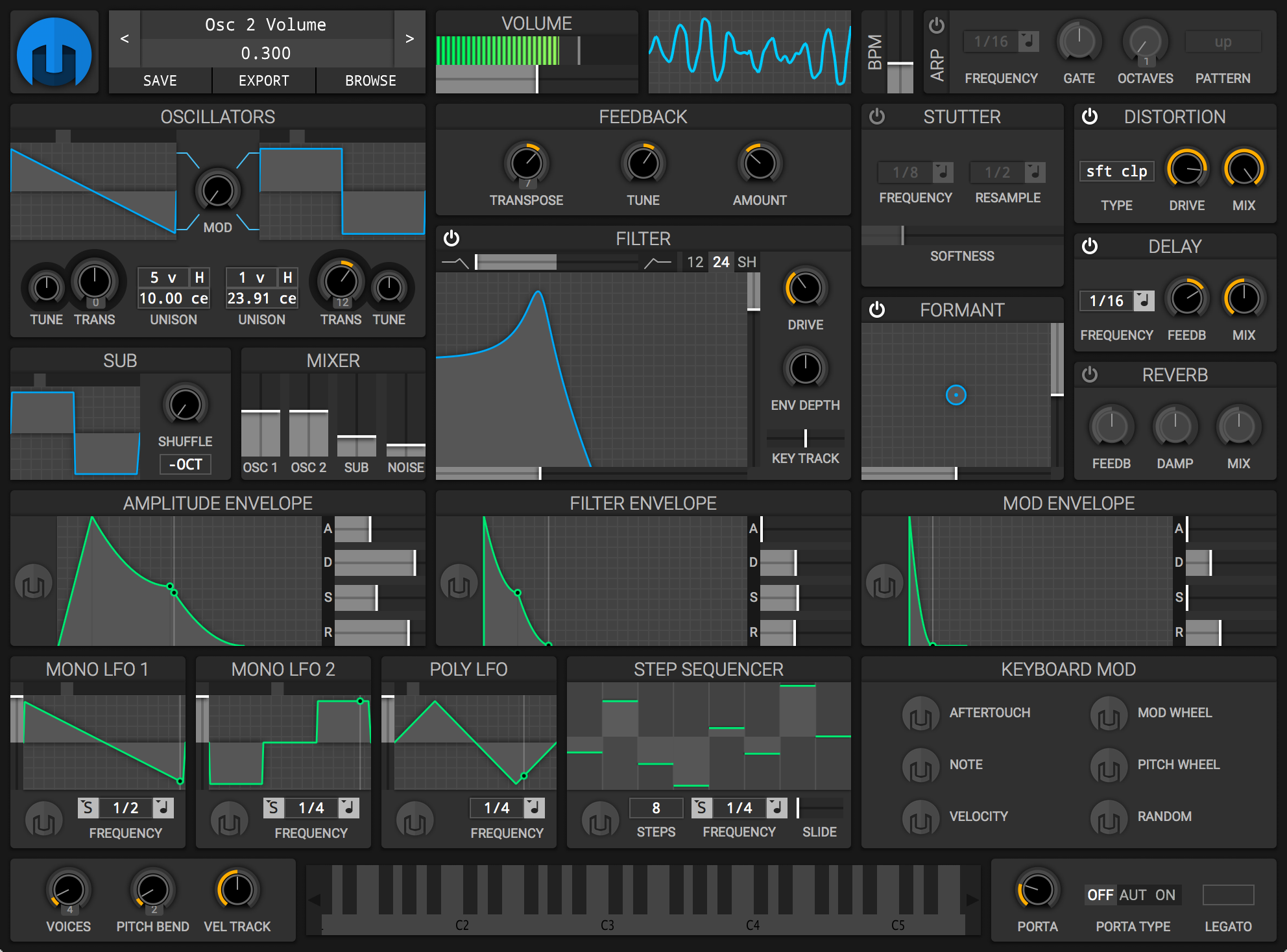
Helm runs in GNU/Linux, Mac OSX and Windows. Run Helm as a standalone synthesizer or as an LV2, VST, VST3 or AU plugin. Comes in both 32-bit and 64-bit versions.
FLAC Frontend is a convenient way for Windows users not used to working with command lines to use the official FLAC tools. It accepts WAVE, W64, AIFF and RAW files for encoding and outputs FLAC or OGG-FLAC files. It is able to decode FLAC files, test them, fingerprint them and re-encode them. It has drag-and-drop support too. It is tested on Windows XP SP3 and Windows 7, but should work with Windows XP SP2 or newer. It requires .NET 2.0 or later.
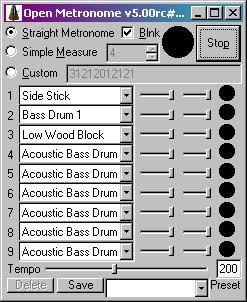
Free open source GPL metronome (a “branch” of “Weird Metronome“) for Windows, Windows Mobile, & Pocket PC. Uses user-definable multi-voice WAV or MIDI (PC only) sounds for the beats. Has a blinker & allows user defined bpm & fine measure control.
Features:
Accurate metronome sound! No skips or variation in audio output!
Custom rhythm patterns: use it as a (very basic) drum machine
User definable beats per minute
Set measure to any length, with emphasis on any beat(s)
Over 40 MIDI voices, optionally available as WAV samples
Up to nine simultaneous voices per beat
Add your own WAV samples to use whatever sounds you like
Highly customizable parameters
Define HotKeys to perform functions such as increase tempo
Set the Maximum & minimum tempo available via the tempo slider
Listing of specialized output components that extend Foobar2000 in order to interface directly with system hardware or software output devices. Some of these are already installed by default and the remainder should be installed as needed.
By default foobar2000 uses the Windows Audio Session API (WASAPI) output in shared mode on modern versions (v1.6 and later). This means foobar2000 sends audio through the standard Windows audio stack using WASAPI unless you explicitly select another output (like WASAPI exclusive, ASIO with a plugin, or other output components).
The built in outputs and all installed output components can be selected from in the Preferences: Playback > Output > Device submenu.
Exclusive mode (in the context of foobar2000 and Windows audio) means that the player takes sole control of the audio device, bypassing the Windows system mixer for the duration of playback.
Here is what that entails, factually and practically:
What happens in exclusive mode
The audio device is locked to foobar2000 while playback is active.
No other application can play sound through that device at the same time.
Audio data is sent directly to the driver via WASAPI Exclusive (or ASIO), without Windows resampling or mixing.
The device switches to the exact sample rate and bit depth of the track being played, if the driver supports it.
How this differs from shared mode
In shared mode, Windows mixes audio from multiple applications and resamples everything to the format set in Windows Sound → Device Properties → Advanced.
In exclusive mode, Windows’ mixer is bypassed entirely, so there is no system-level resampling, mixing, or volume processing.
Technical implications
Enables bit-perfect playback, assuming no DSPs or volume scaling are active in foobar2000.
Prevents interference from system sounds, notifications, or browser audio.
Reduces latency and avoids format conversions imposed by the OS mixer.
Trade-offs and limitations
System sounds and other apps will be silent while exclusive playback is active.
If an application already has exclusive control, foobar2000 cannot start playback on that device.
Some USB DACs and Bluetooth devices have limited or unstable exclusive support, depending on drivers.
Exclusive mode does not improve audio quality if the DAC or downstream hardware already resamples internally.
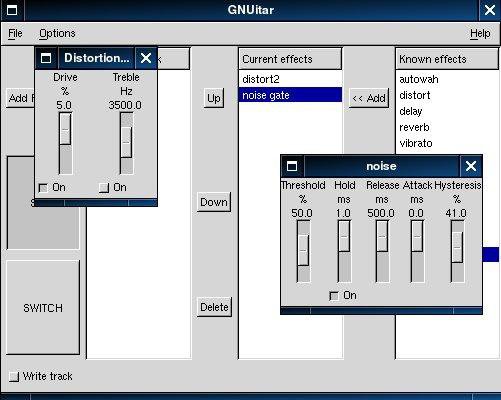
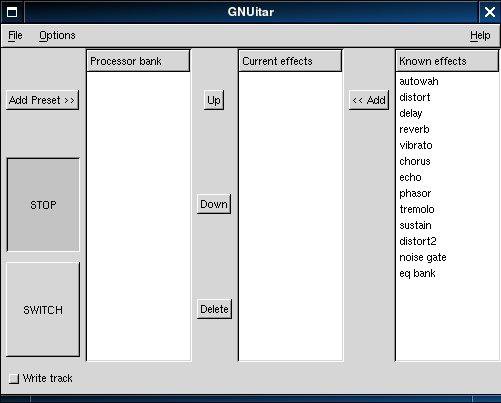
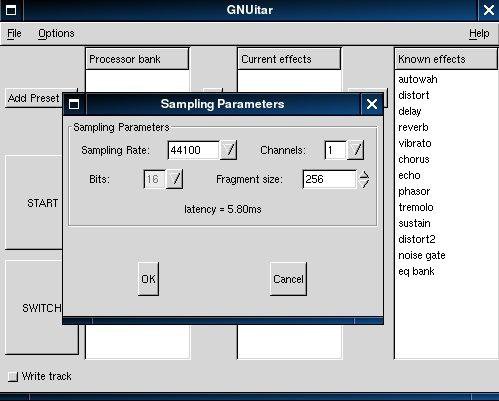
GNUitar is guitar effects software that allows you to use your PC as a guitar processor. It includes the following effects: wah-wah, sustain, distortion, reverberator, echo, delay, tremolo, vibrato, and a chorus / flanger.
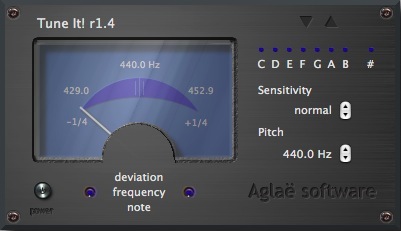
Tune It! is a piece of software that helps musicians to tune their instrument. It can also be used to monitor the pitch during live performance.
Tune It! is based on a original and very accurate pitch detection algorithm. It can tune a wide range of instruments such as guitar, bass, piano, flute, violin, saxophone, etc…
Tune It! is available for both Windows and Macintosh platforms. It can be ran as a standalone application or as a plugin within a VST or AU host.
Features:
Automatic note recognition from A-1 up to A6.
Programmable A440 reference from 400 to 480Hz (step of 1Hz or 0,1Hz).
Programmable Precision
The highest precision, the finest tuning.
The lower precision, the lower latency (suited for tuning control during live performance)
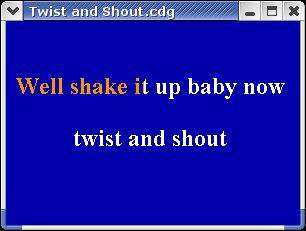
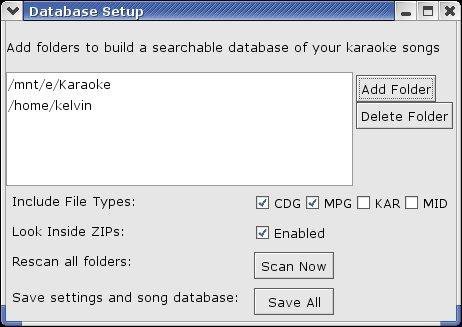
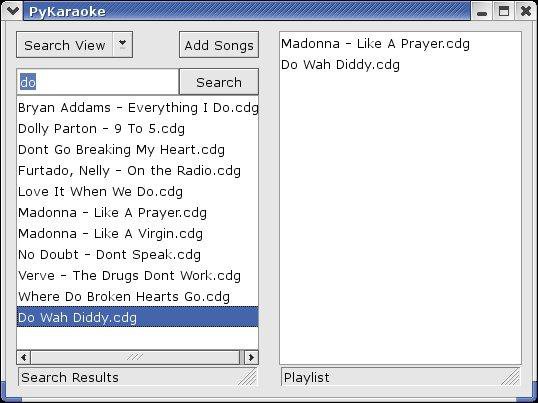
PyKaraoke is a free karaoke player for Linux, FreeBSD, NetBSD, Windows, OSX and GP2X.
You can use this program to play your collection of CDG, MIDI and MPEG karaoke songs. No songs are provided, you must obtain these from elsewhere.
Visit here to find out more about what a CDG or MP3+G file is. In short, CDG is the format of professional karaoke CDs. These CDs can be ripped to your hard disk, and turned into a .mp3 file together with a .cdg file. This player gives you the ability to play those mp3+cdg files.
PyKaraoke Features:
CDG (MP3+G, OGG+G, WAV+G) playback – Play standard CDG karaoke files
MIDI (.MID/.KAR) playback – Play MIDI format karaoke files
MPEG playback – Play karaoke songs and movies in MPEG format
Other formats – Play any other video formats by launching an external media player
Playlist – Queue up songs, sit back and enjoy
Searchable song database – Easily find your songs from the main screen
Search inside ZIP files – Play MP3+G/MIDI files wrapped in ZIP files
Cross-platform – Runs on Windows, Linux, BSD, OSX and GP2X
Mini Frontend – Additional mini-frontend for low res displays and handhelds
Export to MPEG – Convert CDG and KAR files to MPG files (command line only)
Common Music (CM) is a real-time music composition system implemented in JUCE/C++ and Scheme. It generates musical output via MIDI, OSC, CLM, FOMUS and CSOUND. Its user application is called GRACE (Graphical Real-time Algorithmic Composition Environment)
Features:
Algorithmic music composition environment
Runs on Mac, Windows and Linux
Real time scheduling of musical algorithms
Two coding languages for designing algorithms: S7 Scheme and SAL (an easy-to-learn alternate)
MIDI input/output
CLM/Sndlib audio system built in (Scottstaedt)
CCRMA digital audio instrument definitions built in (Scottstaedt)
Open Sound Control input/output
Metronomes and running algorithm redefinition for live coding
Data visualization
Music pattern definitions
Fomus system built in for computing music notations (Psenicka)
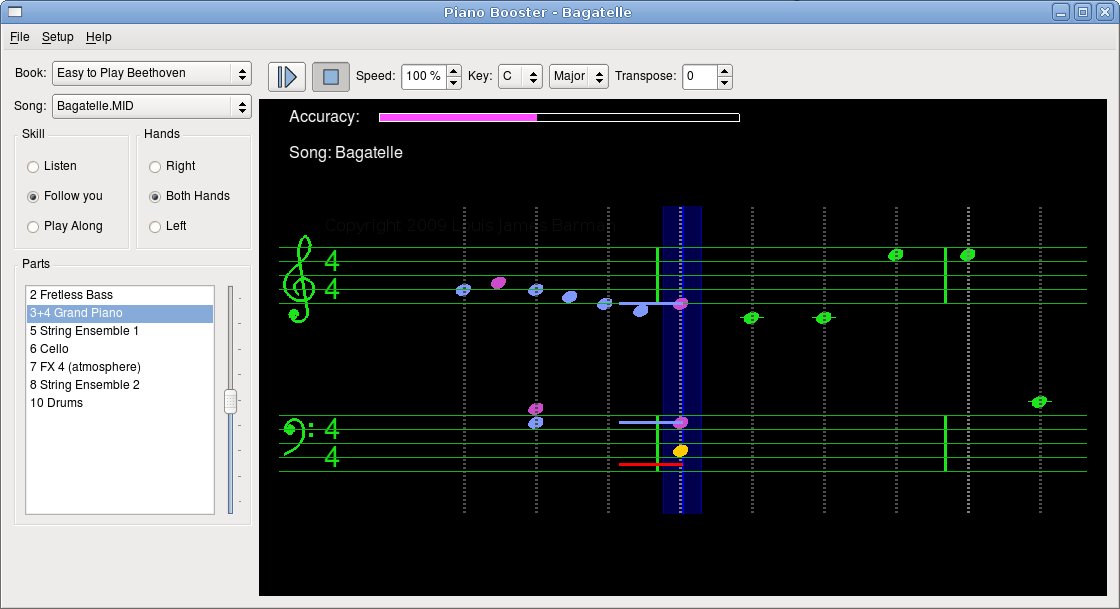
A MIDI file player that teaches you how to play the piano. PianoBooster is a fun way of playing along with a musical accompaniment and at the same time learning the basics of reading musical notation.
Features:
Piano Booster follows your playing when playing along to a musical accompaniment. (If you stop then so does the music).
Play a single hand and Piano Booster will play the other hand in time with you (and will also play the violins, the bass, the drums etc. in time with you).
Change the speed of playback to match your playing ability.
Transpose +/- 12 semitones without stopping the play back.
Change the Key Signature of the piece.
Plays any standard midi or kar file.
Play along to any instrument in the midi file.
Adjust the volume of the current part or the volume your piano part.
See the accuracy of you playing.
Change the start bar to start playing from any bar in the music. The repeat bars allows you to practice just a few difficult bars continuously.
Timing markers are white crosses that are drawn over each note and show if you are playing ahead or behind the beat.
A different instrument sound is used for the right and wrong notes that you play.