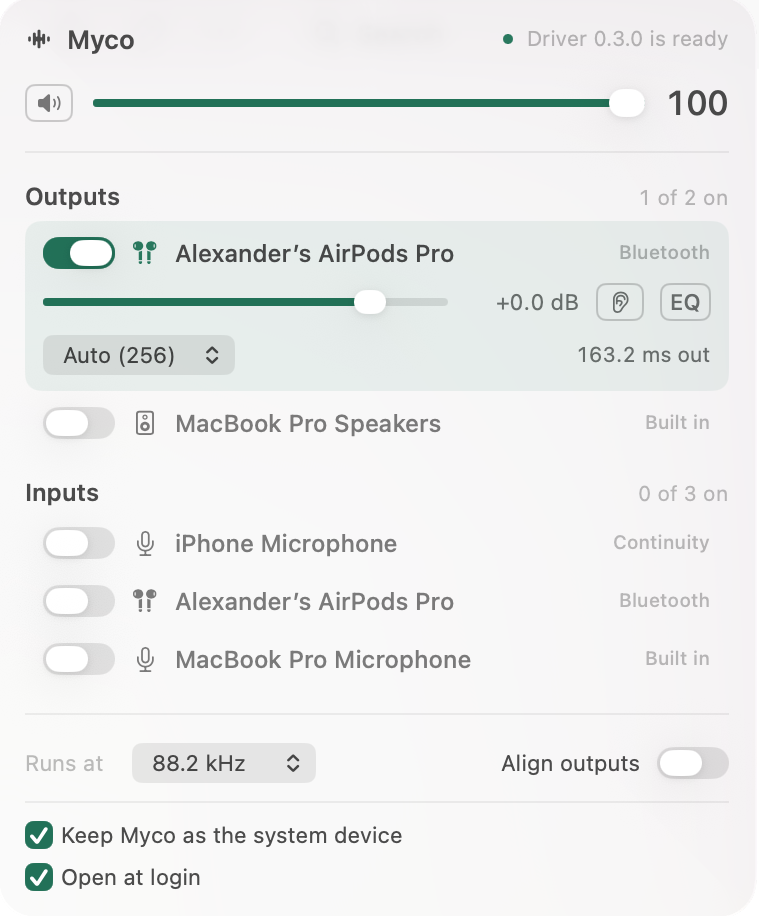
Lightweight, ergonomic multi-output audio device for macOS.

FluidEQ is a free, open-source system-wide parametric equalizer for Windows 10 and 11, processed by its own audio engine or by Equalizer APO — your choice. Tune once per output, and the right sound follows the right device without you touching anything again.


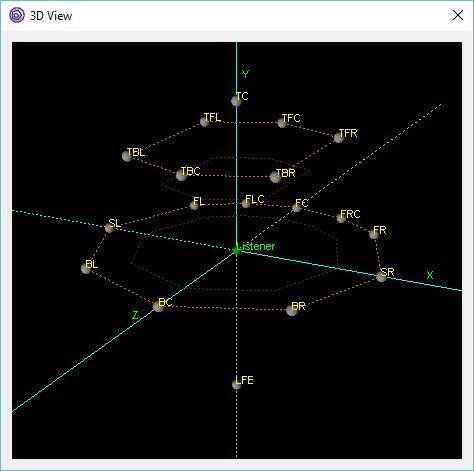
Crystal Mixer is based on the OpenAL engine surround sound mixer. It supports up to 8 direct output and input channels and up to 18 output channels through a 3D mixer. It works through the ASIO Driver API for versatility. It’s possible to use up to 15 customizable auxiliary effects. It is also possible to enable hardware acceleration with some sound cards.
Features:
- Multichannel surround sound support
- Up to 8 native input and output channels
- Up to 18 output channels mixing in 3D space
- Auxiliary EFX and EAX20 effects
- Reverb, Echo, Chorus, Flanger and others effects
- Sound rotation and position changing
- Source positions visual control with 3D view (OpenGL required)
- Hardware Acceleration with native OpenAL driver
- 3D movement effects
crystal-mixer.sourceforge.net
sourceforge.net/projects/crystal-mixer

Listing of specialized output components that extend Foobar2000 in order to interface directly with system hardware or software output devices. Some of these are already installed by default and the remainder should be installed as needed.
By default foobar2000 uses the Windows Audio Session API (WASAPI) output in shared mode on modern versions (v1.6 and later). This means foobar2000 sends audio through the standard Windows audio stack using WASAPI unless you explicitly select another output (like WASAPI exclusive, ASIO with a plugin, or other output components).
The built in outputs and all installed output components can be selected from in the Preferences: Playback > Output > Device submenu.

Displaying Output Information:
foo_outinfo allows foobar2000 to display the actual specifications of the audio being played and the output device information using titleformatting.
foobar.hyv.fi/?view=foo_outinfo
hydrogenaud.io/index.php?topic=97127.msg978428#msg978428
Exclusive mode (in the context of foobar2000 and Windows audio) means that the player takes sole control of the audio device, bypassing the Windows system mixer for the duration of playback.
Here is what that entails, factually and practically:
wiki.hydrogenaud.io/index.php?title=Foobar2000:Components/WASAPI_output_support_(foo_out_wasapi)
wiki.hydrogenaud.io/index.php?title=Foobar2000%3aPreferences:Output#Output_Device
Foobar2000 ~ How To Install A Component
en.wikipedia.org/wiki/Audio_Stream_Input/Output (ASIO)
en.wikipedia.org/wiki/Universal_Plug_and_Play (UPNP)
en.wikipedia.org/wiki/Windows_legacy_audio_components#Kernel_Streaming


