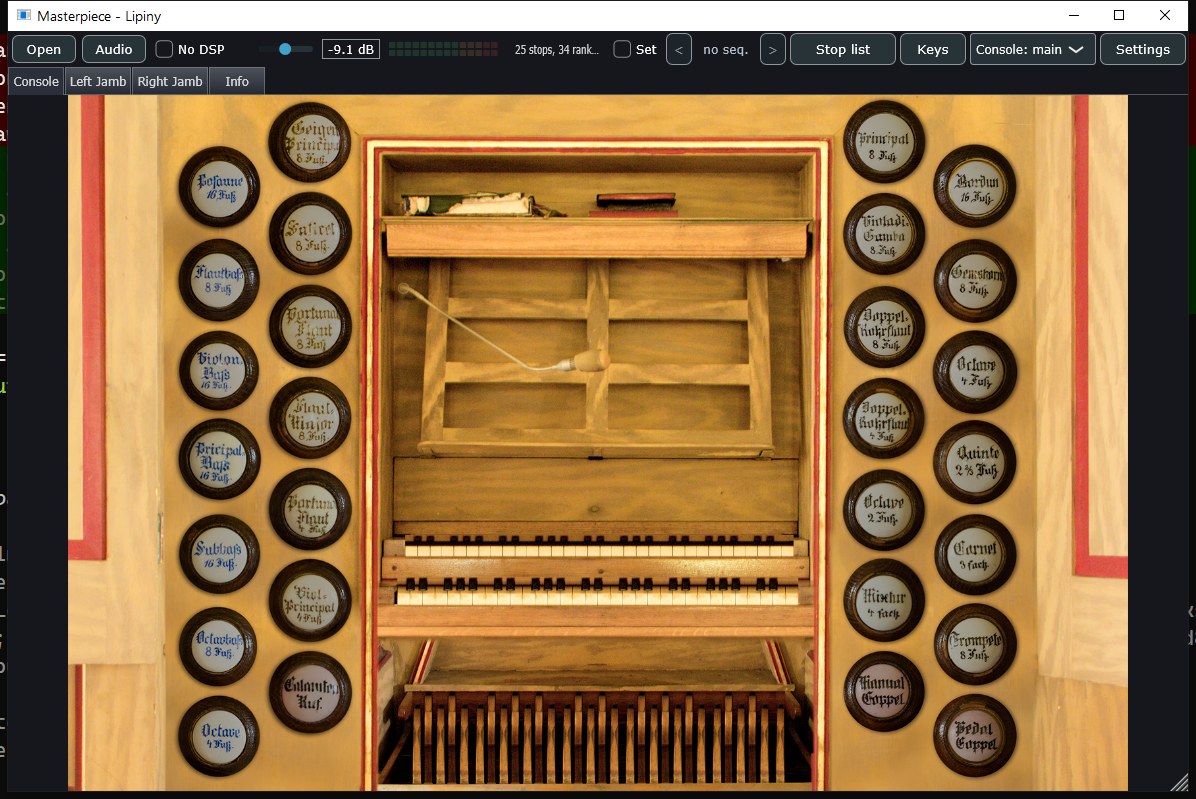
An open-source pipe organ sample player compatible with Hauptwerk sample sets.
bonninr.github.io/masterpiece
github.com/bonninr/masterpiece

An open-source pipe organ sample player compatible with Hauptwerk sample sets.
bonninr.github.io/masterpiece
github.com/bonninr/masterpiece

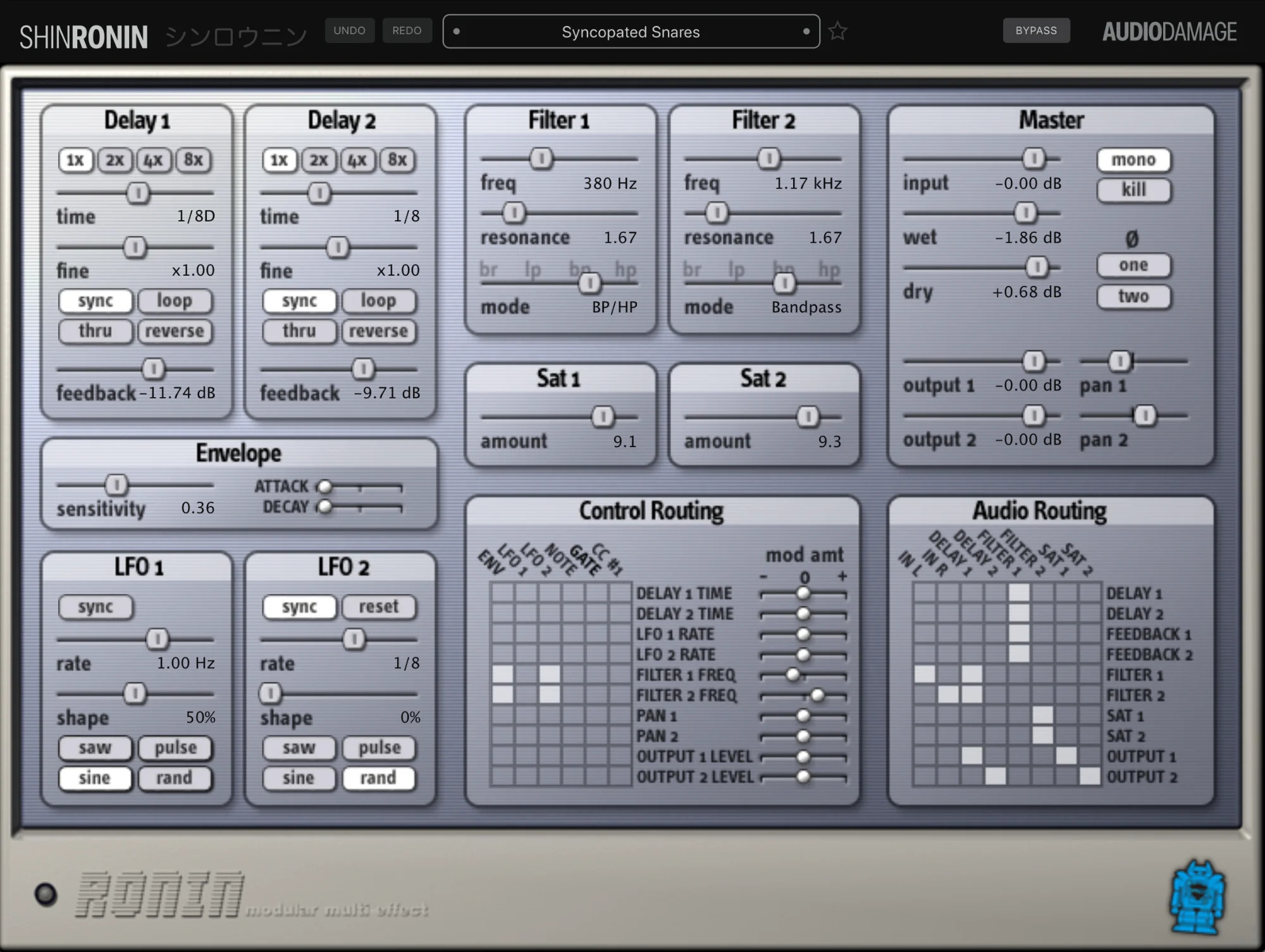
ShinRonin is a ground-up rebuild of Ronin, one of the earliest plugins we ever shipped, first released in 2003. The original paired two delay lines with a set of morphing filters and two fully patchable routing matrices, and it earned a cult following for the strange feedback networks and self-oscillating textures you could build inside it. Twenty years on, we have rebuilt it for modern systems, kept the architecture that made it worth remembering, and released it for free.
Two independent delay lines, each with tempo sync, reverse, looping, and feedback, feed a pair of morphing multimode filters that sweep continuously from notch through lowpass, bandpass, and highpass. There is saturation, two LFOs, and an envelope follower. Everything connects through two on-board matrices: a signal matrix that routes any audio source to any destination, and a modulation matrix that wires the LFOs, envelope, and incoming MIDI to nearly any parameter. It is happy doing clean stereo delays and gentle filtering, but the real fun starts when you patch a feedback loop and let it misbehave.
www.audiodamage.com/pages/shin-ronin

Nuked SC-55 CLAP is a CLAP audio plug-in built upon J.C. Moyer’s fork of nukeykt’s Nuked-SC55, an emulation of the Roland SC-55 Sound Canvas MIDI module.
Unlike the original Nuked-SC55, this version has no graphical user interface. It reacts to MIDI messages like an external MIDI module and is intended for retro gaming, hobby music, and research.
The plug-in supports ROM versions from several original SC-55 models, including the SC-55 v1.00 through v2.00 and SC-55mk2 v1.01. It runs on Windows, macOS and Linux. The project is based on the original MAME license, which includes restrictions on commercial use, including commercial music production and inclusion in commercial software packages.
The project describes its purpose as helping preserve DOS gaming history while providing historically accurate SC-55 sound through a modern CLAP plug-in.
Note: The plug-in requires ROM dumps from the original hardware; the ROMs are not included with the project.
github.com/johnnovak/Nuked-SC55-CLAP

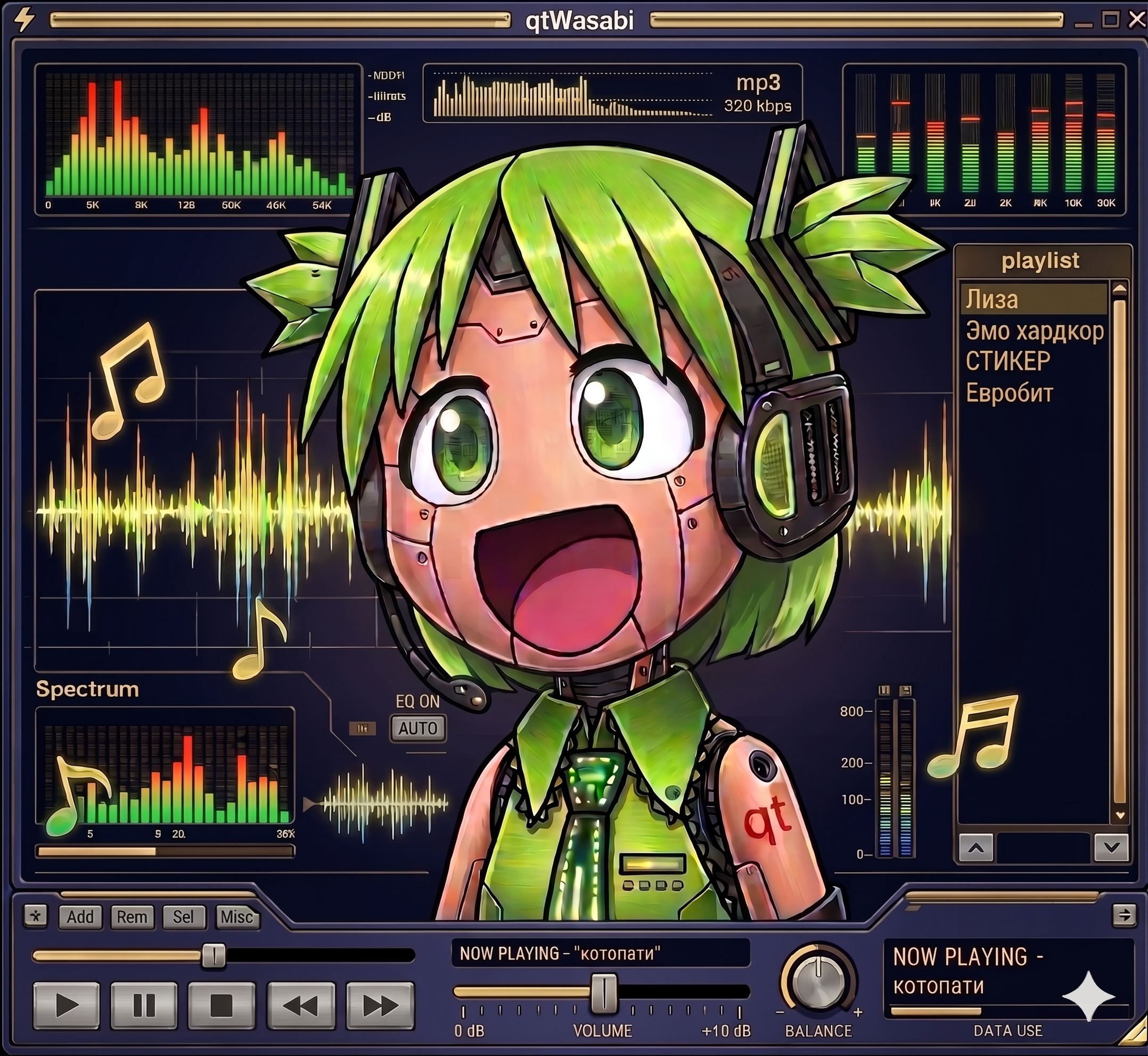
I never wanted a player that looks like Winamp. I wanted one that actually runs Winamp skins. The difference is bigger than it sounds. A Modern Skin is not a bitmap theme, it is a program. XML declares the widget tree, compiled Maki bytecode drives the behavior. Drawers slide, tabs switch, windows change their shape, all of it scripted by the skin itself. Repaint that and you have a pretty poster. I wanted the original.
That is why qtamp runs skins as real programs. qtamp is my Qt6-native music player and the reference player for qtWasabi, my independent reimplementation of a Modern Skin engine. Skins ship their compiled Maki bytecode with them, and qtWasabi executes it in its own Maki VM. The skin’s logic drives the interface exactly the way it did in 2002.
The name is a play on words. “Qt” as in the framework, “qt” as in cute. A Qt-native amp, and hopefully a cute one.

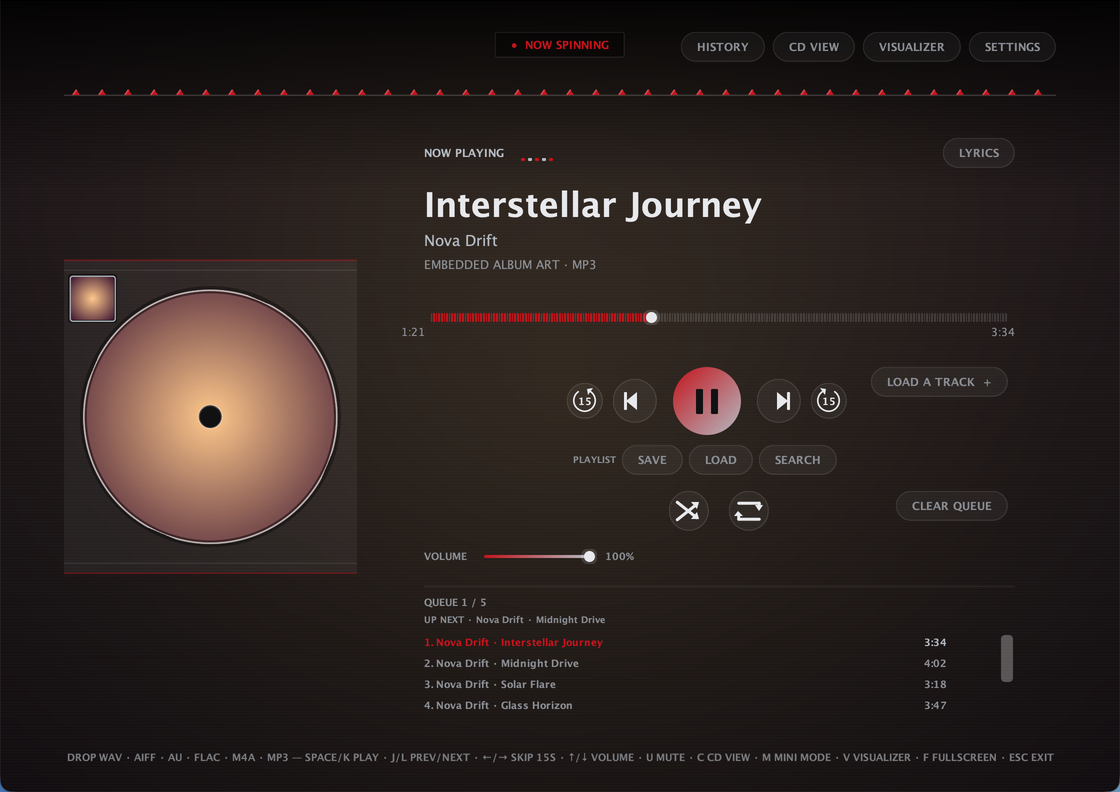
CDPlayer is a Java desktop app that recreates the tactile feel of a physical CD player for local audio playback. Load a track, press play, and enjoy a simple, distraction-free music experience without relying on a browser or web app — no accounts, no streaming, no internet required to play a song. Built with plain Java and native Swing/AWT — no external UI framework, single self-contained app
Plays local audio files through a custom low-latency streaming engine, with FFmpeg handling the formats Java can’t decode natively
Full queue management: drag-and-drop, drag-to-reorder, shuffle, repeat, crossfade, volume, mono downmix, and per-track removal — queue is saved automatically and restored next launch
Ten built-in themes — nine animated ones plus AUTO, which derives its whole palette from the current track’s own album art
A sleep timer that pauses playback after a set time, with a live countdown in the header
A 10-band graphic equalizer with built-in and savable custom presets, and a beat-synced visualizer
True fullscreen, a distraction-free fullscreen Visualizer Mode, and a Mini Mode that shrinks the whole app down to a small always-on-top widget
A dedicated Settings dialog for theme, crossfade, mono, and an ambient blurred-cover-art background wash
Automatic metadata and album art, with an online lookup fallback when a file has none
Works on Windows, macOS, and Linux. ffmpeg required.

Manifold is a desktop audio batch-processing tool built for inspecting, transforming, and exporting large collections of audio files with a visual workflow editor. Useful for checking and pre-processing audio for game-audio production, podcasts and broadcast, it is designed to make repetitive tasks more efficient and reproducible.
It combines a polished ImGui-based interface with a custom node-based audio pipeline, allowing you to build repeatable processing chains for tasks such as loudness normalization, peak limiting, DC offset cleanup, resampling, and format conversion.Why Manifold?
Manifold was designed to make audio batch work feel more structured and reproducible. Instead of manually running ad-hoc commands or scripting every step, you can:
This makes it useful for workflows such as podcast preparation, mastering prep, broadcast delivery, and game-audio asset processing.
Manifold includes a growing set of audio processing and analysis nodes, including:
These nodes can be chained together to create custom pipelines for different production scenarios.

Sonic Topography is a desktop music player and 3D music visualization application. It transforms the low, mid, and high frequencies in music into three-dimensional terrain that undulates, glows, and flashes, turning listening to music into a breathing sound map.
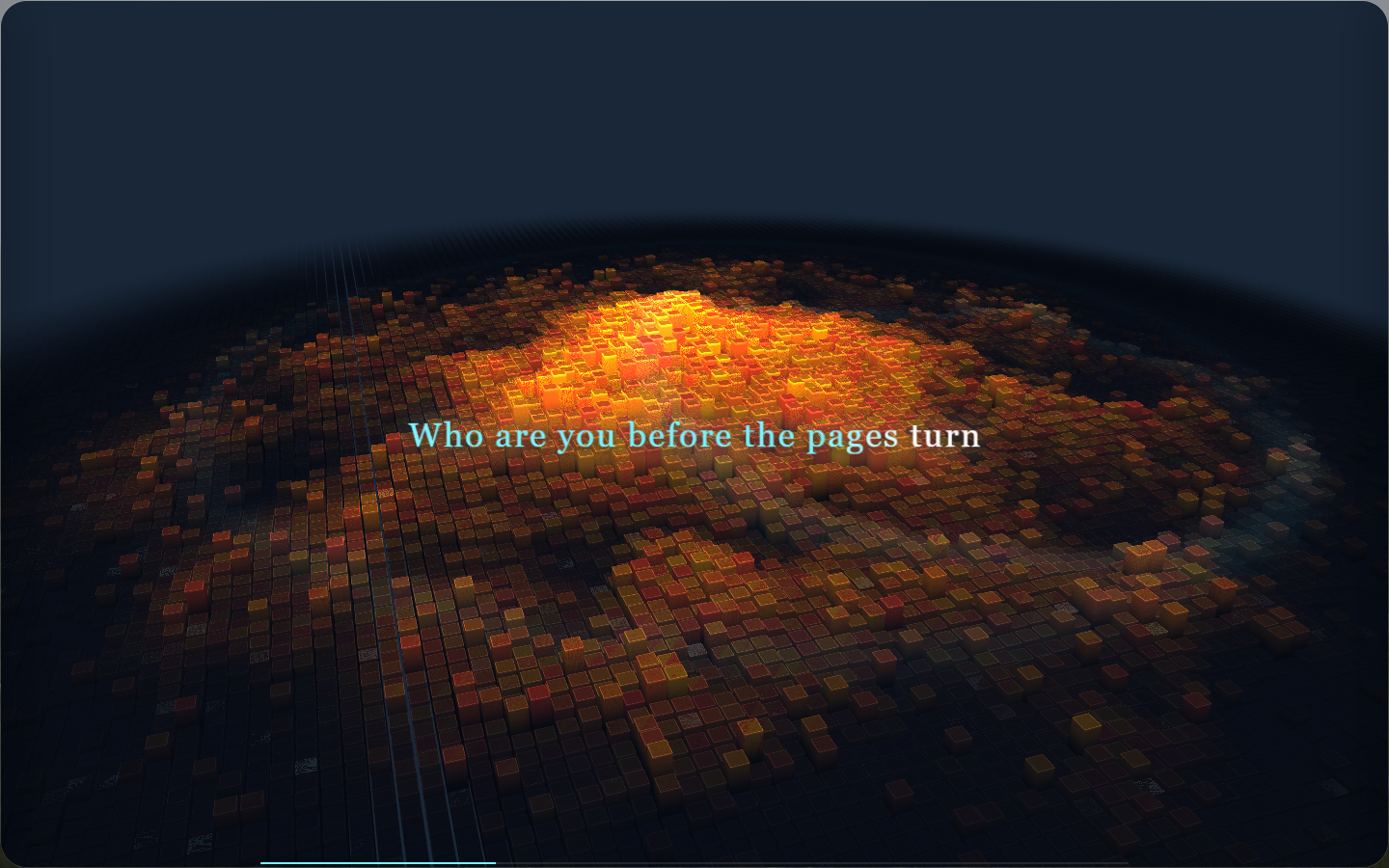
github.com/yin-yizhen/sonic-topography

Sound Ninja is an Open Source Soundboard App with maximal customizability option to create your best Soundboard. Perfect for live streaming, chatting with friends or podcast recording.
github.com/marcus-universe/SoundNinja

spotatui plays Spotify natively and streams YouTube, your local files, Subsonic or Navidrome and 30,000+ internet radio stations from a single keyboard-driven player. Spotify is optional. So is the AI DJ.
Features:
- Multiple sources — Spotify optional. Play from Spotify, Local Files, a Subsonic/Navidrome server, Internet Radio, YouTube, or Qobuz. The free sources need no Spotify account; press
dto switch between them at any time.- Native streaming. Play Spotify audio directly, no official app or spotifyd required — spotatui appears as its own Spotify Connect device (Premium required).
- Synced lyrics. Line-by-line lyrics that follow playback.
- Real-time audio visualizer. A system-wide FFT visualizer (press
v) that reacts to whatever is playing.- Cross-source play queue. Press
zon any track to queue it — the queue plays across every source before your current context resumes.- Lua plugins. Extend spotatui with event hooks, commands, keybindings, popups, and theming.
- Listening history & recap. spotatui keeps a local play history and can generate a shareable HTML recap (
spotatui history recap).- Full CLI. Most of what the UI does is scriptable — playback, search, playlists, shell completions. Run
spotatui --help.- Lightweight. ~78 MB RAM while streaming, versus a full Electron client. See Performance.
spotatui.com
github.com/LargeModGames/spotatui

getID3() is a PHP script that extracts useful information from MP3s & other multimedia file formats.
www.getid3.org
github.com/JamesHeinrich/getID3
sourceforge.net/projects/getid3
www.drupal.org/project/getid3
github.com/Owen-oj/laravel-getid3
github.com/plutuss/getid3
packages.debian.org/sid/php-getid3

foo_localize adds multilingual support to foobar2000 using external JSON language packs. It allows the foobar2000 interface to be translated without modifying the player itself.
github.com/hehelp/foo_localize
foobar2000 has traditionally been an English-language application. foo_localize removes that limitation by translating much of the user interface, including:
It also provides support for JScript and Spider Monkey Panel scripts and an API for component developers. The component currently includes language packs for:
An English template is included for creating additional languages.
Download the appropriate version from the project’s Releases page and install it as a normal foobar2000 component.
Additional options are available under:
File → Preferences → Display → Dynamic Multilingual Engine
Menus, dialogs and playlist/library localization can be enabled separately. Windows users can also enable Static Resource Translation. Language changes take effect without restarting foobar2000.
foo_localize only translates the interface. Track titles, artist names, album names, filenames, paths and other user data are not changed.
Localization has been a long-standing gap in foobar2000. foo_localize provides a practical solution without requiring separate localized versions of the player.
For users who prefer to work in another language, it makes foobar2000 considerably more accessible, and for the foobar2000 ecosystem, it provides a common foundation for multilingual components and scripts.

Music Assistant is a free, opensource media library manager that connects to your streaming services and a wide range of connected speakers. The server is the beating heart, the core of Music Assistant and must run on an always-on device like a Raspberry Pi, a NAS or an Intel NUC or alike.
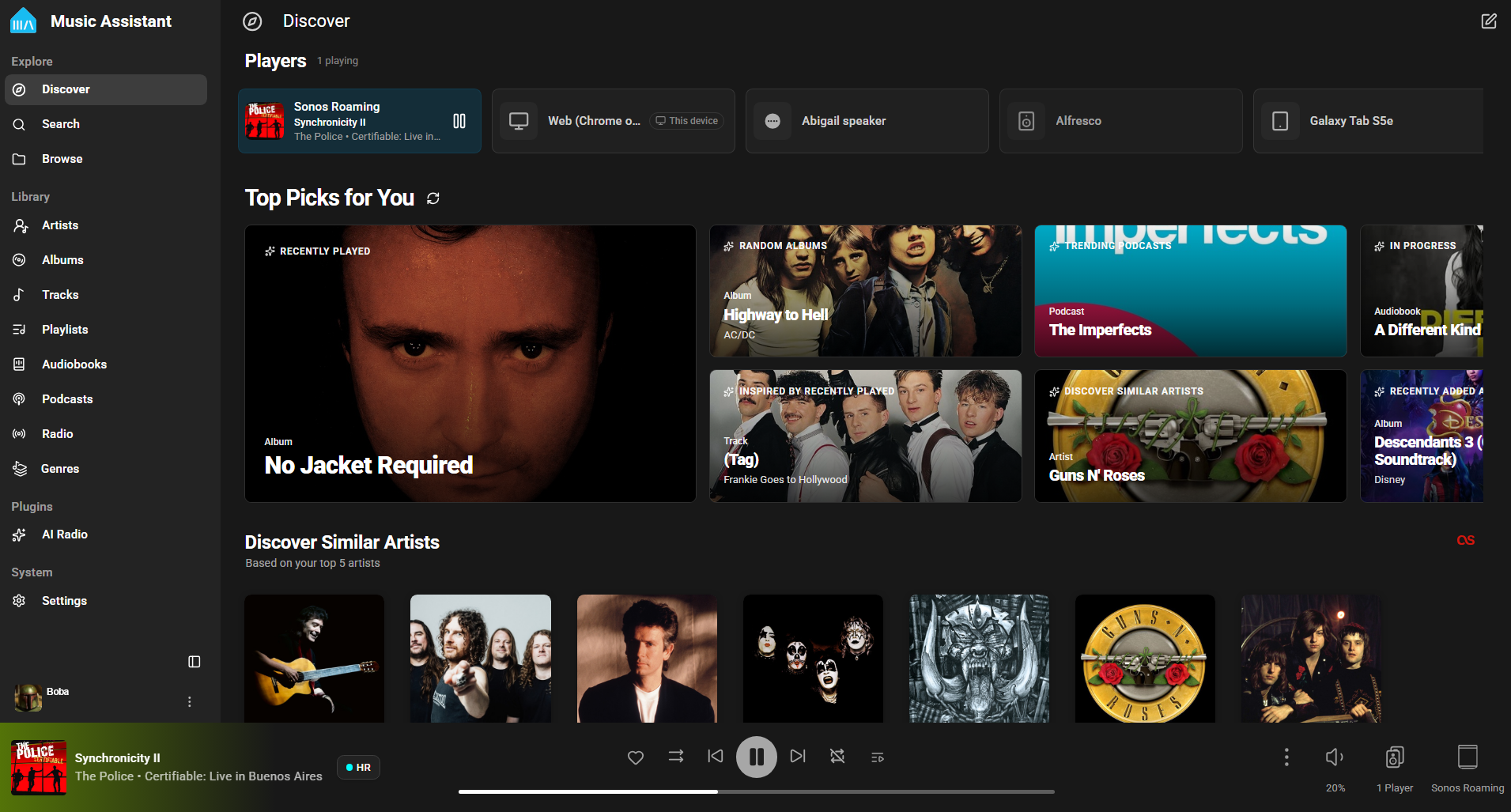
www.music-assistant.io
github.com/music-assistant
github.com/music-assistant/server


