Collaborative sheet-music & lyrics annotation for bands and ensembles: a reactive web editor (TroubaStudio), an authoritative Go sync core (TroubaCore), and an offline mobile presenter (TroubaStage).
github.com/yoda-jm/troubastack

Collaborative sheet-music & lyrics annotation for bands and ensembles: a reactive web editor (TroubaStudio), an authoritative Go sync core (TroubaCore), and an offline mobile presenter (TroubaStage).
github.com/yoda-jm/troubastack

Local music player and downloader.
Features:
- Play local audio in different ways
- Drag and drop multiple files and folders from your file manager onto the app to add them to the queue
- Build and search your own custom audio library in app, by registering locations from your computer
- Manually select a folder to open
- Reorder and shuffle queue
- Loop current or whole queue
- Create your own playlists
- Import and export your playlists to .M3U format
- Automatically download missing playlist tracks
- Search and download songs and albums directly from the internet, using yt-dlp
- Allow downloading songs and playlists using direct url
- Lyrics auto fetching from song file name + caching
- Change lyrics source if they are incorrect or sync is broken
- Power saving / appearance toggle, if your machine struggles with pretty blurs and overly long queues :p
- Automatically fetches album cover art using filename and parent directory name + caching
- Enable / disable auto cover art fetching
- Link your Youtube account (by using your browser’s cookies) to download content that fails otherwise
- Looks cute and pretty :3
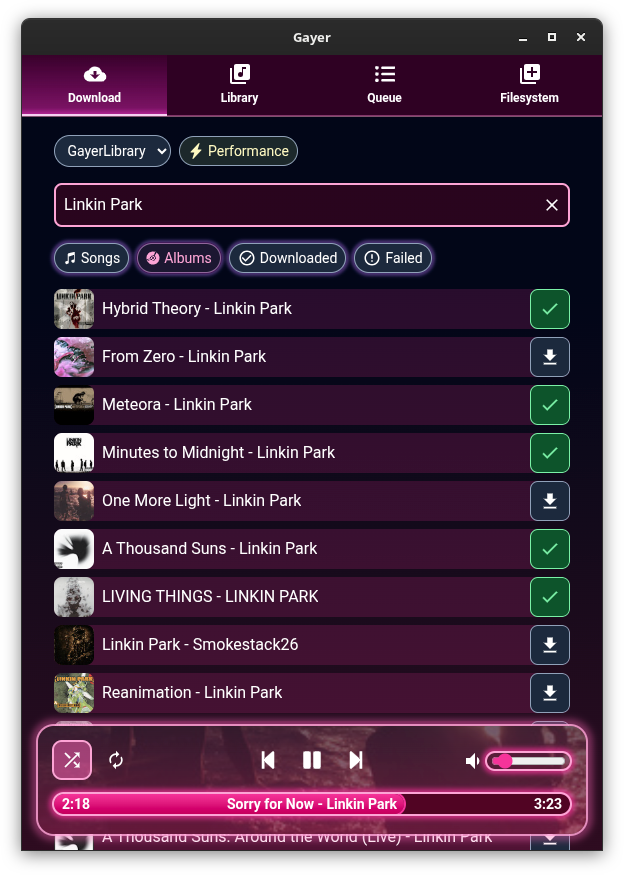
github.com/esteakacrownie/gayer

Luminous is a fast, local-first player for your own audio library. Built for anyone who wants the convenience of a modern streaming app without giving up ownership of their music. Turn a folder of files into a library you’ll enjoy browsing and listening to.
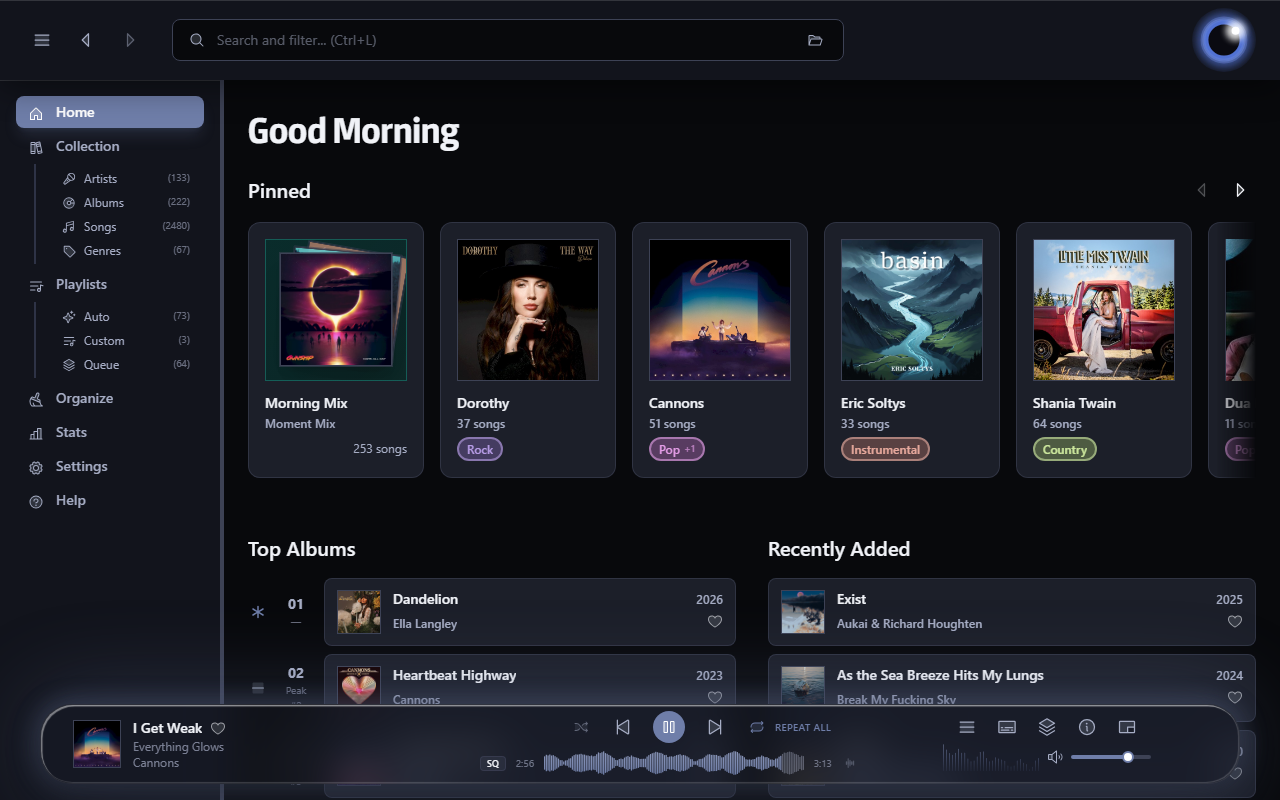
esoltys.dev/luminous
github.com/esoltys/luminous

spotatui plays Spotify natively and streams YouTube, your local files, Subsonic or Navidrome and 30,000+ internet radio stations from a single keyboard-driven player. Spotify is optional. So is the AI DJ.
Features:
- Multiple sources — Spotify optional. Play from Spotify, Local Files, a Subsonic/Navidrome server, Internet Radio, YouTube, or Qobuz. The free sources need no Spotify account; press
dto switch between them at any time.- Native streaming. Play Spotify audio directly, no official app or spotifyd required — spotatui appears as its own Spotify Connect device (Premium required).
- Synced lyrics. Line-by-line lyrics that follow playback.
- Real-time audio visualizer. A system-wide FFT visualizer (press
v) that reacts to whatever is playing.- Cross-source play queue. Press
zon any track to queue it — the queue plays across every source before your current context resumes.- Lua plugins. Extend spotatui with event hooks, commands, keybindings, popups, and theming.
- Listening history & recap. spotatui keeps a local play history and can generate a shareable HTML recap (
spotatui history recap).- Full CLI. Most of what the UI does is scriptable — playback, search, playlists, shell completions. Run
spotatui --help.- Lightweight. ~78 MB RAM while streaming, versus a full Electron client. See Performance.
spotatui.com
github.com/LargeModGames/spotatui

A native macOS music and podcast player and library built with Swift 6 and SwiftUI. Features gapless playback, AcoustID fingerprinting, smart playlists, lyrics, visualizers, scrobbling, and a DSP/EQ engine powered by FFmpeg.
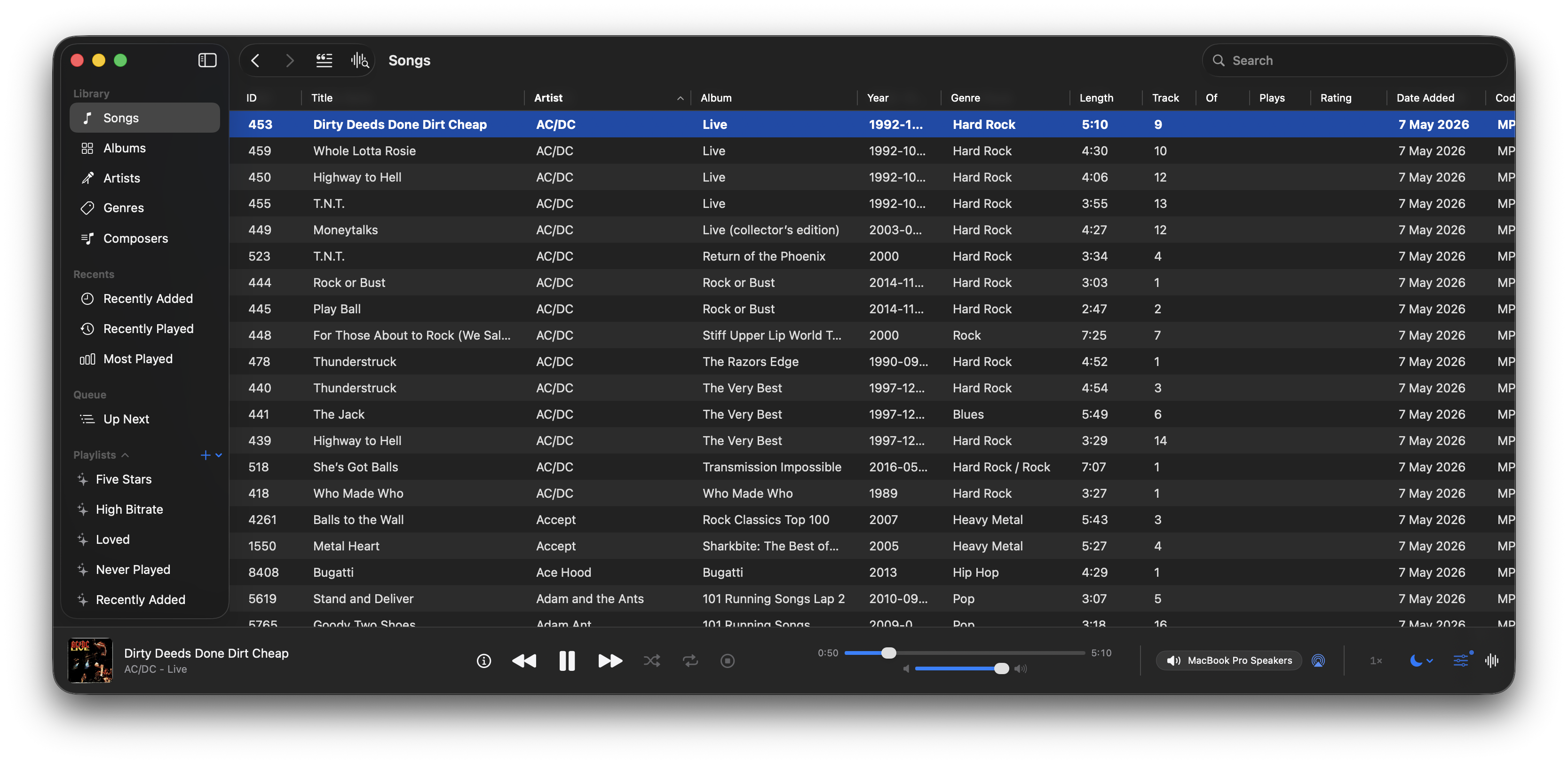
github.com/bocan/bocan-music
bocan.app

foobar2000 visual lyrics components: inset panel, transparent desktop lyrics, Windows taskbar lyrics. The lyrics are sourced from local
.lrc/.ttmland the preference “in use”. The factory first uses the NetEase Cloud / Kugou/QQ verbatim community script, and then LRCLIB, Kugou, QQ, and NetEase Cloud verbatim sources; embedded lyrics, amlldb TTML, and YouTube subtitles are available sources by default. Sources that are not added will not be searched. Supports standard LRC, Enhanced LRC (word<>-for-line time), and Apple / AMLL lyrics TTML (right-click to select Zhuyin, translation, and romanization); karaoke with word stamps can be cut to the current word according to the character shape.
github.com/hehelp/klyrics
hydrogenaudio.org/index.php/topic,129863.0

Music Assistant is a free, opensource media library manager that connects to your streaming services and a wide range of connected speakers. The server is the beating heart, the core of Music Assistant and must run on an always-on device like a Raspberry Pi, a NAS or an Intel NUC or alike.
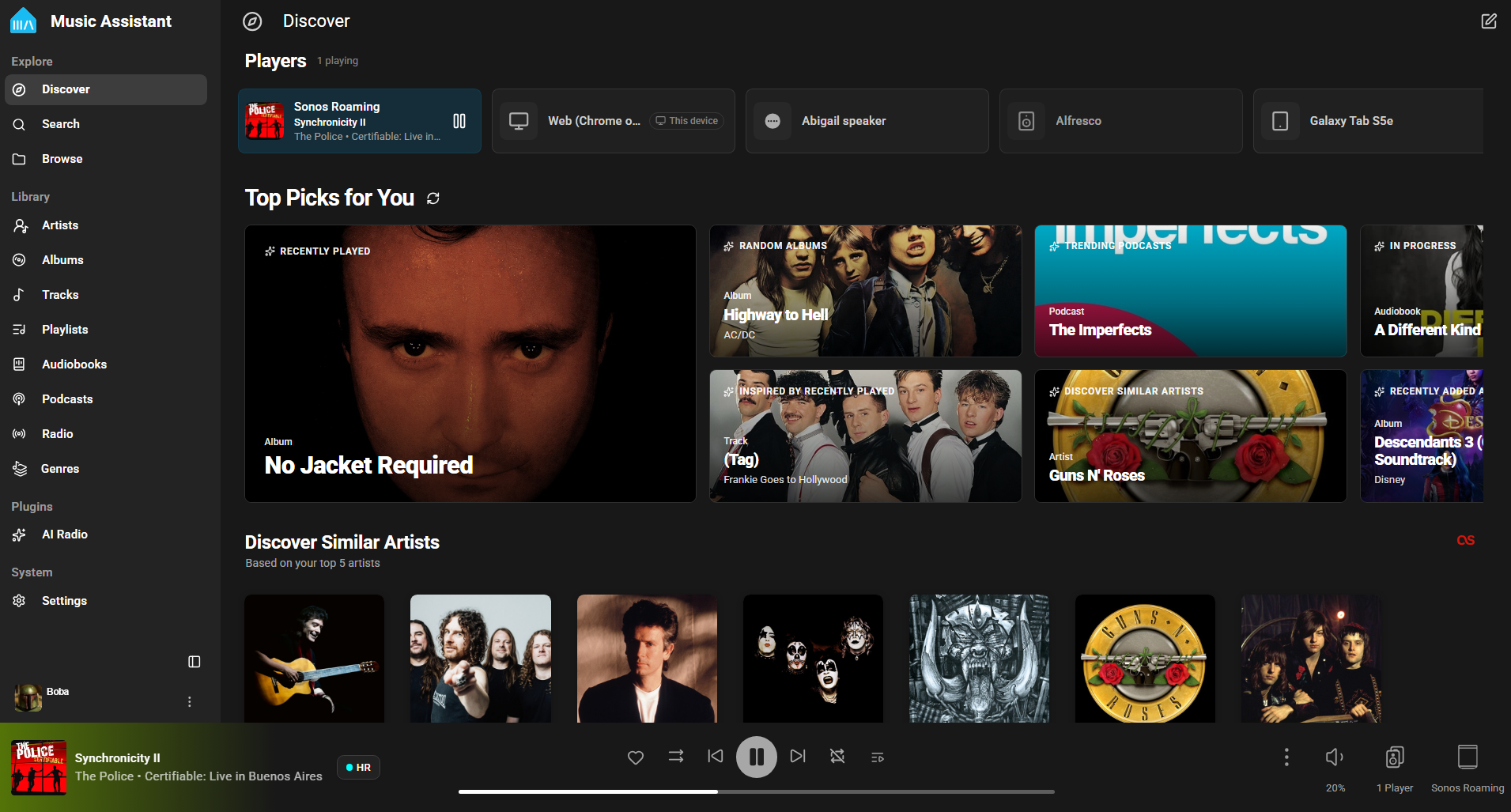
www.music-assistant.io
github.com/music-assistant
github.com/music-assistant/server

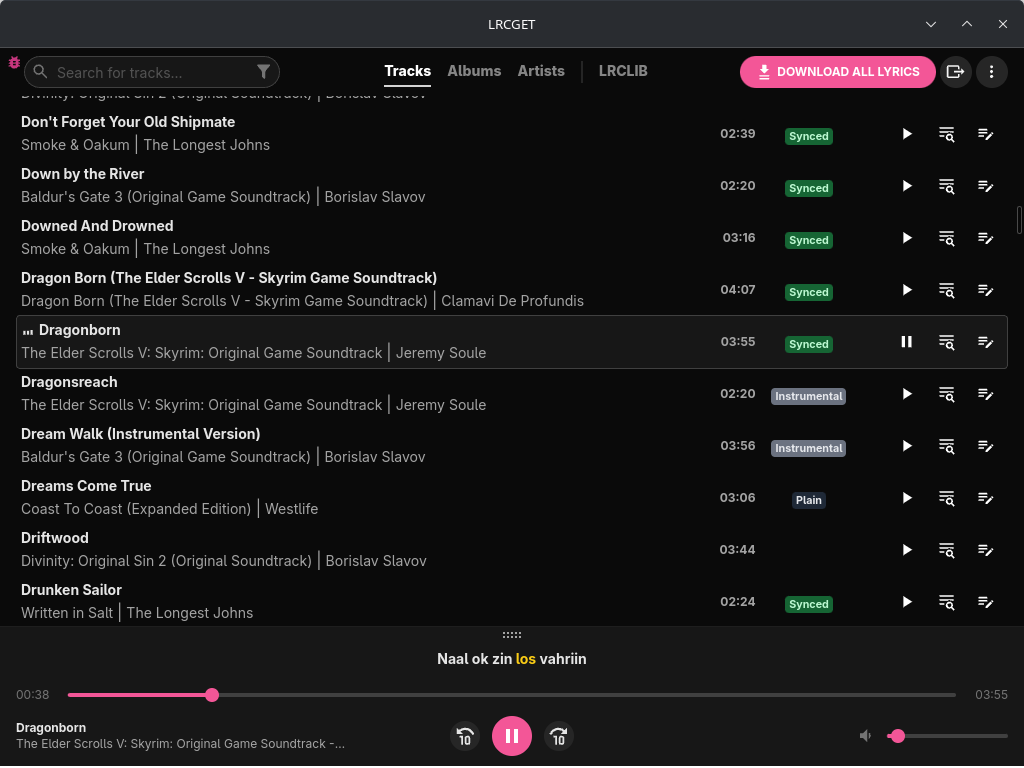
Utility for mass-downloading LRC synced lyrics for your offline music library.
LRCGET will scan every files in your chosen directory for music files, then and try to download lyrics to a LRC files having the same name and save them to the same directory as your music files.
LRCGET is the official client of LRCLIB service.
github.com/tranxuanthang/lrcget
flathub.org/en/apps/net.lrclib.lrcget
Resources:
lrclib.net
en.wikipedia.org/wiki/LRC_(file_format)

Mineradio is a Windows desktop immersive music player that combines search and play, lyrics stage, particle vision, 3D playlist rack, and full desktop mode into a private music space that is closer to a live experience.
github.com/XxHuberrr/Mineradio
sourceforge.net/projects/mineradio.mirror

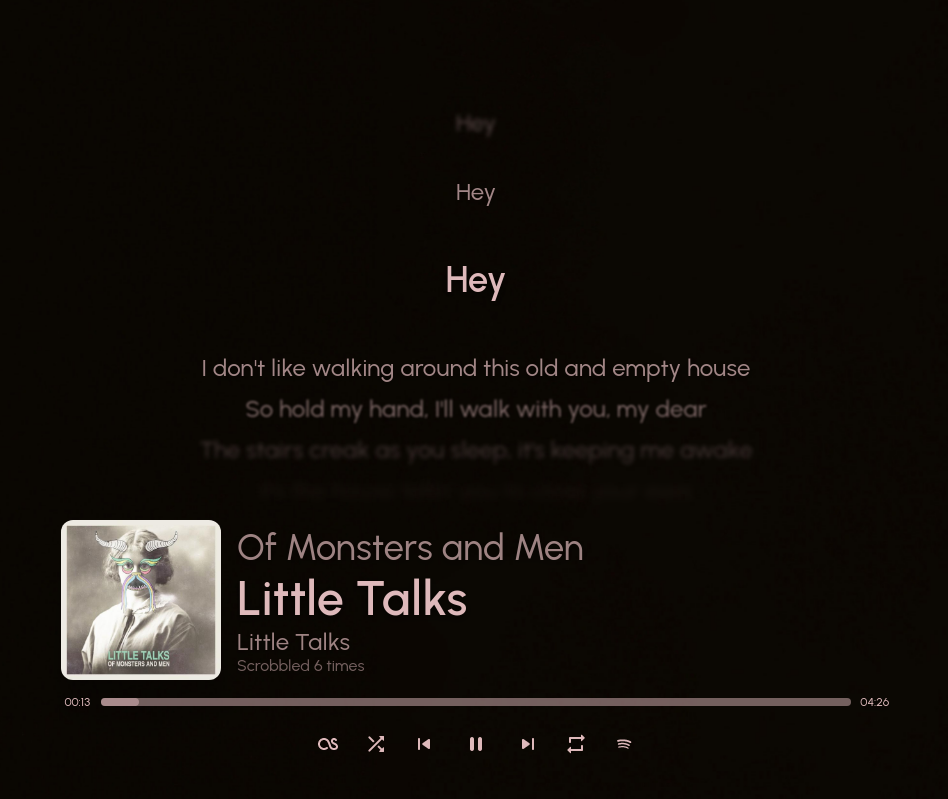
Show your currently playing song in a stylish way!
itsfoss.com/sunamu-music-widget

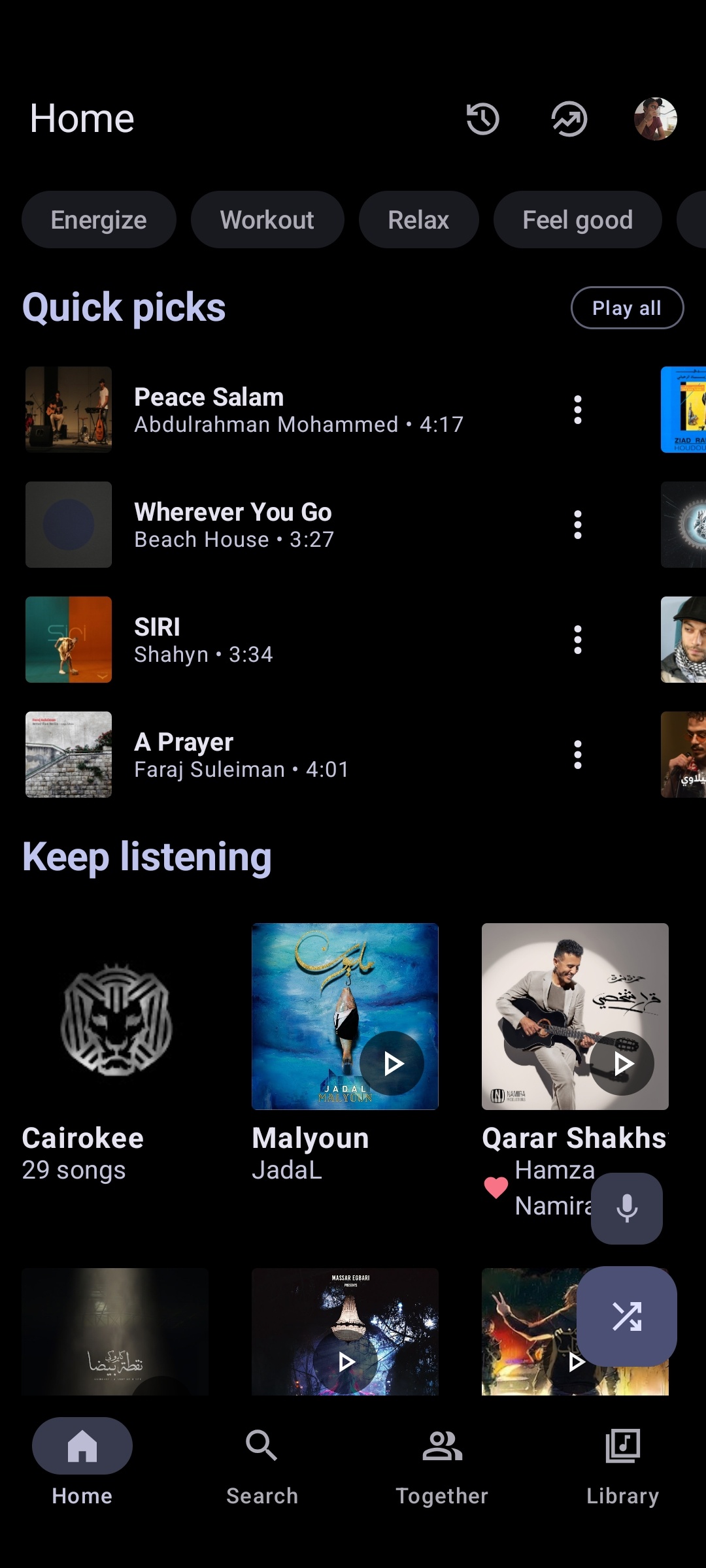
Advanced YouTube Music client for Android.
metrolist.meowery.eu
github.com/MetrolistGroup/Metrolist
github.com/MetrolistGroup/metrobot
github.com/MetrolistGroup/metroserver

Pear Desktop is an Electron-based desktop client for YouTube Music designed for Windows, Linux and macOS. The project keeps the standard YouTube Music interface while adding desktop integration, plugins, themes and additional playback features.
The application is open source and distributed under the MIT license.
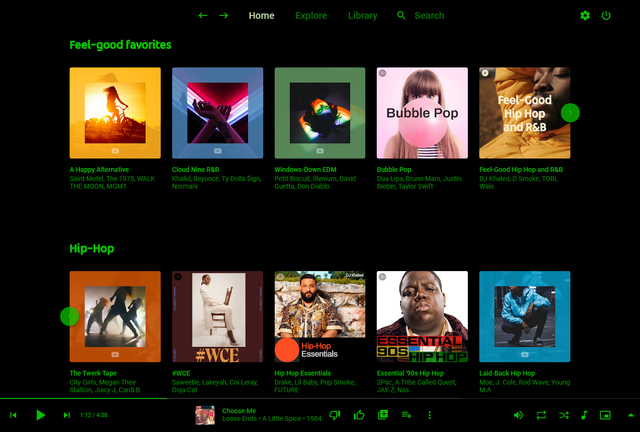
Pear Desktop loads the standard YouTube Music web interface inside a desktop application window and extends it through plugins and Electron desktop integration. It is not a standalone music service and still requires a YouTube Music or Google account for normal use.
Because Pear Desktop uses Electron, memory and CPU usage are generally higher than lightweight native audio players such as foobar2000 or AIMP. The project is intended primarily as a feature-enhanced desktop frontend for streaming music from YouTube Music rather than as a traditional local-library music player.
github.com/pear-devs/pear-desktop


