Network Audio System ~ Client Server Sound


The Network Audio System is a network transparent, client/server audio transport system.

Features:

  • Device-independent audio over the network
  • Lots of audio file and data formats
  • Can store sounds in server for rapid replay
  • Extensive mixing, separating, and manipulation of audio data
  • Simultaneous use of audio devices by multiple applications
  • Used by a growing number of ISVs
  • Small size
  • Free! No obnoxious licensing terms

www.radscan.com/nas
sourceforge.net/projects/nas

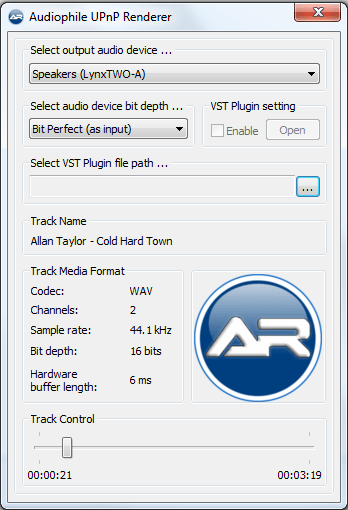
Audiophile UPnP Renderer ~ Windows Network Player


Features:

  • Supported audio formats: FLAC, WAV, AIFF.
  • BitPerfect, zero CPU load streaming.
  • Support for high-quality bit-depth upconversion.
  • Support for VST 2.x plugins.
  • Gapless playback.
  • WASAPI (Exclusive mode) output.

Audiophile UPnP Renderer

sourceforge.net/projects/audiophilerenderer

foo_osd ~ Foobar2000 On Screen Display


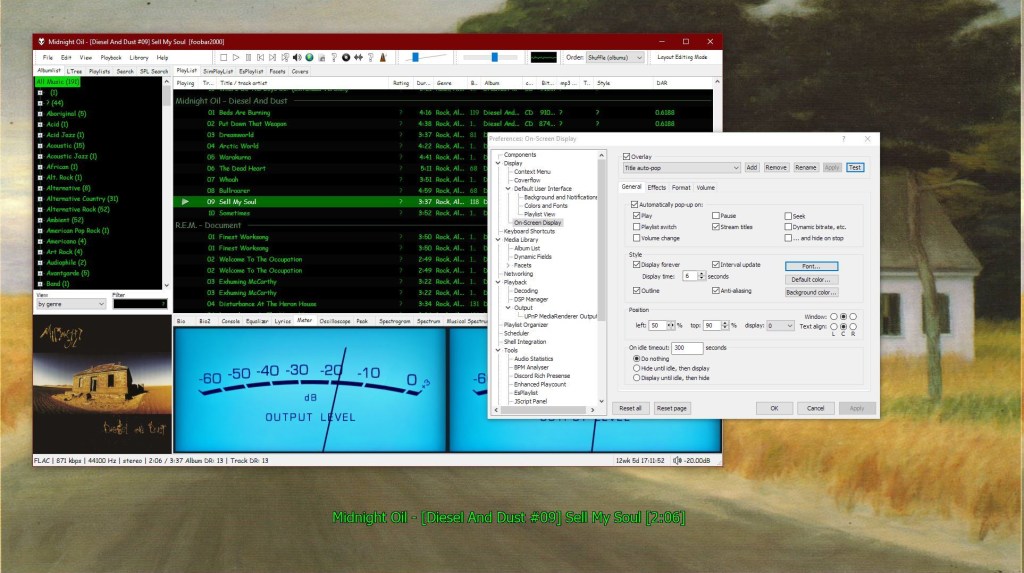
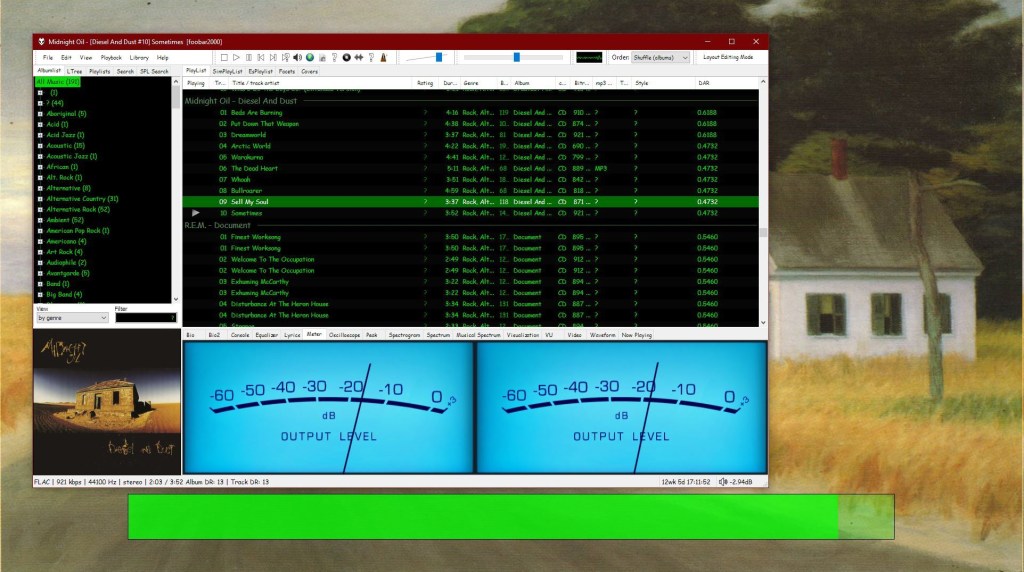
This component provides configurable screen overlays which may be opened with hotkeys, or appear on specific events. Each overlay is configured separately, and has its own set of events.

www.foobar2000.org/components/view/foo_osd
hydrogenaud.io/index.php/topic,43044.0

foobar_osd (On-Screen Display) is a foobar2000 component that shows track information as a floating overlay on your desktop during playback events.

Instead of opening the player window to see what’s playing, foobar_osd displays relevant information directly on your screen.

Typical uses include:

  • Seeing track information when the player is minimized
  • Monitoring playback on multi-monitor setups
  • Getting quick visual feedback without interrupting workflow
  • Displaying detailed metadata beyond basic notifications

Unlike standard operating system notifications, foobar_osd is fully customizable using foobar2000’s powerful title formatting system.


Core Features

When triggered, foobar_osd can display:

  • Artist and title
  • Album name
  • Track position and duration
  • Album artwork
  • Custom metadata fields
  • Technical playback information

The display appears briefly and then fades away automatically.


Event-Based Display

You control when the OSD appears. Common trigger events include:

  • Track change
  • Play or pause
  • Stop playback
  • Manual trigger via hotkey

Careful selection of events is important to avoid excessive on-screen interruptions.


Fully Customizable Text Formatting

One of the strongest features of foobar_osd is that it supports full foobar2000 title formatting.

This means you can display virtually any tag or metadata field stored in your files.

Example format:

[%artist% - ]%title%
%album%
$if(%album_avg_bpm%,Album BPM: %album_avg_bpm%)

Conditional formatting allows the display to remain clean by only showing information when available.


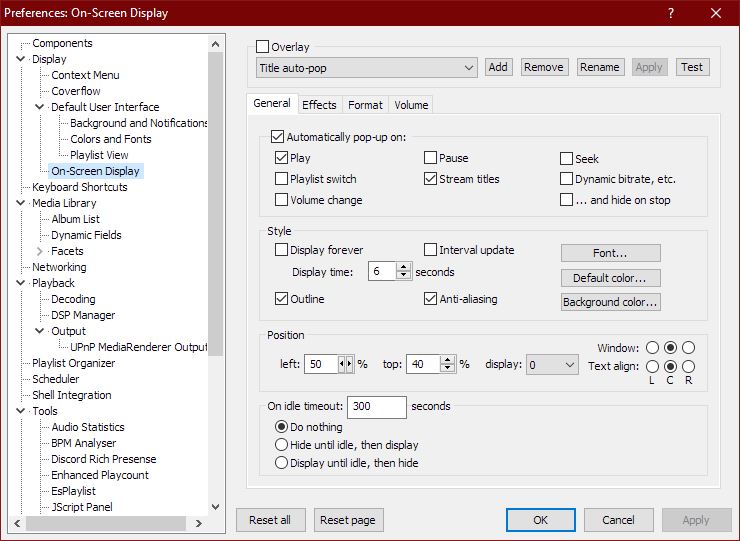
Installation and Access

After installing the component:

  1. Restart foobar2000.
  2. Open:
Preferences → Tools → On-Screen Display

All configuration options are available in this section.


Appearance and Layout Options

foobar_osd allows extensive visual customization:

  • Background transparency
  • Font selection
  • Fade animations and display duration
  • Monitor Selection
  • Shadow effects
  • Screen position
  • Text size and color

Using foobar_osd Effectively

Many users install foobar_osd but never use its full potential. The following strategies significantly improve usability.

Display Meaningful Metadata

If your library uses structured tagging, include useful fields.

Example:

[%artist% - ]%title%
%album%
$if(%album_avg_bpm%,Album Tempo: %album_avg_bpm% BPM)
$if(%genre%,Genre: %genre%)

This transforms the overlay into a quick contextual information panel.

Create Minimal or Informational Layouts

Depending on your workflow, consider:

  • Minimal layout — artist and title only
  • Informational layout — album, metadata, technical details
  • Radio/stream layout — include station information or bitrate

Use a Manual Hotkey

Setting a hotkey to manually trigger the OSD is extremely useful.

Advantages include:

  • Quick track info lookup without switching windows
  • Clean desktop experience without persistent UI elements

Use Conditional Formatting

Conditional statements prevent empty lines or clutter:

$if(%album_avg_bpm%,Album BPM: %album_avg_bpm%)

Only displays when the tag exists.

Time Functions:

Elapsed / Percent / Duration / Remaining

$puts(Elapsed,$if(%isplaying%,$pad_right(%_time_elapsed%,5,0),00:00))
$puts(Duration,$pad_right(%length%,5,0))
$puts(P,$muldiv(%_time_elapsed_seconds%,100,%_time_total_seconds%))
$puts(Percent,$if(%isplaying%,$if($greater($get(P),99),99,$pad_right($get(P),2,0)),00)'%')
$puts(Remaining,$if(%isplaying%,$pad_right(%playback_time_remaining%,5,0),$get(Duration)))
$get(Elapsed)  |  $get(Percent)  |  $get(Duration)  |  $get(Remaining)

Lazy Kenneth ~ Bass Mixing VST


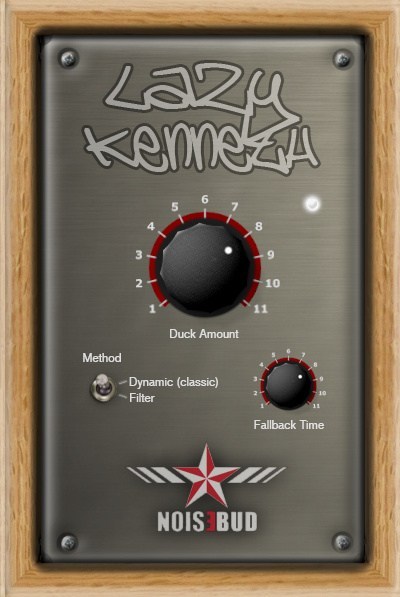
Lazy Kenneth will help those who don’t know how to use, or are too lazy to use sidechain to handle heavy basslines that collide with the bass drum in 4/4 music. That is music where you put a bass drum on all fours, techno, house, trance, minimal, tribal and so on. Put Lazy Kenneth on the bassline track and it will automatically duck the signal when the bass drum hits. You could place a LK on all tracks except the bass drum for some real heavy pumping effect.

Lazy Kenneth

www.noisebud.se

SAR ~ Synchronous Audio Router


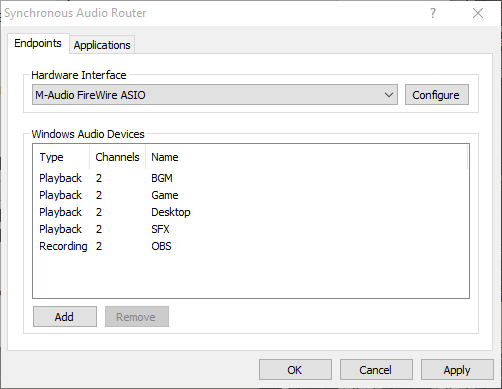
Synchronous Audio Router lets you route audio from any Windows application through a DAW (digital audio workstation) application, giving you an immense amount of control over your system’s audio. You can apply sophisticated effects, routing and switching, and combine the audio streams from each individual application any way you want, producing any number of output mixes.

If your applications of choice doesn’t let you select an audio device, SAR has you covered: you can define per-application routing rules which will override the Windows default audio device settings. You can even use pattern matching to define rules for groups of applications.

It’s also fast. SAR operates inline with your existing ASIO driver, adding no additional buffer latency to your DAW, and uses WaveRT for direct low latency transport of audio between applications. This is in contrast to many other “virtual audio cable” type drivers which often require buffer sizes as large as 50-100ms to work reliably.

str.rs/sar
github.com/eiz/SynchronousAudioRouter

Avoid sar.audio (site was hijacked)

foo_input_dvda ~ Foobar2000 DVD-Audio Decoder


DVD-Audio Decoder input plugin and Watermark Detector / Neutralizer DSP plugins for Foobar2000. Decoder is capable of playing back DVD-Audio discs, ISO images, AOB, MLP and Dolby TrueHD files in full resolution. Dedicated plugin for DTS-HD playback. APT-x100 plugin for *.AUD and *.AUE files from DTS movie / trailer discs.

sourceforge.net/projects/dvdadecoder

References:

wiki.hydrogenaudio.org/Foobar2000 Components DVD_Audio_Decoder_foo_input_dvda

foo_cuefixer ~ Foobar2000 Cue Sheet Filter


Simple component for foobar2000 to fix CUE/FLAC problems

Made in Ukraine
  • Removes duplicate song entries that appear when adding adirectory containing a .cue file that links to timestamps in a base .flac/.wav/.ape file.
  • Removes such duplicates also when adding tracks from media library.
  • Removes broken .cue files that point to missing files (.flac/.wav/.ape etc).

* Remove “*.CUE” from preferences>shell integration>exclude file types

github.com/RevenantX/foo_cuefixer

hydrogenaud.io/index.php/topic,117167.0
hydrogenaud.io/index.php?topic=118978.msg981682#msg981682

wmptagext ~ WMP Tag Support Extender


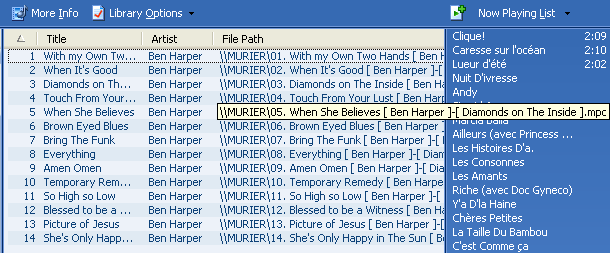
WMP Tag Support Extender expand support of artist, title, etc. (“metatags”) information in Windows Media Player.

It adds support of APE tag format (read & write), FLAC MetaData (read & write), OGG Vorbis Comments (read-only), and MPEG4 ‘meta’ atom (read-only).

You can then extract the information save in your files and modify it directly in Media Library.
No need to use an external program, you manage your library with just ONE tool !

It supports:

  • Monkey’s audio (*.ape)
  • MusePack (*.mpc)
  • WavPack (*.wv)
  • OptimFROG (*.ofr)
  • FLAC (*.flac)
  • Advanced Audio Coding (*.aac) <- READ-ONLY
  • MPEG4 Audio (*.m4a) <- READ-ONLY
  • Vorbis Comments (*.ogg) <- READ-ONLY

wmptagext.sourceforge.net

JSIDPlay2 ~ Java SID Player


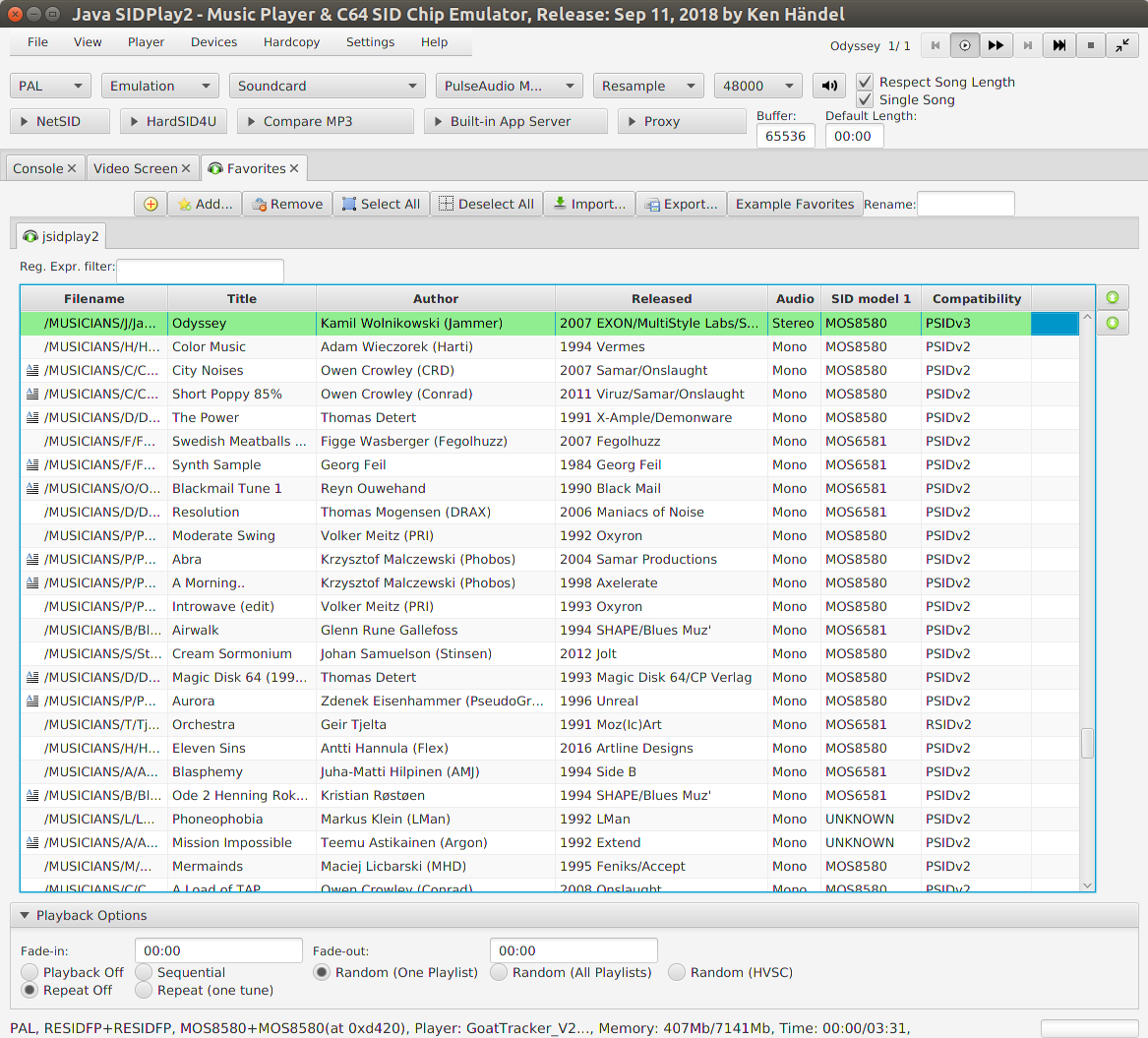
This is a multi-platform Commodore 64 emulator specialized for sound reproduction. It is also a SID player for music collections like HVSC and CGSC. It is a full C64 emulator and can play games of the GameBase64 project as well.

jsidplay2

haendel.ddns.net/~ken
sourceforge.net/projects/jsidplay2
Java SIDPlay2 Online

DrumTrack ~ Windows Drum Machine


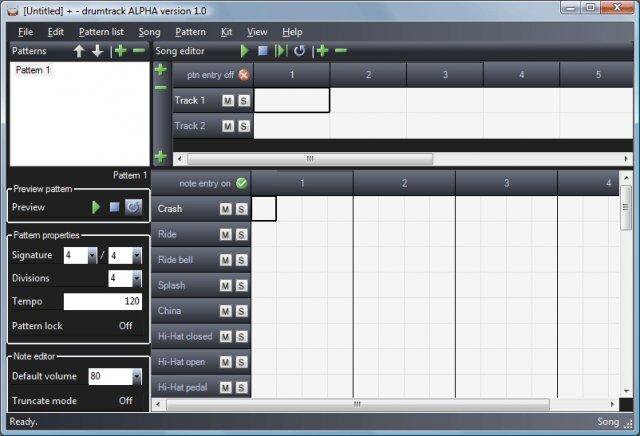
An open source software drum machine for Windows that allows the editing, playback, and mixdown of complete drum scores using audio samples in a variety of formats (WAV, OGG, MP3, AIFF, FLAC, MP2, WMA). Mixdown to WAV audio supported.

DrumTrack

sourceforge.net/projects/drumtrack

KOMPLETE START ~ Audio Production Suite


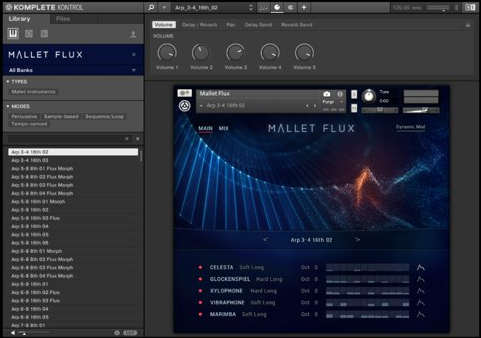
Step into music production with KOMPLETE START – a curated selection of studio-quality instruments, effects, utilities, loops, and samples for the low price of nothing at all. Play over 2,000 customizable sounds – drums and percussion, bass, acoustic instruments, synths, pads and atmospheres, effects, and more. And did we mention it’s free?

komplete-kontrol

www.native-instruments.com/en/products/komplete/bundles/komplete-start/

Advanced Volume Control ~ Windows 10 Remote Via Android


Connect your smartphone via this program and control the volume of all your applications with your Android device.

Features:

  • Advanced Windows 10 volume control
  • Control the volume from your smartphone

sourceforge.net/projects/windows10volumecontrol
play.google.com/store/apps/details?id=com.m1smr.avc