Linux code to decode Ogg Vorbis files with multi-thread support
sourceforge.net/projects/jamailmar

Linux code to decode Ogg Vorbis files with multi-thread support
sourceforge.net/projects/jamailmar

WMP Goodies is the place where you can find archived and custom skins, visualizations, plug-ins, and older versions of WMP since July 12, 2015. We also have really important guides for repairing and creating features for Windows Media Player.
We have available for download:
sites.google.com/view/wmpgoodies/home

Pear Desktop is an Electron-based desktop client for YouTube Music designed for Windows, Linux and macOS. The project keeps the standard YouTube Music interface while adding desktop integration, plugins, themes and additional playback features.
The application is open source and distributed under the MIT license.
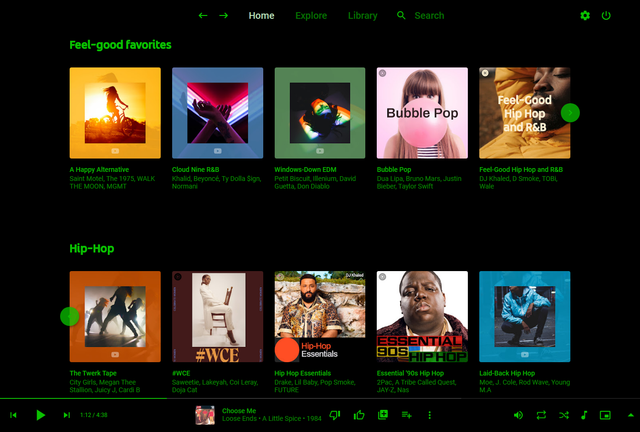
Pear Desktop loads the standard YouTube Music web interface inside a desktop application window and extends it through plugins and Electron desktop integration. It is not a standalone music service and still requires a YouTube Music or Google account for normal use.
Because Pear Desktop uses Electron, memory and CPU usage are generally higher than lightweight native audio players such as foobar2000 or AIMP. The project is intended primarily as a feature-enhanced desktop frontend for streaming music from YouTube Music rather than as a traditional local-library music player.
github.com/pear-devs/pear-desktop

VUPlayer is an open-source multi-format audio player for Windows 7 SP1 or later.
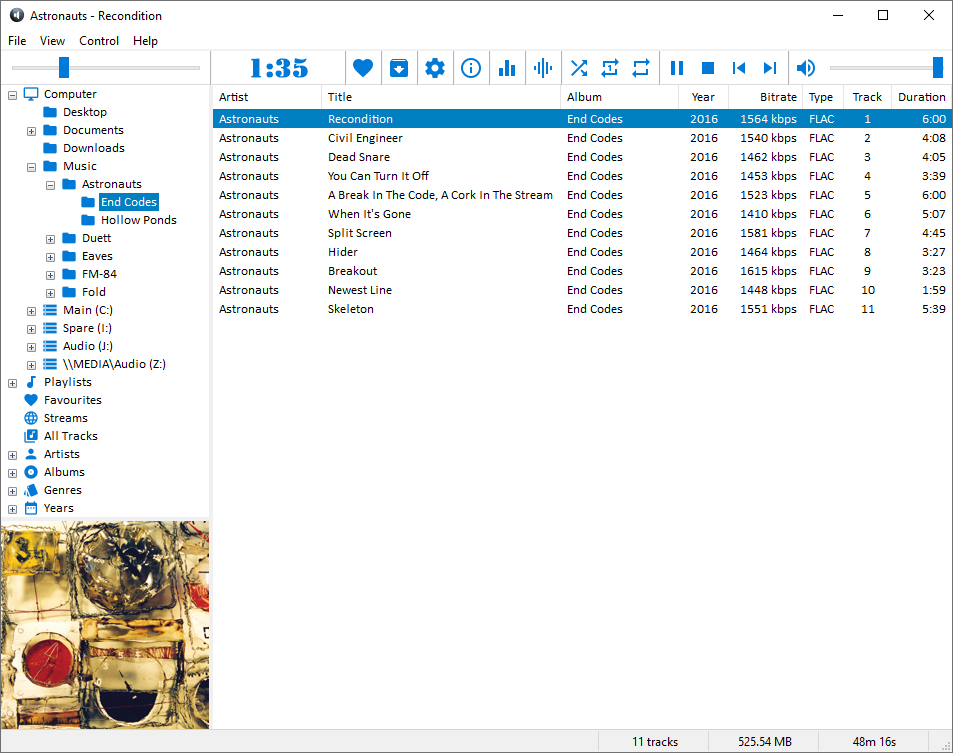
www.vuplayer.com/vuplayer
github.com/jfchapman/VUPlayer

A monorepo for Casio CZ-101 phase distortion synthesis — including a preset manager web/desktop app, an in-browser phase distortion synthesizer, and a VST3/CLAP/AUv2 plugin.

A set of utilities for working with Byzantine sheet music.
PsalticTools includes:
• a set of utilities (plugins) for typing of Byzantine notes in parallel double notation (Byzantine and Western), based on MuseScore free music editor;
• the PsalticHelper program for searching for formulas of Byzantine music in music books.
• the UniPsaltica2 font with the characters of the musical Byzantine notation in Unicode.
sourceforge.net/projects/psaltichelper
en.wikipedia.org/wiki/Byzantine_music
sourceforge.net/projects/byzorgan/

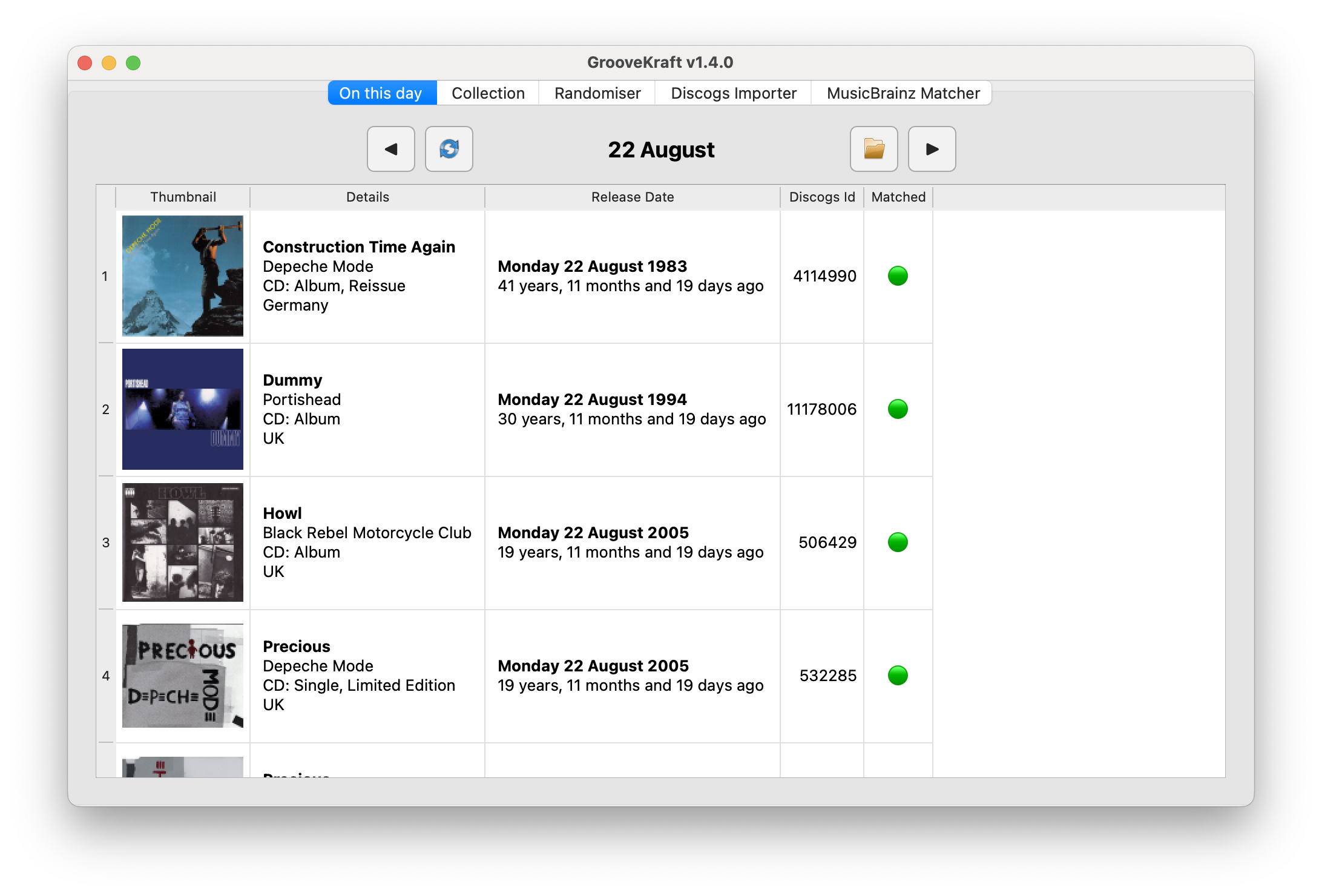
GrooveKraft is a fast, lightweight music collection manager that uses Discogs and MusicBrainz to enrich your collection with detailed metadata and artwork.
github.com/v8oholic/groovekraft

Control Foobar2000 with python + Command line
usage: control.py [-h] [-p] [-t PLAY_TRACK] [-s] [-P] [-n] [-r] [-R] [-V VOLUME] [-m] [-i] [-f [ADDFOLDER [ADDFOLDER ...]]] [-fi [ADDFILES [ADDFILES ...]]] [-F [ADDFOLDERPLAY [ADDFOLDERPLAY ...]]] [-Fi [ADDFILESPLAY [ADDFILESPLAY ...]]] [-c] [-d [DEL_TRACK [DEL_TRACK ...]]] [-l] [-b] [-S TYPE_CONTROLLER] [-H HOST] [-O PORT] [-?] [-g] [-x [CHANGE_CONFIG [CHANGE_CONFIG ...]]] [-T SECTION] [-E OPTION OPTION] [-a DIR_ALIAS] [-v] [-L LEVEL_ALIAS] [-z REPEAT] [--repeat-off] [--repeat-playlist] [--repeat-track] [--repeat-random] [--shuffle-track] [--shuffle-album] [--shuffle-folder] [--seek SEEK] [--root ROOT]optional arguments: -h, --help show this help message and exit -p, --play Play Playback -t PLAY_TRACK, --play-track PLAY_TRACK Play Playback Track No -s, --stop Stop Playback -P, --pause Pause Playback -n, --next Next Play -r, --previous Previous Play -R, --random Play Random -V VOLUME, --volume VOLUME Set Volume, range is -100 <= value <= 0 -m, --mute Mute Volume -i, --info Get info current Playing -f [ADDFOLDER [ADDFOLDER ...]], --addfolder [ADDFOLDER [ADDFOLDER ...]] Add Remote Folder Queue [HTTP] -fi [ADDFILES [ADDFILES ...]], --addfiles [ADDFILES [ADDFILES ...]] Add Remote Files Queue [HTTP] -F [ADDFOLDERPLAY [ADDFOLDERPLAY ...]], --addfolderplay [ADDFOLDERPLAY [ADDFOLDERPLAY ...]] Add Remote Folder Queue & Play it [HTTP] -Fi [ADDFILESPLAY [ADDFILESPLAY ...]], --addfilesplay [ADDFILESPLAY [ADDFILESPLAY ...]] Add Remote Folder Queue & Play it [HTTP] -c, --clear-playlist Clear Current Playlist [HTTP] -d [DEL_TRACK [DEL_TRACK ...]], --del-track [DEL_TRACK [DEL_TRACK ...]] Delete Playlist [HTTP], example: foobar -d 1 2 3 -l, --list List Playlist -b, --browser Browser Library -S TYPE_CONTROLLER, --type-controller TYPE_CONTROLLER Set Type Of Controller [com,http] -H HOST, --host HOST Remote Host control Address [HTTP] -O PORT, --port PORT Remote Port control Address [HTTP] -?, --usage Print All Help -g, --read-config Read config file -x [CHANGE_CONFIG [CHANGE_CONFIG ...]], --change-config [CHANGE_CONFIG [CHANGE_CONFIG ...]] Set Change config. format: section#option#value -T SECTION, --section SECTION Set Section Config -E OPTION OPTION, --option OPTION OPTION Set Option Config -a DIR_ALIAS, --dir-alias DIR_ALIAS Root of Directory Alias On Server -v, --version -v = show version | -vv = verbosity process -L LEVEL_ALIAS, --level-alias LEVEL_ALIAS Level Root of Directory Alias On Server -z REPEAT, --repeat REPEAT Repeat 0 = Default (repeat off) | 1 = Repeat Playlist | 2 = Repeat Track | 3 = Random Play | 4 = Shuffle Track | 5 = Shuffle Album | 6 = Shuffle Folders --repeat-off Repeat Off --repeat-playlist Repeat Playlist --repeat-track Repeat Track --repeat-random Random Play --shuffle-track Shuffle Track --shuffle-album Shuffle Album --shuffle-folder Shuffle by Folder --seek SEEK Seek for a second --root ROOT Root path / Directory Containt Music files, this is for One Folder Files Selected
github.com/cumulus13/ctrfoobar2000

We provide a simple Windows UHJ stereo to Ambisonic B-Format conversion tool for Windows. It converts stereo material that is in the UHJ format (typically from Nimbus Records) into Ambisonic B-Format .AMB files (using FuMa encoding and just the WXY channels). It uses the “naive” speaker-agnostic approach to this.
www.blueripplesound.com/free_stuff

Autometa is a minimalist, customizable JScript Panel script designed to quickly create autoplaylists based on the current track’s tags with a single click (similar to the quick search function).
github.com/Zhiro90/foobar2000-autometa

An algorithmic MIDI scripting language and GUI system. Musical Fun with Windows, Tasks, and Objects.
github.com/nosuchtim/keykit
github.com/nosuchtim/keykit/tree/master/dist
github.com/nosuchtim/keykitwasm
en.wikipedia.org/wiki/Keykit
sites.google.com/site/albertozin/Home/keykit
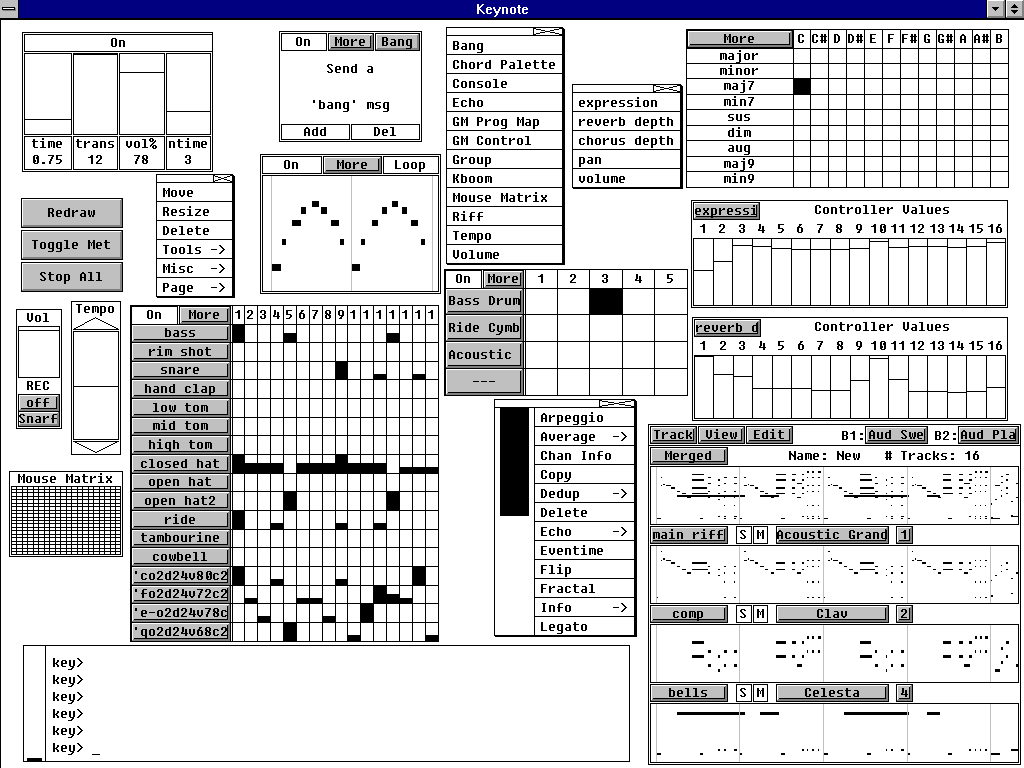
/dist/ directory.key_nt.zip), Linux (key_linux_alsa.zip), or Raspberry Pi (key_raspbian.zip)..zip file, select “Extract All,” and extract it to a simple path such as C:\tools\keykit\.key.exe to launch KeyKit and in the KeyKit console enter midiout("KeyKitPort").unzip key_linux_alsa.zip, then cd keykit, then run ./key from inside the keykit folder.chmod +x key and then ./key.KeyKitPort).aconnect -l.fluidsynth -a alsa -m alsa_seq soundfont.sf2.aconnect -l again to view available ports.aconnect <keykit_port> <synth_port>.'c d e f g' and press Enter to test audio output.load "lib/seq.k" in the KeyKit console.load "lib/demo.k".cd ~/keykit followed by ./key before launching.export KEYROOT=~/keykit..k scripts into the keykit/lib/ directory or your working directory.load "myscript.k".startup.k.load "lib/seq.k" and midiout("KeyKitPort") to startup.k.load "startup.k".