Autometa is a minimalist, customizable JScript Panel script designed to quickly create autoplaylists based on the current track’s tags with a single click (similar to the quick search function).
github.com/Zhiro90/foobar2000-autometa

Autometa is a minimalist, customizable JScript Panel script designed to quickly create autoplaylists based on the current track’s tags with a single click (similar to the quick search function).
github.com/Zhiro90/foobar2000-autometa

An algorithmic MIDI scripting language and GUI system. Musical Fun with Windows, Tasks, and Objects.
github.com/nosuchtim/keykit
github.com/nosuchtim/keykit/tree/master/dist
github.com/nosuchtim/keykitwasm
en.wikipedia.org/wiki/Keykit
sites.google.com/site/albertozin/Home/keykit
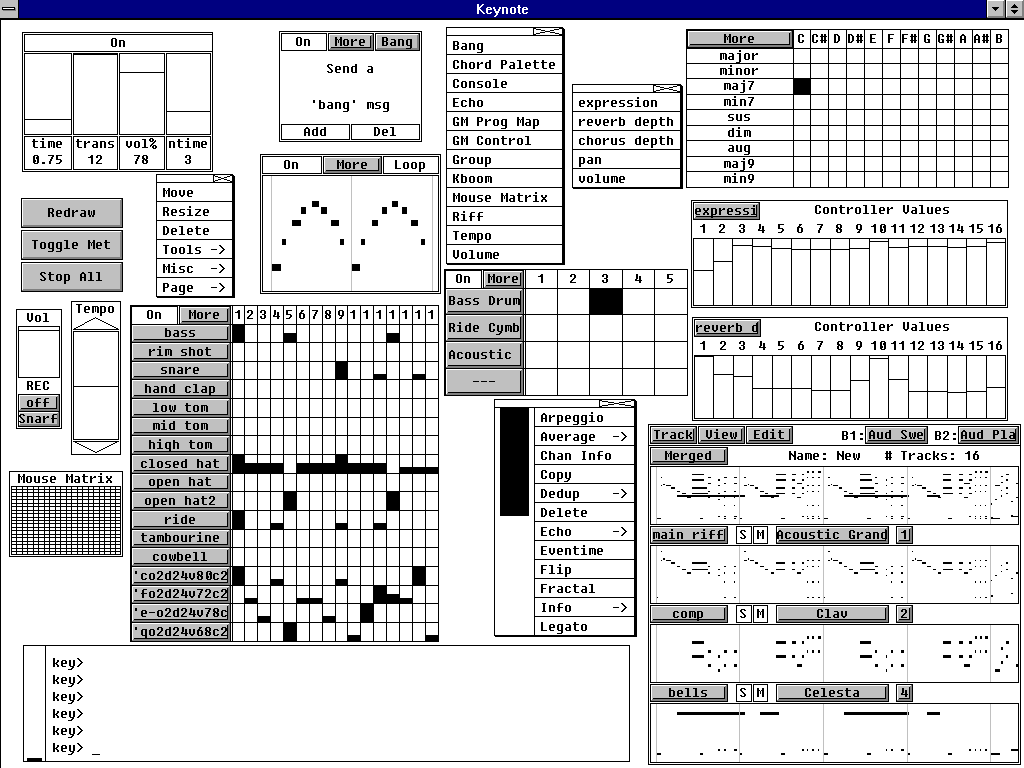
/dist/ directory.key_nt.zip), Linux (key_linux_alsa.zip), or Raspberry Pi (key_raspbian.zip)..zip file, select “Extract All,” and extract it to a simple path such as C:\tools\keykit\.key.exe to launch KeyKit and in the KeyKit console enter midiout("KeyKitPort").unzip key_linux_alsa.zip, then cd keykit, then run ./key from inside the keykit folder.chmod +x key and then ./key.KeyKitPort).aconnect -l.fluidsynth -a alsa -m alsa_seq soundfont.sf2.aconnect -l again to view available ports.aconnect <keykit_port> <synth_port>.'c d e f g' and press Enter to test audio output.load "lib/seq.k" in the KeyKit console.load "lib/demo.k".cd ~/keykit followed by ./key before launching.export KEYROOT=~/keykit..k scripts into the keykit/lib/ directory or your working directory.load "myscript.k".startup.k.load "lib/seq.k" and midiout("KeyKitPort") to startup.k.load "startup.k".
OpenSubsonic / Navidrome client implementation for foobar2000.
subsonic:// pathsgithub.com/michioxd/foo_opensubsonic
Related:

LX‑Music‑Desktop is an open‑source, Electron‑based music player built with Vue 3, offering a simple, fast interface for managing and playing local music libraries on desktop systems.

github.com/lyswhut/lx-music-desktop
sourceforge.net/projects/lx-music-desktop.mirror

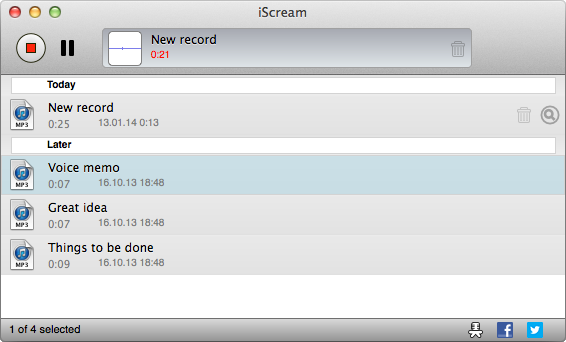
iScream is a free recording application for macOS. It lets you record sound from your microphone or other sound sources. The app sits in the Dock, so when you want to start recording, just click its icon. To stop recording, click the icon again. With support for hotkeys, it’s even easier to start and stop recording without reaching for your mouse. iScream is great for making voice notes, capturing quick sound bites, recording short interviews, and any other small recordings you might need. Its simple design and easy-to-use features make it a handy tool for anyone, especially those who often need to capture audio on the fly.
- One click recording
- Saves in MP3, AAC or WAV format
- Hotkeys support

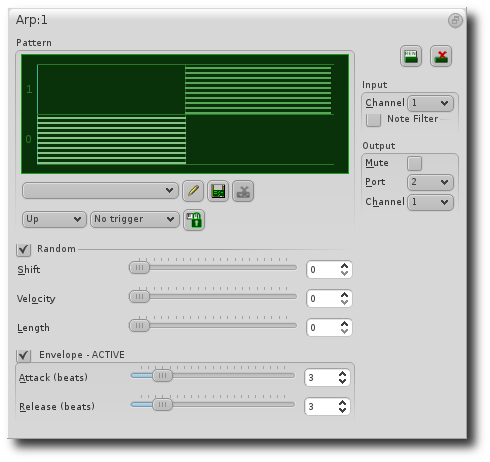
QMidiArp is a MIDI arpeggiator, phrase generator and controller LFO for ALSA and JACK. It can run multiple synchronized arpeggiators, LFOs and step sequencers. The modules are also available as LV2 plugins with Qt user interface. QMidiArp has been growing since June 2009 on top of Matthias Nagorni’s original arp idea.
Features:
- Programmable arpeggio patterns, LFO waveforms and sequences
- Modular setup of arpeggiators, MIDI LFOs and step sequencers
- MIDI-controllable (MIDI-Learn)
- Synchronization with MIDI Clock or JACK Transport possible
- Optional triggering by keyboard or continuous play mode for all modules
- Patterns can be stored and switched by MIDI control while running
- JACK MIDI or ALSA MIDI backends
- Modules available as LV2 Plugins
qmidiarp.sourceforge.net
sourceforge.net/projects/qmidiarp
github.com/emuse/qmidiarp
man.archlinux.org/man/qmidiarp.1.en
www.freshports.org/audio/qmidiarp
Video:
Packages:
packages.debian.org/trixie/qmidiarp
packages.fedoraproject.org/pkgs/qmidiarp
References:
en.wikipedia.org/wiki/Synthesizer#Arpeggiators
www.linuxjournal.com/content/linux-arpeggiators-part-1
en.wikipedia.org/wiki/Advanced_Linux_Sound_Architecture
en.wikipedia.org/wiki/Low-frequency_oscillation
en.wikipedia.org/wiki/JACK_Audio_Connection_Kit

AudioGridder is a network bridge for audio and MIDI that allows for offloading the DSP processing of audio plugins to remote computers. This can come in handy when mixing complex projects or running CPU intensive instruments.
AudioGridder Server runs on a computer hosting your effect and instrument plugins. On your workstation, on which you run your DAW, you use the AudioGridder FX or instrument plugin to access your plugin library over the network. The plugin is looking for available servers on your network and once connected allows you to create insert chains or load instruments. Midi and audio data from your DAW will be streamed over the network, processed on the server and streamed back.

The Sound Description Interchange Format (SDIF) is an established standard for the interchange of sound descriptions and analysis data. This project provides libraries, SDIF (in C) and Easdif (in C++), tools, and wrappers to read and write SDIF files.
sourceforge.net/projects/sdif
cnmat.berkeley.edu/library/sdif
en.wikipedia.org/wiki/SDIF
groups.google.com/g/sdif-forum

A high-performance CLI toolkit for music collectors who manage their own libraries. Lattice provides a suite of tools for library visualization, integrity verification, cover art extraction, and metadata auditing — all from a single, zero-dependency script.
Modern music players often hide your library behind proprietary databases. Lattice is built for collectors who treat the filesystem as the source of truth. It reads tags directly via mutagen, ensuring your library is portable and player-agnostic.
| Mode | Flag | Description |
|---|---|---|
| Library Tree | --library | Generate a formatted ASCII/Unicode tree of your entire collection. |
| AI Library | --ai-library | Token-efficient export designed for LLM recommendation prompts. |
| Genre Wings | --all-wings | Generate separate library catalogs segmented by genre. |
| Integrity Checks | --testFLAC | Parallel verification of FLAC/MP3/Opus/WAV integrity via FFmpeg. |
| Art Extraction | --extractArt | Extract embedded covers with format-priority ranking (FLAC > Opus). |
| Tag Audit | --auditTags | Identify and report files with missing or inconsistent metadata. |
github.com/VirInvictus/Lattice

Bitfake was originally created to detect fake
.FLACfiles through spectral analysis. It has since grown into a multipurpose CLI tool for handling music more easily and efficiently.One common problem was that getting a track’s metadata required long
ffprobecommands with messy output. Converting music withffmpegwas also repetitive. The command itself is easy to remember, but writing scripts to convert entire directories felt inefficient and slow. This project now performs metadata and conversion tasks directly through linked libraries (TagLib/libsndfile/libav*).
.FLAC files (higher sample rates may be misrepresented, so be careful).wav, .flac, .ogg, .mp3, .aac, .opus)github.com/Ray17x/bitfake2
gpo.zugaina.org/app-misc/bitfake2
repology.org/maintainer/ray%40atl.tools/feed-for-repo/gentoo_ovl_guru

Further development of the ASIO output module by otachan (2006) for the Winamp player, including:
- problem with setting the sample rate fixed
- gapless mode completed
- added individual channel assignment
- added upsampling to a non-fractional multiple of base-frequency
- added high quality resampler: sample rate doubler for best audio playback
winamp-asio-plugin.sourceforge.io
sourceforge.net/projects/winamp-asio-plugin
forums.winamp.com/forum/winamp/winamp-technical-support/4647216-asio-output-plugin

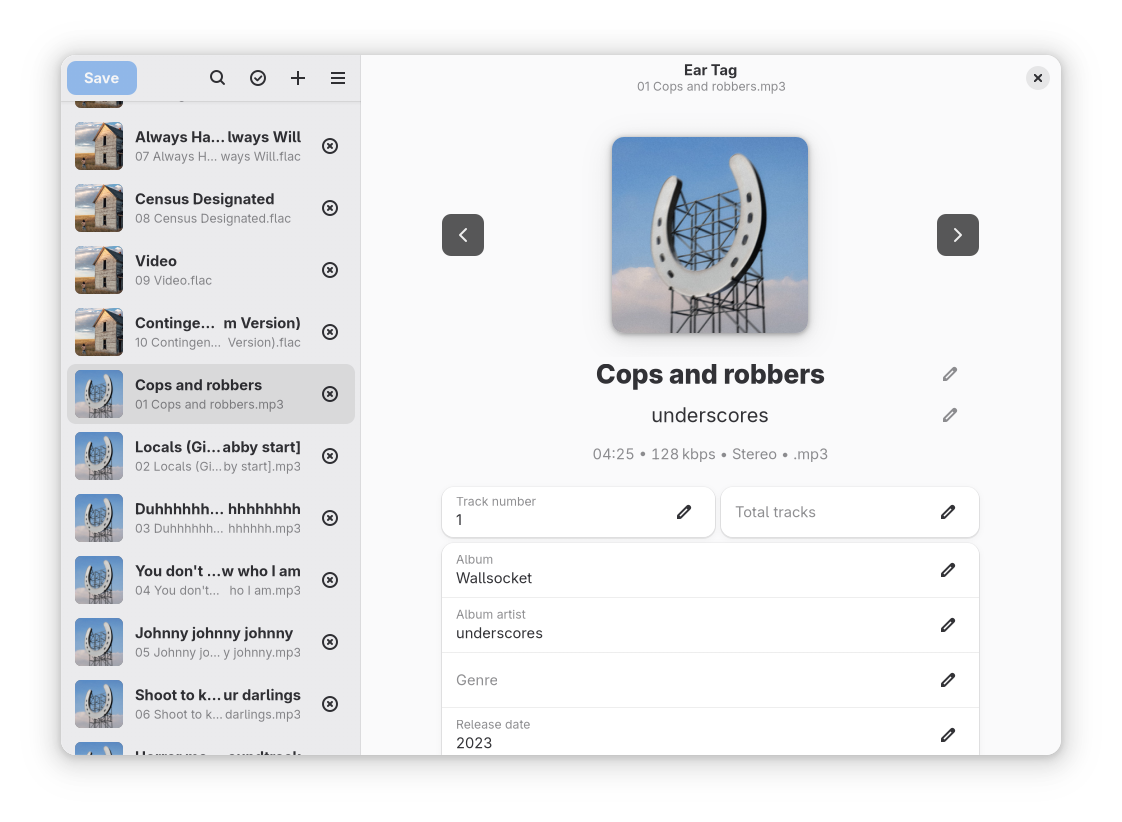
Ear Tag is a simple audio file tag editor. It is primarily geared towards making quick edits or bulk-editing tracks in albums/EPs. Unlike other tagging programs, Ear Tag does not require the user to set up a music library folder. It can:
Network access is only used for the “Identify selected files” option.
apps.gnome.org/EarTag
gitlab.gnome.org/World/eartag


