Helm runs in GNU/Linux, Mac OSX and Windows. Run Helm as a standalone synthesizer or as an LV2, VST, VST3 or AU plugin. Comes in both 32-bit and 64-bit versions.
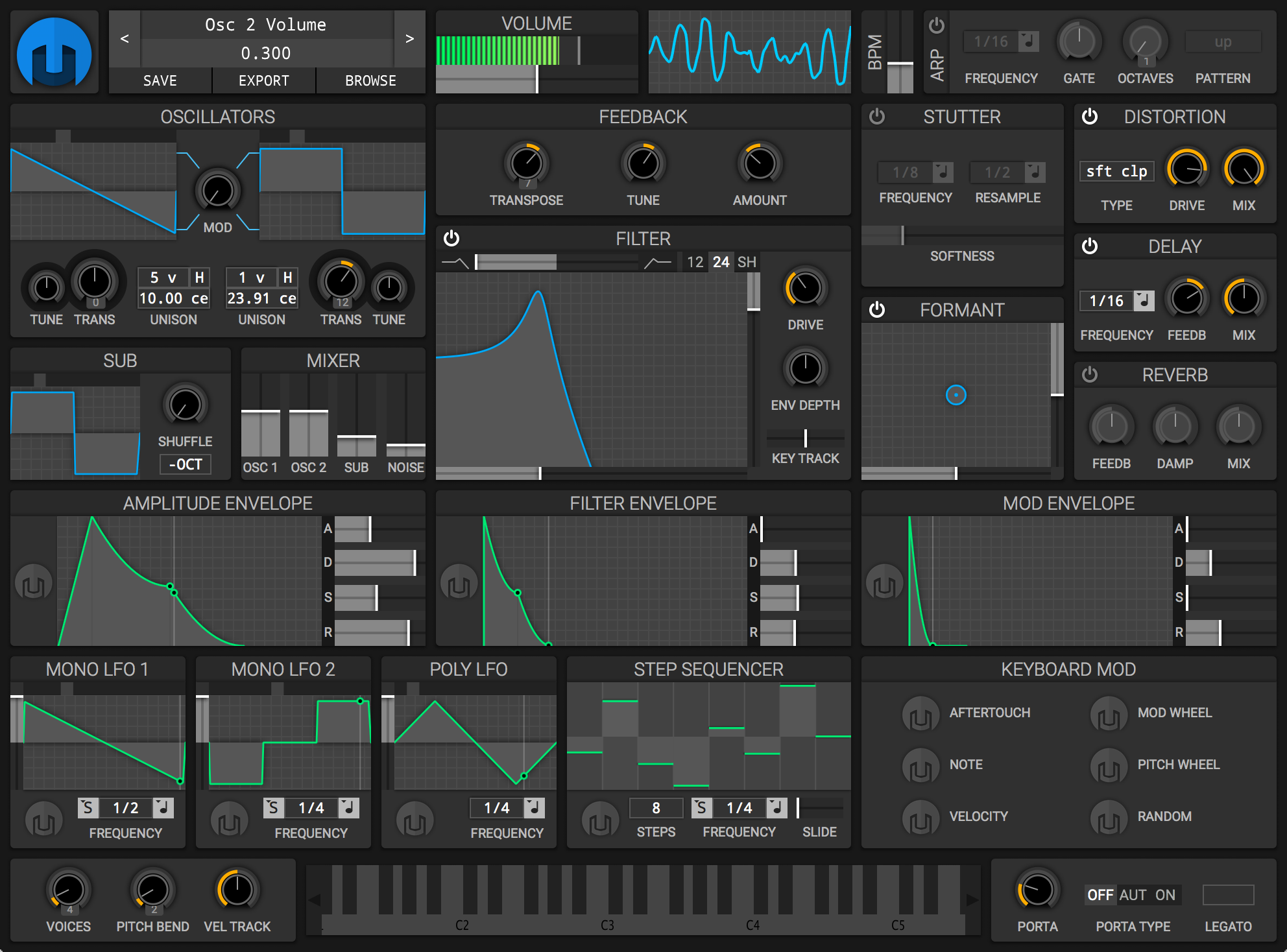

Helm runs in GNU/Linux, Mac OSX and Windows. Run Helm as a standalone synthesizer or as an LV2, VST, VST3 or AU plugin. Comes in both 32-bit and 64-bit versions.

CAPS is a collection of audio plugins comprising basic virtual guitar amplification and a small range of classic effects, signal processors and generators of mostly elementary and occasionally exotic nature.
The plugins aim to combine the highest sound quality with computational efficiency and zero latency*.

lossyWAV is a free, lossy pre-processor for PCM audio contained in the WAV file format. Proposed by David Robinson, it reduces bit depth of the input signal, which, when used in conjunction with certain lossless codecs, reduces the bitrate of the encoded file significantly compared to unpreprocessed compression. lossyWAV’s primary goal is to maintain transparency with a high degree of confidence when processing any audio data. ~ wiki.hydrogenaud.io/index.php?title=LossyWAV
lossyWAV is a near lossless audio processor which dynamically reduces the bit depth of the signal on a block-by-block basis. Bit Depth reduction adds noise to the processed output. The added noise is adaptively shaped by default and can alternatively be fixed noise shaped or white noise depending on command line parameters. When lossyWAV processed output is compressed with certain lossless codecs (FLAC, Wavpack, Tak, LPAC, MPEG-4 ALS and WMA-Lossless) the bitrate of the output file is significantly[1] reduced compared to the lossless original.
[1]: on average, depending on content.
hydrogenaud.io/index.php/topic,112649
wiki.hydrogenaud.io/index.php?title=LossyWAV#lossyWAV_and_foobar2000
github.com/corrideat/lossywav
github.com/MoSal/lossywav-for-posix

FLAC Frontend is a convenient way for Windows users not used to working with command lines to use the official FLAC tools. It accepts WAVE, W64, AIFF and RAW files for encoding and outputs FLAC or OGG-FLAC files. It is able to decode FLAC files, test them, fingerprint them and re-encode them. It has drag-and-drop support too. It is tested on Windows XP SP3 and Windows 7, but should work with Windows XP SP2 or newer. It requires .NET 2.0 or later.


sourceforge.net/projects/flacfrontend

These are audio plugins in the LV2 format, developed for Linux. Most are suitable for live use (exceptions are noted in the description).
- Cellular Automaton Synth
- Envelope Follower
- Hip2B
- Cheap Distortion
- Stuck
github.com/ssj71/infamousPlugins
ssj71.github.io/infamousPlugins/plugs

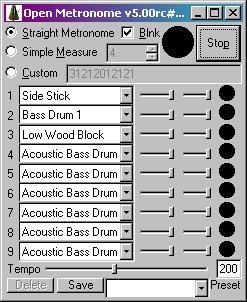
Free open source GPL metronome (a “branch” of “Weird Metronome“) for Windows, Windows Mobile, & Pocket PC. Uses user-definable multi-voice WAV or MIDI (PC only) sounds for the beats. Has a blinker & allows user defined bpm & fine measure control.
Features:
- Accurate metronome sound! No skips or variation in audio output!
- Custom rhythm patterns: use it as a (very basic) drum machine
- User definable beats per minute
- Set measure to any length, with emphasis on any beat(s)
- Over 40 MIDI voices, optionally available as WAV samples
- Up to nine simultaneous voices per beat
- Add your own WAV samples to use whatever sounds you like
- Highly customizable parameters
- Define HotKeys to perform functions such as increase tempo
- Set the Maximum & minimum tempo available via the tempo slider
openmetronome.sourceforge.net
sourceforge.net/projects/openmetronome

Listing of specialized output components that extend Foobar2000 in order to interface directly with system hardware or software output devices. Some of these are already installed by default and the remainder should be installed as needed.
By default foobar2000 uses the Windows Audio Session API (WASAPI) output in shared mode on modern versions (v1.6 and later). This means foobar2000 sends audio through the standard Windows audio stack using WASAPI unless you explicitly select another output (like WASAPI exclusive, ASIO with a plugin, or other output components).
The built in outputs and all installed output components can be selected from in the Preferences: Playback > Output > Device submenu.

Displaying Output Information:
foo_outinfo allows foobar2000 to display the actual specifications of the audio being played and the output device information using titleformatting.
foobar.hyv.fi/?view=foo_outinfo
hydrogenaud.io/index.php?topic=97127.msg978428#msg978428
Exclusive mode (in the context of foobar2000 and Windows audio) means that the player takes sole control of the audio device, bypassing the Windows system mixer for the duration of playback.
Here is what that entails, factually and practically:
wiki.hydrogenaud.io/index.php?title=Foobar2000:Components/WASAPI_output_support_(foo_out_wasapi)
wiki.hydrogenaud.io/index.php?title=Foobar2000%3aPreferences:Output#Output_Device
Foobar2000 ~ How To Install A Component
en.wikipedia.org/wiki/Audio_Stream_Input/Output (ASIO)
en.wikipedia.org/wiki/Universal_Plug_and_Play (UPNP)
en.wikipedia.org/wiki/Windows_legacy_audio_components#Kernel_Streaming

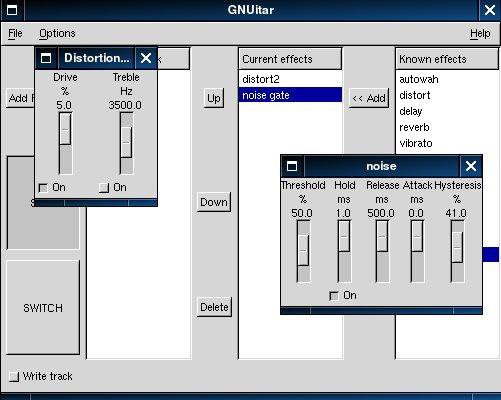
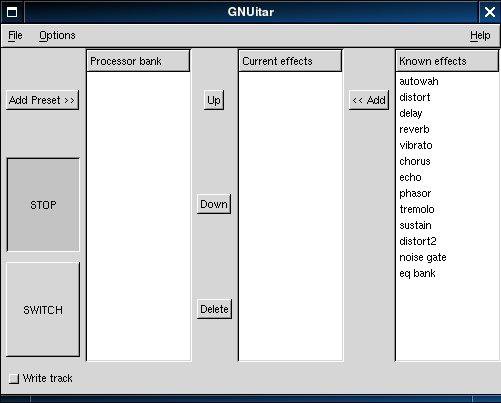
GNUitar is guitar effects software that allows you to use your PC as a guitar processor. It includes the following effects: wah-wah, sustain, distortion, reverberator, echo, delay, tremolo, vibrato, and a chorus / flanger.
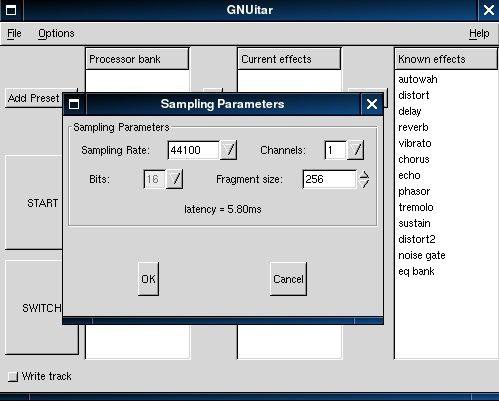
sourceforge.net/projects/gnuitar

Blue Cat’s FreqAnalyst is a free spectrum analyzer plug-in that lets you monitor the spectral content of your audio signal in real time.
This plug-in has been designed to provide extreme smoothness and high resolution for both time and frequency: unlike most spectrum analyzers, Blue Cat’s FreqAnalyst is able to display continuous variations even with a very high frequency resolution, thanks to its unique smooth interpolation algorithms.
Most aspects of the audio to frequency display conversion can be managed, which lets you total control over the monitoring. A special thresholding system has been developed to help you see the important parts of the spectrum easily. In case you need extra precision in a particular frequency range, you can zoom the display and check the part of the graph you are interested in.
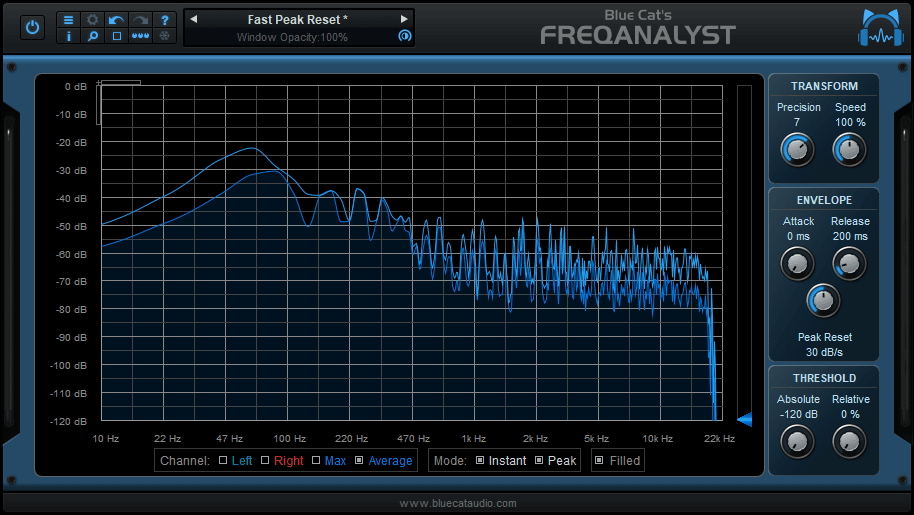
www.bluecataudio.com/Products/Product_FreqAnalyst
en.wikipedia.org/wiki/Spectrum_analyzer

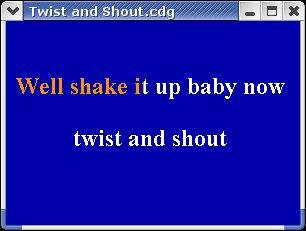
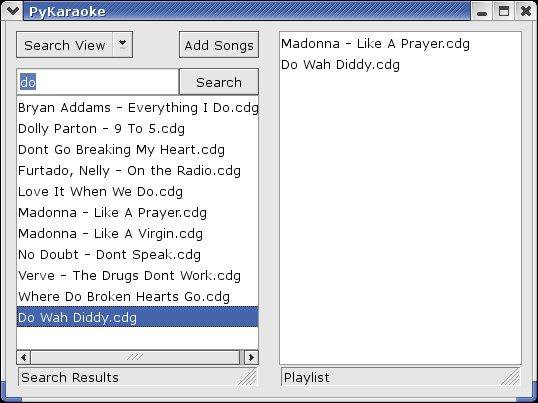
PyKaraoke is a free karaoke player for Linux, FreeBSD, NetBSD, Windows, OSX and GP2X.
You can use this program to play your collection of CDG, MIDI and MPEG karaoke songs. No songs are provided, you must obtain these from elsewhere.
Visit here to find out more about what a CDG or MP3+G file is. In short, CDG is the format of professional karaoke CDs. These CDs can be ripped to your hard disk, and turned into a .mp3 file together with a .cdg file. This player gives you the ability to play those mp3+cdg files.
PyKaraoke Features:
- CDG (MP3+G, OGG+G, WAV+G) playback – Play standard CDG karaoke files
- MIDI (.MID/.KAR) playback – Play MIDI format karaoke files
- MPEG playback – Play karaoke songs and movies in MPEG format
- Other formats – Play any other video formats by launching an external media player
- Playlist – Queue up songs, sit back and enjoy
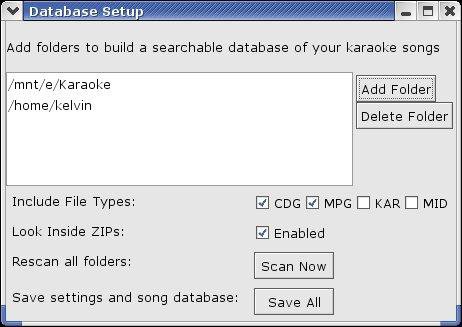
- Searchable song database – Easily find your songs from the main screen
- Search inside ZIP files – Play MP3+G/MIDI files wrapped in ZIP files
- Cross-platform – Runs on Windows, Linux, BSD, OSX and GP2X
- Mini Frontend – Additional mini-frontend for low res displays and handhelds
- Export to MPEG – Convert CDG and KAR files to MPG files (command line only)
www.kibosh.org/pykaraoke
sourceforge.net/projects/pykaraoke

Common Music (CM) is a real-time music composition system implemented in JUCE/C++ and Scheme. It generates musical output via MIDI, OSC, CLM, FOMUS and CSOUND. Its user application is called GRACE (Graphical Real-time Algorithmic Composition Environment)
Features:
- Algorithmic music composition environment
- Runs on Mac, Windows and Linux
- Real time scheduling of musical algorithms
- Two coding languages for designing algorithms: S7 Scheme and SAL (an easy-to-learn alternate)
- MIDI input/output
- CLM/Sndlib audio system built in (Scottstaedt)
- CCRMA digital audio instrument definitions built in (Scottstaedt)
- Open Sound Control input/output
- Metronomes and running algorithm redefinition for live coding
- Data visualization
- Music pattern definitions
- Fomus system built in for computing music notations (Psenicka)
commonmusic.sourceforge.net
sourceforge.net/projects/commonmusic

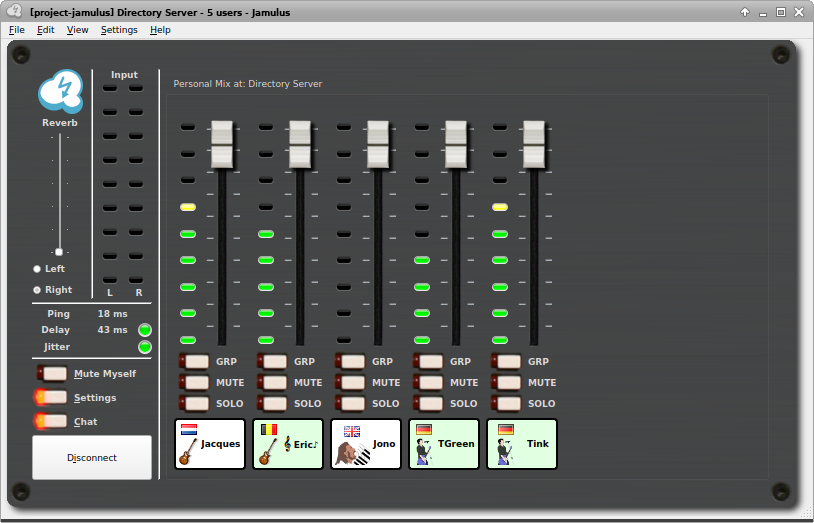
The Jamulus software enables musicians to perform real-time jam sessions over the internet. There is a Jamulus server which collects the audio data from each Jamulus client, mixes the audio data and sends the mix back to each client.
jamulus.io
sourceforge.net/projects/llcon
en.wikipedia.org/wiki/Jamulus


