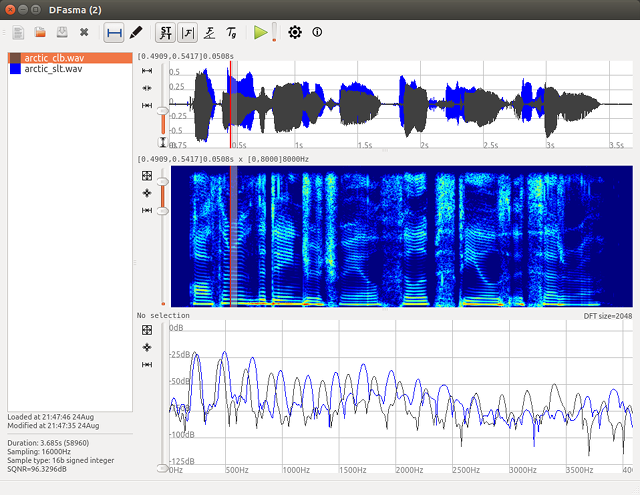
DFasma is free open-source software which is used to compare audio files in time and frequency. The comparison is first visual, using waveforms and spectra. It is also possible to listen to time-frequency segments in order to allow perceptual comparison. It is basically dedicated to analysis. Even though there are basic functionalities to align the signals in time and amplitude, this software does not aim to be an audio editor.
Features:
Can load about 25 different audio formats (thanks to libsndfile or libsox).
Shows spectrogram, amplitude, phase spectra and group delay.
Can play a filtered sound given a selected frequency band.
Rectification of the spectrogram tilt (cepstral lifting).
Can create and edit segmentation files.
Can create and edit fundamental frequency (F0) files (thanks to REAPER).
Meson Player is a very convenient music player if you don’t need a GUI to control playback or manage playlists. You just run it and then forget about it. The player runs in the background. Switching tracks, volume control, loading and saving playlists, all of this is performed by using hotkeys, therefore you can control the player while working in any application.
Meson Player supports gapless playback, Last.FM, a lot of music file formats (stream and tracker), Internet radio and playlist management.
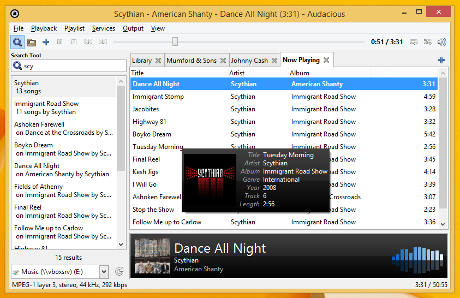
Audacious is an open source audio player. A descendant of XMMS, Audacious plays your music how you want it, without stealing away your computer’s resources from other tasks. Drag and drop folders and individual song files, search for artists and albums in your entire music library, or create and edit your own custom playlists. Listen to CD’s or stream music from the Internet. Tweak the sound with the graphical equalizer or experiment with LADSPA effects. Enjoy the modern GTK-themed interface or change things up with Winamp Classic skins. Use the plugins included with Audacious to fetch lyrics for your music, to set an alarm in the morning, and more.
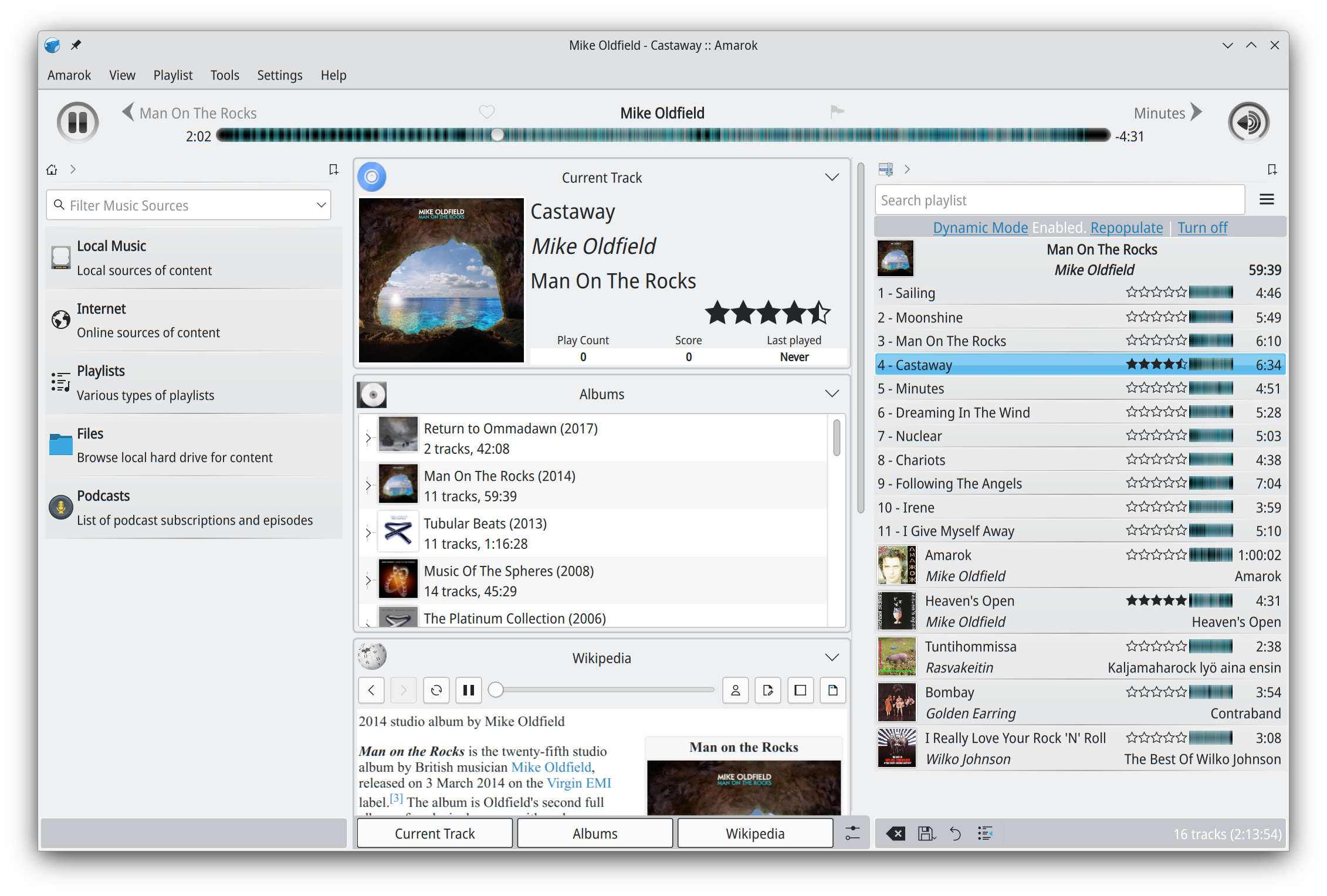
Amarok is a powerful music player, with multi-language support, for Macs, Unix/Linux and Windows. It has an intuitive interface and makes playing the music you love, and discovering new music, easier than ever before – and it looks good doing it!
Features:
Dynamic playlists matching different criteria
Collection managing with rating support
Support for basic iPod, MTP and UMS music player devices
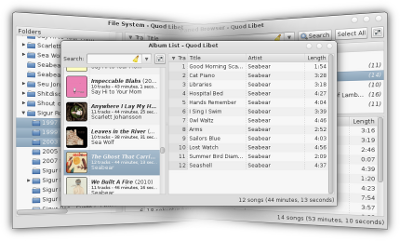
Quod Libet is a GTK+-based audio player written in Python, using the Mutagen tagging library. It’s designed around the idea that you know how to organize your music better than we do. It lets you make playlists based on regular expressions (don’t worry, regular searches work too). It lets you display and edit any tags you want in the file, for all the file formats it supports.
Unlike some, Quod Libet will scale to libraries with tens of thousands of songs. It also supports most of the features you’d expect from a modern media player: Unicode support, advanced tag editing, ReplayGain, podcasts & Internet radio, album art support and all major audio formats – see the screenshots.
Ex Falso is a program that uses the same tag editing backend as Quod Libet, but isn’t connected to an audio player. If you’re perfectly happy with your favorite player and just want something that can handle tagging, Ex Falso is for you.
LAME is used to encode / compress audio data into the lossy MP3 file format. It’s a high quality MPEG Audio Layer III (MP3) encoder, licensed under the LGPL.
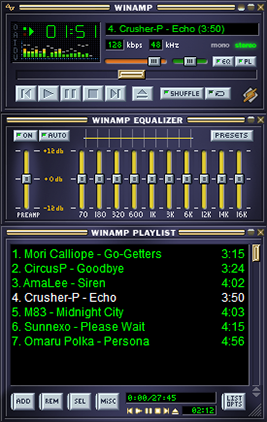
The classic alternative to Window Media Player. Winamp is a cross platform, extensible, free and skinnable media player with a large community and a long past. Development has stopped, but may start again, meanwhile, the development community has largely moved to Foobar2000.
(Update) October 2018
A leaked version of Winamp 5.8 recently spread over the Internet. Consequently, we have decided to make this new version available to you, revised by us.
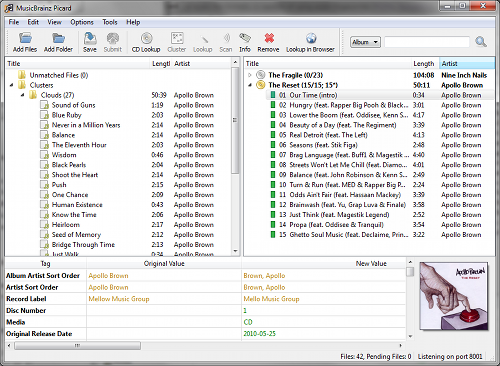
MusicBrainz Picard is a cross-platform (Linux, macOS, Windows) audio tagging application. It is the official MusicBrainz tagger.
Picard supports the majority of audio file formats, is capable of using audio fingerprints (AcoustIDs), performing CD lookups and disc ID submissions, and it has excellent Unicode support. Additionally, there are several plugins available that extend Picard’s features.
Features:
Multiple formats: Picard supports all popular music formats, including MP3, FLAC, OGG, M4A, WMA, WAV, and more.
AcoustID: Picard uses AcoustID audio fingerprints, allowing files to be identified by the actual music, even if they have no metadata.
Comprehensive database: Picard uses the open and community-maintained MusicBrainz database to provide accurate information about millions of music releases.
CD lookups: Picard can lookup entire music CDs with a click.
Scripting: A flexible and powerful, yet easy to learn, scripting language allows you to exactly specify how your music files will be named and how the tags will look like.
Cover Art: Picard can find and download the correct cover art for your albums.
Open Source: Picard is licensed under the GNU General Public License 2.0 or later, and is hosted on GitHub where it is actively developed.
An advanced and evolved freeware audio player for Android, Mac, Windows and Wine. Foobar2000 can be extensively extended, modified and themed.
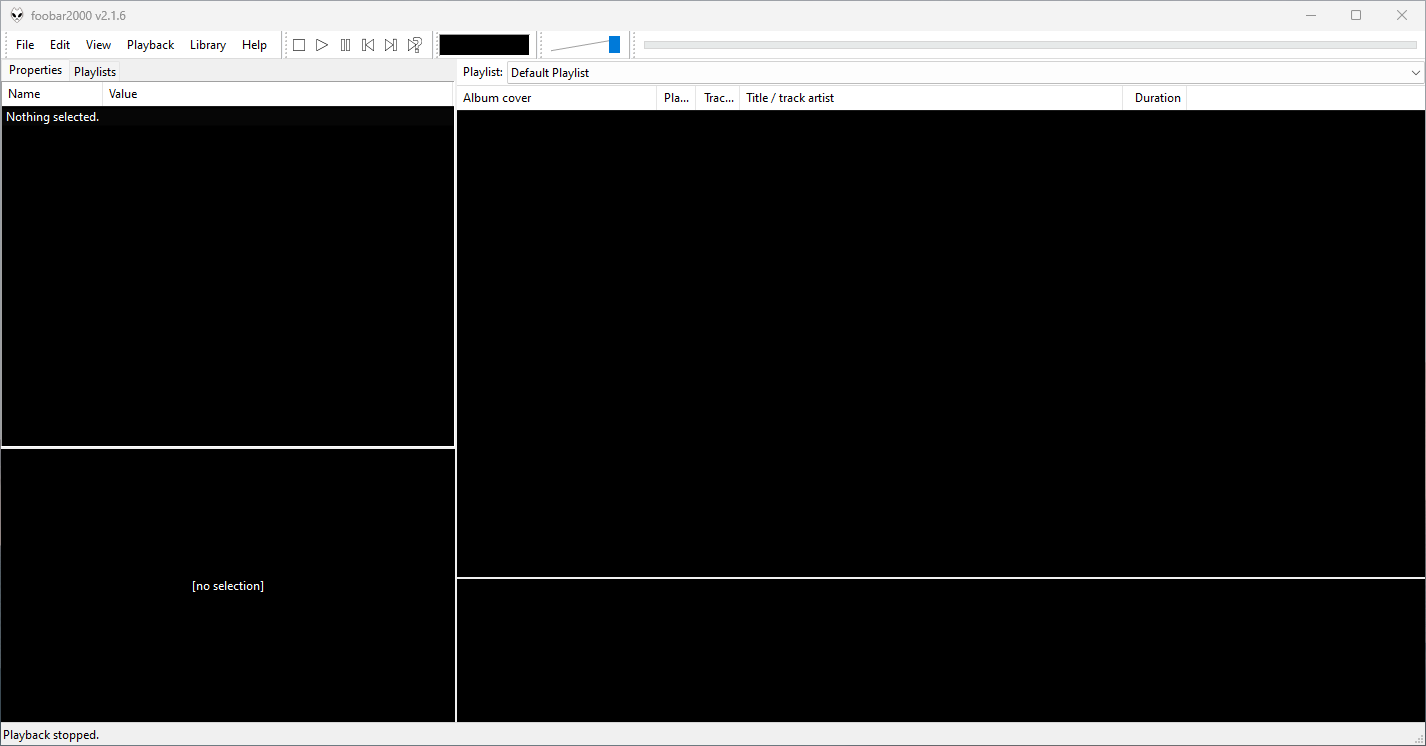
This is the basic Default User Interface or DUI. You will need to configure and extend the DUI Foobar2000 interface according to your preferences and requirements.
Foobar2000 Default User Interface
Features:
Supported audio formats: MP3, MP4, AAC, CD Audio, WMA, Vorbis, Opus, FLAC, WavPack, WAV, AIFF, Musepack, Speex, AU, SND… and more with additional components.
Open component architecture allows third-party developers to extend functionality.
Multiplatform: Android, Mac, Windows 32|64-bit and ARM (ARM64EC).
Interfaces:
foobar2000 is not limited to the Default User Interface (DUI). Over its history, foobar2000 has had several complete user-interface modules, as well as newer technologies that extend the modern interfaces with highly customizable panels.
Core and Historical User Interfaces:
Default User Interface (DUI) — The standard interface included with foobar2000. DUI uses configurable UI Elements to construct the player layout and remains the default interface in current versions of foobar2000.
Columns User Interface (CUI) — A popular alternative user interface with interchangeable panels and toolbars. CUI provides extensive control over the arrangement and appearance of the foobar2000 interface and is widely used for customized layouts and themes.
Classic User Interface — A recreation of the Default User Interface from early versions of foobar2000. It remains available as a component for current foobar2000 versions, primarily for historical and nostalgic purposes. The component intentionally does not attempt to reproduce all functionality of the modern DUI.
Panels UI (PUI) — A discontinued historical user-interface module that allowed the entire foobar2000 interface to be constructed from configurable panels. Panels UI was an important interface in the foobar2000 customization community before being discontinued. It should be regarded as a legacy interface, not a current alternative to DUI or CUI.
Modern Web-Based User Interface:
foobar2000 also supports web-based interface components. These should not be confused with complete UI modules: they operate as panels or UI Elements within the DUI or CUI.
WebView — Provides a Microsoft Edge WebView2 browser control as a foobar2000 UI panel. HTML, CSS and JavaScript can be used to create interactive panels and visualizations. It supports both Default UI and Columns UI.
WebView2 — A newer WebView-based component that exposes Microsoft Edge WebView2 as a foobar2000 Default UI Element or a Columns UI panel. It allows HTML, CSS and JavaScript to interact with foobar2000 and can access the visualization stream. The current component supports foobar2000 2.0 and newer, Windows 10 and newer, and x86, x64 and ARM64/ARM64EC builds.
WebView and WebView2 represent a web-based UI technology rather than separate core foobar2000 interfaces. A WebView/WebView2-based design is still a DUI or CUI layout with a web-based component incorporated into it. The official component repository explicitly identifies WebView2 as a Columns UI panel / Default UI element, rather than as a user-interface module.
The Interface Landscape
In practical terms, foobar2000’s interface history can be divided into:
Complete user-interface modules
Default User Interface (DUI) — current
Columns User Interface (CUI) — current
Classic User Interface — current component, reproducing the historical DUI
This distinction is important when describing foobar2000 themes. A theme designed for CUI is a theme for a different complete UI module than a DUI theme. A theme that incorporates WebView2, however, is still a DUI or CUI theme that uses WebView2 as one of its UI components.
For this reason, foobar2000 themes and interface collections identify the Intended User Interface separately from individual panel technologies and components.