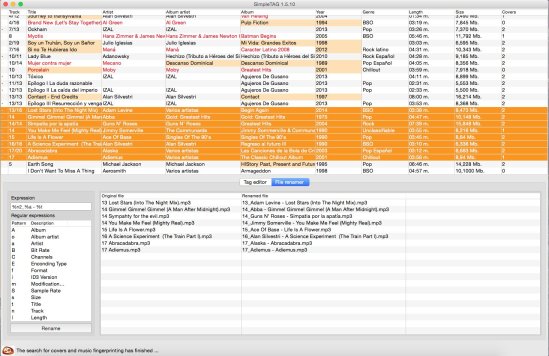
SimpleTag is a cross-platform desktop tool, which allows to update the labels of all your music before incorporating it into a musical library or cloud service.
Nowadays, the amount of music we have in our equipment is large, it is no longer possible to manage with the traditional system of filenames and directories. The most convenient way is to use the concept of libraries that handle the big market music players: iTunes, Amarok, Windows Media Player, Google Music, … etc.
The labels of music files contains all the information on artist, album, genre, title, lyrics … etc, associated with a song. This information is used by music players to manage their libraries. A good labeling enhances the user experience.
Do you want your music in the cloud? Then before, you have to check the tag information is correct before incorporating. If you do not, you will be unable to locate many of your songs.
Features:
Complete file information from audio fingerprint (AcoustID database). This uses the service provided by AcoustId (http://acoustid.org). One colors simple system gives you information about your search results
Locate the covers of your songs by the artist/album the song. The location of the cover image, uses Google image services. It also incorporates images that are in the directory you’re processing, treating them as potential cover images.
Allows mass renaming music files on disk, based on the tag information. If in addition to either your tagged songs, you want the file names follow a pattern that identifies them, you can use this feature.
Supports MP3, Ogg/Vorbis formats
Mass-tagging of multiple files
Auto enumerate the selected songs. In many cases, the songs do not have track numbers. With this feature, you can set the sequence numbers for all the songs on an album.
Protoplug is a VST/AU plugin that lets you load and edit Lua scripts as audio effects and instruments. The scripts can process audio and MIDI, display their own interface, and use external libraries. Transform any music software into a live coding environment!
Cross-platform: builds for Windows, Mac OS X and Linux. This means that all protoplug scripts are compatible with these platforms and can be loaded into a huge amount of audio software (glory to JUCE).
Fast: Use the speed of LuaJIT, and perform DSP tasks as efficiently as old school C implementations.
Free and open source: Want a new feature? Add it yourself. The source is MIT-licensed and available on Github.
In applications such as audio denoising, music transcription, music remixing, and audio-based forensics, it is desirable to decompose a single-channel recording into its respective sources. To perform such tasks, we present a new software tool to perform source separation by painting on time-frequency visualizations of sound. Initial results shows the software can achieve state-of-the-art separation results compared to prior work.
Balabolka is a Text-To-Speech (TTS) program. All computer voices installed on your system are available to Balabolka. The on-screen text can be saved as a WAV, MP3, MP4, OGG or WMA file. The program can read the clipboard content, view text from documents, customize font and background colour, control reading from the system tray or by the global hotkeys.
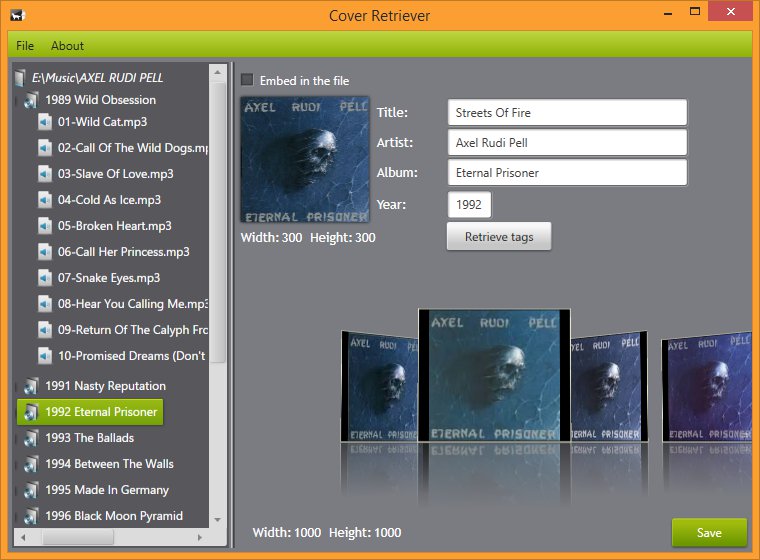
Cover Retriever is free software for Windows that makes it easy to add album cover art to mp3 and flac audio files on the computer.
Album cover finder
The search is based on data obtained from the file tags and processing through Google’s search engine. The drill is as easy as can be: you just have to select the folder that contains your audio files and let this app take care of the rest. You’ll have your covers in just seconds.
Tag finder
The tags search allows you to fill out audio file tags and find appropriate covers. The tags can be easily saved to the file by clicking one button. The search is based on the AcoustId service in order to get the best results.
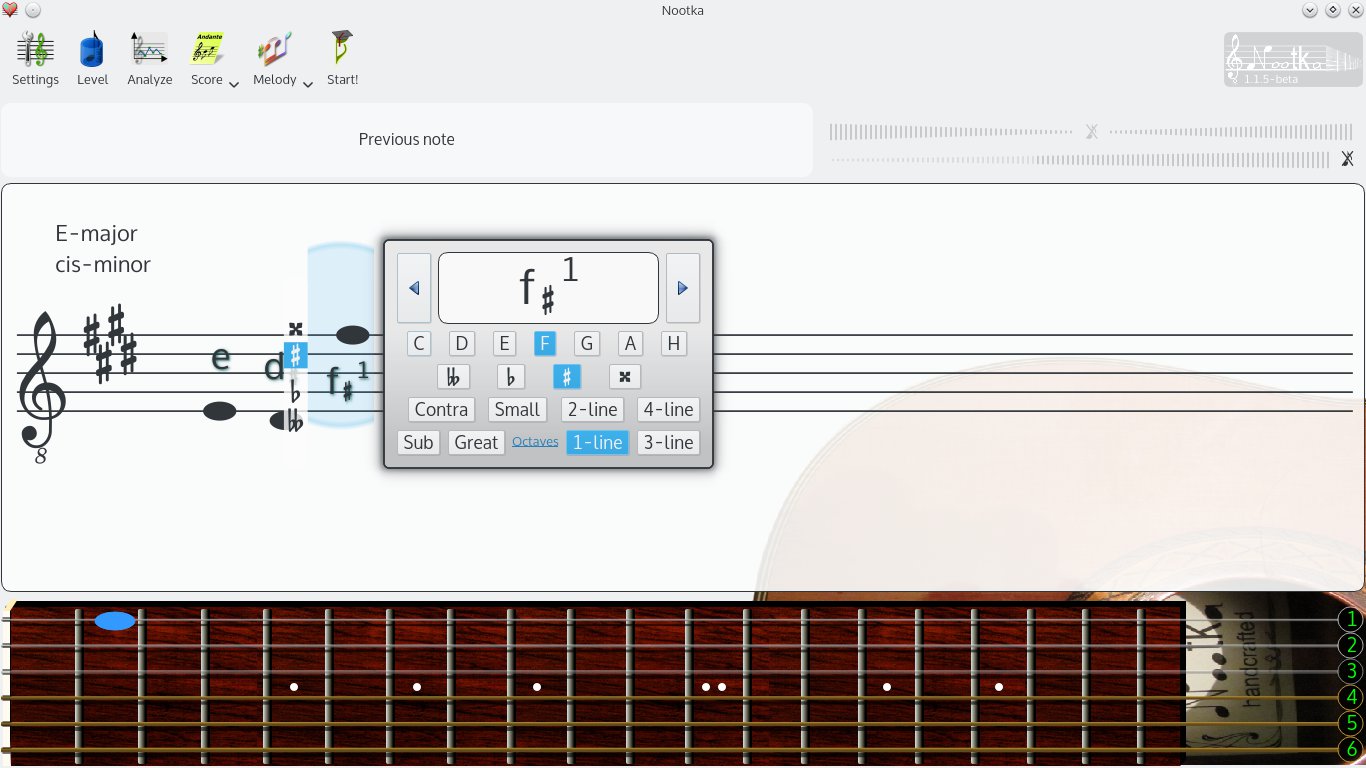
Nootka is an application to help learn classical score notation. It helps in understanding the rules of reading and writing scores and helps with developing skills of playing and singing notes.
Simply: users looks at piece of a score, plays it, while Nootka is listening to it, checks and shows was it played well. All in real time.
Features:
interactive interface to discover the rules of musical notation
exercises with possibility to create own sets
accurate method for detecting sung and played sounds
A digital signal processor that makes dull songs sound sharper, as in brighter.
Strictly speaking, nobody really needs this DSP. It’s just that some people like the effect. If you want to compensate deficiencies in your playback equipment or listening environment, the convolver or the equalizer are more appropriate tools. ~ HA post
There are four interrelated DSPs enclosed, only use the last one, Noise Sharpening.
Noise sharpening can/should be used alone. ~ HA post
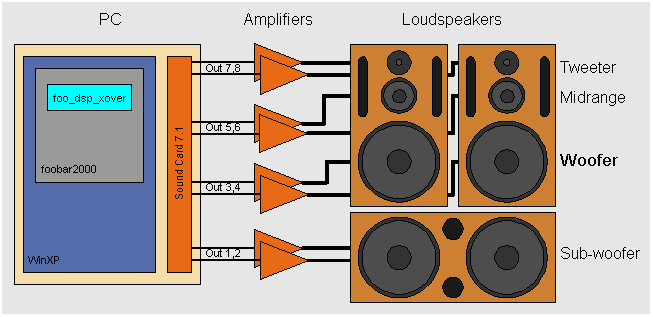
foo_dsp_xover is a software digital crossover implementation that I have been working on for a while in my spare time as a hobby. It is a Foobar2000 audio player plugin that implements this digital crossover to achieve active multi-amplification.
This software needs to run on a WinXP PC equipped with a multi-channel sound card (e.g. 5.1 or 7.1 surround sound card) feeding the various voices of a multi-amplifier and loudspeaker active configuration set-up.
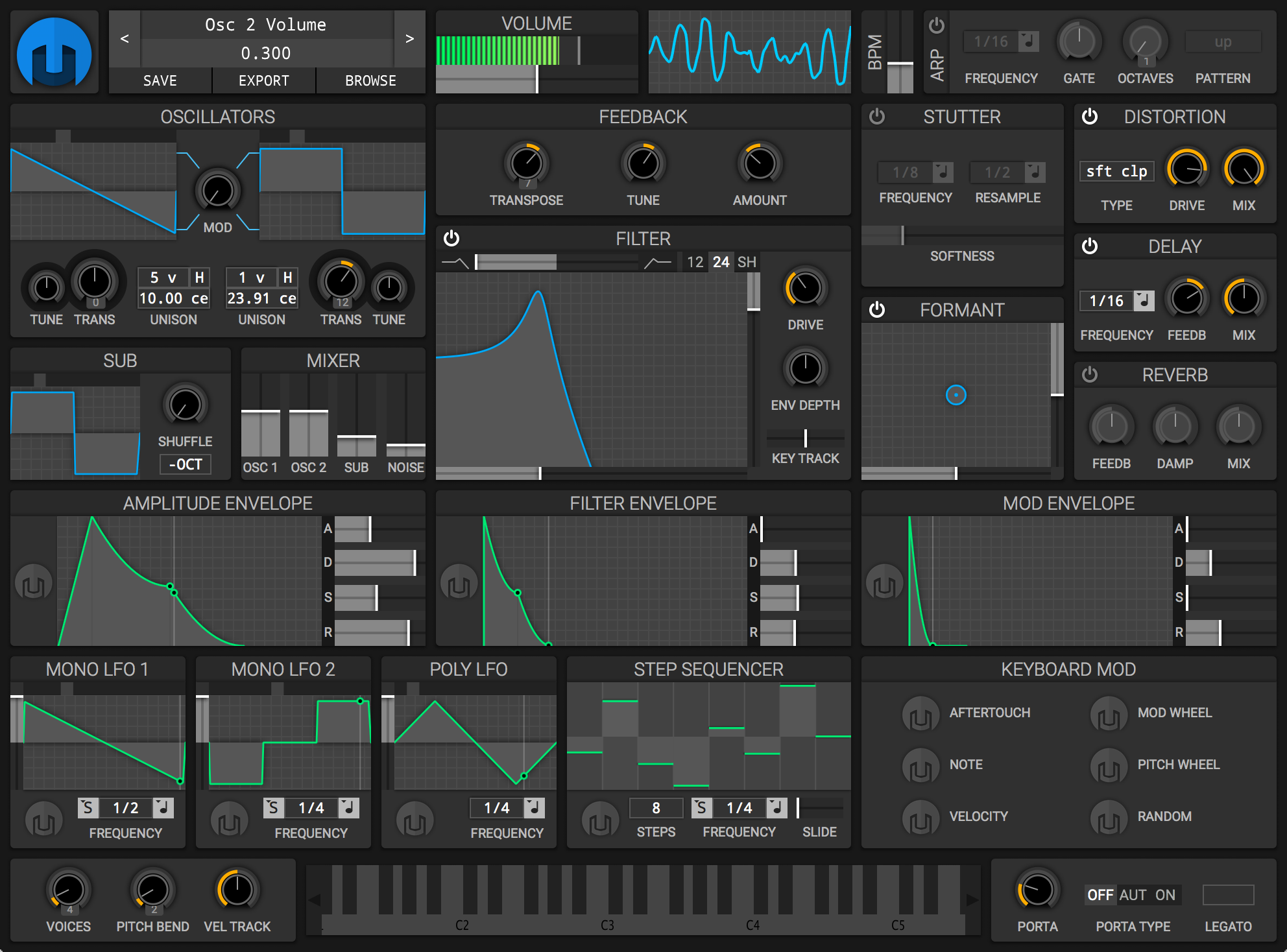
Helm runs in GNU/Linux, Mac OSX and Windows. Run Helm as a standalone synthesizer or as an LV2, VST, VST3 or AU plugin. Comes in both 32-bit and 64-bit versions.
FLAC Frontend is a convenient way for Windows users not used to working with command lines to use the official FLAC tools. It accepts WAVE, W64, AIFF and RAW files for encoding and outputs FLAC or OGG-FLAC files. It is able to decode FLAC files, test them, fingerprint them and re-encode them. It has drag-and-drop support too. It is tested on Windows XP SP3 and Windows 7, but should work with Windows XP SP2 or newer. It requires .NET 2.0 or later.
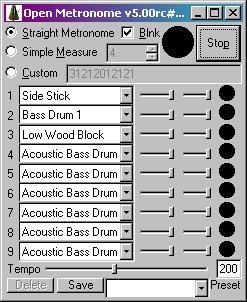
Free open source GPL metronome (a “branch” of “Weird Metronome“) for Windows, Windows Mobile, & Pocket PC. Uses user-definable multi-voice WAV or MIDI (PC only) sounds for the beats. Has a blinker & allows user defined bpm & fine measure control.
Features:
Accurate metronome sound! No skips or variation in audio output!
Custom rhythm patterns: use it as a (very basic) drum machine
User definable beats per minute
Set measure to any length, with emphasis on any beat(s)
Over 40 MIDI voices, optionally available as WAV samples
Up to nine simultaneous voices per beat
Add your own WAV samples to use whatever sounds you like
Highly customizable parameters
Define HotKeys to perform functions such as increase tempo
Set the Maximum & minimum tempo available via the tempo slider
Listing of specialized output components that extend Foobar2000 in order to interface directly with system hardware or software output devices. Some of these are already installed by default and the remainder should be installed as needed.
By default foobar2000 uses the Windows Audio Session API (WASAPI) output in shared mode on modern versions (v1.6 and later). This means foobar2000 sends audio through the standard Windows audio stack using WASAPI unless you explicitly select another output (like WASAPI exclusive, ASIO with a plugin, or other output components).
The built in outputs and all installed output components can be selected from in the Preferences: Playback > Output > Device submenu.
Exclusive mode (in the context of foobar2000 and Windows audio) means that the player takes sole control of the audio device, bypassing the Windows system mixer for the duration of playback.
Here is what that entails, factually and practically:
What happens in exclusive mode
The audio device is locked to foobar2000 while playback is active.
No other application can play sound through that device at the same time.
Audio data is sent directly to the driver via WASAPI Exclusive (or ASIO), without Windows resampling or mixing.
The device switches to the exact sample rate and bit depth of the track being played, if the driver supports it.
How this differs from shared mode
In shared mode, Windows mixes audio from multiple applications and resamples everything to the format set in Windows Sound → Device Properties → Advanced.
In exclusive mode, Windows’ mixer is bypassed entirely, so there is no system-level resampling, mixing, or volume processing.
Technical implications
Enables bit-perfect playback, assuming no DSPs or volume scaling are active in foobar2000.
Prevents interference from system sounds, notifications, or browser audio.
Reduces latency and avoids format conversions imposed by the OS mixer.
Trade-offs and limitations
System sounds and other apps will be silent while exclusive playback is active.
If an application already has exclusive control, foobar2000 cannot start playback on that device.
Some USB DACs and Bluetooth devices have limited or unstable exclusive support, depending on drivers.
Exclusive mode does not improve audio quality if the DAC or downstream hardware already resamples internally.