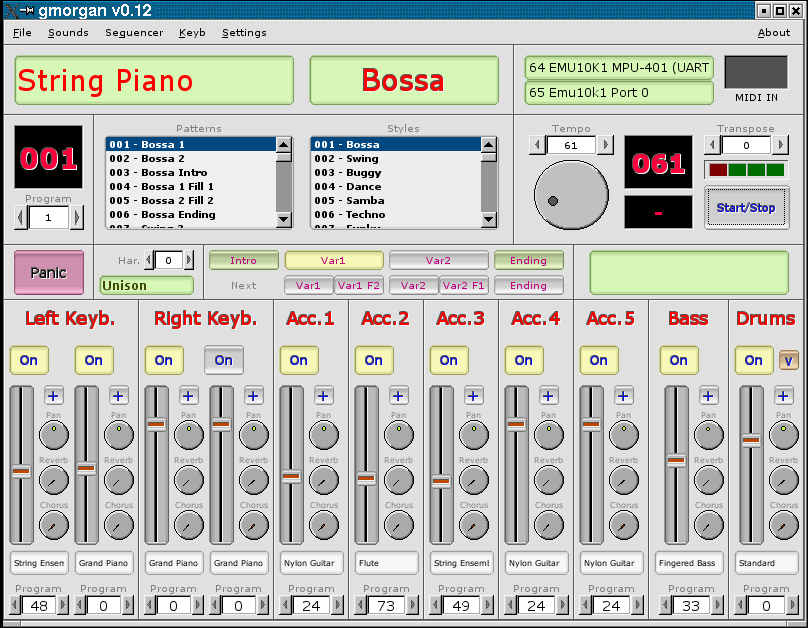
gmorgan ~ Cross-platform Rhythm Station


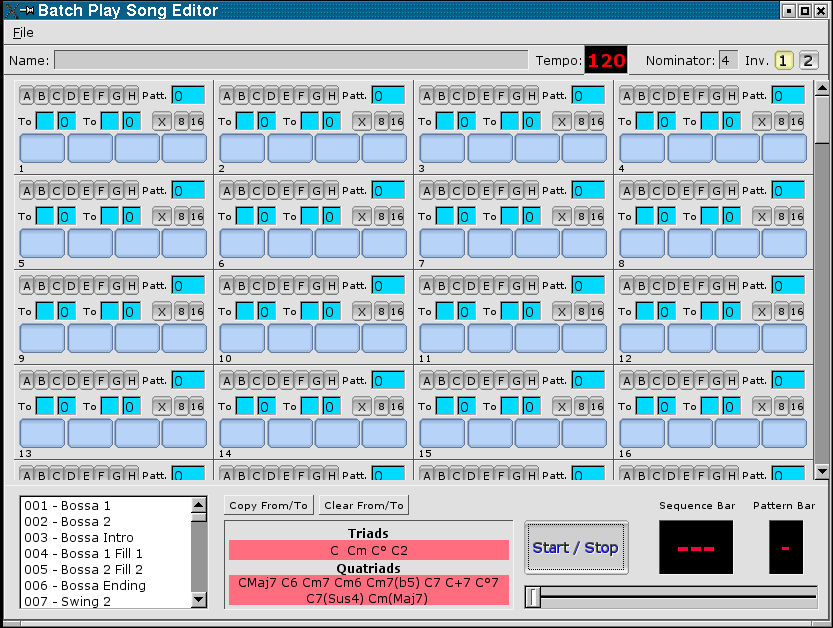
gmorgan is a rhythm station, a modern organ with full editable accompaniment for play in real time emulating the capabilities of commercial rhythm stations “Korg”,”Roland”, “Solton” … also has a small pattern based sequencer like “Band in a Box”. Uses the capabilities of ALSA sequencer to produce MIDI accompaniment.

gmorgan.sourceforge.net
deb-multimedia.org/dists/testing/main/binary-armhf/package/gmorgan

AV Linux ~ Install & Create


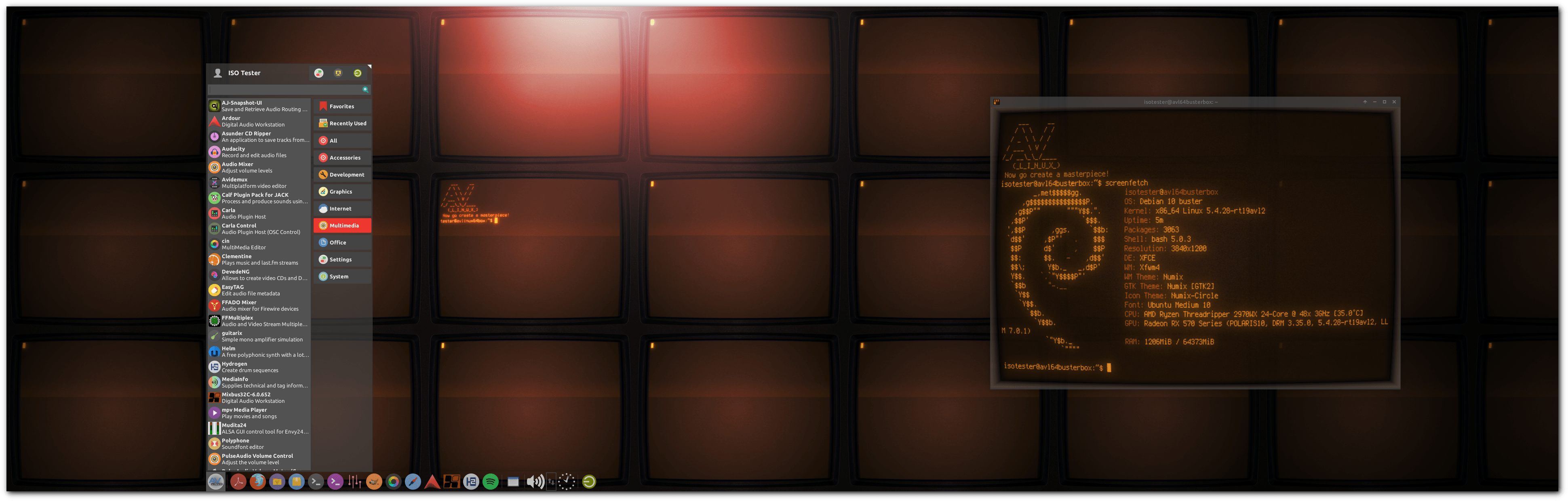
AV Linux is a free shared downloadable and installable snapshot ISO image based on Debian/GNU Linux pre-configured to be a turnkey AV content creation system pre-configured and ready to “Install and Create”.

Features:

  • Originates from 32bit and 64bit snapshots of the Debian Stable Distribution.
  • Custom Realtime Preempt Kernel for optimal low-latency Audio potential.
  • CPU governed for performance by default.
  • Extra tweaks for performance, meets all criteria of the included Realtime Configuration Quick Scan.
  • Some special custom packaging not found in default Repositories.
  • Fast and Light XFCE4 Desktop Environment with attractive customizations.
  • falkTX’s KXStudio Repositories for up to date Audio Applications.
  • Extensive Audio/Video and Administrator-friendly Custom Actions.
  • Seamless JACK Audio/MIDI environment with PulseAudio Integration.
  • Extended Application platforms Flatpak and Docker included.
  • Robust Environment for developers: Compilers, GIT, SVN, BZR, tools and development libs.
  • Mozilla builds of Firefox and Thunderbird.

AVL-2020Desktop

www.bandshed.net/avlinux
www.bandshed.net/iso/
www.wikihow.com/Install-AV-Linux
distrowatch.com/table.php?distribution=avlinux
en.wikipedia.org/wiki/AV_Linux

Seq24 ~ Minimal MIDI Sequencer


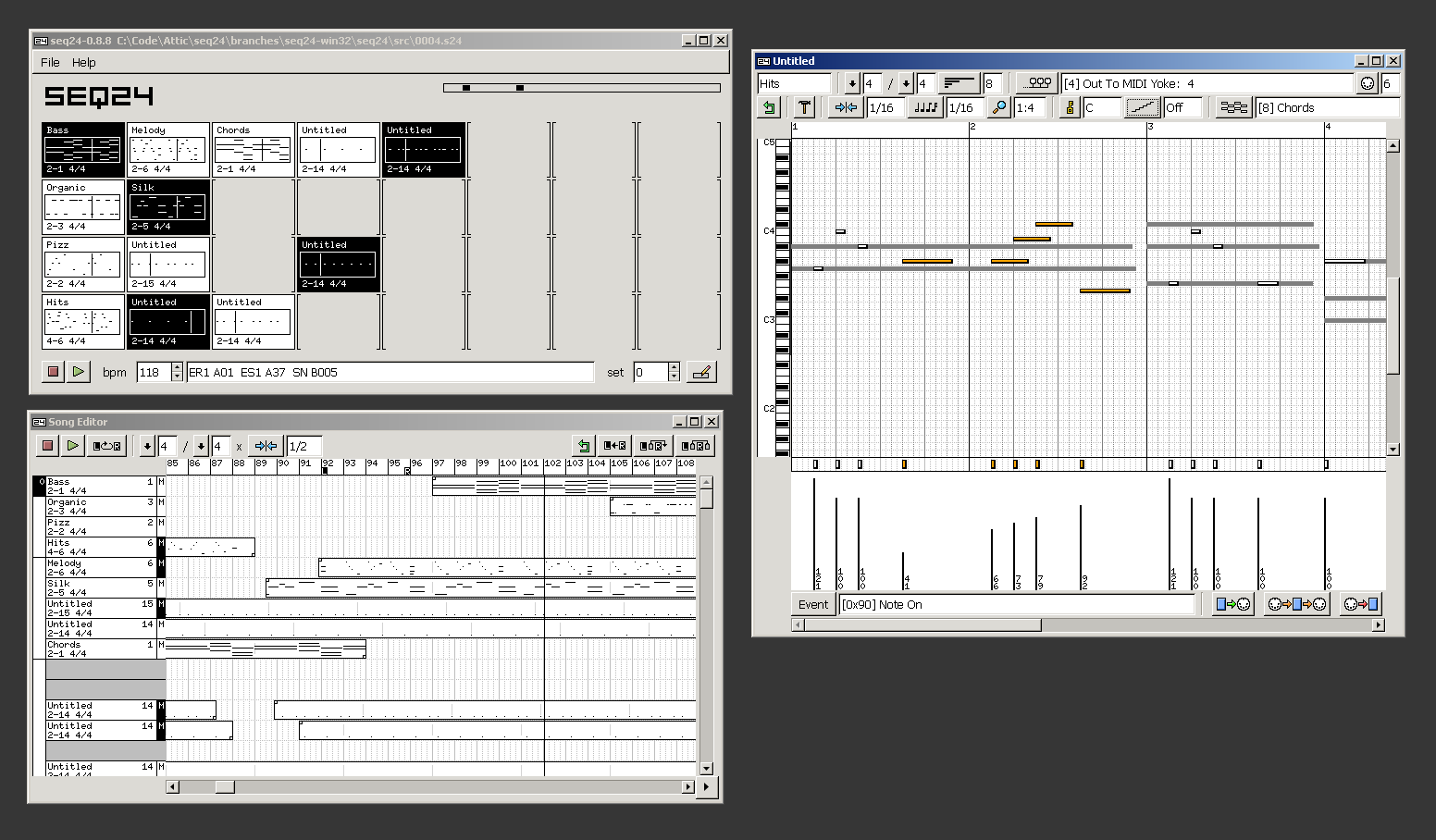
Seq24 is a minimal loop based midi sequencer. It was created to provide a very simple interface for editing and playing midi ‘loops’. After searching for a software based sequencer that would provide the functionality needed for a live performance, such as the Akai MPC line, the Kawai Q80 sequencer, or the popular Alesis MMT-8, I found nothing similar in the software realm. I set out to create a very minimal sequencer that excludes the bloated features of the large software sequencers, and includes a small subset of features that I have found usable in performing.

seq24.large

www.filter24.org/seq24
en.wikipedia.org/wiki/Seq24

Rakarrack ~ Guitar Effects For Linux


Rakarrack is a richly featured multi-effects processor emulating a guitar effects pedalboard. Effects include compressor, expander, noise gate, graphic equalizer, parametric equalizer, exciter, shuffle, convolotron, valve, flanger, dual flange, chorus, musical delay, arpie, echo with reverse playback, musical delay, reverb, digital phaser, analogic phaser, synthfilter, varyband, ring, wah-wah, alien-wah, mutromojo, harmonizer, looper and four flexible distortion modules including sub-octave modulation and dirty octave up. Most of the effects engine is built from modules found in the excellent software synthesizer ZynAddSubFX. Presets and user interface are optimized for guitar, but Rakarrack processes signals in stereo while it does not apply internal band-limiting filtering, and thus is well suited to all musical instruments and vocals. Rakarrack is designed for Linux distributions with Jack Audio Connection Kit.

rakarrack

rakarrack.sourceforge.net
sourceforge.net/projects/rakarrack

WhySynth ~ DSSI Softsynth Plugin


WhySynth is a versatile softsynth which operates as a plugin for the DSSI Soft Synth Interface.

Features:

  • 4 oscillators, 2 filters, 3 LFOs, and 5 envelope generators per voice.
  • 11 oscillator modes: minBLEP, wavecycle, chorused wavecycle, asynchronous granular, three FM modes, waveshaper, noise, PADsynth, and phase distortion.
  • 10 filter modes.
  • flexible modulation and mixdown options, plus effects.
whysynth

smbolton.com/whysynth

ReZound ~ Multi-platform Audio Editor


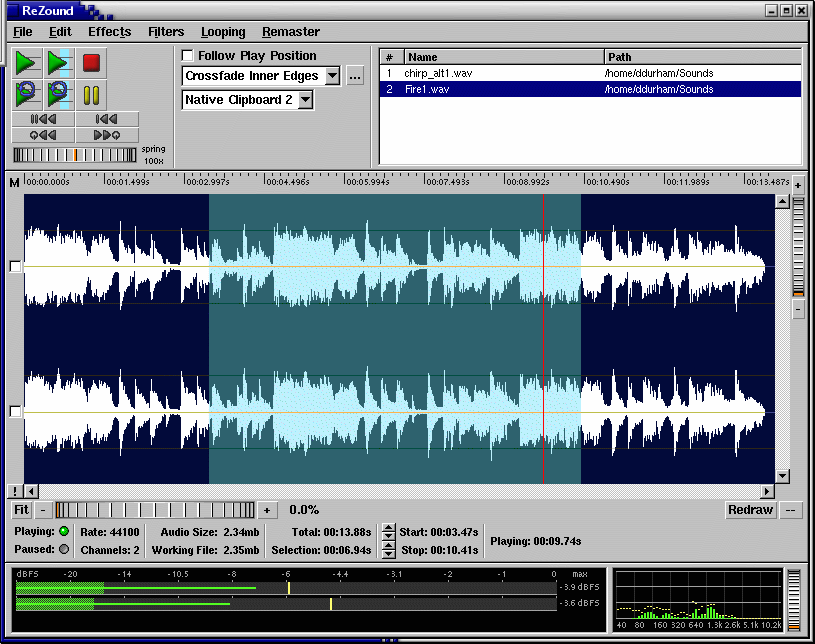
ReZound aims to be a stable, open source, and graphical audio file editor primarily for, but not limited to, the Linux operating system.

ReZound

rezound.sourceforge.net
sourceforge.net/projects/rezound
github.com/ddurham2/rezound

Network Audio System ~ Client Server Sound


The Network Audio System is a network transparent, client/server audio transport system.

Features:

  • Device-independent audio over the network
  • Lots of audio file and data formats
  • Can store sounds in server for rapid replay
  • Extensive mixing, separating, and manipulation of audio data
  • Simultaneous use of audio devices by multiple applications
  • Used by a growing number of ISVs
  • Small size
  • Free! No obnoxious licensing terms

www.radscan.com/nas
sourceforge.net/projects/nas

Audiophile UPnP Renderer ~ Windows Network Player


Features:

  • Supported audio formats: FLAC, WAV, AIFF.
  • BitPerfect, zero CPU load streaming.
  • Support for high-quality bit-depth upconversion.
  • Support for VST 2.x plugins.
  • Gapless playback.
  • WASAPI (Exclusive mode) output.

Audiophile UPnP Renderer

sourceforge.net/projects/audiophilerenderer

foo_osd ~ Foobar2000 On Screen Display


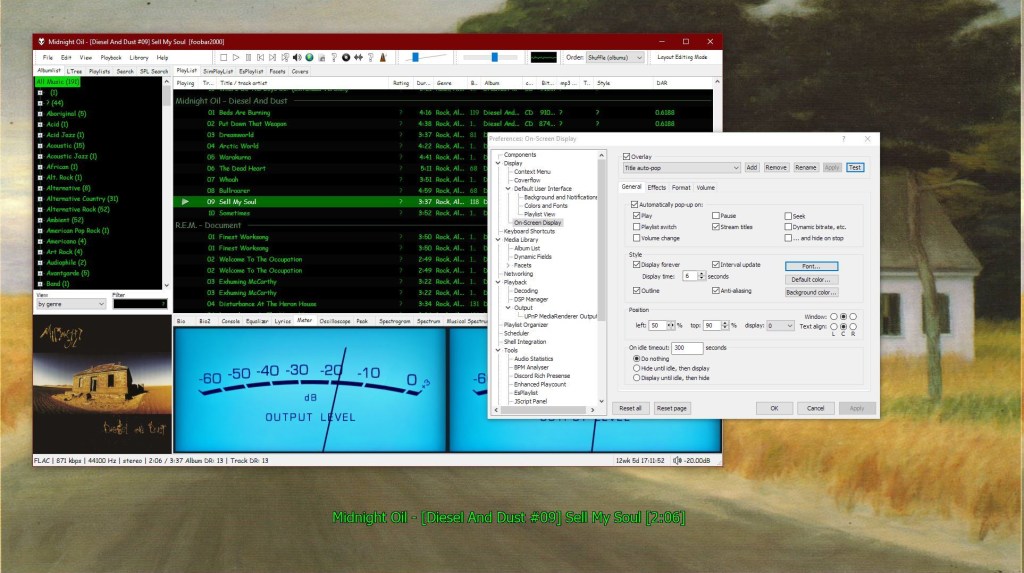
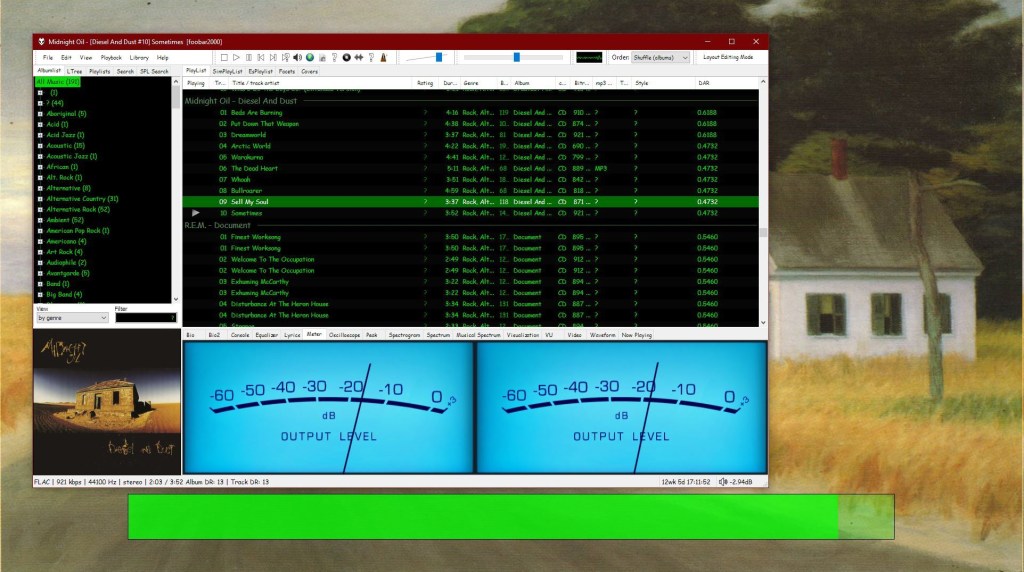
This component provides configurable screen overlays which may be opened with hotkeys, or appear on specific events. Each overlay is configured separately, and has its own set of events.

www.foobar2000.org/components/view/foo_osd
hydrogenaud.io/index.php/topic,43044.0

foobar_osd (On-Screen Display) is a foobar2000 component that shows track information as a floating overlay on your desktop during playback events.

Instead of opening the player window to see what’s playing, foobar_osd displays relevant information directly on your screen.

Typical uses include:

  • Seeing track information when the player is minimized
  • Monitoring playback on multi-monitor setups
  • Getting quick visual feedback without interrupting workflow
  • Displaying detailed metadata beyond basic notifications

Unlike standard operating system notifications, foobar_osd is fully customizable using foobar2000’s powerful title formatting system.


Core Features

When triggered, foobar_osd can display:

  • Artist and title
  • Album name
  • Track position and duration
  • Album artwork
  • Custom metadata fields
  • Technical playback information

The display appears briefly and then fades away automatically.


Event-Based Display

You control when the OSD appears. Common trigger events include:

  • Track change
  • Play or pause
  • Stop playback
  • Manual trigger via hotkey

Careful selection of events is important to avoid excessive on-screen interruptions.


Fully Customizable Text Formatting

One of the strongest features of foobar_osd is that it supports full foobar2000 title formatting.

This means you can display virtually any tag or metadata field stored in your files.

Example format:

[%artist% - ]%title%
%album%
$if(%album_avg_bpm%,Album BPM: %album_avg_bpm%)

Conditional formatting allows the display to remain clean by only showing information when available.


Installation and Access

After installing the component:

  1. Restart foobar2000.
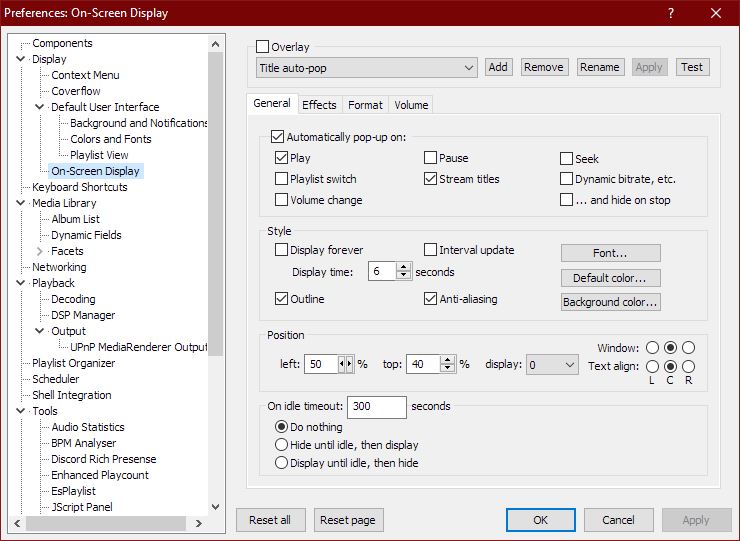
  2. Open:
Preferences → Tools → On-Screen Display

All configuration options are available in this section.


Appearance and Layout Options

foobar_osd allows extensive visual customization:

  • Background transparency
  • Font selection
  • Fade animations and display duration
  • Monitor Selection
  • Shadow effects
  • Screen position
  • Text size and color

Using foobar_osd Effectively

Many users install foobar_osd but never use its full potential. The following strategies significantly improve usability.

Display Meaningful Metadata

If your library uses structured tagging, include useful fields.

Example:

[%artist% - ]%title%
%album%
$if(%album_avg_bpm%,Album Tempo: %album_avg_bpm% BPM)
$if(%genre%,Genre: %genre%)

This transforms the overlay into a quick contextual information panel.

Create Minimal or Informational Layouts

Depending on your workflow, consider:

  • Minimal layout — artist and title only
  • Informational layout — album, metadata, technical details
  • Radio/stream layout — include station information or bitrate

Use a Manual Hotkey

Setting a hotkey to manually trigger the OSD is extremely useful.

Advantages include:

  • Quick track info lookup without switching windows
  • Clean desktop experience without persistent UI elements

Use Conditional Formatting

Conditional statements prevent empty lines or clutter:

$if(%album_avg_bpm%,Album BPM: %album_avg_bpm%)

Only displays when the tag exists.

Time Functions:

Elapsed / Percent / Duration / Remaining

$puts(Elapsed,$if(%isplaying%,$pad_right(%_time_elapsed%,5,0),00:00))
$puts(Duration,$pad_right(%length%,5,0))
$puts(P,$muldiv(%_time_elapsed_seconds%,100,%_time_total_seconds%))
$puts(Percent,$if(%isplaying%,$if($greater($get(P),99),99,$pad_right($get(P),2,0)),00)'%')
$puts(Remaining,$if(%isplaying%,$pad_right(%playback_time_remaining%,5,0),$get(Duration)))
$get(Elapsed)  |  $get(Percent)  |  $get(Duration)  |  $get(Remaining)

SAR ~ Synchronous Audio Router


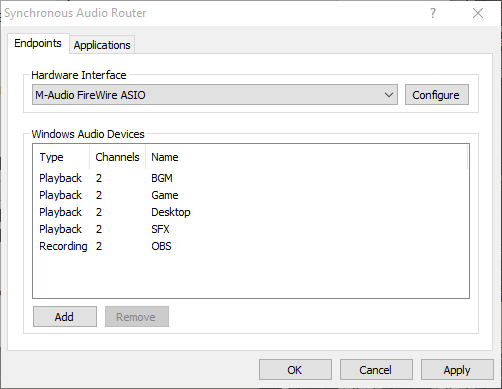
Synchronous Audio Router lets you route audio from any Windows application through a DAW (digital audio workstation) application, giving you an immense amount of control over your system’s audio. You can apply sophisticated effects, routing and switching, and combine the audio streams from each individual application any way you want, producing any number of output mixes.

If your applications of choice doesn’t let you select an audio device, SAR has you covered: you can define per-application routing rules which will override the Windows default audio device settings. You can even use pattern matching to define rules for groups of applications.

It’s also fast. SAR operates inline with your existing ASIO driver, adding no additional buffer latency to your DAW, and uses WaveRT for direct low latency transport of audio between applications. This is in contrast to many other “virtual audio cable” type drivers which often require buffer sizes as large as 50-100ms to work reliably.

str.rs/sar
github.com/eiz/SynchronousAudioRouter

Avoid sar.audio (site was hijacked)

BlackHole ~ Mac Virtual Cable


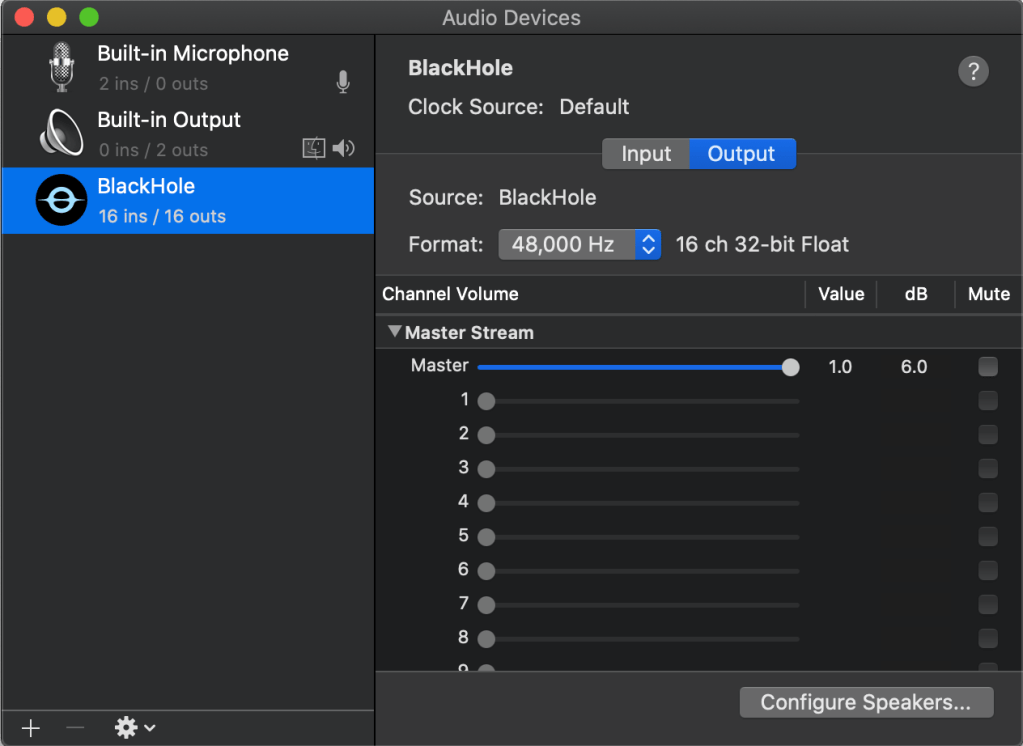
BlackHole is a modern macOS virtual audio driver that allows applications to pass audio to other applications with zero additional latency.

BlackHole

existential.audio/blackhole
github.com/ExistentialAudio/BlackHole

foo_input_dvda ~ Foobar2000 DVD-Audio Decoder


DVD-Audio Decoder input plugin and Watermark Detector / Neutralizer DSP plugins for Foobar2000. Decoder is capable of playing back DVD-Audio discs, ISO images, AOB, MLP and Dolby TrueHD files in full resolution. Dedicated plugin for DTS-HD playback. APT-x100 plugin for *.AUD and *.AUE files from DTS movie / trailer discs.

sourceforge.net/projects/dvdadecoder

References:

wiki.hydrogenaudio.org/Foobar2000 Components DVD_Audio_Decoder_foo_input_dvda