Spectro ~ Audio File Analyzer


Spectro is a freeware audio file analyzer for Windows. Currently capable of reading FLAC, APE, MP3 and WAV files. Spectro lets you view vital data about compressed audio files and creates a spectrogram of the wave data. This allows you to quickly and easily spot quality issues with a file and also look for transcodes.

spectro

spectro.enpts.com

Playlist Creator ~ Freeware Windows Applet


Following the Unix philosophy “one tool for one job” Playlist Creator enables you to create playlists of your precious music within seconds.

The composition and creation of a playlist is quite intuitive: Add all desired files, enter a name for the playlist and select its save location. Hit the create button and one moment later your brand-new playlist is ready.

You don’t have to recreate your playlist every time you want to make changes to it. Just open the existing playlist file, make the changes you want and save the playlist. It’s as simple as that!

Combining several playlists into a single big playlist is quite simple as well: Insert as many existing playlist files to your current playlist as you like and save the playlist. Done!

playlist creator

Windows 7 and earlier

www.oddgravity.de/app-opc

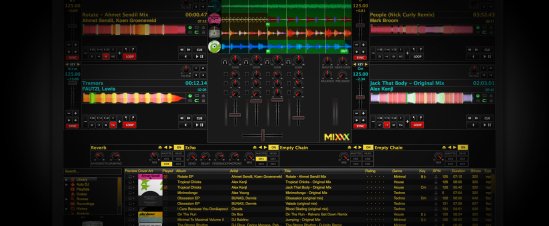
Mixxx ~ DJ Your Way For Free


Mixxx has everything you need to start making DJ mixes in a tight, integrated package. Whether you’re DJing your next house party, spinning at a club, or broadcasting as a radio DJ, Mixxx has what you need to do it right.

Mixx-2.0

Cross-platform, extensible, multi-language, open source & skinnable freeware. Support for iTunes, MusicBrainz, ReplayGain and Traktor.

mixxx.org
Download
Manual
Wiki
Blog
Wikipedia
Github Repository

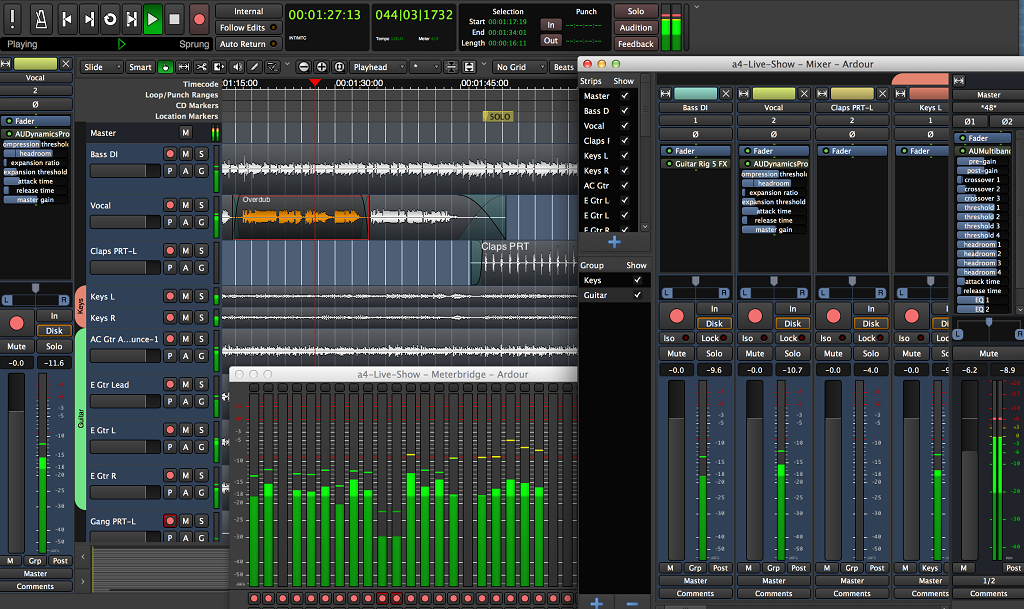
ardour ~ Freeware Digital Audio Workstation


Grab yourself a nice audio interface. Plug in a microphone or a keyboard. Import audio or MIDI from your hard drive or the Freesound database. Cut, move, stretch, copy, paste, delete, align, trim, crossfade, rename, snapshot, zoom, transpose, quantize, swing, drag, drop. All with unlimited undo/redo. All in the same window.

Mix, mute, solo, fader, automate, EQ, dynamics, insert, send, pre-fader, post-fader, sync, monitor, isolate. Floating point fidelity, the most flexible mixer architecture in the industry, hundreds of plugins and external control surfaces.

Ardour - Retina - No Plugins

ardour.org
community.ardour.org/download
Plugins
en.wikipedia.org/wiki/Ardour_(software)

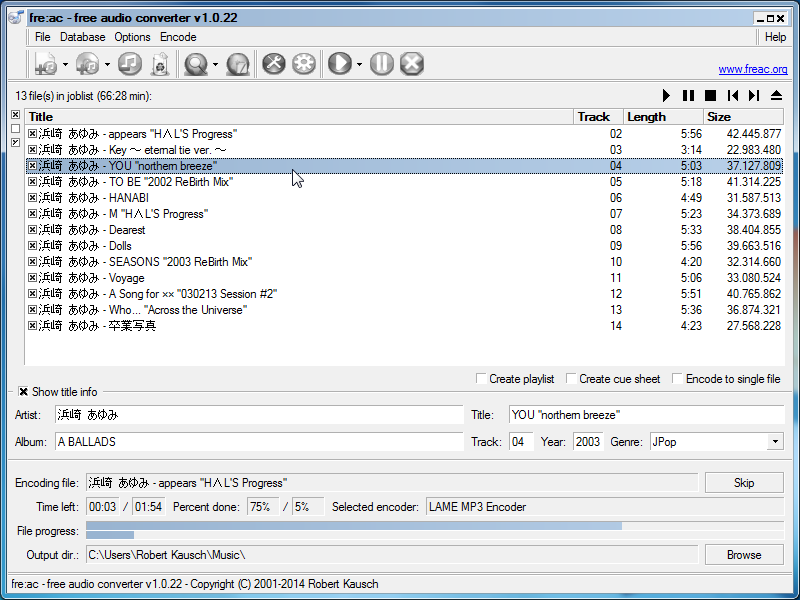
fre:ac ~ Cross-platform Converter & Ripper


fre:ac is a free open source audio converter and CD ripper with support for various popular formats and encoders. It currently converts between mp3, MP4/M4A, WMA, Ogg Vorbis, FLAC, AAC, WAV and Bonk formats.

With fre:ac you can easily rip your audio CDs to MP3 or WMA files for use with your hardware player, or convert files that do not play with other audio software. You can even convert whole music libraries retaining the folder and filename structure.

The integrated CD ripper supports the CDDB / freedb online CD database. It will automatically query song information and write it to ID3v2 or other title information tags.

Features:

  • Converter for MP3, MP4/M4A, WMA, Ogg Vorbis, FLAC, AAC, WAV and Bonk formats
  • Integrated CD ripper with CDDB/freedb title database support
  • Portable application, install on a USB stick and take it with you
  • Multi-core optimized encoders to speed up conversions on modern PCs
  • Full Unicode support for tags and file names
  • Easy to learn and use, still offers expert options when you need them
  • Multilingual user interface available in 40 languages
  • Completely free and open source without a catch

freac-1.0.x-en

www.freac.org

Songbird ~ Freeware Audio Player


With a focus on fans, Songbird personalizes music content from the artists you love the most. Share your own photos with artists and other fans or discover new artists, all while listening to your music on your computer.

Songbird

The predecessor to Nightingale, Songbird is now defunct software ~ FYI, the real download link at the website is entitled “Free For PC”

getsongbird.net
Download
en.wikipedia.org/wiki/Songbird_(software)

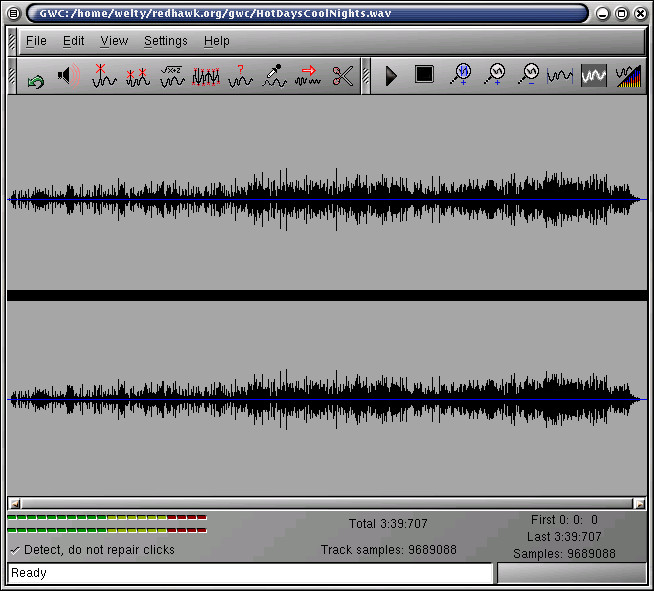
Restoration ~ The Gnome Wave Cleaner Project


Digital audio restoration of CD quality audio wave files. Dehiss, declick and decrackle in a GUI environment.

The goals are simple — denoise, dehiss and amplify audio files. With the use of libsndfile, you can now do this on a multitude of audio formats, wav, au, aiff, …

Gnome Wave Cleaner

Clean up your needle drops!

gwc.sourceforge.net
sourceforge.net/projects/gwc
en.wikipedia.org/wiki/Gnome_Wave_Cleaner

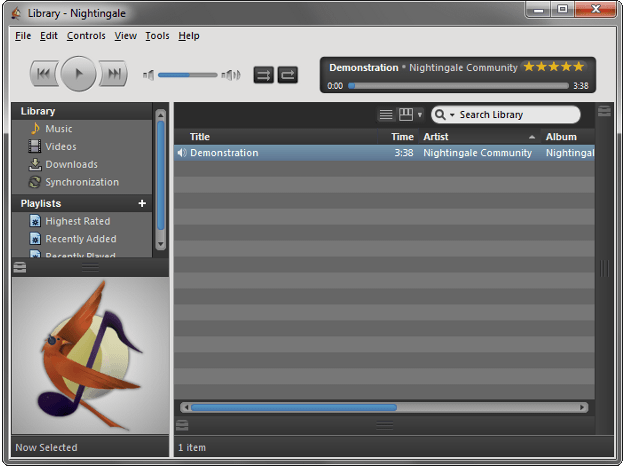
Nightingale ~ Extensible Audio Player


Nightingale chirps your favorite tunes! A beautiful interface with a wide range of supported audio formats, Last.fm and multi-platform support!

nightingale-windows-screenshot

getnightingale.com
Add-ons

* A descendant of Songbird

Sonic Visualiser ~ View & Analyze Audio Files


The aim of Sonic Visualiser is to be the first program you reach for when want to study a musical recording rather than simply listen to it.

We hope Sonic Visualiser will be of particular interest to musicologists, archivists, signal-processing researchers and anyone else looking for a friendly way to take a look at what lies inside the audio file.

sv-3.0-win-thumb

www.sonicvisualiser.org
www.sonicvisualiser.org/download
www.vamp-plugins.org/download
Introduction Video

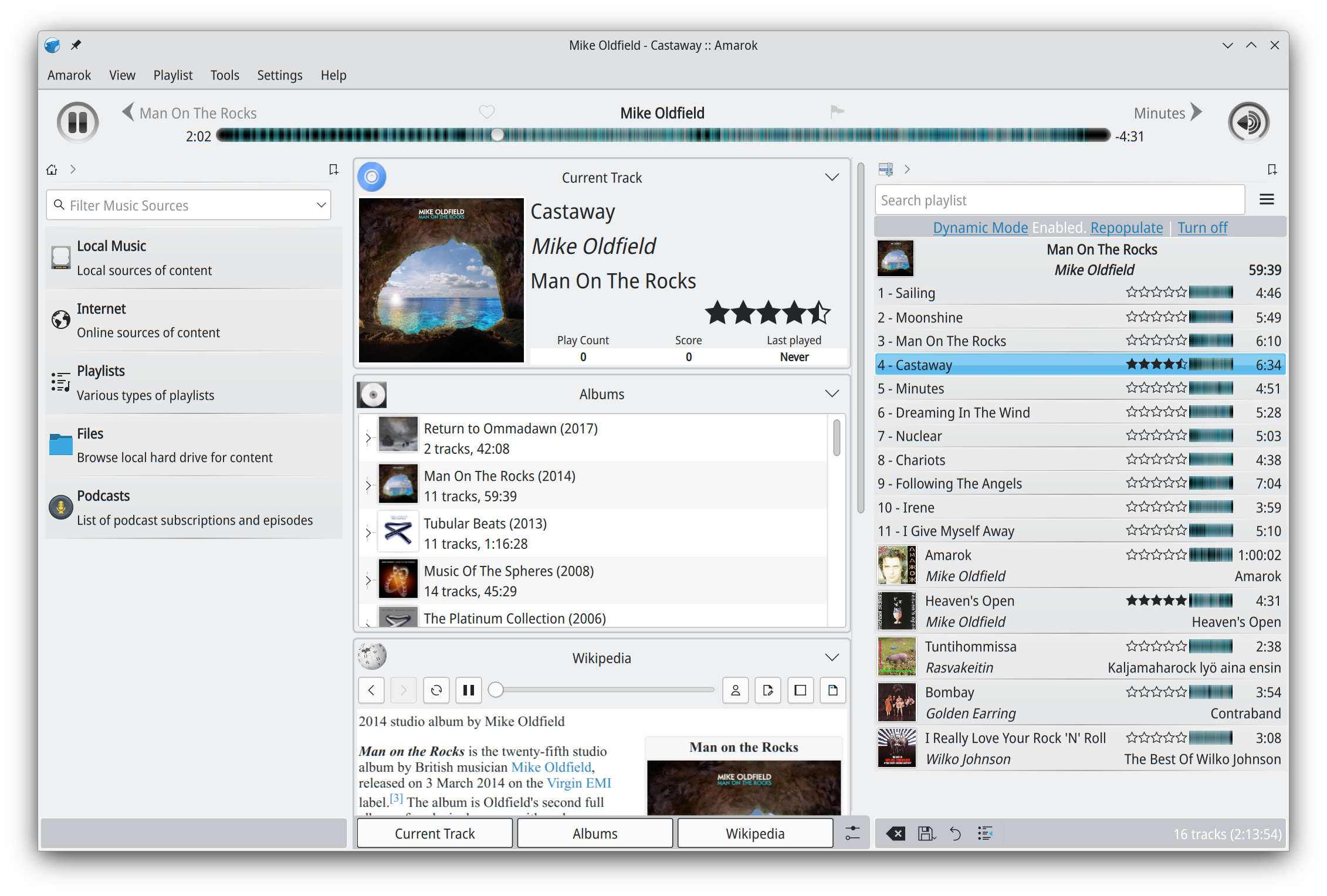
Amarok ~ Cross Platform Audio Player


Amarok is a powerful music player, with multi-language support, for Macs, Unix/Linux and Windows. It has an intuitive interface and makes playing the music you love, and discovering new music, easier than ever before – and it looks good doing it!

Features:

  • Dynamic playlists matching different criteria
  • Collection managing with rating support
  • Support for basic iPod, MTP and UMS music player devices
  • Integrated Internet services: last.fm, Magnatune, Ampache and more.
  • Scripting support
  • Cover manager
  • Replaygain support

apps.kde.org/amarok
amarok.kde.org
Downloads
Documentation

Foobar2000 ~ Playlists & Autoplaylists


Playlists, or named lists of songs, are an essential aspect of Foobar2000. Whenever you add a song to Foobar, you are adding it to one of Foobar’s playlists. Foobar allows you to create and maintain different playlists, which are just entitled lists of your audio tracks (files). The playlists link to audio files in a ‘many to one’ relationship; that is, there can be many tracks on different playlists that reference the same audio track. Foobar can import and exports playlists in a variety of formats; and stores its own playlists as .fpl files. (This is different from adding a song to your Foobar2000 Library).

Playlists can be created manually by adding individual songs, or automatically by specifying a set of conditions in a query with the result displayed as an “Autoplaylist”. Manually created playlists are static, they don’t change unless you change them; Autoplaylists are dynamic, that is the results may change whenever the Autoplaylist is queried.

Playlists created manually can be edited directly, while Autoplaylists are edited by modifying the query. However, you can save the results of an Autoplaylist as a new static, and therefore editable, playlist.

Creating an Autoplaylist of an Albumlist item like genre:

  1. Select by genre from the Albumlist view selector
  2. Select a genre from the list of genres
  3. Right click that selected genre and select Create Autoplaylist

You will now have a new Autoplaylist listed on the playlist manager tab with the name of the genre you selected. Playlists created this way are called an Album List branch.

Creating an Autoplaylist of a folder’s contents:

  1. Select the Search tab
  2. enter %path% HAS replace this with the actual path  in the search field
  3. Select ...
  4. Select Create Autoplaylist
  5. Rename the new playlist (hint, with the path)

AutoPlaylist query examples:

  • Lossless ~ “$info(encoding)” IS lossless
  • Lossy ~ “$info(encoding)” IS lossy
  • Missing title ~ title MISSING (no percent signs)
  • Missing genre ~ genre MISSING
  • Never played ~ %play_count% MISSING
  • No Dynamic Range info ~ %dynamic_range_album% MISSING
  • No ReplayGain info ~ %replaygain_track_gain% MISSING
  • No Artist info ~ %path% HAS album AND album artist MISSING
  • Played often ~ %play_count% GREATER 9
  • Randomly sorted ~ ALL SORT BY “$rand()”
  • Recently added ~ %added% DURING LAST 1 WEEKS
  • Recently played ~ %last_played% DURING LAST 1 WEEK
  • Recently modified ~ %last_modified% DURING LAST 2 WEEKS

Foobar Playlist Management Components:

Additional resources:

Building Autoplaylist queries ~ Foobar2000: Query Syntax
Formatting playlist contents ~ Title Formatting Introduction
Adding Playlist Headers ~ Playlist Grouping Schemes

Last.fm ~ Scrobblers


Last.fm is a web service that scrobbles, or tracks and publishes, your music profile and listening history.

Download software to scrobble from anywhere and from any service.

Official:
Last.fm
Github

Android:
github.com/simple-last-fm-scrobbler

Browser plugins:
Last.fm scrobbler for Chrome
scroblr.fm

Cross-platform:

github.com/kawaiiDango/pano-scrobbler
github.com/dumbie/ZuseMe

Foobar2000:
github.com/gix/foo_scrobble ~ newer
github.com/zfoxer/foo_scrobbler_mac
www.foobar2000.org/components/view/foo_audioscrobbler

Web:

openscrobbler.com
universalscrobbler.com