Bandcamp Desktop ~ FOSS Bandcamp Desktop App


Bandcamp Desktop is a crossplatform desktop application which allows you to use bandcamp.com in an easy and quick way.

Note that Bandcamp Desktop is not affiliated with Bandcamp, it is only a fan-made, free and Open-Source project.

Features:

  • Simple as the website
  • Header menu
  • Mini Player
  • Directly download Music from Bandcamp

Mini Player

Keep listening to the music while you explore the website! That’s the killer feature of this web application.

It’s very simple to use: just go to the album (or song, ep…) and click File > Mini Player (or press Ctrl + Space).

Directly download Music from Bandcamp

Bandcamp Desktop is able to directly download music from Bandcamp. Your albums and songs will be automatically unzipped and stored in the bandcamp-desktop folder which is located in your default download folder (Library Folder can be changed from App Preferences).

github.com/themagiulio/bandcamp-desktop

References:

en.wikipedia.org/wiki/Bandcamp

EAR Production Suite ~ Audio Definition Model Plugins


The EAR Production Suite (EPS) is a set of VST® plugins for digital audio workstations (DAWs) that enable sound engineers to produce immersive and personalizable content using the Audio Definition Model (ADM) format and to monitor it for any ITU-R BS.2051 loudspeaker configuration using the ITU ADM Renderer. ADM is the only format available for codec-agnostic Next Generation Audio (NGA) productions. Moreover, the EAR Production Suite enables professionals to import and export ADM files, compliant to the EBU ADM Production profile. The VST® plugins are currently optimized for the Reaper DAW, which features an extension interface that is used to import and export ADM files within a BW64 container. The EAR Production Suite was designed to demonstrate the intended use of the ADM in audio production workflows, so that the standards can be adopted in other professional tools in a consistent manner.

ear-production-suite.ebu.io
github.com/ebu/ear-production-suite

References:

adm.ebu.io
www.loc.gov/preservation/digital/formats/fdd/fdd000607
www.w3.org/2013/10/tv-workshop/papers/webtv4_submission_4
aes.org/publications/elibrary-page/?id=18430

Resources:

github.com/ebu/ebu_adm_renderer
github.com/immersive-audio-live/ADM-OSC

DXD-e ~ Experimental DXD Audio Format


This is a library that implements a proposed digital audio intermediary format, called DXD-e, that allows audio player and workstation applications to handle DSD (Direct Stream Digital) audio with only minor modifications to their input and output plugins. This is accomplished by embedding the original 1-bit DSD audio stream, along with a digital pilot signal, into a conventional decimated 24-bit PCM version of the DSD stream (which is known otherwise as DXD). This embedding consumes the 9 LSBs of each 24-bit sample (8 for the DSD and 1 for the pilot) while noise-shaping filters are employed to completely bury the resulting noise underneath the existing high-frequency DSD quantization noise always found in a DXD stream. In short, the DXD stream is made to hold a lossless copy of the original DSD stream without any degradation.

github.com/dbry/DXD-e
hydrogenaudio.org/index.php/topic,129787.0

RAV ~ Rust Audio Visualizer


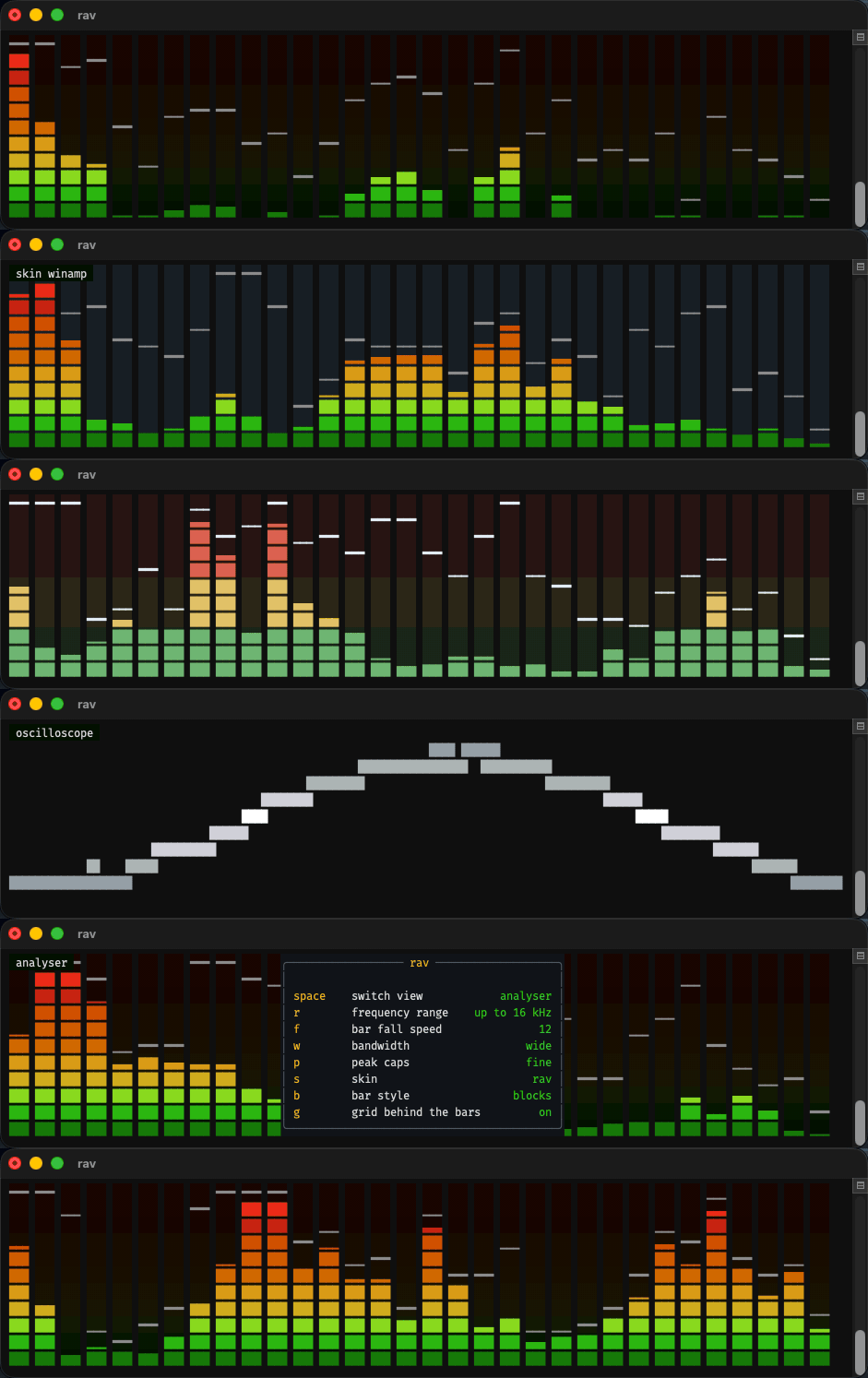
A real-time spectrum analyser with bars, peak caps and an oscilloscope, in truecolour.

RAV interface

github.com/i-am-logger/rav

SimpleWavSplitter ~ Split WAV Channels


Split multi-channel WAV files into single channel WAV files.

github.com/wieslawsoltes/SimpleWavSplitter

Voxengo MSED ~ Mid-Side Encoder Plugin


  • Mid-side encoder/decoder
  • Mid-side stereo widener
  • Stereo imaging
  • Stereo channels swapper
  • 180-degree channel phase flipper
  • Stereo correlation and balance meter
  • Unique “plasma” vector scope

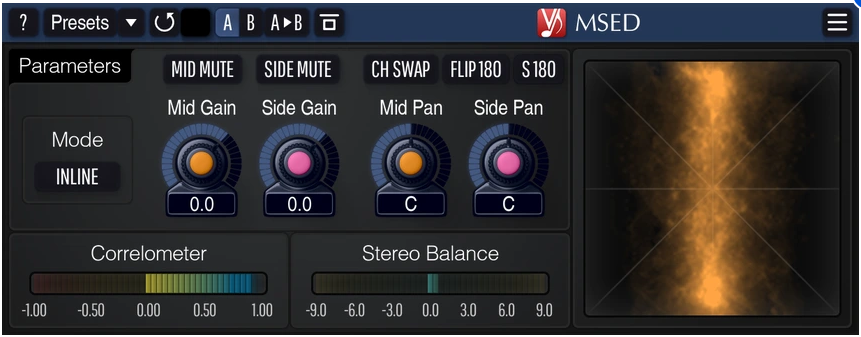
Step into a new dimension of stereo control with Voxengo MSED – a professional, no-compromise free audio mid-side encoder-decoder AudioUnit, AAX and VST plugin designed for audio engineers and creative producers alike.  Whether you’re tightening a mix, widening a synth pad, or repairing phase issues, MSED gives you surgical command over the heart and soul of your stereo image.

At its core, MSED effortlessly splits any stereo track into its Mid (center) and Side (ambient) components – and seamlessly reconstructs them back.  But it doesn’t stop there.  With the “Inline” mode, you can adjust gain, panning, and mute status for Mid and Side channels independently without needing multiple plugin instances.  That means faster workflow, cleaner routing, and zero clutter.

Need to flip phase by 180°, swap channels, or extract only the Mid or Side signal?  MSED handles it instantly.  And with its stunning Plasma Vector Scope, you don’t just hear the stereo field – you see it.  This unique, frequency-aware visualizer places low frequencies at the outer edge and high frequencies toward the center, helping you spot phase issues, balance problems, and correlation irregularities at a glance.

Add to that stereo correlation and balance meters, zero processing latency, and 64-bit floating-point precision, and you have a lightweight yet powerful tool that fits seamlessly into any session.

Voxengo MSED isn’t just a utility – it’s your stereo scalpel.  Clean.  Fast.  Visual.  Essential.

MSED user interface

www.voxengo.com/product/msed

foobar2000 ~ foo_bookbar


Bookbar is a DSP component for foobar2000 (32-bit and 64-bit), designed for listening to audiobooks, podcasts and spoken-word recordings. It lets you smoothly change playback tempo, pitch and “tape speed”, and optionally enhances the sound (loudness leveling and speech intelligibility). The configuration window is fully accessible to screen readers (NVDA, JAWS).

Bookbar is a port of the Winamp plugin Bookamp to foobar2000.

github.com/michaldziwisz/bookbar
hydrogenaudio.org/index.php/topic,129790.0

Chord Cadenza ~ MIDI Chord Player


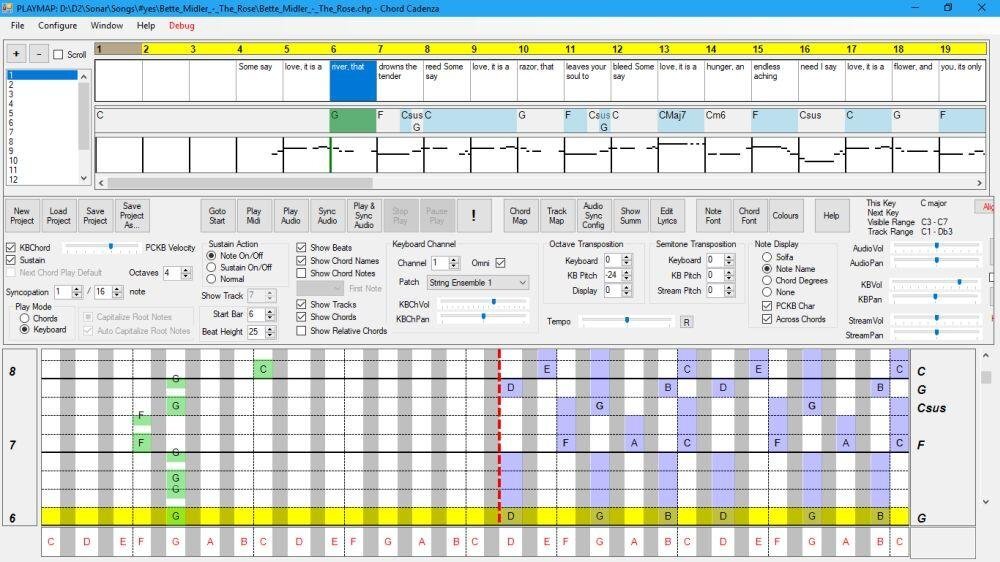
This app helps you to play and improvise chords whilst a MIDI file or audio source is being played. It does this by updating a rolling display to map the chord notes to a piano keyboard. It can also dynamically assign notes or chords to keys on a MIDI or PC keyboard.

Synchronisation is achieved automatically from a MIDI file. An audio file (e.g. MP3) can be synchronised and saved using the program.

Chords and major/minor keys can be extracted from the MIDI file using a configurable tool that analyses the MIDI file. Chords, keys, and time signatures can also be created or updated manually – this allows you to play along with an audio source without requiring a MIDI file.

The program contains a sequencer-style display that can be used to control the volume, panning, muting, solo’ing and patching of the tracks of the MIDI file.

Audio can be rendered with the program’s builtin synthesizer (using SoundFonts), or an external synthesizer.

Features:

  • Extract keys and chords from a MIDI file.
  • MIDI sequencer with track display and control.
  • Output to built-in synthesizer or MIDI out port.
  • ASIO and non-ASIO sound cards supported.
  • Play with MIDI or PC keyboard.
  • Display chords on a piano roll to facilitate playing and improvisation.
chord cadence interface

chordcadenza.org
sourceforge.net/projects/chord-cadenza

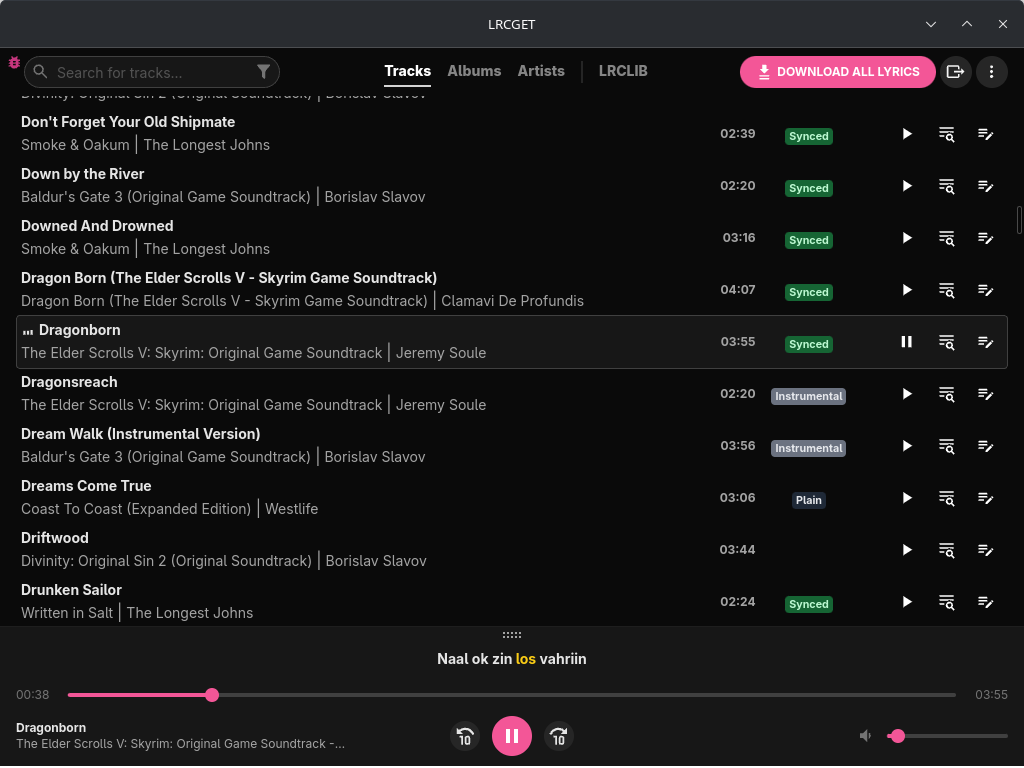
lrcget ~ Lyrics Download Utility


Utility for mass-downloading LRC synced lyrics for your offline music library.

LRCGET will scan every files in your chosen directory for music files, then and try to download lyrics to a LRC files having the same name and save them to the same directory as your music files.

LRCGET is the official client of LRCLIB service.

github.com/tranxuanthang/lrcget
flathub.org/en/apps/net.lrclib.lrcget

Resources:

lrclib.net
en.wikipedia.org/wiki/LRC_(file_format)

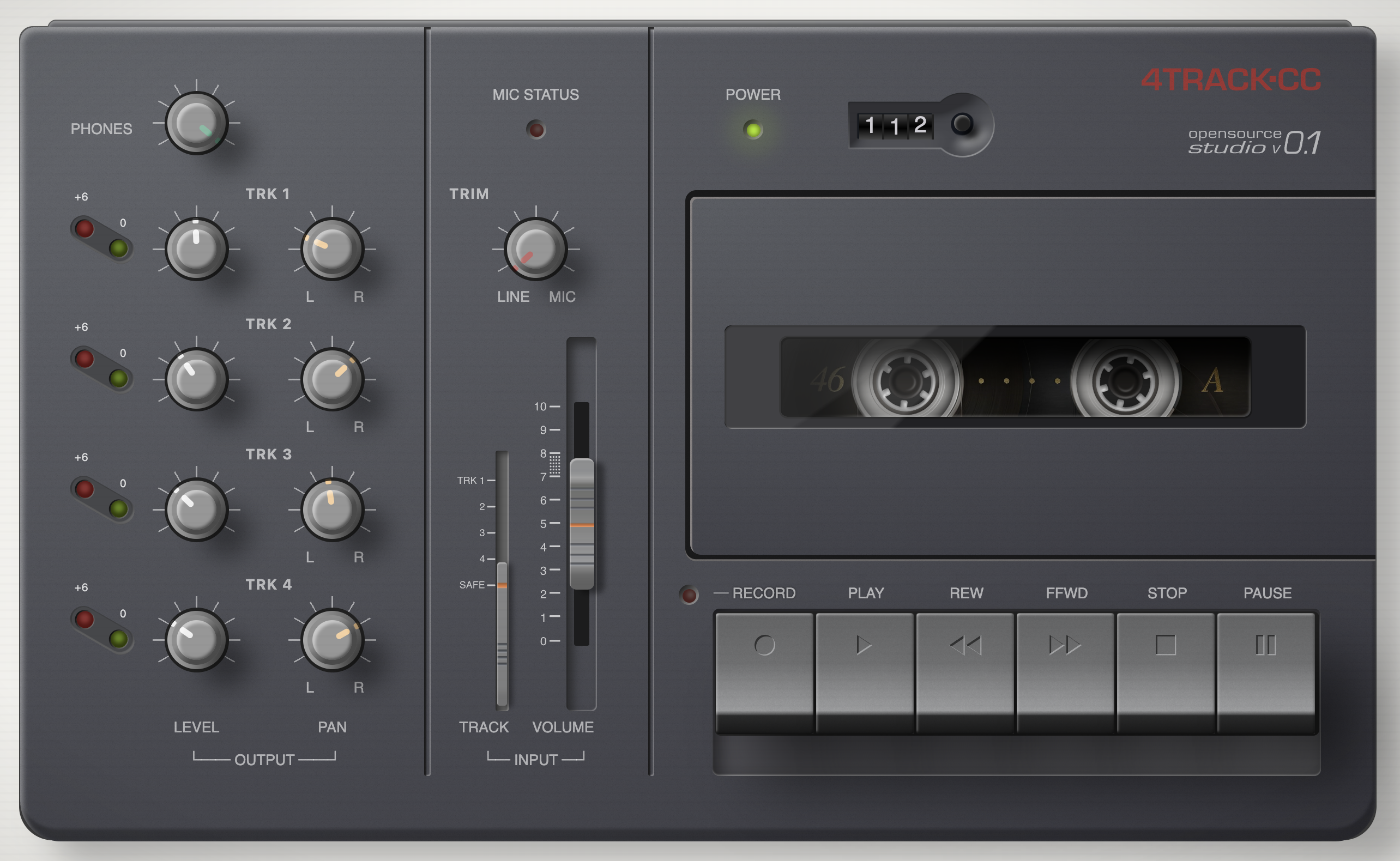
4track ~ Online Four Track Recorder


A browser-based 4-track audio recorder built with the Web Audio API and SvelteKit. Designed for low-latency recording with overdub support, latency compensation, and sample-accurate multi-track playback — all running entirely client-side with no server required.

4track user interface

www.4track.cc
github.com/andreboekhorst/4-track-recorder

foobar2000 ~ foo_uie_playlist_tree


foo_uie_playlist_tree is a foobar2000 component to organize playlists in a tree view.

It attempts to recreate the functionality of foo_plorg.

* Supports the Default User Interface (DUI) and the Columns User Interface (CUI).
* Supports dark mode.
* Supports foobar2000 2.0 and later (Intel 32-bit/64-bit version).
* Title formatting variables
* %node_name%: the name of the node, either a playlist or a folder.
* %node_is_folder%: boolean value for use in $if( …) expressions and is true when the node is a folder.
* %node_item_count%: the number of playlists in a folder or number of items in a playlist.
* %playlist_duration%: the duration of the playlist (in seconds).
* %playlist_size%: the size of the playlist (in bytes).
* %fb2k_path%: the directory path of the foobar2000 installation.
* %fb2k_component_path%: the directory path of the component.
* %fb2k_profile_path%: the directory path of the foobar2000 profile.
* Any Windows environment variable.
* User defined tree images
* Supports drag & drop from foobar2000, Explorer and other applications.
* Supports the foobar2000 playlist recycle bin.

www.foobar2000.org/components/view/foo_uie_playlist_tree