Library of OpenCORE Framework implementation of Adaptive Multi Rate Narrowband and Wideband (AMR-NB and AMR-WB) speech codec. Library of VisualOn implementation of Adaptive Multi Rate Wideband (AMR-WB) encoder and Advanced Audio Coding (AAC) encoder. Modified library of Fraunhofer AAC decoder and encoder.
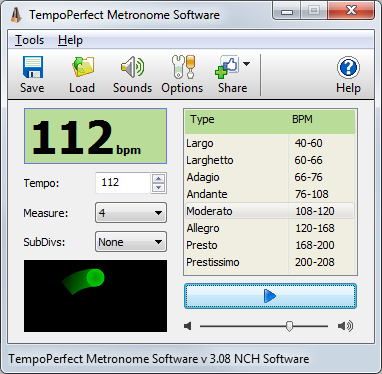
TempoPerfect is a free software metronome. Unlike mechanical metronomes, our software metronome provides a clear and precise beat that won’t wind down, making it an essential tool for any musician.
Simple and intuitive interface
Highly accurate beat simulation
Accent the first beat in a measure
Preset tempos include Largo, Allegro, Presto and more
Visual beat indicator bar provides a helpful visual cue
Create accurate beat patterns for simple or complex rhythms
Subdivide beats to hear difficult patterns, such as triplets
BPM Tempo Guide chart for each speed of music (e.g., Allegro=120-168)
Subdivide beats into accented beats and regular beats to emphasize different patterns
Use on your computer or as a metronome app on your mobile device
TempoPerfect also includes a tempo guide within the program which is a helpful resource for remembering the BPM for particular speed markings (e.g., Allegro).
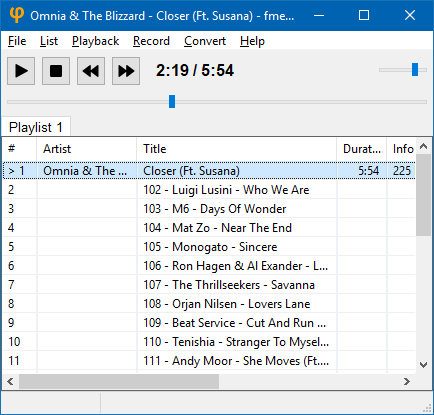
fmedia is a fast media player/recorder/converter for Windows, macOS, Linux and FreeBSD. It provides smooth playback and recording even if devices are very slow. It’s highly customizable and can be easily extended with additional plugins. Its low CPU & memory consumption saves energy when running on a notebook’s battery.
Play or convert audio files, record new audio tracks from microphone, save songs from Internet radio, and much more! fmedia is free and open-source project, and you can use it as a standalone application or as a library for your own software.
AutoEQ is a project for equalizing headphone frequency responses automatically and it achieves this by parsing frequency response measurements and producing a equalization settings which correct the headphone to a neutral sound. This project currently has almost 2000 headphones covered in the results folder. See Usage for instructions how to use the results with different equalizer softwares and Results section for details about parameters and how the results were obtained.
AutoEQ is not just a collection of automatically produced headphone equalization settings but also a tool for equalizing headphones for yourself. frequency_response.py provides methods for reading data, equalizing it to a given target response and saving the results for usage with EqualizerAPO. It’s possible to use different compensation (target) curves, apply tilt for making the headphones brighter/darker and adding a bass boost. It’s even possible to make one headphone sound (roughly) like another headphone.
Third major contribution of this project is the measurement data and compensation curves all in a numerical format except for Crinacle’s raw data. Everything is stored as CSV files so they are easy to process with any programming language or even Microsoft Excel.
SoundTouch is an open-source audio processing library for changing the Tempo, Pitch and Playback Rates of audio streams or audio files. The library additionally supports estimating stable beats-per-minute rates for audio tracks.
Tempo (time stretch): Changes the sound to play at faster or slower tempo than originally without affecting the sound pitch.
Pitch (key) : Changes the sound pitch or key while keeping the original tempo (speed).
Playback Rate : Changes both tempo and pitch together as if a vinyl disc was played at different RPM rate.
The SoundTouch library is intended for application developers writing sound processing tools that require tempo/pitch control functionality, or just for playing around with the sound effects.
The SoundTouch library source kit includes also an example utility SoundStretch for processing .wav audio files from command-line interface.
Access the source codes in gitlab or download the compiled executables.
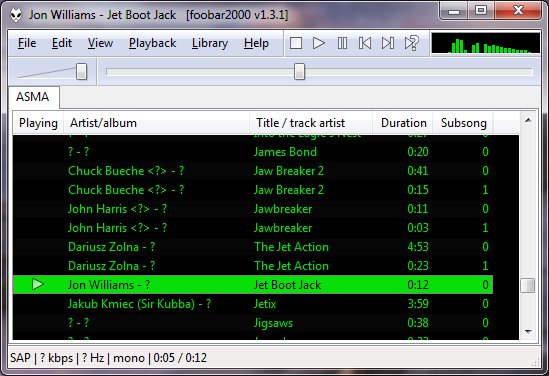
Title formatting in foobar2000 is a system that allows you to control how information about your music is displayed in the interface. It doesn’t modify the audio files themselves or change tags — it only affects how metadata and other information is shown in playlists, status bar, or window title.
Think of it like a template language: you define a pattern for text, and foobar2000 fills in the fields with actual track information. For example, you can make the playlist display tracks as:
Artist - Track Title (Album)
Why Title Formatting Exists
Music files contain metadata such as:
Artist
Album
Track title
Track number
Year
Duration
Different users want to display this information differently. Title formatting lets you:
Decide which information to display
Choose the order of information
Add separators, labels, or punctuation
Optionally display certain information only when it exists
For example, you might want to show the album only if it exists. Title formatting makes that possible.
Where To Use Title Formatting
You typically use title formatting in three main places:
Playlist columns — to customize how each column displays track info.
Status bar — to show the “Now Playing” track in a readable format.
Window title — to display the currently playing track in the foobar2000 window or taskbar.
Core Concepts You Need to Know
There are three core concepts that beginners must understand:
Plain Text: Text you type exactly as it should appear.
Fields: Metadata values from the audio files (e.g., %artist%, %title%).
Conditional Logic: Optional logic to handle missing fields or customize output dynamically.
Plain Text in Title Formatting
Any normal text you type is displayed exactly as written. This is useful for labels, punctuation, or separators:
Now Playing:
You can combine plain text with fields to make output more readable:
Now Playing: %artist% - %title%
This will display something like:
Now Playing: Radiohead - Paranoid Android
Fields (Metadata Tags)
Fields are placeholders that pull metadata from your music files. They are written inside percent signs:
%artist%
Some common fields include:
Field
Meaning
%artist%
Track artist
%album%
Album name
%title%
Track title
%tracknumber%
Track number
%date%
Year or release date
%length%
Track duration
Example combining fields:
%artist% - %title%
Output:
Radiohead - Paranoid Android
Combining Plain Text and Fields
You can mix plain text with fields to create more structured output. For example:
%artist% – %title% (%album%)
Output:
Radiohead – Paranoid Android (OK Computer)
Handling Missing Information
If a field does not exist in the file, foobar2000 simply displays nothing. For example, if %composer% is missing:
%composer%
The output will be blank. To prevent blank parentheses or awkward spacing, you can use conditional logic.
Using Conditional Logic with $if()
The $if() function allows you to display text only when a field has a value:
$if(condition,then,else)
Example:
%artist% - %title%$if(%album%, (%album%),)
This will display the album in parentheses only if %album% exists. Otherwise, it leaves that part empty.
Practical Examples
Playlist Column
%artist% - %title%
Status Bar
Now Playing: %artist% – %title%
Window Title
%artist% – %title% | foobar2000
Useful Built-In Fields
These fields are always available and do not require files to be tagged:
Field
Meaning
%filename%
File name
%path%
Full file path
%codec%
Audio codec
%bitrate%
Bitrate
%samplerate%
Sample rate
Things Beginners Can Ignore
Nested functions
Math expressions
String replacement logic
Legacy syntax
Advanced grouping
Starter Setup for New Users
For someone just installing foobar2000, start with these basic formats:
%artist% - %title%
Now Playing: %artist% – %title%$if(%album%, (%album%),)
%artist% – %title%
Final Notes
%field% is the most important concept
$if() handles missing or optional data elegantly
Some data and fields depend upon components being installed
foo_tfsandbox
A good place to start is by installing foo_tfsandbox, this component allows you to experiment with title formatting expressions and fields before you implement them.
Title Formatting Fields:
$info(referenced_offset) ~ shows time in format mm:ss:ff where ff are CD frames. For the first track it will show nothing instead of 00:00:00 hydrogenaud.io/index.php?topic=118733.msg979344
Title Formatting Examples: Name | Pattern | Alignment
Display Dynamic Range: Album DR: $if2(%album dynamic range%,–) | Track DR: $if2(%dynamic range%,–) Bits (bit depth) | $ifequal([%__bitspersample%],0,16,%__bitspersample%) | Left
Plays audio files from many systems including the ZX Spectrum, Acorn, Amstrad, Amiga, Atari, Commodore 64, GameBoy, MSX, Nes, PC, Phillips, SNES, Sam Coupe, Sega, TurboGrafX, etc.
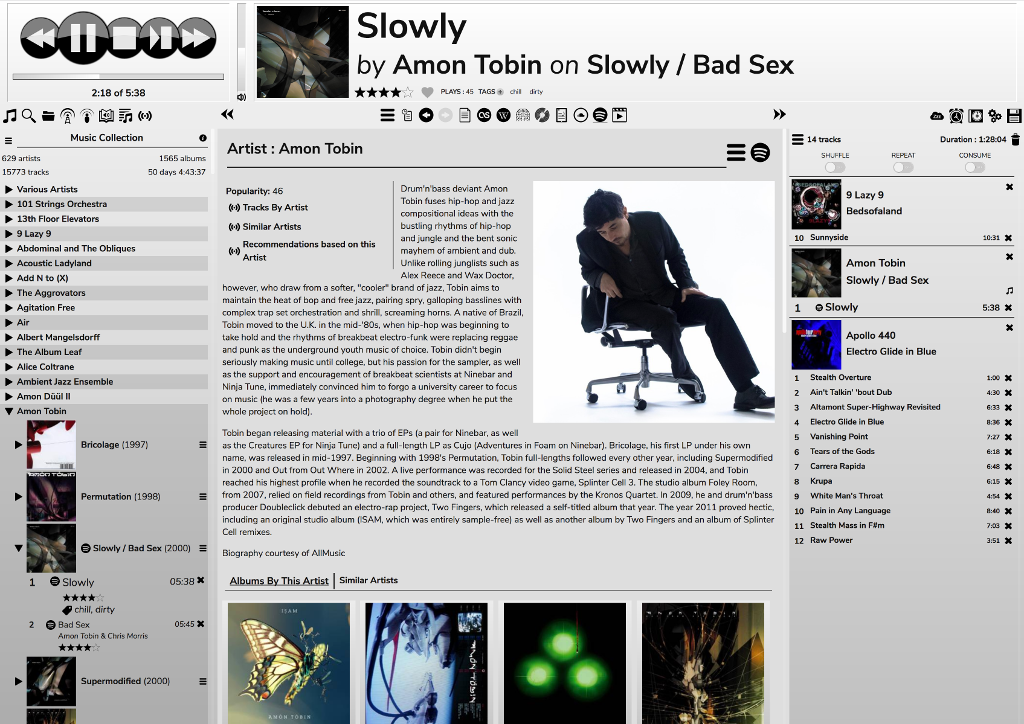
RompЯ is a music player with the emphasis on discovery – discovering more about the music you know, and discovering new music you don’t know yet. RompЯ is an interface that runs in a web browser on any device and controls a music player which can be on any other device. I recommend using Mopidy as the music player. When used with Mopidy and a Spotify Premium subscription RompЯ is a powerful Spotify client with many music discovery features.
Features:
Collectioniser sorts your music by artist and album
Directory browser
Search
Tagging and Rating of tracks
Spotify, Soundcloud, GMusic, etc support (with Mopidy),
Add tracks from Spotify, Soundcloud, etc to the collection on the fly
Web Radio support, automatic Spotify search for radio tracks you like
Podcast search and subscribe
Alarm Clock
Sleep Timer
Album Cover Art
Last.FM Scrobbling
Automatic on-the-fly playlist generation based on tags, ratings, popularity, your listening habits, etc
Get biographies of artists from various sources
Album and artist suggestions based on your listening habits
AIMP is a powerful free audio player for Windows OS that supports for local files, NAS, clouds and podcasts. Additionally, it includes powerful tools to operate with audio files.
foobarCon is a Foobar2000 remote control app for Android. foobarCon needs Foobar2000 components to be installed for proper operation. There are basic and pro editions on Google Play and both are now free.









 The Audio File