
Native VST3 audio effects for OBS Studio on Windows — isolated plug-in hosting, vendor GUIs, automatic discovery, state restore and dry fail-open recovery.
Why this project exists
OBS Studio’s built-in VST filter does not provide VST3 hosting. Many current studio EQs, compressors, restoration tools, reverbs, saturators, limiters and mastering processors are distributed primarily, or only, as VST3s.
OBS Safe VST3 Host adds two OBS-native workflows on Windows:
- VST 3.x Plug-in — a simple one-effect filter for the common case.
- VST3 Rack — a separate isolated serial multi-effect chain with a dedicated graphical Rack Editor and broadcast-oriented master console.
Third-party VST3 runtime code, vendor editors and plug-in scanning are deliberately kept outside the OBS process.
Tag Archives: host

RackForge ~ Playable Musical Instrument Host
RackForge is a cross-platform instrument and live-performance host. Connect a MIDI keyboard, choose an instrument, combine sounds into Racks, organize a show into Songs and Setlists, and play without building a DAW session first.
RackForge uses the same musical model on Windows, Linux, Android, and Raspberry Pi. Portable
.rfplugininstruments bring their sound and interface with them, while RackForge owns the audio, MIDI, routing, presets, and live performance workflow.RackForge
v0.1.xis a public preview. It is ready to explore and play, but native packages are not yet production-signed.
github.com/kalexis1994/rackforge
Share this:

HARP ~ Hardware Audio Runtime Protocol
Make hardware instruments behave like plugins. A Raspberry Pi 4B plays as an instrument track in Ableton Live today — Git-style total recall through the project’s own save/reopen, knobs as sample-accurate automation lanes, and offline bounce through the physical box.
Hardware synths, drum machines, and effects have connected to computers for forty years, and the connection is still fragile in one specific way: recall. Audio mostly works, MIDI mostly works — but reopen last month’s project and the hardware is not in the state you saved, and nothing will tell you. The deep integrations that fix this (multichannel USB audio, plugin-shell control, total recall) have existed only inside closed single-vendor ecosystems, because every vendor has to rebuild drivers, state sync, and DAW compatibility from scratch.
HARP is a complete, working implementation of that integration — with an open spec underneath, if you want to build a device on it. The reference device is a Raspberry Pi running a 16-part multitimbral, 8-voice-polyphonic synth (13 params per part); anything that speaks the protocol gets the same treatment from any conforming host:
- Total recall, Git-style — device state is content-addressed and hash-verified; a saved project reopens with the hardware provably in the saved state, every overwrite preceded by a free snapshot, every mismatch resolved through explicit safe actions — never silently. The archive doubles as patch time-travel: every state the box has ever been pushed over is one click away.
- Audio as a plugin — a dedicated stream into the plugin shell that bypasses the OS audio stack (no aggregate-device hacks), including a host-paced mode where the hardware renders deterministically, byte- identical, faster than real time: offline bounce through a physical box at ~25× real time, with 16 ms of reported latency at DAW buffers ≤ 256 — in the neighborhood of a good audio interface.
- Multitimbral, addressed like plugins — one physical device is one session, and several shell instances can share it: drop the plugin on a handful of DAW tracks and each instance drives its own part — its own channel, params, recall state, and stereo output (16 parts, with a summed main mix alongside the per-part outputs). A recall-safe Part knob persists each track’s part in the project, and that per-part state moves intact between the VST3 and AU formats (the CLAP shell writes the same recall bundle).
- Polyphonic, with per-voice modulation — each part is an 8-voice pool with deterministic voice allocation, so overlapping notes ring out on their own voices instead of stealing one. Modulation is non-destructive and per voice: a VST3 Note Expression or a CLAP per-note parameter modulation bends a single sounding note’s filter cutoff without touching the stored patch — and the two formats render byte-identically (the device applies the §9.5 mod the same regardless of which shell sent it).
- Sample-accurate everything — DAW automation becomes device-interpolated ramps applied within ±1 sample; notes travel as UMP; an event fence makes “applied late” structurally impossible rather than statistically rare. Turn a knob on the hardware and the DAW records the automation (echo).
- Musical time — devices follow the DAW’s transport: tempo, position, loops. The reference device’s arpeggiator locks to Live’s grid sample-exactly, survives loop wraps, and renders a byte-identical groove — determinism extended to musical time.
- Identity, timing, diagnostics — engine versioning and parameter-map hashing protect old songs from new firmware, latency is measured (never guessed), and error counters at every layer end “it glitched” support threads with evidence.
- Roadie-proof sessions — unplug the cable mid-song and plug it back: the shell reconnects, re-asserts the project’s state, and audio resumes. Hostile or corrupt wire input ends in a clean session reset, never a crash (every parser is fuzzed; a live abuse test is part of CI).
Share this:

AudioGridder ~ Audio & MIDI Network Bridge
AudioGridder is a network bridge for audio and MIDI that allows for offloading the DSP processing of audio plugins to remote computers. This can come in handy when mixing complex projects or running CPU intensive instruments.
AudioGridder Server runs on a computer hosting your effect and instrument plugins. On your workstation, on which you run your DAW, you use the AudioGridder FX or instrument plugin to access your plugin library over the network. The plugin is looking for available servers on your network and once connected allows you to create insert chains or load instruments. Midi and audio data from your DAW will be streamed over the network, processed on the server and streamed back.
Share this:

Lidify ~ Music Hosting & Discovery Tool
Lidify is built for music lovers who want the convenience of streaming services without sacrificing ownership of their library. Point it at your music collection, and Lidify handles the rest: artist discovery, personalized playlists, podcast subscriptions, and seamless integration with tools you already use like Lidarr and Audiobookshelf.
- Stream your library – FLAC, MP3, AAC, OGG, and other common formats work out of the box
- Automatic cataloging – Lidify scans your library and enriches it with metadata from MusicBrainz and Last.fm
- Audio transcoding – Stream at original quality or transcode on-the-fly (320kbps, 192kbps, or 128kbps)
- Ultra-wide support – Library grid scales up to 8 columns on large displays
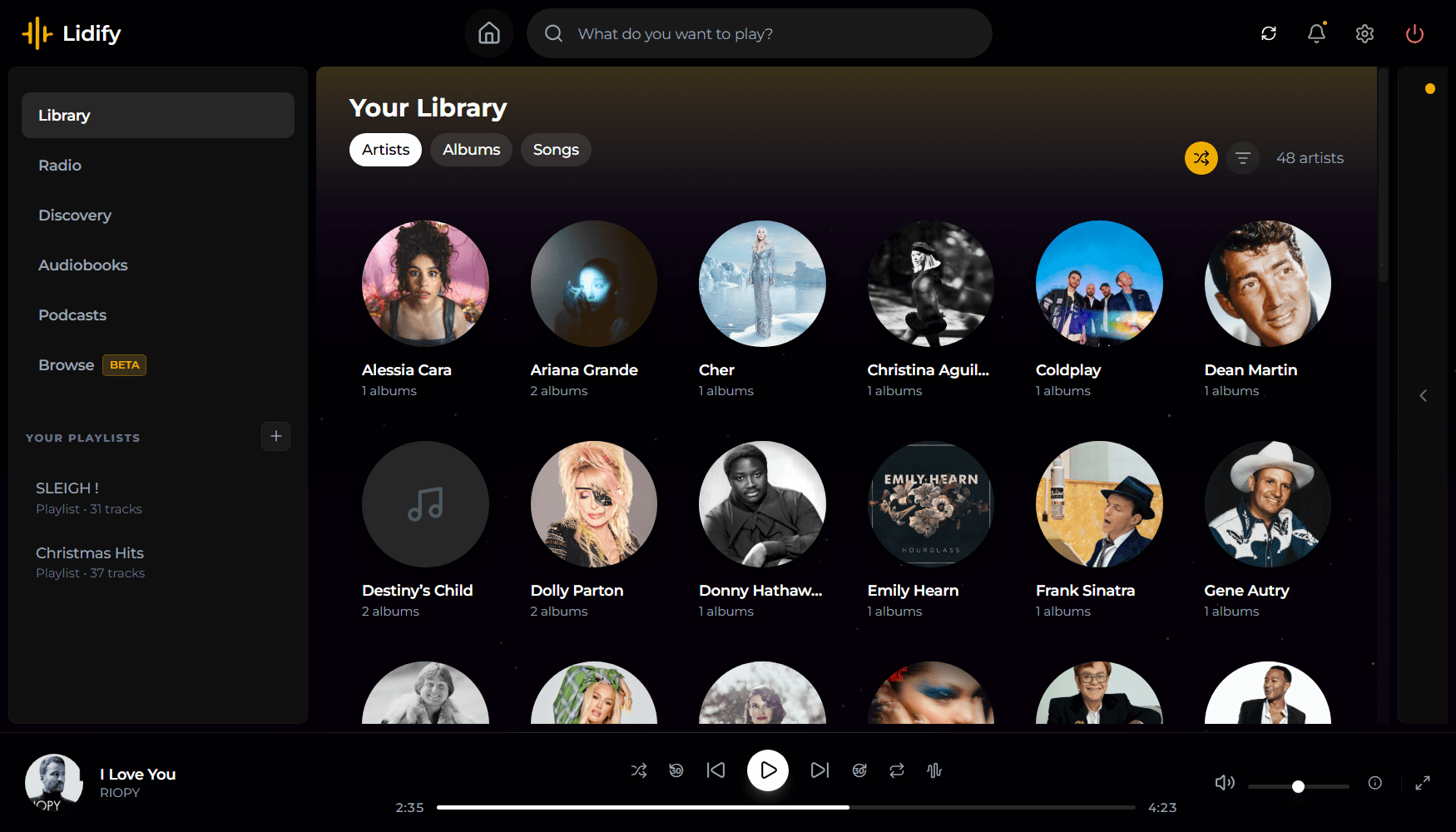
github.com/Chevron7Locked/lidify
github.com/TheWicklowWolf/Lidify
Share this:

Amp Rack ~ Android Audio Effects Processor
Amp Rack is a Guitar / Voice Audio Effects Processor for Android. Amp Rack is an Open Source LADSPA Plugins Host for Android. More than 150 high quality audio plugins are available which can be added in any order to the audio effect chain to create distinct high quality tones for your guitar!
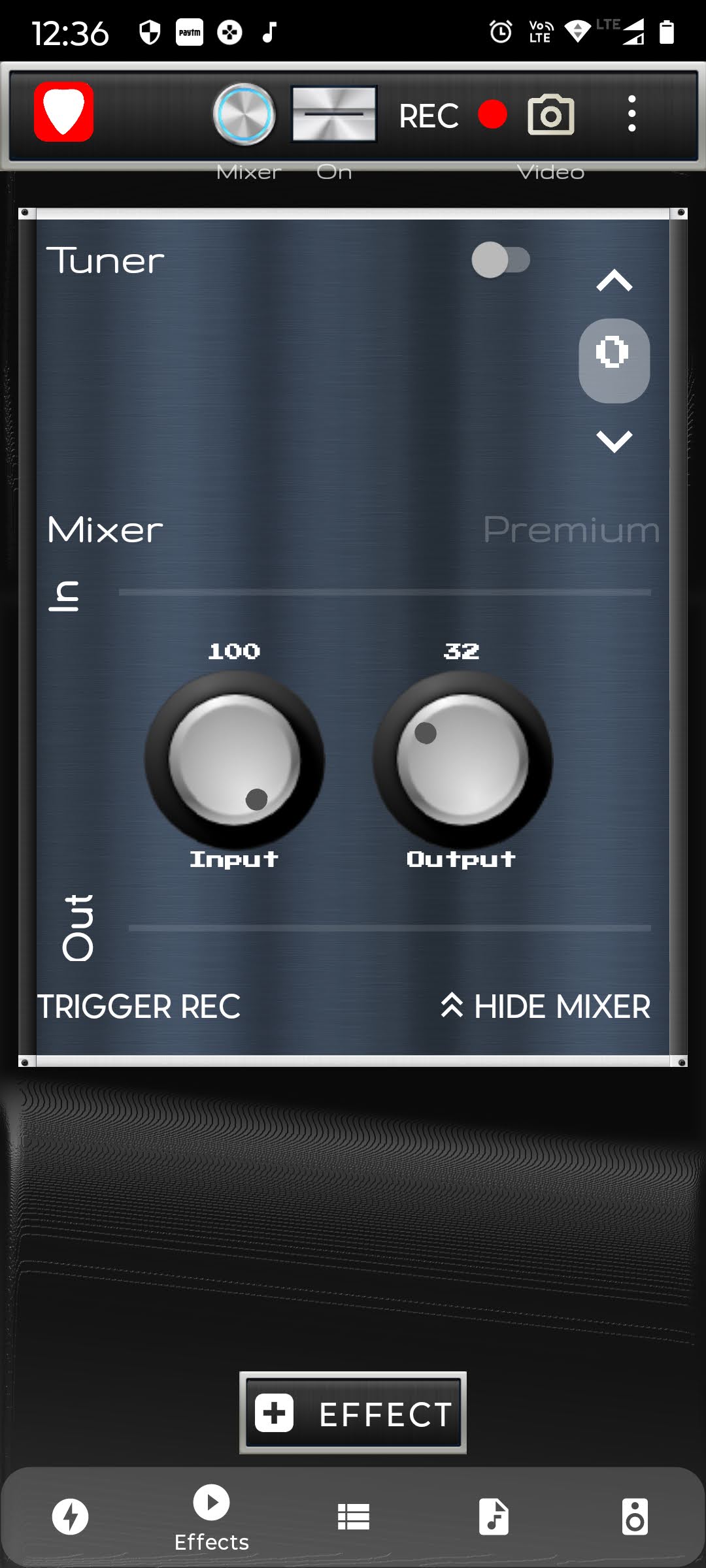
github.com/djshaji/amp-rack
play.google.com/store/apps/dev?id=8472172756594763620
Share this:

DISTRHO Ildaeil ~ Plugin Host
DISTRHO Ildaeil is mini-plugin host working as a plugin, allowing one-to-one plugin format reusage. The idea is to load it as a plugin inside your DAW and then the other “real” plugin inside Ildaeil. This allows, for example, a VST3 host to load LV2 plugins and vice-versa.
The Ildaeil name comes from the korean 일대일, which means “one to one”.
Features:
The current formats Ildaeil can work as are:
- JACK/Standalone
- CLAP
- LV2
- VST2
- VST3
And it can load the following plugin formats:
- Internal (from Carla)
- LADSPA
- DSSI
- LV2
- VST2
- VST3
- CLAP
- JSFX
With a few extra formats through the “Load from file…” action:
- Audio files (through internal audio file player, synced to transport)
- MIDI files (through internal MIDI file player, synced to transport)
Share this:

yabridge ~ Host WIndows Plugins On Linux
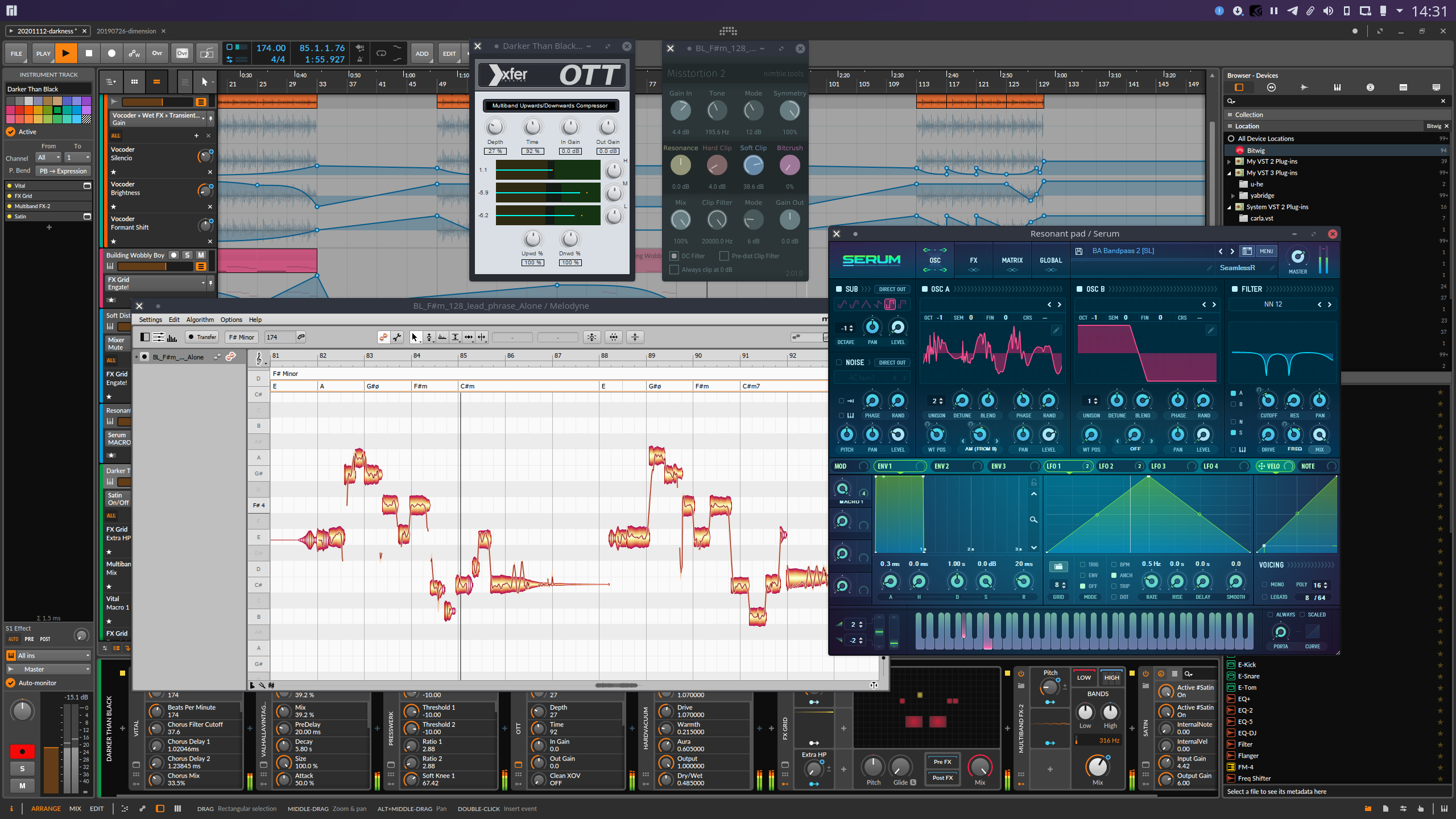
Yet Another way to use Windows audio plugins on Linux. Yabridge seamlessly supports using both 32-bit and 64-bit Windows VST2, VST3, and CLAP plugins in 64-bit Linux plugin hosts as if they were native plugins, with optional support for plugin groups to enable inter-plugin communication for VST2 plugins and quick startup times. Its modern concurrent architecture and focus on transparency allows yabridge to be both fast and highly compatible, while also staying easy to debug and maintain.
github.com/robbert-vdh/yabridge
Share this:

DawDreamer ~ Audio Processing Python Framework
DawDreamer is an audio-processing Python framework supporting core DAW features and beyond:
- Composing graphs of multi-channel audio processors
- Audio playback
- VST instruments and effects (with UI editing and state loading/saving)
- FAUST effects and polyphonic instruments
- Time-stretching and looping, optionally according to Ableton Live warp markers
- Pitch-warping
- Parameter automation at audio-rate and at pulses-per-quarter-note
- Parameter automation saving in absolute audio-rate time
- MIDI playback in absolute time and PPQN time
- MIDI file export in absolute time
- Rendering and saving multiple processors simultaneously
- Support for the Faust Box and Signal APIs
- Transpiling Faust code to JAX/Flax and other target languages (C++, Rust, Wasm, etc.)
- Machine learning experiments with QDax
- Multiprocessing support
- Full support on macOS, Windows, Linux, Google Colab, and Ubuntu Dockerfile
DawDreamer’s foundation is JUCE, with a user-friendly Python interface thanks to pybind11. DawDreamer evolved from an earlier VSTi audio “renderer”, RenderMan.
github.com/DBraun/DawDreamer
Share this:

foo_dsp_vst3 ~ Foobar2000 Hosts VST Plugins
Official component that allows VST effects to be used as DSPs in foobar2000.
www.foobar2000.org/components/view/foo_dsp_vst3
hydrogenaud.io/index.php/topic,123342.0
Share this:

Audiodope ~ Freeware Audio Editor
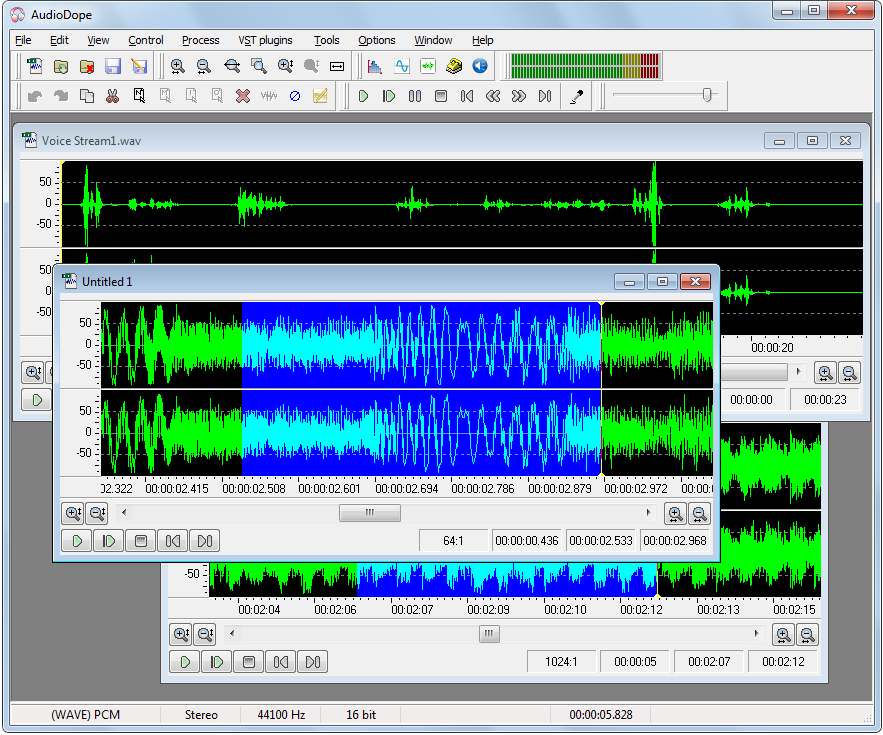
Audiodope is an audio editor. You can load and listen to music files of various formats such as wave, MP3, WMA, etc. You can also edit part or the whole stream with functions like copy, cut, paste, insert and delete. You may modify any part of the stream by applying audio effects and synthesize sound files.
Features:
- Sound editing functions such as copy, cut, paste, delete, insert, trim.
- Apply processes like click removal, DC offset correction, compressor, echo, fading, inversion, noise reduction, normalization, pitch scale, pitch shift, reverberation, reversing, sound 3D, tempo, true bass, volume
- Filters like, moving average, high-pass, low-pass, band-pass.
- Special effects like flanger, phaser, chorus, gargle.
- Listen to the audio file with play, pause, stop commands
- Record from any source
- Various tools like, frequency analyzer, tone generator, noise generator, DTMF synthesis, text to speech.
- Process any channel separately or both
- Apply third party VST plug-ins
Share this:

Stargate ~ Open Source Digital Audio Workstation
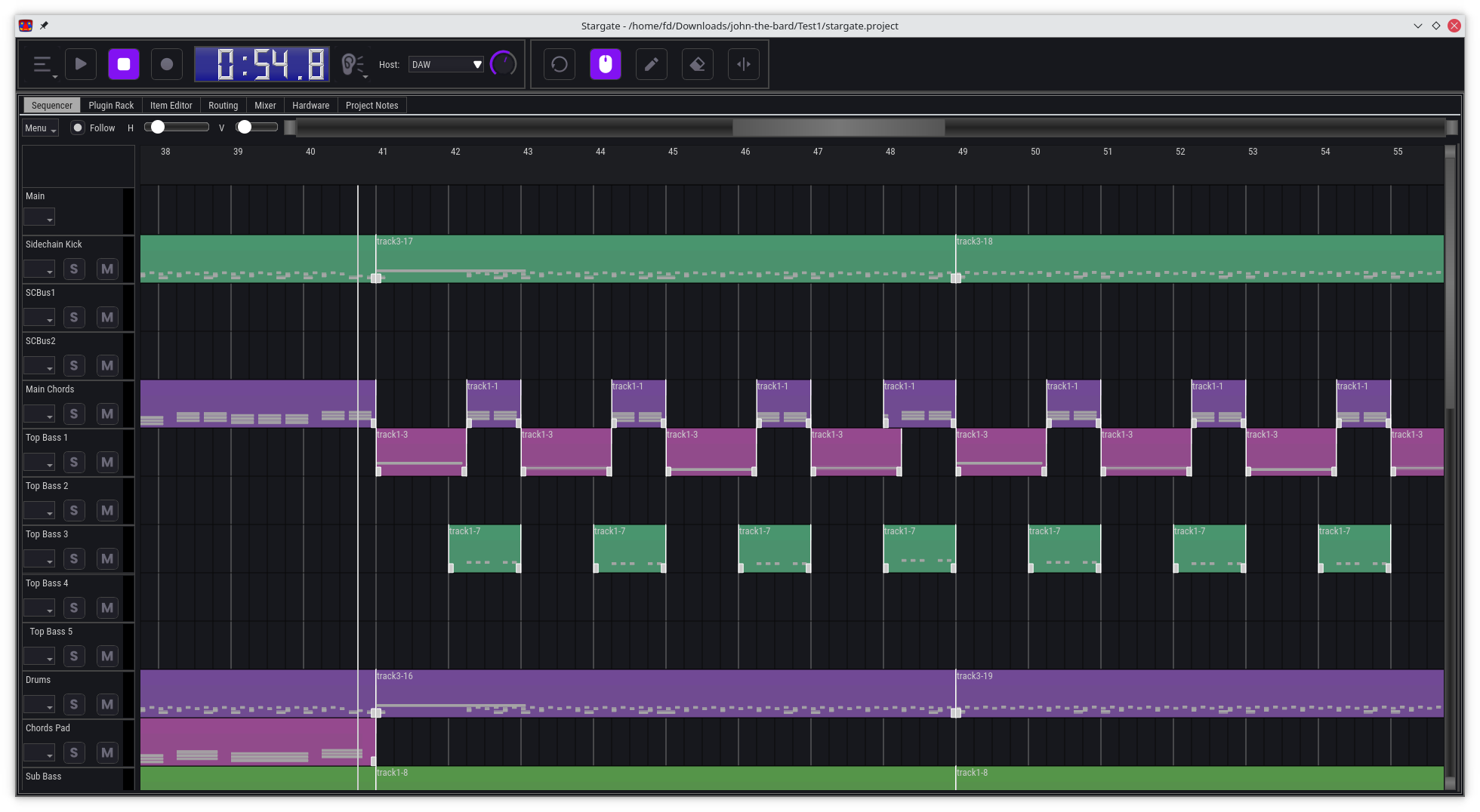
Stargate is an all-in-one DAW and plugin suite, designed to be a comprehensive solution for music production, with a focus on providing unique and innovative features, especially for EDM production.
Features:
- A digital audio workstation (DAW) with a powerful pattern-based workflow
- A comprehensive suite of built-in instrument and effect plugins
- A basic wave editor
- Powerful track routing matrix with easy sidechaining
- Modular mixer architecture. Mixer channels are a type of plugin that can be chosen per track send, mix and match plugins, or skip them when not needed
- Runs on Windows, Mac and Linux, x86 and ARM. Can be ported to other platforms if there is sufficient demand
- Everything you need to create music in a single package, no need to install additional software
- Revolutionary CPU efficiency for DAW and plugins, minimum recommended hardware: Raspberry Pi 4, or a 15 year old laptop with a dual core CPU, 1GB of RAM and a 720p display.
- Support for display resolution from 720p to 4k and above.
- Optional portable flash drive install on Windows and MacOS
- Broad audio and MIDI hardware support using Portaudio and Portmidi
github.com/stargateaudio/stargate
github.com/stargatedaw


