I have more music than would fit onto the memory card of my phone. This is largely due to the 256 kBit/s versions that are sold now. On the phone, I do not really hear the difference between 256 kBit/s and 128 kBit/s, but I can clearly see the difference in size.
This script creates a whole copy of your music library, just with a smaller bitrate. It uses either ffmpeg or lame to convert the tracks.
Category Archives: Scripting
spotatui ~ Standalone Terminal Player
spotatui plays Spotify natively and streams YouTube, your local files, Subsonic or Navidrome and 30,000+ internet radio stations from a single keyboard-driven player. Spotify is optional. So is the AI DJ.
Features:
- Multiple sources — Spotify optional. Play from Spotify, Local Files, a Subsonic/Navidrome server, Internet Radio, YouTube, or Qobuz. The free sources need no Spotify account; press
dto switch between them at any time.- Native streaming. Play Spotify audio directly, no official app or spotifyd required — spotatui appears as its own Spotify Connect device (Premium required).
- Synced lyrics. Line-by-line lyrics that follow playback.
- Real-time audio visualizer. A system-wide FFT visualizer (press
v) that reacts to whatever is playing.- Cross-source play queue. Press
zon any track to queue it — the queue plays across every source before your current context resumes.- Lua plugins. Extend spotatui with event hooks, commands, keybindings, popups, and theming.
- Listening history & recap. spotatui keeps a local play history and can generate a shareable HTML recap (
spotatui history recap).- Full CLI. Most of what the UI does is scriptable — playback, search, playlists, shell completions. Run
spotatui --help.- Lightweight. ~78 MB RAM while streaming, versus a full Electron client. See Performance.
getID3() ~ File Parsing PHP Script
getID3() is a PHP script that extracts useful information from MP3s & other multimedia file formats.
www.getid3.org
github.com/JamesHeinrich/getID3
sourceforge.net/projects/getid3
Resources:
www.drupal.org/project/getid3
github.com/Owen-oj/laravel-getid3
github.com/plutuss/getid3
packages.debian.org/sid/php-getid3
tracksplit ~ CLI Track Splitter
tracksplit is a simple command line utility that splits a WAV audio file into respective audio tracks based on periods of silence in the audio.
foobar2000 ~ foo_uie_jsplitter
JSplitter (component name: foo_uie_jsplitter) is a JavaScript-based user interface component for foobar2000 that allows users to create highly customized panels, layouts, browsers, playlists, artwork displays, VU meters, and other interface elements using JavaScript. It originated as a successor to older scripting components such as Panel Stack Splitter and has become popular among theme developers.
What JSplitter provides:
- JavaScript scripting for custom UI panels
- Dynamic layouts and splitters
- Custom playlist viewers
- Album art browsers
- Biography and review panels
- VU meters and visualizations
- Integration with foobar2000 playlists, library, playback state, and metadata
- Support for importing complex themes and panel collections developed by other users
github.com/dima-lur/jsplitter
hydrogenaudio.org/index.php/topic,126743.0
Allmusic-Scraper ~ Scrape AllMusic Albums
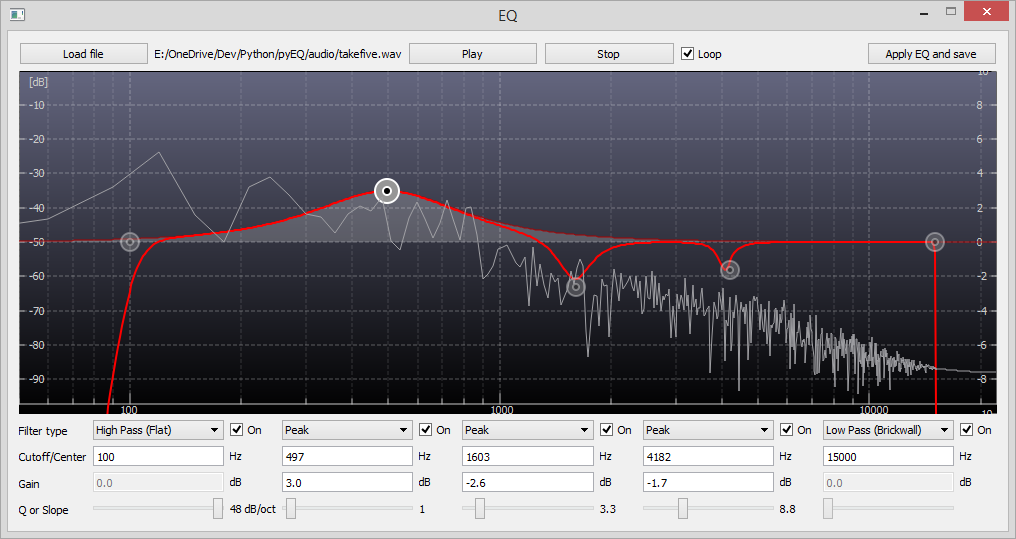
pyEQ ~ Python Mono Parametric Equalizer
jamailmar ~ Multi-threaded Ogg Vorbis Decoder
Foobar2000 ~ ctrfoobar2000 script
Control Foobar2000 with python + Command line
usage: control.py [-h] [-p] [-t PLAY_TRACK] [-s] [-P] [-n] [-r] [-R] [-V VOLUME] [-m] [-i] [-f [ADDFOLDER [ADDFOLDER ...]]] [-fi [ADDFILES [ADDFILES ...]]] [-F [ADDFOLDERPLAY [ADDFOLDERPLAY ...]]] [-Fi [ADDFILESPLAY [ADDFILESPLAY ...]]] [-c] [-d [DEL_TRACK [DEL_TRACK ...]]] [-l] [-b] [-S TYPE_CONTROLLER] [-H HOST] [-O PORT] [-?] [-g] [-x [CHANGE_CONFIG [CHANGE_CONFIG ...]]] [-T SECTION] [-E OPTION OPTION] [-a DIR_ALIAS] [-v] [-L LEVEL_ALIAS] [-z REPEAT] [--repeat-off] [--repeat-playlist] [--repeat-track] [--repeat-random] [--shuffle-track] [--shuffle-album] [--shuffle-folder] [--seek SEEK] [--root ROOT]optional arguments: -h, --help show this help message and exit -p, --play Play Playback -t PLAY_TRACK, --play-track PLAY_TRACK Play Playback Track No -s, --stop Stop Playback -P, --pause Pause Playback -n, --next Next Play -r, --previous Previous Play -R, --random Play Random -V VOLUME, --volume VOLUME Set Volume, range is -100 <= value <= 0 -m, --mute Mute Volume -i, --info Get info current Playing -f [ADDFOLDER [ADDFOLDER ...]], --addfolder [ADDFOLDER [ADDFOLDER ...]] Add Remote Folder Queue [HTTP] -fi [ADDFILES [ADDFILES ...]], --addfiles [ADDFILES [ADDFILES ...]] Add Remote Files Queue [HTTP] -F [ADDFOLDERPLAY [ADDFOLDERPLAY ...]], --addfolderplay [ADDFOLDERPLAY [ADDFOLDERPLAY ...]] Add Remote Folder Queue & Play it [HTTP] -Fi [ADDFILESPLAY [ADDFILESPLAY ...]], --addfilesplay [ADDFILESPLAY [ADDFILESPLAY ...]] Add Remote Folder Queue & Play it [HTTP] -c, --clear-playlist Clear Current Playlist [HTTP] -d [DEL_TRACK [DEL_TRACK ...]], --del-track [DEL_TRACK [DEL_TRACK ...]] Delete Playlist [HTTP], example: foobar -d 1 2 3 -l, --list List Playlist -b, --browser Browser Library -S TYPE_CONTROLLER, --type-controller TYPE_CONTROLLER Set Type Of Controller [com,http] -H HOST, --host HOST Remote Host control Address [HTTP] -O PORT, --port PORT Remote Port control Address [HTTP] -?, --usage Print All Help -g, --read-config Read config file -x [CHANGE_CONFIG [CHANGE_CONFIG ...]], --change-config [CHANGE_CONFIG [CHANGE_CONFIG ...]] Set Change config. format: section#option#value -T SECTION, --section SECTION Set Section Config -E OPTION OPTION, --option OPTION OPTION Set Option Config -a DIR_ALIAS, --dir-alias DIR_ALIAS Root of Directory Alias On Server -v, --version -v = show version | -vv = verbosity process -L LEVEL_ALIAS, --level-alias LEVEL_ALIAS Level Root of Directory Alias On Server -z REPEAT, --repeat REPEAT Repeat 0 = Default (repeat off) | 1 = Repeat Playlist | 2 = Repeat Track | 3 = Random Play | 4 = Shuffle Track | 5 = Shuffle Album | 6 = Shuffle Folders --repeat-off Repeat Off --repeat-playlist Repeat Playlist --repeat-track Repeat Track --repeat-random Random Play --shuffle-track Shuffle Track --shuffle-album Shuffle Album --shuffle-folder Shuffle by Folder --seek SEEK Seek for a second --root ROOT Root path / Directory Containt Music files, this is for One Folder Files Selected
Foobar2000 ~ Autometa Playlists
Autometa is a minimalist, customizable JScript Panel script designed to quickly create autoplaylists based on the current track’s tags with a single click (similar to the quick search function).
KeyKit ~ MIDI Scripting GUI
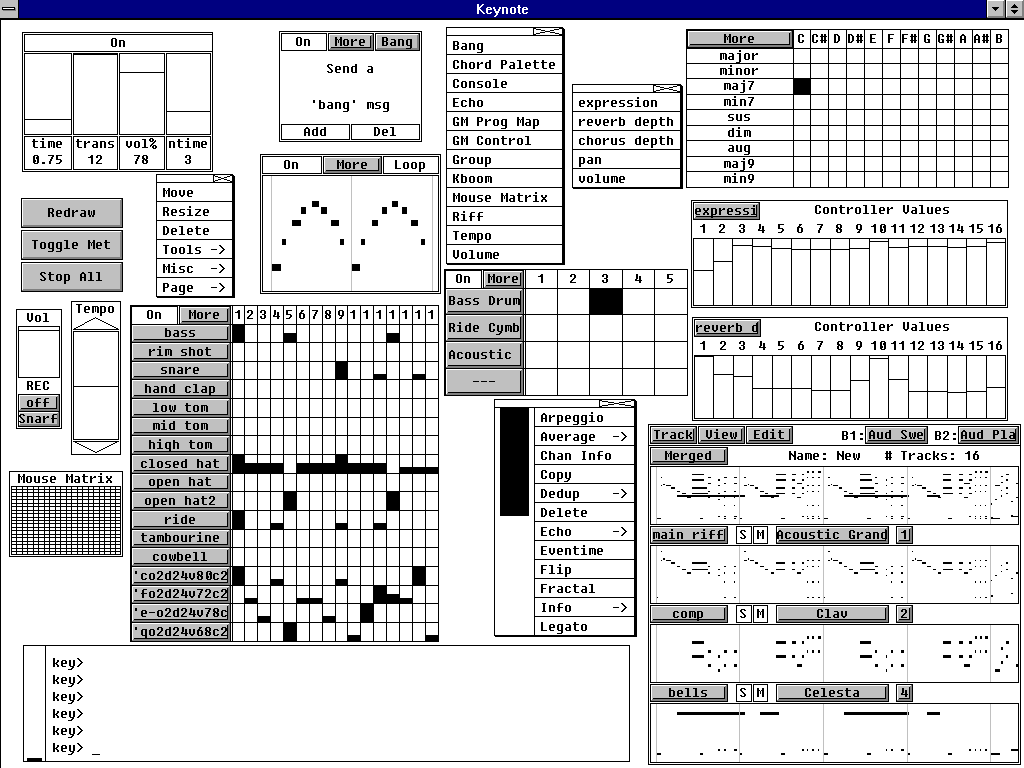
An algorithmic MIDI scripting language and GUI system. Musical Fun with Windows, Tasks, and Objects.
github.com/nosuchtim/keykit
github.com/nosuchtim/keykit/tree/master/dist
github.com/nosuchtim/keykitwasm
en.wikipedia.org/wiki/Keykit
sites.google.com/site/albertozin/Home/keykit

Install Procedure:
- Navigate to the KeyKit GitHub repository (nosuchtim/keykit).
- Open the
/dist/directory. - Download the appropriate archive for your system: Windows (
key_nt.zip), Linux (key_linux_alsa.zip), or Raspberry Pi (key_raspbian.zip). - On Windows, right-click the downloaded
.zipfile, select “Extract All,” and extract it to a simple path such asC:\tools\keykit\. - On Windows, open the extracted folder and double-click
key.exeto launch KeyKit and in the KeyKit console entermidiout("KeyKitPort"). - On Linux, open a terminal, navigate to your download directory, run
unzip key_linux_alsa.zip, thencd keykit, then run./keyfrom inside the keykit folder. - If Linux reports a permission error, run
chmod +x keyand then./key. - Install a virtual MIDI driver on Windows (for example, loopMIDI).
- Launch the MIDI driver and create a virtual port (for example,
KeyKitPort). - Route the virtual MIDI port to a sound source such as a software synthesizer, DAW, or virtual MIDI instrument.
- On Linux, verify MIDI devices by running
aconnect -l. - Start a software synthesizer on Linux, for example
fluidsynth -a alsa -m alsa_seq soundfont.sf2. - Run
aconnect -lagain to view available ports. - Connect KeyKit to the synthesizer using
aconnect <keykit_port> <synth_port>. - In the KeyKit console, type
'c d e f g'and press Enter to test audio output. - Load a built-in sequencer by entering
load "lib/seq.k"in the KeyKit console. - Optionally load a demo by entering
load "lib/demo.k". - Ensure KeyKit is always launched from its root directory.
- On Windows, if using a shortcut, set the “Start in” field to the KeyKit folder path.
- On Linux, always run
cd ~/keykitfollowed by./keybefore launching. - If KeyKit cannot locate its libraries on Linux, set the environment variable with
export KEYROOT=~/keykit. - Copy any additional
.kscripts into thekeykit/lib/directory or your working directory. - Load additional scripts in KeyKit using
load "myscript.k". - Create a startup script by making a file named
startup.k. - Add commands such as
load "lib/seq.k"andmidiout("KeyKitPort")tostartup.k. - Load the startup script in KeyKit using
load "startup.k". - If KeyKit produces no sound, confirm MIDI devices exist and are properly connected.
- If KeyKit fails to start, confirm you are running it from the correct directory and that permissions are set correctly on Linux.
Lattice ~ CLI Toolkit For Music Collectors
A high-performance CLI toolkit for music collectors who manage their own libraries. Lattice provides a suite of tools for library visualization, integrity verification, cover art extraction, and metadata auditing — all from a single, zero-dependency script.
Why this exists
Modern music players often hide your library behind proprietary databases. Lattice is built for collectors who treat the filesystem as the source of truth. It reads tags directly via mutagen, ensuring your library is portable and player-agnostic.
Features:
| Mode | Flag | Description |
|---|---|---|
| Library Tree | --library | Generate a formatted ASCII/Unicode tree of your entire collection. |
| AI Library | --ai-library | Token-efficient export designed for LLM recommendation prompts. |
| Genre Wings | --all-wings | Generate separate library catalogs segmented by genre. |
| Integrity Checks | --testFLAC | Parallel verification of FLAC/MP3/Opus/WAV integrity via FFmpeg. |
| Art Extraction | --extractArt | Extract embedded covers with format-priority ranking (FLAC > Opus). |
| Tag Audit | --auditTags | Identify and report files with missing or inconsistent metadata. |