Soundsync is a web and desktop app to manage every audio source and every audio output in your home from a single interface. Link any audio source to multiple speakers connected to any devices on your home network. Soundsync will keep the music synchronized between all of them.
Features:
- 🆓 Free to use
- 🕸️ Work with any number of connected devices, audio sources, audio outputs and every link of your choosing
- 🎶 Compatible with a lot of different audio sources (Spotify Connect with a premium account, Airplay, Hardware Audio input (line in / microphone), Linux system audio ; coming soon: Windows system audio, UPnP and more)
- 🔊 Broadcast sound to any speaker connected to a computer (Windows, MacOS, Linux, RapsberryPi), a web browser (Chrome, Firefox) or a Chromecast and soon more
- 🔗 Group speakers together to synchronize them to the same audio source
- 🎛️ Control everything from a web browser
- 🔓 Not linked to any external service, works offline, no account creation
Tag Archives: Spotify
Audio Band ~ Windows Desk Band
RompЯ ~ Browser Based Player
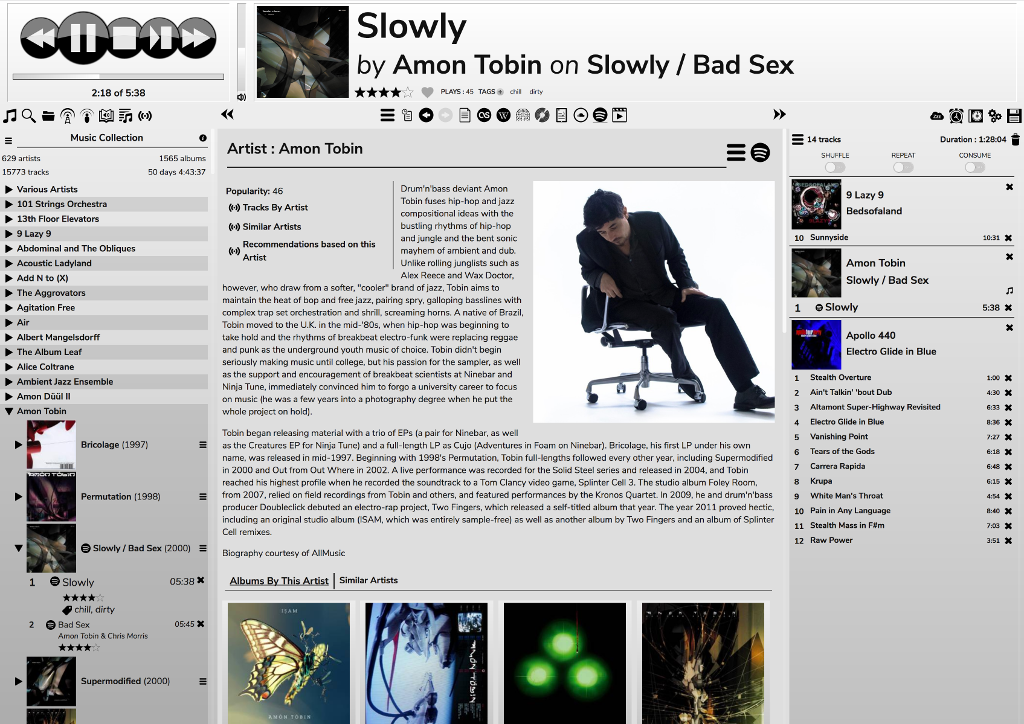
RompЯ is a music player with the emphasis on discovery – discovering more about the music you know, and discovering new music you don’t know yet. RompЯ is an interface that runs in a web browser on any device and controls a music player which can be on any other device. I recommend using Mopidy as the music player. When used with Mopidy and a Spotify Premium subscription RompЯ is a powerful Spotify client with many music discovery features.
Features:
- Collectioniser sorts your music by artist and album
- Directory browser
- Search
- Tagging and Rating of tracks
- Spotify, Soundcloud, GMusic, etc support (with Mopidy),
- Add tracks from Spotify, Soundcloud, etc to the collection on the fly
- Web Radio support, automatic Spotify search for radio tracks you like
- Podcast search and subscribe
- Alarm Clock
- Sleep Timer
- Album Cover Art
- Last.FM Scrobbling
- Automatic on-the-fly playlist generation based on tags, ratings, popularity, your listening habits, etc
- Get biographies of artists from various sources
- Album and artist suggestions based on your listening habits
- UI themes

Lollypop ~ GNOME Audio Player
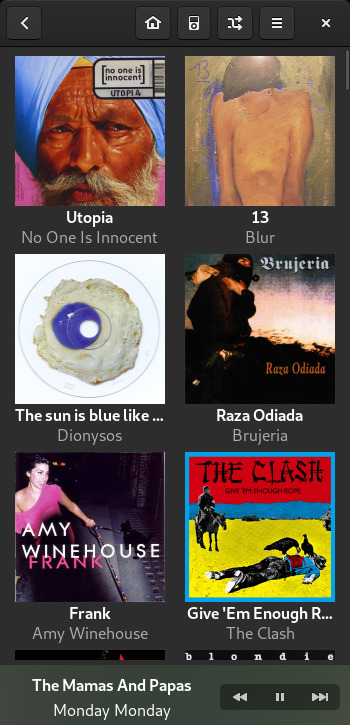
Lollypop is a modern music player for GNOME
- Artist bio, lyrics Artist bio, lyrics: Get artists and tracks information from the web.
- Intuitive browsing: Walk through your collection by genres/artists and through albums artwork.
- Play many audio formats: mp3, mp4, ogg, and flac
- Cover art downloader: Automatic artwork downloader from Last.fm, Itunes and Spotify.
- MTP devices: Sync your music with Android phones and any mtp devices…
- Fullscreen view: Visual access from your couch
- Party mode: Let Lollypop choose music for you.
- Native replaygain support.
- Search in your collection by artist, album and title.

DiscogsToSpotify ~ Playlists From Collections
Both Discogs and Spotify offer a Web API for Third Party Applications like this one. After logging in with your Spotify account, you will be asked to provide a Discogs username. Using the Web APIs, we will query the public collection of the given user and try our best to match each release from the collection to an album on Spotify. The result will be stored for you inside a newly created playlist in your Spotify account.
Tauon Music Box ~ Streamlined Linux Player
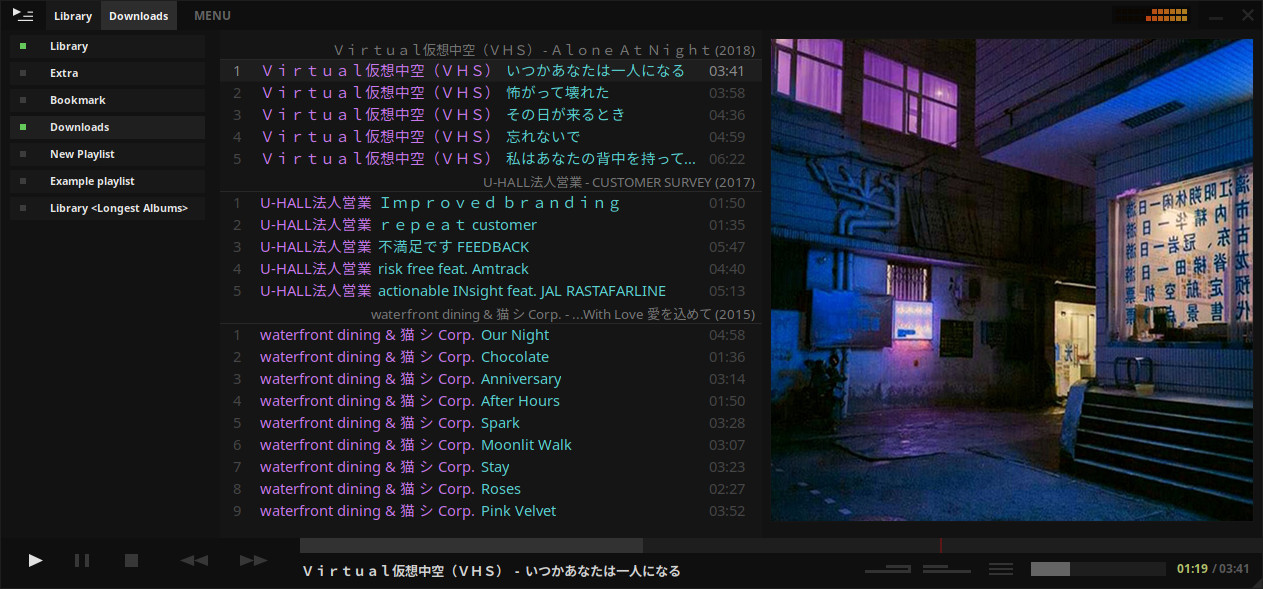
A music player for the desktop. Designed to be powerful, simple and streamlined, putting the user in control of their music collection. Uses the proprietary BASS audio library for playback.

mopidy ~ Extensible Music Server
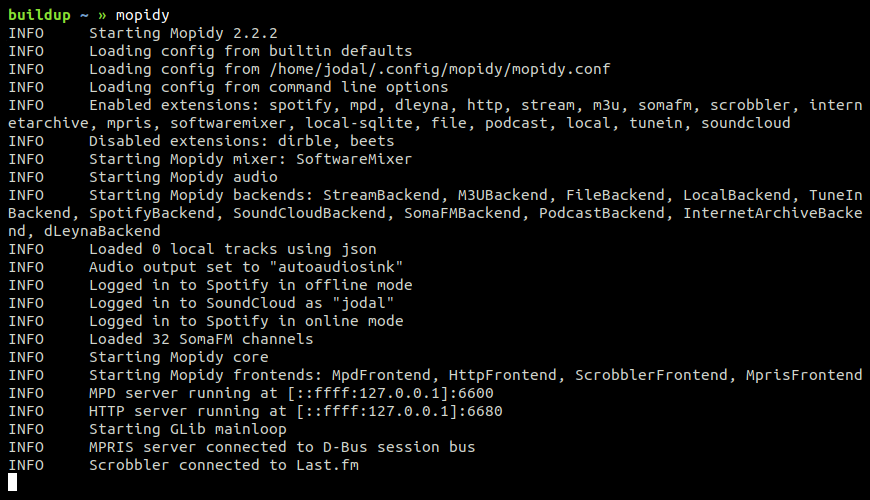
Written in Python, Mopidy plays music from a local disk, Spotify, SoundCloud, Google Play Music, and more. You edit the playlist from any phone, tablet, or computer using a range of MPD and web clients.

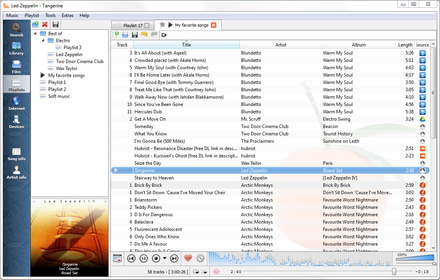
Clementine ~ Modern Player & Library Organizer
Clementine is a multi-platform music player. It’s inspired by Amarok 1.4, focusing on a fast and easy-to-use interface for searching and playing your music.
- Search and play your local music library.
- Listen to internet radio from Spotify, Groovesharks, SomaFM, Magnatune, Jamendo, SKY.fm (radiotunes), Digitally Imported, JAZZRADIO.com, Soundcloud, Icecast and Subsonic servers.
- Search and play songs you’ve uploaded to Box, Dropbox, Google Drive, and OneDrive.
- Create smart playlists and dynamic playlists.
- Tabbed playlists, import and export M3U, XSPF, PLS and ASX.
- CUE sheet support.
- Play audio CDs.
- Visualizations from projectM.
- Lyrics and artist biographies and photos.
- Transcode music into MP3, Ogg Vorbis, Ogg Speex, FLAC or AAC.
- Edit tags on MP3 and OGG files, organize your music.
- Fetch missing tags from MusicBrainz.
- Discover and download podcasts.
- Download missing album cover art from Last.fm and Amazon.
- Cross-platform – works on Windows, Mac OSX and Linux.
- Native desktop notifications on Linux (libnotify) and Mac OSX (Growl).
- Remote control using an Android device, a Wii Remote, MPRIS or the command-line.
- Copy music to your iPod, iPhone, MTP or mass-storage USB player.
- Queue manager.

www.clementine-player.org
www.clementine-player.org/downloads
github.com/clementine-player/Clementine
flathub.org/apps/org.clementine_player.Clementine
en.wikipedia.org/wiki/Clementine_(software)
Clementine Music Player Tutorial
F-Droid
An Android remote control for Clementine