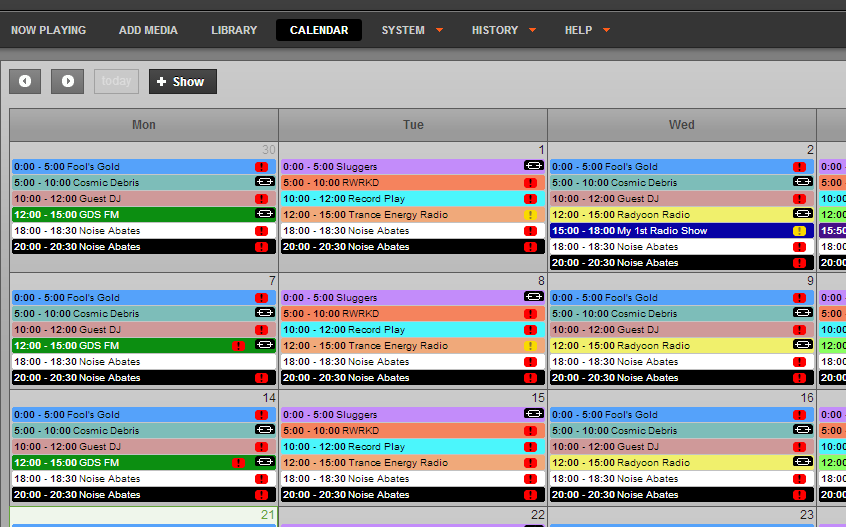
airtime ~ Broadcast Streaming Radio


Airtime is an open source application that provides remote and
collaborative automation of a broadcast radio station.

Major features:

  • Web-based remote station management. Authorized personnel can add
    programme material, create playlists or smart blocks, and stream in live,
    all via a web interface.
  • Automation. Airtime has a scheduler function that enables users to
    create shows with content for playback at the exact date and time specified.
  • Playlists, smart blocks and remote stream URLs can be used multiple times.
  • Solid playout. Airtime uses the open source Liquidsoap streaming language for reliable and precise playback to multiple outputs.
  • Open, extensible architecture. Stations are free to extend and alter
    all parts of the program code, under the GNU AGPLv3 license.

Airtime

www.sourcefabric.org/en/airtime
en.wikipedia.org/wiki/Airtime_(software)

XiX ~ Open Source Music Player


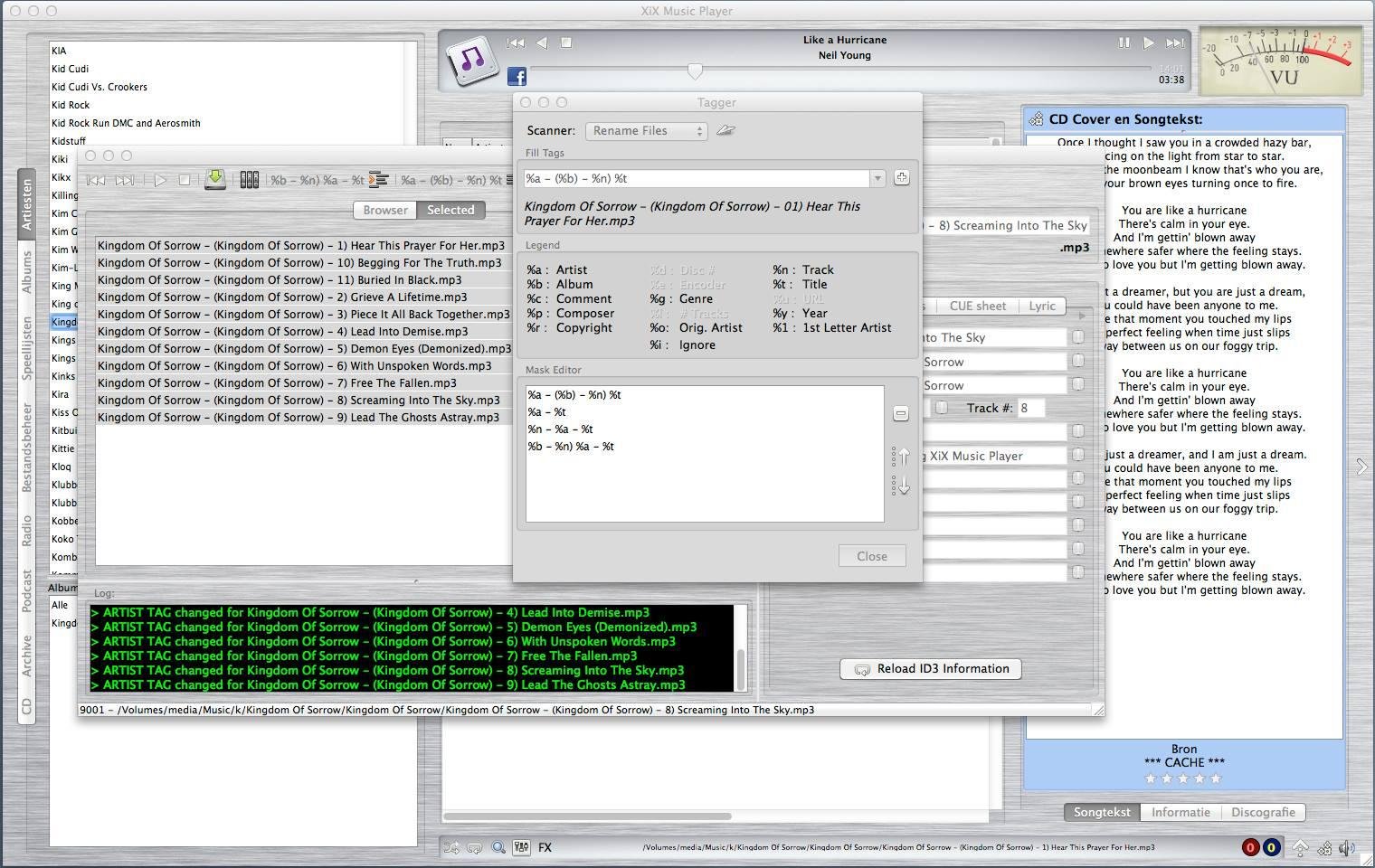
XiX Player is a free, easy to use, multi-platform music player that currently runs in Linux, Linux ARM (Raspberry Pi), Windows & MacOS Intel

Features:

  • Supports the following file formats: MP3, OGG, M4A (non-DRM), AAC, FLAC, OPUS, APE, DFF, WAV
  • Play & rip your CDs to MP3 or FLAC with CD-Text and CDDB support.
  • Rip CD/DVD tracks to MP3 or FLAC. Needs mplayer.
  • See albums the chosen artist is on and vice versa.
  • Create and use playlists.
  • Online radio stations + presets.
  • Record online radio stations.
  • Schedule Radio station recordings.
  • Listen to & download podcasts.
  • Play license free audio from the Internet Archive.
  • Show the lyrics and CD covers of the song being played.
  • Shuffle and repeat.
  • Reverse play.
  • Crossfading & trimming.
  • Search.
  • Rate your songs.
  • EQ + FXs (Flanger, Echo & Reverb).
  • Set EQ & trim for individual songs.
  • Copy, delete or rename files.
  • Change ID3 tag (only for MP3/OGG/FLAC/APE).
  • Multiple tagging / renaming.
  • Theme support (Basic).
XIX

sourceforge.net/projects/xixmusicplayer

PoQStacker ~ Multi-Function Music Player


PoQStacker is a PC based MP3 and wav file music player with a playlist manager / organizer. If you have a CD or MP3 collection, PoQStacker will assist you in connecting you to your music.

Features:

  • Floating Library
  • CD Ripper
  • WiFi / Network Ready
  • Levelling / Normalisation
  • Unlimited Playlists
  • Resident DJ

www.poqstacker.org

mopidy ~ Extensible Music Server


Written in Python, Mopidy plays music from a local disk, Spotify, SoundCloud, Google Play Music, and more. You edit the playlist from any phone, tablet, or computer using a range of MPD and web clients.

mopidy-screenshot

www.mopidy.com

Exaile ~ GTK+ Music Player


Simple interface. Powerful music management. Smart Playlists. Advanced track tagging. Automatic album art. Lyrics. Streaming Radio. Podcasts. Secondary output device support. Cross-platform. Easily extensible with 50+ plugins available.

exaile-3.4

www.exaile.org

Clementine ~ Modern Player & Library Organizer


Clementine is a multi-platform music player. It’s inspired by Amarok 1.4, focusing on a fast and easy-to-use interface for searching and playing your music.

  • Search and play your local music library.
  • Listen to internet radio from Spotify, Groovesharks, SomaFM, Magnatune, Jamendo, SKY.fm (radiotunes), Digitally Imported, JAZZRADIO.com, Soundcloud, Icecast and Subsonic servers.
  • Search and play songs you’ve uploaded to Box, Dropbox, Google Drive, and OneDrive.
  • Create smart playlists and dynamic playlists.
  • Tabbed playlists, import and export M3U, XSPF, PLS and ASX.
  • CUE sheet support.
  • Play audio CDs.
  • Visualizations from projectM.
  • Lyrics and artist biographies and photos.
  • Transcode music into MP3, Ogg Vorbis, Ogg Speex, FLAC or AAC.
  • Edit tags on MP3 and OGG files, organize your music.
  • Fetch missing tags from MusicBrainz.
  • Discover and download podcasts.
  • Download missing album cover art from Last.fm and Amazon.
  • Cross-platform – works on Windows, Mac OSX and Linux.
  • Native desktop notifications on Linux (libnotify) and Mac OSX (Growl).
  • Remote control using an Android device, a Wii Remote, MPRIS or the command-line.
  • Copy music to your iPod, iPhone, MTP or mass-storage USB player.
  • Queue manager.
Clementine Version 1.2-1
Playlist tab, while listening to songs from multiples Internet services

www.clementine-player.org
www.clementine-player.org/downloads
github.com/clementine-player/Clementine
flathub.org/apps/org.clementine_player.Clementine
en.wikipedia.org/wiki/Clementine_(software)
Clementine Music Player Tutorial

F-Droid

An Android remote control for Clementine

f-droid.org/packages/de.qspool.clementineremote

Meson ~ A Player With No GUI


Meson Player is a very convenient music player if you don’t need a GUI to control playback or manage playlists. You just run it and then forget about it. The player runs in the background. Switching tracks, volume control, loading and saving playlists, all of this is performed by using hotkeys, therefore you can control the player while working in any application.

Meson Player supports gapless playback, Last.FM, a lot of music file formats (stream and tracker), Internet radio and playlist management.

Linux  /  MacOS  /  Windows

sourceforge.net/projects/mesonplayer

CreateM3U ~ m3u Playlist Creator


Drag & drop files or folders to create .m3u playlists. For each folder, a single .m3u file is created named after that folder. It will not replace already existing playlists of that name. The generated playlists do not contain EXTM3U information because a simple .m3u is nothing more than a text file with a list of file names per line. The initial tool for this task for me was a batch file. 😉

As the generated playlists only include filenames without any path, and they are located with the media files, they can be moved together with the files, as an example, for portable mp3 player usage.

createm3u

lostfound.raum108.de/create_m3u

Continue reading

Audacious ~ Open Source Audio Player


Audacious is an open source audio player. A descendant of XMMS, Audacious plays your music how you want it, without stealing away your computer’s resources from other tasks. Drag and drop folders and individual song files, search for artists and albums in your entire music library, or create and edit your own custom playlists. Listen to CD’s or stream music from the Internet. Tweak the sound with the graphical equalizer or experiment with LADSPA effects. Enjoy the modern GTK-themed interface or change things up with Winamp Classic skins. Use the plugins included with Audacious to fetch lyrics for your music, to set an alarm in the morning, and more.

Audacious

audacious-media-player.org
audacious-media-player.org/download
VU Meters

Playlist Creator ~ Freeware Windows Applet


Following the Unix philosophy “one tool for one job” Playlist Creator enables you to create playlists of your precious music within seconds.

The composition and creation of a playlist is quite intuitive: Add all desired files, enter a name for the playlist and select its save location. Hit the create button and one moment later your brand-new playlist is ready.

You don’t have to recreate your playlist every time you want to make changes to it. Just open the existing playlist file, make the changes you want and save the playlist. It’s as simple as that!

Combining several playlists into a single big playlist is quite simple as well: Insert as many existing playlist files to your current playlist as you like and save the playlist. Done!

playlist creator

Windows 7 and earlier

www.oddgravity.de/app-opc

Amarok ~ Cross Platform Audio Player


Amarok is a powerful music player, with multi-language support, for Macs, Unix/Linux and Windows. It has an intuitive interface and makes playing the music you love, and discovering new music, easier than ever before – and it looks good doing it!

Features:

  • Dynamic playlists matching different criteria
  • Collection managing with rating support
  • Support for basic iPod, MTP and UMS music player devices
  • Integrated Internet services: last.fm, Magnatune, Ampache and more.
  • Scripting support
  • Cover manager
  • Replaygain support

apps.kde.org/amarok
amarok.kde.org
Downloads
Documentation

Foobar2000 ~ Playlists & Autoplaylists


Playlists, or named lists of songs, are an essential aspect of Foobar2000. Whenever you add a song to Foobar, you are adding it to one of Foobar’s playlists. Foobar allows you to create and maintain different playlists, which are just entitled lists of your audio tracks (files). The playlists link to audio files in a ‘many to one’ relationship; that is, there can be many tracks on different playlists that reference the same audio track. Foobar can import and exports playlists in a variety of formats; and stores its own playlists as .fpl files. (This is different from adding a song to your Foobar2000 Library).

Playlists can be created manually by adding individual songs, or automatically by specifying a set of conditions in a query with the result displayed as an “Autoplaylist”. Manually created playlists are static, they don’t change unless you change them; Autoplaylists are dynamic, that is the results may change whenever the Autoplaylist is queried.

Playlists created manually can be edited directly, while Autoplaylists are edited by modifying the query. However, you can save the results of an Autoplaylist as a new static, and therefore editable, playlist.

Creating an Autoplaylist of an Albumlist item like genre:

  1. Select by genre from the Albumlist view selector
  2. Select a genre from the list of genres
  3. Right click that selected genre and select Create Autoplaylist

You will now have a new Autoplaylist listed on the playlist manager tab with the name of the genre you selected. Playlists created this way are called an Album List branch.

Creating an Autoplaylist of a folder’s contents:

  1. Select the Search tab
  2. enter %path% HAS replace this with the actual path  in the search field
  3. Select ...
  4. Select Create Autoplaylist
  5. Rename the new playlist (hint, with the path)

AutoPlaylist query examples:

  • Lossless ~ “$info(encoding)” IS lossless
  • Lossy ~ “$info(encoding)” IS lossy
  • Missing title ~ title MISSING (no percent signs)
  • Missing genre ~ genre MISSING
  • Never played ~ %play_count% MISSING
  • No Dynamic Range info ~ %dynamic_range_album% MISSING
  • No ReplayGain info ~ %replaygain_track_gain% MISSING
  • No Artist info ~ %path% HAS album AND album artist MISSING
  • Played often ~ %play_count% GREATER 9
  • Randomly sorted ~ ALL SORT BY “$rand()”
  • Recently added ~ %added% DURING LAST 1 WEEKS
  • Recently played ~ %last_played% DURING LAST 1 WEEK
  • Recently modified ~ %last_modified% DURING LAST 2 WEEKS

Foobar Playlist Management Components:

Additional resources:

Building Autoplaylist queries ~ Foobar2000: Query Syntax
Formatting playlist contents ~ Title Formatting Introduction