PyKaraoke ~ Cross-platform Karaoke Player


PyKaraoke is a free karaoke player for Linux, FreeBSD, NetBSD, Windows, OSX and GP2X.

You can use this program to play your collection of CDG, MIDI and MPEG karaoke songs. No songs are provided, you must obtain these from elsewhere.

Visit here to find out more about what a CDG or MP3+G file is. In short, CDG is the format of professional karaoke CDs. These CDs can be ripped to your hard disk, and turned into a .mp3 file together with a .cdg file. This player gives you the ability to play those mp3+cdg files.

PyKaraoke Features:

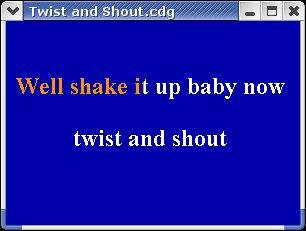
  • CDG (MP3+G, OGG+G, WAV+G) playback – Play standard CDG karaoke files
  • MIDI (.MID/.KAR) playback – Play MIDI format karaoke files
  • MPEG playback – Play karaoke songs and movies in MPEG format
  • Other formats – Play any other video formats by launching an external media player
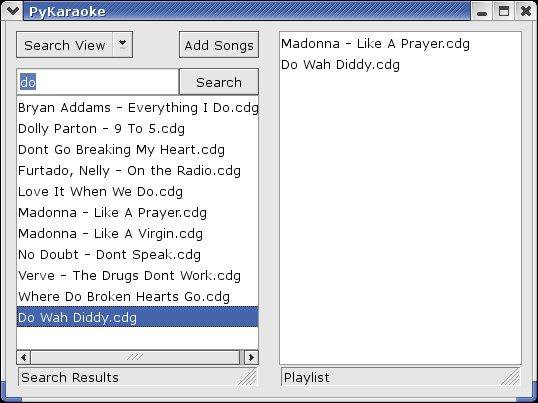
  • Playlist – Queue up songs, sit back and enjoy
  • Searchable song database – Easily find your songs from the main screen
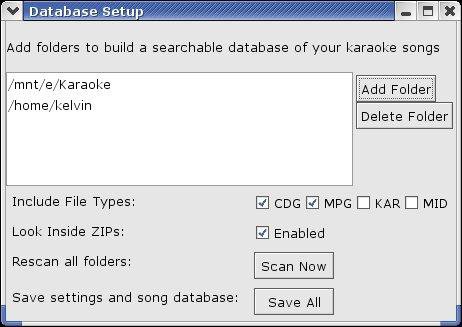
  • Search inside ZIP files – Play MP3+G/MIDI files wrapped in ZIP files
  • Cross-platform – Runs on Windows, Linux, BSD, OSX and GP2X
  • Mini Frontend – Additional mini-frontend for low res displays and handhelds
  • Export to MPEG – Convert CDG and KAR files to MPG files (command line only)

www.kibosh.org/pykaraoke
sourceforge.net/projects/pykaraoke

xACT ~ Mac / WIndows Audio GUI


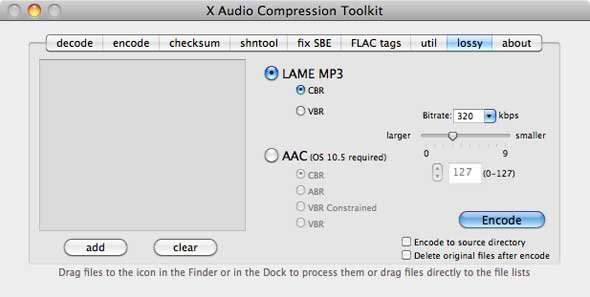
A Mac OSX GUI frontend for open source audio codecs. There is an older Windows version available as well.

xact_main

http://xact.scottcbrown.org

VoodooHDA ~ Mac Open IHDA Driver


VoodooHDA is an open source audio driver for devices compliant with the Intel High Definition Audio specification. It is intended as a replacement for AppleHDA on Mac OS X with support for a wide range of audio controllers and codecs.

Features:

  • automatic recognition of all HDA codecs
  • test jacks for autoswitch
  • control panel for fine tuning
  • sound treatment includes stereo enhancements
  • since v2.8 it works with two sound cards
  • v2.9 creates 5.1 channel as one device

This slideshow requires JavaScript.

sourceforge.net/projects/voodoohda/

GrandOrgue ~ Virtual Pipe Organ


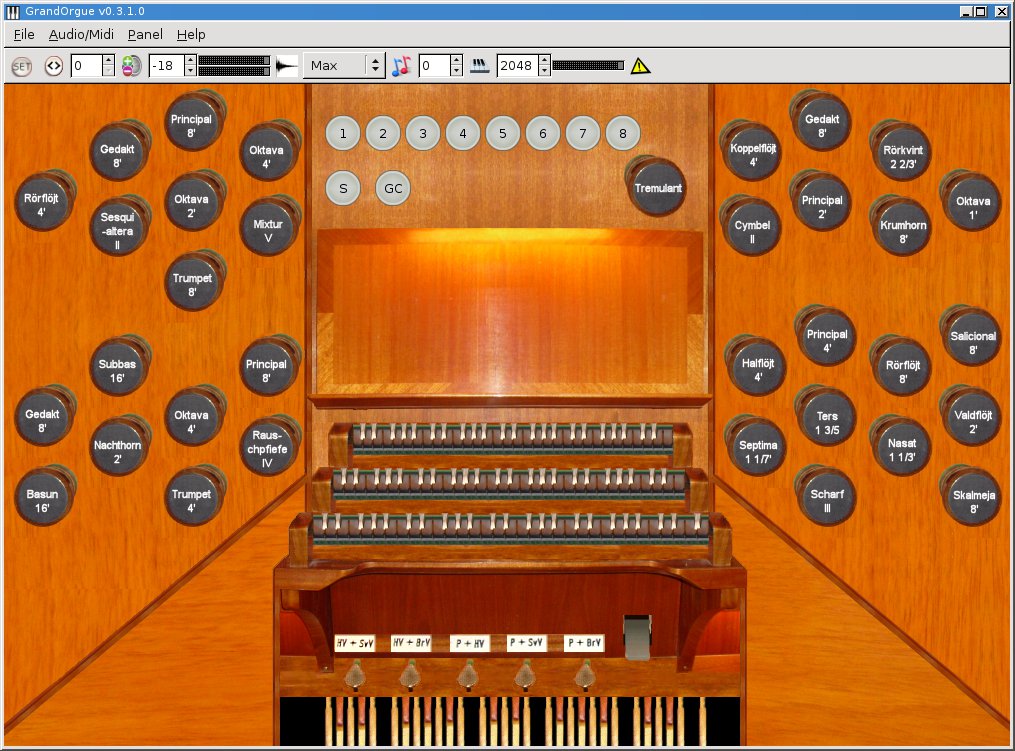
GrandOrgue is a sample based pipe organ simulator. When connected to MIDI keyboards and an audio system, it can accurately simulate the sound of a real pipe organ. This application has builds for Linux, Windows and OSX.

Features:

  • Play sample sets
  • GUI console
GrandOrgue

sourceforge.net/projects/ourorgan/
sourceforge.net/p/ourorgan/wiki/Home

Spek ~ Acoustic Spectrum Analyzer


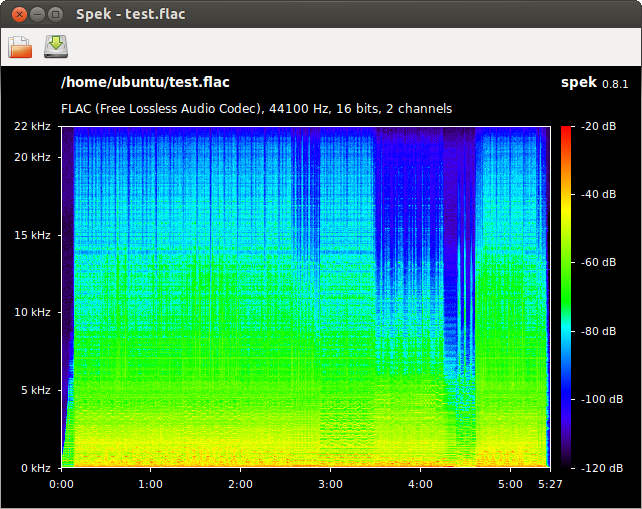
Spek (IPA: /spɛk/, ‘bacon’ in Dutch) helps to analyse your audio files by showing their spectrogram. Spek is free software available for Unix, Windows and Mac OS X.

Features:

  • Supports all popular lossy and lossless audio file formats thanks to the FFmpeg libraries.
  • Ultra-fast signal processing, uses multiple threads to further speed up the analysis.
  • Shows the codec name and the audio signal parameters.
  • Allows to save the spectrogram as an image file.
  • Drag-and-drop support; associates with common audio file formats.
  • Auto-fitting time, frequency and spectral density rulers.
  • Adjustable spectral density range.
  • Translated into 19 languages.

spek

spek.cc
github.com/alexkay/spek

Mkchromecast ~ Linux & Mac Casting


This is a program to cast your macOS audio, or Linux audio to your Google Cast devices or Sonos speakers. It can also cast video files.

It is written for Python3, and it can stream via  node.js,parec (Linux), ffmpeg, or avconvMkchromecast is capable of using lossy and lossless audio formats provided that ffmpeg, avconv (Linux), or parec (Linux) are installed. It also supports Multi-room group playback, and 24-bit/96kHz high audio resolution. Additionally, a system tray menu is available.

mkchromecast.com
github.com/muammar/mkchromecast

Background Music ~ macOS Audio Utility


  • Automatically pauses your music player when other audio starts playing and unpauses it afterwards
  • Per-application volume, boost quiet apps
  • Record system audio

github.com/kyleneideck/BackgroundMusic
awesomeopensource.com/project/kyleneideck/BackgroundMusic

puddletag ~ GNU \ Linux Audio Tag Editor


puddletag is an audio tag editor (primarily created) for GNU/Linux similar to the Windows program, Mp3tag. Unlike most taggers for GNU/Linux, it uses a spreadsheet-like layout so that all the tags you want to edit by hand are visible and easily editable.

The usual tag editor features are supported like extracting tag information from filenames, renaming files based on their tags by using patterns and basic tag editing.

Then there are Functions, which can do things like replace text, trim it, do case conversions, etc. Actions can automate repetitive tasks. Doing web lookups using Amazon (including cover art), Discogs (does cover art too!), FreeDB and MusicBrainz is also supported. There’s quite a bit more, but I’ve reached my comma quota.

Supported formats: ID3v1, ID3v2 (mp3), MP4 (mp4, m4a, etc.), Vorbis Comments (ogg, flac), Musepack (mpc), Monkey’s Audio (.ape) and WavPack (wv).

puddletag

docs.puddletag.net

MediaHuman ~ Audio Converter


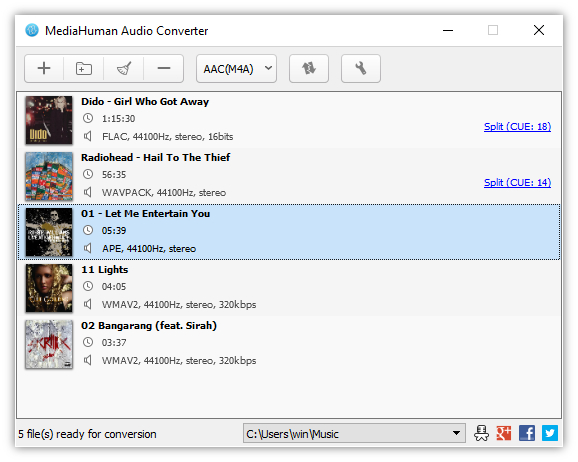
MediaHuman Audio Converter is a freeware application for Mac OSX and Windows. It can help you to convert your music absolutely free to WMA, MP3, AAC, WAV, FLAC, OGG, AIFF, Apple Lossless format and bunch of others.

  • Simple and intuitive interface
  • Converts between all key audio formats
  • Splits tracks by CUE sheet
  • Exports to iTunes
  • Converts multiple files simultaneously
  • Keeps the folder structure
  • Extracts audio track from video

MHAudioConverter-win

www.mediahuman.com/audio-converter

projectM ~ MilkDrop Compatible Music Visualizer


projectM is an OpenGL based advanced music visualization program for Linux, Mac OSX, and Windows. It is backward compatible with all the features of Milkdrop 1.x (and now 2.x), but has many new toys and enhancements.

projectM

sourceforge.net/projects/projectm

Audio Overload ~ Video Game Music Player


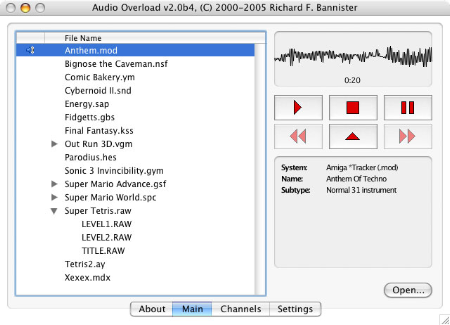
Audio Overload emulates the sound hardware of vintage consoles and computers, allowing you to listen to completely authentic renditions of classic video game tunes. Audio Overload does not play music from arcade games; for that you should use M1.

Audio Overload

www.bannister.org

M1 ~ Mac Arcade Music Player


M1 plays the music from arcade games by running the code in the original ROMs (not supplied). This allows entirely authentic playback of classic video game tunes while you work. M1 does not play music from console and computer games; for that you should use Audio Overload.

m1

www.bannister.org