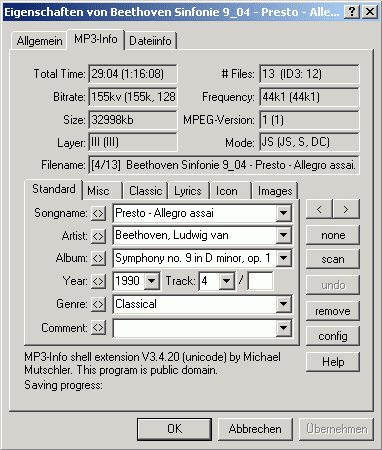
This is Michael Mutschler’s famous mp3 shell extension, also available for Windows 7 and 64 bit.
sourceforge.net/projects/mp3ext

This is Michael Mutschler’s famous mp3 shell extension, also available for Windows 7 and 64 bit.
sourceforge.net/projects/mp3ext

The Super Audio CD Decoder adds SACD ISO, DSF, DSDIFF/DFF and DSD WavPack support to foobar2000. It can play DSD as PCM or send DSD to compatible output hardware. Related components provide DSD processing and conversion.
Current project: Super Audio CD Decoder on SourceForge
Version checked: foo_input_sacd 2.0.25, released June 22, 2026, with a separate package for foobar2000 1.6.x dated June 24, 2026. SourceForge labels the project Inactive, although its archive lists these June 2026 packages. Its prominent “Download Latest Version” button currently points to 2.0.24, so use the versioned 2.0.25 download links below or inspect the complete file archive. Recent files do not guarantee ongoing maintenance or support.
Keep a copy of your existing foobar2000 configuration before changing components or output settings. Component packages and compatibility can differ between foobar2000 versions.
The right configuration depends on whether you want conventional PCM playback or DSD output to a compatible DAC. Start with PCM if your immediate goal is simply to play your files.
PCM conversion is the straightforward choice when you want broad output compatibility or need foobar2000 DSPs, meters and visualizations to operate on the decoded audio.
The original article used DSD+PCM, 384000 Hz and Direct (64fp, 30kHz lowpass). Those are settings from one particular setup, not universal requirements. The appropriate mode and sample rate depend on the decoder version, output device and desired processing.
Direct DSD playback requires a compatible output path and DAC. Support for DSD files by the decoder does not, by itself, guarantee native DSD output to your hardware.
The standard foobar2000 ASIO Output component is not universally required for SACD playback. foobar2000’s own documentation recommends its default output modes unless ASIO is needed for a particular device or driver.
For a compatible DAC requiring an alternative native-DSD path, see foo_out_asio+dsd. Its project documentation describes it as a substitute for the standard ASIO Output component and identifies native DSD playback as its purpose. Do not install multiple output components merely because they are available; choose the path appropriate to your hardware.
DSD, DoP and PCM are different output paths. DoP transports DSD data within a PCM-framed stream; it is not the same as converting the audio to PCM. Actual support depends on the component, driver and DAC. If you need native DSD, verify what your DAC reports rather than relying on a foobar2000 setting alone.
SACD ISO images may contain stereo and multichannel areas. In the decoder’s SACD input settings:
Do not assume that every SACD contains both stereo and multichannel material, or that all tag options behave identically across versions. Check the available areas and test tag changes on a copy or a non-critical file first.
For conversion or extraction, use the separate foo_dsd_converter component. Version 1.0.1 was released June 23, 2026. The project’s readme states that this converter is for non-commercial use only; review the current terms before using it in a commercial context.
Conversion options can vary with the installed component versions and source material. Keep the original ISO or DSD files until the extracted files have been checked.
DSD stands for Direct Stream Digital. Unlike conventional PCM, which represents audio as multibit samples, DSD uses a one-bit stream at a much higher sampling rate. The commonly encountered DSD64 rate is 2.8224 MHz; higher DSD rates also exist. DSD files are not automatically better-sounding than PCM files: mastering, source quality, conversion and playback equipment all matter.
Personal note: I originally followed an earlier version of this procedure to play DSF files and SACD ISO images on an S.M.S.L M500 DAC. That successful setup is useful historical context, but the instructions above distinguish the available output paths rather than assume that one device’s settings will work for everyone.
Last reviewed: October 22, 2026. Component versions and supported output configurations can change; consult the linked project readmes before installing or changing a working system.

Red Dot Forever is an extremely simple program to record MIDI files. It has no advanced editing features — but if you just want to RECORD, listen back to what you PLAYed, and finally SAVE your recording to disk, then Red Dot Forever is all you need.

sourceforge.net/projects/reddot

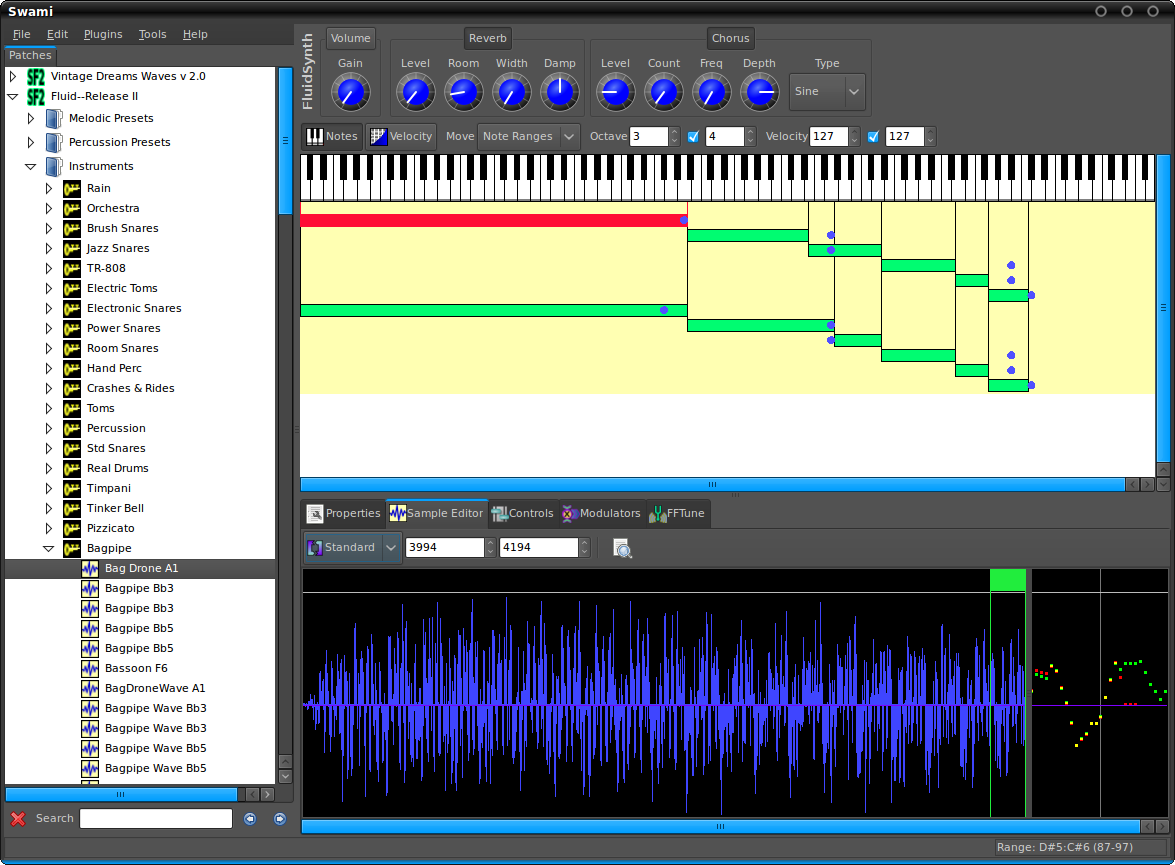
Project SWAMI, Sampled Waveforms And Musical Instruments, is a collection of free software for editing, managing and playing musical instruments for MIDI music composition. Current focus is primarily the SoundFont format, which is an open file format for digital audio “sample” based instruments.
www.swamiproject.org
sourceforge.net/projects/swami

A simple reference table: How to grade records on Discogs
www.brianchernicky.com/how-to-grade-records-discogs-table

TheAudioDB is a community database of audio artwork and data with a JSON API.

This component provides an editor for title formatting code [mainly targeted at title formatting beginners]. The editor includes syntax highlighting, a preview of the selected fragment of the code and a view of the code structure. The idea behind the component is to allow users to explore title formatting scripts by exposing aspects which are normally hidden on the user interface of foobar2000 and its components.
www.foobar2000.org/components/view/foo_tfsandbox
github.com/stengerh/foo_tfsandbox
Hydrogenaudio Topic

Additional encoding/decoding and input components expand the range of audio file formats that can be played by Foobar2000. Not all of these components are official or officially recommended. Listed alphabetically by component name.
foo_hdcd ~ This post processing service component will decode HDCD data in any 16-bit PCM stream passed through it by supporting inputs, such as CDDA, WAV, FLAC, and WavPack.
Command-Line Decoder Wrapper ~ This component allows foobar2000 to play or convert any audio format with a standalone command-line decoder available, including various exotic formats that do not have native foobar2000 decoder components. (foo_input_exe)
FFmpeg Decoder Wrapper ~ This component allows foobar2000 to read arbitrary file formats via user-supplied ffmpeg.exe and ffprobe.exe. (foo_input_ffmpeg)
foo_dyndec ~ Exposes the decoded sample rate, number of channels and bit depth to components that can only use static information natively.
foo_input_dummy ~ a pseudo input
How to install a foobar component.

Internet music dealers currently sell “CD-Quality” tracks, or even better (“Studio-Master”), thanks to lossless audio coding formats (FLAC, ALAC). However, a lossless format does not guarantee that the audio content is what it seems to be. The audio signal may have been upscaled (increasing the resolution), upsampled (increasing the sampling rate) or even transcoded from a lossy to a lossless format. Lossless Audio Checker analyzes lossless audio tracks and detects upscaling, upsampling and transcoding.

Watch music videos and video playlists using Foobar2000
- This component adds the possibility of playing Youtube, Vimeo and Dailymotion clips directly via their URL.
- In addition to single clip URLs it supports clip feeds (i.e. playlists, channels etc.) from Youtube and Dailymotion.
- Single clips and feeds can be added using File menu commands Add location and Add multiple URL(s).
- Component has several UI elements, both DUI and CUI are supported. There are element for searching on Youtube within the program, for video playback and elements for various technical info about clips and component workflow. All elements are listed under Youtube Source group in UI configuration windows.
- In addition to UI elements it has several popup windows with similar functionality.
- For Lyric Show Panel 3 it provides an additional lyric source.
- Clip thumbnails are exposed as album art to the program.
- Single clip can be turned into album with multiple tracks.
fy.3dyd.com
www.foobar2000.org/components/view/foo_youtube
Install component then install these dependencies:
Installing madVR:
If it works it will say “Install Successful”
Additional Resources:
wiki.mikejung.biz/MadVR#LAV_Filters

Last.fm is a music service that learns what you love. Create your own profile, track what you listen to (we call this scrobbling) and get cool stuff like your own music charts, new music recommendations, and a big ol’ community of other music lovers.
www.last.fm
Last.fm ~ Scrobblers
foo_scrobble ~ Foobar2000 & Last.FM
Soft Playlists ~ Foobar & Last.fmFree Music Downloads:
www.last.fm/music/+free-music-downloadsResources:
www.tapmusic.net
github.com/nicfit/TopFM

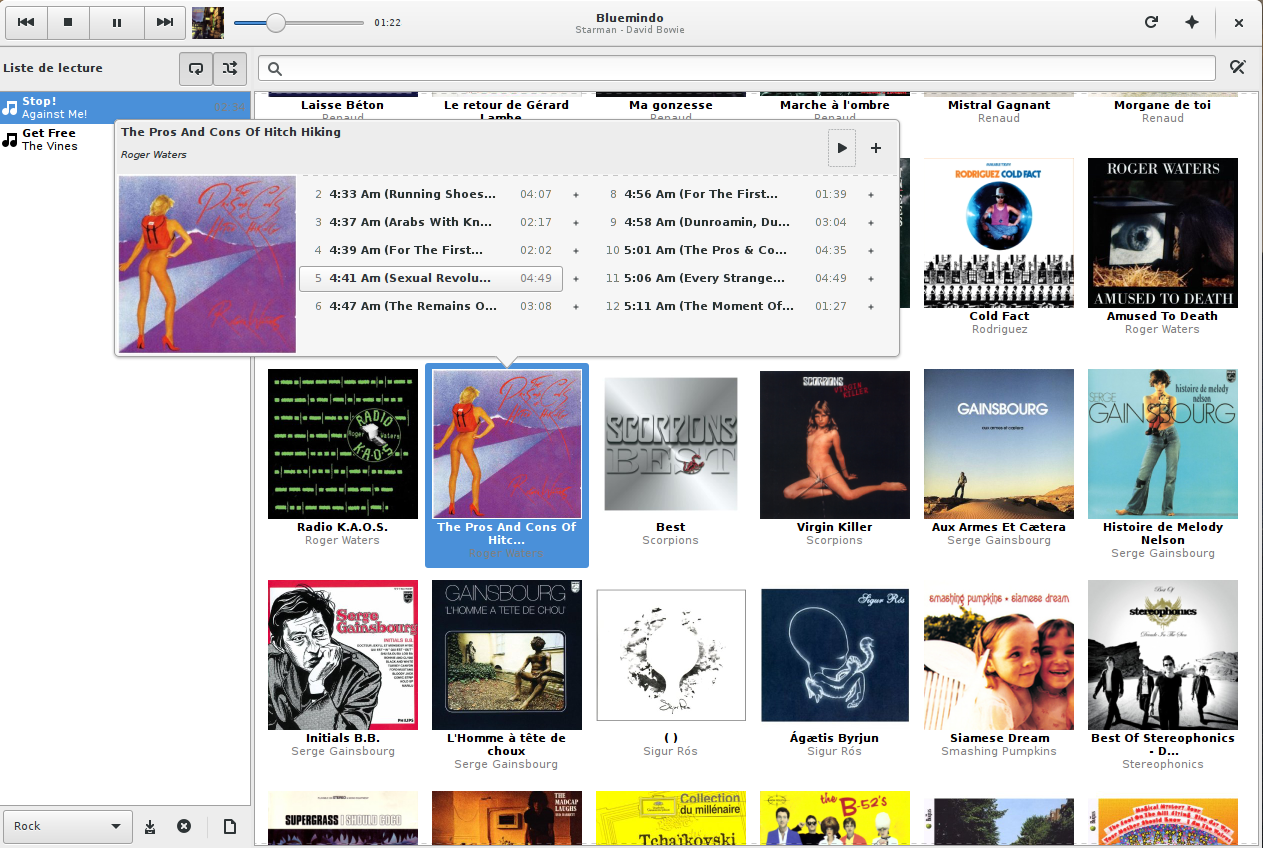
Bluemindo is a really simple yet powerful audio player in Python/PyGTK, using Gstreamer. It’s a free (as in freedom) software, released under GPLv3, only.
Bluemindo’s user interface consists of a main view of all your digitized album discs, which is searchable and filterable. The playback mode is gapless and support ReplayGain (it can also automatically choose to switch between Album and Track modes, depending on the kind of music that’s being played). Last but not least, it brings playlist (automatic and user-made), MPRIS/MediaPlayer2 support and lyrics/artwork downloading.
bluemindo.codingteam.net
http://codingteam.net/project/bluemindo


