mp3rgain ~ Lossless MP3/AAC Volume Adjustment


A modern mp3gain / aacgain replacement written in Rust. A native GUI application (mp3rgui) is available for users who prefer a graphical interface.

mp3rgain adjusts MP3 and AAC volume without re-encoding by modifying the global_gain field in each frame. This preserves audio quality while achieving permanent volume changes.
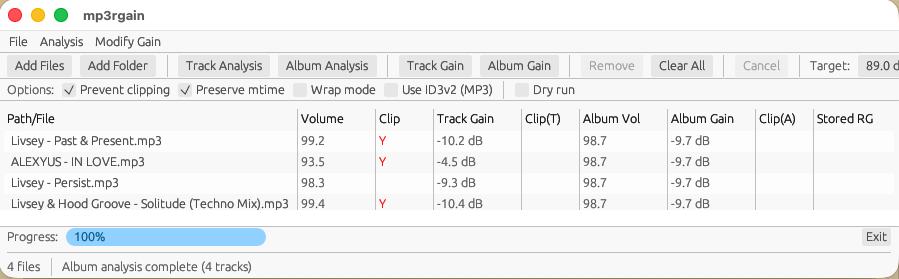

mp3rgui compact user interface

github.com/M-Igashi/mp3rgain
crates.io/crates/mp3rgain
hydrogenaudio.org/index.php/topic,129648.0

References:

github.com/dgilman/aacgain
mp3gain.sourceforge.net

tracksplit ~ CLI Track Splitter


tracksplit is a simple command line utility that splits a WAV audio file into respective audio tracks based on periods of silence in the audio.

github.com/sp4rkie/tracksplit

Audiomora ~ Radio Player & Recorder


A professional, high-performance radio player and recorder for Windows. Access the world of music with a single click.

Features:

  • Global Access: Over 30,000 radio stations via Radio-Browser API.
  • High-Quality Recording: Capture streams in MP3 (320kbps) or WAV format.
  • Smart Timer: Schedule your recordings to never miss a show.
  • Visual Experience: Integrated real-time audio visualizer.
  • Portable: No installation required. Everything (VLC/FFmpeg) is included in one EXE.

github.com/BugHunter2026/Audiomora-Radio-Player

aychipsynth ~ Emulate AY-3-8910 & YM2149 Chips


LV2 synth plugin to emulate AY-3-8910/YM2149 chip sound.

Features:

  • lv2 synth
  • chiptune
  • ay/ym

sourceforge.net/projects/aychipsynth

References:

en.wikipedia.org/wiki/General_Instrument_AY-3-8910

Integral ~ Java MicroEdition Player


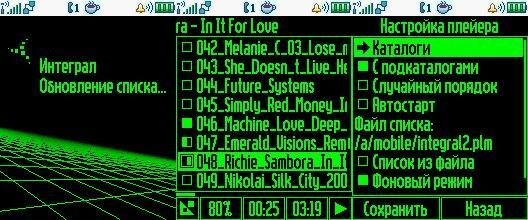
Integral is music player for cellphones and other mobile devices with Java MicroEdition platform (J2ME). This player has outstanding ability to keep played statuses for each track in the playlist. It has three possible statuses for each track: new, played or partially played.

Key features of the player:

  • User can define directory and supported file extensions for music files
  • Player can keep individual statuses for each track in list, including partial played position
  • English and Russian interface, player supports Russian MP3 tags
  • User interface is automatically layouted for different screen sizes
  • Player can be sent to background execution, if this feature’s supported by device
  • Lock screen featuring large digital clock. Automatic screen lock can be turn on, based on inactivity timer.
  • This project is open source (distibuted under GNU GPL)

Integral player doesn’t decode sound streams itself by design. Instead, Integral can be considered as a shell to internal playback functions of the mobile device. That’s why the player supports only those formats of music files which are supported by the actual device.

Integral User Interface

integral.sourceforge.net
sourceforge.net/projects/integral

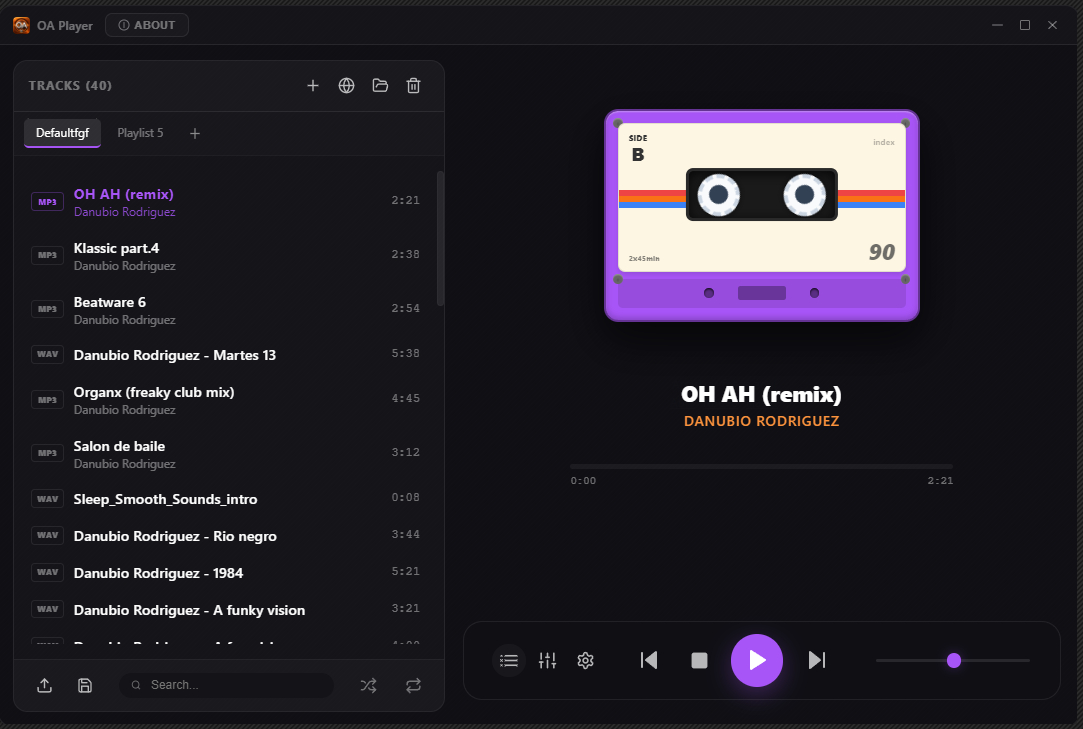
OA Player ~ Glassmorphic Music Player


Transform your PC into a premium analog audio experience with the latest version of OA Player. This audiophile-grade, hi-fi integrated media player combines cutting-edge digital technology with the warm, rich character of classic analog sound.

Features:

  • Real-Time Analog Sound Emulation
  • Custom Sound Profiles
  • 10/16/32-Band Equalizer + Integrated Bass Boost
  • Stereo Widener
  • Tube Preamp Emulation
  • Natural Dynamics
  • High Exciter
  • Discrete Reverb
  • Automatic Gain Control
  • Digital to Reel
  • Limiter
  • Pitch Convert
  • All-in-One Audio Hub
OA Player Interface

sourceforge.net/projects/oa-player

SACD Ripper ~ Digitize SACDs Using A PS3


SACD Ripper

SACD ripping software using a PS3.

sacd-ripper.github.io
github.com/sacd-ripper/sacd-ripper

SACD Extract

Enhanced client sacd_extract for Windows(64bit) & Linux(64bit)

github.com/sacd-ripper/sacd-ripper/tree/master/tools/sacd_extract
www.videohelp.com/download/SACDExtractGUI.zip

Resources:

www.videohelp.com/software/sacd-extract
github.com/Sound-Linux-More/sacd-extract

ORA Play ~ Simple, Fast & Enjoyable Player


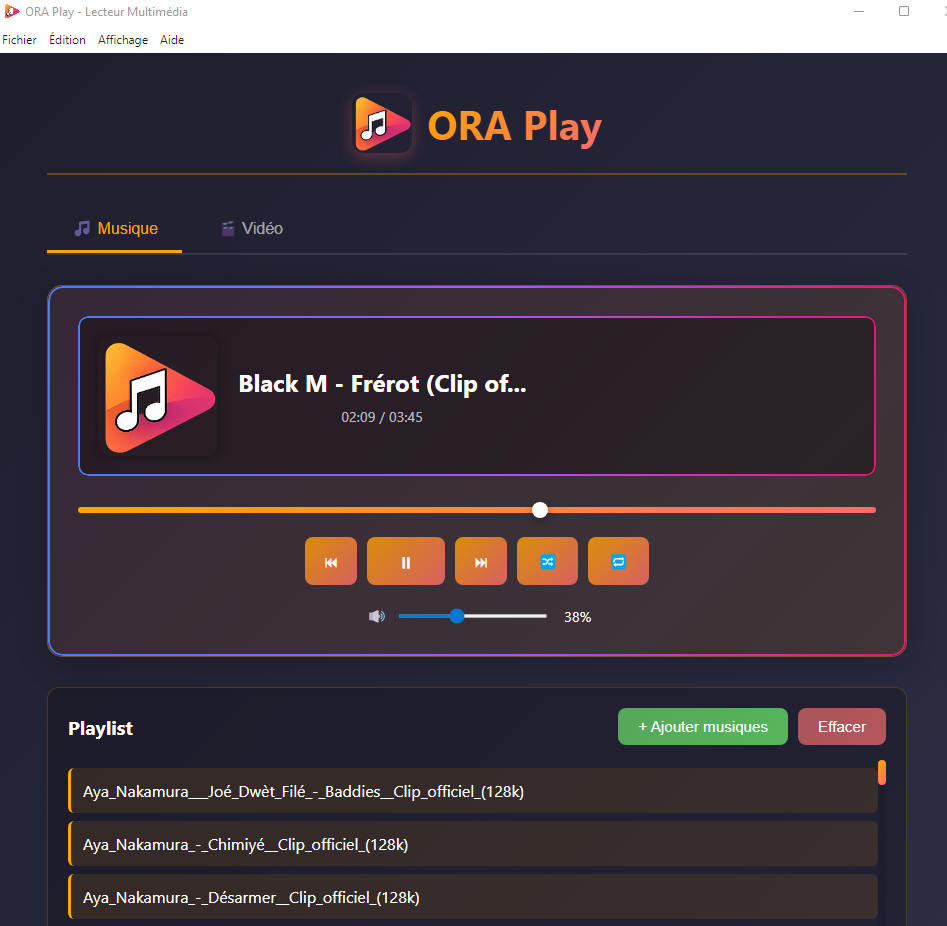
ORA Play is a modern audio player designed to offer a simple, fast, and enjoyable experience.

Features:

– Playback of local audio files
– Drag & Drop
– Play/Pause controls
– Track navigation
– Playlist management
– Built-in Mini Player
– Modern and intuitive interface

. Developed with Electron, JavaScript, HTML, and CSS.

ora-play user interface

sourceforge.net/projects/ora-play

foobar2000 ~ foo_strip


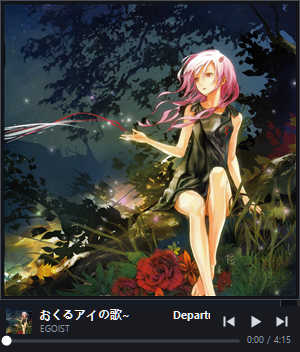
A standalone, draggable, always-on-top playback strip for foobar2000 on Windows, inspired by Deskband Controls. Album art, scrolling title/artist, transport controls, and a working seek bar — floating over your desktop, independent of foobar’s own window. Reads position/length and seeks directly through foobar’s playback_control (no SMTC or bridge).

github.com/masterrite/Foo_strip
hydrogenaudio.org/index.php/topic,129649

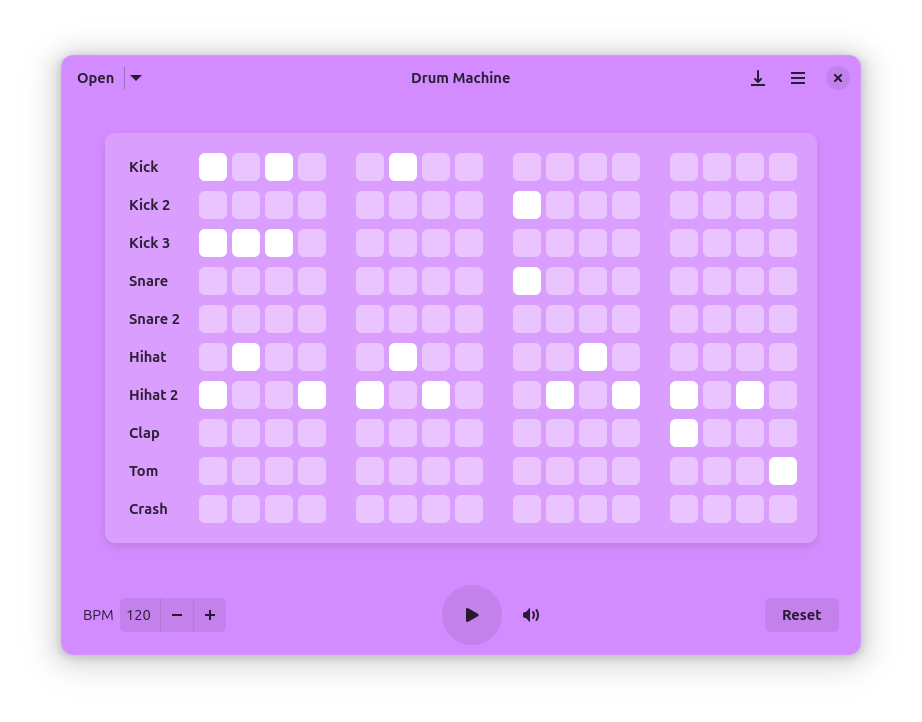
Drum Machine ~ Create & Play Drum Beats


Drum Machine is a modern and intuitive application for creating, playing, and managing drum patterns. Perfect for musicians, producers, and anyone interested in rhythm creation, this application provides a simple interface for drum pattern programming. Have fun!

Features:

  • Intuitive grid-based pattern editor with infinite pages
  • Custom samples: Add your own drum sounds with MIDI note mapping
  • Adjustable BPM control
  • Volume control for overall mix
  • Save and load patterns
  • Multiple drum sounds including kick, snare, hi-hat, and more
  • Audio and MIDI export with support for WAV, FLAC, Ogg, MP3, and MIDI formats
  • Metadata support for embedding artist name, song title, and cover art
  • Keyboard shortcuts for quick access to all functions

apps.gnome.org/DrumMachine
github.com/revisto/drum-machine

Audio Sharing ~ Stream Via RTSP


With Audio Sharing you can share your current computer audio playback in the form of an RTSP stream. This stream can then be played back by other devices, for example using VLC.

By sharing the audio as a network stream, you can also use common devices that are not intended to be used as audio sinks (eg. smartphones) to receive it. For example, there are audio accessories that are not compatible with desktop computers (e.g. because the computer does not have a Bluetooth module installed). With the help of this app, the computer audio can be played back on a smartphone, which is then connected to the Bluetooth accessory.

apps.gnome.org/AudioSharing

References:

en.wikipedia.org/wiki/Real-Time_Streaming_Protocol