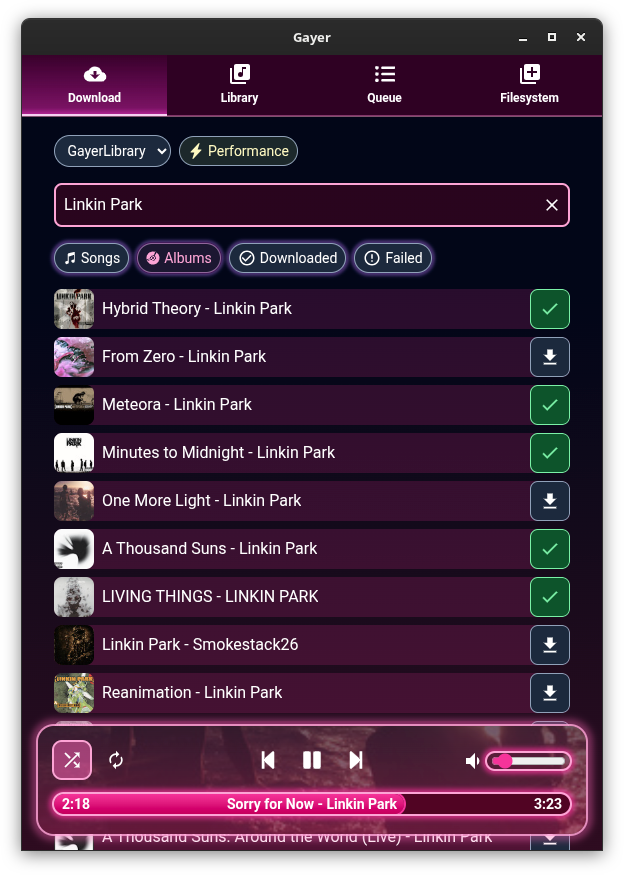
Gleamy Audio Player ~ Local Player & Downloader


Local music player and downloader.

Features:

  • Play local audio in different ways
  • Drag and drop multiple files and folders from your file manager onto the app to add them to the queue
  • Build and search your own custom audio library in app, by registering locations from your computer
  • Manually select a folder to open
  • Reorder and shuffle queue
  • Loop current or whole queue
  • Create your own playlists
  • Import and export your playlists to .M3U format
  • Automatically download missing playlist tracks
  • Search and download songs and albums directly from the internet, using yt-dlp
  • Allow downloading songs and playlists using direct url
  • Lyrics auto fetching from song file name + caching
  • Change lyrics source if they are incorrect or sync is broken
  • Power saving / appearance toggle, if your machine struggles with pretty blurs and overly long queues :p
  • Automatically fetches album cover art using filename and parent directory name + caching
  • Enable / disable auto cover art fetching
  • Link your Youtube account (by using your browser’s cookies) to download content that fails otherwise
  • Looks cute and pretty :3
Gleamy User Interface

github.com/esteakacrownie/gayer
Playlist Management ~ Exporters & Parsers


Playlist Management: Export, Backup and Sync Your Music Playlists

Music playlists are increasingly tied to individual streaming services. A handful of open-source tools take different approaches to getting that information out, backing it up, or keeping playlists synchronized.

Playlist Out is a playlist parser and exporter aimed primarily at Chinese music services including QQ Music, NetEase Cloud Music, Kugou and Soda Music. It can turn playlists into TXT, CSV, Excel or JSON files. It is useful when the goal is simply to extract and preserve playlist information rather than move the playlist between services.

Exportify CLI takes a similar approach for Spotify, but is particularly useful for structured music-library work. It exports playlists to CSV or JSON and can include Spotify identifiers plus ISRC and album UPC, making the resulting data useful for further processing and metadata matching.

Playlist Exporter is a browser-based exporter for Spotify and Apple Music. It produces CSV or JSPF (JSON Shareable Playlist Format), or copies playlist data as JSON. Processing takes place locally in the browser, so it is primarily an export/interchange tool rather than a synchronization system.

SongMirror goes a step further. It connects Spotify, TIDAL, Qobuz, Deezer, Amazon Music, Apple Music and YouTube Music and can synchronize playlists between them. It uses identifiers such as ISRC for track matching and can operate as a one-way, multi-service or bidirectional synchronization system.

These applications therefore occupy different parts of the same playlist-management picture:

Playlist Out → extract
Exportify CLI / Playlist Exporter → export and preserve
SongMirror → match, transfer and synchronize

The exported files also provide a useful bridge to other music-library software. CSV and JSON can be processed by scripts and databases, while standardized playlist formats such as JSPF can provide an interchange layer between applications.

For anyone maintaining a long-term music collection, playlist export is more than a convenience: it provides a way to preserve playlists independently of the service that originally created them.

foo_artwork ~ Foobar2000 Advanced Album Art Display


A high-performance, feature-rich artwork display component for foobar2000 v2 (x64 and 32-bit). It provides intelligent, multi-tiered artwork discovery and acoustic audio recognition for local tracks, internet radio streams, and YouTube playback. It seamlessly supports both Default User Interface (DUI) and Columns UI (CUI).

Artwork Discovery & Retrieval:

  • Local Artwork Search: Automatically searches for artwork files and embedded tags configured in foobar2000 (Preferences > Display > Album Art).
  • Online Commercial Search APIs: Automatically queries Deezer, iTunes, Last.fm, MusicBrainz (Cover Art Archive), and Discogs when local artwork is missing.
  • Customizable API Priority: Reorder and enable/disable individual API services via an intuitive 5-position priority chain.
  • In-Stream Broadcast Artwork Extraction: Parses dynamic in-stream cover links from $info(cover_url), COVER_URL, ARTWORK_URL, icy-cover-url, song.art, and XML/JSON broadcast streams (e.g. Radio Paradise, Cidade FM).
  • YouTube Video Thumbnail Retrieval: Automatically extracts 11-character video IDs from YouTube links and plugin protocols (youtube.com, youtu.be, 3dyd://, fy://, fy+https://), querying commercial music APIs first and falling back to high-resolution video thumbnails (maxresdefault.jpg / hqdefault.jpg).
  • Interactive Provider Rejection: Reject mismatched artwork on-the-fly via shortcut or menu command (View > Artwork Display > Reject Artwork & Search Next Provider). Evicts the bad cache file, blacklists the provider for the active track, and queries the next provider in the fallback chain.
  • Universal Format Support: High-performance decoding for .png, .jpg / .jpeg, .webp (via Windows Imaging Component), .gif, and .bmp.

Internet Radio & Streaming Intelligence:

  • ACRCloud Acoustic Audio Recognition: Local 16 kHz PCM stream sampling and RIFF WAV payload generation to identify untagged radio streams and music tracks via acoustic fingerprinting.
  • Multi-Account ACRCloud Failover: Configure Primary and Secondary credentials with automatic, seamless failover when the Primary account exhausts its monthly quota (Error 3001).
  • Windows DPAPI Credential Security: ACRCloud Access Keys and Secrets are securely encrypted on disk using the Windows Data Protection API (CryptProtectData), eliminating plaintext exposure in .cfg files.
  • CoverSync Stream Latency Compensation: Asynchronous cue delay compensation (?coversync=±N) synchronizes artwork and metadata transitions on radio streams where the audio buffer lags behind metadata changes.
  • External Now-Playing Stream APIs: Automated polling and auto-probing for AzuraCast (/api/nowplaying) and RadioReg (api.radioreg.net) JSON endpoints, supporting live listener counts, cue timings, and HLS streams.
  • m-TAGS & URL Modifiers: Full support for .tags files (reading target stream URLs from the @ metadata tag) and URL query flags (?forceacr, ?coversync, ?inverted, ?rejectstationcovers, ?ext_api_autoprobe, ?bypass).

Dynamic Title Formatting Variables:

  • Canonical API Metadata Publication: Commercial search APIs (Deezer, iTunes, Last.fm, Discogs) and ACRCloud extract authoritative metadata directly into foobar2000 title formatting variables (%foo_artwork_artist%, %foo_artwork_title%, %foo_artwork_album%), replacing messy stream tags.
  • Dynamic Track Timing: Real-time duration (%foo_artwork_length%), elapsed time (%foo_artwork_playback_time%), and countdown remaining (%foo_artwork_playback_remaining%) calculated for both local audio files and live radio streams.
  • Live Stream Diagnostics: Real-time status string (%foo_artwork_status%) reporting query stages, stream connection progress, CoverSync countdowns, and image dimensions with payload size (e.g. Art 1200x1200 342 KB from Deezer).
  • Live Listener Counts: Real-time listener statistics (%foo_artwork_listeners%) from AzuraCast and RadioReg broadcasts.

Advanced Metadata Sanitization:

  • 4-Stage Stream Metadata Sanitizer: Cleans noisy stream metadata by stripping broadcast slogans, stream headers, URLs, timestamps, track numbers, and media noise while protecting band names containing &, and, or slashes (Mumford & Sons, Earth, Wind & Fire, AC/DC).
  • Accented UTF-8 Title Casing: Normalizes all-caps and all-lowercase stream metadata into Title Case with full support for accented characters across Portuguese, Spanish, French, and Italian without CP1252 character corruption.
  • Non-Latin Script Preservation: Conservative sanitization rules protect Cyrillic, Greek, and other non-Latin alphabets from accidental bracket stripping or character truncation.
  • Dedicated Noise Words Blacklist: User-configurable blacklist page backed by an auto-reloaded text file (foo_artwork_data\blacklist.txt).

Caching & Storage Architecture:

  • Persistent Disk Metadata Caching (.meta Sidecars): Remote API metadata is cached on disk alongside image binaries (<hash>.meta alongside <hash>.cache), ensuring instant warm track replays in under 1ms with zero network overhead.
  • Automatic 1 GB Disk Cache Limit: Intelligent background LRU (Least Recently Used) cache eviction automatically keeps the cache under 1 GB, pruning old entries down to 900 MB when needed.
  • Single-File Cache Mode (current.cache): Overwrites a single cache file (current.cache) for external skin scripts and panels (e.g. JScript Panel 3 Thumbs) that monitor a folder for the currently playing track’s artwork.
  • Cache Freshness Verification: Automatically verifies whether local artwork or file tags were updated after the cache was generated, refreshing stale cache entries automatically.

User Interface & Interactivity:

  • Dark Mode Support: Full native theme integration with foobar2000 dark mode across all UI elements and dialogs.
  • Dual UI Support: Native panel integration for both Default UI (DUI) and Columns UI (CUI).
  • Popup Artwork Viewer: Double-click any artwork panel to launch an interactive viewer with window memory, a toggle between “Fit to window” and “Show original size”, mouse-drag panning for oversized images, and a “Save Image…” button.
  • foo_artgrab Integration: Automatic hover overlay displaying a download arrow icon in the bottom-left corner when foo_artgrab.dll is installed, launching the art grabber gallery in one click.
  • On-Screen Display (OSD) & Infobar: Optional Infobar in DUI displaying artist, album, and track title; configurable OSD overlay showing the artwork provider source.

github.com/jame25/foo_artwork
hydrogenaudio.org/index.php/topic,128111.0

spotatui ~ Standalone Terminal Player


spotatui plays Spotify natively and streams YouTube, your local files, Subsonic or Navidrome and 30,000+ internet radio stations from a single keyboard-driven player. Spotify is optional. So is the AI DJ.

Features:

  • Multiple sources — Spotify optional. Play from Spotify, Local Files, a Subsonic/Navidrome server, Internet Radio, YouTube, or Qobuz. The free sources need no Spotify account; press d to switch between them at any time.
  • Native streaming. Play Spotify audio directly, no official app or spotifyd required — spotatui appears as its own Spotify Connect device (Premium required).
  • Synced lyrics. Line-by-line lyrics that follow playback.
  • Real-time audio visualizer. A system-wide FFT visualizer (press v) that reacts to whatever is playing.
  • Cross-source play queue. Press z on any track to queue it — the queue plays across every source before your current context resumes.
  • Lua plugins. Extend spotatui with event hooks, commands, keybindings, popups, and theming.
  • Listening history & recap. spotatui keeps a local play history and can generate a shareable HTML recap (spotatui history recap).
  • Full CLI. Most of what the UI does is scriptable — playback, search, playlists, shell completions. Run spotatui --help.
  • Lightweight. ~78 MB RAM while streaming, versus a full Electron client. See Performance.

spotatui.com
github.com/LargeModGames/spotatui

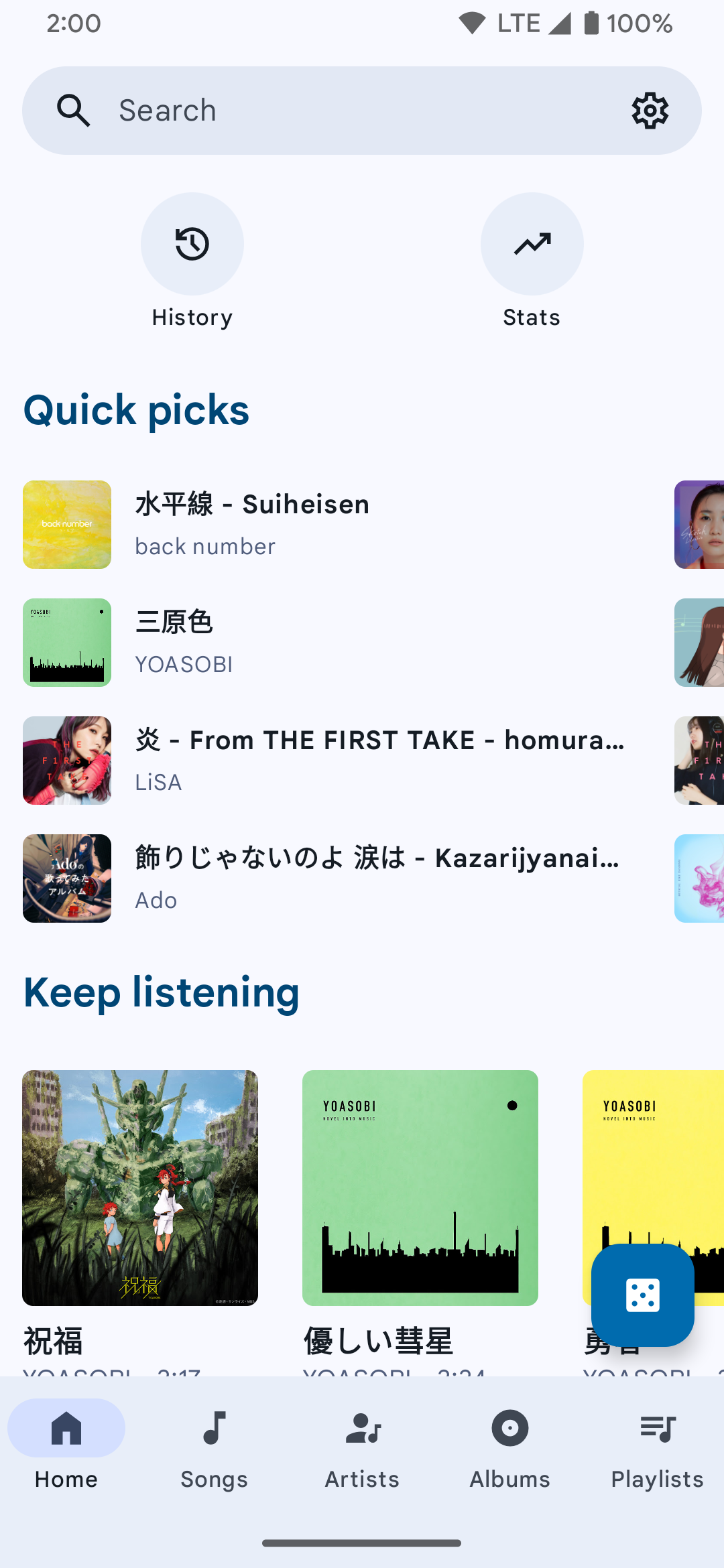
SimpMusic ~ Cross-platform Music App


A FOSS YouTube Music client for Android and Desktop with many features from
Spotify, SponsorBlock, ReturnYouTubeDislike using Compose Multiplatform to develop.

Features:

  • Play music from YouTube Music or YouTube for free, without ads and in the background
  • Three Now Playing styles: Classic, Material 3 Expressive and Apple Music (NEW)
  • Ten-band equalizer with presets and AutoEq headphone profiles (NEW)
  • SimpMusic Wrapped: your year in music, plus monthly recap playlists (NEW)
  • On-device listening analytics: charts, period history, listening clock (NEW)
  • Word-by-word Apple Music-style lyrics, romanization for 12 languages, share lyrics as an image (NEW)
  • Home screen widgets: turntable, playlists and listening insights (NEW)
  • High quality up-to 256kbps stream (Opus or AAC) for YouTube Music Premium users
  • Browsing Home, Charts, Podcast, Moods & Genre with YouTube Music data at high speed
  • Search everything on YouTube
  • Spotify Canvas supported
  • Power your experience with SimpMusic Chart (chart.simpmusic.org)
  • Play 1080p video option with subtitle
  • AI song suggestions
  • Import playlists converted from Spotify and other apps
  • Customize your playlist, synced with YouTube Music
  • Notifications from followed artists
  • Caching and offline playback support
  • Crossfade with DJ-style like Apple Music
  • Customizing THEME (Light, Dark, Color, etc)
  • Synced lyrics from SimpMusic Lyrics, LRCLIB, Spotify (require login) and YouTube Transcript – AI lyrics translation (BETA) (*)
  • Personalize data (**) and multi-YouTube-account support
  • Last.fm scrobbling (Full version)
  • Supports SponsorBlock and Return YouTube Dislike
  • Sleep Timer
  • Android Auto with online content, feature rich UI/UX
  • Discord Rich Presence support
  • Listen Together: shared rooms that play in sync with friends, compatible with Metrolist (NEW)
  • And many more!

(*) Use your OpenAI or Gemini API key
(**) For users who chose “Send back to Google” feature

www.simpmusic.org
github.com/maxrave-dev/SimpMusic

sonoscli ~ Sonos Command Line Interface


sonoscli is a modern Go CLI to control Sonos speakers over your local network (UPnP/SOAP).

Features:

  • Reliable discovery: SSDP + topology (ZoneGroupTopology.GetZoneGroupState) with subnet scan fallback.
  • Coordinator-aware control: target any room; commands go to the group coordinator automatically.
  • Playback controls: play/pause/stop/next/prev, plus play-uri, linein, and tv.
  • Grouping: inspect groups, join/unjoin, party mode, dissolve groups, and solo a room.
  • Queue: list/play/remove/clear queue entries.
  • Favorites: list and play Sonos Favorites by index or title.
  • Scenes: save/apply presets (grouping + per-room volume/mute).
  • Spotify:
    • Enqueue/play Spotify share links or canonical URIs (no Spotify credentials required).
    • Search Spotify via SMAPI (Sonos Music API; uses your linked service in Sonos).
    • Optional Spotify Web API search (client credentials) if you want it.
  • YouTube handoff: resolve a YouTube URL with yt-dlp and hand the direct audio stream to Sonos.
  • Smart URL streaming: play-url runs a short-lived local MP3 proxy for YouTube, YouTube Music playlists, podcasts, radio streams, SoundCloud-style pages, and other URLs.
  • Live events: watch subscribes to AVTransport + RenderingControl and prints changes.
  • Scriptable output: --format plain|json|tsv plus --debug tracing.

This is not an official Sonos project.

github.com/steipete/sonoscli
sourceforge.net/projects/sonoscli.mirror

innertune ~ Android Youtube Client


A Material 3 YouTube Music client for Android.

Features:

  • Play songs from YT/YT Music without ads
  • Search songs, videos, albums, and playlists from YouTube Music
  • Cache and download songs for offline playback
  • Background playback
  • Synchronized lyrics
  • Audio normalization
  • Android Auto support
  • Discord Rich Presence support
innertune user interface

github.com/z-huang/InnerTune
sourceforge.net/projects/innertune.mirror

Metrolist ~ Android YouTube Music Client


Advanced YouTube Music client for Android.

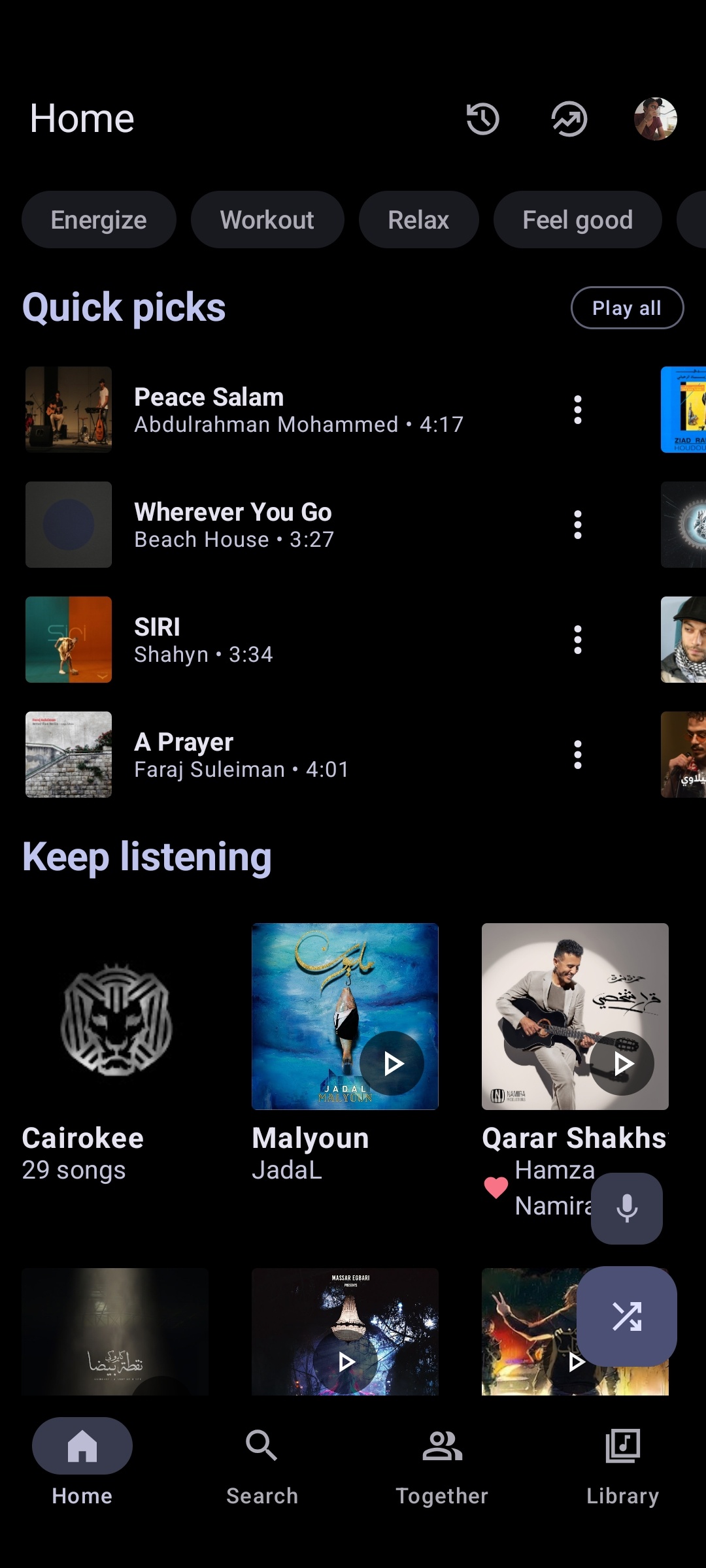
metrolist interface

metrolist.meowery.eu
github.com/MetrolistGroup/Metrolist
github.com/MetrolistGroup/metrobot
github.com/MetrolistGroup/metroserver

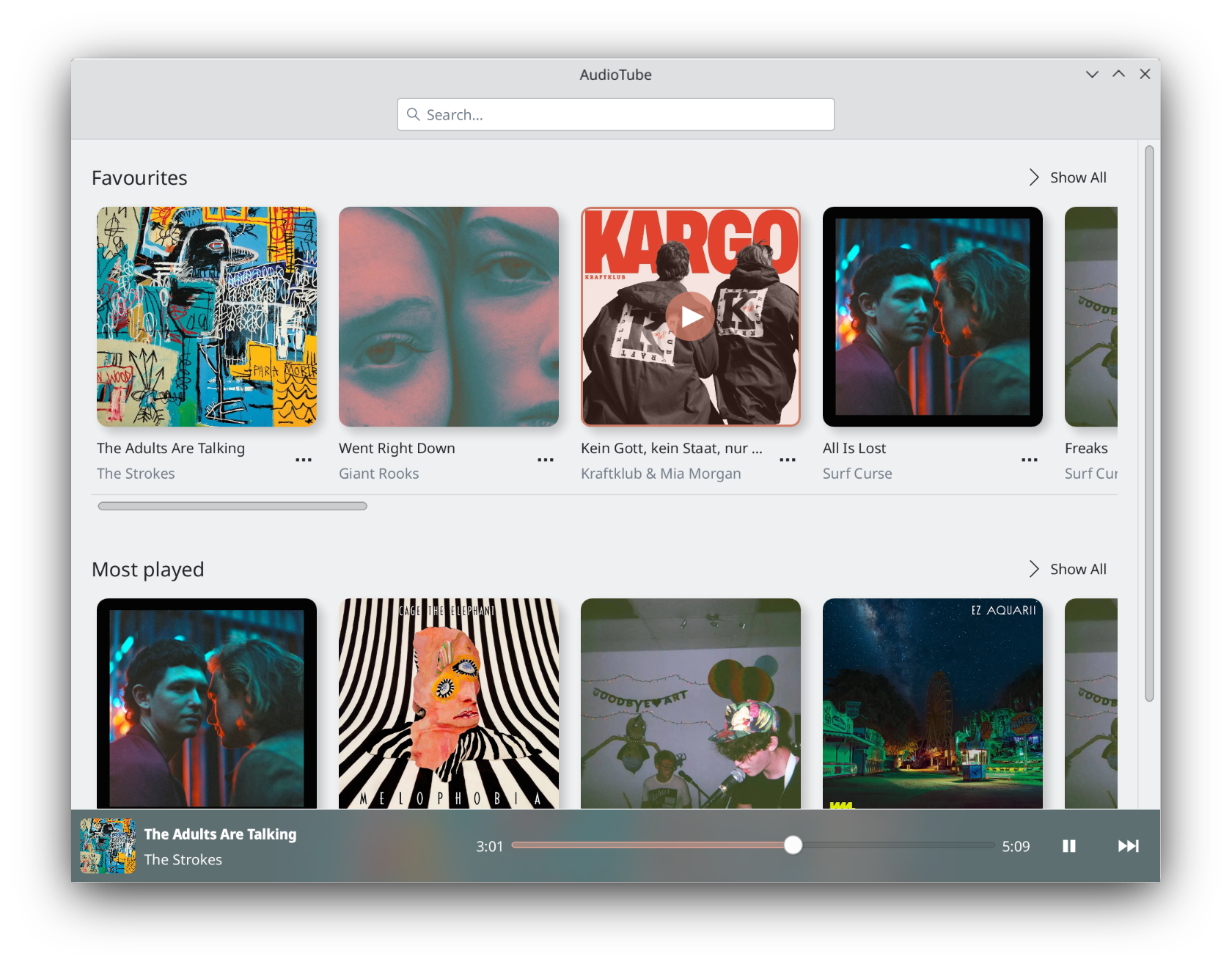
AudioTube ~ KDE YouTube Music Client


AudioTube can search YouTube Music, list albums and artists, play automatically generated playlists, albums and allows to put your own playlist together. It is adapted to mobile phones and desktop computers.

apps.kde.org/audiotube
github.com/KDE/audiotube
invent.kde.org/multimedia/audiotube

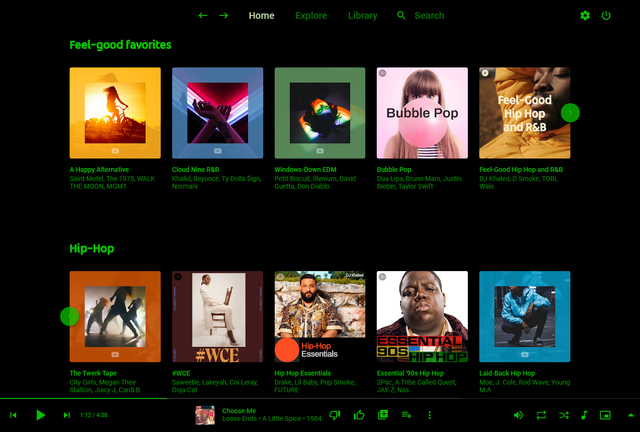
Pear Desktop ~ Desktop Client For YouTube Music


Pear Desktop is an Electron-based desktop client for YouTube Music designed for Windows, Linux and macOS. The project keeps the standard YouTube Music interface while adding desktop integration, plugins, themes and additional playback features.

The application is open source and distributed under the MIT license.

Features:

  • Native desktop-style window and controls
  • Plugin framework
  • Ad blocker
  • Lyrics support
  • Last.fm scrobbling
  • Discord Rich Presence
  • Media key support
  • Custom themes and CSS
  • Audio compressor
  • Equalizer
  • Crossfade
  • Skip silences
  • SponsorBlock integration
  • Video/audio mode toggle
  • Notification support
  • Downloader plugin
  • OBS integration
  • System tray support
  • Global keyboard shortcuts

How It Works

Pear Desktop loads the standard YouTube Music web interface inside a desktop application window and extends it through plugins and Electron desktop integration. It is not a standalone music service and still requires a YouTube Music or Google account for normal use.

Basic Usage

  1. Download the correct installer for your operating system from the Releases page.
  2. Install and launch the application.
  3. Sign into your Google account.
  4. Use YouTube Music normally.
  5. Optional plugins can be enabled or disabled from the Plugins menu.

Platforms

  • Windows
  • Linux
  • macOS

Notes

Because Pear Desktop uses Electron, memory and CPU usage are generally higher than lightweight native audio players such as foobar2000 or AIMP. The project is intended primarily as a feature-enhanced desktop frontend for streaming music from YouTube Music rather than as a traditional local-library music player.

github.com/pear-devs/pear-desktop

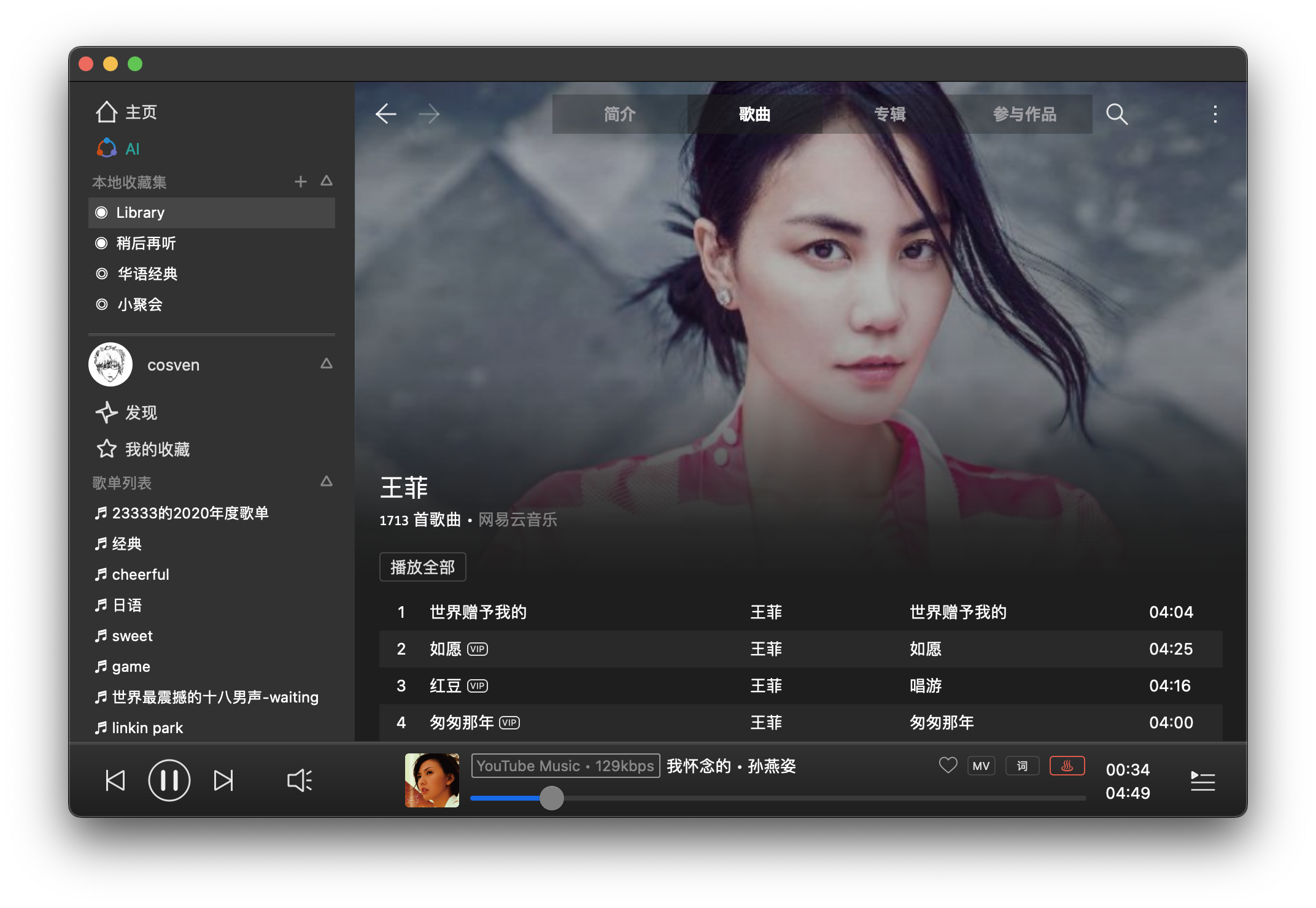
FeelUOwn ~ Hackable Music Player


trying to be a robust, user-friendly and hackable music player

Features:

  • Stable and Easy to Use
  • One-click installation, packaged for all popular platforms (e.g., Arch Linux, Windows, macOS, etc.)
  • Plug-ins for various media resource platforms, making full and reasonable use of free online resources (e.g., YouTube Music)
  • Comprehensive basic functions, including desktop lyrics, intelligent resource replacement, multiple audio quality options, and the nowplaying protocol
  • Core modules have good test coverage, and core interfaces maintain good backward compatibility
  • Large-scale support: AI radio, natural language to playlist conversion, etc.
  • High Playability:
    • Provides a TCP-based interactive control protocol
    • Provides an MCP Server (experimental feature) for programmatic control of player/resource capabilities
  • Text-based playlists for easy sharing with friends and synchronization across devices
  • Supports Python-based configuration files (.fuorc), similar to .vimrc and .emacs

github.com/feeluown
github.com/feeluown/FeelUOwn
sourceforge.net/projects/feeluown.mirror
github.com/feeluown/feeluown-bilibili
github.com/feeluown/feeluown-download
github.com/feeluown/homebrew-feeluown
github.com/feeluown/feeluown-kuwo
github.com/feeluown/feeluown-ytmusic

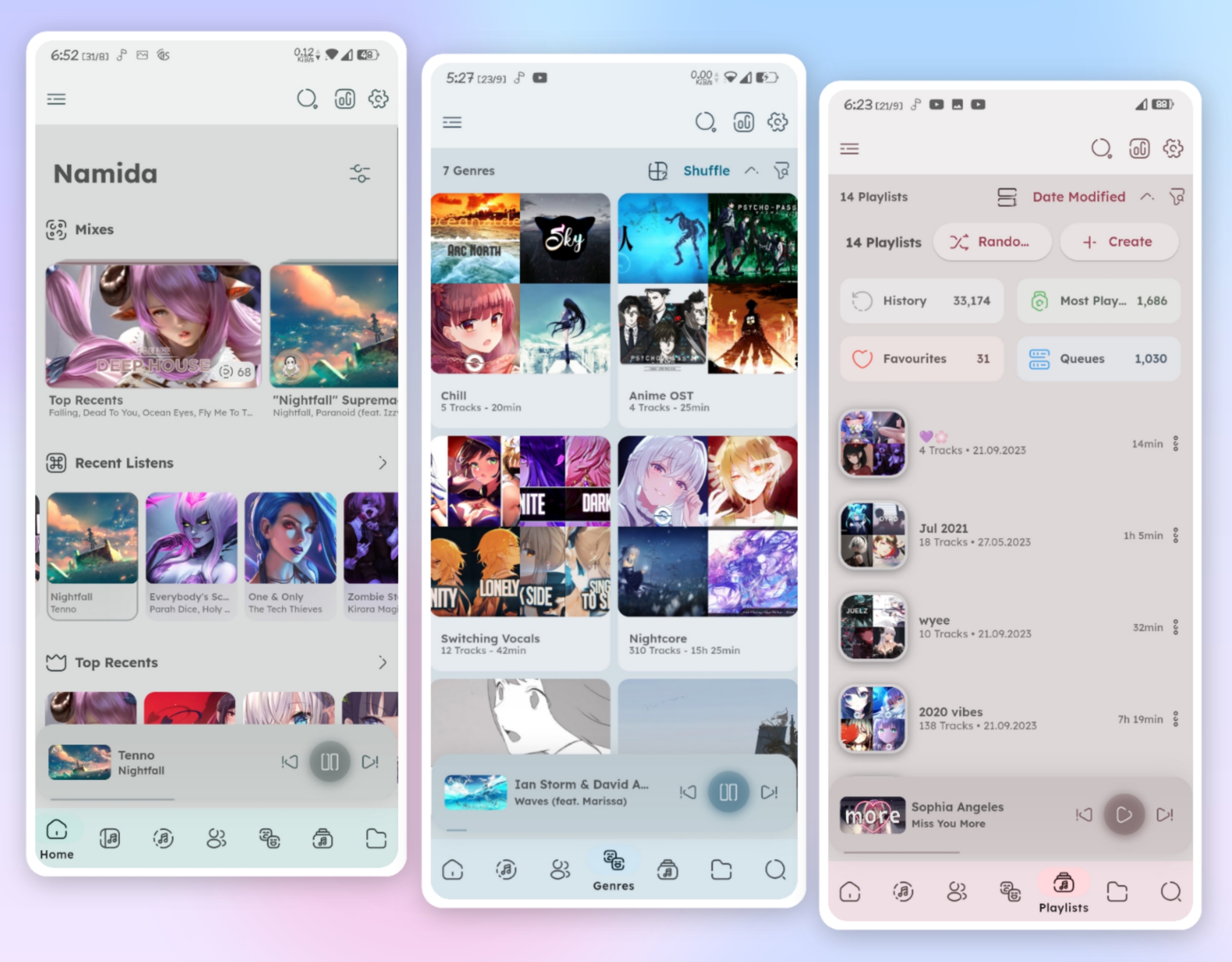
Namida ~ Android Media Player


A Beautiful and Feature-rich Android Music & Video Player with Youtube Support, Built in Flutter.

Namida Interface

github.com/namidaco/namida
hydrogenaudio.org/index.php/topic,129940.0