Playlist Management ~ Exporters & Parsers


Playlist Management: Export, Backup and Sync Your Music Playlists

Music playlists are increasingly tied to individual streaming services. A handful of open-source tools take different approaches to getting that information out, backing it up, or keeping playlists synchronized.

Playlist Out is a playlist parser and exporter aimed primarily at Chinese music services including QQ Music, NetEase Cloud Music, Kugou and Soda Music. It can turn playlists into TXT, CSV, Excel or JSON files. It is useful when the goal is simply to extract and preserve playlist information rather than move the playlist between services.

Exportify CLI takes a similar approach for Spotify, but is particularly useful for structured music-library work. It exports playlists to CSV or JSON and can include Spotify identifiers plus ISRC and album UPC, making the resulting data useful for further processing and metadata matching.

Playlist Exporter is a browser-based exporter for Spotify and Apple Music. It produces CSV or JSPF (JSON Shareable Playlist Format), or copies playlist data as JSON. Processing takes place locally in the browser, so it is primarily an export/interchange tool rather than a synchronization system.

SongMirror goes a step further. It connects Spotify, TIDAL, Qobuz, Deezer, Amazon Music, Apple Music and YouTube Music and can synchronize playlists between them. It uses identifiers such as ISRC for track matching and can operate as a one-way, multi-service or bidirectional synchronization system.

These applications therefore occupy different parts of the same playlist-management picture:

Playlist Out → extract
Exportify CLI / Playlist Exporter → export and preserve
SongMirror → match, transfer and synchronize

The exported files also provide a useful bridge to other music-library software. CSV and JSON can be processed by scripts and databases, while standardized playlist formats such as JSPF can provide an interchange layer between applications.

For anyone maintaining a long-term music collection, playlist export is more than a convenience: it provides a way to preserve playlists independently of the service that originally created them.

foobar2000 ~ foo_uie_playlist_tree


foo_uie_playlist_tree is a foobar2000 component to organize playlists in a tree view.

It attempts to recreate the functionality of foo_plorg.

* Supports the Default User Interface (DUI) and the Columns User Interface (CUI).
* Supports dark mode.
* Supports foobar2000 2.0 and later (Intel 32-bit/64-bit version).
* Title formatting variables
* %node_name%: the name of the node, either a playlist or a folder.
* %node_is_folder%: boolean value for use in $if( …) expressions and is true when the node is a folder.
* %node_item_count%: the number of playlists in a folder or number of items in a playlist.
* %playlist_duration%: the duration of the playlist (in seconds).
* %playlist_size%: the size of the playlist (in bytes).
* %fb2k_path%: the directory path of the foobar2000 installation.
* %fb2k_component_path%: the directory path of the component.
* %fb2k_profile_path%: the directory path of the foobar2000 profile.
* Any Windows environment variable.
* User defined tree images
* Supports drag & drop from foobar2000, Explorer and other applications.
* Supports the foobar2000 playlist recycle bin.

www.foobar2000.org/components/view/foo_uie_playlist_tree

ORA Play ~ Simple, Fast & Enjoyable Player


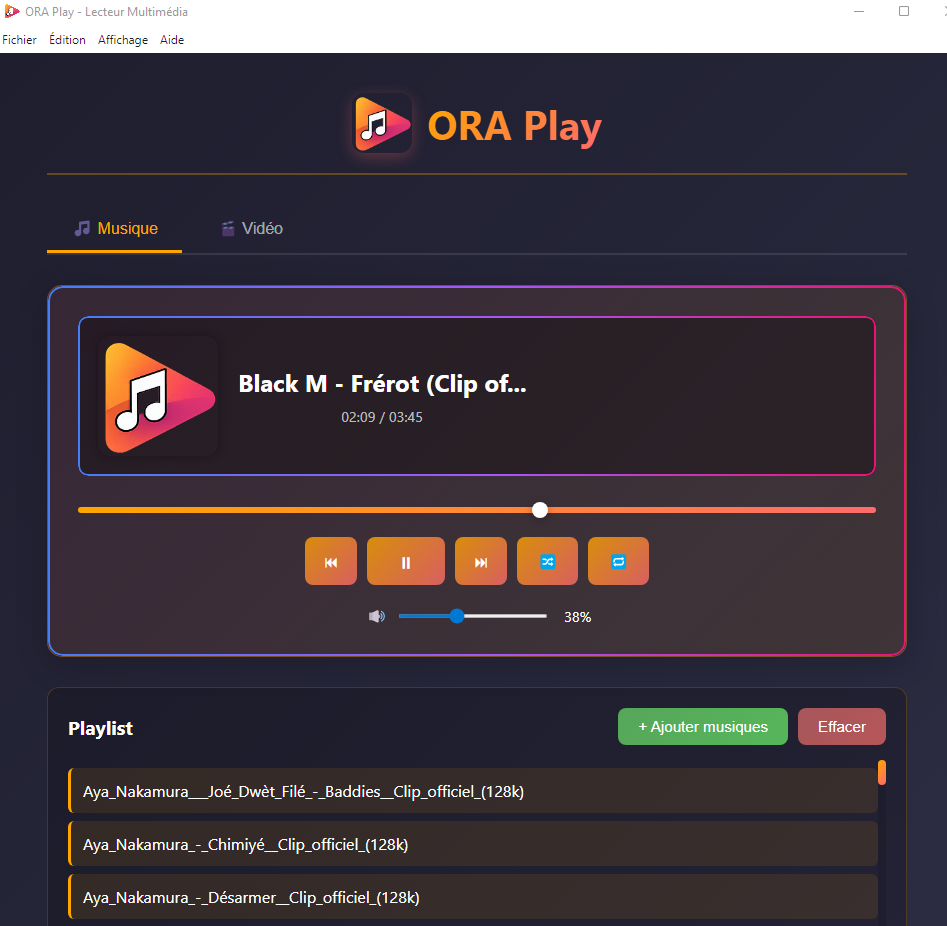
ORA Play is a modern audio player designed to offer a simple, fast, and enjoyable experience.

Features:

– Playback of local audio files
– Drag & Drop
– Play/Pause controls
– Track navigation
– Playlist management
– Built-in Mini Player
– Modern and intuitive interface

. Developed with Electron, JavaScript, HTML, and CSS.

ora-play user interface

sourceforge.net/projects/ora-play

DiscoLister ~ Discogs Playlists


DiscoLister connects directly to Discogs so you can browse your collection, search the Discogs database (including barcodes), see wantlist/collection badges while you search, inspect release details with videos, and build reusable tracklists that stay synced locally across sessions, perfect for planning mixes or powering the Now Spinning overlay for your broadcast.

What you can do:

  • Browse your Discogs collection with fast filtering
  • See wantlist and collection indicators while searching Discogs
  • Search the full Discogs catalog, including barcode scanning on mobile
  • Open release detail modals with cover art, videos, and wantlist/collection controls
  • Add, reorder, replace, or manually enter tracks in your working tracklist
  • Save named tracklists, export/import JSON, or copy formatted lists for sharing
  • Stream with Now Spinning overlays for OBS plus optional Twitch auto-posting
  • Installable PWA with offline support, responsive layout, and dark mode

discolister.app

Foobar2000 ~ Autometa Playlists


Autometa is a minimalist, customizable JScript Panel script designed to quickly create autoplaylists based on the current track’s tags with a single click (similar to the quick search function).

github.com/Zhiro90/foobar2000-autometa

Audion ~ Community Driven Music Player


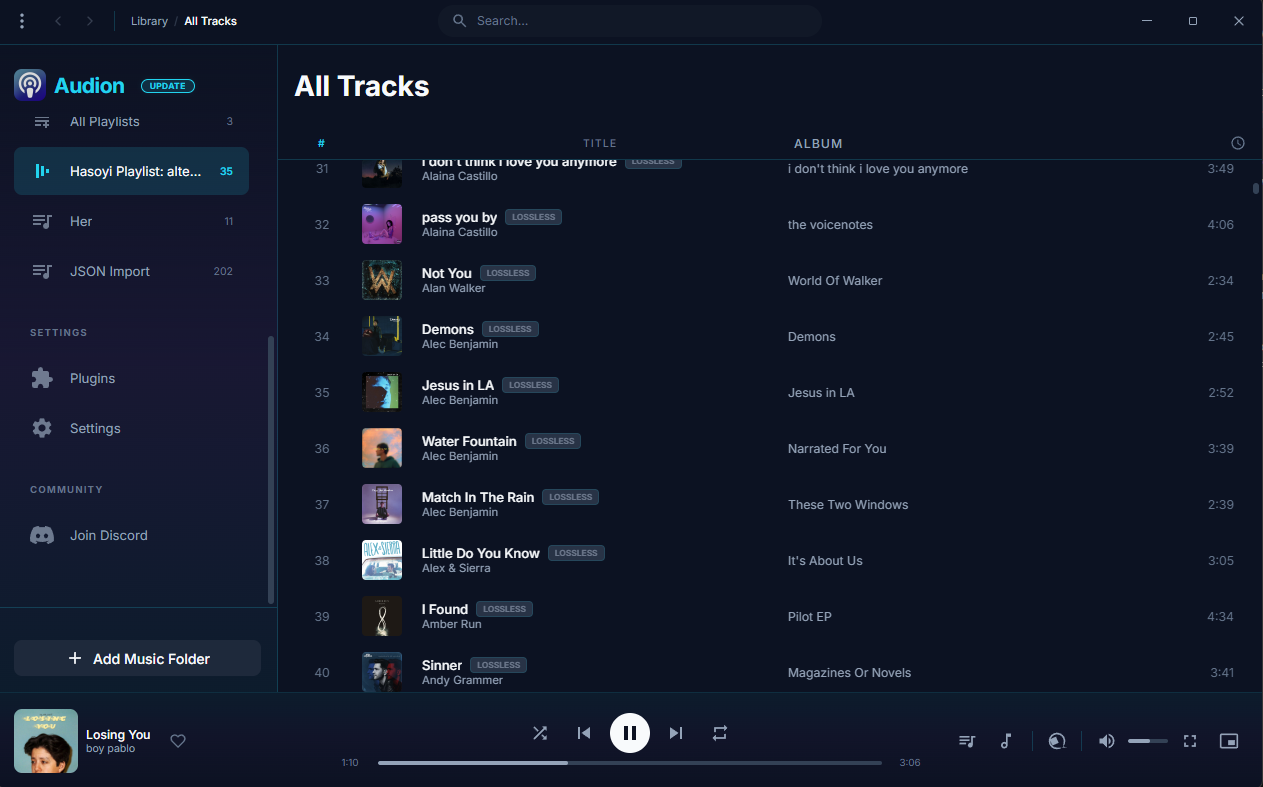
Audion is a privacy-focused music player that brings the Spotify experience to your local music library. No internet required, no tracking, just your music, beautifully organized.

Key highlights:

  • Synced lyrics with karaoke-style word highlighting
  • Extensible plugin system
  • Gorgeous, customizable interface
  • Fully offline

www.audionplayer.com
github.com/dupitydumb/Audion

museeks ~ Simple, Clean & Cross-platform Music Player


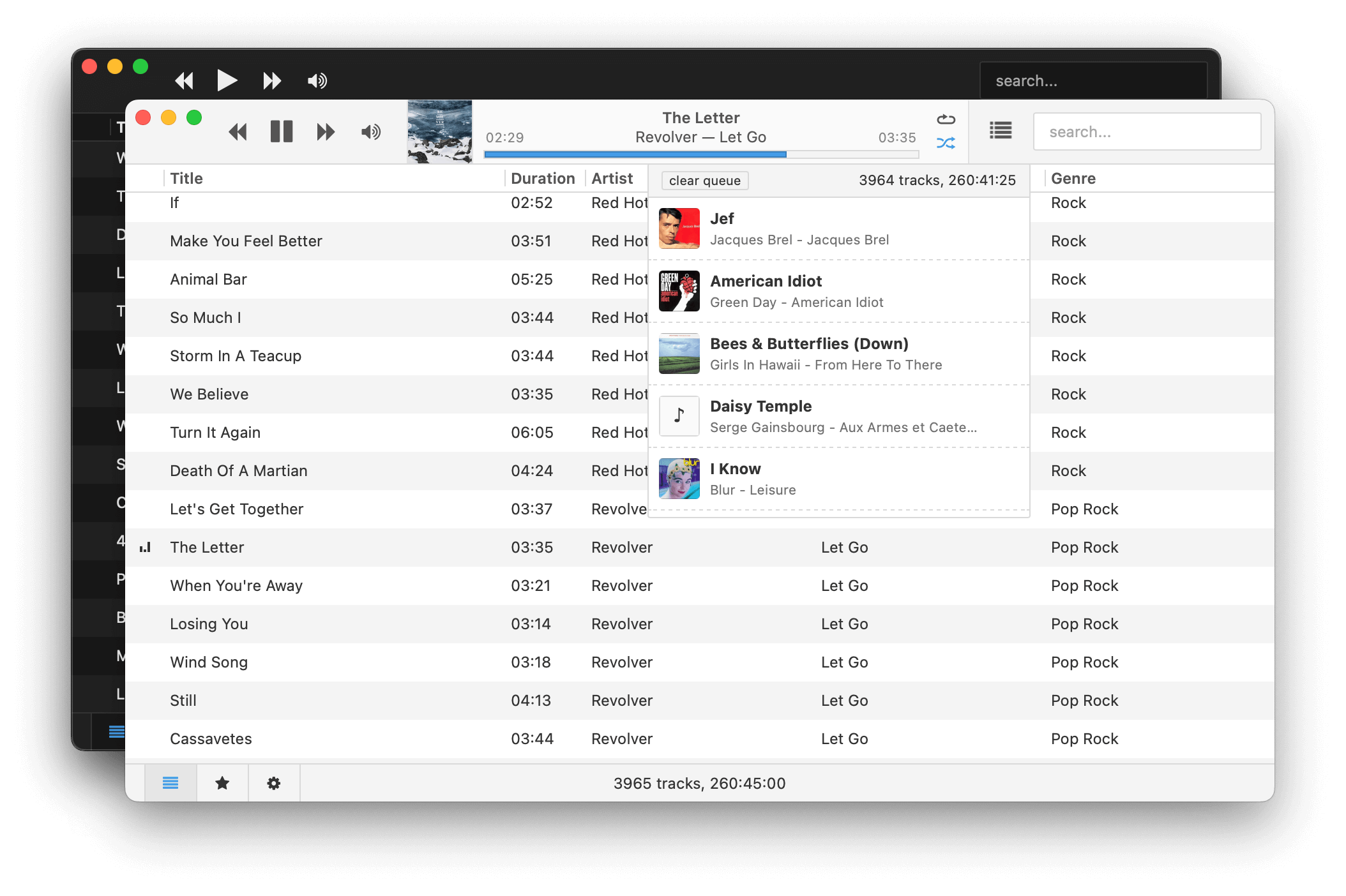
Museeks aims to be a simple and easy-to-use music player with a clean UI. You will not find tons of features, as its goal is not to compete with more complete and more famous music players.

Features:

  • 💻 Cross-platform music player (Linux, macOS, and Windows)
  • 🎧 Supported formats: mp3, mp4, m4a/aac, flac, wav, ogg, 3gpp
  • 🔄 Library auto-refresh
  • 🌟 Playlists
  • 🎼 Queue management
  • ➰ Shuffle, loop
  • 🌄 Cover art
  • 🤓 Dark theme
  • 🚤 Playback speed control
  • 😴 Sleep mode blocker
  • 📥 .m3u import/export

museeks.io
github.com/martpie/museeks
sourceforge.net/projects/museeks.mirror

Symphonie ~ Music Player


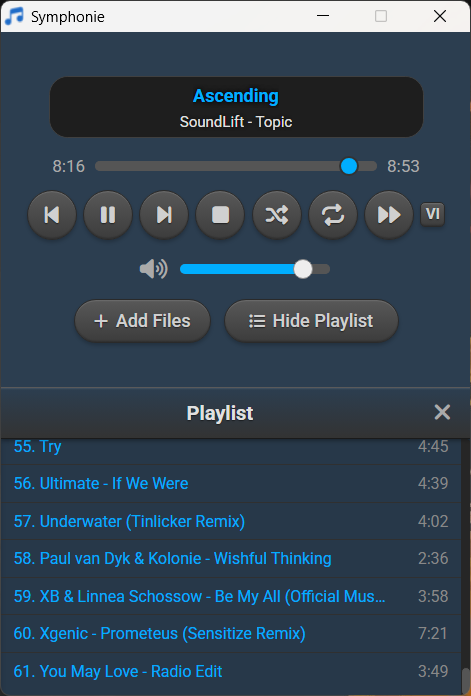
Symphonie is a sleek, lightweight desktop music player built with Electron and powered by HTML5 capabilities, offering a clean interface for enjoying your local audio library. It supports popular formats including MP3, FLAC, AAC, M4A, OGG, WAV, OPUS. Features include playlist management, intuitive playback controls, track metadata display (title/artist), and shuffle functionality for a seamless listening experience.

Features:

  • Supported audio formats mp3,aac,m4a,wav,ogg,flac,opus and more
  • Drag and drop files/folders directly onto the player or playlist
  • Visualizer which can be enabled and disabled
  • Reorder tracks within the playlist using drag and drop
  • Select all tracks and delete in the playlist using Ctrl+A
  • Seamless integration with modern web technologies without relying on third-party libraries.
  • Supported Platforms Windows 10/11,Debian,Ubuntu,Arch Linux,Linux Mint,Fedora
Symphonie

sourceforge.net/projects/symphonie

DLNA Music Controller ~ Manage DLNA Directly


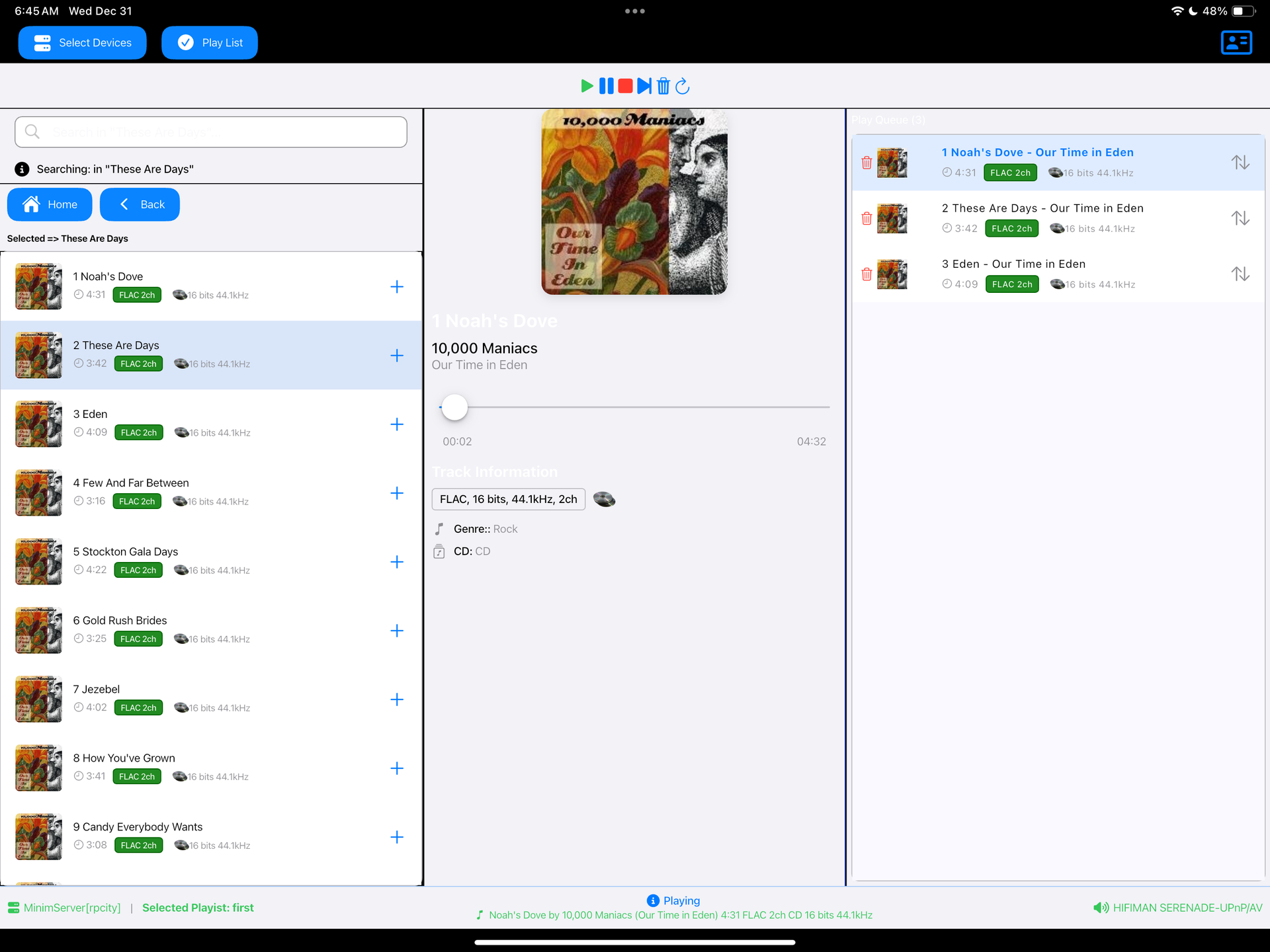
Read a DLNA Media Server to select music to play on your DLNA Renderer

Scan the network for your Media Server (“Server”) and Renderer (“Renderer”) devices, select one of each and then from the main screen select the music you want to play, drilling into Albums, Artists, Genres (all defined by your Media Server). Any music you want to hear is called a track and is loaded onto the play queue. Then select Play button to listen to the track listed at the top of the queue. You can also create playlists and store your favorite tracks for playback.

Features:

  • DLNA
  • Media Server
  • Media Renderer
  • Play queue

sourceforge.net/projects/dlna-music-controller

Resources:

en.wikipedia.org/wiki/List_of_UPnP_AV_media_servers_and_clients

Cue ~ WordPress Audio Playlists


Delightful and reliable audio playlists.

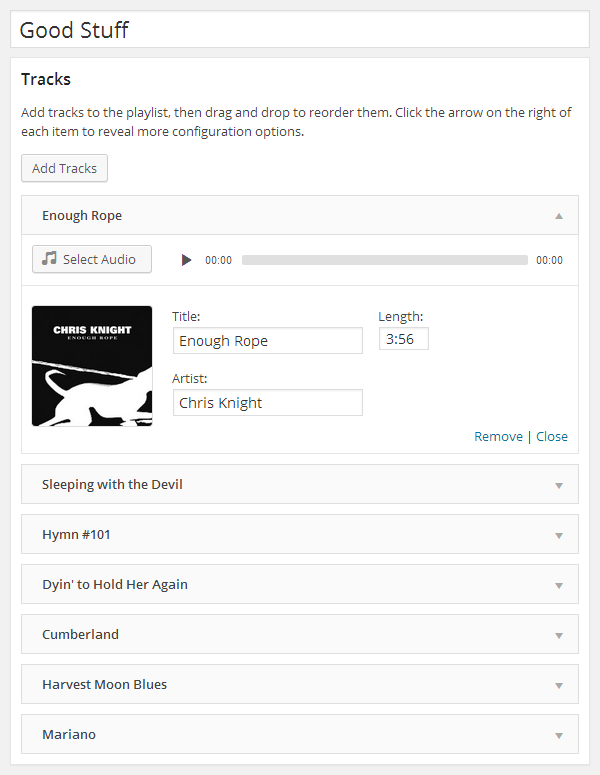
Cue makes it easy to create and manage beautiful, fully responsive audio playlists. Primarily built with music in mind, Cue can also be used for podcasts, sermons or to showcase voice over samples.

There’s no need to fiddle with XML, JSON, or FTP. Just upload audio files with the familiar WordPress Media Manager, then insert them into a playlist with the click of a button. Cue fetches metadata from uploaded files to automatically complete the title, artist, and length for each track.

It works on desktop, tablets, and other mobile devices.

Features:

  • Create unlimited playlists.
  • Embed a player in any post, page, or sidebar using a shortcode or widget.
  • Reorder tracks with a simple drag and drop interface.
  • Seamlessly integrates with WordPress media manager to select audio and images.
  • Automatically fetches title, artist, and length from the metadata if it’s available.
  • Completely responsive to work on any device that supports your audio format.
  • Link to external sources like Amazon S3 or other CDNs.
  • Customize the player background image.
  • Use custom artwork for each track.

github.com/audiotheme/cue

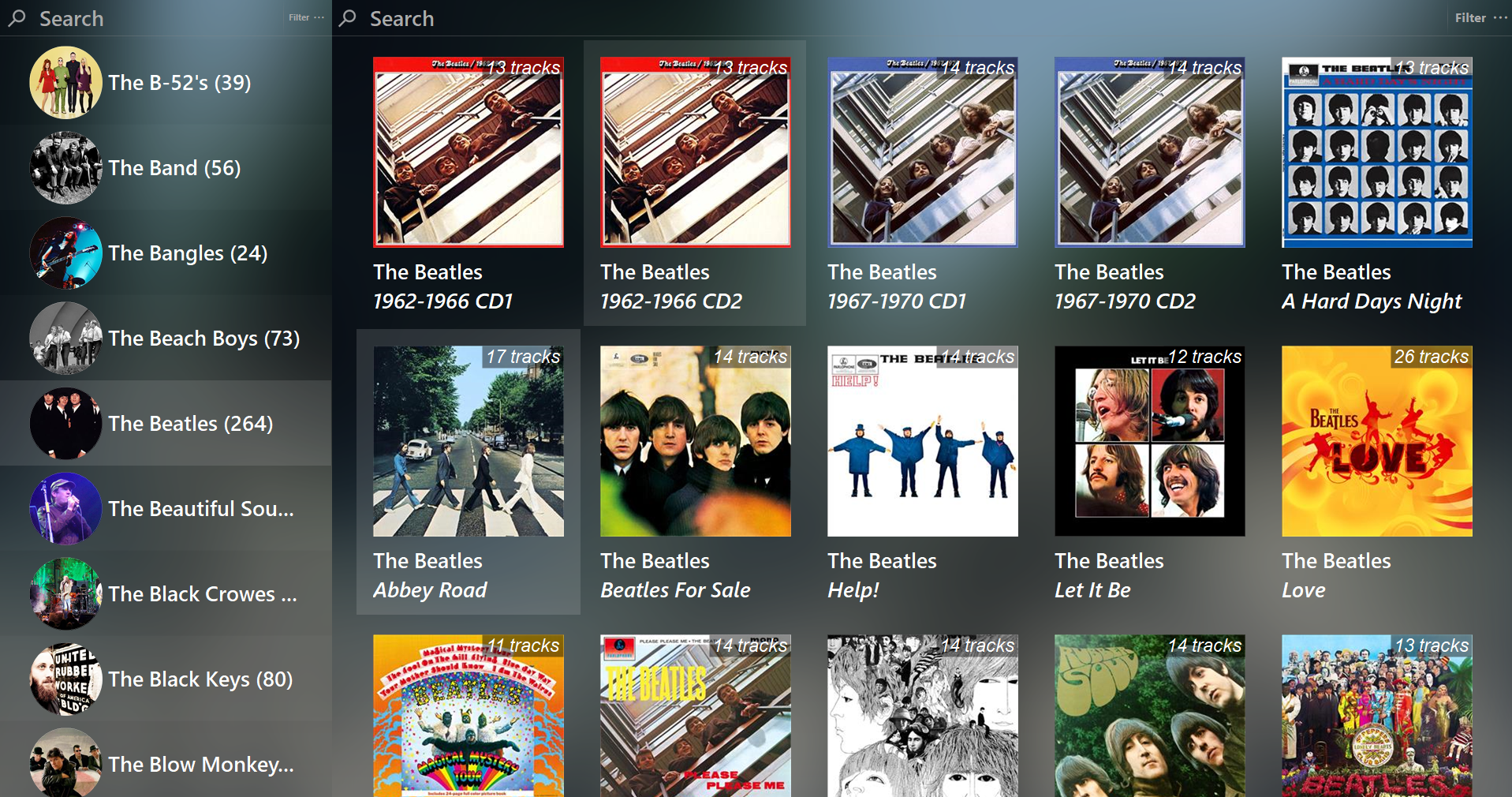
Foobar2000 ~ Library-Tree-SMP


Feature rich library viewer and browser for foobar2000 and Spider Monkey Panel. Improved version of the original Library Tree, which tons of new features, performance optimizations and fixes.

Features:

  • Tree viewer
  • Album / Artist art browser + Flow mode
  • Single / Multiple panel modes + Facets
  • Statistics
  • Library and multi-playlists sources
  • Auto-DJ
  • Top Tracks
  • Duplicates handling and filtering
  • Mode presets
    • Browser: keep playing playlist
    • Player: play without a playlist
    • Default: choice of all actions

github.com/regorxxx/Library-Tree-SMP

Swing Music ~ Self-hosted Music Player


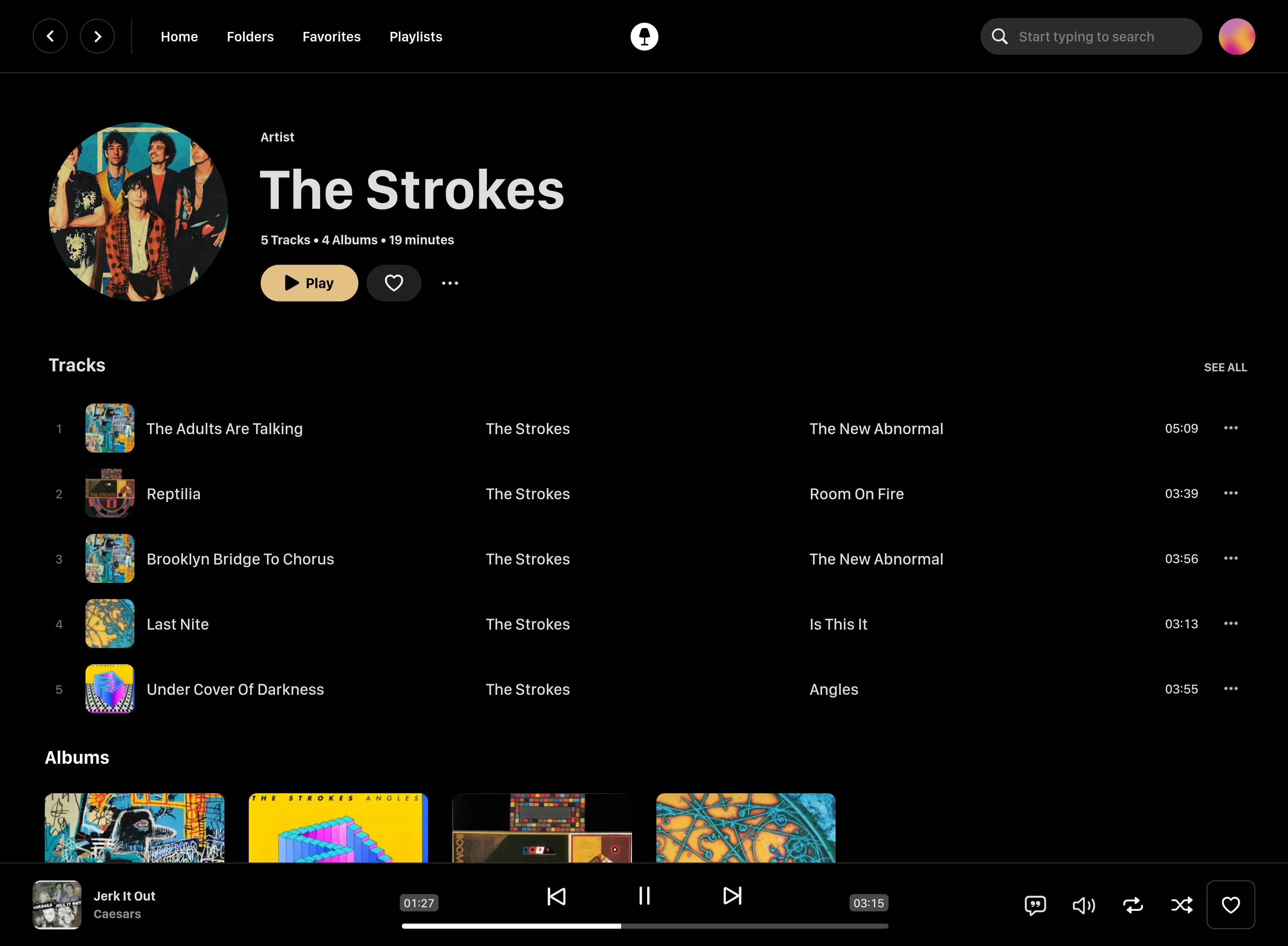
Swing Music is a fast and beautiful, self-hosted music player for your local audio files. Like a cooler Spotify … but bring your own music. Just run the app and enjoy your music library in a web browser.

Features:

  • Daily Mixes – curated everyday based on your listening activity
  • Metadata normalization – a clean and consistent library
  • Album versioning – normalized albums and association with version labels (eg. Deluxe, Remaster, etc)
  • Related artist and albums
  • Folder view – Browse your music library by folders
  • Playlist management
  • Beautiful browser based UI
  • Silence detection – Combine cross-fade with silence detection to create a seamless listening experience
  • Collections – Group albums and artists based on your preferences
  • Statistics – Get insights into your listening activity
  • Lyrics view
  • Android client
  • Last.fm scrobbling
  • Multi-user support
  • Cross-platform – Windows, Linux, MacOS (coming soon), arm64, x86
  • Blazingly fast
  • Pure awesomeness

github.com/swingmx/swingmusic
github.com/swingmx/android
github.com/swingmx/webclient
sourceforge.net/projects/swing-music.mirror