winLAME ~ Windows Audio Encoder


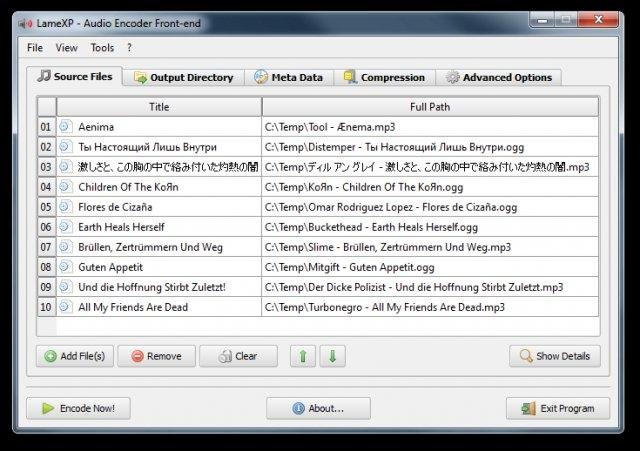
winLAME is an easy to use encoder for many audio formats, including MP3, Opus, Ogg Vorbis and more. winLAME uses the LAME mp3 encoder.

winLAME lets you read in audio tracks from CDs or encode audio files from your hard drive. The intuitive wizard-style user interface makes it easy to set up encoding settings. Multicore CPUs are used to parallelize encoding tasks.

winlame

winlame.sourceforge.io

mp3DirectCut ~ Direct mp3 Editor


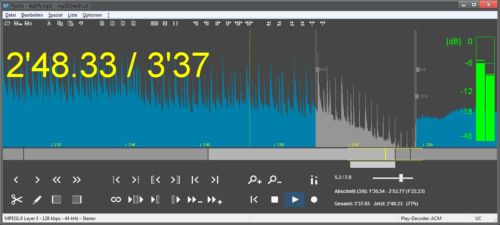
mp3DirectCut is a fast and extensive audio editor and recorder for encoded mp3s. Without re-encoding you can directly cut, crop or split your MP3 and AAC tracks, change the volume on mp3s and much more. Direct editing saves encoding time and preserves the original audio quality of your tracks. The built in recorder creates mp3s on the fly. By using cuesheets, pause detection or autocue you can easily divide long files.

mp3dc

mpesch3.de1.cc

FlicFlac ~ Tiny Audio Converter


FlicFlac is a portable (no installation required) utility for converting WAV, FLAC, MP3, OGG and APE files to any of the other formats.

You may drag files onto the FlicFlac interface, or convert files directly from the right click menu in Windows Explorer.

flicflac

www.sector-seven.net/software/flicflac

FlacSquisher ~ Lossless to Lossy Conversion


FlacSquisher converts a library of FLAC files to MP3, Opus, or Ogg Vorbis format, maintaining the directory structure in the original library. That way, you can maintain your FLAC files for home listening, and easily convert them to MP3, Opus, or Ogg format for mobile use, where storage space is more often tightly constrained.

Features:

  • Converts to MP3 or Ogg Vorbis
  • Maintains directory structure from original library
  • Takes advantage of multicore processors
  • Can copy or ignore files by extension (album art, log files)
  • Ignores files already encoded previously
  • Compatible with Mono on Linux

flacsquisher

sourceforge.net/projects/flacsquisher

MP3Packer ~ Shrink Or Change MP3s CBR / VBR


MP3packer is a program which can rearrange the data within an MP3 to fulfill specific goals. By default, the program generates the smallest MP3 possible (with the least padding). However, many people also use it to turn VBR files into CBR for use with players which don’t support VBR.

It can save space by storing frame data in the smallest possible frame. Usually MP3s are already stored in the most efficient way possible. However, for high-bitrate CBR files (like -b 320) there can be a lot of wasted space. ~ HydrogenAudio

wiki.hydrogenaud.io/index.php?title=MP3packer

CreateM3U ~ m3u Playlist Creator


Drag & drop files or folders to create .m3u playlists. For each folder, a single .m3u file is created named after that folder. It will not replace already existing playlists of that name. The generated playlists do not contain EXTM3U information because a simple .m3u is nothing more than a text file with a list of file names per line. The initial tool for this task for me was a batch file. 😉

As the generated playlists only include filenames without any path, and they are located with the media files, they can be moved together with the files, as an example, for portable mp3 player usage.

createm3u

lostfound.raum108.de/create_m3u

Continue reading

Tau Analyzer ~ Audio Source Verification


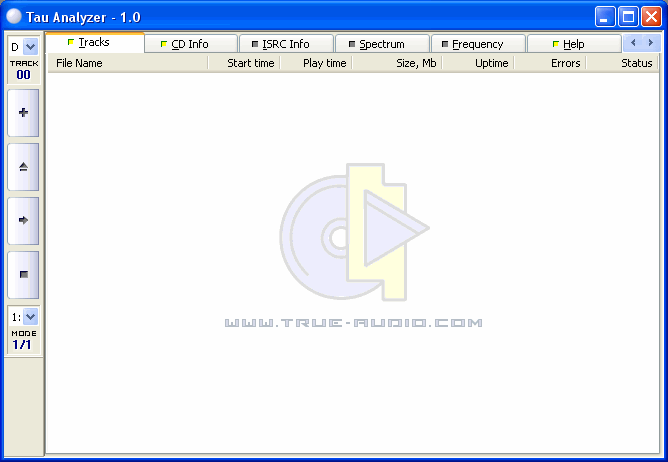
Tau Analyzer is a free program, which can help you to distinguish with reasonable accuracy the original studio-based CDs from poor quality fakes, that have been “reconstructed” using a lossy audio source, such as mp3. Using this program you can check the authenticity of your purchased or borrowed music CDs.

Tau Analyzer features an intuitive user interface, allowing users to work directly with audio CDs, and has some additional functions such as spectrum and frequency analyzers, ATIP and ISRC data readers, etc.

tau_analyzer_main_window

tausoft.org

Mp3Wrap ~ Create mp3 Albums


Mp3Wrap is a free and independent alternative to AlbumWrap. It’s a command-line utility that quickly wraps two or more mp3 files into one single large playable mp3, without losing filenames and ID3 information (and without decoding or encoding). It’s also possible to include other non mp3 files, such as playlists, info files and cover images inside the new mp3. You can easily produce a large mp3 file that you can split at any time by using mp3splt and in few seconds you’ll have all the original files again! It’s useful because files created with Mp3Wrap are much easier to share.

Linux / Unix / Windows

mp3wrap.sourceforge.net
Downloads

Mp3splt ~ Split Albums Into Songs


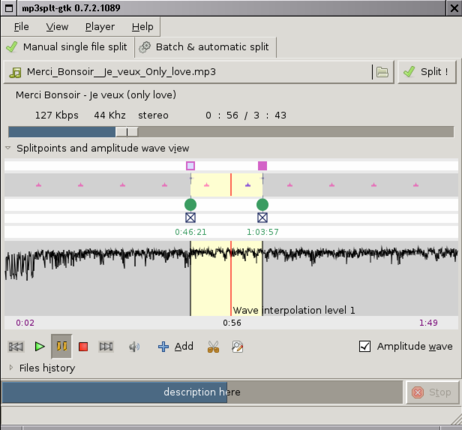
Mp3Splt-project is a cross-platform utility to split mp3, ogg vorbis and native FLAC files by selecting a begin and an end time position, without decoding. It’s very useful to split large mp3, ogg vorbis or FLAC files to make smaller files or to split entire albums to obtain original tracks. If you want to split an album, you can select split points and filenames manually, you can get them automatically from CDDB (internet or a local file) or from .cue files. Also supports automatic silence splitting, which can be used to adjust cddb/cue split points. Trimming using silence detection is also available. You can extract tracks from Mp3Wrap or AlbumWrap files in few seconds.

mp3splt-gtk_0.7.3

mp3splt.sourceforge.net

Spectro ~ Audio File Analyzer


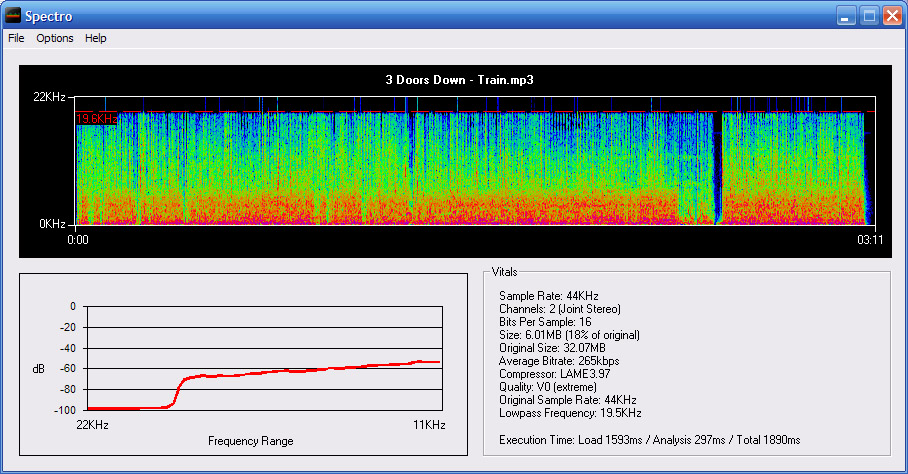
Spectro is a freeware audio file analyzer for Windows. Currently capable of reading FLAC, APE, MP3 and WAV files. Spectro lets you view vital data about compressed audio files and creates a spectrogram of the wave data. This allows you to quickly and easily spot quality issues with a file and also look for transcodes.

spectro

spectro.enpts.com

foo_verifier ~ Foobar Audio File Verifier


Checks specified media files for decoding errors. Note that with most formats, its accuracy is limited to detecting errors that abort the decoding process.

Capture_foo_verifier_results
Website
Documentation

After installing this Foobar plugin, you’ll have two new menu choices under the right mouse click context menu: Utilities > Verify integrity and Utilities > Verify album with Accuraterip

It’s also possible to see more information if you go to File > Preferences > Advanced > Tools > File Integrity Verifier and enable Verbose AccurateRip Output

Sox ~ The Swiss Army Knife Of Sound Processing


SoX is a cross-platform command line utility that can convert various formats of computer audio files into other formats. It can also apply various effects to these sound files, and, as an added bonus, SoX can play and record audio files on most platforms.

Sox

Sox sample session

Website
Features
Download
Documentation
Scripts
FAQ

Additional resources:
www.audiofaidate.org/sw/sox-dsd/