A modern music player focused on streaming from free sources.
Features:
- Searching for and playing music from YouTube (including integration with playlists), Jamendo, and SoundCloud
- Searching for albums (powered by Last.fm and Discogs), album view, automatic song lookup based on artist and track name (in progress, can be dodgy sometimes)
- Song queue, which can be exported as a playlist
- Loading saved playlists (stored in json files)
- Scrobbling to last.fm (along with updating the ‘now playing’ status)
- Newest releases with reviews – tracks and albums
- Browsing by genre
- Radio mode (automatically queue similar tracks)
- Unlimited downloads (powered by youtube)
- Realtime lyrics
- Browsing by popularity
- List of favorite tracks
- Listen from local library
Tag Archives: lyrics
Foobar2000 & Lyrics Display Components
Lyrics Display Components for foobar2000
foobar2000 displays lyrics through third-party components. Over the years, many different lyrics panels have been developed, but only some are still relevant. This post outlines the main lyrics display components, explains their current status, and identifies which ones are actively maintained and most commonly used.
OpenLyrics (foo_openlyrics)
Status: Actively maintained
Current relevance: Most recommended and most actively developed lyrics component
OpenLyrics is the most modern and fully featured lyrics display component available for foobar2000. It provides an embeddable lyrics panel that works with both Default UI and Columns UI and supports downloading, displaying, editing, and saving lyrics locally.
Key features include support for both timed and untimed lyrics, multiple online lyrics sources, automatic saving of lyrics to files, and a built-in lyrics editor. Lyrics can be scrolled, synchronized, and reused across future playback sessions once saved.
OpenLyrics is currently the most actively developed lyrics component for foobar2000, with regular updates and ongoing maintenance. As of early 2025, it remains the most reliable option in terms of source availability, stability, and long-term usability.
www.foobar2000.org/components/view/foo_openlyrics
Lyric Show Panel 3 (foo_uie_lyrics3)
Status: Maintained, but less actively
Current relevance: Widely used, especially in older layouts and themes
Lyric Show Panel 3 is one of the longest-standing lyrics display components for foobar2000. It provides a configurable lyrics panel that supports both timed and untimed lyrics and can download lyrics from multiple sources.
It works with both Default UI and Columns UI and is still included in many legacy layouts and skins. However, development activity has slowed compared to OpenLyrics, and some built-in lyrics sources have historically required additional configuration or external source scripts to remain functional.
While still usable and supported, Lyric Show Panel 3 has largely been superseded by OpenLyrics in modern setups, particularly for users who want reliable automatic lyrics retrieval and active development.
www.foobar2000.org/components/view/foo_uie_lyrics3
ESLyric (foo_uie_eslyric)
Status: Partially maintained by the community
Current relevance: Niche and script-dependent
ESLyric is another lyrics display panel component that relies heavily on user-configured search scripts to retrieve lyrics from online sources. It is more flexible than older components but requires significantly more manual setup.
Its functionality depends on third-party scripts, and long-term reliability varies depending on script maintenance. As a result, ESLyric is not commonly recommended for general users and is primarily used by advanced users who are comfortable maintaining their own lyrics source scripts.
http://www.foobar2000.org/components/view/foo_uie_eslyric
foo_lddc
A desktop lyrics plugin for foobar2000 that acts as a client for the LDDC main program (requires LDDC to be used together).
github.com/chenmozhijin/foo_lddc
Older and Deprecated Lyrics Components
Several older lyrics-related components exist but are no longer recommended due to lack of maintenance or compatibility issues with modern foobar2000 versions. These include:
- foo_uie_lyrics (predecessor to Lyric Show Panel 3)
- foo_gasazip
- MiniLyrics viewer components
These components are either unmaintained, unreliable, or incompatible with current versions of foobar2000 and should generally be avoided.
Which Lyrics Component Is Most Used Today?
In current foobar2000 installations:
- OpenLyrics is the most recommended and actively maintained lyrics display component.
- Lyric Show Panel 3 remains widely installed, particularly in older configurations and existing layouts, but sees less active development.
- ESLyric is used by a smaller, more technical audience and is not considered mainstream.
For new installations or users rebuilding their layouts, OpenLyrics is the clear choice for long-term reliability and functionality.
References:
old.reddit.com/r/foobar2000/comments/l0t88d/how_i_scrape_lyrics_with_foobar2000/gjvseft/
Rhythmbox ~ Gnome Audio Player
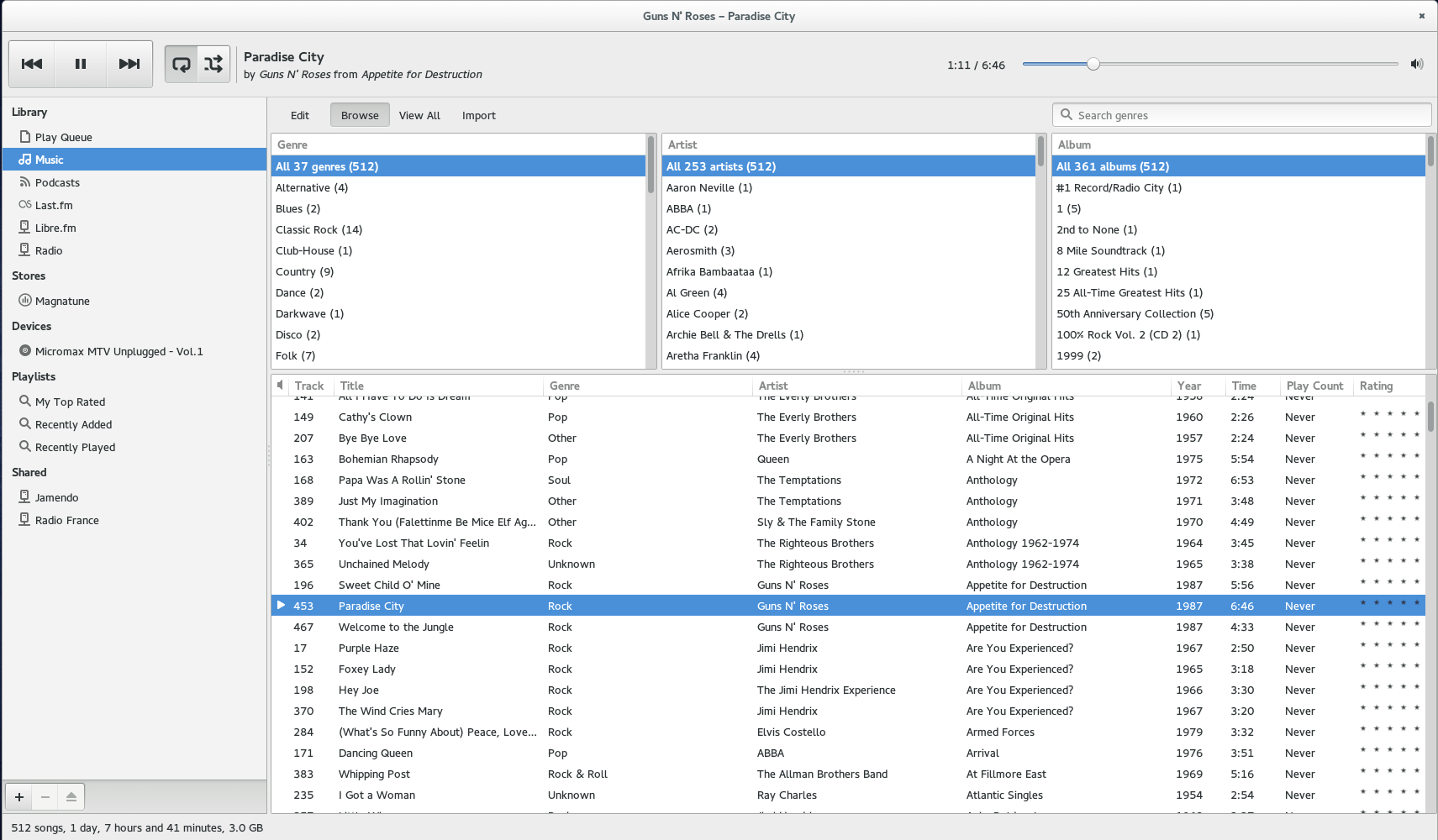
Rhythmbox is a music playing application for GNOME.

wiki.gnome.org/Apps/Rhythmbox
en.wikipedia.org/wiki/Rhythmbox
VocalZap ~ Remove Vocals From Songs
With this free iPhone app and effect plug-in for PC and Mac you can easily remove vocals from songs! Vocalzap is a free iPhone™ / iPod™ app, and VST plugin, that can effortlessly remove the vocals from any song. If you want to sing along, click the “Lyrics” button. Toggle between the original singer or no vocals with the click of a button.
Features:
- Remove vocals from most songs
- Look up lyrics to most songs (iPhone only)
- Toggle between vocals and no vocals to compare
- Use it for Karaoke parties with your own tunes!
JSound ~ Multiplatform Audio Player
Best level of equalization sound, convert to your audio format, listen to web radio, show music representations with spectrum and VU meters. Set equalization in played music, apply effects. Feel the difference and change your music listening experience.
Features:
- Play many formats
- Stream Web Radio
- Equalizer 31 bands (Left and Right)
- Find and download music
- Sound Effects
- Audio Converter
- Spectrum Analyzer
- VU Meter
- Preamp
- Tag Editor
- Cover-Art
- Lyrics in real time
- More accurate equalizer
- Equalizer Smooth control
- Music downloads more efficient
- Spectrum now in gradient or one color
- New engine for lyrics
- New engine for covers
- Cut Music (wav editor)
- CD Ripper
- Automatic Update
- Music Statistics

www.youtube.com/user/JSoundPlayer
sourceforge.net/projects/jortegasound
IDTE ~ ID3 Tag Editor & Player
IDTE is a full featured tag editor for Windows which supports tagging of FLAC, APE, ID3V1.x/2.x, WMA, LYRICS, and VORBIS tags in audio files.
It also supports the playback of 40+ various lossy and lossless music formats such as FLAC, ALAC, OGG, APE, MP3 etc.
It can rename files based on the tag information, export tag information, create playlists, search for incomplete tags on Internet, fetch lyrics, fetch cover art, supports CUE sheets, can process multiple files at same time, allows for batch file processing, supports SFX, visualizations and more…
Mcool ~ Lightweight Music Player
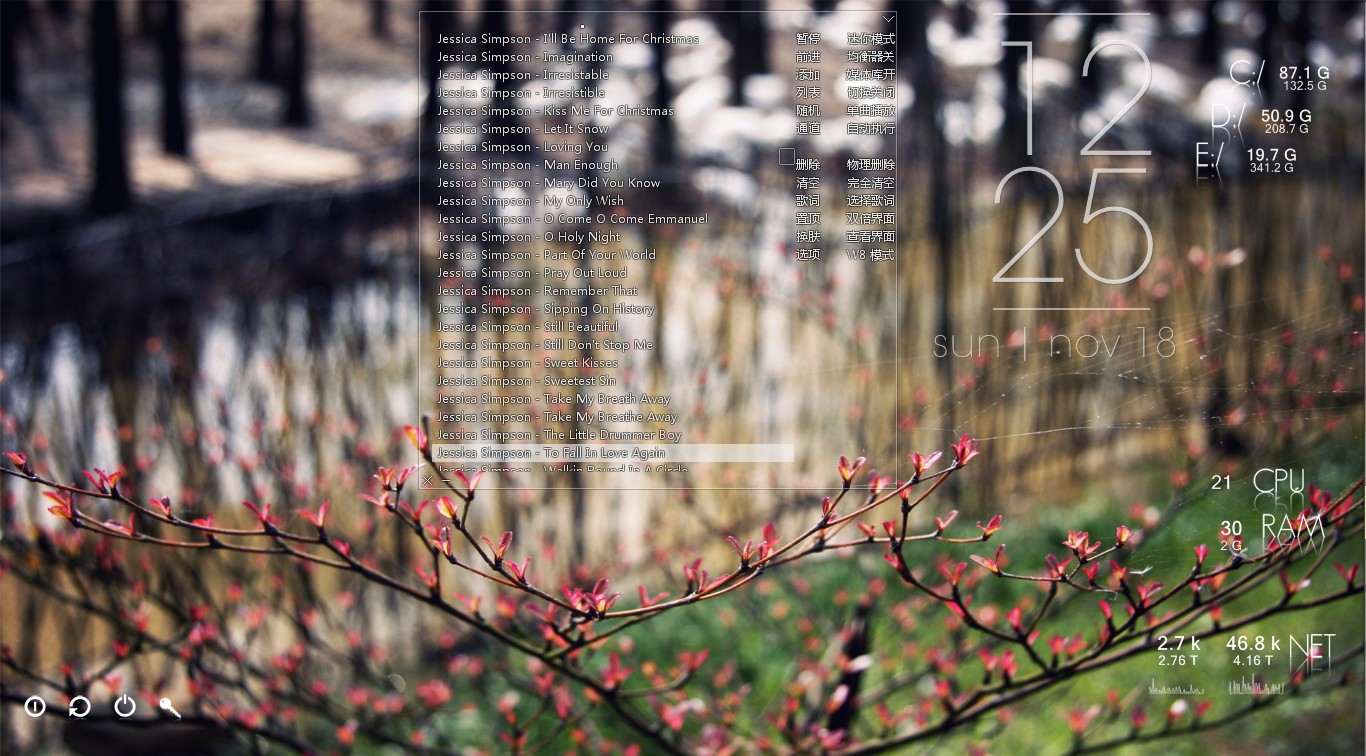
Minimalist local music player for windows, transparent, borderless and buttonless.
Features:
- Portable, free, open-source software. (Delphi, MIT open-source license)
- Operating System: Windows XP/7/8/10, 简体 / 繁體 / English / Unicode
- Minimalist, transparent, “no interface, only music”.
- Optimized for local lossless music playback. Powered by Bass library, with excellent performance and high quality sound effects. Modular design, can be highly customized.
- Supports lightweight media library, lyrics and visual effects. Can be minimized to the system tray, takes very few system resources, suitable to listening to music when working.
- These features come from user suggestions: tag editing, automatic switching list, play queue, mouse gestures, equalizer, audio device selection, the global volume wheel (over systray), font settings, minimalist mode, mouse transparent, pin to desktop and a simple layout.
- Supports APE / FLAC / WavPack / MP3 / OGG / TTA / TAK / Musepack / AAC / AC3 / WMA / Wav / CD / ALAC / Aiff / MOD / CUE (almost all local music formats from lossy to lossless, and supports video formats by plug-in)

Canorus ~ Music Score Editor
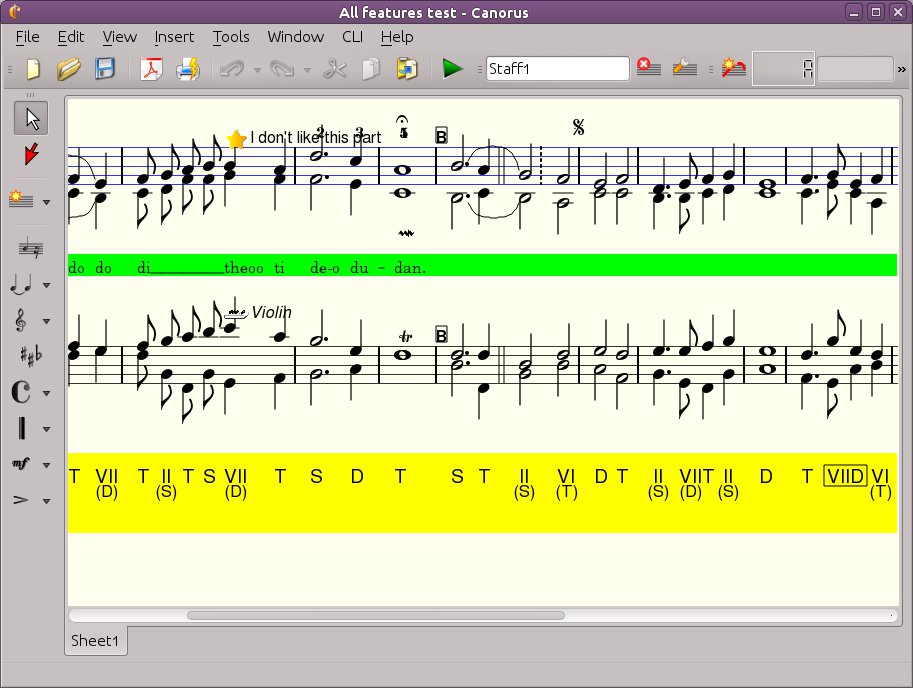
Canorus is a free cross-platform music score editor. It supports an unlimited number and length of staffs, polyphony, a MIDI playback of notes, chord markings, lyrics and import/export filters to formats like MIDI, MusicXML, ABC Music, MusiXTeX and LilyPond.

sourceforge.net/projects/canorus
github.com/canorusmusic/canorus
Strawberry ~ Cross-platform Music Player
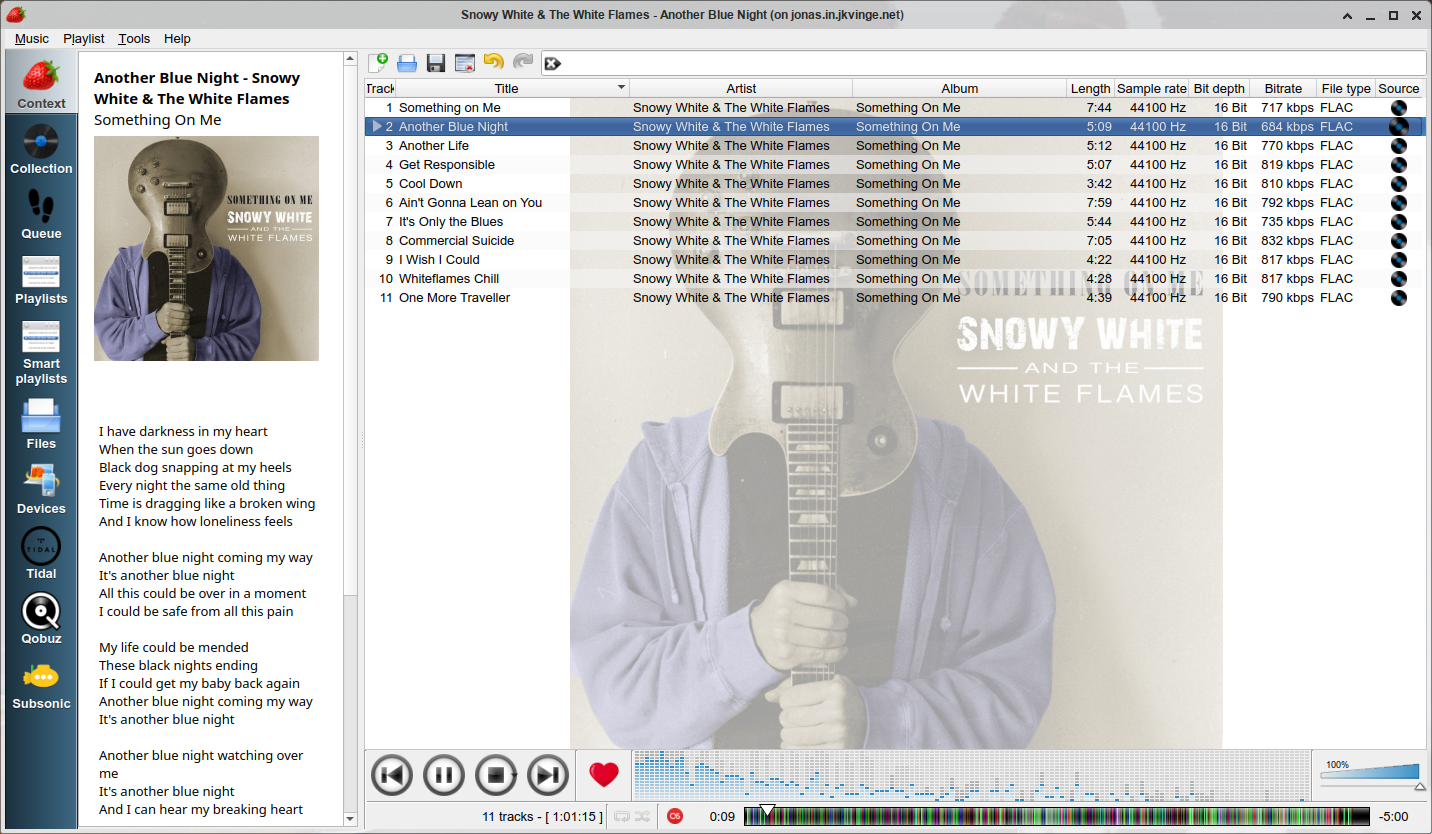
Strawberry is a music player and music collection organizer. It is a fork of Clementine released in 2018 aimed at music collectors, enthusiasts and audiophiles. The name is inspired by the band Strawbs. It’s based on a heavily modified version of Clementine created in 2012 and 2013. Strawberry is written in C++ and Qt 5.
- Play and organize music
- Supports WAV, FLAC, WavPack, DSF, DSDIFF, Ogg Vorbis, Speex, MPC, TrueAudio, AIFF, MP4, MP3, ASF and Monkey’s Audio
- Audio CD playback
- Native desktop notifications
- Playlists in multiple formats
- Advanced audio output and device configuration for bit-perfect playback on Linux
- Edit tags on music files
- Fetch tags from MusicBrainz
- Album cover art from Last.fm, MusicBrainz, Discogs, Tidal and Deezer
- Song lyrics from AudD
- Support for multiple backends
- Audio analyzer
- Audio equalizer
- Transfer music to iPod, iPhone, MTP or other mass-storage USB player
- Streaming support for Tidal, Qobuz and Subsonic
- Scrobbler with support for Last.fm, Libre.fm and ListenBrainz

www.strawbs.org
github.com/jonaski/strawberry
github.com/strawberrymusicplayer
sourceforge.net/projects/strawberry-music-player.mirror
flathub.org/apps/org.strawberrymusicplayer.strawberry
Lollypop ~ GNOME Audio Player
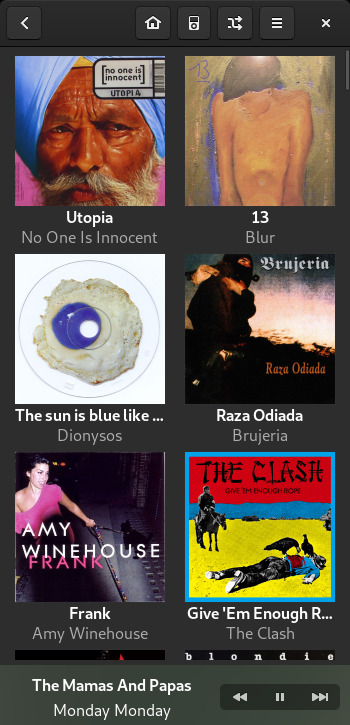
Lollypop is a modern music player for GNOME
- Artist bio, lyrics Artist bio, lyrics: Get artists and tracks information from the web.
- Intuitive browsing: Walk through your collection by genres/artists and through albums artwork.
- Play many audio formats: mp3, mp4, ogg, and flac
- Cover art downloader: Automatic artwork downloader from Last.fm, Itunes and Spotify.
- MTP devices: Sync your music with Android phones and any mtp devices…
- Fullscreen view: Visual access from your couch
- Party mode: Let Lollypop choose music for you.
- Native replaygain support.
- Search in your collection by artist, album and title.

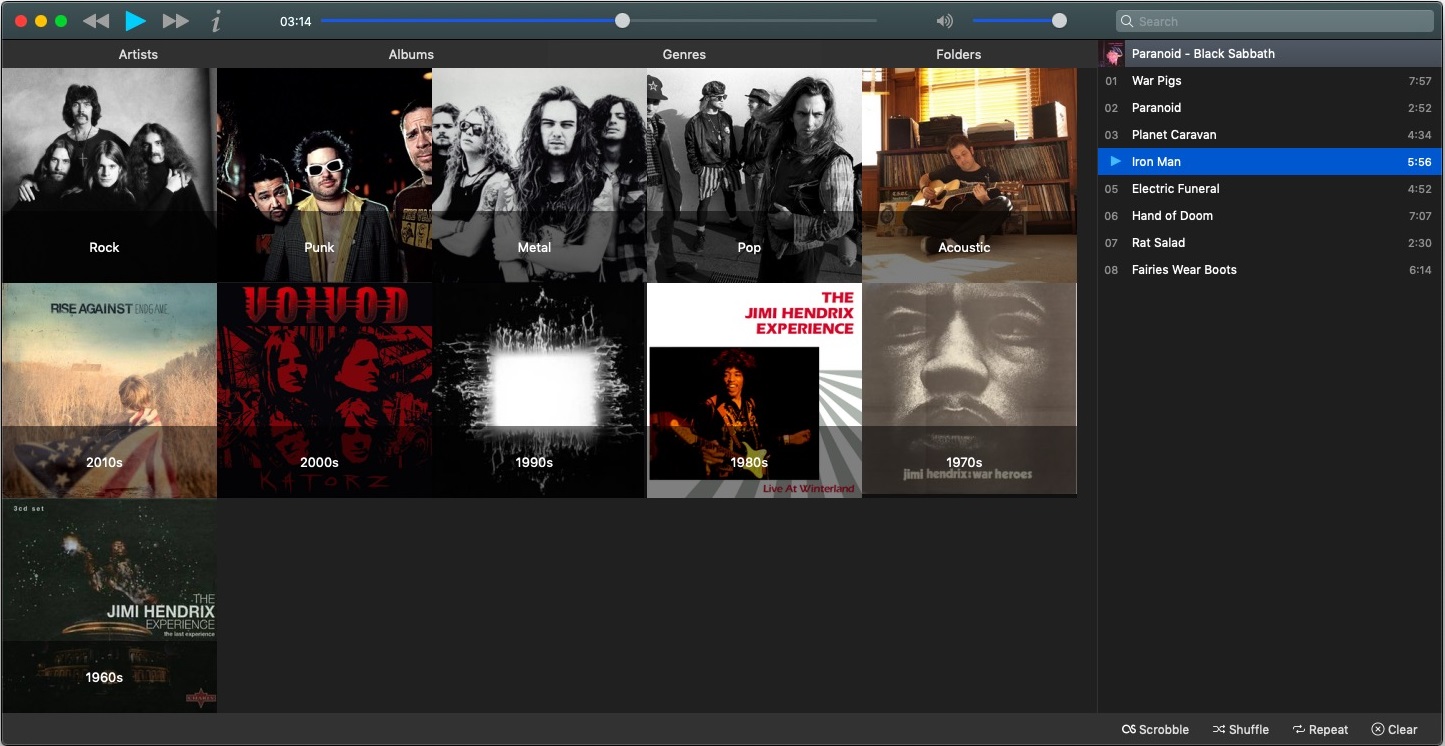
Musique ~ Finely Crafted Music Player
Musique “unclutters” your music listening experience with a clean and innovative interface.

Qmmp ~ Qt Audio Player
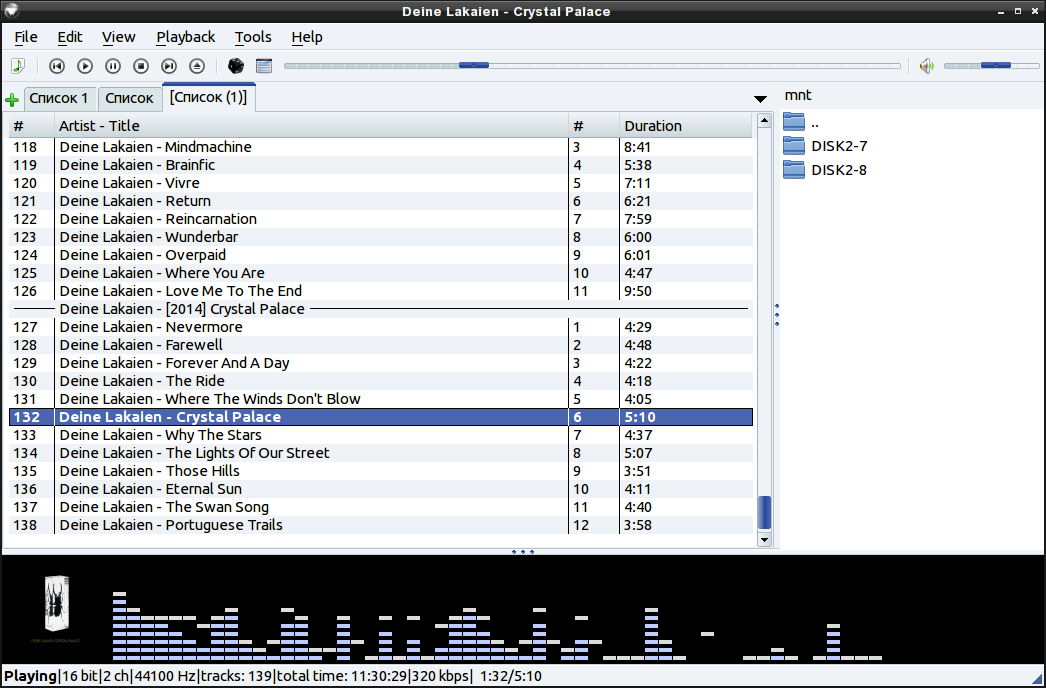
This program is an audio player, written with the help of the Qt library. The user interface is similar to winamp or xmms. An alternative user interface is also available.

qmmp.ylsoftware.com
sourceforge.net/projects/qmmp-dev
qmmp-modern
An attempt to support “modern” Winamp skins in a Qmmp plugin.