IDFree is a simple MP3 ID3 tag editor for Windows. It uses the excellent Open Source id3lib library to read and write these ID3 tags.
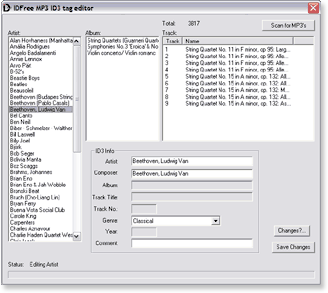

IDFree is a simple MP3 ID3 tag editor for Windows. It uses the excellent Open Source id3lib library to read and write these ID3 tags.

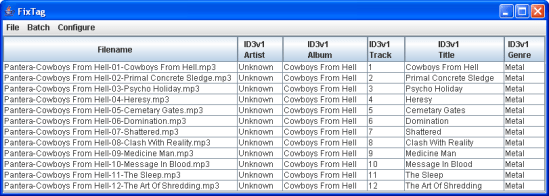
FixTag is a Java/Swing application that lets you edit the fields within MP3 ID3 tags.

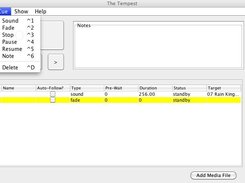
Soundboard makes building / executing sound cues for theatrical performance a snap. With a mix of sound, fade, stop, pause, and resume cues, you can create elegant designs, and execute them with the simple push of a button.
- Create elegant designs using a combination of simple cue types.
- Supports popular audio formats, such as wav, mp3, and Ogg
- Written in Java for true cross-platform compatibility
- Simple to use, so you’ll have a novice operator running the show perfectly in no time.

A stealthy, simple, unobtrusive open source multi-platform music player that stays out of your way in your Menubar / Taskbar.
github.com/quantumkv/nighthawk

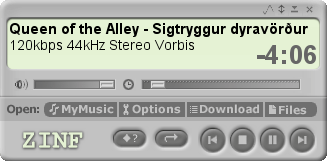
The Zinf audio player is a simple, but powerful audio player for Linux and Win32. It supports MP3, Ogg/Vorbis, WAV and Audio CD playback, SHOUTcast/Icecast HTTP streaming, RTP streaming, a powerful music browser, theme support and a download manager.
Zinf is based on the FreeAmp source code. However, AMP® is a trademark of PlayMedia Systems, Inc., and therefore the original name of the project cannot be used any longer. On this website the old project will be referred to as FreeA*p.
Why Zinf? Zinf Is Not FreeA*p!

Extracts bass from the source signal using a linear phase low-pass filter and sends it to the LFE channel.
Features:
- fast fir processing
- adjustable filter shapes
- delay control
- mono, stereo, 3.0, 4.0, 5.0 input support
foobar2000.org/components/view/foo_dsp_subwoofer
HA Forum Topic
Linear phase is a property of a filter, where the phase response of the filter is a linear function of frequency. The result is that all frequency components of the input signal are shifted in time (usually delayed) by the same constant amount (the slope of the linear function), which is referred to as the group delay. And consequently, there is no phase distortion due to the time delay of frequencies relative to one another.
~ en.wikipedia.org/wiki/Linear_phase

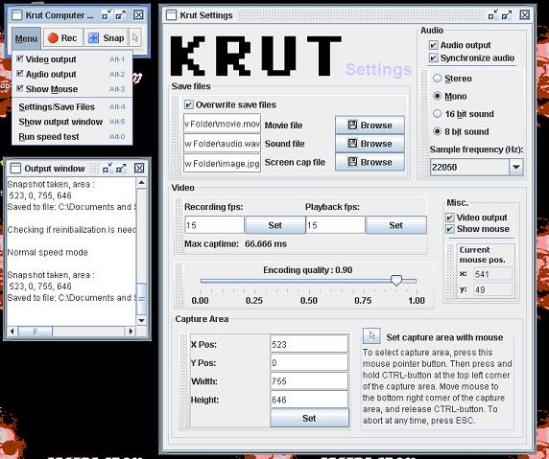
Krut Computer Recorder is an open source, cross platform, screencast tool to record audio and video from your computer screen into .mov-files and .wav-files. It can be used to make video tutorials or record games. It can also be used to record from streaming video and audio.

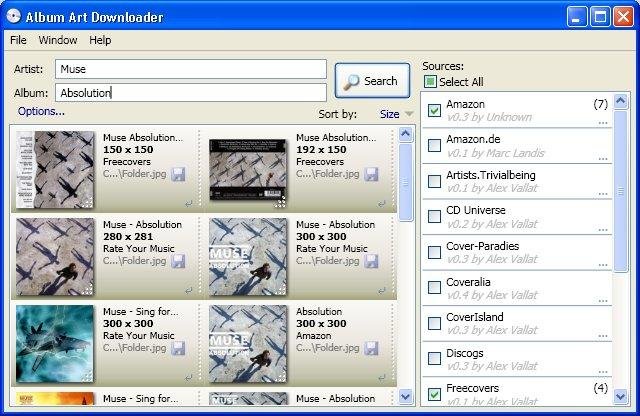
The Album Art Downloader is a program designed to make life easier for anyone who wishes to find and update their album art for their music collection. The sources for the pictures can be defined by creating plugin scripts.
sourceforge.net/projects/album-art
sourceforge.net/p/album-art/discussion
HydrogenAudio Topic

Create, play and print beautiful sheet music.

musescore.org
en.wikipedia.org/wiki/MuseScore

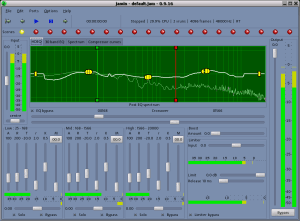
JAMin is the JACK Audio Connection Kit (JACK) Audio Mastering interface. JAMin is an open source application designed to perform professional audio mastering of stereo input streams. It uses LADSPA for digital signal processing (DSP). JAMin is licensed under the GPL.
Features:
- Linear filters
- JACK I/O
- 30 band graphic EQ
- 1023 band hand drawn EQ with parametric controls
- Spectrum analyser
- 3 band peak compressor
- Lookahead brickwall limiter
- Multiband stereo processing
- Presets and scenes
- Loudness maximizer

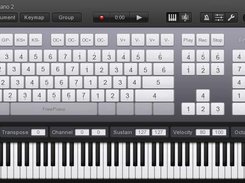
FreePiano is a virtual MIDI keyboard and a VST host for MS Windows. You can use FreePiano to play piano with a computer keyboard or a MIDI keyboard with any VST instrument you like, or output through MIDI, or generate any MIDI message with any key on your keyboard. You can also record your song or export a MP4 movie to share with your friends.
freepiano.tiwb.com
sourceforge.net/projects/freepiano

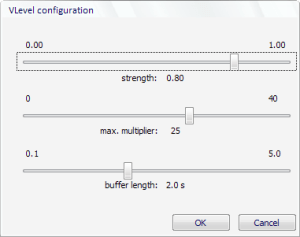
VLevel keeps your music from making you jump out of your seat, and it keeps you from having to fiddle with the volume constantly. It’s different from other dynamic compressors because it looks ahead. You can think of VLevel as someone who knows your music by heart, and turns the volume up during quiet passages, but smoothly turns it back down when he knows a loud part is coming. It’s great for making CDs to listen to in your car, or to play background music on your computer.
vlevel.sourceforge.net
HydrogenAudio Topic
HydrogenAudio Wiki