TimeStretch Player is a free online audio player that allows you to loop, speed up, slow down and pitch shift sections of an audio file. This makes it a great tool for practicing or transcribing music.

XiX ~ Open Source Music Player
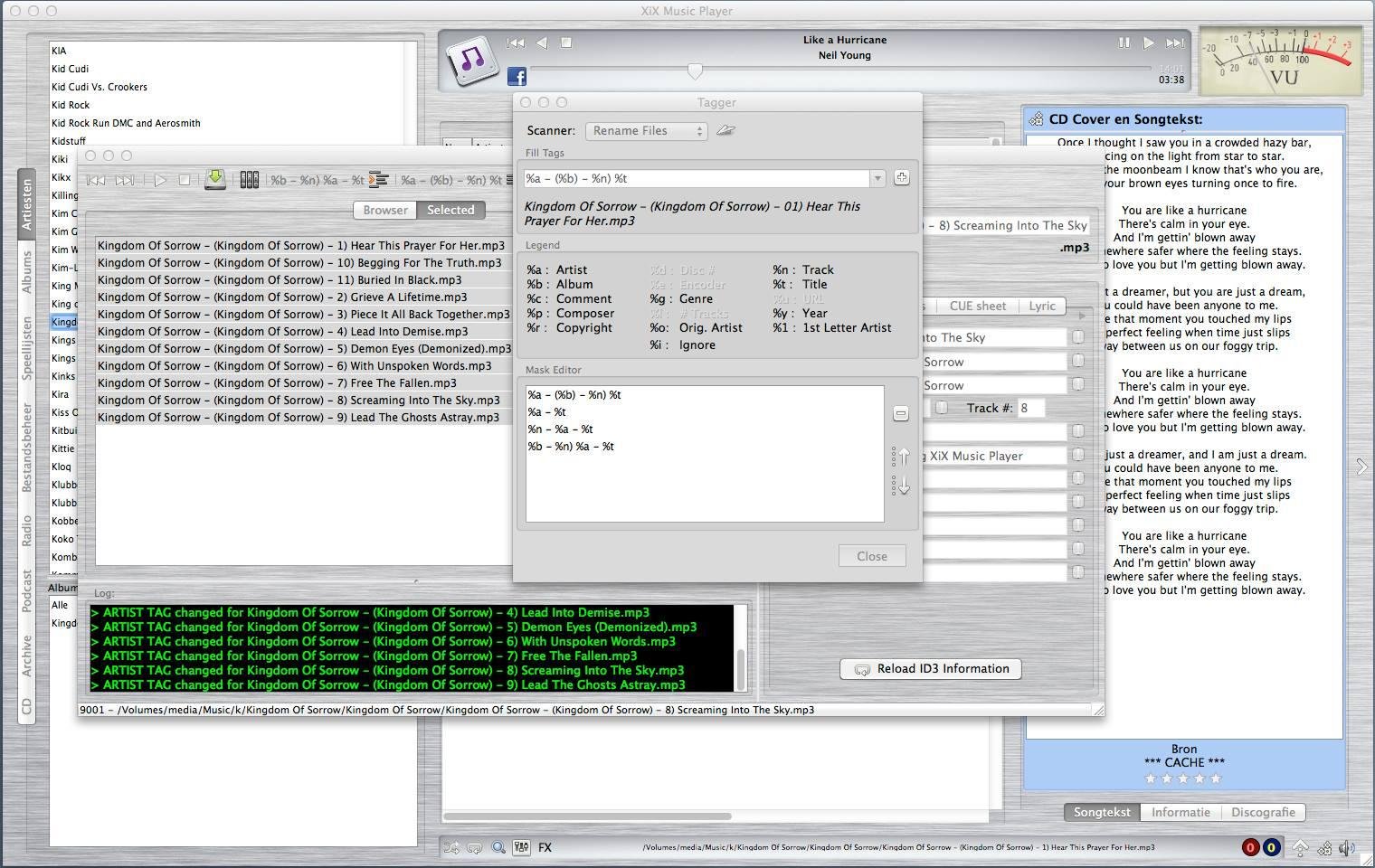
XiX Player is a free, easy to use, multi-platform music player that currently runs in Linux, Linux ARM (Raspberry Pi), Windows & MacOS Intel
Features:
- Supports the following file formats: MP3, OGG, M4A (non-DRM), AAC, FLAC, OPUS, APE, DFF, WAV
- Play & rip your CDs to MP3 or FLAC with CD-Text and CDDB support.
- Rip CD/DVD tracks to MP3 or FLAC. Needs mplayer.
- See albums the chosen artist is on and vice versa.
- Create and use playlists.
- Online radio stations + presets.
- Record online radio stations.
- Schedule Radio station recordings.
- Listen to & download podcasts.
- Play license free audio from the Internet Archive.
- Show the lyrics and CD covers of the song being played.
- Shuffle and repeat.
- Reverse play.
- Crossfading & trimming.
- Search.
- Rate your songs.
- EQ + FXs (Flanger, Echo & Reverb).
- Set EQ & trim for individual songs.
- Copy, delete or rename files.
- Change ID3 tag (only for MP3/OGG/FLAC/APE).
- Multiple tagging / renaming.
- Theme support (Basic).
sourceforge.net/projects/xixmusicplayer
Share this:

Planet CCRMA ~ Linux Audio Workstation
Planet CCRMA at Home is a (large) collection of free, open source software packages that you can add to a computer running Fedora 22, 23 or 24 or CentOS 5 to transform it into an audio/video oriented workstation. Here at Stanford University CCRMA we use a consistent and well defined Linux environment for our daily work in audio and computer music and research. With the Planet CCRMA at Home package collection, you can easily install most of that environment on your own Linux system. Planet CCRMA is easy to install and maintain, it can also be installed and upgraded over the network from the Planet CCRMA repositories or its mirrors.
ccrma.stanford.edu/planetccrma
Share this:

Audio Router ~ Open Source Windows 7 Utility

Foobar2000 ~ Official Free Encoder Pack
This pack includes every natively supported free encoder binary for use with the Converter Foobar2000 component. The binaries are conveniently installed into a subfolder of the Foobar2000 installation folder.
Current versions of Foobar2000 will automatically recognize these encoders and no longer ask you for encoder binary location.
Included encoders:
- FLAC
- Ogg Vorbis
- Opus
- Musepack
- WavPack
- AAC + Apple Lossless (qaac) – requires iTunes to be installed (read more…)
- AAC (fhgaacenc) – requires Winamp to be installed (read more…)
- Apple Lossless (refalac)
- MP3 (LAME)
www.foobar2000.org/encoderpack
Share this:

AudioTrimmer ~ Trim Audio Webservice
Audio Trimmer is a simple online tool which lets you trim your audio files on the fly.
Supports mp3, wav, wma, ogg, m4r, 3gpp, m4a, aac, amr, flac and aif files.
Share this:

FluidSynth ~ A SoundFont Synthesizer
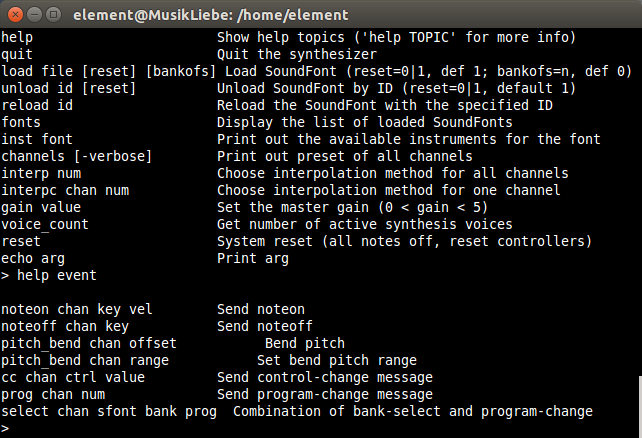
FluidSynth is a real-time software synthesizer based on the SoundFont 2 specifications and has reached widespread distribution. FluidSynth itself does not have a graphical user interface, but due to its powerful API several applications utilize it and it has even found its way onto embedded systems and is used in some mobile apps.
Features:
- Cross platform support (Linux, macOS and Windows to name a few)
- SoundFont 2 support
- SoundFont 3 support (vorbis-compressed SF2)
- Realtime effect control using SoundFont 2.01 modulators
- Playback of MIDI files
- Shared library which can be used in other programs
- Built in command line shell
QSynth ~ FluidSynth GUI Front-end
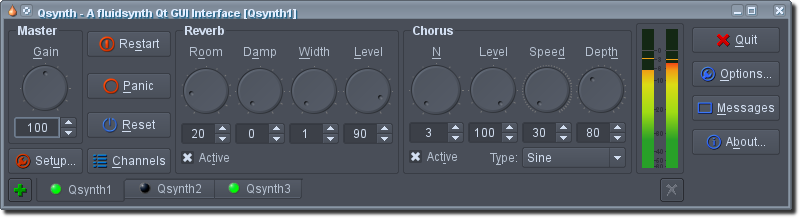
QSynth is a fluidsynth GUI front-end application written in C++ around the Qt framework using Qt Designer.
FluidPatcher ~ GUI & Automation
FluidPatcher is a performance-oriented interface for FluidSynth built using wxpython to create a simple GUI that allows live editing, selecting, and playing of patches. A patch is a collection of settings such as soundfont presets for each MIDI channel, control-change/sysex messages to send when the patch is selected, and midi router or effects settings. Groups of patches are stored in banks, which are saved as human-readable and -editable YAML files. This allows a musician to easily create complex combinations of synthesizer settings ahead of time and switch between them on the fly during a performance.
Features:
- Live playing: Play on your MIDI controller and hear the results
- Customization: Create your own combinations of instruments/effects
- Extendability: Use the included libraries to design your own implementations/software
sourceforge.net/projects/fluidpatcher
Share this:

GramoFile ~ Open Source Vinyl Ripping
GramoFile is a computer program, running under the Linux operating system (and some other UNIX-like OSes — and even DOS / Windows now!), with the main goal of putting the sound of for example gramophone records on CDs. It is able to record hours of CD quality music, split long sound files in separate tracks, and remove ticks and pops from recordings.
www.opensourcepartners.nl/~costar/gramofile
Share this:

Bfxr ~ Sound Effects For Computer Games
Bfxr is an elaboration of the glorious Sfxr, the program of choice for many people looking to make sound effects for computer games.
Bfxr has moved in the direction of increased complexity and range of expression. All the buttons that you know and love are here, but there are some new things as well:
- 5 new waveforms : triangle, breaker, tan, whistle, and pink noise.
- 3 new filters : compression, harmonics, and bitcrusher.
- Ability to lock parameters during mutation/randomization.
- Expanded pitch-jumping abilities – good for arpeggiation effects.
- Visualisation
- Mixer
- Keeps your sounds and mixes in persistent lists.
- Can reverse synths
- Ability to link directly to sounds
You have full rights to all sounds made with bfxr, and are free to use them for any purposes, commercial or otherwise.
Share this:

Facebook 360 ~ Spatial Audio Workstation
The Facebook 360 Spatial Workstation is a software suite for designing spatial audio for 360 video and cinematic VR. It includes plugins for popular audio workstations, a time synchronized 360 video player and utilities to help design and publish spatial audio in a variety of formats. Audio produced with the tools can be experienced on Facebook News Feed on Android and iOS devices, Chrome for desktop and the Samsung Gear VR headset through headphones.
Share this:

AirSonic ~ Community Driven Media Server
A Free and Open Source community driven media server, providing ubiquitous access to your music.
Share this:

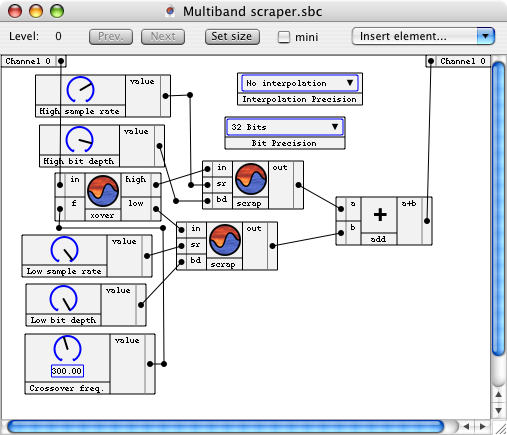
SonicBirth ~ Create Powerful Audio Plugins
SonicBirth is an AudioUnit designing MacOS application. The first in its category, it allows users to build their own AudioUnit plugins, either by working with existing circuits or by creating circuits completely from scratch. SonicBirth is also a free AudioUnits package, as it comes bundled with a set of plugins designed for standalone use as plugins as well as pre-constructed circuits to modify or build upon for creating new plugins. Whether you’re looking for traditional eqs, compressors, and reverbs, or softsynths, distortion, and filters, etc., SonicBirth allows you unprecedented freedom and creativity over your sound.