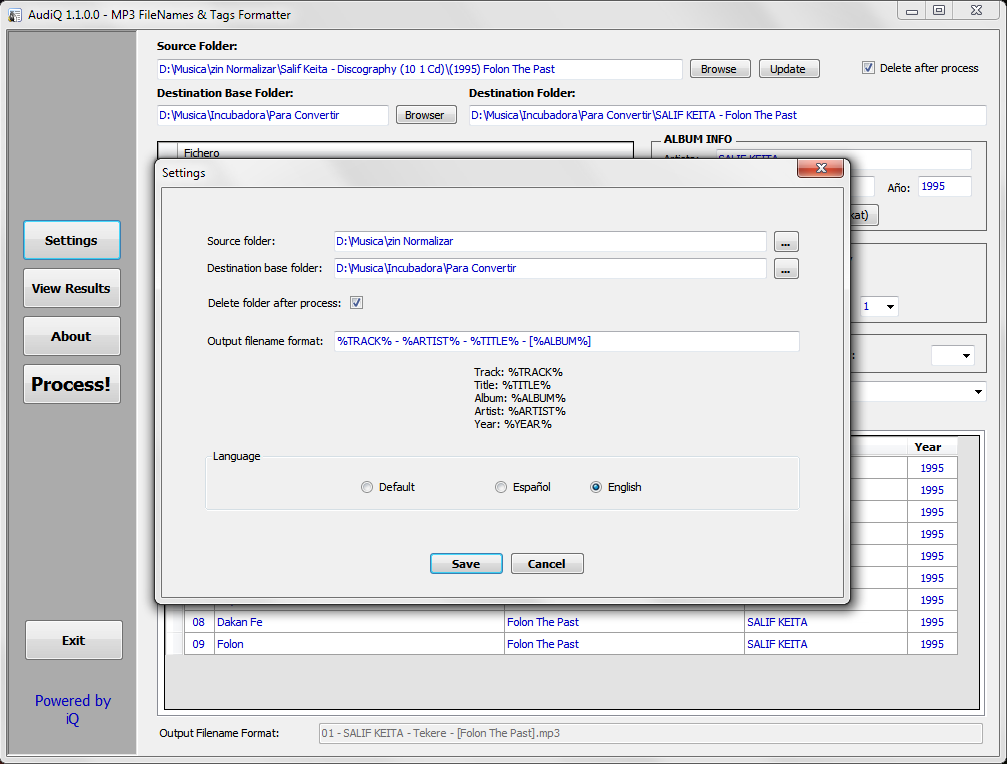
All the mp3 files of the music albums that you can download have different name formats or the information tags are empty. AudiQ is a very easy to use application that allows you to format the mp3 file names the way you decide. This application also fills the ID3 tags with the information of each song from the filename. Normalize your audio library.
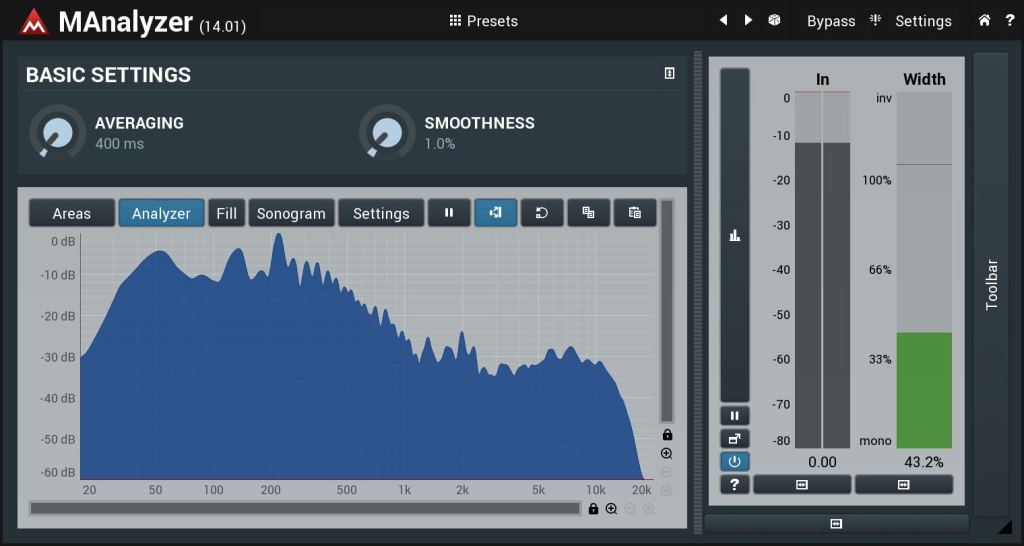
MAnalyzer is an advanced spectral analyzer and sonogram containing unique features such as smoothing, normalization, super-resolution, prefiltering and deharmonization. The included meters provide a peak meter and EBU R128 and ITU-R BS 1770-3 compliant loudness meter.
Dynamic Audio Normalizer is a library for advancedaudio normalization purposes. It applies a certain amount of gain to the input audio in order to bring its peak magnitude to a target level (e.g. 0 dBFS). However, in contrast to more “simple” normalization algorithms, the Dynamic Audio Normalizer dynamically re-adjusts the gain factor to the input audio. This allows for applying extra gain to the “quiet” sections of the audio while avoiding distortions or clipping the “loud” sections. In other words: The Dynamic Audio Normalizer will “even out” the volume of quiet and loud sections, in the sense that the volume of each section is brought to the same target level. Note, however, that the Dynamic Audio Normalizer achieves this goal without applying “dynamic range compression”. It will retain 100% of the dynamic range within each “local” region of the audio file.
The Dynamic Audio Normalizer is available as a small standalone command-line utility and also as an effect in the SoX audio processor as well as in the FFmpeg audio/video converter. Furthermore, it can be integrated into your favourite DAW (digital audio workstation), as a VST plug-in, or into your favourite media player, as a Winamp plug-in. Last but not least, the “core” library can be integrated into custom applications easily, thanks to a straightforward API (application programming interface). The “native” API is written in C++, but language bindings for C99Microsoft.NET, Java, Python and Pascal are provided.
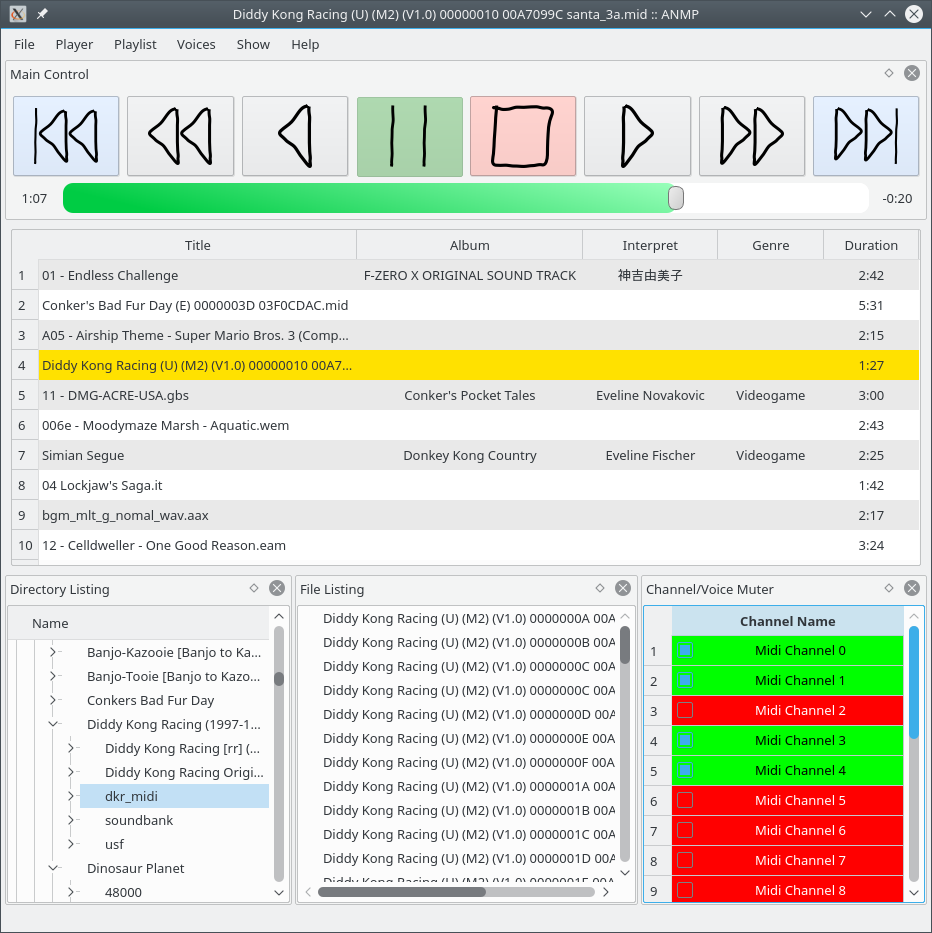
ANMP aims to be a versatile but lightweight audio player, just as the other hundred thousands out there. It is written in C++11. As being only a frontend, ANMP itself doesn’t know anything about audio formats and how to decode them. That’s why it uses 3rd party libraries to decode them. By using VgmStream, GameMusicEmu, LazyUSF and supporting looped songs natively, ANMP is esp. suited to play various audio formats from video games. Moreover it supports Looped Midi Tracks.
Main Features:
muting multichannel audio files
gapless playback (for most streamed audio formats)
arbitrary (forward) looping of songs (i.e. even nested loops)
LASTAR is a batch (non-interactive) audio processor for loudness adjustment and file splitting of a batch of audio recordings, using an audio transparent maximizer.
At the opposite of usual available software, loudness normalization is done on signal power, which leads to a louder and more homogeneous result than the usual “peak” normalization, in particular on live recordings.
Its purpose is:
to split, equalize and normalize digitized analog tapes or vinyl
to split, equalize and normalize live recordings from microphones (ex ZOOM H2 recordings)
fast and homogeneous normalization of a group of files (compilation for instance)
loudness and dynamic reduction for listening in a noisy environment (car…)
and so on…
This software aims to be very fast and easy to use : the most efficient computing techniques have been implemented, and there are very few parameters to set (most of them are automatically adjusted by analyzing the file).
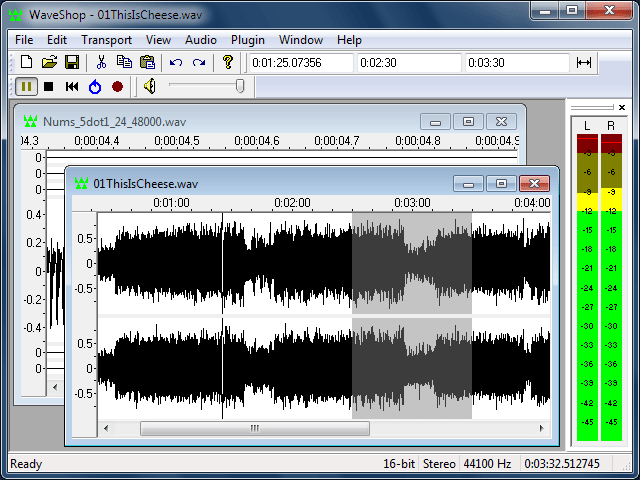
WaveShop is a free, open-source audio editor for Windows XP/Vista/7/8 32-bit and 64-bit. WaveShop is fast, lightweight, and bit-perfect, meaning samples aren’t altered unless they need to be. Editing a portion of an audio file only affects that portion; the rest of the file is untouched. Blocks of audio can be cut and pasted without changing their contents at all. This is especially useful for patching a finished master without corrupting its dither. Waveshop’s features include peak, RMS and spectral analysis, normalizing, fading, sample rate conversion, audio generation, plug-ins, and more, all with unlimited undo and comprehensive help.
loudgain is a versatile ReplayGain 2.0 loudness normalizer, based on the EBU R128 / ITU BS.1770 standard (-18 LUFS) and supports FLAC / Ogg / MP2 / MP3 / MP4 / M4A / ALAC & Opus audio files. It uses the well-known mp3gain command line syntax but will never modify the actual audio data.
Just what you ever wanted: the best of mp3gain, ReplayGain 2.0 and Linux combined. Spread the word!
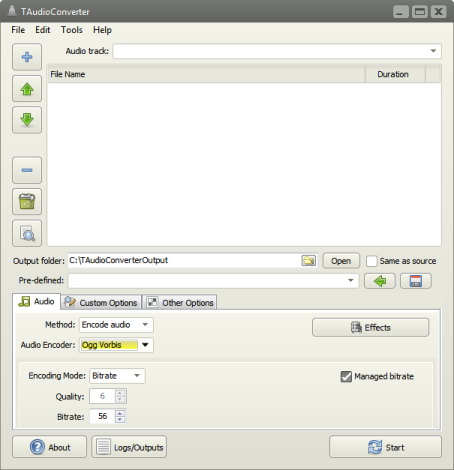
TAudioConverter is a audio converter and extractor. It can convert almost any audio format to aac, ac3, mp3, flac, wav, ogg, opus or mpc. SoX is used to apply effects such as normalization, volume change etc. It can also extract audio streams from video files and encode them. Video files with more than one audio stream is supported. It is possible to run up to 8 simultaneous processes to shorten encoding time.
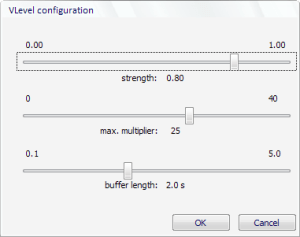
VLevel keeps your music from making you jump out of your seat, and it keeps you from having to fiddle with the volume constantly. It’s different from other dynamic compressors because it looks ahead. You can think of VLevel as someone who knows your music by heart, and turns the volume up during quiet passages, but smoothly turns it back down when he knows a loud part is coming. It’s great for making CDs to listen to in your car, or to play background music on your computer.
PoQStacker is a PC based MP3 and wav file music player with a playlist manager / organizer. If you have a CD or MP3 collection, PoQStacker will assist you in connecting you to your music.
Levelator® adjusts the audio levels within your podcast or other audio file for variations from one speaker to the next, for example. It’s not a compressor, normalizer or limiter although it contains all three. It’s much more than those tools, and it’s much simpler to use. The UI is dirt-simple: Drag-and-drop any WAV or AIFF file onto The Leveler’s application window, and a few moments later you’ll find a new version which just sounds better.
ReplayGain is … a technique invented to achieve the same perceived playback loudness of audio files. ~ Hydrogenaudio Knowledgebase
ReplayGain … allows players to normalize loudness for individual tracks or albums. This avoids the common problem of having to manually adjust volume levels between tracks when playing audio files from albums that have been mastered at different loudness levels. ~ en.wikipedia.org/wiki/ReplayGain
If you’re using track gain, every song is played at 89 dB; no song is any louder than any other. If you’re using album gain, tracks will be played at 89 dB plus or minus a few dB, depending on how much louder or quieter each track is relative to the other tracks on the album. By definition, album gain is not going to make all tracks as loud as possible; the quieter tracks are going to remain that much quieter than the louder tracks, and they’ll average out to 89. ~ Hydrogen Audio
Using ReplayGain in Foobar
(1) First set the ReplayGain target values:
Preferences / Playback / ReplayGain Source mode: by playback order Processing: apply gain and prevent clipping according to peak
Foobar2000 Preferences – Playback – ReplayGain
Recommended Values:
Set Preferences / Preamp / Without RG values: to around -8.0 db
If you are also playing tracks which aren’t RG-tagged, they’ll be playing quite loud in comparison to the RG-tagged ones. To mitigate that, you can set the “Without RG info” Preamp level to, say, -11.9. This will make the player pretend they have -11.9 dB album gain. Thus if you played a non-RG-tagged copy of that loudest track, it would be played at 89 dB instead of its natural 100.91 dB, and would thus match the level that all the RG-tagged tracks are played at. However, then the quieter non-RG-tagged tracks would still be that much quieter. So you may find -8 or so to be a better “without RG info” preamp level, on average.~ HA Forum
I usually set my non-RG preamp to somewhere in the range of -7.0 dB to -9.0 dB. ~ HA Forum
If you listen to modern music -7dB/-10dB value should be correct. If you listen to older music, keep the value a bit lower because the average level of recently released tracks are higher. ~ eolindel.free.fr/foobar0.9/Replaygain
(2) Next scan files:
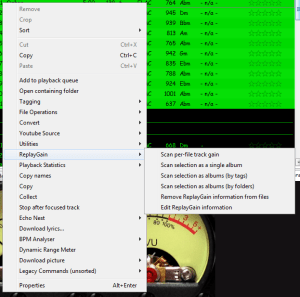
Select Files / Right mouse / ReplayGain / Scan selection as single album (adds album and track ReplayGain tags)
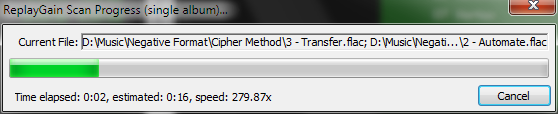
Once the files are scanned, they can be played.
True Peak Scanner
The foo_truepeak component scans ReplayGain, Dynamic Range, LUFS, PLR RMS values, etc.
Foobar ReplayGain Override Component
For older versions that lack the “by playback order” option, this component provides a way to specify which ReplayGain modes to use for each playback order. Track gain is probably desirable for random playback while with regular playback album gain is more suitable.
Track Volume (-18dB is equivalent to the ReplayGain target volume of 89dB) $if(%replaygain_track_gain%,$puts(X,$sub(-1800,$replace(%replaygain_track_gain%,.,)))$ifequal($get(X),0,0,$ifgreater($get(X),0,$replace(+$substr($num($get(X),4),1,2),+0,+),$replace($substr($num($get(X),5),1,3),-0,-))).$substr($num($get(X),5),4,5) dB)
Album Gain (relative to the ReplayGain target volume) [%replaygain_album_gain%]
ReplayGain’s Album Volume $if(%replaygain_album_gain%,$puts(X,$sub(8900,$replace(%replaygain_album_gain%,.,)))$ifgreater($get(X),9999,$substr($get(X),1,3).$substr($get(X),4,5),$substr($get(X),1,2).$substr($get(X),3,4)) dB))
Album Volume (-18dB is equivalent to the ReplayGain target volume of 89dB) $if(%replaygain_album_gain%,$puts(X,$sub(-1800,$replace(%replaygain_album_gain%,.,)))$ifequal($get(X),0,0,$ifgreater($get(X),0,$replace(+$substr($num($get(X),4),1,2),+0,+),$replace($substr($num($get(X),5),1,3),-0,-))).$substr($num($get(X),5),4,5) dB)