Astrofox is a free, open-source motion graphics program that lets you turn your audio into custom, shareable videos. Combine text, images, animations and effects to create stunning, unique visuals. Then generate high-definition videos to share with your fans on social media.
This is a React Native-based audio streaming app for Jellyfin. Jellyfin is a community-based piece of software that allows you to stream your media library over the internet. By means of React Native, Jellyfin Audio Player allows you to stream your Jellyfin Music library, with full support for background audio and casting (ie. Airplay and Chromecast).
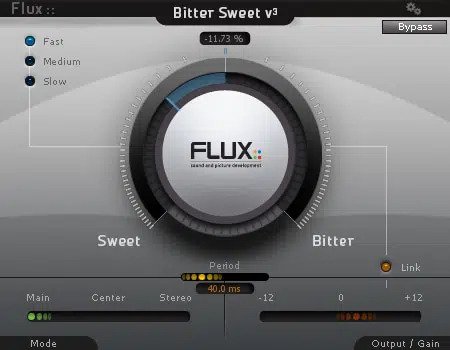
BitterSweet v3 is Flux:: acclaimed transient processor used by hundreds of thousands of users for audio transient management with the simple turn of a knob – Turning it to the Sweet side reduces the transients, and turning it to the Bitter side magnifies the transients – No dongle or license activation required – 100% Freeware!
Features:
Up to 8 channels Input / Output
Output Gain
Controls the Output Gain at the end of the processing (-/+ 12 dB).
Link to Output Gain – Compensates the Output Gain depending on the Transient Amount in order to achieve unity gain.
With these tools one can get information about (via mkvinfo) Matroska files, extract tracks/data from (via mkvextract) Matroska files and create (via mkvmerge) Matroska files from other media files. Matroska is a new multimedia file format aiming to become THE new container format for the future. You can find more information about it and its underlying technology, the Extensible Binary Meta Language (EBML), at www.matroska.org
eac3to is able to convert E-AC3, TrueHD, PCM and DTS-HD audio tracks to AC3, DTS or FLAC. Converts E-AC3, TrueHD, PCM, DTS-HD and FLAC tracks to AC3 / DTS / FLAC. Removes Dialog Normalization from AC3, E-AC3, DTS and TrueHD tracks. Extracts AC3 frames from Blu-Ray AC3/TrueHD tracks. Extracts DTS core from DTS-HD tracks. Can remux the video track of a EVO / VOB source to Matroska (mkv). Command line tool but GUI (UsEac3to) also available. Requires external audio decoders.
dkaac reads linear PCM audio in either WAV, raw PCM, or CAF format,
and encodes it into either M4A / AAC file.
If the input file is "-", data is read from stdin. Likewise, if the
output file is "-", data is written to stdout if one of streamable AAC
transport formats are selected by **-f**.
When CAF input and M4A output is used, tags in CAF file are copied into
the resulting M4A.
github.com/nu774/fdkaacgithub.com/mstorsjo/fdk-aaclaunchpad.net/ubuntu/bionic/+package/fdkaacpackages.debian.org/stretch/fdkaac
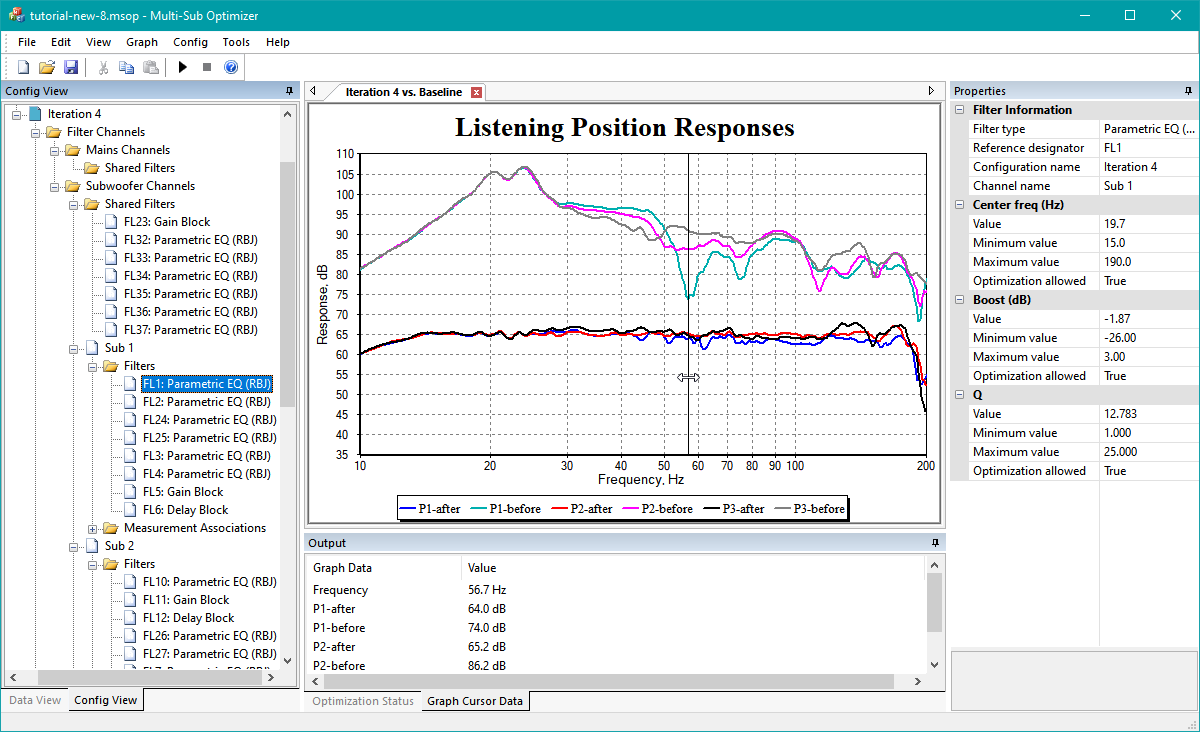
Multi-Sub Optimizer (MSO) is a free Windows-based software program for optimizing the bass response of audio and AV systems having multiple subwoofers. It minimizes the seat-to-seat frequency response variation in the bass region while simultaneously optimizing the response flatness at the main listening position. You can choose to have MSO perform this optimization on just the subs, or to include the main speakers in the optimization. In the latter case, it automates the process of integrating the subs with the main speakers, including delay / distance settings and EQ in the crossover region.
Although it’s possible to use it for identical equalization (EQ) of all subs at once, it does not depend on a global EQ approach like commercial room correction systems do. Such systems cannot reduce the seat-to-seat variation of the bass response. Instead, MSO performs optimization of EQ, gain and delay parameters individually for each subwoofer. This individual EQ optimization for each sub causes the variation of the bass response from seat to seat to be reduced, and the bass response at each listening position to be flattened.
MSO can be used to perform tasks that include:
Optimizing subwoofer integration with main speakers through delay, gain and EQ adjustments
Reducing seat-to-seat frequency response variation of the combined sub outputs through optimized EQ of each sub individually
Achieving optimum subwoofer integration via individual sub delay adjustments
Improving response flatness of the combined sub outputs at all listening positions
Creating, specifying and achieving your desired target frequency response curve to shape the bass response to your preference
Plotting your data in a variety of ways
Obtaining filter parameters as text files containing biquad coefficients for import into miniDSP EQ hardware, or for manual data entry into hardware that doesn’t support filter file import.
This component allows playing local video files in foobar2000 using libmpv. It is not a foobar decoder, it will just play the video for files that foobar is already playing via other input components. You may need to install other decoders or foo_input_ffmpeg to play certain files.
Features:
Video player can be a default UI element, columns UI panel or a separate window
On-screen control on the video
Fullscreen mode
Generates video thumbnails as album art, with optional manual thumbnail chooser
Video panels can act as an album art viewer when no video is present to avoid wasting space
Reads mpv.conf and input.conf
Provides some interfaces for integrating mpv Lua scripts with foobar2000