mp3rgain ~ Lossless MP3/AAC Volume Adjustment


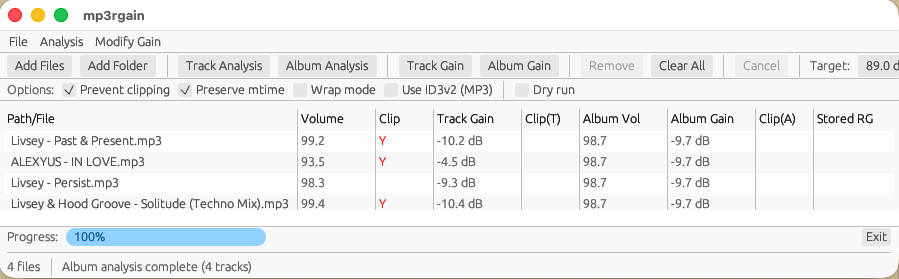
A modern mp3gain / aacgain replacement written in Rust. A native GUI application (mp3rgui) is available for users who prefer a graphical interface.

mp3rgain adjusts MP3 and AAC volume without re-encoding by modifying the global_gain field in each frame. This preserves audio quality while achieving permanent volume changes.


mp3rgui compact user interface

github.com/M-Igashi/mp3rgain
crates.io/crates/mp3rgain
hydrogenaudio.org/index.php/topic,129648.0

References:

github.com/dgilman/aacgain
mp3gain.sourceforge.net

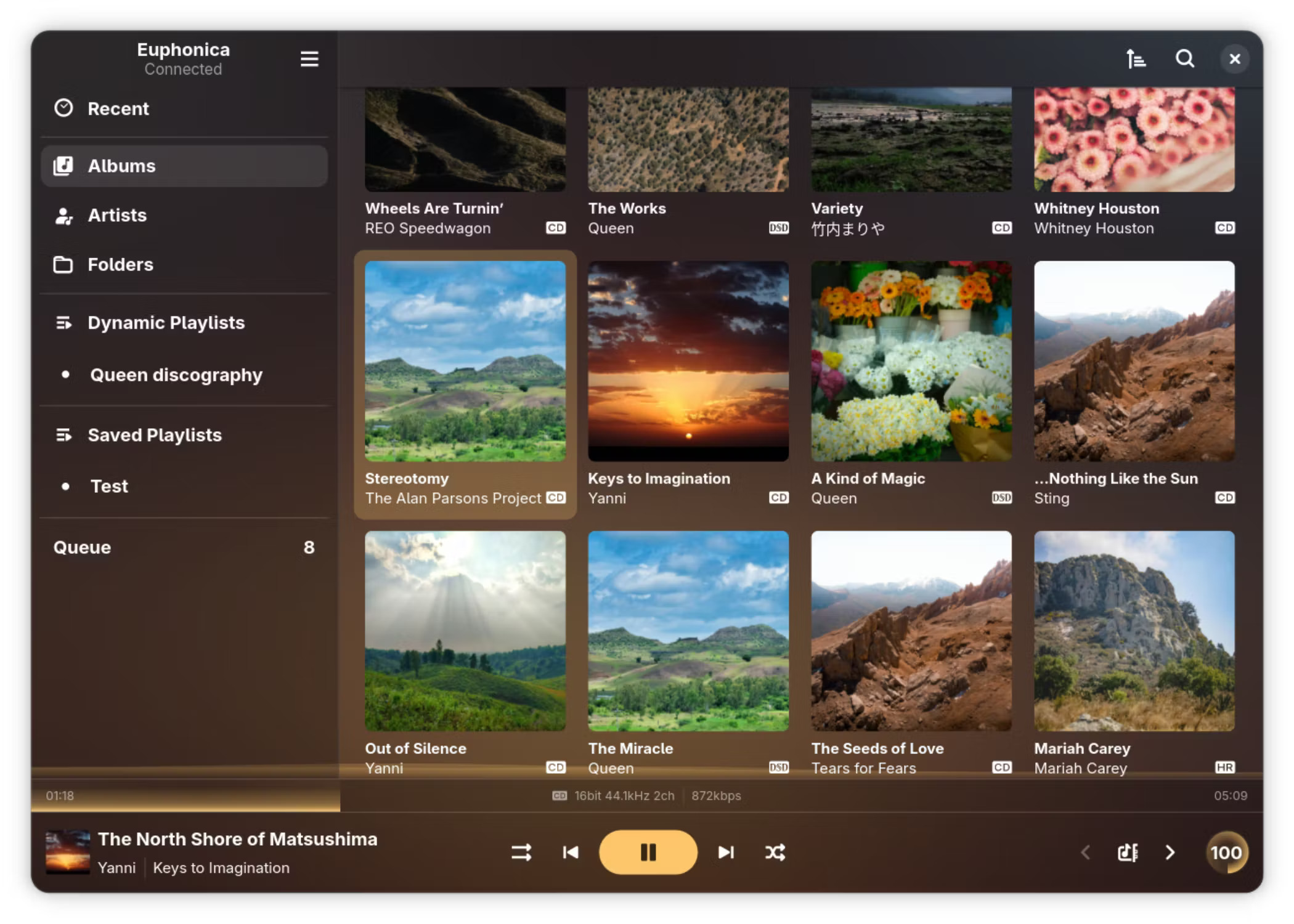
Euphonica ~ Advanced MPD Frontend


An MPD frontend with delusions of grandeur.

It exists to sate my need for something that’s got the bling and the features to back that bling up.

Features:

  • Adaptive GTK4+libadwaita UI for most MPD features, from queue reordering and ReplayGain to crossfade and MixRamp configuration.
  • Practically zero-cost static background blur powered by libblur. Go ham with blur radius!
  • Customisable spectrum visualiser, reading from MPD FIFO or system PipeWire.
  • Automatic accent colours based on album art (optional).
  • Advanced client-side dynamic playlists.
    • Both query-based and sticker-based filtering rules are supported at the same time.
    • Multiple ordering clauses (or random shuffle on refresh).
    • Auto-refresh scheduling (hourly, daily, weekly, etc).
    • Optional fetch limit for things like top-10 playlists.
    • Graphical rules editor with live error checking.
    • Save a dynamic playlist’s current state as an MPD-side static playlist whenver you want.
    • JSON import/export for sharing & backing up dynamic playlist rules.
  • Fetch album arts, artist avatars and synced song lyrics from external sources (currently supports Last.fm, MusicBrainz and LRCLIB).
  • myMPD-compatible stickers handling.
  • Integrated MPRIS client with background run supported. The background instance can be reopened via your shell’s MPRIS applet, the “Background applications” section in GNOME’s quick settings shade (if installed via Flatpak) or simply by launching Euphonica again.
  • Rate albums (requires MPD 0.24+) and individual songs.
  • Audio quality indicators (lossy, lossless, hi-res, DSD) for individual songs as well as albums & detailed format printout.
  • Asynchronous search for large collections. The app as a whole should work with any library size (tested with up to 30K songs).
  • Configurable multi-artist tag syntax, works with anything you throw at it.
    • In other words, your artist tags can be pretty messy and Euphonica will still be able to correctly split them into individual artists.
  • Performant album art fetching & display (LRU-cached to both cut down on disk reads and RAM usage).
  • Volume knob with dBFS readout support (‘cuz why not?).
  • ncmpcpp-inspired keyboard shortcuts.
  • User-friendly configuration UI & GSettings backend.
  • MPD passwords are securely stored in your user’s login keyring.
  • Commands are bundled into lists for efficient MPD-side processing where possible.

github.com/htkhiem/euphonica

soundKonverter ~ KDE Conversion & Ripping


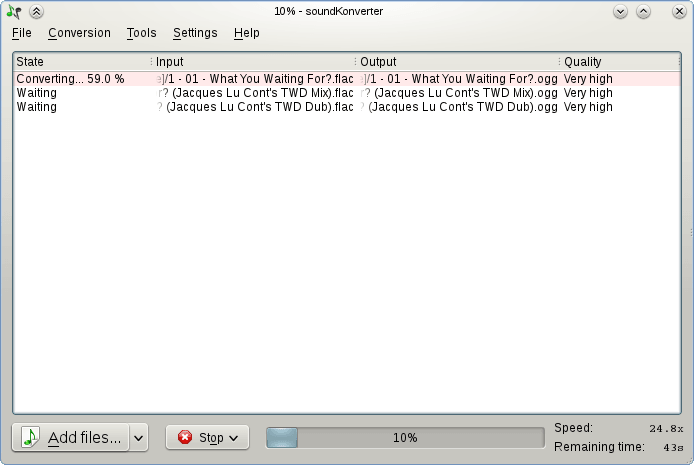
soundKonverter is a frontend to various audio converters.

The key features are:

  • Audio conversion
  • Replay Gain calculation
  • CD ripping

github.com/dfaust/soundkonverter
github.com/nphantasm/soundkonverter
store.kde.org/p/1126634

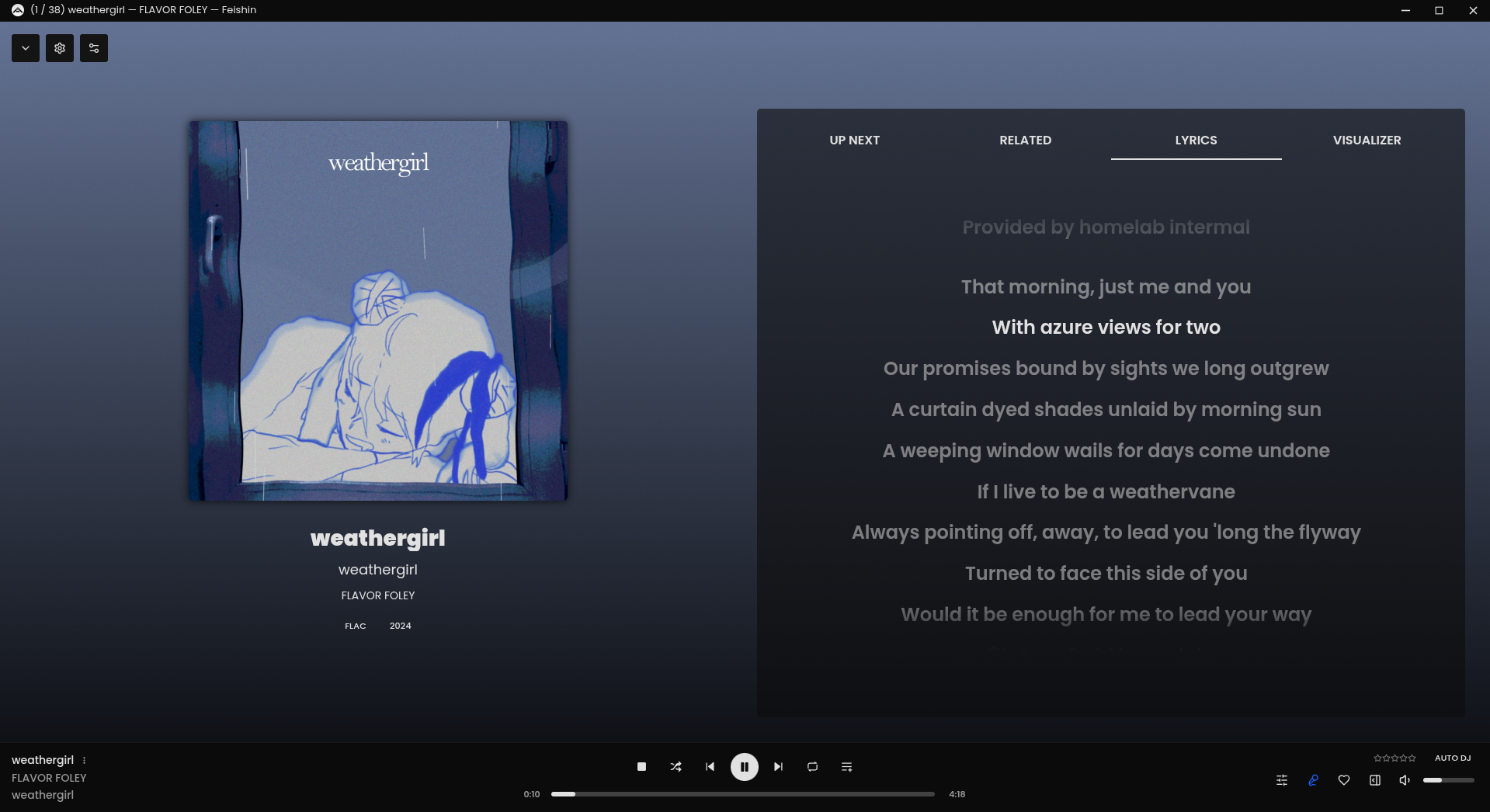
Feishin ~ Self-hosted Music Player


Rewrite of Sonixd.

Features:

  •  MPV player backend
  •  Web player backend
  •  Modern UI
  •  Scrobble playback to your server
  •  Smart playlist editor (Navidrome)
  •  Synchronized and unsynchronized lyrics support

github.com/jeffvli/feishin

Ferocious File Converter ~ Graphical Frontend For ReSampler


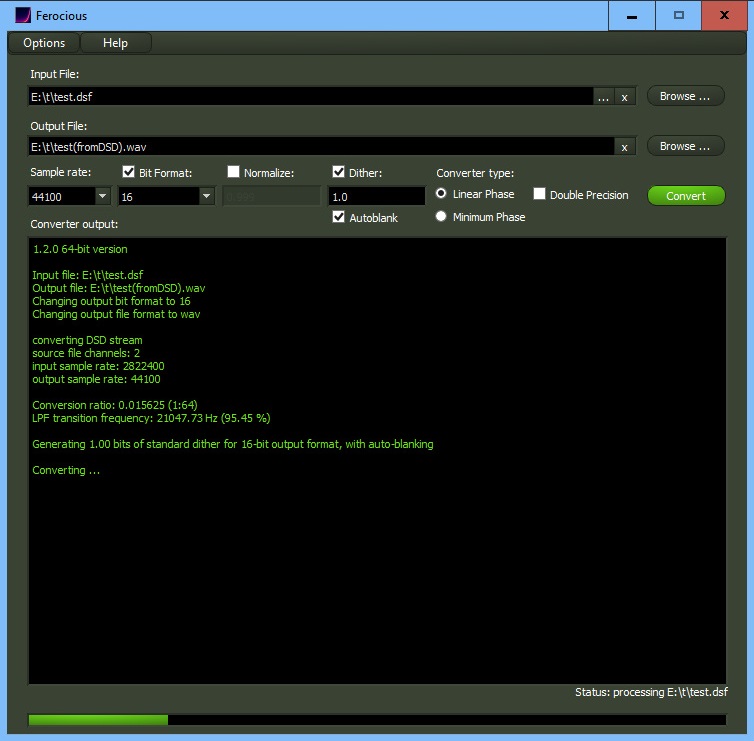
Ferocious File Converter is a graphical front-end for ReSampler, and potentially any number of other command-line audio conversion tools.

It provides a convenient and easy-to-use method for converting audio files between a number of formats.

github.com/jniemann66/ferocious

LCDex ~ A Linux CDEX Clone


A ripper and encoder frontend for Linux. Requires libsndfile and lame to work.

sourceforge.net/projects/lcdex

QMP3Gain ~ MP3Gain Graphical User Interface


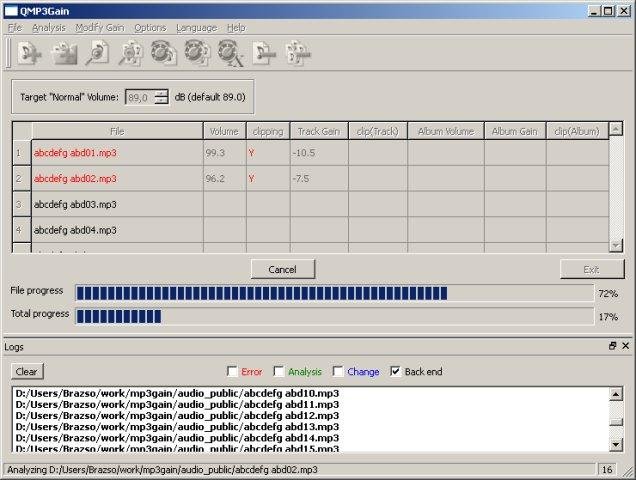
User interface front end supporting famous MP3Gain engine which analyzes and losslessly adjusts MP3 files to a specified target volume. A complete re-creation (made in QT5) of the original MP3Gain GUI, however it can be run on more platforms.

Features:

  • MP3
  • volume
  • lossless
  • multiplatform
  • GUI

sourceforge.net/projects/qmp3gain

fdkaac ~ Command Line Frontend For libfdk-aac Encoder


dkaac reads linear PCM audio in either WAV, raw PCM, or CAF format,
and encodes it into either M4A / AAC file.

If the input file is "-", data is read from stdin. Likewise, if the
output file is "-", data is written to stdout if one of streamable AAC
transport formats are selected by **-f**.

When CAF input and M4A output is used, tags in CAF file are copied into
the resulting M4A.

github.com/nu774/fdkaac
github.com/mstorsjo/fdk-aac
launchpad.net/ubuntu/bionic/+package/fdkaac
packages.debian.org/stretch/fdkaac

shelfelf ~ Web Player Frontend & Remote


The shelfelf is a web frontend to send commands to your music player (iTunes, mpd, squeezebox, xmms2,…). The shelfelf works with all tested browsers (except for Microsoft’s Internet Explorer, Amiga’s AWeb and lynx), but the interface is designed for tablets (with a browser running in full screen mode) like Apple’s iPad. Linux (or Mac OS X) with Apache webserver, MySQL database and the ability to send commands to your stereo equipment is required.

Features:

  • elf at the shelf
  • coverflow
  • full text search
  • record stack
  • communication with other shelfelves

sourceforge.net/projects/shelfelf
shelfelf.vaubeh.de

qaac ~ AAC / ALAC Encoder GUI


qaac is a command line AAC / ALAC encoder frontend based on Apple encoder, strongly influenced by tmkk.pv.land.to/qtaacenc/.

qaac requires Apple Application Support that is included in iTunes or QuickTime. If you are using 64 bit Windows, recent 64 bit iTunes (ver 12.1 or later) is recommended. 64 bit installer for iTunes (iTunes6464Setup.exe) includes both of 32 bit and 64 bit Apple Application Support, therefore you can run both of qaac.exe and qaac64.exe with its installation.

Features:

  • AAC-LC, AAC-HE, ALAC encoding are supported. m4a container (just a MP4 container with ‘M4A ‘ brand, created by Apple) is used by default, but you can also mux into ADTS.
  • Filenames and tags are treated with Unicode. Very long file names are supported.
  • Support for multichannel / surround.
  • Fine quality control over AAC encoding.
  • Support for hi-resolution / multichannel ALAC.
  • WAV, raw PCM, ALAC, and all LPCM formats supported by CoreAudio AudioFile interface (such as AIFF, CAF, and Sun/AU) are directly available as input. MP3 is also decodable through CoreAudio.
  • Cue sheet input is also available.
  • FLAC, Wavpack, TAK, and other LPCM formats are optionally supported when libFLAC.dll, wavpackdll.dll, tak_deco_lib.dll, and libsndfile-1.dll are installed.
  • Piped input is available for WAV and raw PCM.
  • Piped output (streaming) is supported for ADTS.
  • Automatically fetch tags from AIFF, FLAC, Wavpack, Tak, and ALAC. Major tags are copied to the result. Also, you can manually set tags via command line options.

sites.google.com/site/qaacpage
github.com/nu774/qaac

oggdrop ~ OGG Vorbis Mac Frontend


.ogg is a free audio format alternative. It features sound quality that is generally higher than MP3, and has no licensing fees. Ogg Drop will encode audio tracks and CD’s into .oggs. Ogg Drop is entirely free.

Ogg Drop includes a CDDB lookup of the FreeDB music database. Stick an audio CD into Ogg Drop, and it should be able to identify the songs automatically, and tag the songs for you.

oggdrop

nouturn.com/oggdrop

FLAC Frontend ~ Lossless Encoding GUI


FLAC Frontend is a convenient way for Windows users not used to working with command lines to use the official FLAC tools. It accepts WAVE, W64, AIFF and RAW files for encoding and outputs FLAC or OGG-FLAC files. It is able to decode FLAC files, test them, fingerprint them and re-encode them. It has drag-and-drop support too. It is tested on Windows XP SP3 and Windows 7, but should work with Windows XP SP2 or newer. It requires .NET 2.0 or later.

sourceforge.net/projects/flacfrontend