Manifold ~ Audio Batch Processing Tool


Manifold is a desktop audio batch-processing tool built for inspecting, transforming, and exporting large collections of audio files with a visual workflow editor. Useful for checking and pre-processing audio for game-audio production, podcasts and broadcast, it is designed to make repetitive tasks more efficient and reproducible.

It combines a polished ImGui-based interface with a custom node-based audio pipeline, allowing you to build repeatable processing chains for tasks such as loudness normalization, peak limiting, DC offset cleanup, resampling, and format conversion.Why Manifold?

Manifold was designed to make audio batch work feel more structured and reproducible. Instead of manually running ad-hoc commands or scripting every step, you can:

  • import whole folders of audio files,
  • inspect their metadata and analysis results,
  • create reusable processing chains,
  • export processed files with consistent naming and format settings.

This makes it useful for workflows such as podcast preparation, mastering prep, broadcast delivery, and game-audio asset processing.

Key Features:

  • Batch import of files and folders
  • Drag-and-drop support from the file explorer
  • Built-in audio playback for quick previews
  • File table with metadata and analysis metrics
  • Configurable processing workflows using nodes
  • Output settings for folder, naming, format, and subtype
  • Background processing with task history and logs
  • Parallel analysis for loudness and DC offset metrics

Supported Processing Nodes:

Manifold includes a growing set of audio processing and analysis nodes, including:

  • Loudness analysis
  • Loudness normalization
  • True peak limiting
  • DC offset removal
  • Peak normalization
  • Channel mixing
  • Silence trimming
  • Fade in/out
  • Loudness compliance checks
  • Clipping detection
  • Dynamic range analysis

These nodes can be chained together to create custom pipelines for different production scenarios.

github.com/AnClark/Manifold

MP3Gain Express ~ MP3Gain For MacOS


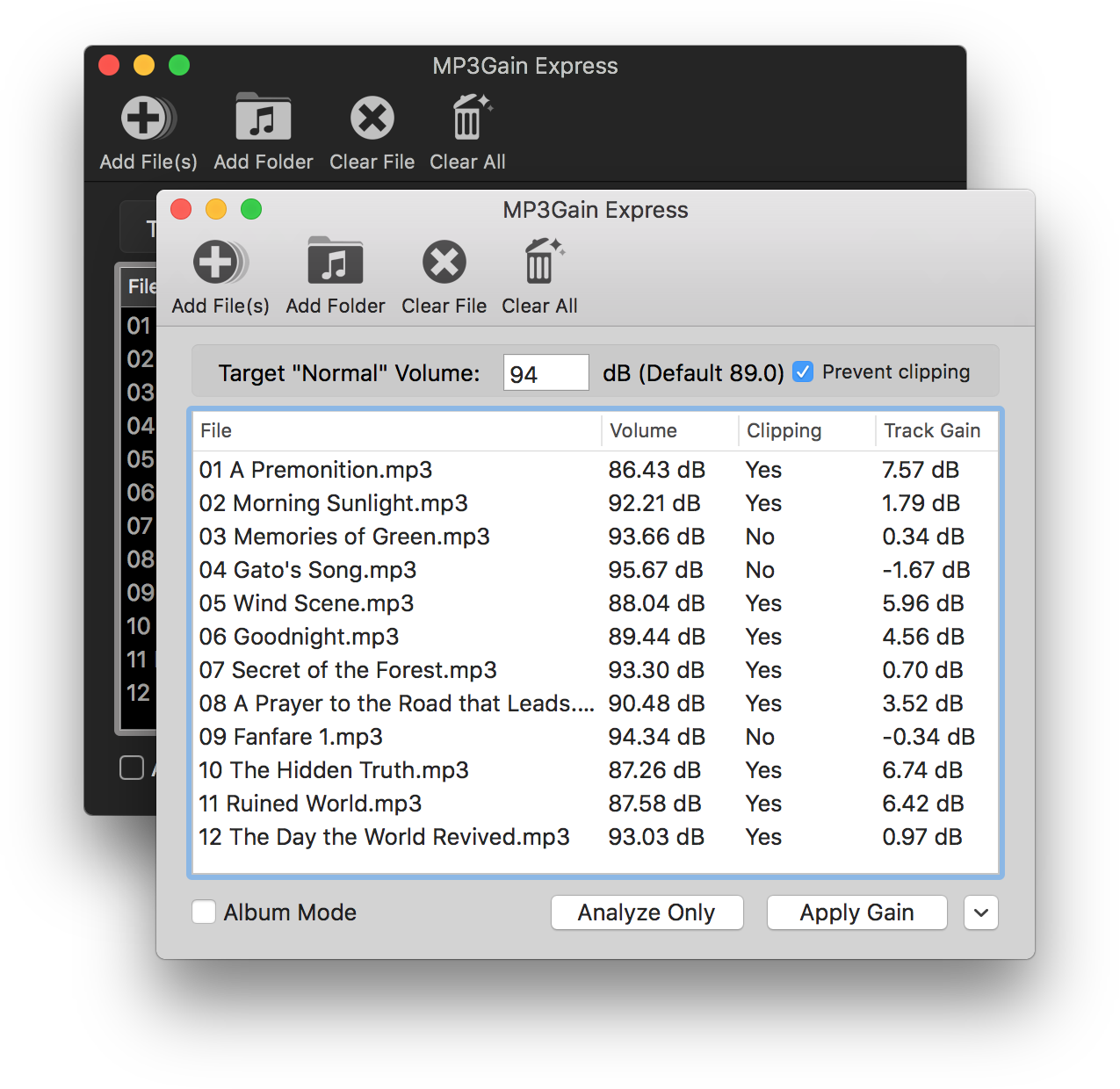
MP3Gain Express is a port of MP3Gain and AACGain to macOS. It allows you to analyze or apply volume gain to a list of MP3 or AAC files. Anyone who has used the Windows UI for MP3Gain should find this one familiar, as it was designed to look similar to that version.

It’s easy to use. Simply select the files you want to increase or decrease the volume of, enter the desired loudness, and click Apply Gain to update your files.

mp3gain express user interface

projects.sappharad.com/mp3gain
github.com/Sappharad/mp3gainOSX

innertune ~ Android Youtube Client


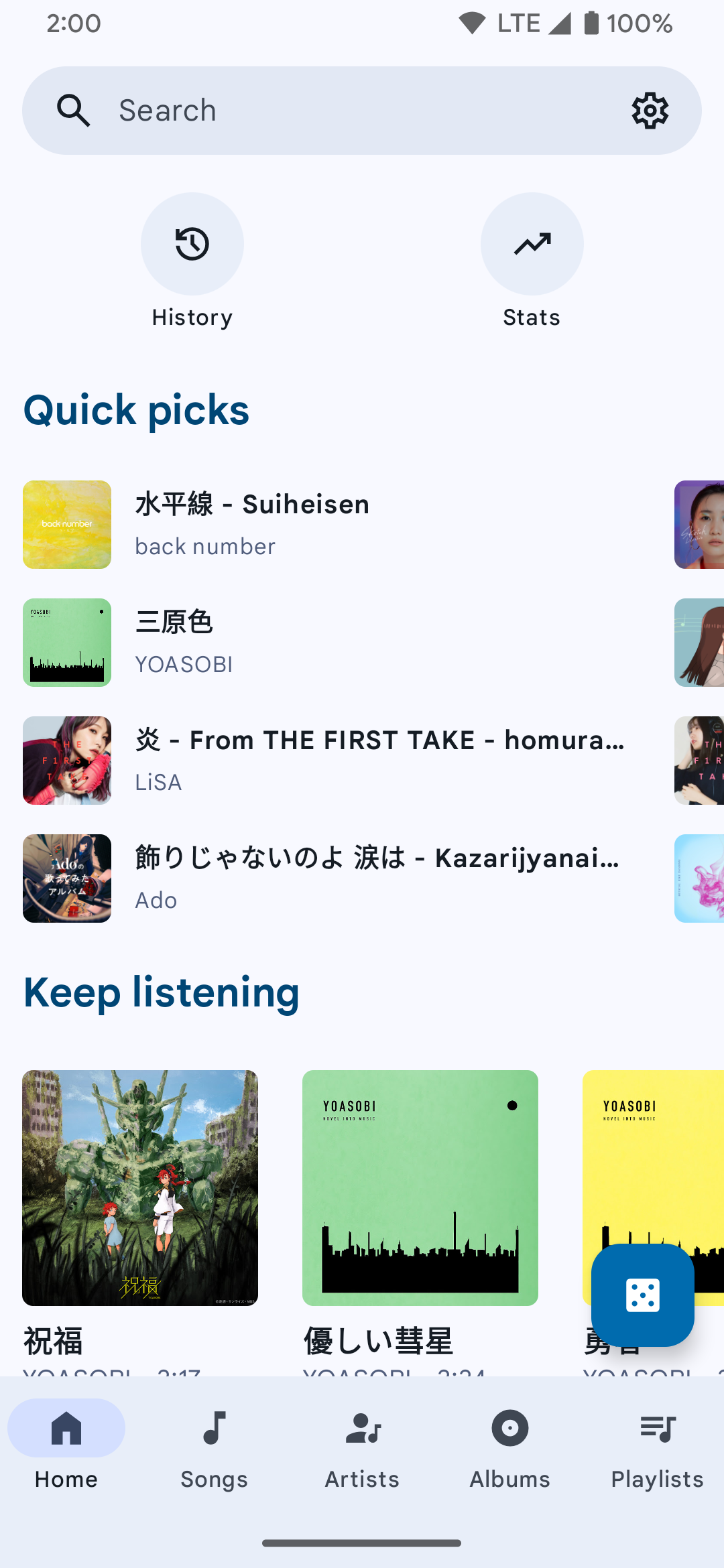
A Material 3 YouTube Music client for Android.

Features:

  • Play songs from YT/YT Music without ads
  • Search songs, videos, albums, and playlists from YouTube Music
  • Cache and download songs for offline playback
  • Background playback
  • Synchronized lyrics
  • Audio normalization
  • Android Auto support
  • Discord Rich Presence support
innertune user interface

github.com/z-huang/InnerTune
sourceforge.net/projects/innertune.mirror

OA Player ~ Glassmorphic Music Player


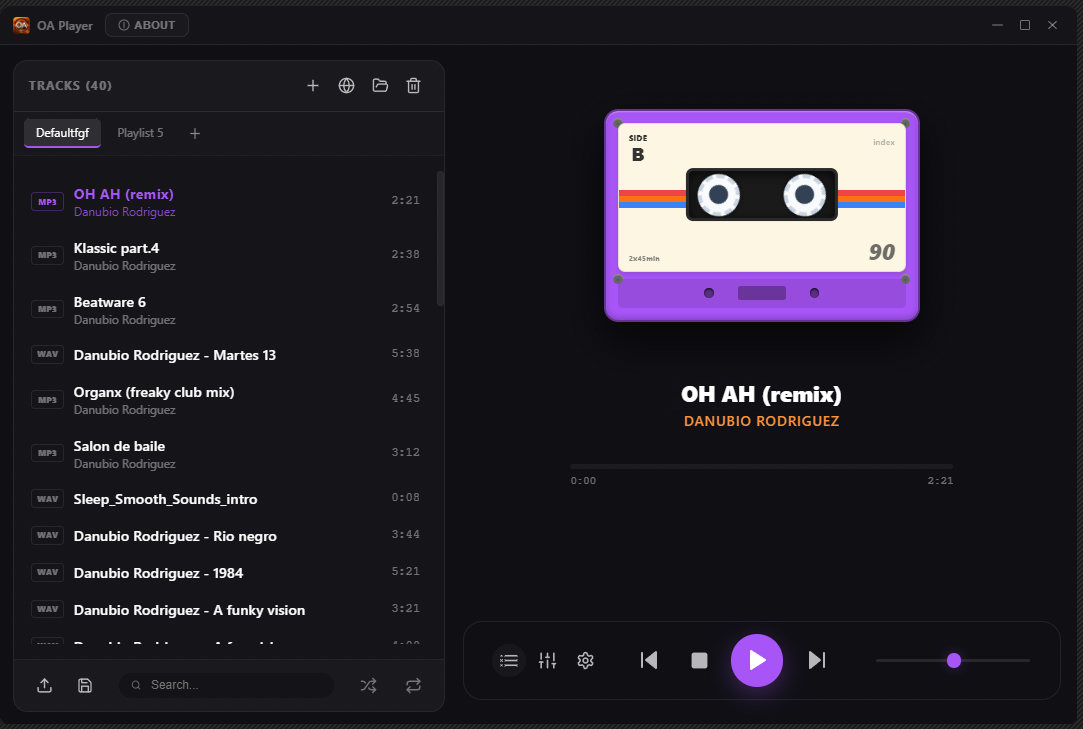
Transform your PC into a premium analog audio experience with the latest version of OA Player. This audiophile-grade, hi-fi integrated media player combines cutting-edge digital technology with the warm, rich character of classic analog sound.

Features:

  • Real-Time Analog Sound Emulation
  • Custom Sound Profiles
  • 10/16/32-Band Equalizer + Integrated Bass Boost
  • Stereo Widener
  • Tube Preamp Emulation
  • Natural Dynamics
  • High Exciter
  • Discrete Reverb
  • Automatic Gain Control
  • Digital to Reel
  • Limiter
  • Pitch Convert
  • All-in-One Audio Hub
OA Player Interface

sourceforge.net/projects/oa-player

Metrolist ~ Android YouTube Music Client


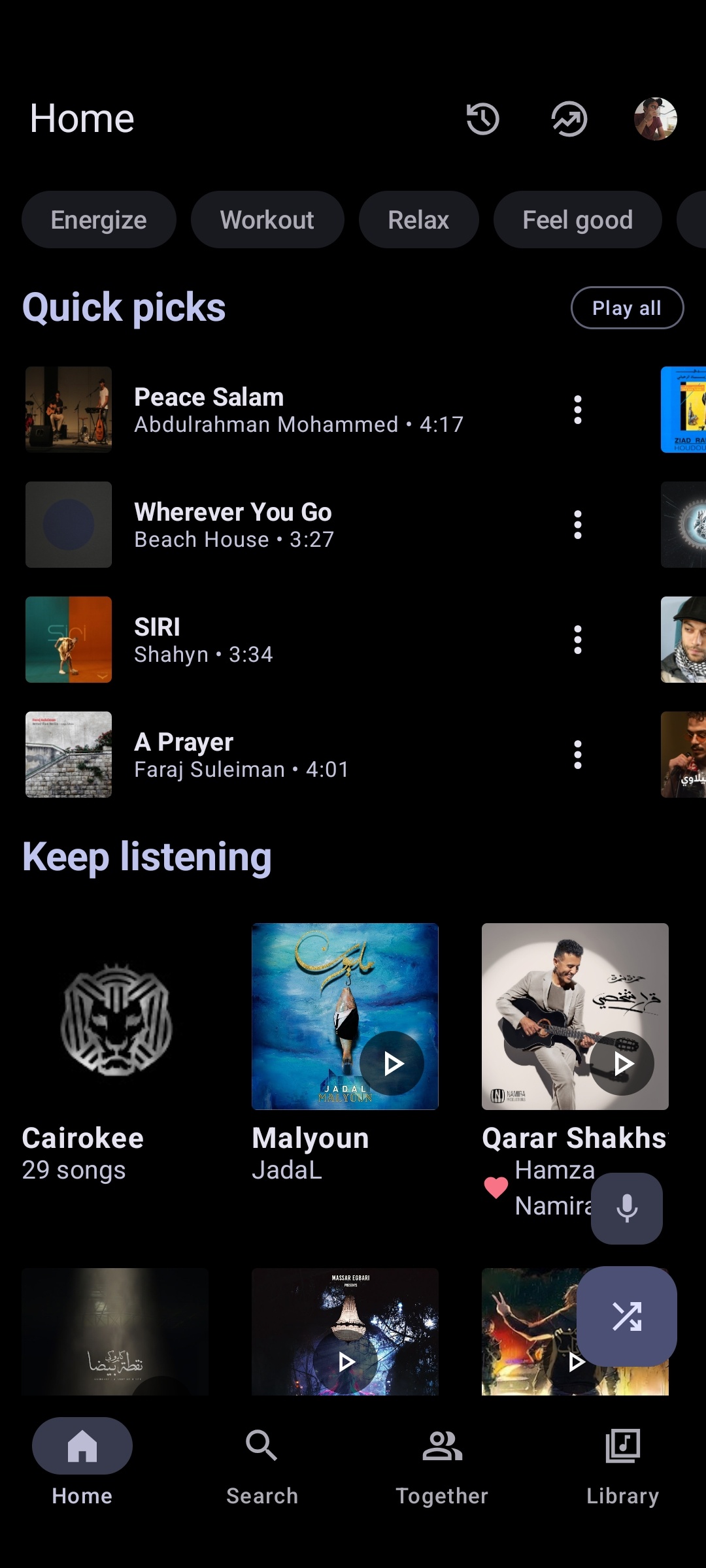
Advanced YouTube Music client for Android.

metrolist interface

metrolist.meowery.eu
github.com/MetrolistGroup/Metrolist
github.com/MetrolistGroup/metrobot
github.com/MetrolistGroup/metroserver

foo_truepeak ~ True Peak Scanner


foo_truepeak is a ITU-R BS.1770-5 compliant True Peak scanner. It can also scan ReplayGain, Loudness Range (LRA), Dynamic Range (DR), show the amount of clipping samples and report the position of highest peak.

www.foobar2000.org/components/view/foo_truepeak

For users primarily concerned with playback quality and simplicity, foo_truepeak can replace foobar2000’s ReplayGain and DR scanners. It uses modern loudness standards, detects true peaks and can write all relevant tags in a single pass. While its ReplayGain and DR values may not exactly match legacy scanners, they are more appropriate for real-world playback on modern systems.

1. Download and install foo_truepeak

  1. Download foo_truepeak.fb2k-component from the official component page.
  2. In foobar2000, open File → Preferences → Components.
  3. Click Install…, select the foo_truepeak.fb2k-component file.
  4. Restart foobar2000 when prompted.

2. Disabling legacy scanners (optional but recommended)

To avoid confusion or duplicate workflows:

  1. Don’t try removing the ReplayGain scanner as it’s built in.
  2. You can uninstall foo_dr_meter and or foo_dynamic_meter.

This keeps foo_truepeak as your single analysis tool.

3. Open foo_truepeak preferences

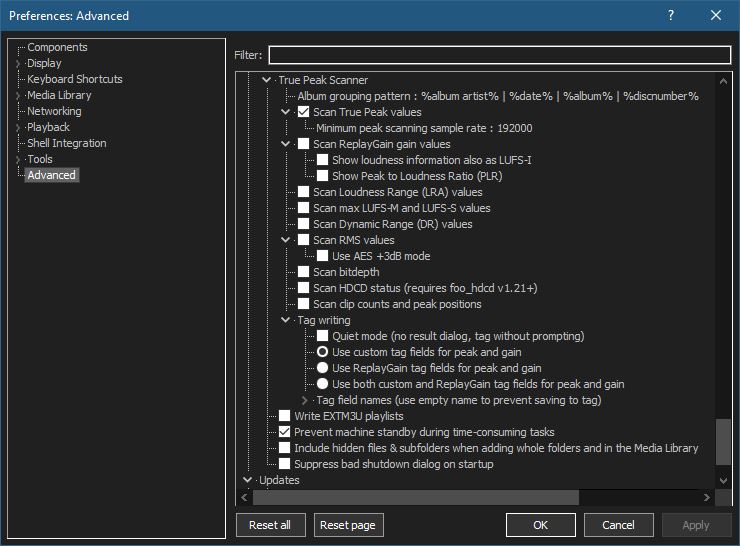
Go to File → Preferences → Advanced → Tools → True Peak Scanner

4. Ensure the following is enabled

✔ Scan True Peak Values

True peak scanning accounts for inter-sample peaks created during digital-to-analog conversion, ensuring that peak levels reflect what a real DAC actually outputs, not just what is stored in the file.

5. Enable ReplayGain scanning

✔ Scan ReplayGain values

Notes:
  • Gains are derived from EBU R128 loudness, but written as ReplayGain tags.
  • Peaks are true peaks, not simple sample peaks.
  • Playback normalization works normally in foobar2000.

6. Enable Dynamic Range scanning

✔ Scan Dynamic Range (DR) values

Notes:

  • These values are analytical, not official TT DR Meter values.
  • They are suitable for comparison within your library, not for DR Database submissions.

7. Choose tag writing behavior

✔ Use ReplayGain tag fields for peak and gain

8. Run a True Peak scan

  1. Select a track, tracks or albums in a playlist.
  2. Right-click → True Peak Scan.

You can also create custom buttons on the toolbar for Album or Track scans.

Download True Peak Toolbar Button Icons

9. Verify tags at first

After scanning, check the file(s) to ensure tagging happened correctly:

  • Open Properties > ReplayGain
  • Confirm presence of values for:
    • Track Gain
    • Album Gain
    • Total Peak
    • Lowest gain (loudest track)
    • Highest gain (quietist track)

10. Use ReplayGain during playback

  1. Enable ReplayGain in Preferences → Playback → ReplayGain.
  2. Choose your preferred mode, Track or Album.

foobar2000 will now use modern loudness analysis and playback without intersample clipping.

Summary:

  • One scan
  • One pass
  • Peak safe playback
  • Modern loudness normalization

This setup is ideal for users who prioritize listening quality and ease of use over legacy metric compatibility.

References:

www.foobar2000.org/components/view/foo_truepeak
foobar.hyv.fi/?view=foo_truepeak
wiki.hydrogenaudio.org/Foobar2000:Components/True_Peak_Scanner
hydrogenaudio.org/index.php/topic,125719.0
en.wikipedia.org/wiki/Amplitude
en.wikipedia.org/wiki/Audio_normalization
en.wikipedia.org/wiki/Dynamic_range
en.wikipedia.org/wiki/ReplayGain

Alternative DSP
www.foobar2000.org/components/view/foo_dsp_replaygain

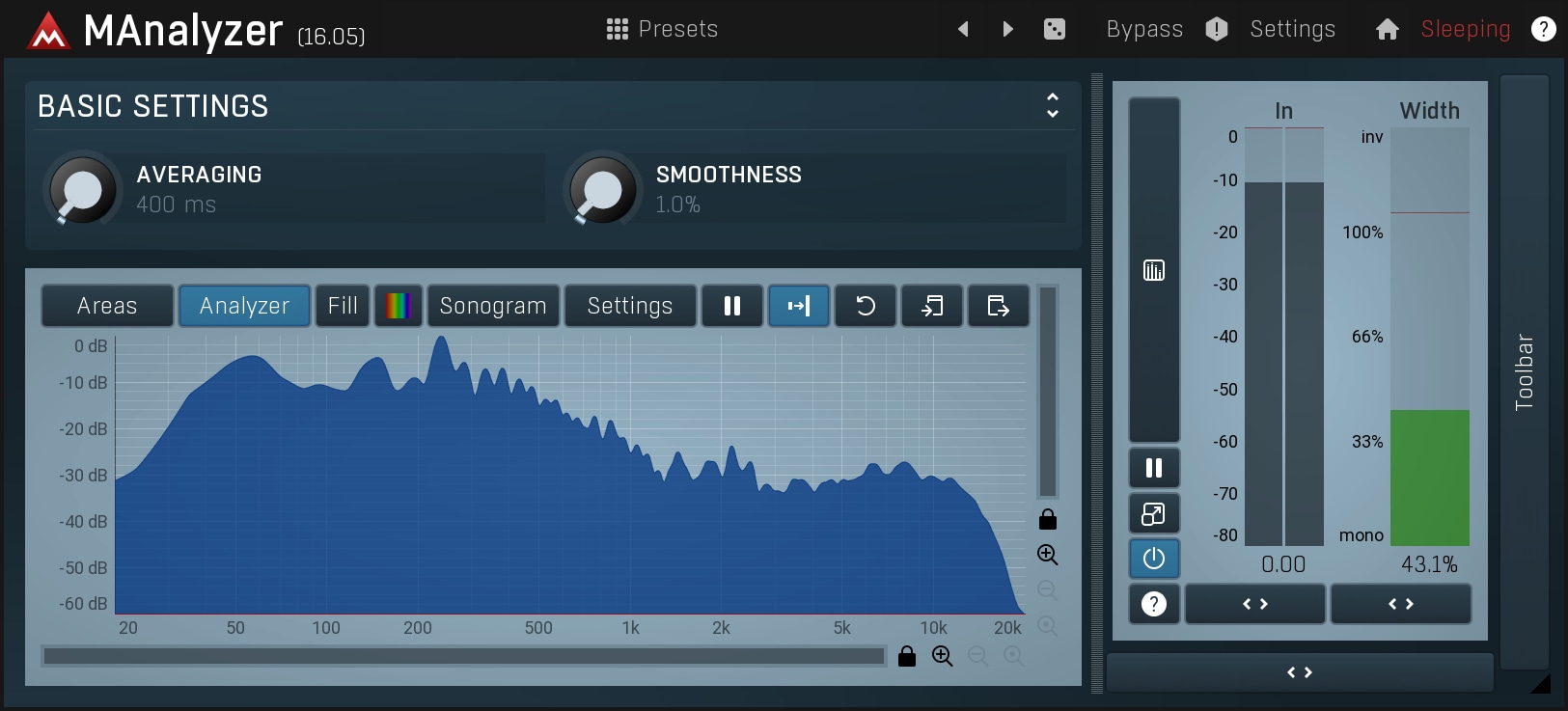
MAnalyzer ~ Normalizing Spectral Analyzer & Sonogram


MAnalyzer is an advanced spectral analyzer and sonogram plugin containing unique features such as smoothing, normalization, super-resolution, prefiltering and deharmonization. The included meters provide a peak meter and EBU R128 and ITU-R BS 1770-3 compliant loudness meter.

www.meldaproduction.com/MAnalyzer

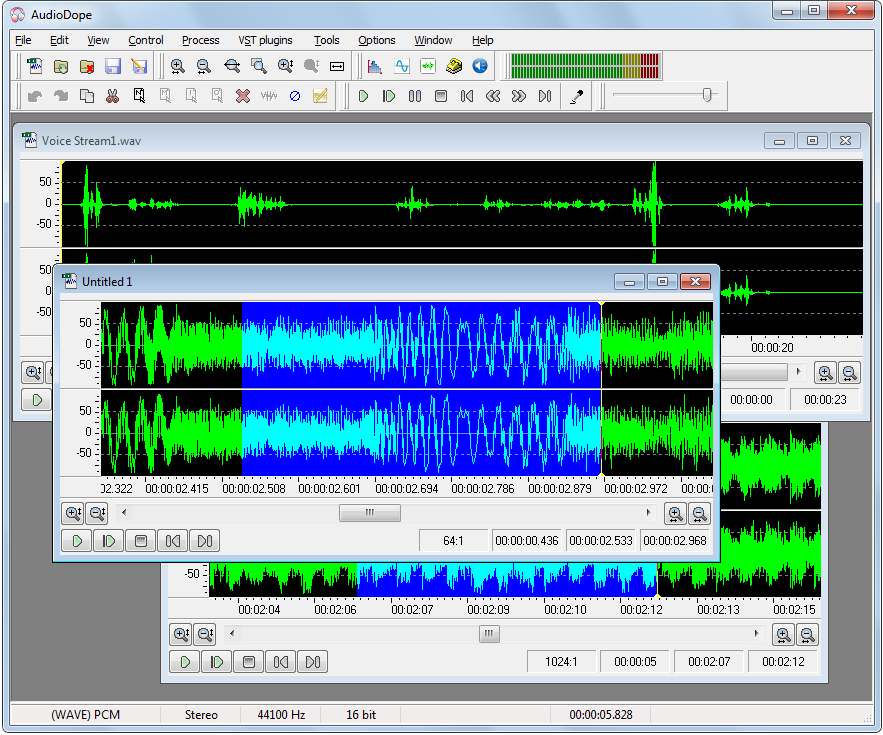
Audiodope ~ Freeware Audio Editor


Audiodope is an audio editor. You can load and listen to music files of various formats such as wave, MP3, WMA, etc. You can also edit part or the whole stream with functions like copy, cut, paste, insert and delete. You may modify any part of the stream by applying audio effects and synthesize sound files.

Features:

  • Sound editing functions such as copy, cut, paste, delete, insert, trim.
  • Apply processes like click removal, DC offset correction, compressor, echo, fading, inversion, noise reduction, normalization, pitch scale, pitch shift, reverberation, reversing, sound 3D, tempo, true bass, volume
  • Filters like, moving average, high-pass, low-pass, band-pass.
  • Special effects like flanger, phaser, chorus, gargle.
  • Listen to the audio file with play, pause, stop commands
  • Record from any source
  • Various tools like, frequency analyzer, tone generator, noise generator, DTMF synthesis, text to speech.
  • Process any channel separately or both
  • Apply third party VST plug-ins

www.audiodope.org

wavegain ~ Replaygain For Wave Files


WaveGain is an application of the ReplayGain algorithms to standard PCM wave files. Calculated gain adjustments are applied directly to the audio data, instead of just writing metadata as traditionally done for other formats like MP3, FLAC and Ogg Vorbis. The replaygain values can also be added as metadata in a custom RIFF chunk named ‘gain’. This could theoretically allow WAV files to have same lossless functionality as other formats where audio data is not altered. But since no current players are aware of this “standard”, the metadata is used only by WaveGain for the “–undo-gain” feature, which is lossy.

github.com/MestreLion/wavegain

R128GAIN ~ EBU Loudness Scanner


R128GAIN is a FFmpeg and SoX based EBU R128 compliant loudness scanner. It helps you normalizing the loudness of your audio and video files to the same level.

r128gain.sourceforge.net
sourceforge.net/projects/r128gain

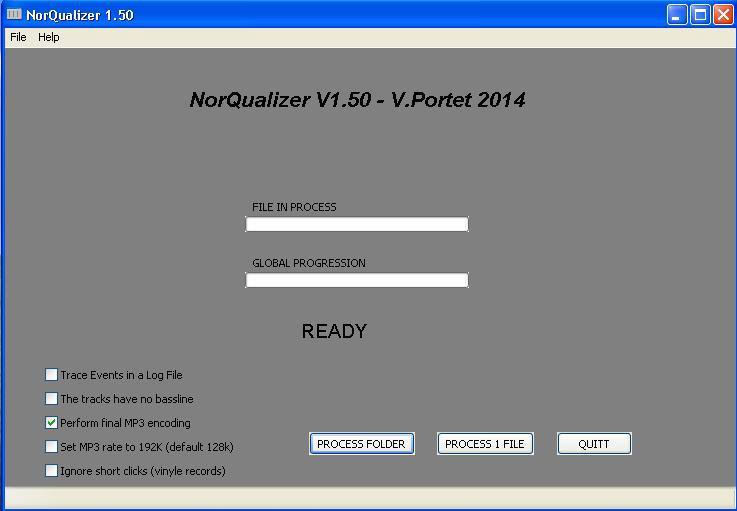
NorQualizer ~ Automatic Normalizer & EQ


NorQualizer is a smart audio equalizer / normalizer which corrects audio files to get them all similar in terms of bandwidth and volume level. Especially useful for preparing audio CDs with files from different sources.

Features:

  • Extract audio from multimedia files
  • Automatically normalize audio
  • Automatically equalize audio
  • Ideal for creating music albums

sourceforge.net/projects/norqualizer

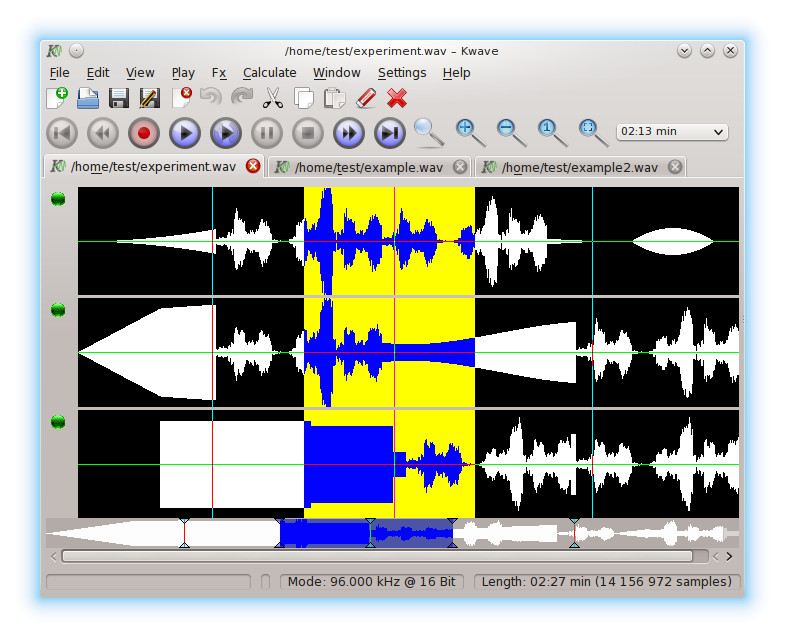
Kwave ~ KDE Audio Editor


Kwave is a sound editor for the KDE environment. It is written with KDE/QT and is extendable through a powerful plugin interface. For the moment it supports .wav files and many other formats, recording/playback via PulseAudio, Qt Multimedia, OSS and ALSA and some simple effects.

Features:

  • user interface based on KDE Frameworks 5
  • editing of multi track sound files
  • playback via ALSA, OSS, Phonon, PulseAudio
  • recording via ALSA
  • supported file formats: WAV audio, Ogg/Vorbis, FLAC, AIFF,Amiga,Mac-Audio, ULAW (Sun)-Audio, Berkeley,IRCAM,Carl Sound Format, MP3-Audio
  • volume control
  • sample rate conversion
  • pitch shift
  • reverse
  • low pass, notch filter
  • normalizing

apps.kde.org/kwave
github.com/KDE/kwave
kwave.sourceforge.net


sourceforge.net/projects/kwave