A small browser-based ear-training tool for practicing pitch, intonation, and frequency recognition using the Web Audio API.
440lab.com
github.com/qwell/440-lab

A small browser-based ear-training tool for practicing pitch, intonation, and frequency recognition using the Web Audio API.
440lab.com
github.com/qwell/440-lab

Pitch Playground is a free, ad-free collection of simple tools for musical tuning, rhythm, pitch, and intonation ear training.
Tuning and reference pitches
Use the tuner to check the pitch of a note with your microphone, or play reference tones to practice matching and tuning by ear. The reference pitch is adjustable, so you are not limited to A440.
Pitch and intonation ear training
Practice hearing small differences in pitch and recognizing whether a note is sharp or flat. The exercises are intended to develop pitch discrimination and a more accurate sense of intonation without requiring perfect pitch.
Metronome and rhythm practice
Use the metronome for a steady beat while practicing, choose from common simple, compound, and odd meters, or tap a tempo to set the BPM by feel.
Simple by design
Pitch Playground is designed to be a small, straightforward set of music practice tools: open it, choose a tab, and start practicing. Works well on desktop and mobile.
Free forever
Pitch Playground will always remain free, ad-free, and without in-app purchases. To run this site locally, download and unzip the latest release, which can be hosted on a webserver like nginx or by directly opening index.html.
p.jeltz.org
github.com/qwell/pitch-playground

LUFS, True Peak, BPM, Key, Stereo Width, Frequency Spectrum — everything runs locally in your browser. No uploads.

You can now use this WEB UI to generate frequency response graphs
sjplot.com/online
www.audiosciencereview.com/…introducing-the-phono-cartridge-measurement-library

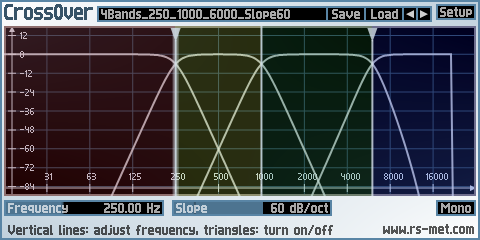
CrossOver is a plugin to split an incoming signal into several (at most 4) frequency ranges. It can be used to build your own multiband effects within a modular (sub)host environment. By using only 2 bands, you can also create bass-effects. These are effects which keep the low frequency range dry and affect only the high frequency range. The band-splitting is done by complementary pairs of Linkwitz-Riley lowpass/highpass filters, the slope of which is adjustable between 12 and 96 dB/oct. For configurations with more than 2 output bands, the signal is first split into 2 bands (low and high) and then the low or high or both bands is/are split further, thus the splitting is done in a hierarchical manner.
Key Features:
www.rs-met.com/freebies
- Splits signal in up to 4 frequency bands
- separation between bands up to 96 dB/oct
- flat sum due to Linkwitz/Riley filters

Transform your PC into an LF Generator
Generate Sinus, Pulse, Noise, Sweep and more…
vincent.burel.free.fr/download/index
vb-audio.pagesperso-orange.fr/us/products/generator/generator

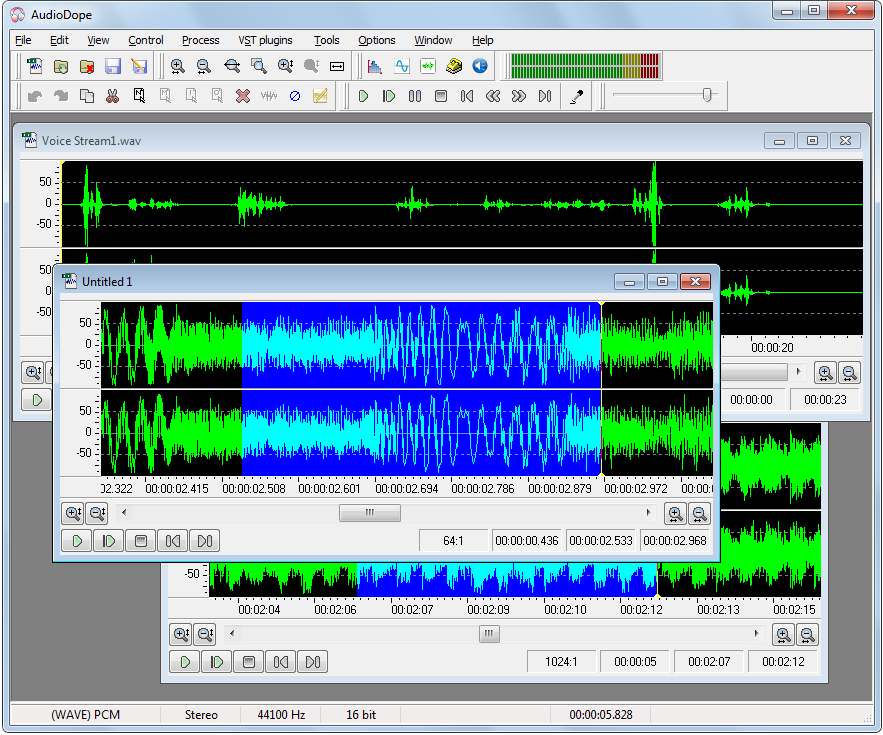
Audiodope is an audio editor. You can load and listen to music files of various formats such as wave, MP3, WMA, etc. You can also edit part or the whole stream with functions like copy, cut, paste, insert and delete. You may modify any part of the stream by applying audio effects and synthesize sound files.

Free VST audio effect plug-in download for music production, broadcasting and general audio editing.

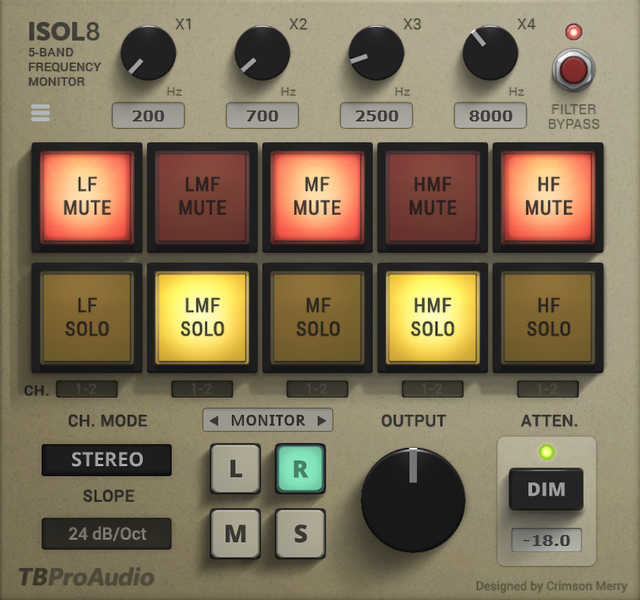
ISOL8 divides the frequency range into 5 bands.
These 5 bands can be soloed or muted individually. This will help you to concentrate on certain frequency ranges during the mixing and mastering process.
On top you can use ISLO8 as a flexible multi-band splitter with following complex plugin chains. The split signal can finally be mixed together.
Isol8 is originally designed to be used on the master track, but it can also be used on individual audio track busses.

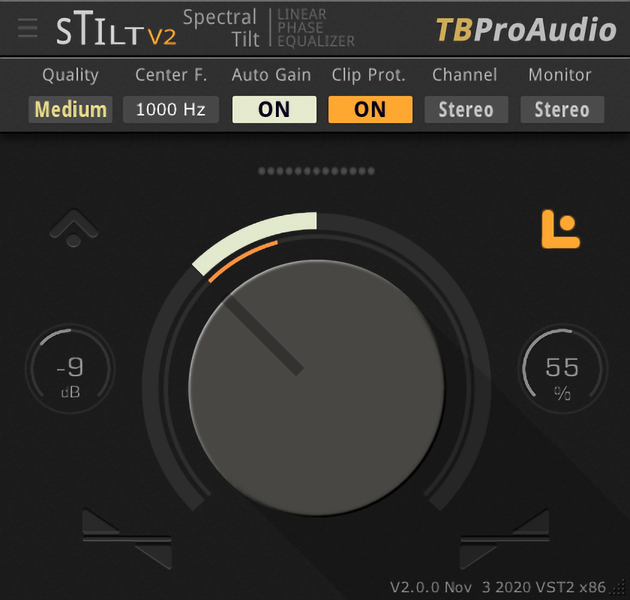
sTilt is a linear / natural phase and IIR filter which tilts the audio spectrum around a given center frequency.
Note: This plugin adds significant latency to the audio path, which is usually compensated by DAW (PDC).
www.tbproaudio.de/products/stilt

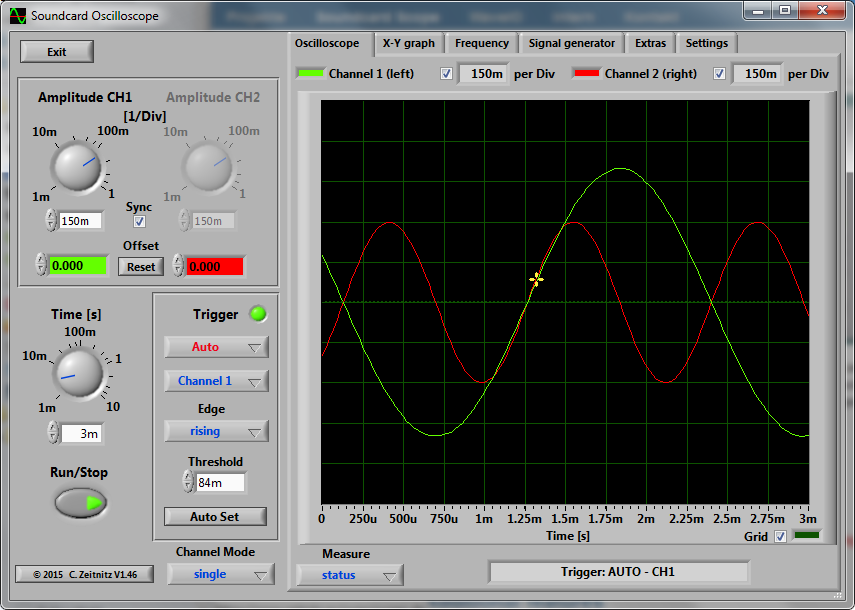
The PC based Soundcard Oscilloscope receives its data from the Soundcard with 44.1kHz and 16 Bit resolution. The data source can be selected in the Windows mixer (Microphone, Line-In or Wave). The frequency range depends on the sound card, but 20-20000Hz should be possible with all modern cards. The low frequency end is limited by the AC coupling of the line-in signal. Be aware, that most microphone inputs are only mono.
The oscilloscope contains in addition a signal generator for 2 channels for sine, square, triangular, sawtooth wave forms and different noise spectra in the frequency range from 0 to 20kHz. The signal can be defined by a mathematical formula as well. The signals are available at the speaker output of the sound card. These can be fed back to the oscillocope in order to generate Lissajous figures in the x-y mode.

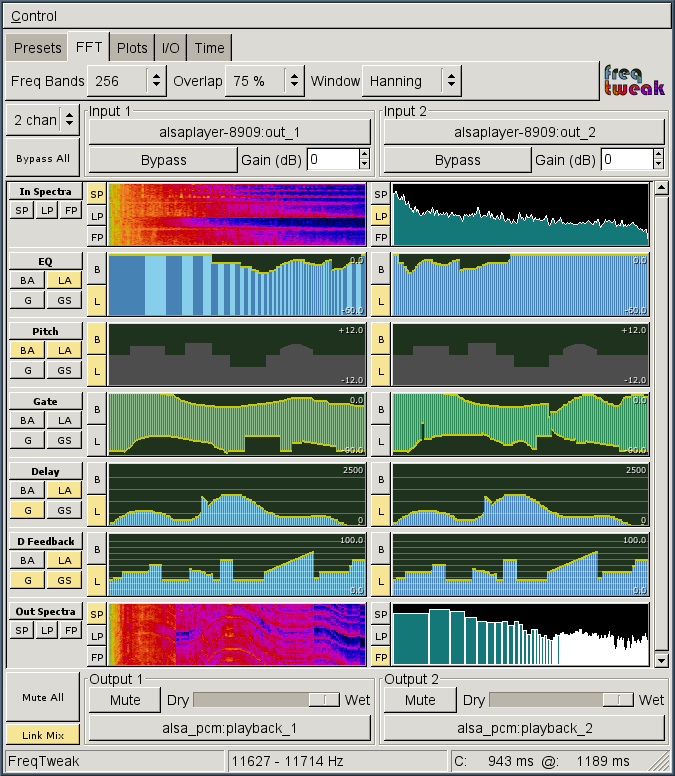
FreqTweak is a tool for FFT-based realtime audio spectral manipulation and display. It provides several algorithms for processing audio data in the frequency domain and a highly interactive GUI to manipulate the associated filters for each. It also provides high-resolution spectral displays in the form of scrolling-raster spectrograms and energy vs frequency plots displaying both pre- and post-processed spectra.
It is an extremely addictive audio toy, but I hope it has value for serious audio work too (sound design, etc). The spectrum analysis is pretty useful in its own right.