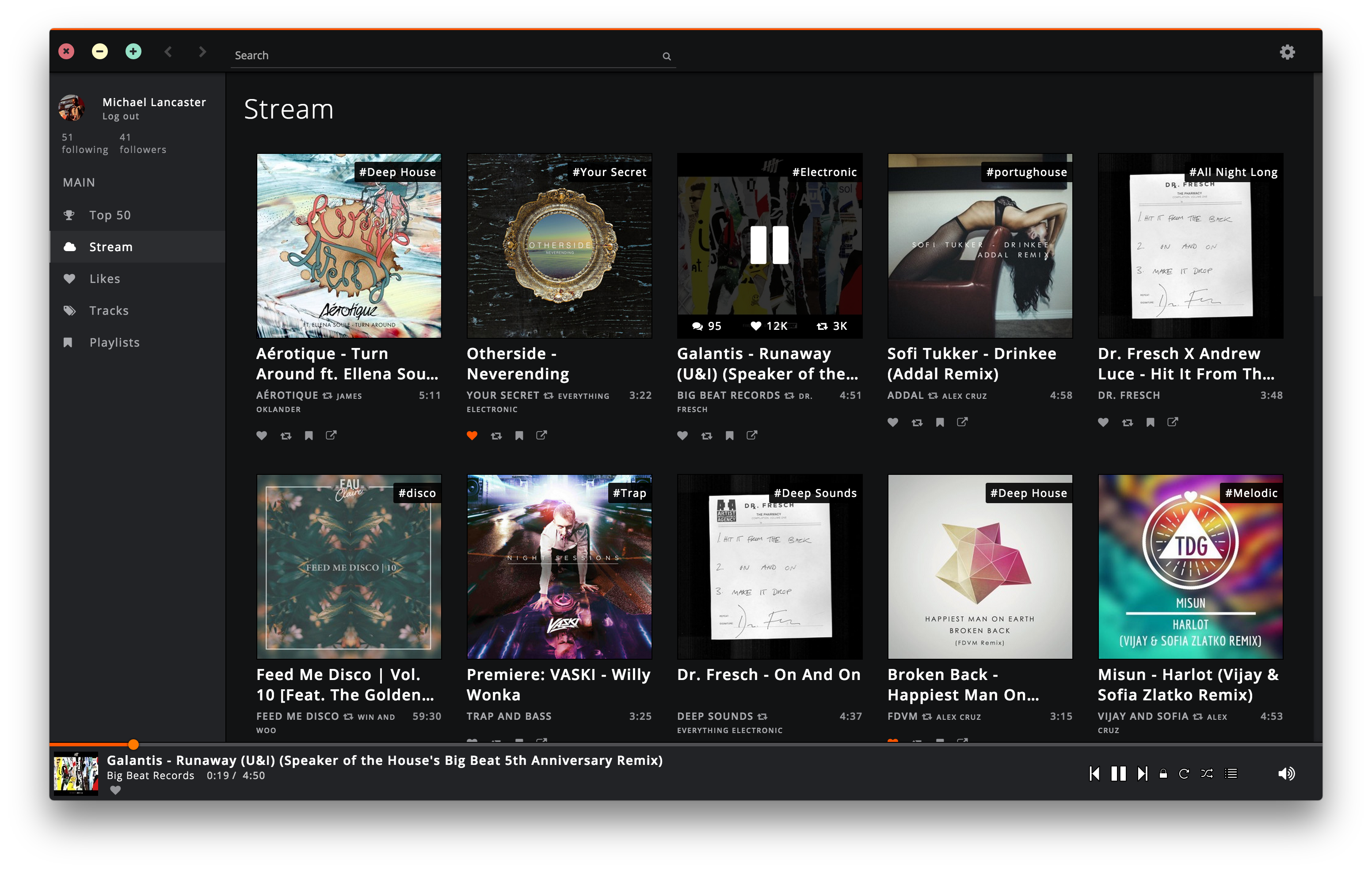
Soundnode App is an Open-Source project to support Soundcloud for desktop Mac, Windows, and Linux. It’s built with Electron, Node.js, Angular.js, and uses the Soundcloud API.
soundnode.github.io/soundnode-website

Soundnode App is an Open-Source project to support Soundcloud for desktop Mac, Windows, and Linux. It’s built with Electron, Node.js, Angular.js, and uses the Soundcloud API.
soundnode.github.io/soundnode-website

dkaac reads linear PCM audio in either WAV, raw PCM, or CAF format, and encodes it into either M4A / AAC file. If the input file is "-", data is read from stdin. Likewise, if the output file is "-", data is written to stdout if one of streamable AAC transport formats are selected by **-f**. When CAF input and M4A output is used, tags in CAF file are copied into the resulting M4A. github.com/nu774/fdkaac github.com/mstorsjo/fdk-aac launchpad.net/ubuntu/bionic/+package/fdkaac packages.debian.org/stretch/fdkaac
Sndio is a small audio and MIDI framework part of the OpenBSD project and ported to FreeBSD, Linux and NetBSD. It provides a lightweight audio & MIDI server and a fully documented user-space API to access either the server or the hardware directly in a uniform way. Sndio is designed to work for desktop applications, but pays special attention to synchronization mechanisms and reliability required by music applications. Reliability through simplicity is part of the project goals.
sndio.org
Soundsync is a web and desktop app to manage every audio source and every audio output in your home from a single interface. Link any audio source to multiple speakers connected to any devices on your home network. Soundsync will keep the music synchronized between all of them.
Features:
- 🆓 Free to use
- 🕸️ Work with any number of connected devices, audio sources, audio outputs and every link of your choosing
- 🎶 Compatible with a lot of different audio sources (Spotify Connect with a premium account, Airplay, Hardware Audio input (line in / microphone), Linux system audio ; coming soon: Windows system audio, UPnP and more)
- 🔊 Broadcast sound to any speaker connected to a computer (Windows, MacOS, Linux, RapsberryPi), a web browser (Chrome, Firefox) or a Chromecast and soon more
- 🔗 Group speakers together to synchronize them to the same audio source
- 🎛️ Control everything from a web browser
- 🔓 Not linked to any external service, works offline, no account creation
Shairport Sync is an AirPlay audio player – it plays audio streamed from iTunes, iOS, Apple TV and macOS devices and AirPlay sources such as Quicktime Player and ForkedDaapd, among others.
Audio played by a Shairport Sync-powered device stays synchronised with the source and hence with similar devices playing the same source. In this way, synchronised multi-room audio is possible for players that support it, such as iTunes and the macOS Music app.
Shairport Sync runs on Linux, FreeBSD and OpenBSD. It does not support AirPlay video or photo streaming.
github.com/mikebrady/shairport-sync
github.com/mikebrady/shairport-sync/wiki
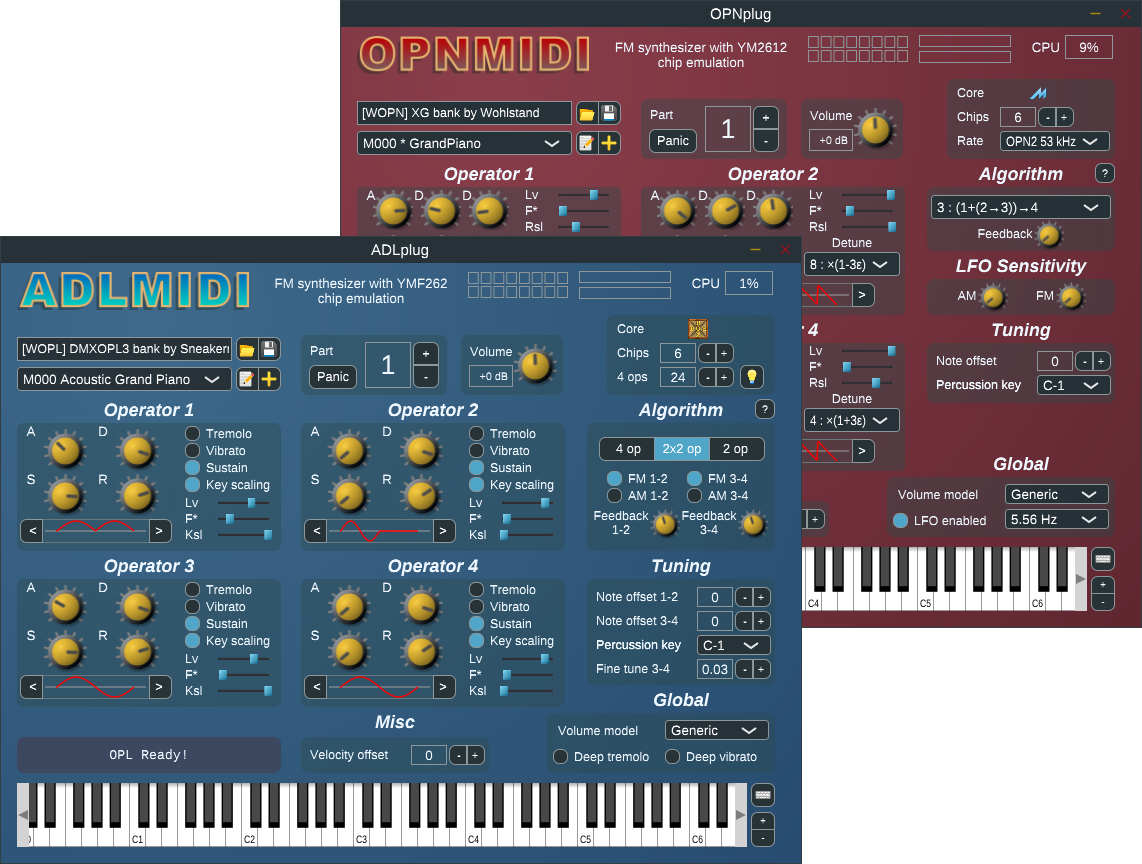
Synthesizer plugin for ADLMIDI and OPNMIDI (VST/LV2). This software package provides FM synthesizer plugins, based on OPL3 and OPN2 sound chip emulations.
The emulations and the drivers are provided by libADLMIDI and libOPNMIDI.

A modern music player focused on streaming from free sources.
Features:
- Searching for and playing music from YouTube (including integration with playlists), Jamendo, and SoundCloud
- Searching for albums (powered by Last.fm and Discogs), album view, automatic song lookup based on artist and track name (in progress, can be dodgy sometimes)
- Song queue, which can be exported as a playlist
- Loading saved playlists (stored in json files)
- Scrobbling to last.fm (along with updating the ‘now playing’ status)
- Newest releases with reviews – tracks and albums
- Browsing by genre
- Radio mode (automatically queue similar tracks)
- Unlimited downloads (powered by youtube)
- Realtime lyrics
- Browsing by popularity
- List of favorite tracks
- Listen from local library
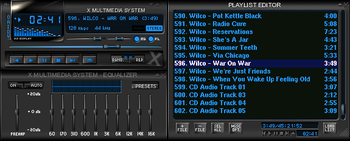
XMMS is a multimedia player for unix systems. XMMS stands for X MultiMedia System and can play media files such as MP3, MOD’s, WAV and others with the use of Input plugins.
XMMS is mainly targeted at music playback, but through third party plugins some rudimentary video capabilities exists, but there are much better systems other than XMMS for video support.
It was modeled after Winamp from the Windows operating system. XMMS is not a port of Winamp but was written from scratch by Mikael and Peter Alm.

IMMS is an intelligent playlist plug-in for XMMS that tracks your listening patterns and dynamically adapts to your taste. It is incredibly unobtrusive and easy to use as it requires no direct user interaction.
Nebulus is an OpenGL visual plugin for XMMS. It’s conceptually a compilation of various
OpenGL effects that depends on the music.
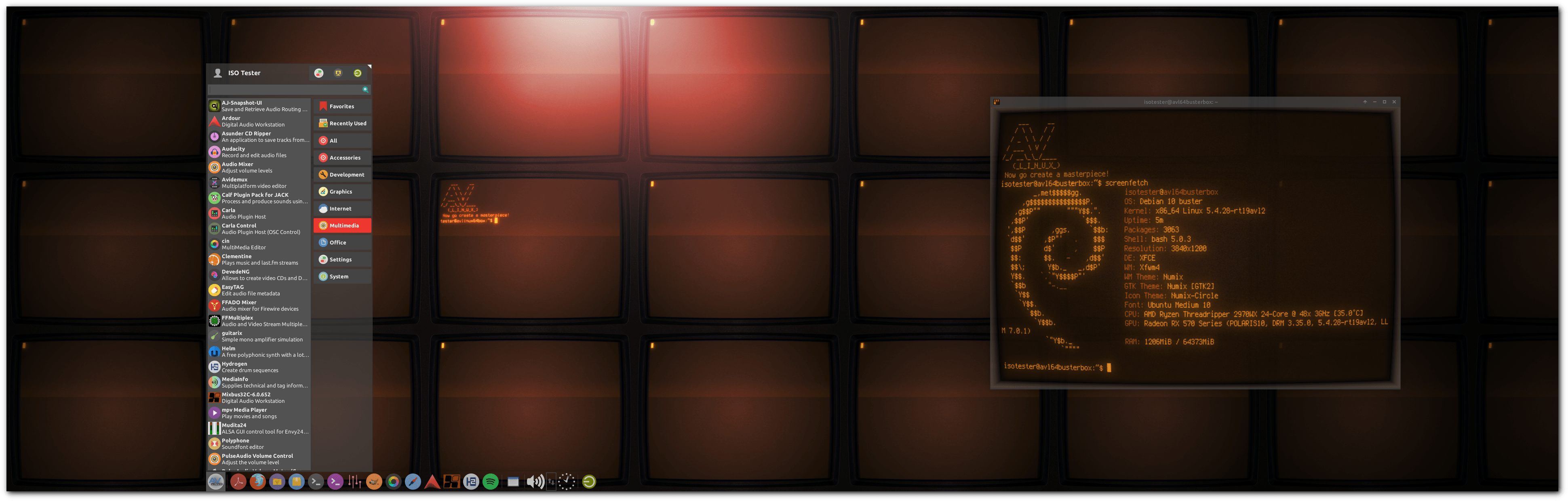
AV Linux is a free shared downloadable and installable snapshot ISO image based on Debian/GNU Linux pre-configured to be a turnkey AV content creation system pre-configured and ready to “Install and Create”.
Features:
- Originates from 32bit and 64bit snapshots of the Debian Stable Distribution.
- Custom Realtime Preempt Kernel for optimal low-latency Audio potential.
- CPU governed for performance by default.
- Extra tweaks for performance, meets all criteria of the included Realtime Configuration Quick Scan.
- Some special custom packaging not found in default Repositories.
- Fast and Light XFCE4 Desktop Environment with attractive customizations.
- falkTX’s KXStudio Repositories for up to date Audio Applications.
- Extensive Audio/Video and Administrator-friendly Custom Actions.
- Seamless JACK Audio/MIDI environment with PulseAudio Integration.
- Extended Application platforms Flatpak and Docker included.
- Robust Environment for developers: Compilers, GIT, SVN, BZR, tools and development libs.
- Mozilla builds of Firefox and Thunderbird.

www.bandshed.net/avlinux
www.bandshed.net/iso/
www.wikihow.com/Install-AV-Linux
distrowatch.com/table.php?distribution=avlinux
en.wikipedia.org/wiki/AV_Linux
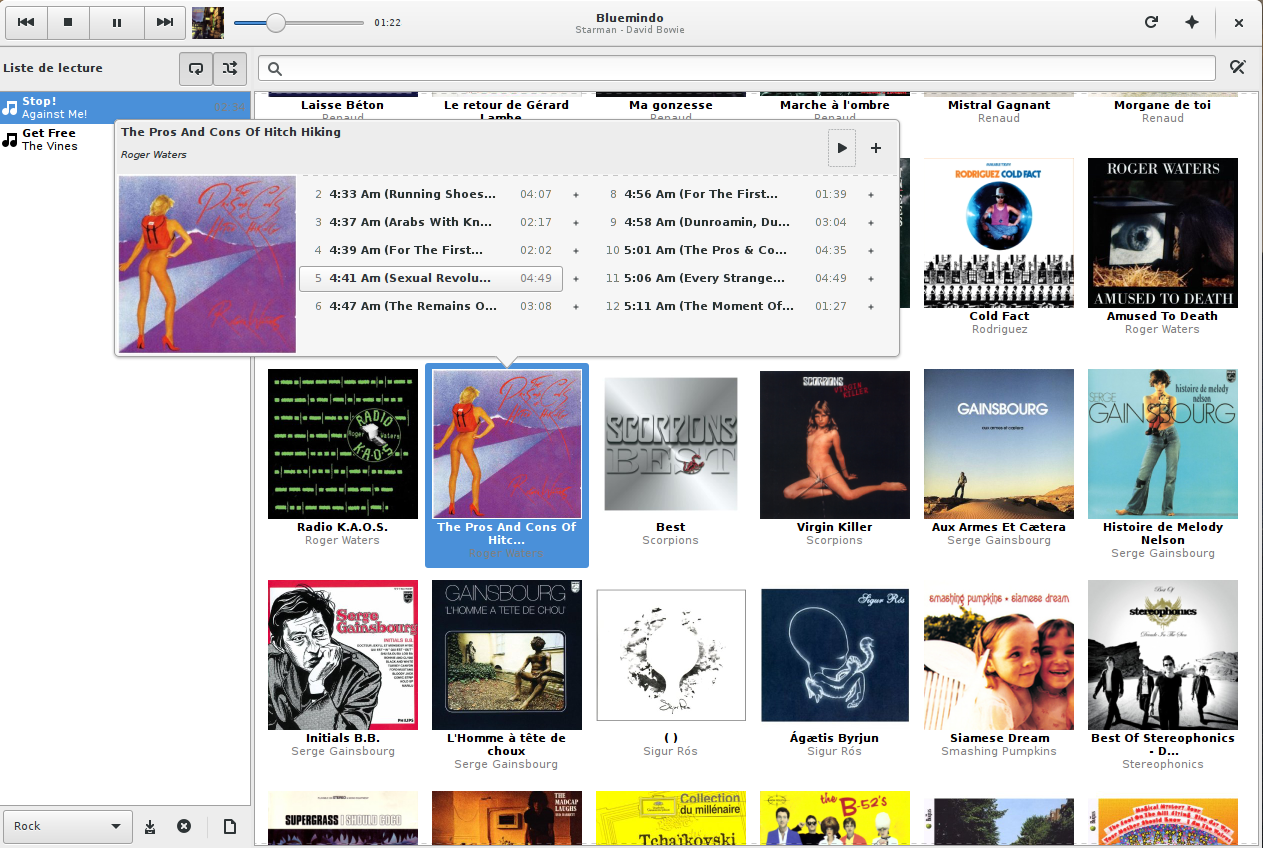
Bluemindo is a really simple yet powerful audio player in Python/PyGTK, using Gstreamer. It’s a free (as in freedom) software, released under GPLv3, only.
Bluemindo’s user interface consists of a main view of all your digitized album discs, which is searchable and filterable. The playback mode is gapless and support ReplayGain (it can also automatically choose to switch between Album and Track modes, depending on the kind of music that’s being played). Last but not least, it brings playlist (automatic and user-made), MPRIS/MediaPlayer2 support and lyrics/artwork downloading.

bluemindo.codingteam.net
http://codingteam.net/project/bluemindo
ANMP aims to be a versatile but lightweight audio player, just as the other hundred thousands out there. It is written in C++11. As being only a frontend, ANMP itself doesn’t know anything about audio formats and how to decode them. That’s why it uses 3rd party libraries to decode them. By using VgmStream, GameMusicEmu, LazyUSF and supporting looped songs natively, ANMP is esp. suited to play various audio formats from video games. Moreover it supports Looped Midi Tracks.
Main Features:
- muting multichannel audio files
- gapless playback (for most streamed audio formats)
- arbitrary (forward) looping of songs (i.e. even nested loops)
- synthesizing MIDI files using fluidsynth
- multi-channel audio rendering
- overlapping notes do not kill each other
- unrolling looped MIDI tracks
- volume response compatible to N64’s software synth
- supports an IIR lowpass filter compatible to Rareware‘s N64 games (Conkers Bad Fur Day, Jet Force Gemini)
- support for cue sheets
- support for audio normalization based on EBU R 128
- exposes basic commands via D-Bus

Spek (IPA: /spɛk/, ‘bacon’ in Dutch) helps to analyse your audio files by showing their spectrogram. Spek is free software available for Unix, Windows and Mac OS X.
Features:
- Supports all popular lossy and lossless audio file formats thanks to the FFmpeg libraries.
- Ultra-fast signal processing, uses multiple threads to further speed up the analysis.
- Shows the codec name and the audio signal parameters.
- Allows to save the spectrogram as an image file.
- Drag-and-drop support; associates with common audio file formats.
- Auto-fitting time, frequency and spectral density rulers.
- Adjustable spectral density range.
- Translated into 19 languages.